
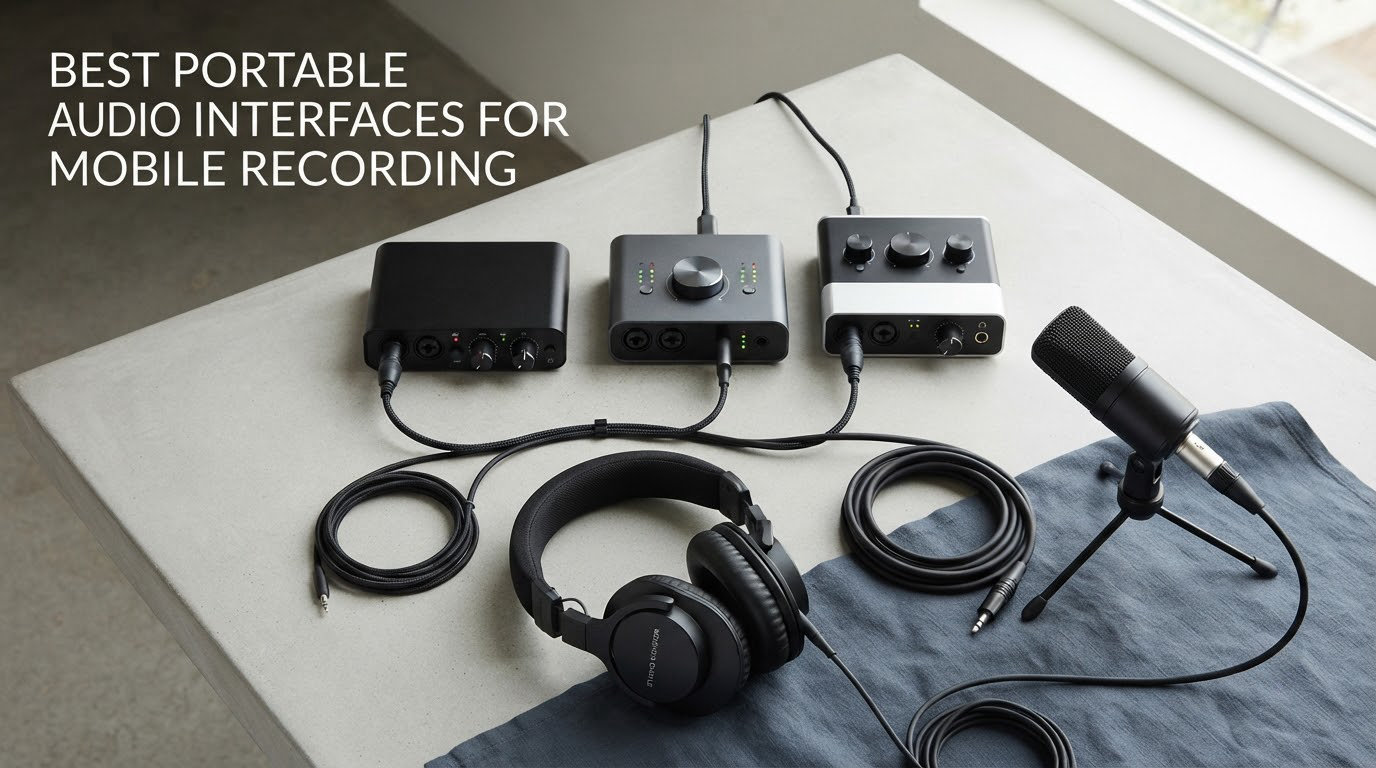
A portable audio interface is a small USB or 3.5mm box that adds real microphone and instrument inputs to a phone, tablet or laptop. It converts an XLR microphone or a guitar signal from analogue to digital, hands that audio to your device over USB-C, and sends monitoring audio back to your headphones so you can hear yourself while you record. Phones record perfectly well on their own, but the built-in microphones pick up wind, handling noise and room reflections, and they clip the moment someone speaks with energy. An interface fixes the source before any app gets involved.
We compared the best portable audio interfaces for mobile recording across ten models, checking three things that most roundups skip: whether the device is genuinely class-compliant so the phone sees it without installing drivers, what the real input count and phantom power situation are, and how the thing behaves when you are not near a laptop. Every pick below was matched to its own port, cable and platform, so you can tell in ten seconds whether it works with your phone before you read the rest.
Two quick notes for anyone arriving from a desktop interface guide. First, most desktop interfaces listed as “portable” by other sites are USB-A and driver-based, which means a phone will simply ignore them; we have left those out entirely. Second, if your mobile work is voice and music rather than a full production setup, our picks pair naturally with the desk-bound units covered in our home recording interface guide. If you are starting from zero, the beginner interface guide covers the fixed-room side of things first.
Table of Contents
Top 3 Picks for Mobile Recording in 2026
Best Portable Audio Interfaces (in 2026
All ten devices, sorted by the job they do rather than by price. The connectivity column is the one to read first, because it decides whether the interface appears on your phone at all.
| Product | Specifications | Action |
|---|---|---|
 IK Multimedia iRig 2 IK Multimedia iRig 2 |
|
Check Latest Price |
 IK Multimedia iRig HD 2 IK Multimedia iRig HD 2 |
|
Check Latest Price |
 Shure MVX2U Gen 2 Shure MVX2U Gen 2 |
|
Check Latest Price |
 IK Multimedia iRig Pre 2 IK Multimedia iRig Pre 2 |
|
Check Latest Price |
 JOYO MOMIX CAB JOYO MOMIX CAB |
|
Check Latest Price |
 Rode AI-Micro Rode AI-Micro |
|
Check Latest Price |
 Tascam iXZ Tascam iXZ |
|
Check Latest Price |
 Roland GO:MIXER PRO-X Roland GO:MIXER PRO-X |
|
Check Latest Price |
 Fender Link I/O Fender Link I/O |
|
Check Latest Price |
 Synido A20 Synido A20 |
|
Check Latest Price |
Will It Actually Work With Your Phone? Class Compliance Explained
A phone will only accept an interface that is class-compliant, which means the manufacturer built it to the USB Audio Class standard that iOS, iPadOS and Android speak natively. If the box needs a driver, it is a desktop interface and your phone will not show it in any app. This single rule explains most of the “my phone does not see my mic” posts that show up repeatedly on audio forums, and it is the reason several well-known desktop interfaces are absent from this list.
Two iOS habits catch people out. The first is the cable: a USB-C cable that only charges will not carry audio, and a phone paired with the wrong cable produces silence rather than an error message. The second is resolution. iOS commonly enumerates class-compliant interfaces as USB 1.1 devices and holds them to 48 kHz, so buying a 96 kHz interface for a phone gains you headroom rather than a higher capture rate. That is why we list the real ceiling for each device instead of marketing the headline number.
Android is narrower still. Only a handful of the units below were tested on Google Pixel and Samsung hardware, and one needs OTG enabled by hand before the phone will see it. Our streaming interface picks cover the desk-side of the same problem, but there is no Android equivalent of the iOS dongle ecosystem yet.
Monitoring is the other half of the story. Desktop interfaces route the signal through software you control; phone apps frequently offer no input monitoring at all, which leaves you singing or playing a fraction of a second behind the take. The fix is hardware direct monitoring inside the interface itself, a path from the input to the headphone socket that never touches the device. The picks marked below with direct monitoring do this at zero latency, and for anyone tracking a live instrument on a phone it matters more than the converter spec.
1. IK Multimedia iRig 2 – Best Overall for Plug-and-Play Guitar Recording
IK Multimedia iRig 2 portable guitar audio interface, lightweight audio adapter for iPhone and iPad with instrument input and headphone/amplfier outs
3.5 mm TRRS plug and play
1/4 inch amp out with FX and Thru
48 kHz maximum
3.53 oz
Pros
- True plug-and-play TRRS connection with no adapter
- Adjustable gain dial for matching levels
- 1/4 inch amp out for a live rig
- FX and Thru switch for a clean analog path
- Extremely small and light
Cons
- TRRS-only connection needs a dongle on USB-C and Lightning phones
- Single 3.5 mm input with no XLR microphone support
- 48 kHz ceiling below newer IK interfaces
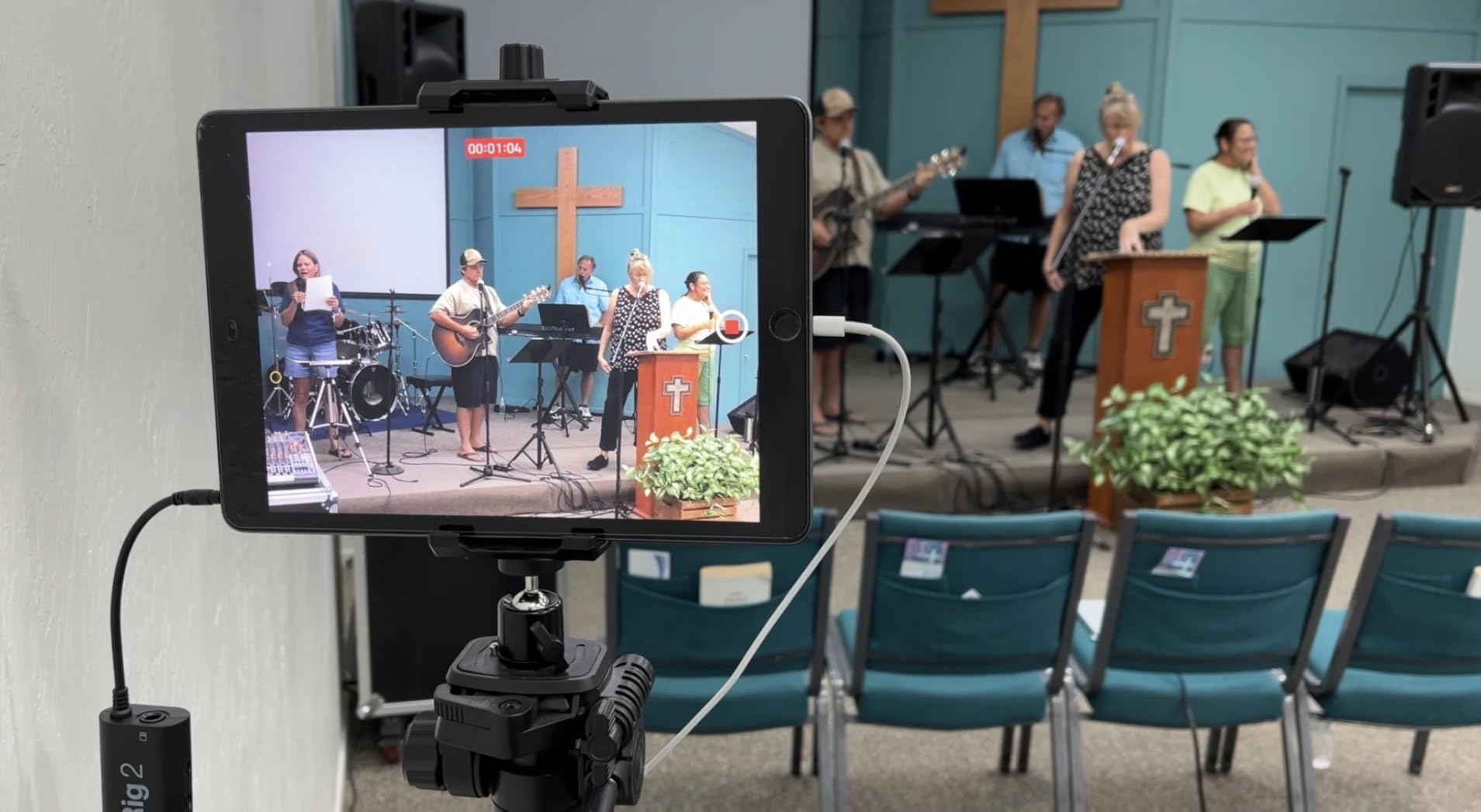
I have carried the iRig 2 in a gig bag for longer than I care to admit, and it is still the fastest way to get a clean guitar into a phone. You plug one end into the headset jack and the other into the guitar, turn the gain dial until the level feels right, and hit record. There is no pairing step, no app to configure and no cable to choose.
The build is tiny at 3.53 ounces, and the housing is a 1.6 by 2.9 inch footprint that disappears into a shirt pocket. That matters more than the numbers suggest, because the weight of a dongle hanging off a phone is what makes cheap adapters feel flimsy in the hand.
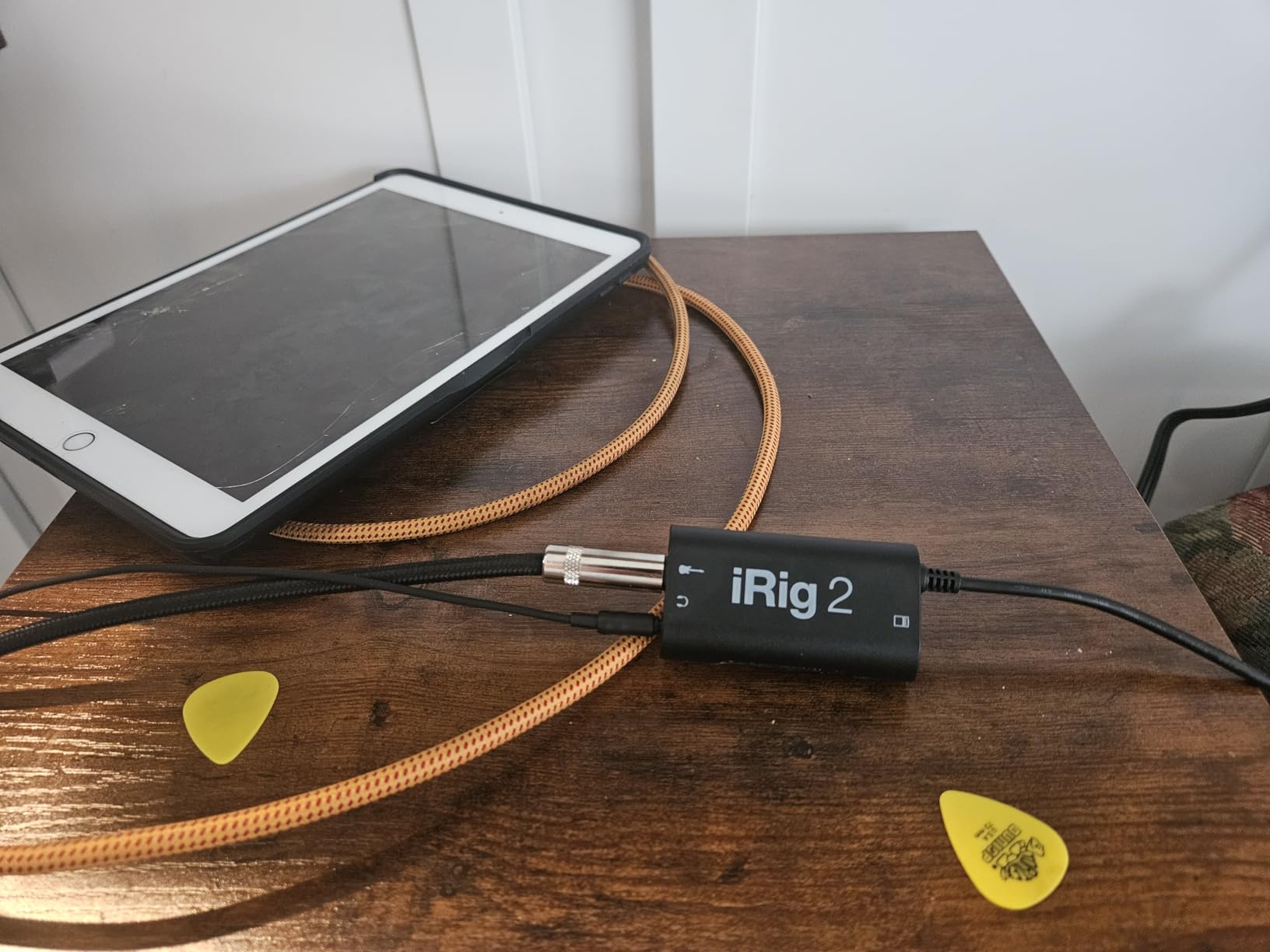
Technically it is deliberately simple. One 3.5 mm input, one 3.5 mm headphone output and a 1/4 inch amp out for feeding an amplifier without an adaptor. The FX and Thru switch is the feature regulars mention most: flip it and you get a fully analog clean path, which is what you want for tuners, looper practice and clean takes.
With 11822 reviews averaging 4.4 stars, this is the most proven mobile guitar interface on the market, and the review pattern is consistent. Owners praise the instant setup, the gain dial and the amp-out jack, and they use it mainly for quiet practice and rehearsal rather than finished releases.
What you get when you plug it in
A single mono analogue channel, captured at up to 48 kHz. That is enough for a rehearsal recording, a song idea or a video of a chord progression, and it is the resolution ceiling iOS will honour through a 3.5 mm path anyway.
The headphone output is the same one you would use for a tuner, and the gain dial affects the input level rather than your monitor volume. If you are monitoring through small earbuds, keep expectations realistic.
Where it falls short
The TRRS plug is the limitation to plan around. A phone with no 3.5 mm jack needs a USB-C or Lightning to 3.5 mm adaptor, and that adaptor is the weakest link in the chain rather than the interface.
There is also no XLR input, so this is a guitar and line-level box only. For voice work, move up to the band-recording interface guide for a desktop rig instead.
2. IK Multimedia iRig HD 2 – Best Value 96 kHz Mobile Interface
IK Multimedia iRig HD 2 guitar audio interface for iPhone, iPad, Mac, iOS and PC with USB-C, Lightning and USB cables and 24-bit, 96 kHz music recording
1/4 inch Hi-Z instrument input
96 kHz and 24-bit
Headphone blend control
USB-C and Lightning cables
Pros
- 96 kHz and 24-bit capture for the class
- Hi-Z input plus separate FX and Thru amp out
- Headphone blend control for backing tracks
- USB-C-to-Lightning and USB-C-to-USB-A cables included
- Works as a clean tuner and recorder
Cons
- Included device cables use micro-USB ends
- Weaker and noisier on Windows than on iOS
- Very light so it slides unless the cable is anchored
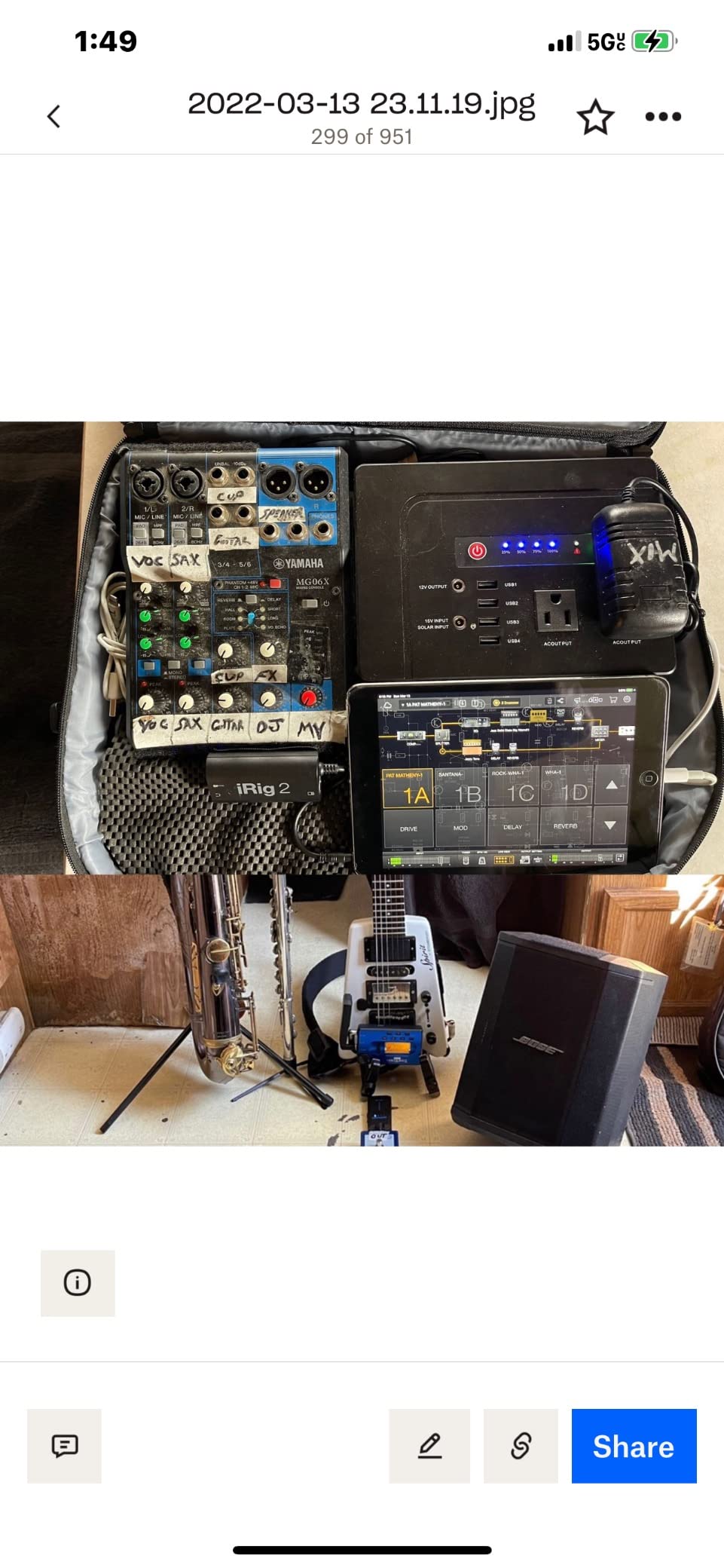
The HD 2 is the version of the iRig I would actually recommend to someone starting out, because the extra resolution and the headphone blend control solve the two problems that most frustrate phone users. Capture runs at 96 kHz and 24-bit, and you can dial your dry guitar against a backing track in the headphone output.
The 1/4 inch Hi-Z input is instrument level, so it takes a guitar directly with no passive adapter, and the separate amp-out jack has switchable FX and Thru positions. That means the same box serves as a silent practice rig, an amp-sim input and a clean recording source.
Cable inclusion is a genuine advantage here. The box ships with USB-C to Lightning and USB-C to USB-A leads, so it covers modern iPhones, iPads, Mac and PC from a single purchase, and the included leads are the correct data type rather than charge-only wires.
At 8 ounces and 3.9 inches long, it is still genuinely pocket-sized, and the mic-stand mounting clips let you hang it off a stand during a rehearsal. The 3878 reviews at 4.4 stars describe a device that behaves like a small studio unit rather than a dongle.
How good is the mobile signal path
Users regularly single out the 96 kHz resolution, the FX and Thru amp out and the headphone blend as the reasons it works for both quiet practice and last-minute gig prep. On an iOS device the chain is direct and the gain staging is predictable.
Capture stays mono on a single input, so this is a one-source-at-a-time tool rather than a two-person interview solution. If you need a second mic, the multi-input devices further down handle that better.
What to watch out for
The device-side cables included in the box terminate in micro-USB, which catches people out before they have even unboxed it. Check the ends against your phone before you commit.
Windows behaviour is noticeably weaker than iOS, with reports of other audio devices being disabled and static creeping in. The extra amp and cab models in AmpliTube also cost money beyond the free bundle, and the iOS versions do not carry across to other platforms.
3. Shure MVX2U Gen 2 – Top Rated XLR-to-USB-C Converter
Shure MVX2U Gen 2 XLR-to-USB-C Audio Interface
XLR input for any mic
Up to 60 dB gain with 48V phantom
Onboard Shure DSP
Zero-latency headphone monitoring
Pros
- Turns any XLR mic into a USB input on phones and computers
- Up to 60 dB of gain plus 48V phantom power
- Onboard DSP runs with zero latency
- USB-powered with no batteries to carry
- Plugs straight into the mic or uses an XLR cable
Cons
- Full control needs MOTIV and iPhone is not supported there
- Some quiet talkers find effective gain short of 60 dB
- Firmware update required before first use
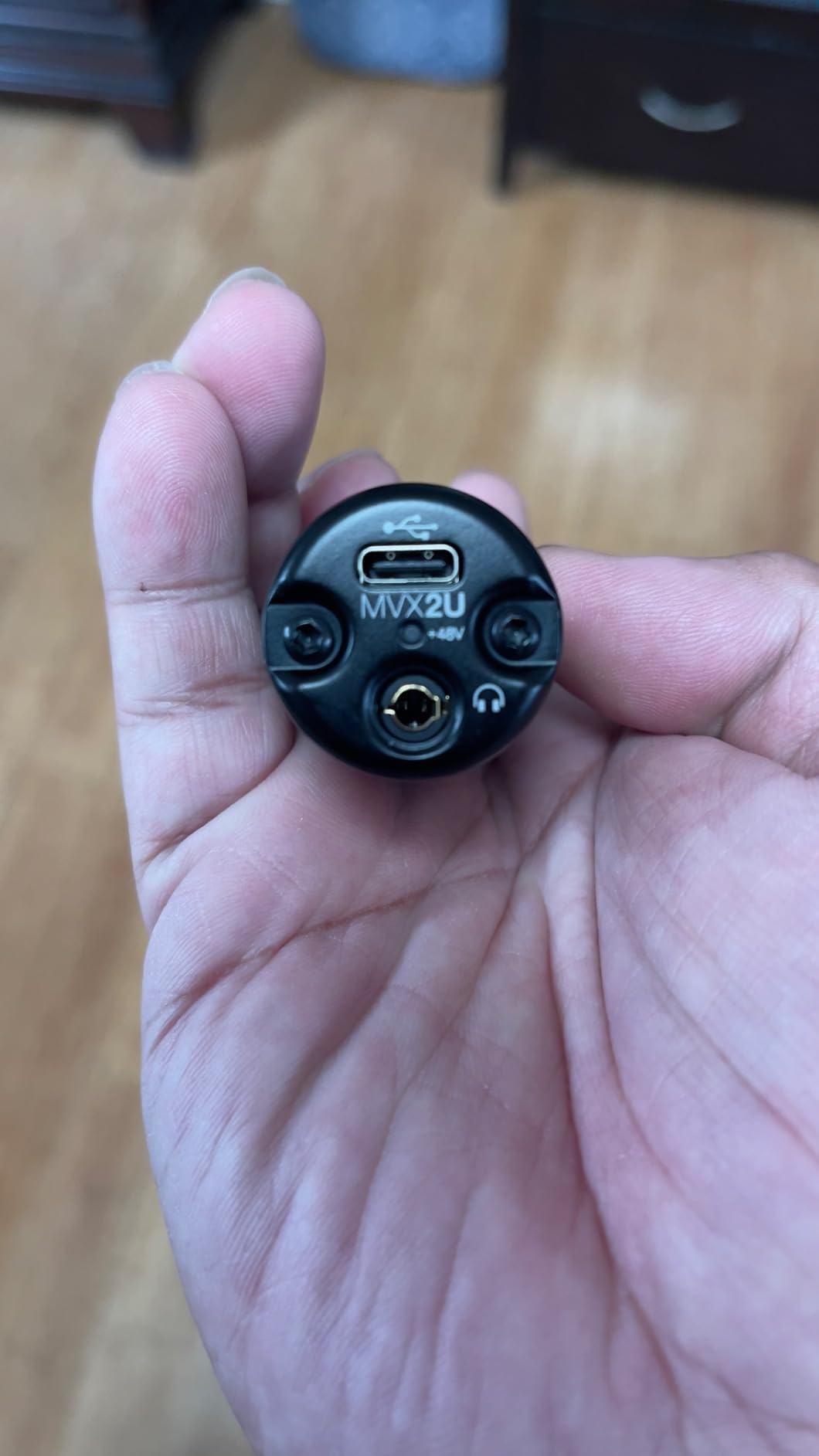
This is the pick for anyone whose mobile work is voice. Instead of a fixed instrument input, it accepts any XLR microphone, dynamic or condenser, and offers up to 60 dB of gain with 48V phantom power. A dynamic podcast mic and a large-diaphragm condenser plug into the same end of the cable.
What separates it from a passive adapter is the processing. Shure’s onboard digital audio processing includes an auto level mode, a real-time denoiser, a digital popper stopper and a set of tone presets running Dark, Natural and Bright, all handled in hardware at zero latency so nothing waits for the phone.
It is powered entirely by USB, so there is no battery to forget on a job, and it runs at 100 grams on a form factor small enough for a shirt pocket or a boom pole. Platform support is broad, covering Android, iOS, Windows and macOS, and it is MFi-certified.
The 4.5 star average across 774 reviews is the highest rating in this roundup, and reviewers consistently point at the preamp gain, the phantom power, the monitoring and the onboard DSP as a package that replaces a small rack of outboard processing.
Voice quality from a phone
Auto Level handles the gain rides that normally eat a take when a guest leans forward, and the popper stopper is genuinely useful for spoken-word work close to the mic. None of it adds latency, so you still sing in real time.
Because the DSP runs locally, the same processing is available whether you are on a tablet or a desktop, which removes the app-to-app inconsistency that plagues phone recording setups.
Where the software gets in the way
Reaching the advertised headroom needs the MOTIV software, and the MOTIV app does not support iPhone, so full control is unavailable on the device most people would use this with. A few quiet talkers also report the effective gain falls short of 60 dB without MOTIV processing.
There is a required firmware update through a desktop or mobile app before first use, and the device will not work on PS5 or Xbox consoles because they lack USB Audio Class 2.0.
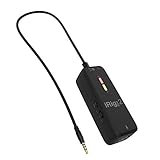
4. IK Multimedia iRig Pre 2 – Best for Android and Camera Mic Input
IK Multimedia iRig Pre 2 mic preamp Adapter Interface for iPhone, iPad, Android, iOS & DSLR Cameras, with +48V Phantom Power, XLR Connector & Headphone Output
XLR input with true 48V phantom
Class-A preamp with adjustable gain
Direct monitoring with no latency
iPhone iPad Android and DSLR
Pros
- True 48V phantom power that most dongles cannot provide
- Class-A preamp with adjustable gain for a cleaner signal
- Direct headphone monitoring with no latency or echo
- Works with iPhone iPad Android and DSLR cameras
- Battery powered so it does not drain the phone
Cons
- AA batteries are required for phantom power operation
- No 1/4 inch instrument input for guitar or bass
- Plastic enclosure feels basic next to metal competitors
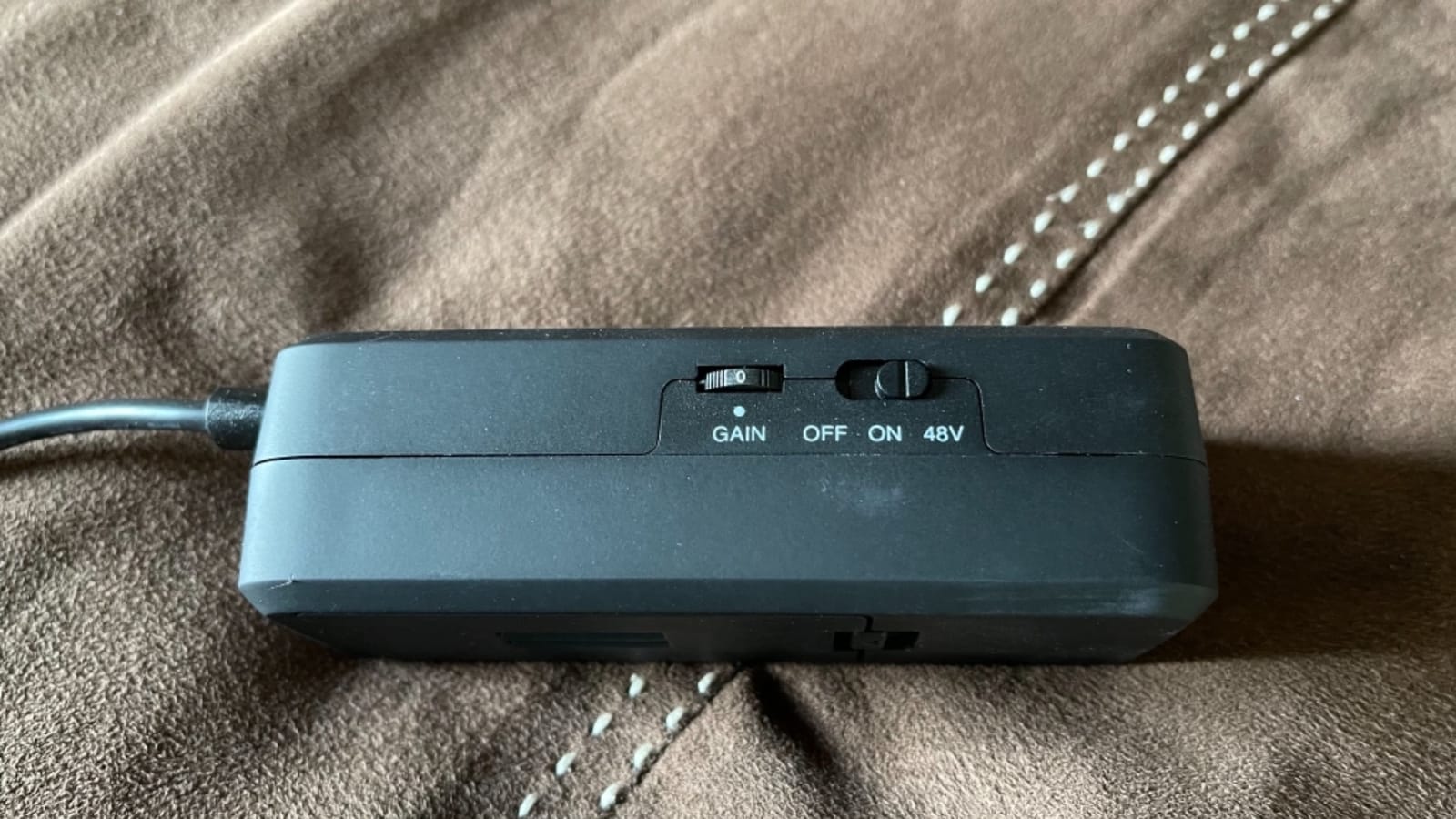
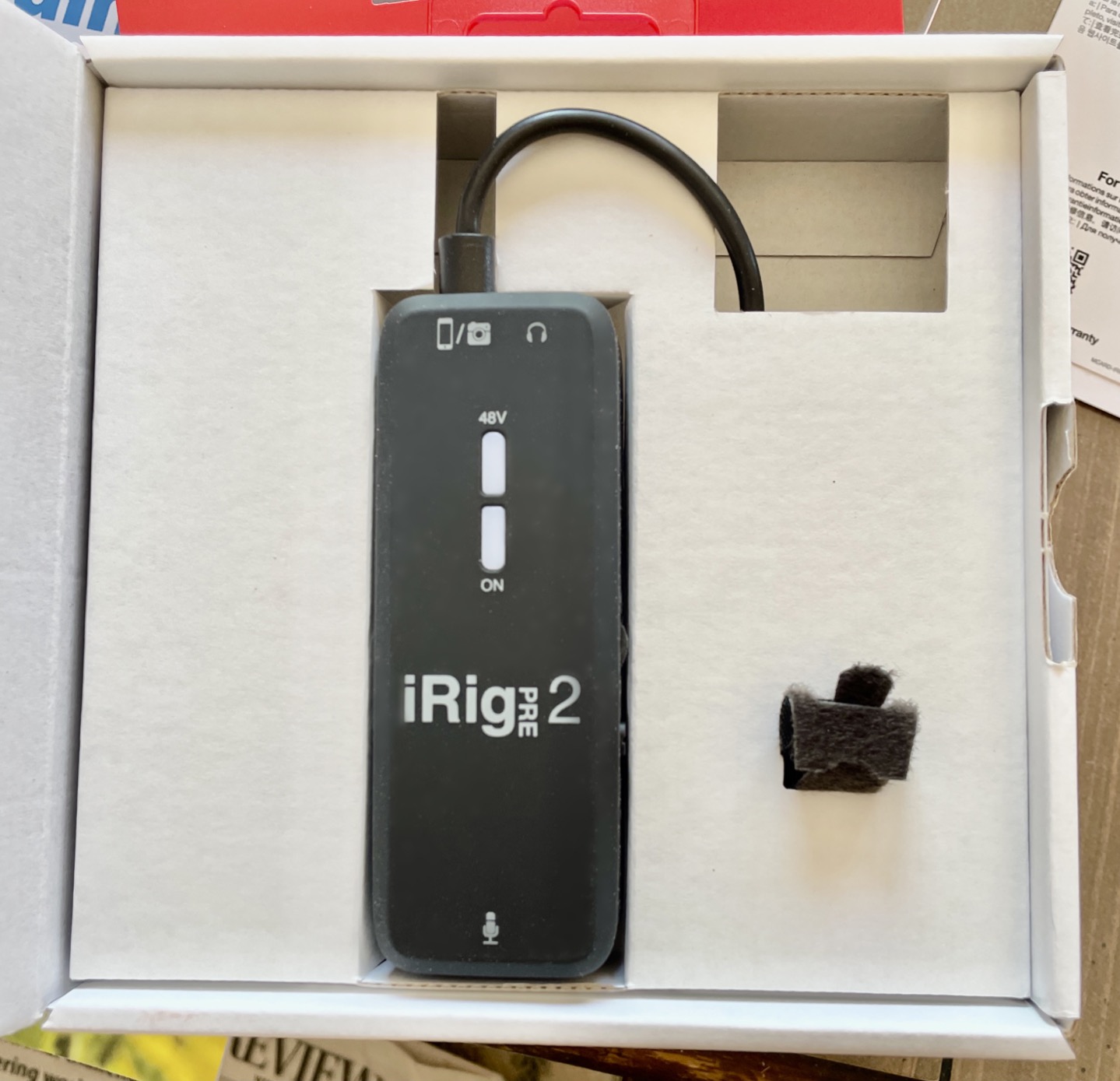
The distinguishing feature is genuine 48V phantom power, which is what lets a large-diaphragm condenser microphone run properly instead of sounding thin and quiet. Most phone dongles simply cannot supply it, and a passive adapter cannot supply it at all.
The preamp is Class A with adjustable gain, so the noise floor stays low even when you are riding the gain for a quiet voice. Direct headphone monitoring has no latency and no echo, which keeps a singer or narrator on the beat.
Cross-platform reach is the other argument. The TRRS connection covers iPhone, iPad, Android and DSLR cameras, which means one device handles a phone shoot, a tablet session and a camera-mounted interview. The included iRig Recorder and VocaLive apps cover the basic tracking and podcasting cases.
It runs on two AA batteries, so phantom power does not depend on whether the phone can deliver enough current, a concern raised repeatedly by people recording condensers directly from a device.
Why phantom power changes the recording
A condenser microphone needs 48V to run at its specified sensitivity and low self-noise. Without it you push the gain so far that the preamp noise becomes the recording, and the tone flattens. Supplying real phantom power is the single most audible upgrade in this list.
That makes the Pre 2 the sensible pick for voiceover, narration and interview work where a large condenser is already in the bag.
Where it stops short
There is a single XLR input and no 1/4 inch instrument jack, so guitar and bass players pass this one by. The plastic housing is also the first thing reviewers mention when comparing it to the metal-bodied options.
As with every TRRS device here, reaching a modern USB-C or Lightning phone needs an adaptor, and you should confirm your device accepts a TRRS audio input accessory.
5. JOYO MOMIX CAB – Budget Pick for Song Sketches
JOYO Guitar Audio Interface for Phone, Direct Monitoring with 6.35mm Input & 3.5mm Headphone Out, USB-C & Lightning Plug & Play, Portable Pocket Size (MOMIX CAB)
6.35 mm instrument input
Zero-latency direct monitoring
20 g back clip design
USB-C and Lightning included
Pros
- Cheapest reliable route from guitar to phone
- Zero-latency monitoring of the clean guitar signal
- No batteries no charging and no drivers
- Back clip attaches to a pocket belt or strap
- Green and red LED gives instant level feedback
Cons
- Dry signal cannot be muted so amp sims are unusable
- 48 kHz ceiling
- Only the included USB-C cable is guaranteed to work
This is the lowest-cost way to get a real guitar signal into a phone, and for song ideas, rehearsal videos and chord progression clips it does the job completely. A 1/4 inch instrument input and a 3.5 mm headphone output sit in a 20 gram body with a clip on the back.
Direct monitoring is genuinely zero-latency on the clean signal, so what you hear in the headphones is what the interface is passing straight through, with no software round trip. The signal LED gives instant feedback, green for a clean level and red when the input is too hot.
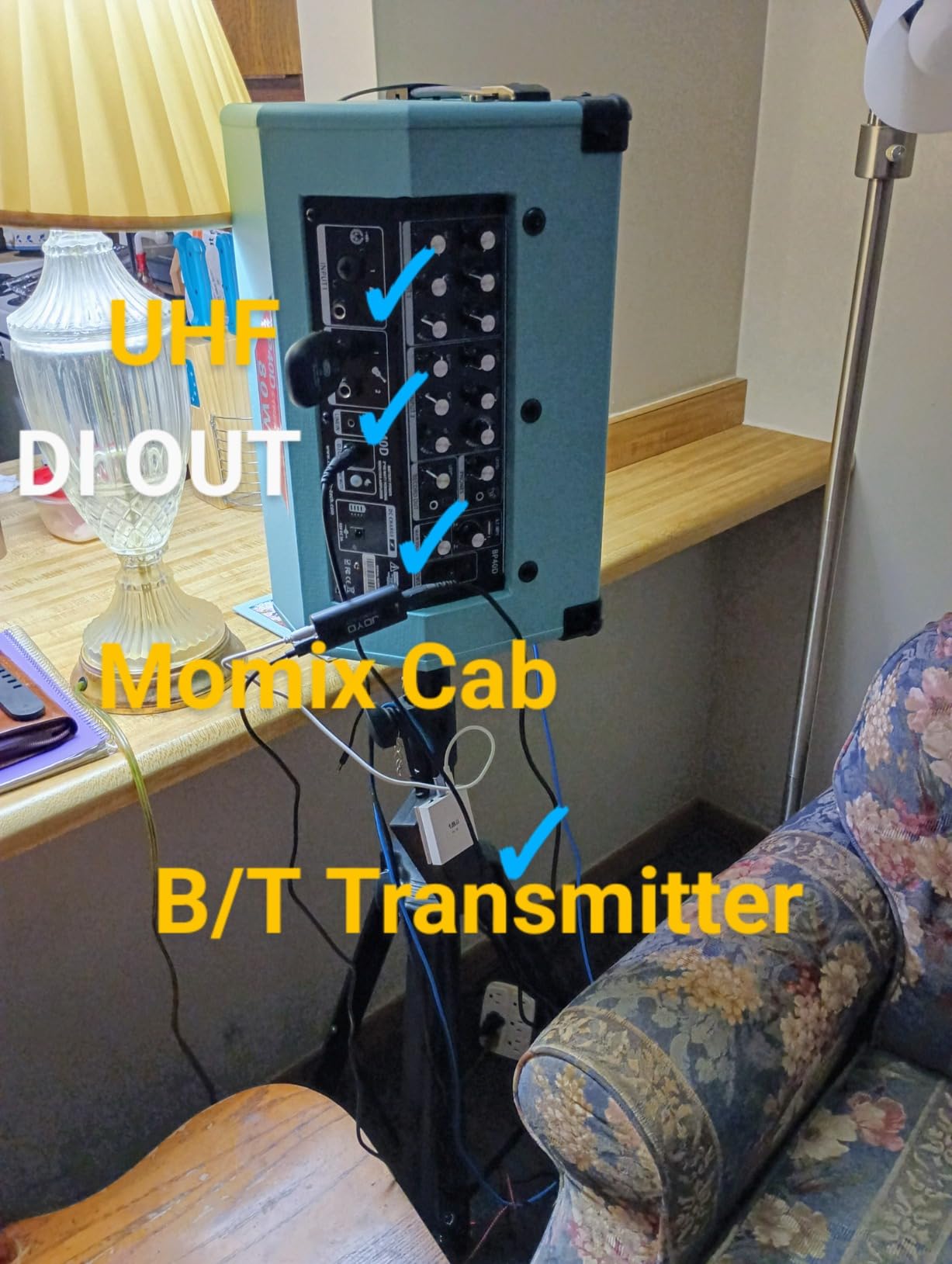
There is nothing to install and nothing to charge. A USB-C cable and a Lightning adapter are included, and the back clip attaches to a pocket, a belt or a guitar strap so the device moves with you rather than dangling.
At 4.2 stars from 663 reviews it is the weakest rated unit with a large review base, and the complaints are consistent: budget capture done well, with a hard architectural limit that no firmware change can fix.
What it is genuinely good at
Recording a reference track, writing to a loopback and filming yourself playing. The instant monitoring makes it feel like a real instrument rather than a file transfer, and the clip-on form factor is smaller than a key.
It also works as a very low-cost way to test whether a phone-based recording workflow suits you before you invest in a microphone and preamp.
Why amp simulations do not work with it
The dry signal is always present in the headphone output and cannot be muted. Any app that processes the input and then plays back processed audio produces doubled, out-of-time sound, so the MOMIX CAB is incompatible with the amp simulation and effects chains that motivate many purchases in the first place.
Only the included USB-C cable is guaranteed to work, and Android needs OTG enabled by hand, which the manual does not mention.
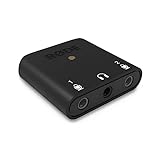
6. Rode AI-Micro – Best for a Lightweight Stereo Mic Pair
Rode AI-Micro USB Audio Interface,Black
13 g dual-channel body
Auto-sensing TRS and TRRS inputs
High-power headphone output
USB-A USB-C and Lightning cables
Pros
- At 13 g it is one of the smallest mobile interfaces available
- Auto-sensing inputs let any 3.5 mm mic work without configuration
- Zero-latency direct monitoring through a high-power headphone output
- USB-A USB-C and Lightning cables all included
- Works with the RODE app suite
Cons
- Occupies the only USB-C port so charging needs a splitter
- Direct monitoring is mono so stereo cannot be heard in real time
- Does not register as a headset so calling apps fall back to the phone mic
At 13 grams the AI-Micro is the lightest full interface here, and it is the only one that presents two analogue channels. That makes it the option for stereo pairs, a matched pair of small condensers, or a single mic plus a second source for a two-person setup.
The inputs auto-sense TRS and TRRS, which means a plain 3.5 mm microphone, a lav, or a wireless system transmitter works without any configuration step. The headphone output is described as high-power, so it drives headphones of a reasonable impedance rather than only earbuds.
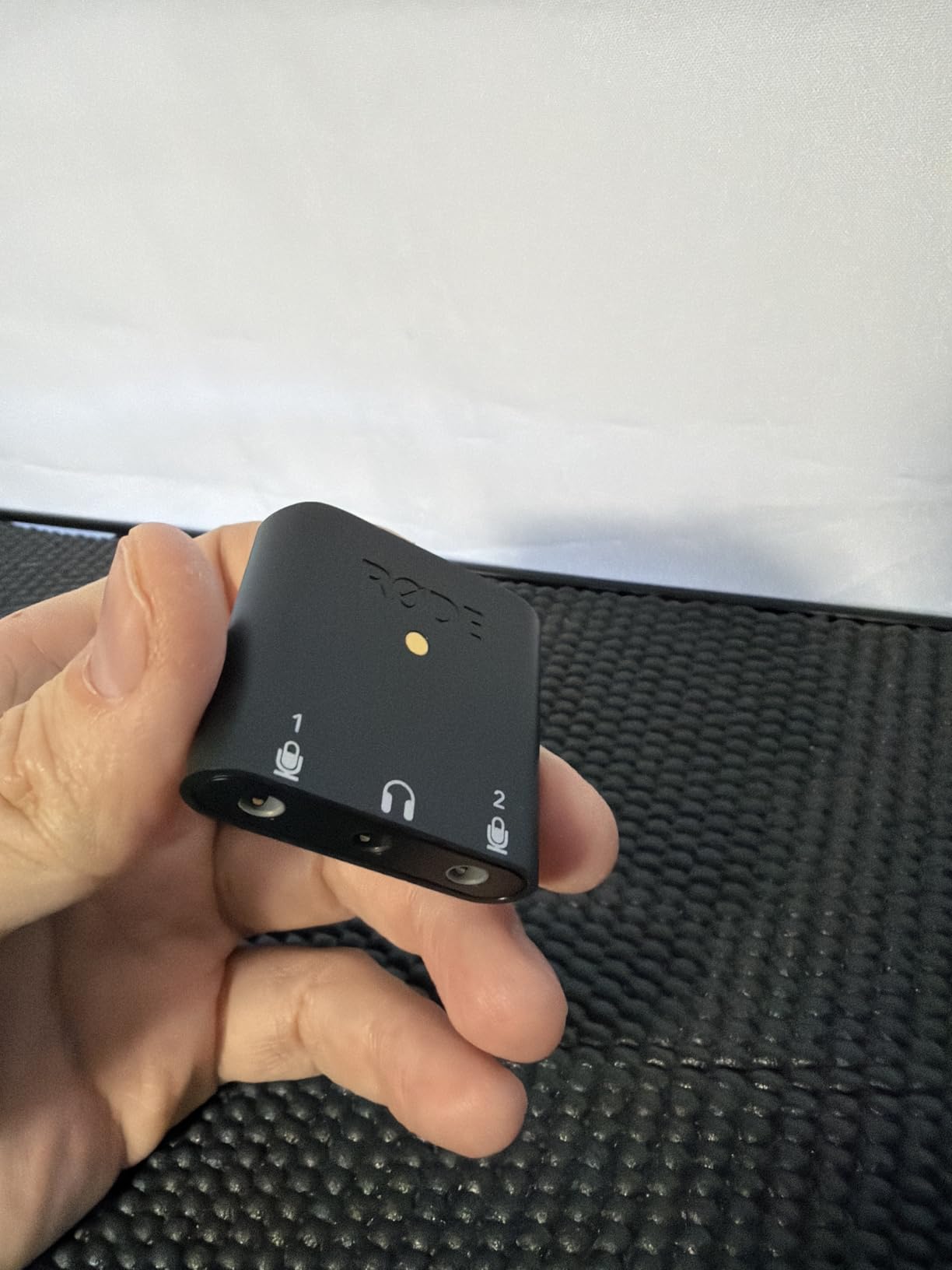
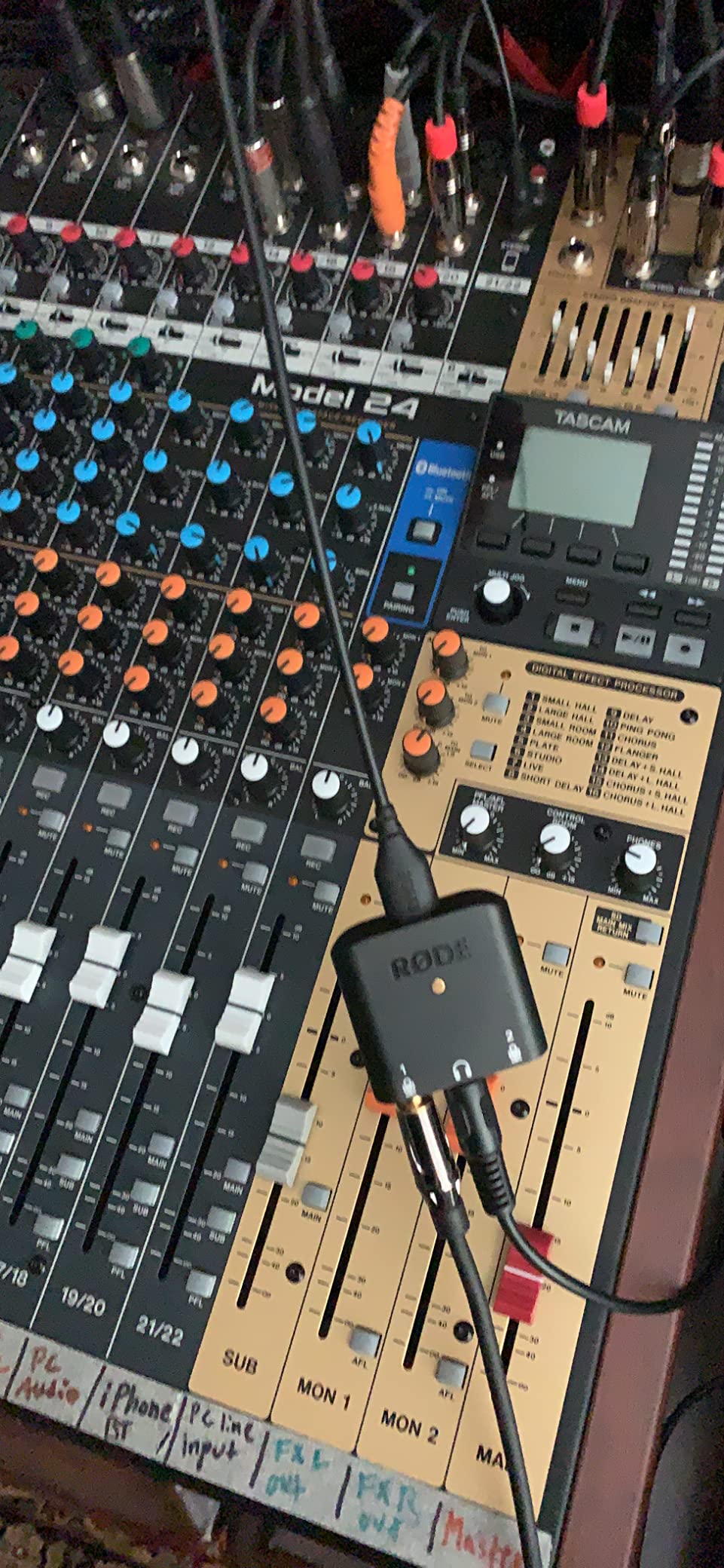
All three cable types ship in the box, USB-A, USB-C and Lightning, and the RODE app suite handles configuration and monitoring control. Technical users cite clean spectral performance, high dynamic range and low distortion as the reasons it holds up on a proper measurement.
It holds a 4.4 star average from 510 reviews, and the review pattern shows the same split we see elsewhere: people like the electronics, and they accept the ergonomics because the alternative is carrying more.
Where a stereo pair genuinely helps
Recording an acoustic guitar across two mics, or capturing a room ambience alongside a close vocal, needs two channels. The AI-Micro is the lightest way to get there without a tablet and a desktop interface, and the auto-sensing input removes the usual guesswork.
For a single lavalier it is overkill in a good way, since you gain a second input you can leave unused.
The port and the calling-app problem
The device takes over the phone’s only USB-C port, and there is no charging pass-through, so recording and charging at the same time needs a splitter. Long interviews on a single charge are the scenario where this matters.
Direct monitoring is mono, so a stereo recording cannot be heard in real time, and the interface does not register as a headset, so calling apps on iOS fall back to the built-in microphone and speaker.
7. Tascam iXZ – Best for a Single Mic on Older iOS Devices
Tascam iXZ Microphone and Instrument Audio Interface for iOS Mobile Devices, iPhone, iPod, and iPad,White
XLR mic or instrument input
Phantom power for condensers
Headphone monitoring
AA battery power
Pros
- Pocket-sized and light for mobile sessions
- Accepts a microphone or a guitar or bass through one input
- Supplies phantom power for condenser microphones
- Headphone output for monitoring from the device
- AA batteries mean it does not drain the phone
Cons
- iOS only with no Android or desktop support
- 48 kHz maximum sample rate
- Single input so no stereo capture and no second mic
The iXZ is the oldest design in this roundup, and that is both its weakness and the reason it still works for a specific person: someone on an iPhone or iPad with a Lightning-era setup who wants one microphone or one instrument and nothing more. The input switch sets the gain for a mic or a guitar, and the same jack handles both.
It supplies phantom power for condensers and provides a headphone output for monitoring from the iOS device, while two AA batteries keep the session going without draining the phone.
It is light at 0.09 kg and genuinely pocketable, which suits a bag-based mobile rig where every gram is noticed.
What it does well for one source
A single dynamic microphone for a narrator, a presenter or a singer works exactly as expected, and battery power removes the current question entirely. The headphone output lets you check the take without unplugging anything.
For a one-mic, one-person recording job on an iOS device, the simplicity is a genuine advantage over a feature-dense box you would only use a fraction of.
Why the score is the lowest here
It is the only product in this roundup with no Android, macOS or Windows support, and the 48 kHz ceiling leaves it behind anything sold today. The TRRS connection needs an adapter on any current phone.
One input means no stereo capture and no second microphone for an interview, so a two-person conversation is out of the question with this device.
8. Roland GO:MIXER PRO-X – Best for Multi-Source Mobile Sessions
Roland GO:MIXER PRO-X Audio Mixer for Smartphones
Mixes up to seven input sources
48V phantom power on XLR
Loop back for backing tracks
Battery or phone powered
Pros
- Mixes up to seven sources
- the most inputs of any interface here
- 48V phantom power for professional condenser microphones
- Loop back function for playing along with backing tracks
- Complete USB-C Lightning and TRRS cable set in the box
- Runs on four AAA batteries or the phone
Cons
- At 467 g it is the heaviest and least pocketable device here
- Uses USB Micro-B on the device end
- 48V phantom power requires battery power
Every other device here is a dongle. The GO:MIXER PRO-X is a small handheld console, and that is the point: it mixes up to seven input sources with studio-quality preamps, which is the only way to get a full band rehearsal onto a phone.
It accepts microphones, instruments and line sources, supplies 48V phantom power on the XLR input for professional condensers, and has a loop back function so you can play along with backing tracks already on the device. Four AAA batteries or the phone itself can power it.
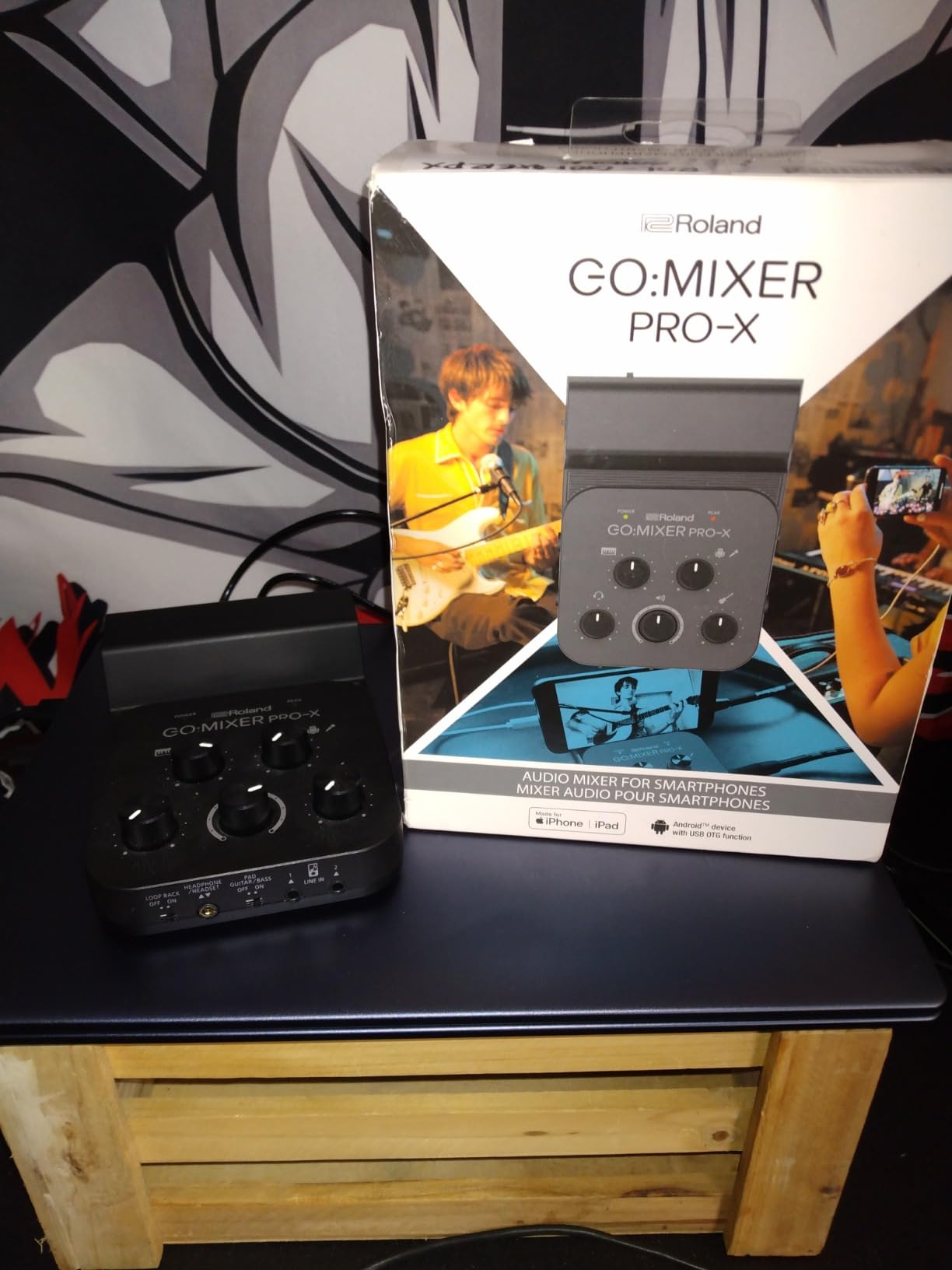
All three connection cables ship in the box, USB Micro-B to USB-C, USB Micro-B to Lightning and TRRS to TRRS, so a mixed iOS and Android kit is covered out of the box. Registration with Roland carries a two-year warranty.
The 4.4 star average from 259 reviews reflects a device people are happy with once they understand the trade: they accept the weight because nothing else in a phone bag does the job. For band work, our recording-bands guide covers the desk-side alternative.
When more than two sources is the requirement
A two-person interview needs two inputs and two sets of headphones, and only a handful of these devices offer that. A rehearsal with a guitar, a bass and a vocal needs three, and this mixer is the only unit in the roundup that reaches that.
Loop back is the quiet hero. Being able to hear and play along with a track on the device turns the phone into a rehearsal recorder rather than a capture device.
What portability costs you here
At 467 grams and 6.1 by 4.09 inches, this is a handheld console rather than something that lives in a pocket. It is the heaviest device here by a wide margin.
The device connection uses USB Micro-B, which is a step backwards from native USB-C, and 48V phantom power only works when the unit is running on batteries rather than phone power.
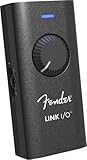
9. Fender Link I/O – Best for Native USB-C Guitar Tracking
Fender Link I/O Portable USB-C Audio Interface, Fits in Your Pocket, Provides Pristine, Bi-directional Audio over USB connection
High-impedance 1/4 inch input
24-bit and 96 kHz converters
Headphone mix control
Bus-powered USB-C
Pros
- Native USB-C connection with no adapter on modern phones
- 24-bit and 96 kHz studio-grade converters
- High-impedance input tuned to feel like a Fender amp
- Bus-powered with no supply or batteries
- Fender Studio DAW with jam tracks included
Cons
- Single 1/4 inch instrument input with no XLR or phantom power
- Single channel so no stereo capture
- Lowest rating in the roundup at 4.0 stars
The Link I/O is the most modern-looking device in this roundup: a pocket-sized body with native USB-C on the device end, so there is no adaptor in the chain on a current phone or laptop. The converters run at 24-bit and 96 kHz, which is the higher figure on the spec sheet even if a phone caps the real rate.
The 1/4 inch input is high-impedance with an amp-like circuit, so a guitar behaves the way it would through an amp rather than sounding thin and lifeless. The headphone output is a 1/8 inch stereo TRS with a mix control for blending the live input against playback.
It is bus-powered from whatever device it is plugged into, and the Fender Studio DAW with effects and jam tracks is included. System requirements list macOS, Windows, Chrome OS, iOS and iPadOS and Android, so the same box covers a phone and a desk.
With 175 reviews it has the smallest evidence base here, and the 4.0 star average is the lowest, with the largest share of one-star feedback. Those reviews are largely about scope rather than defects.
Why the amp-like input circuit matters
Most generic instrument inputs roll off the low end because they are built for line-level sources. A high-impedance input presents the impedance a guitar pickup expects, which keeps more of the body in the recording and makes amp simulation more convincing.
The mix control is genuinely useful on a phone, where you often want to hear a backing track at a set level against a live input without touching the device.
What is missing
There is one input, one channel and no XLR microphone input or phantom power. This is a guitar and bass tool, and anyone recording voice or running a two-source session should look elsewhere in the list.
The bundled Fender Studio software is the main draw, and support for other DAWs depends entirely on what the host device provides.
10. Synido A20 – Best for Recording While Your Phone Charges
Synido A20 Portable USB-C Audio Interface for Guitar & DJ Recording
24-bit and 96 kHz converters
Adaptive gain control
Acts as a charging dock
Wireless backing track switch
Pros
- 24-bit and 96 kHz resolution for the class
- Adaptive gain control prevents distortion across instruments
- Doubles as a dock so the phone charges while recording
- One-touch wireless switch sends accompaniment to a second phone
- Built-in cable storage keeps it tidy
Cons
- Requires the phone or camera to support USB-C audio input
- Smallest review base in the roundup
- No XLR input or 48V phantom power for microphones
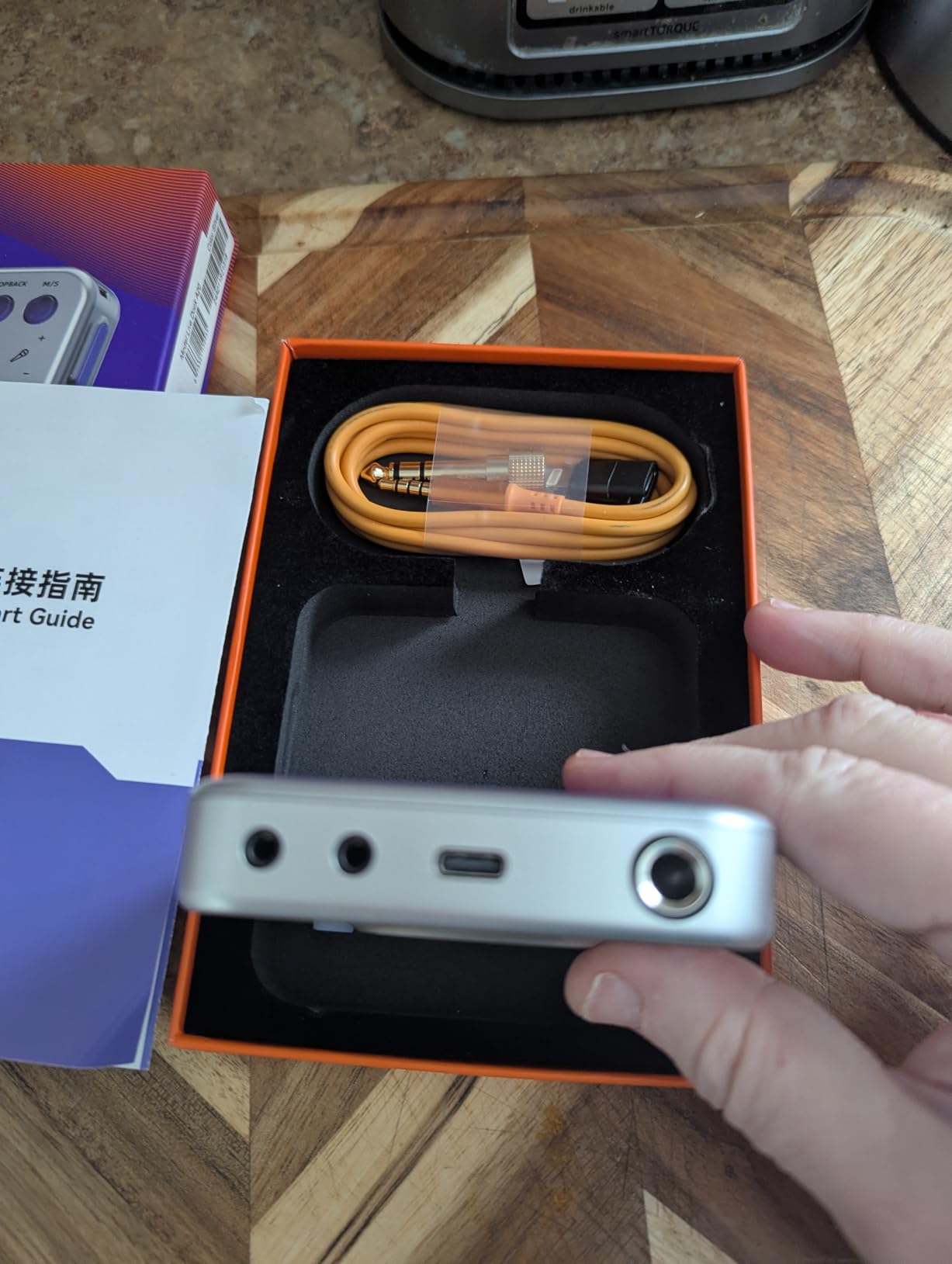
The A20 solves the problem that quietly ruins most long mobile sessions: the phone runs flat. Because the USB-C connection also accepts a charging cable, the device works as a dock, so you can record or stream for hours while the phone is plugged into power.
Capture runs at 24-bit and 96 kHz through a dual-core chip, with ultra-clear loopback and a direct monitor function, and adaptive gain control matches the input level across different instruments so a bass guitar and a bright electric guitar do not need separate gain settings.
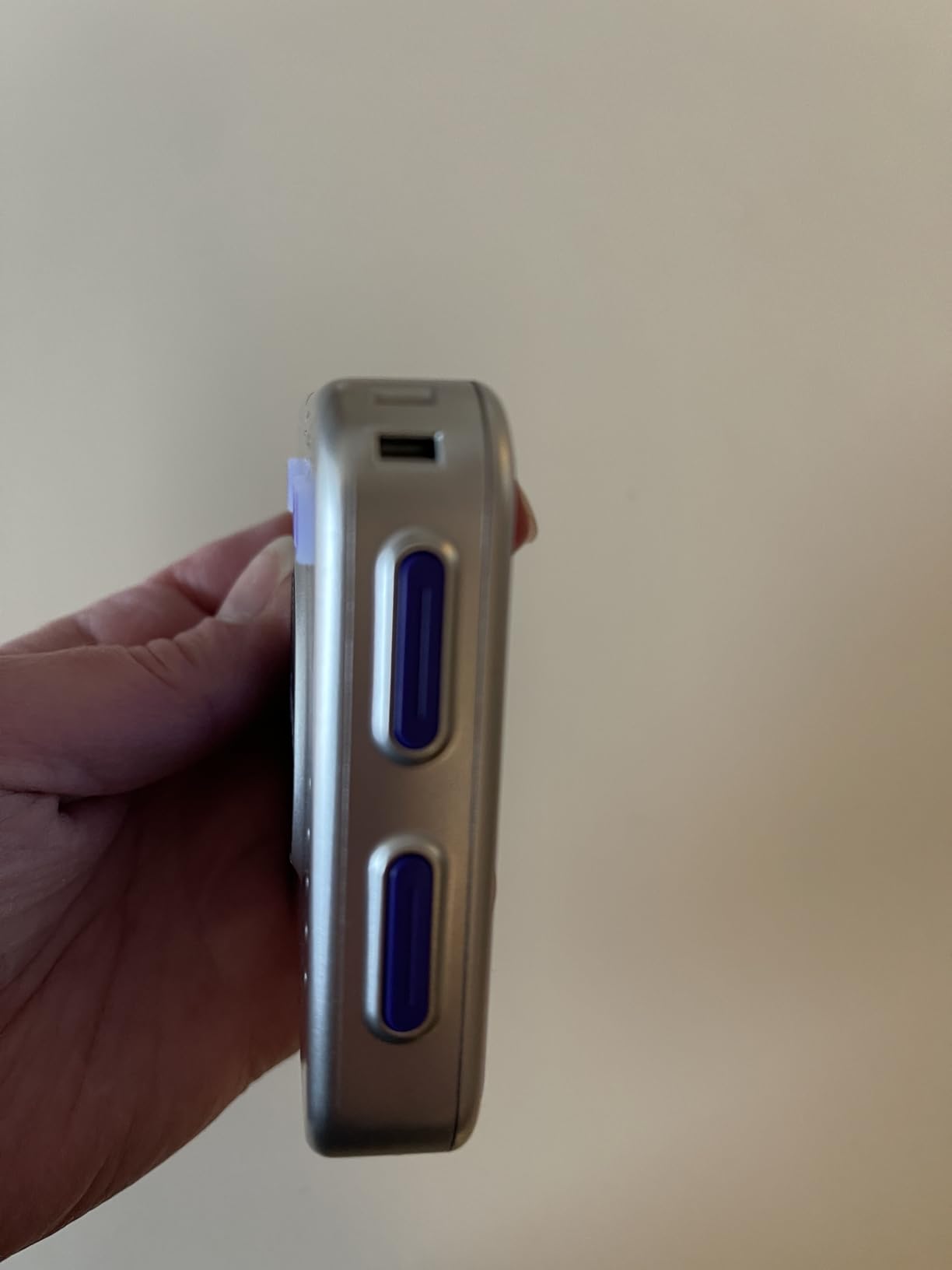
It presents two channels, and a one-touch wireless switch sends accompaniment to a second phone, which is a neat way to hold backing tracks in one device while recording on another. Cable storage is built into the pocket-sized body, which keeps a loose adapter in a bag to a minimum.
It is aimed at electric guitars, MIDI keyboards, digital pianos, bass and electronic drums, with compatibility listed for iPhone, Android, Mac and PC. The 4.3 star average comes from 152 reviews, the smallest base here, and the feedback tracks the spec sheet closely.
Why charging pass-through changes a session
A phone as a recorder draws power from the same cell that has to last the day. Running a long interview or a live stream on a bus or at a gig, the charging dock removes the countdown and means you never have to choose between power and capture.
Adaptive gain is the sleeper feature for anyone swapping instruments in one session, since it removes the fiddling that normally eats the start of a take.
Where the evidence runs thin
Everything depends on the host phone or camera supporting USB-C audio input, so check that before anything else. There is no XLR input and no phantom power, which rules it out for microphone work entirely.
With 152 reviews and less documentation on latency and included cables than the established brands, this is the pick to try when its specific feature set matches your rig exactly rather than as a general-purpose default.
Buying Guide: How to Choose a Portable Audio Interface
Start with the port, not the spec sheet. A 3.5 mm TRRS plug works on anything with a headset jack and needs an adaptor on a current phone. A USB-C device end is the most convenient today. Lightning is now legacy hardware. If you are on Android, check that the manufacturer has actually tested on your phone, and expect to enable OTG by hand on some models.
Confirm class compliance before anything else. If the device needs a driver, no phone will see it. The list here is restricted to devices built to the USB Audio Class standard, which is why familiar desktop names do not appear. A quick test is whether the manufacturer lists mobile platforms in the specifications at all.
Count inputs against your actual session. One input covers solo voice, solo guitar or a single reference track. Two covers a two-person interview, provided you can also give both people headphones, which is why a dual-output mixer such as the GO:MIXER PRO-X matters more than its input count suggests. Beyond two, you are describing a field recorder rather than an interface.
Decide whether you need phantom power. A condenser microphone requires 48V. Only the Shure MVX2U, the iRig Pre 2, the Tascam iXZ and the GO:MIXER PRO-X supply it. Dynamic microphones, including most podcast and stage mics, do not, which means a phantom-power-free device is a legitimate choice rather than a compromise.
Look for hardware direct monitoring. Phone recording apps rarely provide input monitoring, so the interface has to do it. A signal path from the input to the headphone socket that bypasses the device entirely gives you zero-latency monitoring and is the difference between playing in time and playing behind the track.
Understand the power situation. Bus-powered units draw everything from the phone, which is fine for a dynamic mic on a short take and less certain when phantom power is involved, since a phone may not deliver enough current. Battery-powered units remove that question entirely at the cost of carrying cells. Two AA batteries or four AAA batteries is a small addition to a bag and removes a class of problems.
Treat resolution claims carefully. A 96 kHz or 192 kHz figure is the ceiling of the converter, not the file you will end up with. Phones commonly hold class-compliant devices to 48 kHz, so higher rates mostly matter when the same interface later meets a desktop computer.
Check the cable situation. Confirm the device end matches your phone and that the lead supplied is a data cable, since a charge-only USB-C cable produces silence with no error. Verify the phone will accept audio over that port, and plan for a splitter if you need to record and charge at once, or pick a dock-style unit such as the A20 that handles both.
Frequently Asked Questions
What is a portable audio interface?
A portable audio interface is a compact USB or 3.5mm audio device with microphone and instrument inputs that connects to a phone, tablet or laptop. It converts an XLR microphone or instrument signal from analogue to digital, sends it to your device over USB-C, and returns monitoring audio to your headphones, usually through zero-latency direct monitoring. It exists so you can record with a real microphone instead of the phone’s built-in one.
Do I need an audio interface to record vocals on my phone?
You do not need one, but it is the single biggest upgrade available. Phone microphones pick up wind, handling noise and room reflections, and they clip when a voice gets loud. Connecting an XLR microphone through a portable interface with phantom power and headphone monitoring gives you a clean vocal track with far less post-processing. For spoken-word video and podcasting the difference is obvious on any decent pair of headphones.
Are portable audio interfaces compatible with mobile devices?
Only class-compliant ones are. A device built to the USB Audio Class standard is recognised by iOS, iPadOS and Android with no driver, while a driver-based desktop interface is ignored entirely. Among the picks here, the Shure MVX2U, the JOYO MOMIX CAB, the iRig Pre 2, the Fender Link I/O, the Synido A20 and the iRig HD 2 support mobile platforms, with the TRRS models needing a 3.5mm adaptor on a current phone.
Why does my phone not recognize my audio interface?
The most common cause is a charge-only USB-C cable, which carries power but no data and produces silence instead of an error. Second is an interface that needs a desktop driver and is therefore invisible to the phone. Third is a platform mismatch, such as a TRRS device on a phone with no headset jack and no adaptor. Also check that OTG is enabled on Android, and close any app already using the audio input before re-plugging.
Which portable interface is best for beginners?
For a guitarist starting out, the IK Multimedia iRig 2 is the easiest: one TRRS plug, a gain dial and a headphone jack, with no setup at all. For singers and podcasters on a budget, the JOYO MOMIX CAB is the cheapest route to a real signal, while anyone with a condenser microphone should start at the Shure MVX2U or the iRig Pre 2 because those supply the 48V phantom power a condenser needs.
Can an iPhone record stereo audio?
Yes, but the interface decides how many channels you capture. Dual-channel devices such as the Rode AI-Micro and the Synido A20 accept two analogue inputs, so a stereo pair of microphones can be recorded straight to the device. Single-input models capture one channel only. Note that many phones hold class-compliant devices to 48 kHz, and that direct monitoring on some dual-channel units is mono, so you record stereo but monitor a summed signal.
The Best Portable Audio Interfaces for Mobile Recording in 2026
For a guitarist who wants a working setup in a pocket today, the IK Multimedia iRig 2 remains the best portable audio interface for mobile recording because nothing else is this quick to set up. The iRig HD 2 is the better buy the moment you want 96 kHz capture and a headphone blend control. For voice and podcasting, the Shure MVX2U Gen 2 takes any XLR microphone and adds hardware processing, while the iRig Pre 2 covers Android and cameras with real phantom power. Multi-source work belongs to the GO:MIXER PRO-X, and the Synido A20 is the one to pick if your phone has to keep charging through the take.
Whichever you choose, verify the class compliance and the cable before you commit, and set aside ten minutes for your first setup. Our desk-side guides cover the fixed-room cases: streaming interfaces and streaming picks for beginners.