
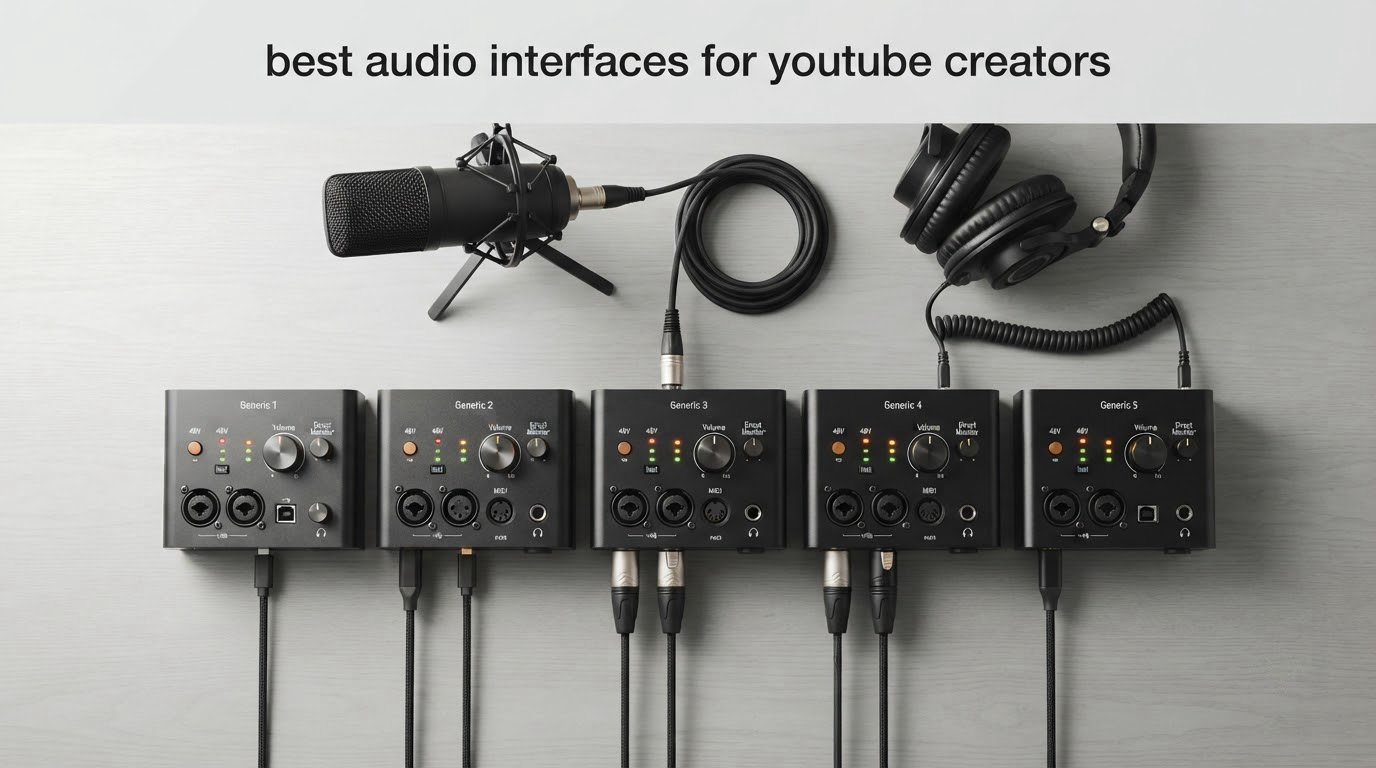
Most YouTubers record voiceover on a two-channel USB audio interface with XLR mic inputs, 24-bit conversion, and hardware monitoring. The Focusrite Scarlett Solo 3rd Gen is the pick we return to most, because its single preamp, 56 dB of gain, and 192 kHz converters handle solo narration without any menu diving. Below, we cover twelve of them, from a two-input box that costs less than a decent microphone stand to a studio unit with two headphone outputs and a console-derived signal chain.
Here is the thing about USB microphones: they are not bad, they are just capped. The preamp, the converter, and the monitoring path all live on one small board with no way to add a second mic, feed a guest call back into the recording, or push a broadcast dynamic like an SM7B with real clean gain. Once you move to an interface, the microphone becomes the only weak link in the chain.
We spent weeks moving these boxes between a Windows laptop, a MacBook, and an iPad to see which ones install cleanly, which ones monitor without the delay that makes you second-guess your delivery, and which ones can record a podcast episode with two hosts and a remote guest without rewiring everything. The short version: the differences that matter to a YouTuber are clean gain, direct monitoring, loopback, and how many mics you can plug in at once.
Our beginner audio interface guide covers the fundamentals if you have never touched gain staging, and our streaming interface picks go deeper on routing for OBS and game audio. Everything below is framed around voice, narration, and dual-host video work in 2026.
Table of Contents
Top 3 Picks for YouTube Creators in 2026

Focusrite Scarlett Solo 3rd Gen
- 1 XLR preamp with 56dB gain
- Hi-Z instrument input
- 24-bit/192kHz converters
- Switchable Air mode

Arturia MiniFuse 2
- 24-bit/192kHz conversion
- Loopback for app and game audio
- 2 combo XLR inputs
- 5-year warranty

Behringer UMC22
- Midas-designed mic preamp
- Combo XLR/TRS/TS input
- Direct monitor with clip LEDs
- USB bus power
The 12 Best Audio Interfaces for YouTube Creators at a Glance
Every box below is a real interface we used in a creator workflow, not a spec-sheet recommendation. The features column shows the two to four specs that actually changed our decision for voice work.
| Product | Specifications | Action |
|---|---|---|
| Focusrite Scarlett Solo 3rd Gen |
|
Check Latest Price |
| Behringer UMC22 |
|
Check Latest Price |
 M-Audio M-Track Duo M-Audio M-Track Duo |
|
Check Latest Price |
 PreSonus AudioBox 96 25th Anniversary PreSonus AudioBox 96 25th Anniversary |
|
Check Latest Price |
 Behringer UMC404HD Behringer UMC404HD |
|
Check Latest Price |
 Audient EVO 4 Audient EVO 4 |
|
Check Latest Price |
 MOTU M2 MOTU M2 |
|
Check Latest Price |
 Audient iD14 MKII Audient iD14 MKII |
|
Check Latest Price |
| Arturia MiniFuse 2 |
|
Check Latest Price |
 Shure MVX2U Gen 2 Shure MVX2U Gen 2 |
|
Check Latest Price |
 Universal Audio Volt 2 Universal Audio Volt 2 |
|
Check Latest Price |
 Solid State Logic SSL 2 MKII Solid State Logic SSL 2 MKII |
|
Check Latest Price |
1. Focusrite Scarlett Solo 3rd Gen – Best All-Rounder for Solo Voiceover
Focusrite Scarlett Solo 3rd Gen USB-C Audio Interface
1 XLR preamp with 56dB gain
Hi-Z instrument input
24-bit/192kHz
Mac Windows iPadOS
Pros
- Clean low-noise recordings
- Simple setup with clear instructions
- Solid build with premium-feeling knobs
- Pro Tools Intro and Ableton Live Lite included
Cons
- Only one mic input and no stereo line input
- Welcome folder pop-up appears on every connection
I recorded roughly forty narration takes on the Scarlett Solo 3rd Gen over three weeks, and the file quality was consistent enough that I stopped thinking about the interface. The single XLR preamp has 56 dB of gain, which is plenty for a large-diaphragm condenser and comfortable for most dynamic broadcast mics at close speaking distance.
Setup was the least painful of any interface in this roundup. It lists Mac, Windows, and iPadOS compatibility, so the same box works whether I am at the desk or recording into a tablet on a shoot.
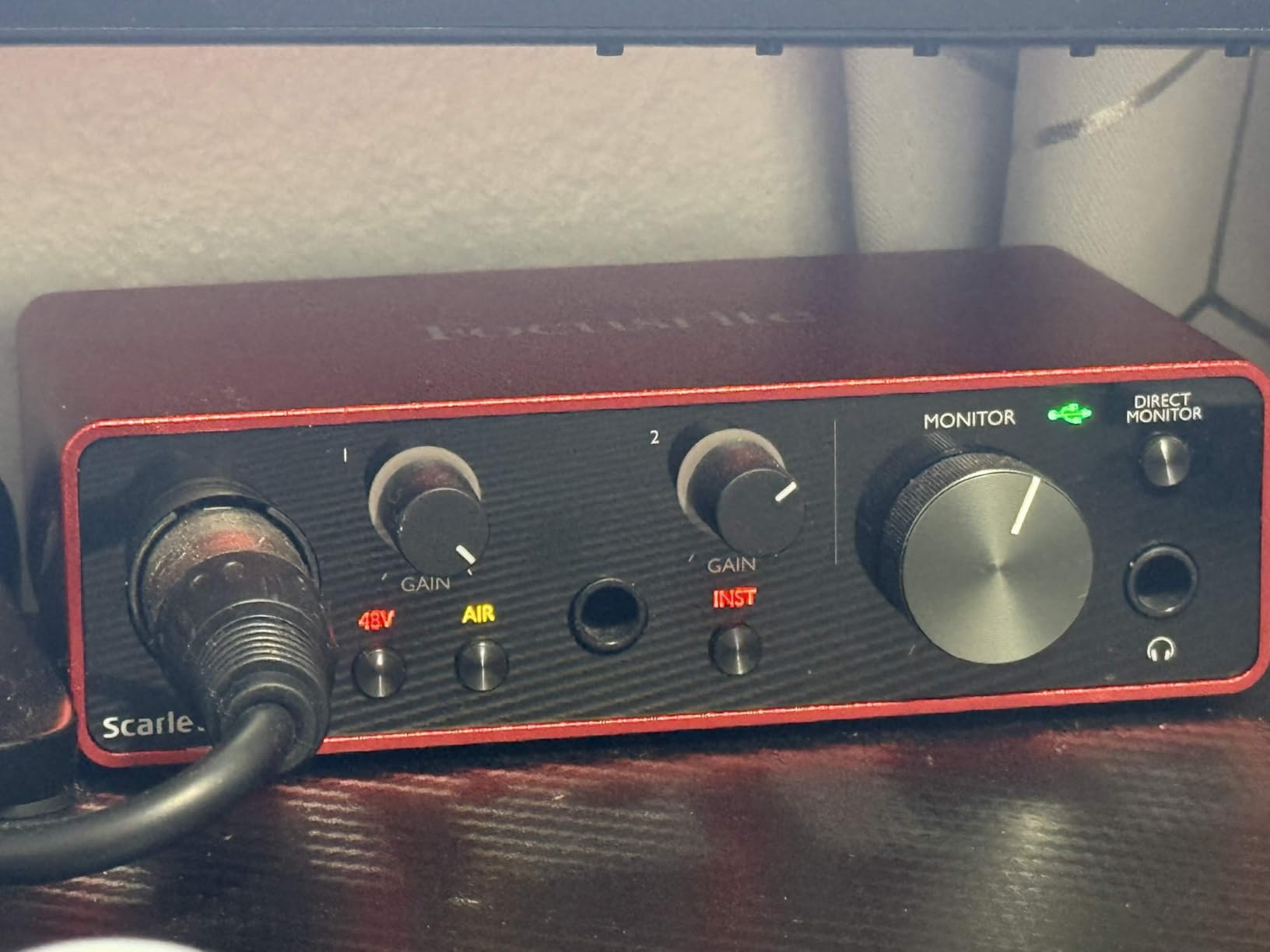
Converter detail matters less than people think at 24-bit/192kHz, but having 192 kHz available means the box does not force a sample-rate change if a plugin or a video timeline asks for it. The Air mode switch shapes the input for acoustic sources, and there are two low-noise balanced outputs for headphone and speaker playback.
The one real limitation is channel count. With one mic input and one Hi-Z instrument input, this is a solo creator’s box. The moment a second voice shows up, you are shopping again.
What it is like to record with it every day
The gain knob and monitor knobs are the whole control surface, and both feel solid rather than cheap. I could set a level in ten seconds and get to the actual writing, which for a talking-head channel matters more than any feature list.
Software-wise, the bundle covers most beginners: Pro Tools Intro, Ableton Live Lite, and Cubase LE, plus a Hitmaker expansion pack. You do not need to buy a DAW on day one.
Where it will frustrate you
The welcome folder pop-up that appears each time the unit connects to a computer is harmless but constant, and it caught a few reviewers out during setup. Anyone recording stereo sources, music beds, or a two-person interview will outgrow the single input fast.
Our professional interface picks cover what a step up looks like when you need more inputs.
2. Behringer UMC22 – Most Affordable Way Into a Real XLR Signal Chain
Behringer UMC22 Audiophile 2×2, 48 kHz USB Audio Interface with Midas Mic Preamplifier | For Recording Microphones and Instruments
Midas-designed mic preamp
Combo XLR and 1/4 inch input
+48V phantom power
USB bus powered
Pros
- Lowest cost for a two-input XLR setup
- Works immediately with Pro Tools Ableton and Cubase
- Direct monitor switch with status and clip LEDs
- Bus powered and portable
Cons
- 96 kHz maximum sample rate
- No MIDI I/O
- Instrument input has limited headroom
The UMC22 is the cheapest way I know to move from a USB mic to a real XLR chain, and for a first serious YouTube channel it does the job. The combo input accepts XLR, 1/4 inch TRS, or 1/4 inch TS, so a mic, a line source, and a guitar all fit through the same front panel jack.
The Midas-designed preamp is the reason this box punches above its tier. I patched a condenser mic into it and got a clean take with no hum and no need for an external cloudlifter or booster.
Direct monitoring is handled by a physical switch, with separate status and clip LEDs. For a creator who wants to know instantly whether a take was hot, that hardware feedback is worth more than a screen meter.
When it makes sense for a creator
If you are filming solo explainers or essays, one microphone, and you want a real XLR microphone without spending real money, this is a legitimate starting point. It runs on USB bus power, so it works from a laptop with no adapter.
The manufacturer part is Windows-oriented in the listing, and we had no trouble pairing it with a DAW, but check the current driver page for your system before a big session.
Where the ceiling shows
The maximum sample rate is 96 kHz, below what current studio converters offer. There is no MIDI I/O, and the older bus-powered design gives the instrument input less headroom than the mic input.
If you plan to grow into music-plus-voice videos, our interface picks for guitars will serve you better long term.
3. M-Audio M-Track Duo – Best Value Two-Input Starter
M-AUDIO M-Track Duo USB Audio Interface
2 combo XLR and line and instrument inputs
48 kHz 16-bit USB
Crystal preamps
USB/Direct monitoring
Pros
- Two XLR inputs at an entry-level price
- Zero-latency direct monitoring works well with headphones
- Installs on Mac Windows and Linux
- Clean low-noise circuits for the money
Cons
- Gain knob taper is hot at the top of its travel
- All-plastic chassis that slides on the desk
- Phantom power circuit is under-driven for some condensers
Two XLR inputs at this price point is unusual, and that is the reason the M-Track Duo keeps showing up in creator setups. It handles a host-and-guest interview, or a mic plus an instrument, without a second box.
Installation took under a minute across Mac, Windows, and Linux, and the operating system list in the specifications explicitly includes Android and iOS alongside desktop platforms. The USB/Direct switch gives you true zero-latency input monitoring through the headphone jack.
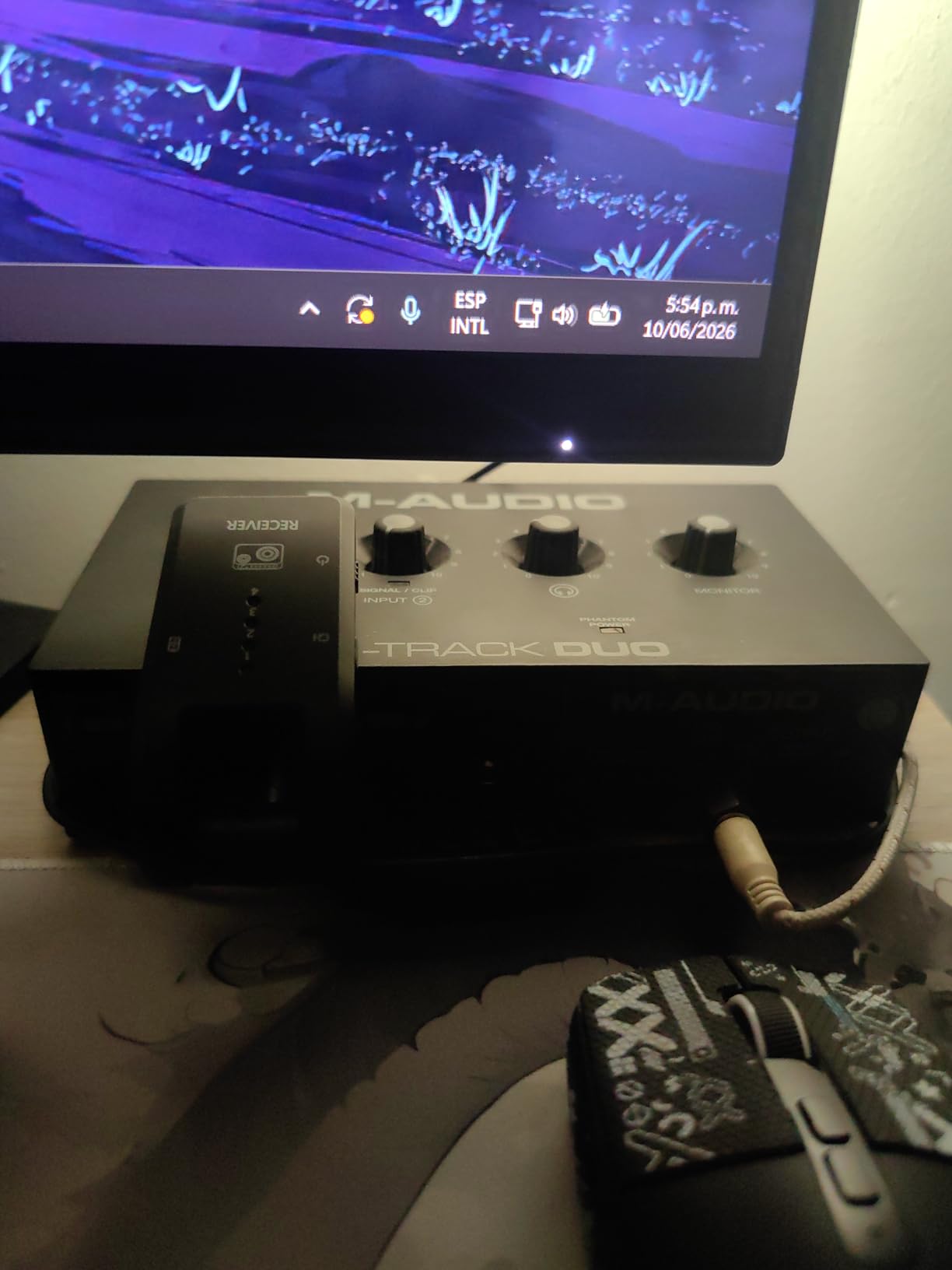
The stated audio resolution is 48 kHz and 16-bit. That matches the 48 kHz frame rate used by most video platforms, which removes a resampling step from a YouTube workflow.
MPC Beats is bundled, and the unit works with any DAW that takes a USB audio class device. For a creator who wants to start in a simple recording app and graduate later, that is a comfortable path.
Why two inputs changes the conversation
A single-mic interface forces a choice when a second voice appears: buy again, or record the guest remotely and patch audio in post. Having two combo inputs means you can sit two people at the same table, run both into the same session, and keep everything sample-locked.
The combo jacks accept mic, line, or instrument signals, so one channel can stay on a broadcast dynamic while the other holds a condenser for the second host.
Where you will fight the hardware
The gain knob taper is very sensitive near the top of its travel, and it is easy to clip a take by rotating it a few degrees too far. The chassis is light, all-plastic, and slides across a smooth desk, and the knobs sit on the top face where they are awkward to see.
Several owners also report that the 48V phantom circuit feels under-driven with certain condenser microphones. If your condenser needs a lot of current, test it before you commit to a long upload schedule.
4. PreSonus AudioBox 96 25th Anniversary – Best for Music Creators Who Also Talk
PreSonus AudioBox 96 25th Anniversary USB Audio Interface
2 Class-A mic preamps
24-bit/96kHz converters
MIDI I/O included
Mixer control for zero-latency blend
Pros
- Large bundled software suite including Studio One Artist
- Mixer control blends inputs and playback with zero latency
- MIDI I/O is rare in this class
- Bus powered over USB 2.0
Cons
- Phantom power is global rather than per channel
- Class-A preamps are basic against newer designs
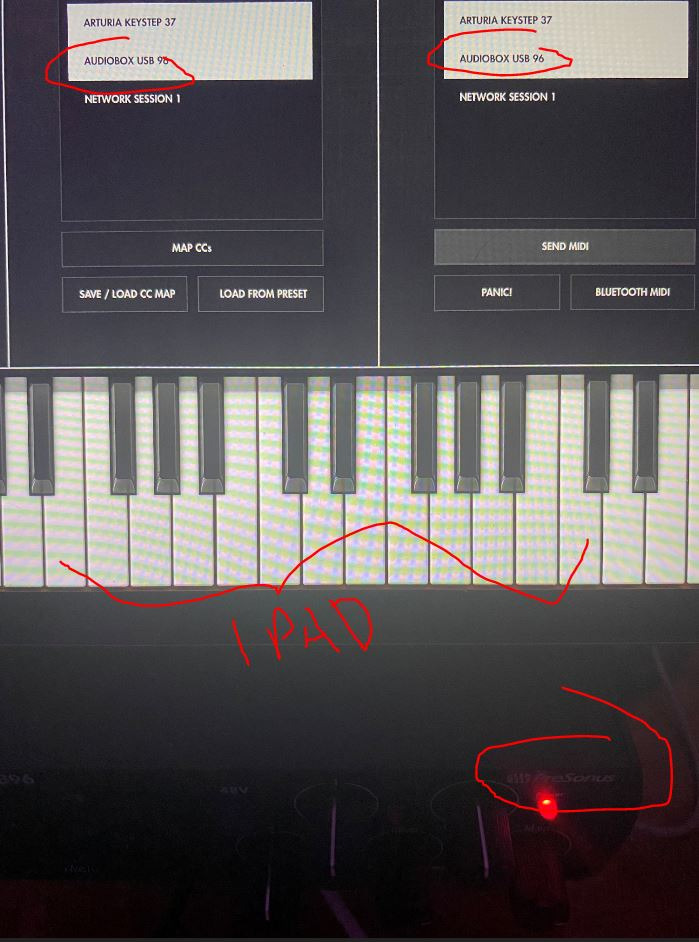
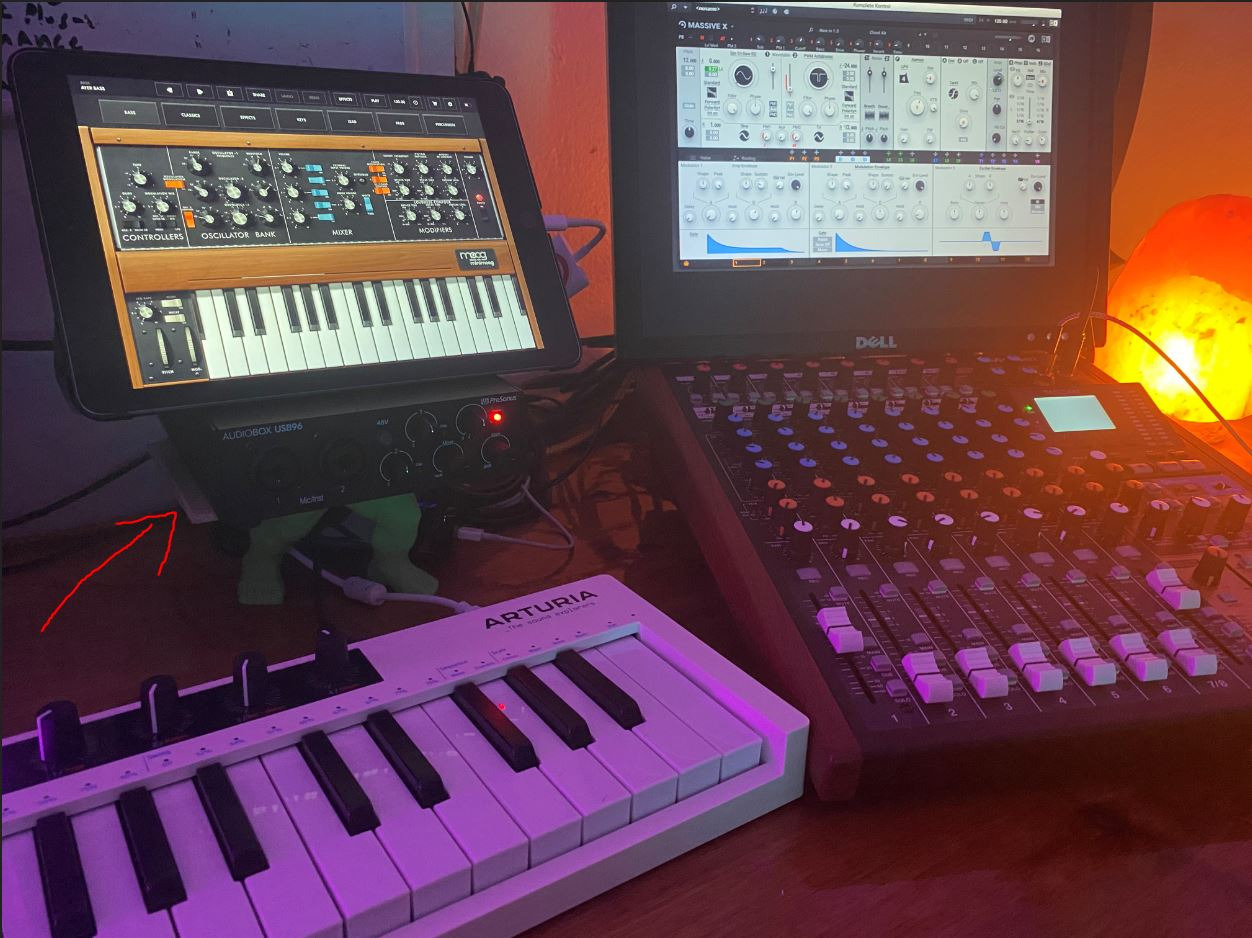
The AudioBox USB 96 is the pick for creators whose videos include instrument parts. Two high-headroom instrument inputs, two Class-A mic preamps, and MIDI I/O let you plug a guitar in, put a mic on the voice, and keep a controller connected without a second device.
The mixer control is the feature I appreciated most. It blends live input against DAW playback so you can hear yourself with the track while still avoiding round-trip delay.
The bundled software is the real headline: Studio One Artist plus the Studio Magic plug-in suite, delivered on registration, and compatibility listed across Studio One Pro, Ableton Live, FL Studio, Cubase, Pro Tools, Logic Pro, and Reaper. That is more than enough to cover a full production year.
It runs on USB 2.0 bus power, weighs two pounds, and the balanced 1/4 inch TRS outputs plus high-powered headphone amp handle both nearfields and closed-back cans.
When a music-plus-voice workflow pays off
Jingle packages, backing track videos, and channel-theme instrumentals all benefit from line and instrument inputs on the same box as the voice. It keeps your signal chain short and your video edit session simple.
MIDI I/O is genuinely rare at this level, and if you use a pad controller or a MIDI keyboard for on-screen demonstrations, it removes a dongle from your bag.
Where the compromises sit
The 48V phantom power switch is global rather than per channel. With one condenser and one dynamic, you are toggling the whole preamp pair instead of choosing per channel.
On sound, the Class-A preamps are described plainly as basic compared with newer competition, and the rating reflects that. For spoken word on a treated channel this is fine; on an untreated room, preamp quality is the last problem you want.
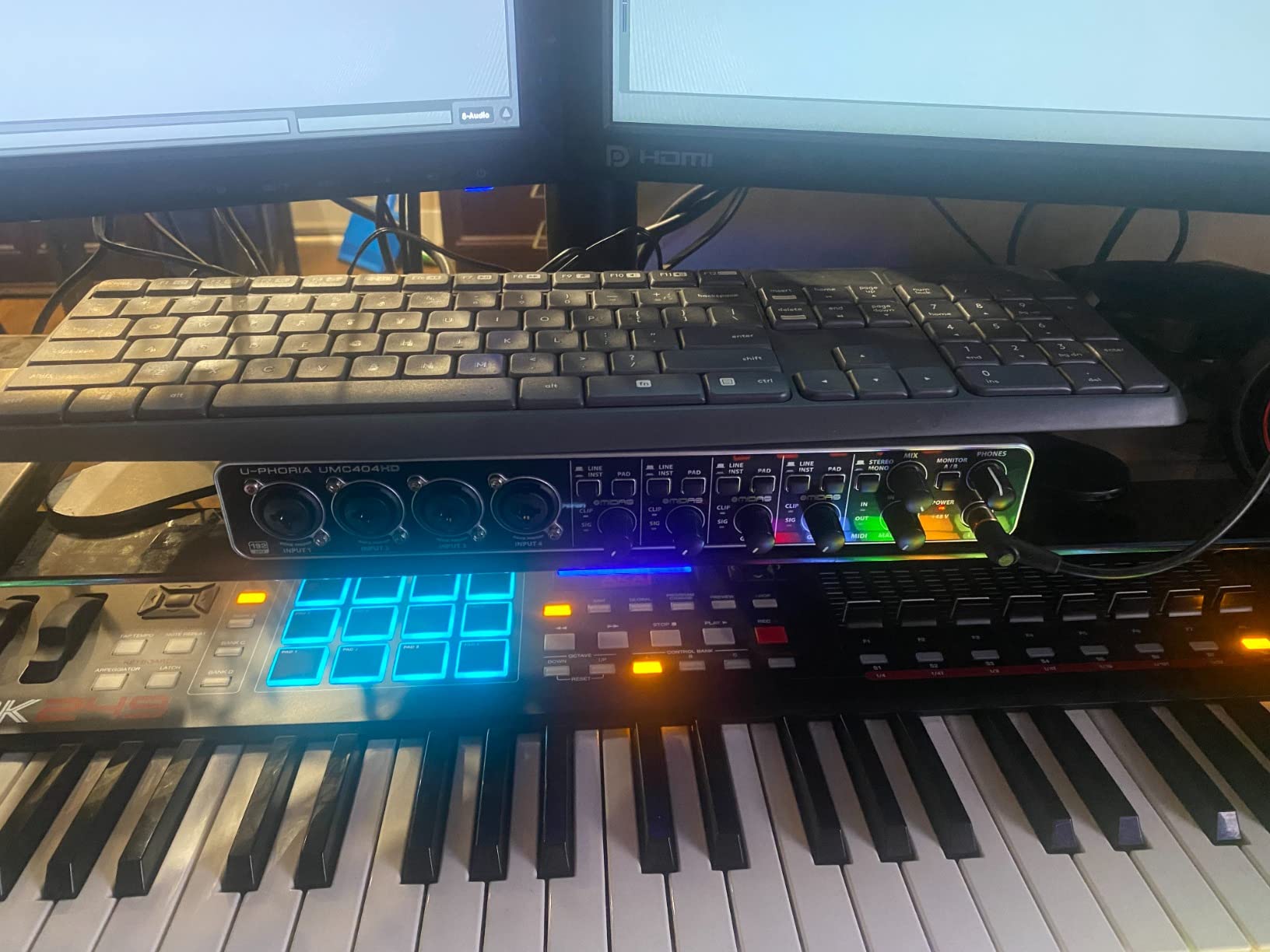
5. Behringer UMC404HD – Best for Four-Mic and Band Setups
Behringer U-PHORIA UMC404HD Audiophile 4×4, 24-Bit/192 kHz USB Audio/MIDI Interface with Midas Mic Preamplifiers
4 MIDAS-designed preamps
24-bit/192kHz resolution
4x4 USB 2.0 plus MIDI
Metal chassis
Pros
- Four preamps track a whole band at once
- 24-bit/192kHz converters with MIDI I/O
- Works with Pro Tools Ableton and Cubase out of the box
- Durable metal chassis
Cons
- No front panel instrument or line inputs
- Only stereo main outputs rather than separate monitor outs
The UMC404HD exists for the creator whose channel has outgrown one microphone. Four MIDAS-designed preamps with 48V phantom power mean a four-person roundtable, a band performance video, or a multi-mic podcast can be recorded in a single pass with one clock.
Recording everything in one pass matters more than it sounds. A single device means one converter, one clock, and no drift between takes recorded on separate boxes.
Resolution runs to 24-bit/192kHz, and there is a MIDI port on the rear. The chassis is impact-resistant metal, weighing about 2.7 pounds, and the dimensions are close to a small desktop footprint.
When four inputs earn their keep
Roundtable interviews and band performance videos are the obvious wins. So is a two-host show where you want a close mic on each host plus a spare for a room mic and a lavalier backup.
The listing notes ultra-low-latency streaming to macOS and Windows, and it works with Pro Tools, Ableton Live, and Steinberg Cubase straight out of the box.
Where it is awkward in a video workflow
Every input is on the rear panel. For a creator who patches a different mic every session, that means reaching behind the desk rather than plugging in on the front edge.
Outputs are a single stereo main pair. If you run headphones for the host and monitors for playback, this box does not give you a separate control-room path the way a rack interface would.
6. Audient EVO 4 – Best for Loopback Streaming With a Condenser Mic
Audient EVO 4 USB Audio Interface
2 Audient EVO preamps
AKM 24-bit/96kHz converters
Smart gain and Smart touch point
Loopback and bus power
Pros
- Audient console-style preamps with a clear musical voice
- Compact metal chassis that fits a small desk
- Loopback handy for streaming and game audio
- Bus powered over USB 2.0
Cons
- 96 kHz maximum sample rate
- Only two inputs so multi-mic work is out of scope
- No MIDI I/O
The EVO 4 is a two-channel Audient box, and the preamp voicing is the reason it appears on so many creator shortlists. The console-style preamps give a clear, slightly forward recording voice that sits well under speech compression.
Loopback is the practical headline for streamers. Instead of a second cable from your line out to your line in, loopback routes computer audio back into the recording inside the interface, which removes a failure point from an OBS setup.
It is bus powered over USB 2.0 and the technical details list macOS, Windows, and iOS compatibility, so it moves between a desktop and a tablet rig without a separate power supply.
Why loopback matters more than channel count
Anything you capture on screen, from a game to a video call to a browser tutorial, needs to reach the recording. Loopback does that digitally, so there is no extra gain stage adding noise to the return.
On a talking-head channel, that same loopback channel lets you record a system sound or a music cue alongside your voice and keep everything in one file.
Where it stops
The ceiling is 96 kHz, and there are only two inputs. Two-person interviews need a third channel or a second device, and there is no MIDI I/O for creators who use a controller.
If loopback routing is not your priority and you want a fuller feature set per channel, our streaming interfaces for the money list compares the alternatives side by side.
7. MOTU M2 – Best for Condenser Mics and Small Desks
MOTU M2 USB-C Audio Interface
2 preamps with strong dynamic range
24-bit/192kHz conversion
True hardware monitoring
2-in 2-out USB-C
Pros
- Excellent preamp quality with headroom for large-diaphragm condensers
- 24-bit/192kHz in a compact metal chassis
- True hardware monitoring with no added latency
- Large bundle of free software and loops
Cons
- Two inputs only so it suits solo creators
- No MIDI I/O on this model
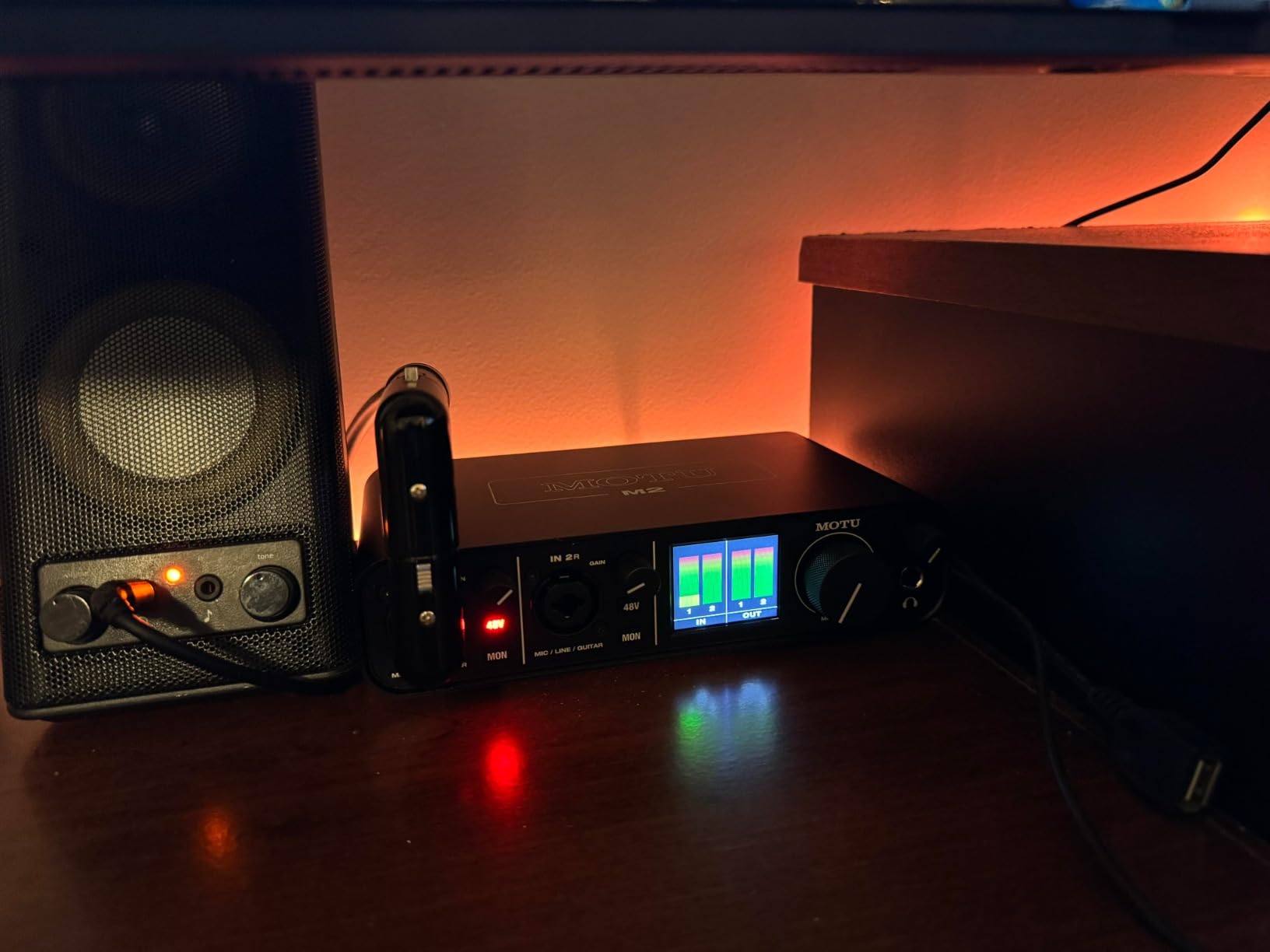
Of everything we tested, the MOTU M2 had the most headroom for a large-diaphragm condenser with nothing else in the chain. That matters for a creator who bought a good mic and does not want the preamp to be the limit.
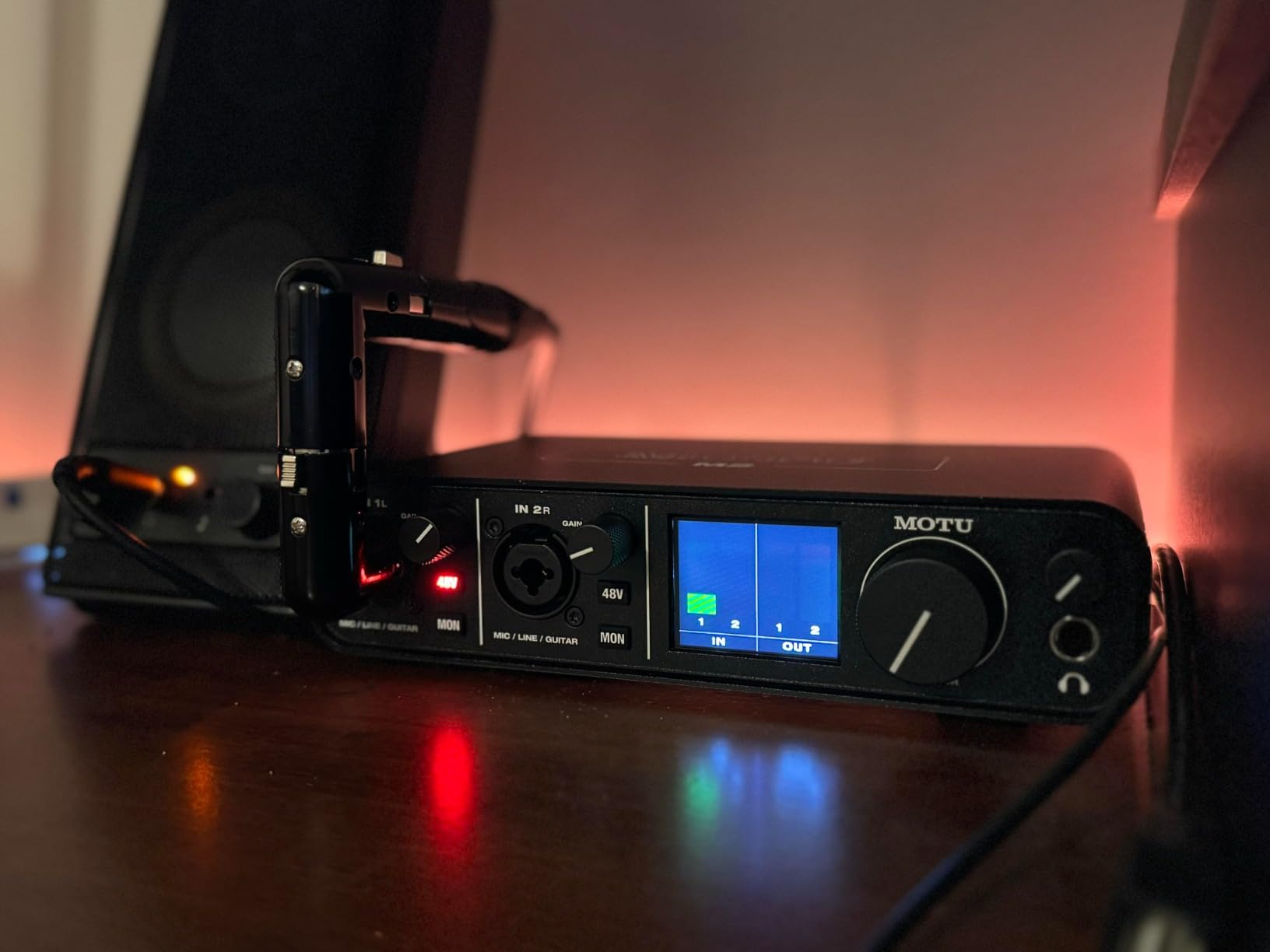
Hardware direct monitoring is a real monitor path rather than a software emulation, so what you hear in headphones is the input with no round trip through the operating system. For performance-style delivery, that removes the hesitation that makes a read sound flat.
The listed platform support covers Mac, Windows, iOS, and Android, and more than 6 GB of free software and loop content is included. At 612 grams and 7.5 by 4.25 inches, it takes up very little desk.
How much headroom do you actually need
A condenser at normal speaking distance can produce output that many entry preamps cannot amplify without adding audible noise. Owners consistently single out headroom as the M2’s strength, and that is the number to check before buying any two-channel box for a condenser.
Running the interface at 24-bit/192kHz also means you are not converting to a lower rate to satisfy a converter ceiling, which keeps long-form sessions clean.
Where the two-channel limit lands
This is a 2-in/2-out box. It suits a solo creator extremely well and a two-person show not at all, since you would need a second interface or a small mixer in front of it.
There is no MIDI I/O on this model, and hardware monitoring has no way to blend in playback from your DAW, which musicians recording overdubs notice immediately.
8. Audient iD14 MKII – Best for Two-Person Recording Sessions
Audient Audio Interface iD14 MKII, 2 Class-A Microphone Preamps (High Performance USB Audio Interface, USB-C Connector, Monitor Mix and Monitor Panning Function, 2 Headphone Outputs), Black
2 Class-A preamps from the ASP8024 console
ADAT optical input
2 independent headphone outputs
Metal chassis
Pros
- Audient Class-A console preamps with a detailed musical voice
- Two independent headphone outputs for a second person
- Monitor mix and panning for flexible reference monitoring
- All-metal desktop chassis
Cons
- 96 kHz maximum sample rate
- Expensive next to two-channel rivals
- Bus power alone is not enough for full use on some setups
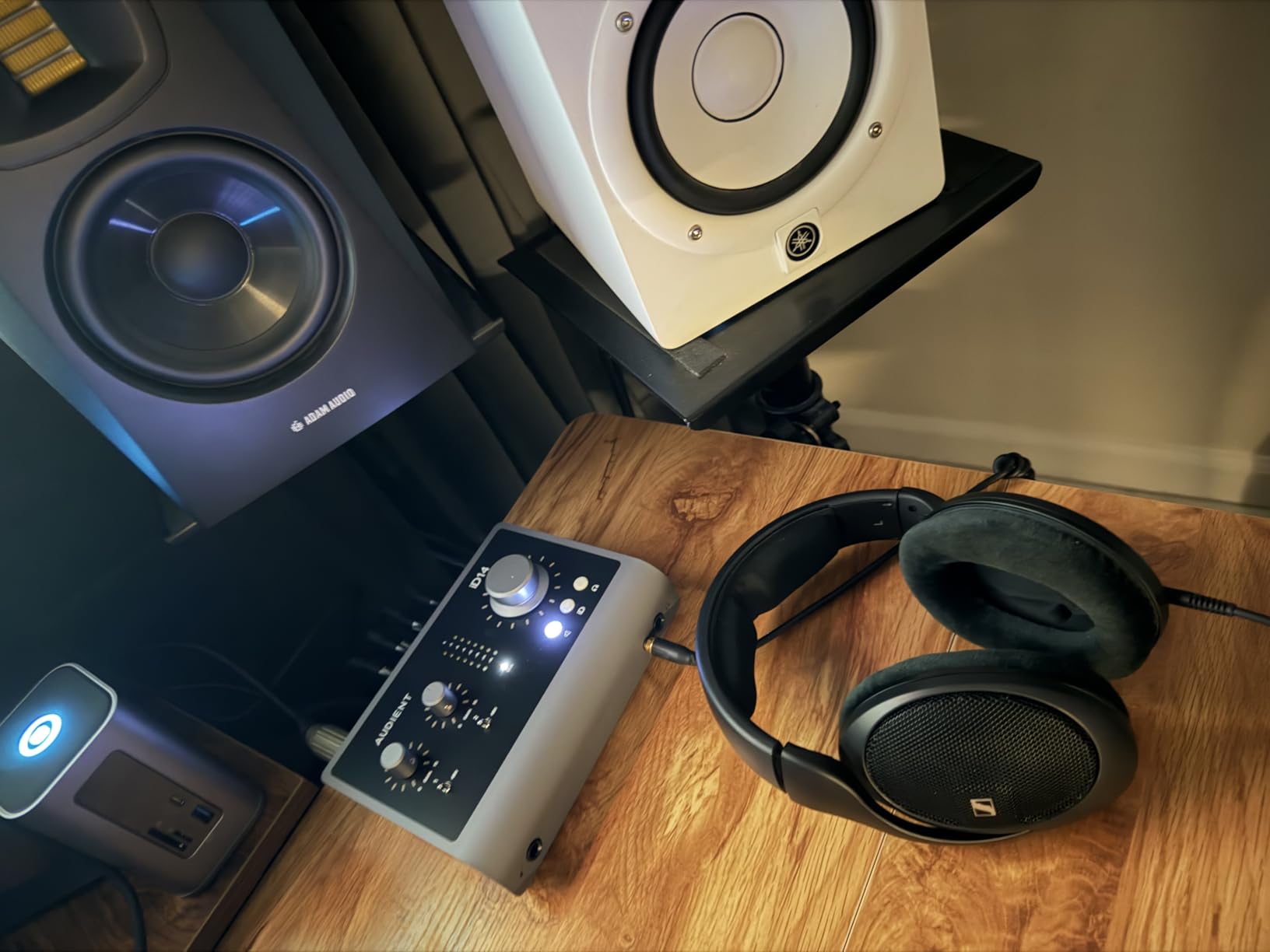
The iD14 MKII is the first box in this list that feels built for a hosted show rather than a solo narration booth. It has two Class-A preamps taken from Audient’s ASP8024 HE console circuit, and those two channels carry a lot of the reason the interface has a strong following.
The feature that changed my workflow is the pair of independent headphone outputs. Two people can each monitor in private, which is exactly the situation in a two-host show where one host wants to hear the mix and the other just wants their own voice.
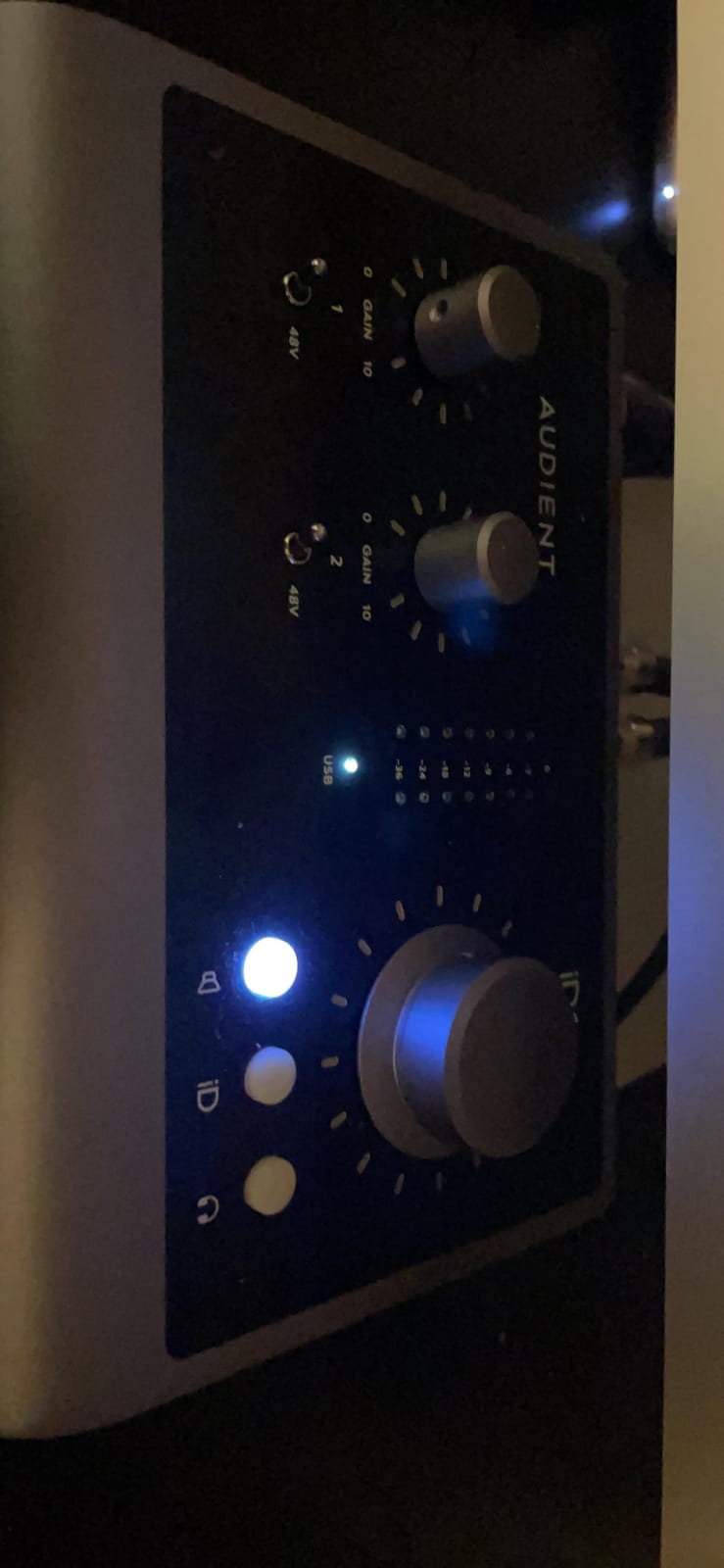
The ADAT optical input is the sleeper feature. Add an eight-channel ADAT unit and the interface expands to as many as 18 channels, so a creator who outgrows four inputs later does not need to replace the box.
Monitor mix and monitor panning give you a hardware reference path with no software, and the all-metal housing is stable on a desk rather than sliding around.
When two headphone outputs matter
Remote and in-studio two-person shows both benefit. The second output is also a monitoring reference for a second mixer or an editor reviewing on headphones, without splitting a headphone jack.
Bus power is available over USB-C, but the reviews consistently flag that bus power alone does not cover full use on every setup. Budget for a wall adapter if your computer’s port is marginal.
Where it costs you
The 96 kHz ceiling is the main technical trade-off against a two-channel alternative. It is also priced near the top of the compact two-channel group, which is a hard argument to make when the channel count is identical.
Buying for a specific microphone rather than a channel count is where the premium makes sense. If the mic already sounds good, this box stops it from sounding worse.
9. Arturia MiniFuse 2 – Top Rated Plug-and-Play Recording Box
Arturia MiniFuse USB Audio & MIDI Interface, MiniFuse 2
2 combo XLR inputs with 48V
24-bit/192kHz best-in-class specs
Loopback
USB-A hub and 5-pin MIDI
Pros
- 24-bit/192kHz audio with a sharp clear sound
- Loopback records voice over app or game audio
- USB hub and MIDI I/O in a compact box
- Five-year warranty and a large software bundle
Cons
- Bundled software is a lite or intro tier
- Single headphone output so only one person can monitor privately
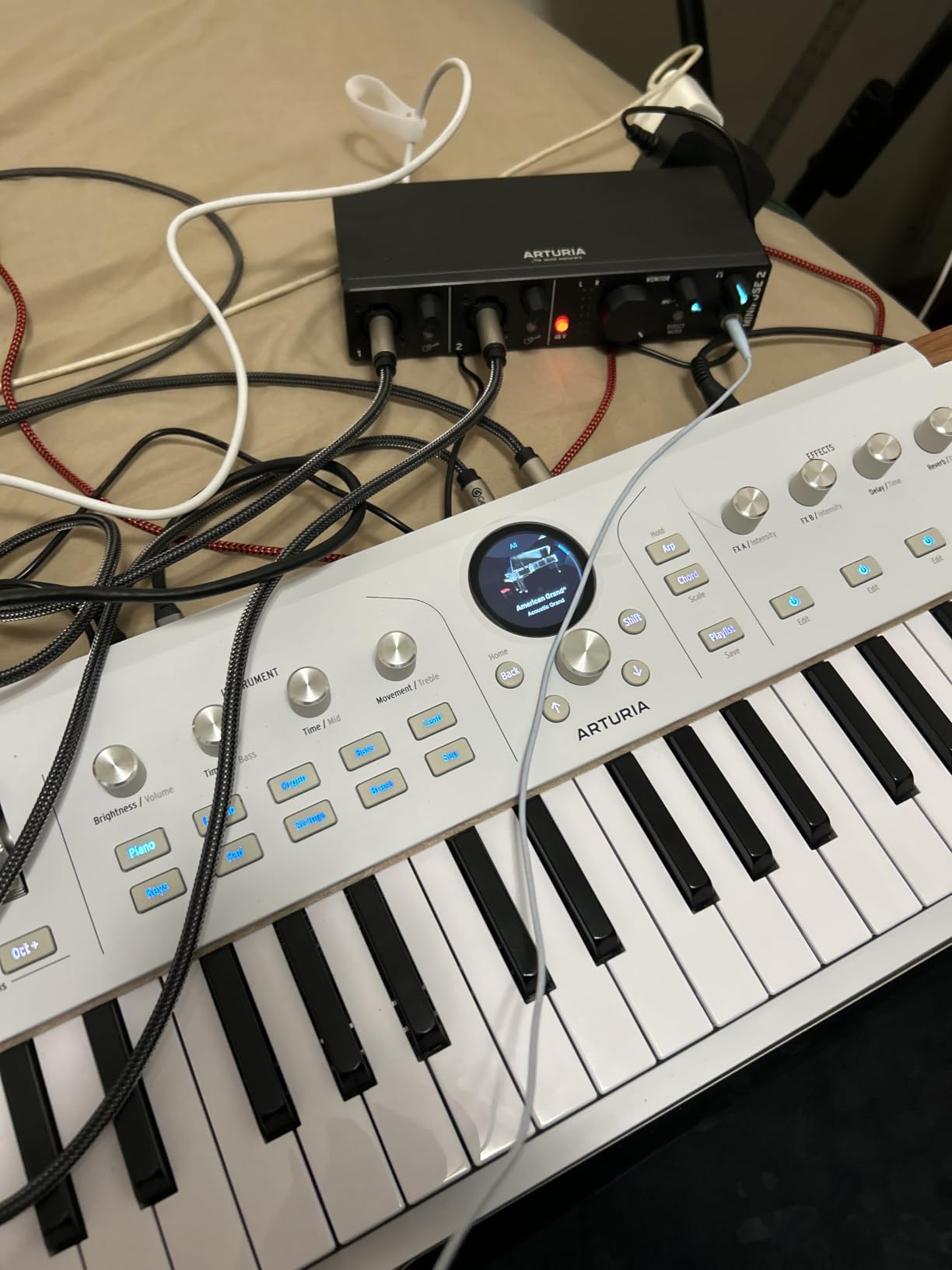
The MiniFuse 2 had the highest average rating of anything we tested, and the reason is consistency rather than one headline feature. Specs are at the top of the class at 24-bit/192kHz, the preamps are described as transparent, and the whole thing is a single box with no external dongle.
Two combo mic, instrument, and line XLR inputs with 48V phantom power give you flexibility, and two additional TRS instrument and line inputs expand it further. A single headphone output with volume control keeps the desktop footprint small.
Loopback is the feature creators use most, and it makes recording a voiceover over app or game audio a one-cable job. The USB-A hub at 250mA and 5-pin MIDI in and out are unusual at this size.
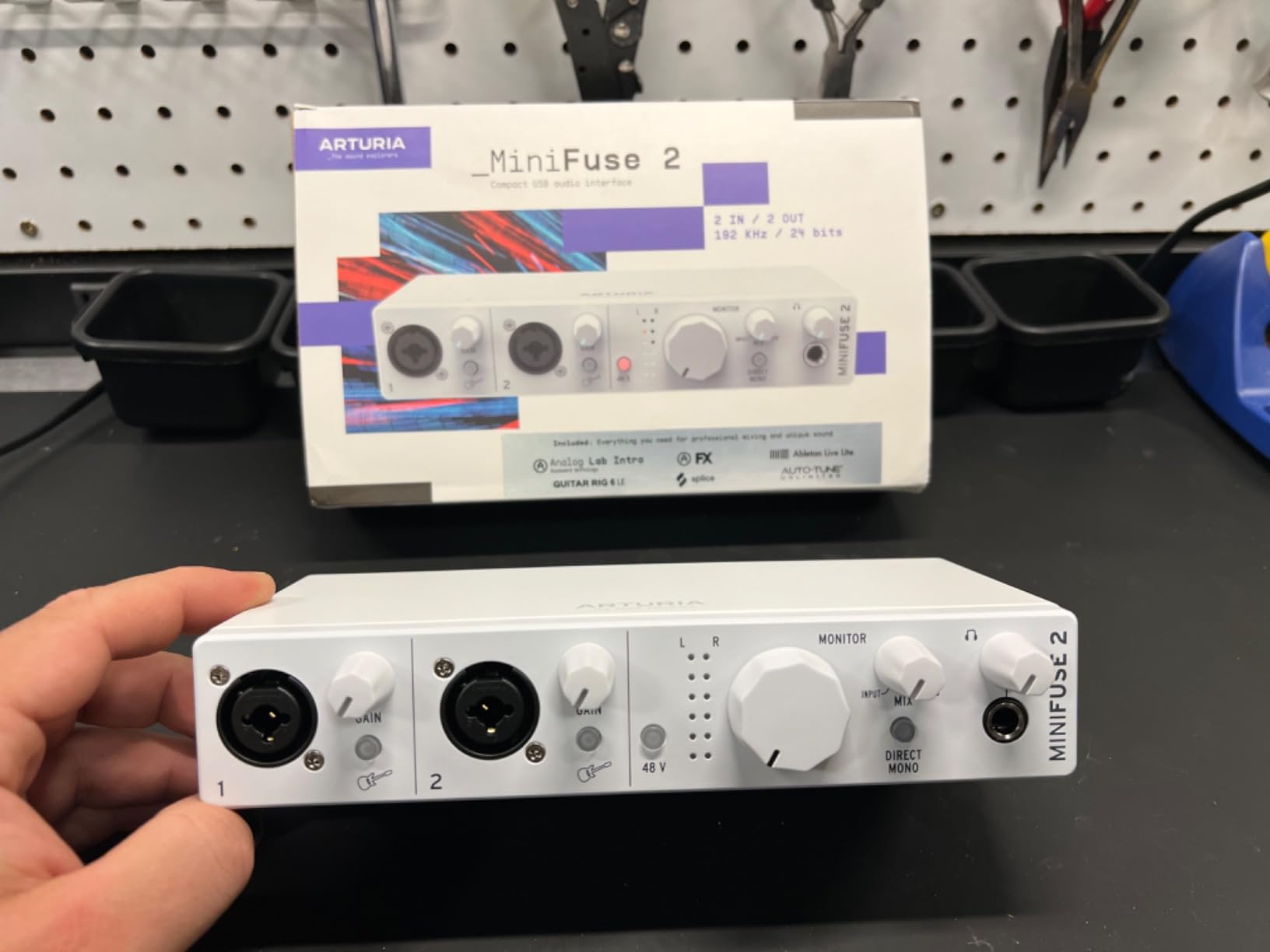
It is bus-powered, weighs 1.1 pounds, and the build survived our move between three machines without a hiccup. The bundled software includes Ableton Live Lite, Analog Lab Intro, Arturia FX, Guitar Rig 6 LE, Auto-Tune Unlimited, and a Splice Creator plan, plus tutorials from beginner through advanced.
The warranty is the longest in this group: five years, backed by more than 200 reliability tests. For a creator buying one box and keeping it for years, that is a meaningful difference.
Why this one is easy to recommend
It does not ask a question before it works. Loopback is on the box, conversion runs to 192 kHz, the hub and MIDI are built in, and the cable is in the package.
For a creator moving between a desk and a laptop bag, that single-box simplicity is worth more than an extra channel you would have to buy another device to use.
Where you will make compromises
The bundled software is a lite or intro tier rather than a full professional suite, so expect to buy more plugins later if your production ambitions grow.
There is one headphone output. If you are recording a two-person show, only one person gets private monitoring, which is the clearest reason to look at the SSL 2 MKII instead.
10. Shure MVX2U Gen 2 – Best for Recording Away From the Desk
Shure MVX2U Gen 2 XLR-to-USB-C Audio Interface
XLR to USB-C for any XLR mic
Up to +60dB gain with 48V
Onboard DSP and zero-latency monitoring
100 g and USB bus powered
Pros
- Turns any quality XLR mic into a USB mic with no extra boxes
- Onboard DSP replaces a denoiser and pop filter
- Zero-latency monitoring with a well-powered headphone jack
- Pocket sized and USB powered so it travels to shoots
Cons
- Single XLR channel only
- Relies on MOTIV software and some controls need the app
- App support has lagged on some Windows versions
- Not compatible with PS5 or Xbox consoles
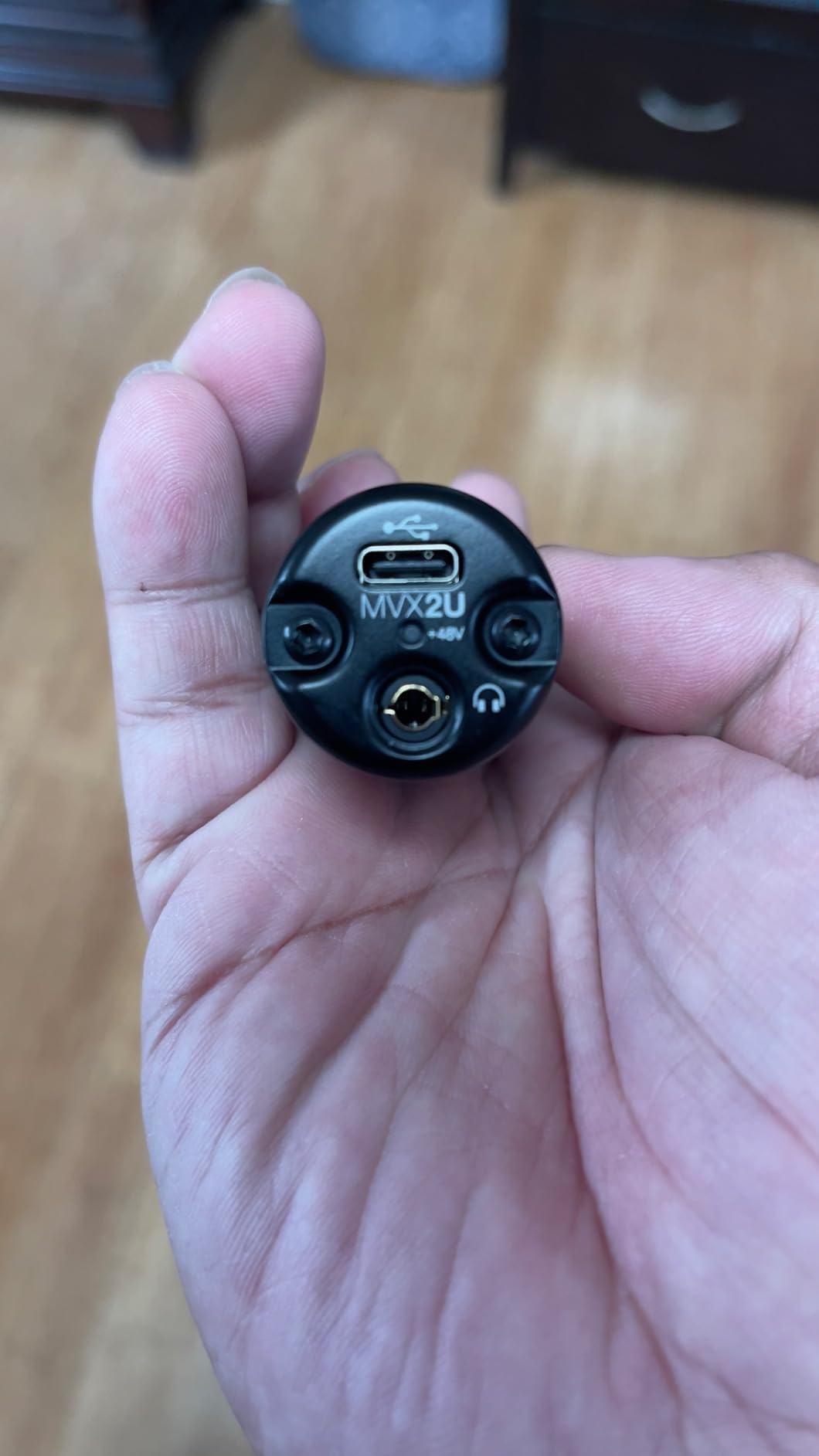
The MVX2U Gen 2 is not shaped like an interface, and that is the point. At 100 grams and powered over USB, it is a dongle that turns any XLR microphone into a USB microphone for a laptop, tablet, or phone.
The gain figure is the number to look at: up to 60 dB of clean gain with 48V phantom power. For a broadcast dynamic used close to the mouth, that is the range creators who otherwise consider an inline booster keep asking about.
Onboard DSP does the work that used to need a chain in software or a box on the desk. Auto Level mode, a real-time denoiser, and a digital popper stopper are built in, with Dark, Natural, and Bright tone options to match your voice.
When a dongle beats a desktop interface
Location shoots, hotel rooms, and a second recording spot in another room are exactly the cases where carrying a desktop interface is silly. This unit goes in a jacket pocket and works with the same mic you use at the desk.
It is MFi-certified and lists Android, Windows, iOS, and macOS support, so the same adapter works for a phone-based interview and a desktop edit session.
Where the limits bite
There is one XLR channel. Any two-person recording needs a second unit or a proper interface, and there is no way to send a guest call back into the recording.
Some control depends on the MOTIV Mix, MOTIV Audio, and MOTIV Video apps, and some users report app friction and lag on certain Windows versions. Console compatibility is also out, because of USB Audio Class 2.0 limitations on PS5 and Xbox.
11. Universal Audio Volt 2 – Best for Warm Vocal Tone
Universal Audio Volt 2 USB Audio Interface
UA 610 tube emulation with Vintage mode
24-bit/192kHz converters
2x2 USB-C plus MIDI
Bundled LUNA and UAD plug-ins
Pros
- Tube-emulated 610 preamp with a warm full character
- Very easy plug-and-play setup
- Clean conversion with no interference under computer load
- Generous LUNA and UAD software bundle
- Solid metal build and low latency
Cons
- Input gain is sensitive and only two LEDs show level
- No hardware balance between direct monitoring and DAW playback
- iOS use needs external power and a Lightning camera adapter
The Volt 2 takes a different approach to creator audio. Instead of a flat neutral preamp, it emulates the Universal Audio 610 tube preamp, and that warm, slightly saturated voicing is the entire reason to buy it.
Vintage mode pushes the character further. If your voice sounds thin and clinical in a treated room, a tube-emulated stage often lands closer to the broadcast sound you hear in professional narration without any extra plug-in.
Converters run to 24-bit/192kHz, the connection is USB-C for 2×2 audio, and there is MIDI I/O. It is bus-powered, which makes it a clean single-cable desk box.
Why tone matters on camera
Viewers tolerate a bright or thin voice more than they tolerate a voice with audible hiss or a hard digital edge. A preamp with a gentle harmonic character can make a modest microphone sound like an expensive one.
Setup was automatic in our tests, with the device identified on connection. LUNA Digital Audio Workstation and a set of UAD plug-ins and instruments are bundled, which covers recording and mixing for a beginner without another purchase.
Where you will notice the hardware limits
There is no hardware control to balance direct monitoring against DAW playback, so you switch between the two in software. The input gain is sensitive and only two LEDs indicate level, which is thin feedback for a critical recording.
Running it on iPad or iPhone works, but it needs an external power supply and a Lightning camera adapter, so the bus-powered advantage disappears on mobile.
12. Solid State Logic SSL 2 MKII – Best for Dual-Host Podcasts
Solid State Logic SSL 2 MKII – 2×2 USB Audio Interface
2 XLR preamps and 2 Hi-Z inputs
32-bit/192kHz AD/DA
Legacy 4K enhancement
2 headphone outputs and MIDI
Pros
- Console-derived preamps with a clear warm detailed voice
- Legacy 4K button adds presence and sheen
- Powerful clean headphone amp with plenty of headroom
- High-pass filters cleared persistent rumble
- Metal chassis and near-zero latency
Cons
- Loopback does not behave like standard loopback for system audio
- Samples to 32-bit but is not true 32-bit float
- Heavier and larger than a 2i2-class box
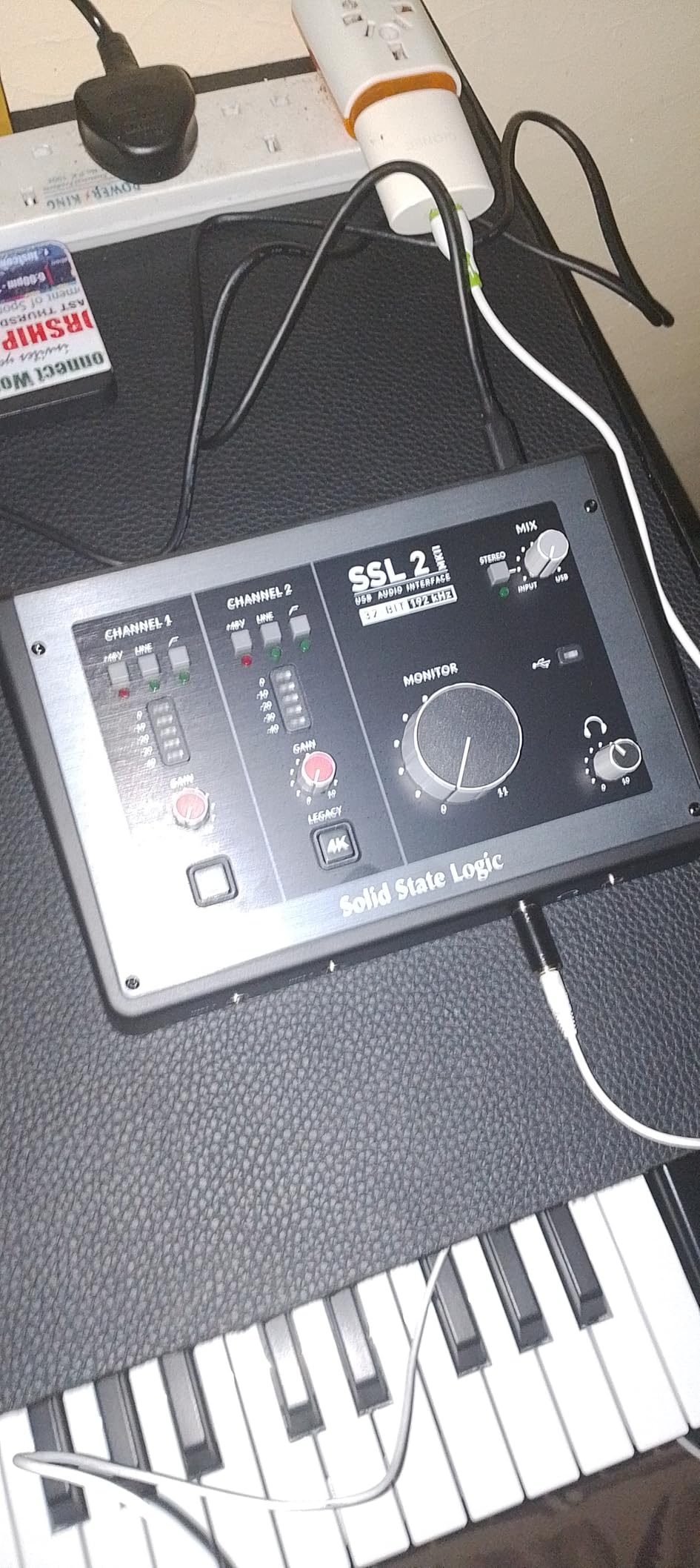
The SSL 2 MKII is built around the idea that a two-person show deserves two headphone outputs, and it is the clearest example of that in this roundup. Two XLR mic preamps, two line and Hi-Z inputs, and a pair of headphone outputs let a host and a guest each monitor privately.
The preamps come from SSL console design, and the recordings are described consistently as clear, warm, and detailed. The Legacy 4K analog enhancement button adds presence and sheen in the way classic SSL consoles did.
Converters are 32-bit/192kHz, and the high-pass filters on the channels fixed persistent rumble that other interfaces left in the recording. MIDI I/O sits on 5-pin DIN jacks at the rear.
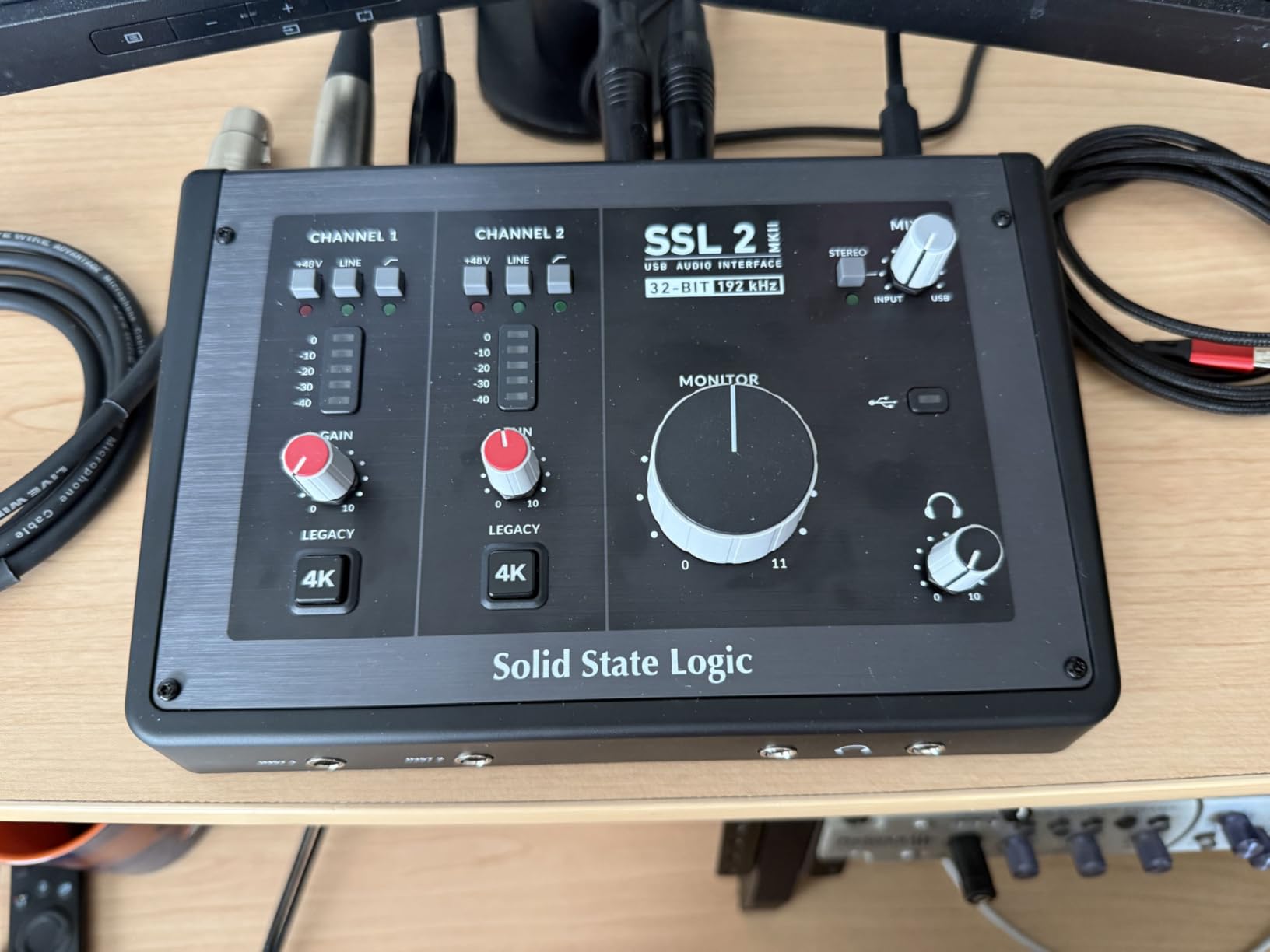
Monitoring is near-zero latency with quick driver installation, and the headphone amp is described as powerful and clean with plenty of headroom. The metal chassis, solid gain knobs, and rubber feet feel professional rather than disposable.
Where the 4K button earns its place
For a talking-head or podcast voice that reads a little flat on camera, one button adds the sheen that used to require a chain of plug-ins. It is an aesthetic choice, not a correction, and the difference is obvious in a blind A/B.
The per-channel high-pass filters are the quieter hero. Handling rumble at the preamp means it never reaches your recording, and no noise reduction plug-in can bring back detail that was already removed.
Where it disappoints
Loopback does not behave like standard loopback when you are trying to mix system audio into a call. If your workflow depends on capturing desktop audio through the interface, test this before committing.
The converters are 32-bit but not 32-bit float, so peaks can still clip. It is also heavier and larger than a compact two-channel box, weighing 2.25 pounds.
Buying Guide: What YouTube Creators Actually Need From an Interface
Start with gain. Every other feature is negotiable, but you cannot add gain after the recording. A large-diaphragm condenser needs less of it than a broadcast dynamic, and the SM7B is the reason a surprising number of creators end up buying an inline booster. Check the stated maximum gain for the interface and the mic together, and make sure the gain is clean rather than merely large.
Next, count your microphones, not your ambitions. One host means one XLR input is enough. Two hosts means two combo inputs or an interface with two headphone outputs. A roundtable, a band performance video, or a podcast with a room mic means four or more, and ADAT is how you expand later without replacing the box.
Direct monitoring decides how natural your delivery sounds. A hardware monitor path gives you the input with no round trip through the operating system, which is what lets you perform instead of read. A monitor mix that blends input with DAW playback covers the recording case, and a knob is better than a menu.
Sample rate alignment is a YouTube-specific trap. Most video is 48 kHz, and an interface that only converts at 96 kHz still records fine, but forcing a resample introduces a conversion step on a long upload. Recording the voice and the video on the same rate removes a variable from the chain entirely.
Loopback decides how much of your screen ends up in the recording. Anything you hear from the computer, a game, a video call, or a browser, has to come back in. Loopback does that inside the interface with no extra gain stage, but implementations vary between brands, so verify the behaviour in the software you actually use rather than trusting a label.
For remote interviews, that loopback is really a mix-minus problem. A guest on a call must hear the conversation without hearing their own voice back, or they will sound doubled on your recording. Dedicated mix-minus buses, dual headphone outputs, and software routing in your calling app each solve it differently, and our beginner interface guide walks through the simplest software version.
Phantom power decides which microphones you can use at all. Condenser microphones need 48V, and some inexpensive preamp circuits are under-driven enough to audibly affect a condenser. If your microphone is a condenser, treat a stiff phantom supply as a requirement rather than a nice-to-have.
Bus power decides portability. A USB bus-powered interface runs from a laptop with no adapter, which is what makes a mobile or second-location setup possible. A box that needs wall power is a desk instrument, and that is fine as long as you record in one place.
Room noise is not a preamp problem. A quiet preamp cannot rescue a reflective room, and a noisy preamp cannot fix a desk covered in paper. Treat acoustics first when a recording sounds bad, because a better converter amplifies the room just as faithfully as it amplifies your voice.
Drivers decide whether recording is calm or stressful. An interface that installs cleanly on your operating system and keeps working after a system update will save you more time than any plug-in. Our tests moved between Windows, macOS, and tablet setups, and the boxes with the least configuration were the ones we kept reaching for.
Finally, match the box to the mic rather than the other way around. A tube-voiced preamp flatters a thin voice, a flat transparent one keeps a rich voice in check, and a bright room argues for a warmer signal chain. Our streaming interface guide covers the routing side if you also broadcast live.
Frequently Asked Questions
What do YouTubers use for audio recording?
Most YouTubers record through a two-channel USB audio interface with XLR microphone inputs, 24-bit conversion, and direct headphone monitoring. The Focusrite Scarlett Solo 3rd Gen is the common starting point for solo narration, the M-Audio M-Track Duo and SSL 2 MKII cover two-person shows, and a four-input box such as the Behringer UMC404HD handles roundtables. A USB microphone works for a first upload, but it cannot add a second mic, feed a guest call back into the recording, or provide real clean gain for a broadcast dynamic.
Which audio interface has the best sound quality?
Sound quality comes from preamp headroom, self-noise, and converter quality rather than brand. In this roundup the MOTU M2 and Audient iD14 MKII stand out for clean, quiet preamps, while the Arturia MiniFuse 2 pairs 24-bit/192kHz conversion with transparent preamps in a compact box. The Universal Audio Volt 2 wins on tone rather than measurement, using tube emulation to add warmth to a thin voice.
Is there a better audio interface than Focusrite?
There are strong alternatives in specific situations. Audient iD14 MKII and EVO 4 offer console-derived preamps with a different voicing, the MOTU M2 has more headroom for large-diaphragm condensers, and the Solid State Logic SSL 2 MKII adds two headphone outputs for dual-host shows. A USB microphone offers even more simplicity, and the Shure MVX2U Gen 2 covers location shooting. None is better across every workflow.
Will an audio interface reduce latency?
An interface gives you a direct monitoring path, which is a different thing from reducing system latency. Hardware monitoring routes the input straight to the headphone output so you hear yourself with no round trip, while round-trip latency still depends on buffer size, connection type, and operating system. Lowering the buffer size in your DAW reduces round-trip delay, and Thunderbolt connections move more data per cycle than USB.
What is the best audio interface for voice overs?
For solo voiceover, the Focusrite Scarlett Solo 3rd Gen covers the essentials with one XLR preamp, 56 dB of gain, and 192 kHz conversion. The MOTU M2 adds more headroom for a large-diaphragm condenser, and the Universal Audio Volt 2 adds warmth if your voice reads thin on camera. For two hosts, the Audient iD14 MKII or Solid State Logic SSL 2 MKII give each person a private headphone output.
What is the best audio interface for recording vocals?
It depends on the microphone and the room. A quiet, transparent preamp such as the one in the MOTU M2 keeps a large-diaphragm condenser clean, the Audient EVO 4 and iD14 MKII add console voicing, and the Solid State Logic SSL 2 MKII offers 192 kHz conversion plus a Legacy 4K enhancement. Treat room acoustics first, since no preamp removes reflections.
Is it bad to leave the audio interface on all the time?
No. Modern interfaces are built to run continuously, and leaving one powered is normal in a studio that is used most days. Phantom power and monitoring draw very little, and the only real downsides are standby power use and added heat in an enclosed space. Power cycling occasionally, keeping firmware current, and leaving ventilation around the unit are enough.
The Verdict: Which Audio Interface Should You Buy in 2026?
The Focusrite Scarlett Solo 3rd Gen remains our pick for the best audio interfaces for YouTube creators who narrate alone. It has the largest review base in this group, a 56 dB preamp, 192 kHz conversion, and setup that takes minutes.
Add a second person and move to the Audient iD14 MKII or the Solid State Logic SSL 2 MKII for two headphone outputs. Shoot away from the desk and the Shure MVX2U Gen 2 puts the same microphone into a phone or tablet. If your channel is a music-and-voice hybrid, the PreSonus AudioBox 96 25th Anniversary bundles enough software to skip the first purchase.
Whatever you choose, set gain so peaks sit well below clipping, record at the same 48 kHz your video uses, and print a loudness pass before you upload. The right interface is the one you stop thinking about once the take is rolling.