
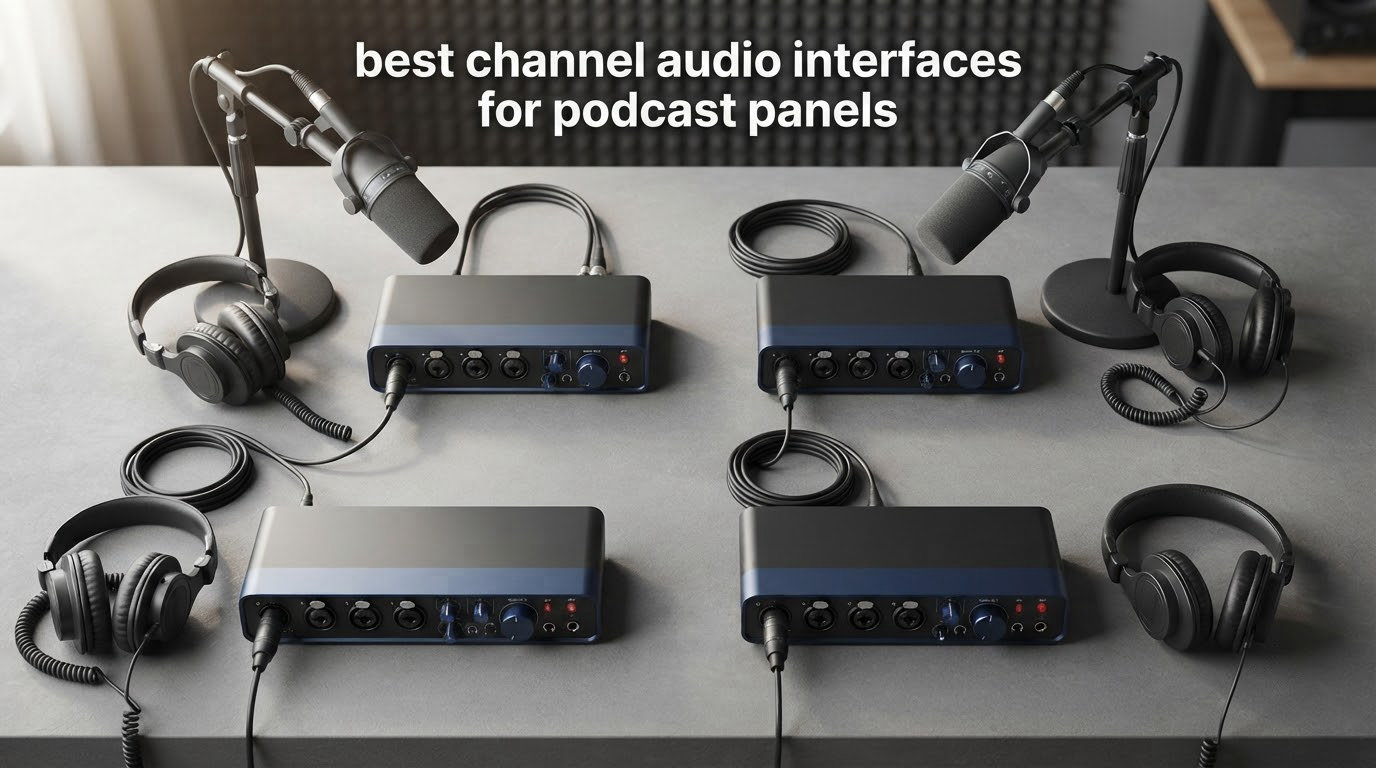
The short answer: the Zoom PodTrak P4 is the best 4-channel audio interface for podcast panels, the Behringer UMC404HD is the strongest value if you already record into a DAW, and the MOTU M4 is the pick when one of your four channels is a remote guest coming back down a laptop call.
A four-person roundtable is the hardest podcast format to get right, and almost none of the difficulty is in the microphones. It is in the box that sits between four XLR cables and one USB port. You need four real preamps with independent gain, because the four people will sit at four different distances from their mics. You need enough headphone outputs that nobody has to take the mix away from anyone else while they talk. And you need to end up with four separate tracks in your editor, not one blended file.
That third requirement is where most first-time panel buyers go wrong. The top question on podcast forums is some version of the same thing: why do two interfaces plugged into two USB ports only ever record two microphones at a time? The answer is that most recording software only opens one audio device, so the second box is a cable decoration until you install a virtual mixer to stitch it together, and then you are debugging two drivers instead of recording. One four-channel box removes the problem entirely. If you are still building a first setup, our beginner interface guide covers why preamp count matters more than anything else on the spec sheet.
What follows is eight boxes that each handle four channels in some form, and the honest truth is that they are not equal. Three of them give you four genuine microphone preamps and four headphone outputs at once. Four of them give you two microphone preamps and two line-level inputs, which is a real trap that retail listings bury. One records on its own without a computer. Knowing which category a box falls into before you buy will save you more money than any spec comparison.
Table of Contents
Top 3 Picks for a 4-Channel Podcast Panel in 2026

Zoom PodTrak P4
- 4 XLR mic inputs
- 4 headphone outputs
- Records a track per person
- Battery powered


Best 4-Channel Audio Interfaces for Podcast Panels in 2026
| Product | Specifications | Action |
|---|---|---|
| Zoom PodTrak P4 |
|
Check Latest Price |
| Behringer UMC404HD |
|
Check Latest Price |
| MOTU M4 |
|
Check Latest Price |
 Focusrite Scarlett 4i4 4th Gen Focusrite Scarlett 4i4 4th Gen |
|
Check Latest Price |
 Arturia MiniFuse 4 Arturia MiniFuse 4 |
|
Check Latest Price |
 Tascam Mixcast 4 Tascam Mixcast 4 |
|
Check Latest Price |
 Universal Audio Volt 476p Universal Audio Volt 476p |
|
Check Latest Price |
 Zoom PodTrak P4next Zoom PodTrak P4next |
|
Check Latest Price |
1. Zoom PodTrak P4: Four Mics, Four Headphones, No Computer Needed
Zoom PodTrak P4 Podcast Recorder with 4 XLR Mic Inputs, 4 Headphone Outputs, Phone & USB Input for Remote Interviews, Sound Pads, 2-In/2-Out USB Audio Interface, Battery Powered
4 XLR mic inputs
4 headphone outputs
16-bit/44.1kHz WAV
3.5 hours on 2 AA
Pros
- Four XLR inputs with up to 70dB of gain for demanding dynamic mics
- Four headphone outputs each with its own volume knob
- Records every person to a separate track plus a stereo mix
- Automatic mix-minus for phone and call-in guests
- Battery powered and small enough to carry to a panel
Cons
- Light plastic build feels fragile in the hand
- AA batteries run about 3.5 hours
- No EQ or compression in the signal chain
We spent the most time on this one, and it stays our first recommendation for a reason that no spec sheet explains: it is the only box in this group where every single part of a four-person panel works without a second purchase. Four XLR inputs, four headphone outputs with individual volume, and a track per person written straight to an SD card. Nothing to install, nothing to route, no DAW window to lose during a live session.
The preamps are the surprise. Reviewers consistently report that the roughly 70dB of available gain is enough to drive a dynamic broadcast microphone such as an SM58 to a healthy level with nothing between the mic and the box. For a panel where everyone might be on a different mic, that headroom means you are not reaching for an inline booster or a cloudlifter to get a usable signal.
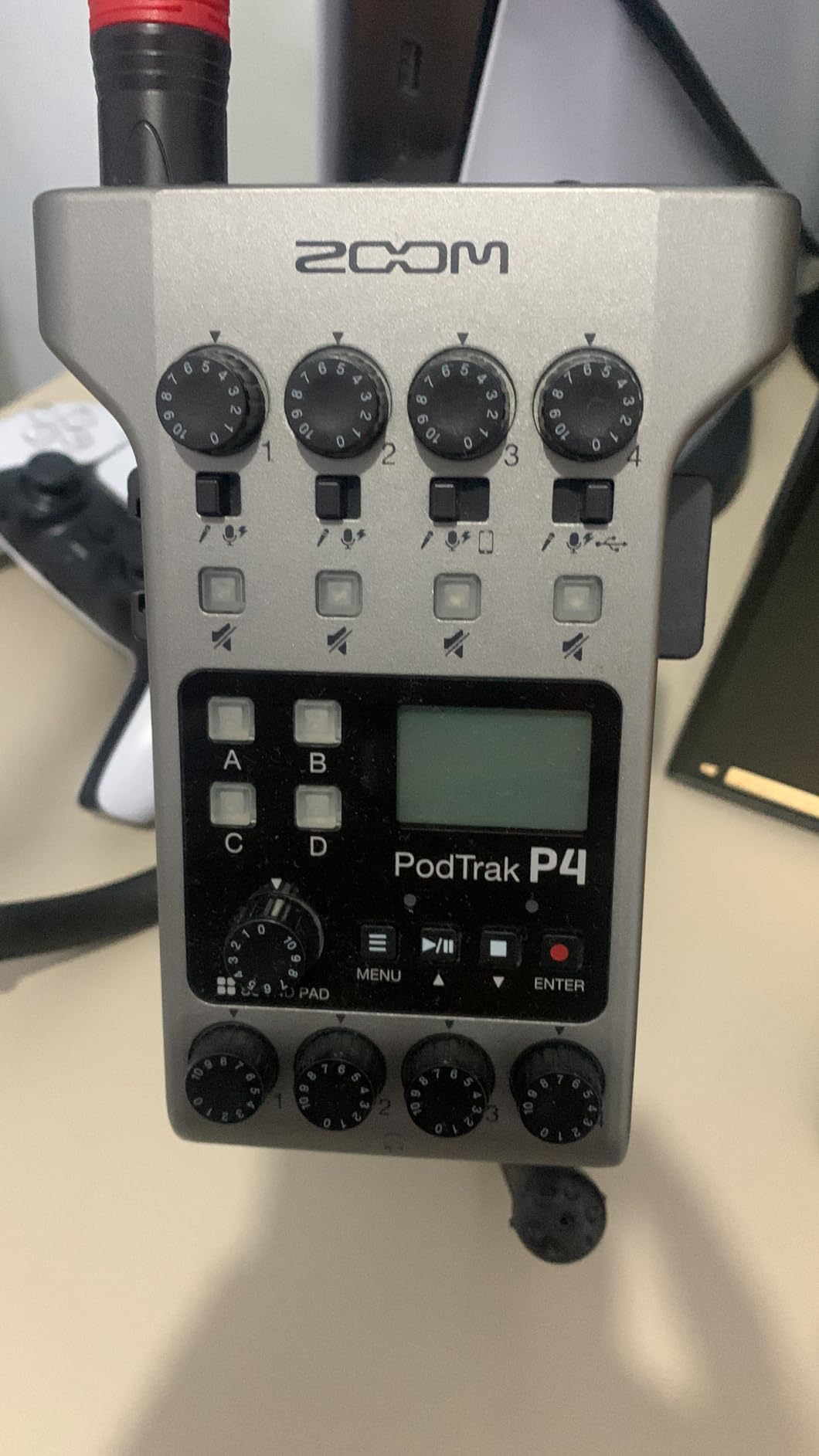
The mix-minus is the feature that quietly saves the most time. It means you can bring a phone or laptop guest into the conversation on a separate channel, and that guest never hears their own voice echoed back, without any of the manual routing that makes remote episodes a chore. Owners who came for the four headphone outs usually mention the sound pads second, and they are genuinely useful for intro music and jingles that would otherwise eat a channel.
The build is the honest drawback. It weighs about 130 grams and the shell flexes slightly, so this is a device you treat gently rather than one you leave on a table during a live broadcast. Most people end up running it from USB power anyway, which sidesteps the roughly 3.5 hours of AA battery life. Our 2-inch screen and small level meters are also hard to read from across a table, so you will want the person running the session seated near the box.
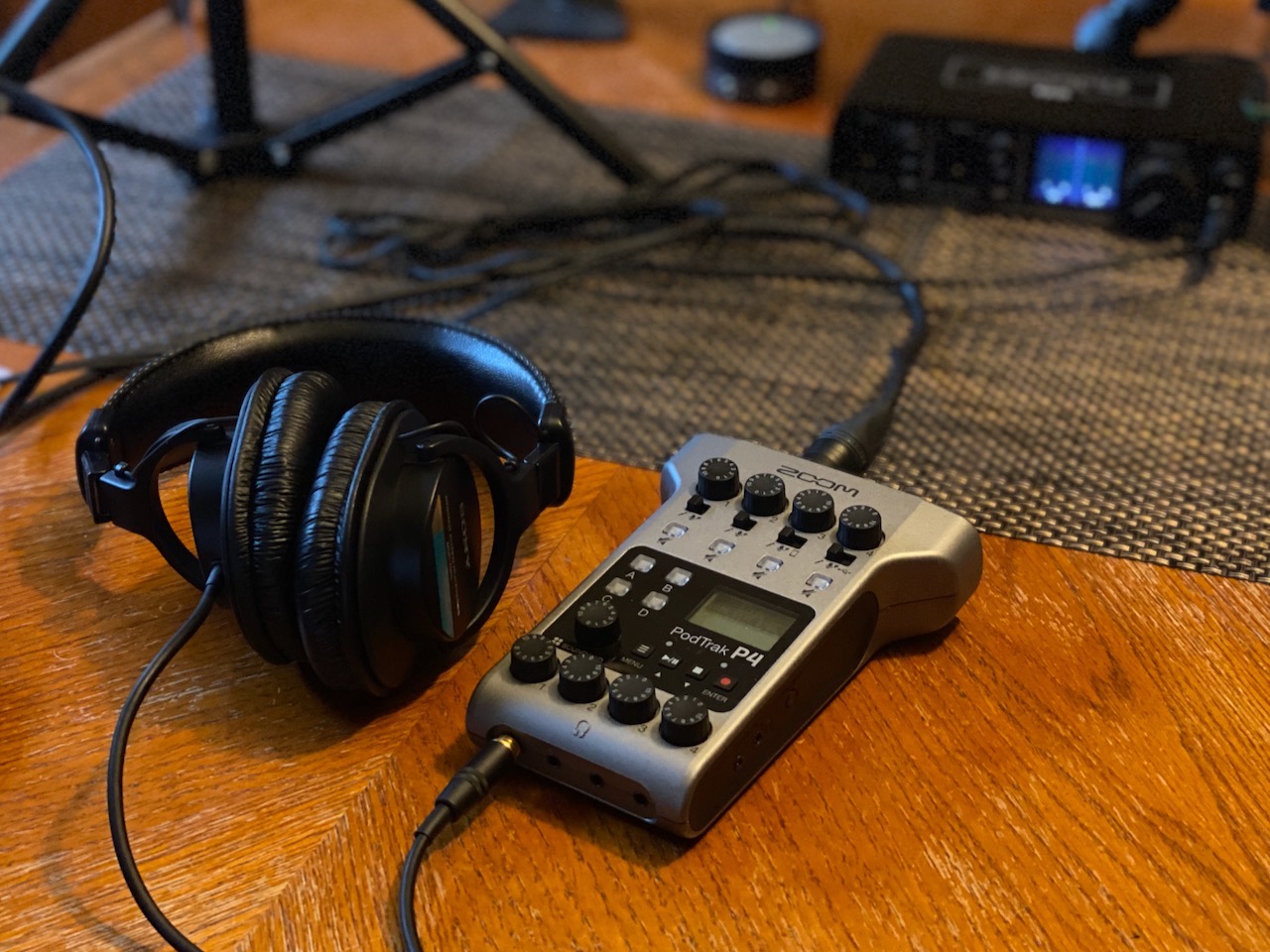
What makes it the right panel pick
Every host can hear themselves at their own level without taking the mix from anyone else, which is the number one request on podcast forums. The track-per-person output means your editor opens four clean files instead of a single blended recording you have to untangle. And the whole thing fits in a jacket pocket, so the same box runs a studio panel and a panel recorded somewhere else.
It also does the job without a computer at all, which removes a whole class of failure. No driver conflict, no sample-rate mismatch, no laptop fan drowning the conversation, and no dependency on one person’s software setup. For a show with rotating hosts, that reliability is worth more than any converter specification.
Who should look elsewhere
Buy something else if your show is music-first or if you plan to record at 24-bit/96kHz or above. This records 16-bit/44.1kHz WAV only, which is fine for speech and limiting if you want a higher resolution file. It also does not pass audio into your computer in USB mode, so a producer working live in a DAW cannot monitor the return from this box.
Anyone who needs EQ or compression before the recording is captured should also look past it. The onboard processing stops at a low-cut filter and a limiter, so gain-matched levels are your job, not the hardware’s. Our setup notes below cover how to do that in about five minutes.
2. Behringer UMC404HD: Four Real Preamps for the Money
Behringer U-PHORIA UMC404HD Audiophile 4×4, 24-Bit/192 kHz USB Audio/MIDI Interface with Midas Mic Preamplifiers
4 MIDAS mic preamps
24-bit/192kHz
MIDI in and out
Single headphone jack
Pros
- Four MIDAS-designed preamps with 48V phantom power
- 24-bit/192kHz converters with generous headroom
- Metal chassis built to survive being moved
- Works with the major DAWs on Mac and Windows
Cons
- One shared headphone output for the whole panel
- No metering or mixing on the box itself
- Needs a running computer and DAW to record
This is the box that solves the most basic version of the panel problem: four real microphone preamps, four balanced outputs, and 24-bit/192kHz conversion for a fraction of what the flagship desktop interfaces cost. With close to 2400 reviews behind it, it is also the one in this group with the longest public track record of not breaking.
The MIDAS-designed preamps are the reason people keep coming back to it. For a roundtable, the thing that matters is noise floor at low gain, and reviewers describe these as quiet enough to sit well under a dialogue track with headroom to spare. The metal chassis is genuinely overbuilt for a desktop box, and the bundled MIDI input and output are unusual at this level even if a spoken-word panel will never touch them.
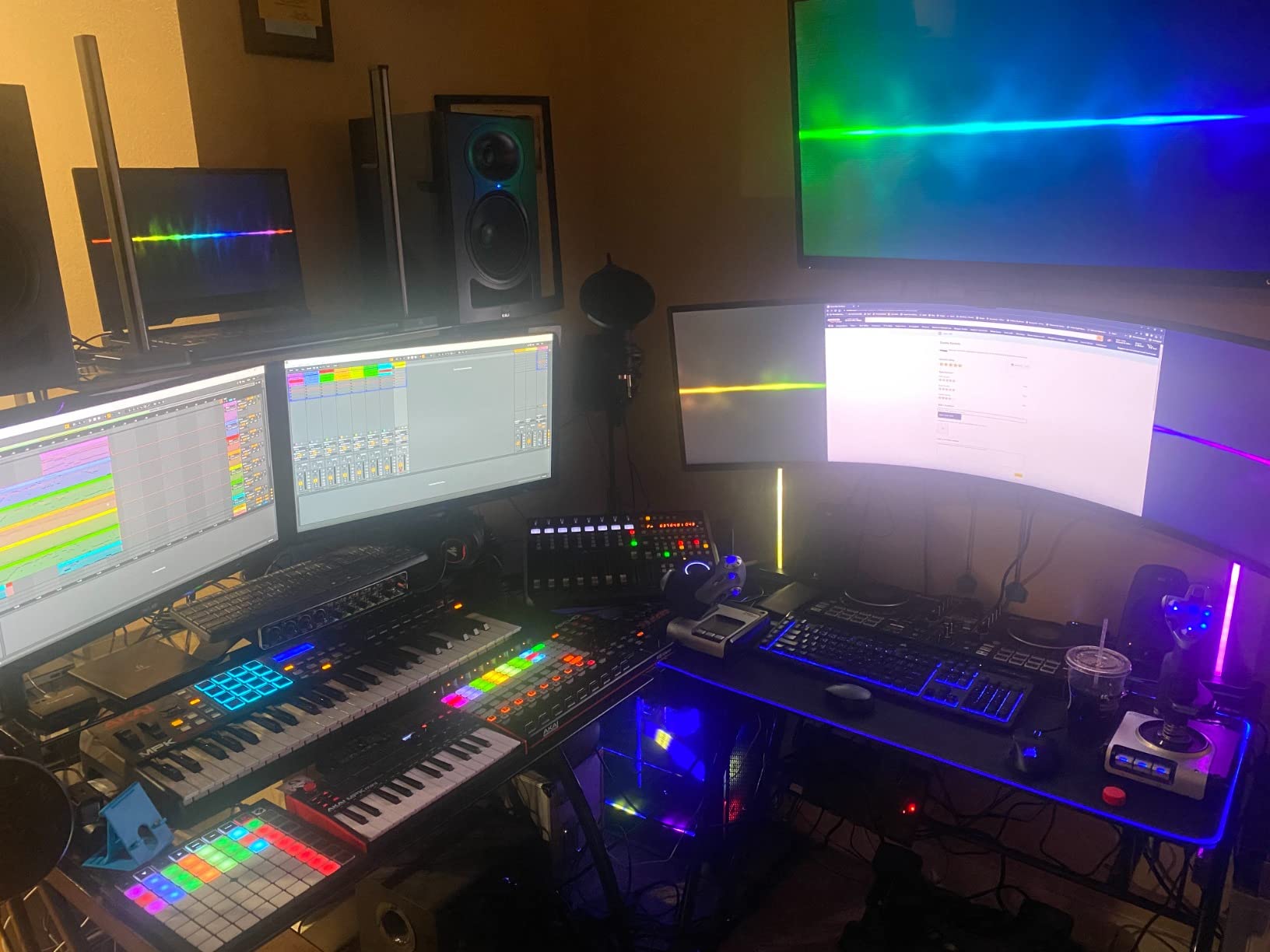
Here is the problem, and it is not a small one for this particular audience. There is a single headphone output. For a four-person panel that means one pair of headphones on the box, and everyone else either shares that pair or sits without monitoring. The fix is an external headphone distribution box, which adds cost, another piece of gear to configure, and a second failure point in the signal path.
There is also no metering and no mixing on the hardware. You get four channels into your computer and nothing else. If your team is comfortable opening a DAW and arming four tracks, that is not a problem at all. If you wanted a box you could hand to a producer with no training, this is the wrong shape of tool.
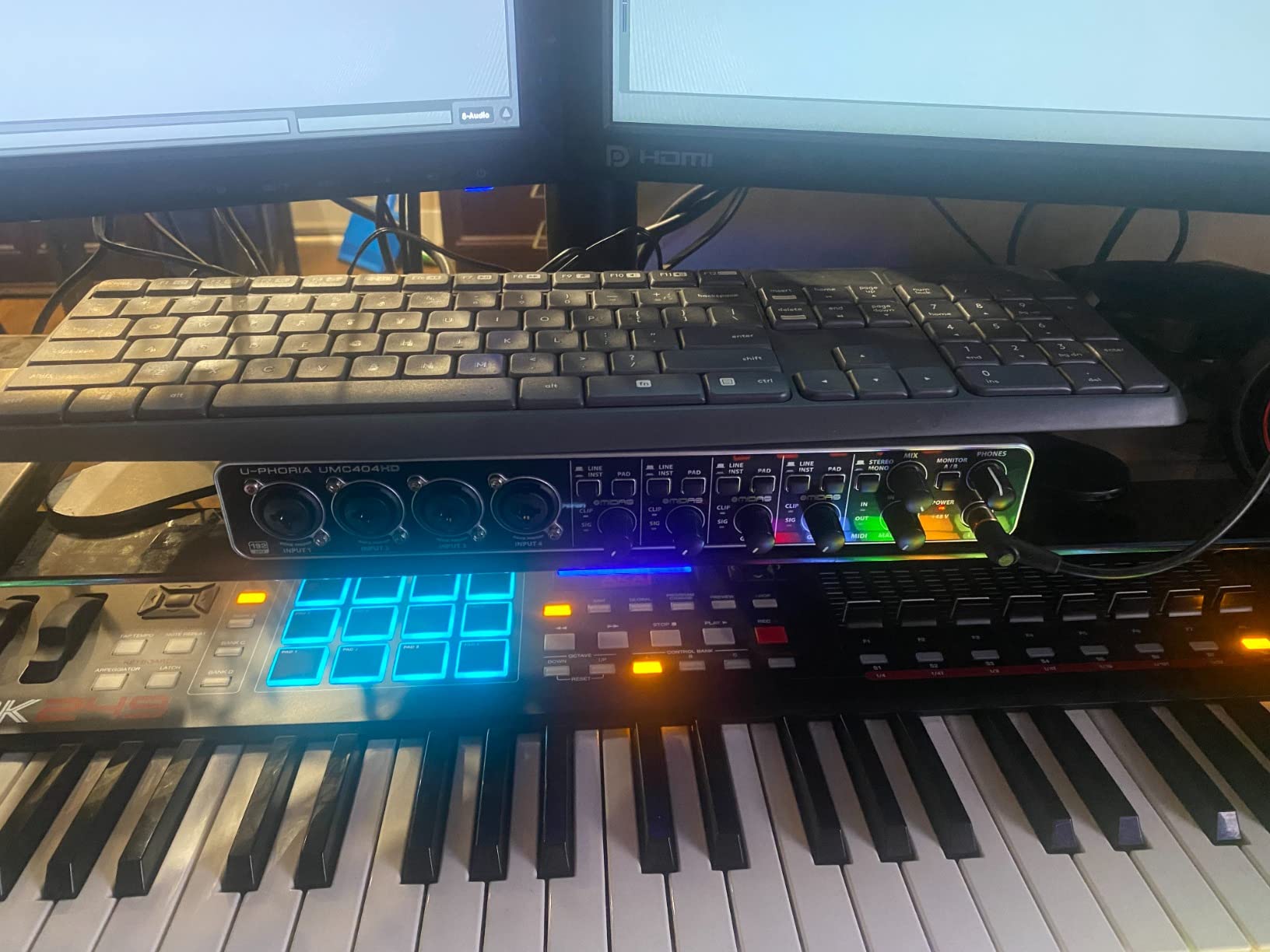
What makes it the right panel pick
Four genuine preamps is the whole argument. Dozens of popular four-channel boxes in this category ship with two microphone preamps and two line-level inputs, and this one simply does not make you choose. If your panel is four people in one room, four XLR cables is what you need and this delivers it with no adapter, no inline mixer, and no second device.
The converter resolution and headroom give you room to work. If you ever want to record a music bed, a sound design pass, or a voiceover at a higher sample rate, the box will do it. The 24-bit/192kHz path is a meaningful upgrade over the 16-bit/44.1kHz ceiling on the recorder at number one, and it is the reason this one still holds up in a studio rack.
Who should look elsewhere
Skip it if the panel hosts are not technical. A single shared headphone output and zero on-screen feedback mean someone has to run a computer for the entire session. It is also a computer-only device with no onboard recording, so if your guest producer turns up with no laptop, nothing is captured.
Behringer bundles minimal software, so plan on using whatever DAW you already own. And with four preamps drawing from USB bus power at once, a laptop with a single underspecced port is the wrong host machine for it.
3. MOTU M4: The Remote-Guest Pick
Motu M4 4×4 USB-C Audio Interface
2 mic preamps plus 2 line inputs
USB-C
LCD signal display
Loopback
Pros
- Clean preamps with plenty of gain for broadcast dynamic mics
- Loopback captures a remote guest on a separate track
- LCD shows signal status without opening the software
- Low-latency hardware monitoring with no software in the loop
Cons
- Only two inputs have real mic preamps
- Single headphone output
- Requires a computer and DAW to record
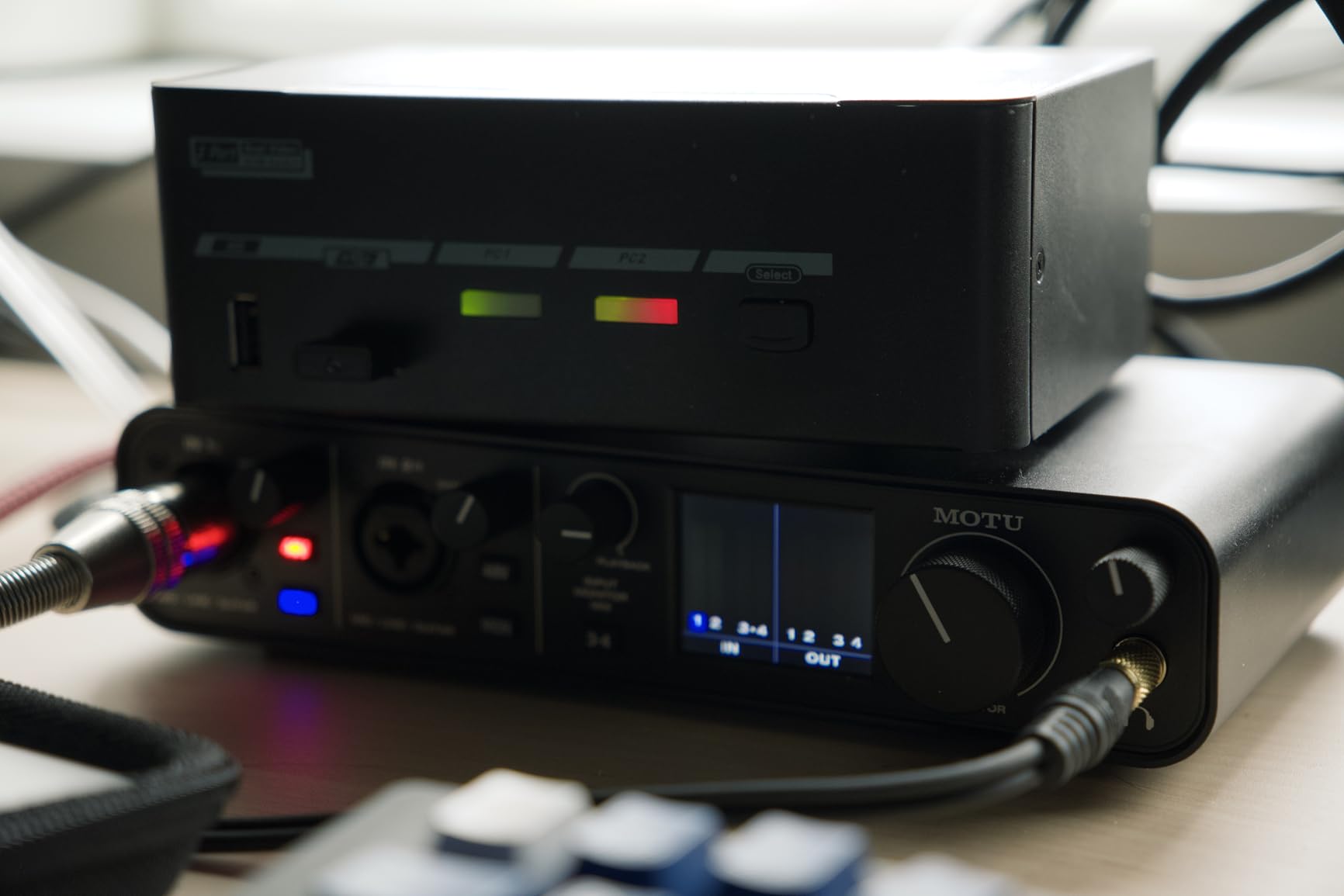
The MOTU M4 is the community default for panel work, and the reason is loopback. A second input channel can capture the return from a video call or a phone line directly into your session as its own track, which is exactly the fourth channel most panels need. Three people in the room on microphones, one remote guest coming back through software, four clean tracks, no virtual audio cable to debug.
The small LCD is more useful than it looks. It shows input signal status on the hardware itself, so the person running the session can confirm every host is live without alt-tabbing away from the recording window. MOTU’s low-latency hardware monitoring means the guests hear themselves with no software in the path, and that delay-free monitoring is the thing reviewers consistently single out as the reason the box feels fast.
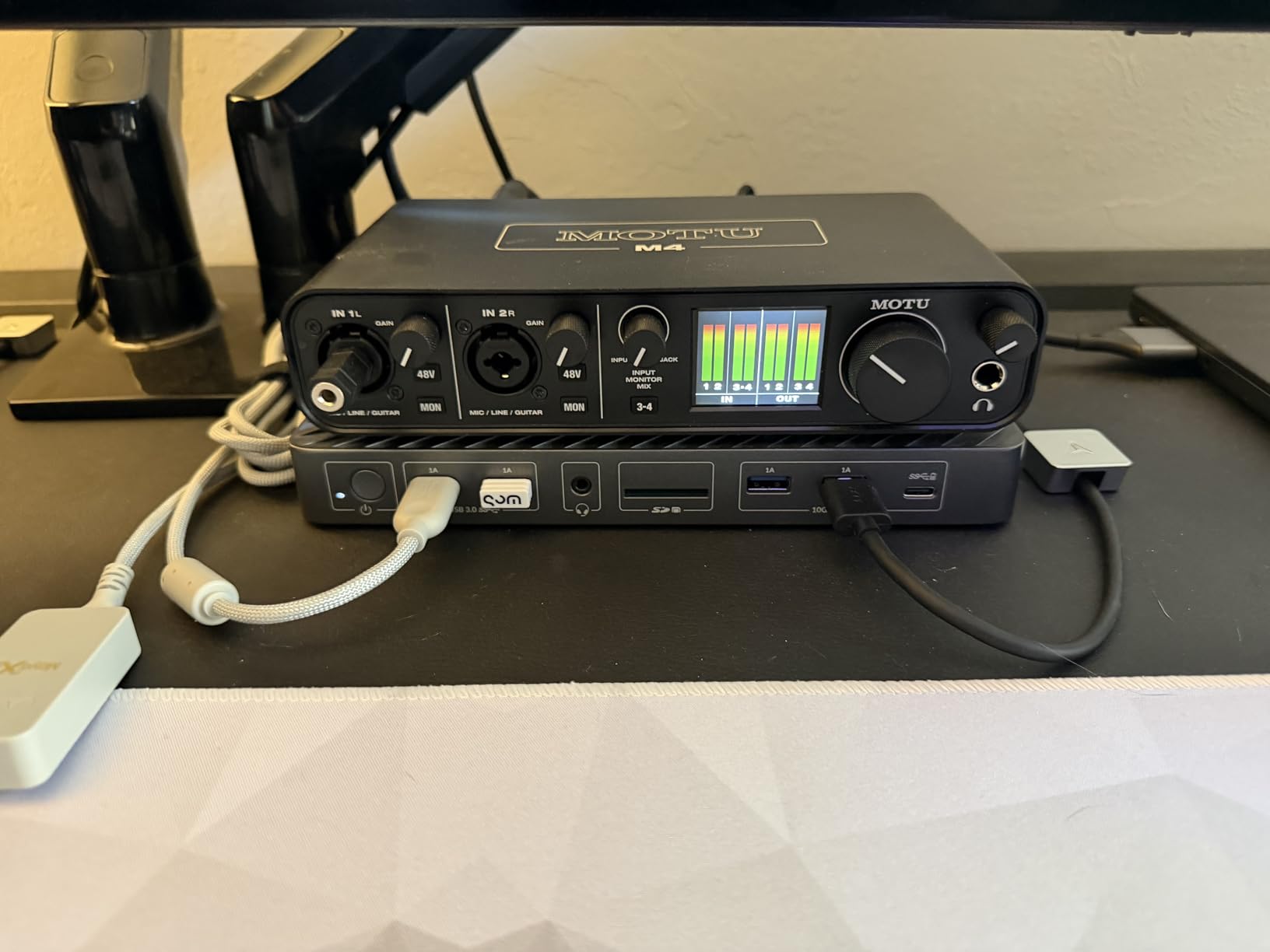
It runs off USB bus power, weighs about 16 ounces, and ships with MIDI I/O plus a large bundle of software, so it travels in a bag and sets up in seconds. The preamps are described as transparent and quiet, with plenty of clean gain for a dynamic broadcast mic, and one owner who replaced a much larger MOTU unit reported it as equally hassle-free to run, which tells you something about driver stability over time.
Now the part that catches panel buyers out. The listing says 4-in/4-out, and it is, but only two of those inputs have microphone preamps. The other two are line and instrument level. Two hosts on XLR, and the remaining two need an inline preamp, an external mixer, or a switcher to bring a microphone up to mic level. It is a solvable problem, but it is a second box of gear, which is exactly what you were trying to avoid.
What makes it the right panel pick
Loopback is the feature no other unit on this list does this well, and it is the difference between a clean remote-guest track and a long evening of troubleshooting. The LCD and hardware monitoring together mean a panel session can be run and monitored without ever looking at the computer, which matters when the person on the DAW is also hosting.
Bus power and a small footprint make it a genuinely portable panel rig. You can record a panel in a studio, then move the same box to a live event or a remote location with nothing but a laptop and four XLR cables. Our streaming interface guide covers the routing side if you are also broadcasting the panel live.
Who should look elsewhere
If all four of your channels are microphones in one room, this is the wrong shape. Two preamps means you are buying extra hardware to hit four, and that defeats the point of a four-channel box. It also has a single headphone output, so independent monitoring for four people still requires a distribution box.
Owners have also flagged that there is no hardware control for the output level on channels three and four, so monitor level ends up being an operating system volume setting rather than something on the desk. Plan that into your workflow before the first session rather than during it.
4. Focusrite Scarlett 4i4 4th Gen: The Converter Quality Pick
Focusrite Scarlett 4i4 4th Gen USB-C Audio Interface
2 mic preamps plus 2 Hi-Z inputs
120dB dynamic range
Auto Gain and Clip Safe
Pros
- 120dB dynamic range converters for quiet transparent dialog
- Auto Gain and Clip Safe handle unfamiliar guest mics
- Mature drivers across Mac Windows and iOS
- Bundled Pro Tools Intro+ Ableton Live Lite and Cubase LE
Cons
- Only two channels accept a microphone
- One headphone jack for four people
- Needs a computer and DAW
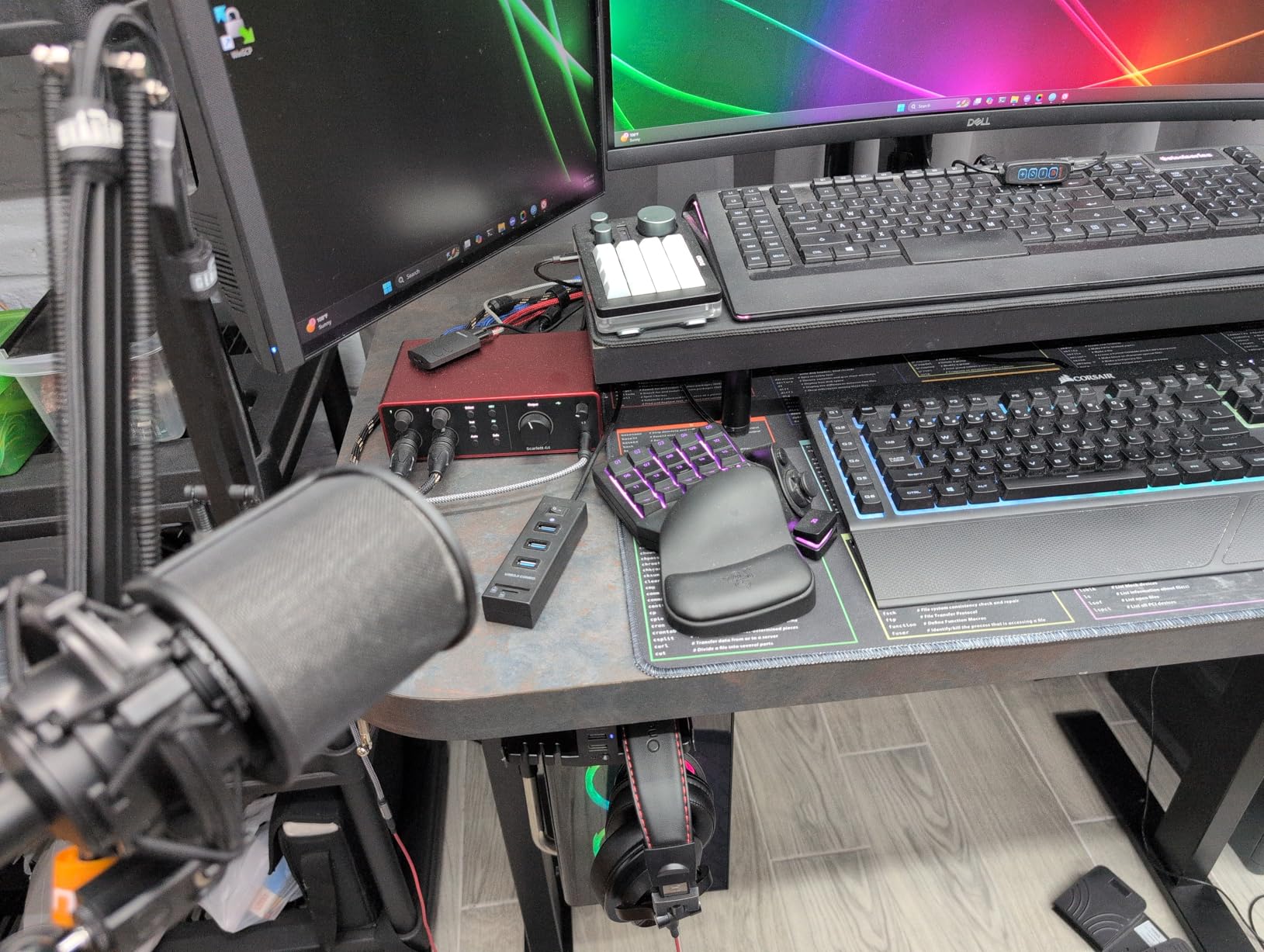
The 4th generation Scarlett 4i4 is the one we would put in a room where the dialogue quality matters more than the monitoring, because the 120dB dynamic range comes from the same converter family Focusrite uses in its flagship boxes. For a panel of four voices recorded in the same room, that extra headroom and lower noise floor is the difference between a track you can raise in post and one you cannot.
Auto Gain and Clip Safe are quietly the most useful features here for a panel. A guest arrives with a microphone nobody has seen before, plugs in, and one button sets a working level while a second one prevents a surprise clip. On a four-host show with rotating microphones, that removes the single most common session-ending mistake without needing an engineer at the desk.
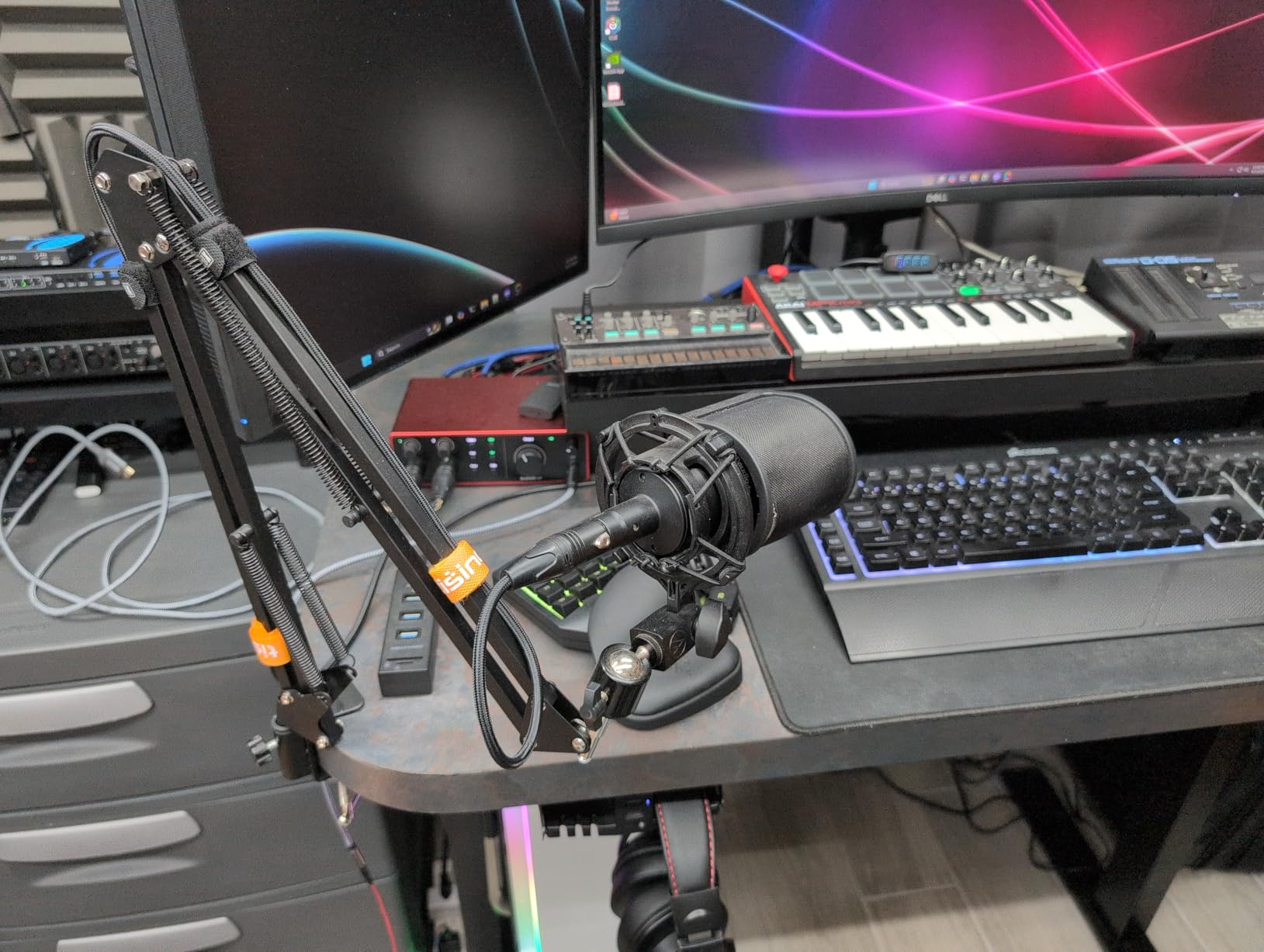
The bundled software is a genuine part of the value here. Pro Tools Intro, Ableton Live Lite and Cubase LE all ship in the box, so if you are starting from nothing you can record a full panel tonight. The driver support is mature and consistent across Mac, Windows and iOS, and driver stability is the most common long-term regret people report in this category, so that consistency carries more weight than it sounds.
The caveat is the one that has become famous for this model. Two Scarlett 4th Gen microphone preamps, two Hi-Z instrument inputs, and four line inputs do not equal four microphones. A four-XLR panel needs two extra preamps from somewhere, and reviewers consistently recommend pairing it with a small external mixer or preamp for the remaining two voices.
What makes it the right panel pick
Converter headroom. If your panel is being recorded in a treated room with quality dynamic microphones and you intend to do any post-production work, the difference in noise floor between this and a cheaper four-channel box is measurable, and it is largest on the quietest host in the conversation. For a roundtable, the quietest person sets the noise floor for everyone.
Auto Gain removes the guesswork from a session with unfamiliar microphones, and Clip Safe means a hot-handed guest cannot ruin a take. If your show has hosts who are not technically comfortable, those two features are worth more to you than another two headphone outputs would be.
Who should look elsewhere
Do not buy it as a four-microphone solution. The second and fourth inputs are line level, and a microphone plugged into one of them will produce a thin, badly behaved signal. If you need four XLR cables in one room, choose a box with four real preamps instead.
There is a single headphone output as well, so four independent monitoring positions still need a distribution box. And like every interface here, it is a computer-only device with no onboard recording, so a session with no laptop in the room is not something it can cover.
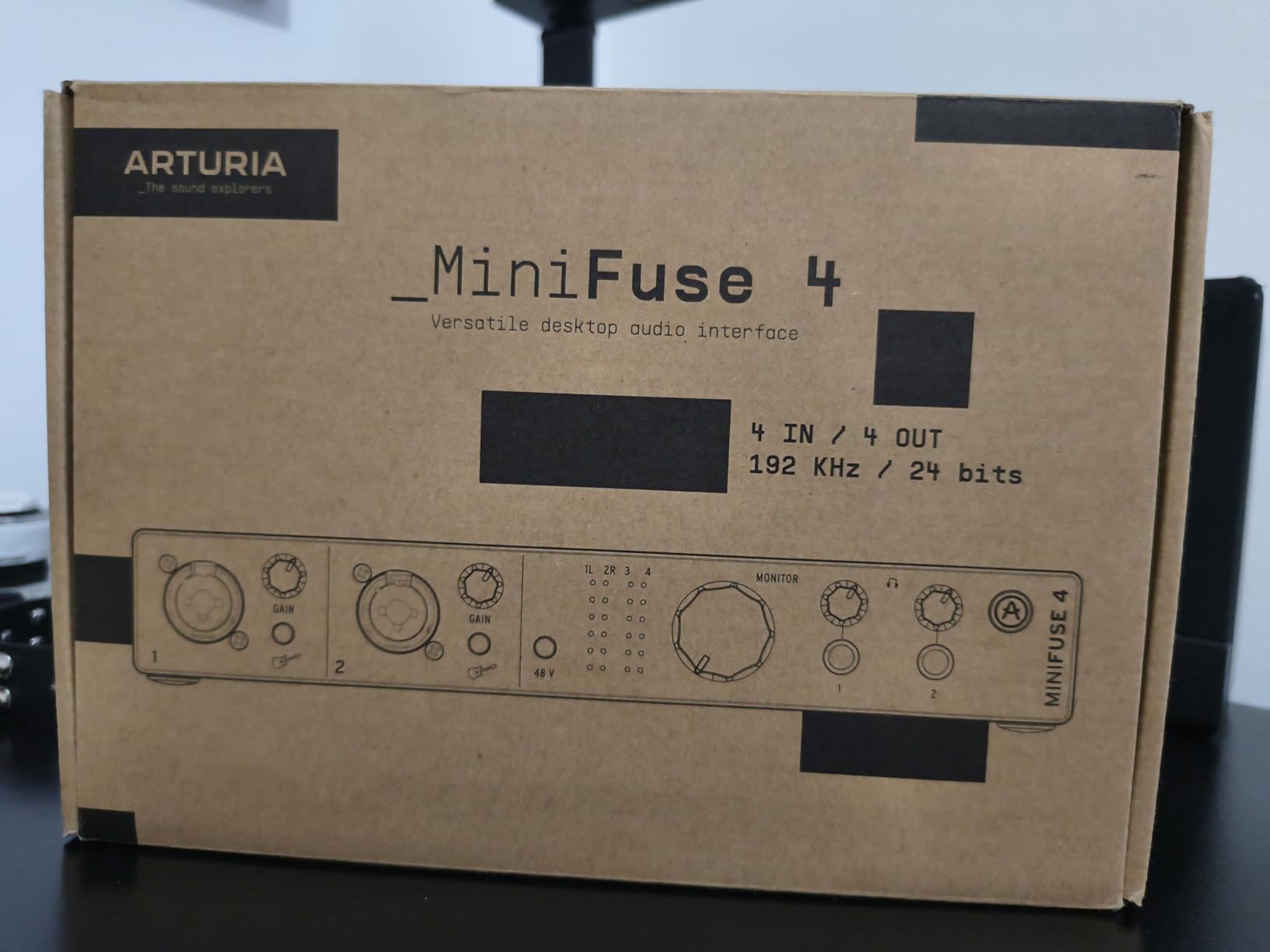
5. Arturia MiniFuse 4: Two Jacks and a Five-Year Warranty
Arturia MiniFuse USB Audio & MIDI Interface, MiniFuse 4
2 combo XLR inputs plus 2 TRS
Two headphone outputs
5-year warranty
Loopback
Pros
- Five-year warranty is longer than most rivals offer
- Two headphone outputs with independent volume control
- Loopback captures app or game audio with a voice track
- Sturdy metal chassis that survives travel
Cons
- Only two XLR microphone inputs
- The other two inputs are instrument and line level
- No bus power for full phantom power on every input
The MiniFuse 4 is the one on this list with two independent headphone outputs, and for a two-host or three-host panel that is genuinely unusual at this size. Each jack has its own volume control, so both people monitoring can set a level that suits their own headphones without touching the other. For a four-person panel you would still need more, but for the very common case of two hosts in the room plus two remote, this is a cleaner answer than anything else here.
It ships with a five-year manufacturer warranty, which is longer than the rest of this group offers by a wide margin and is backed by a stated programme of reliability testing on every unit. Owners highlight that as a large part of why they feel comfortable building a permanent rig around it rather than replacing it every few years.
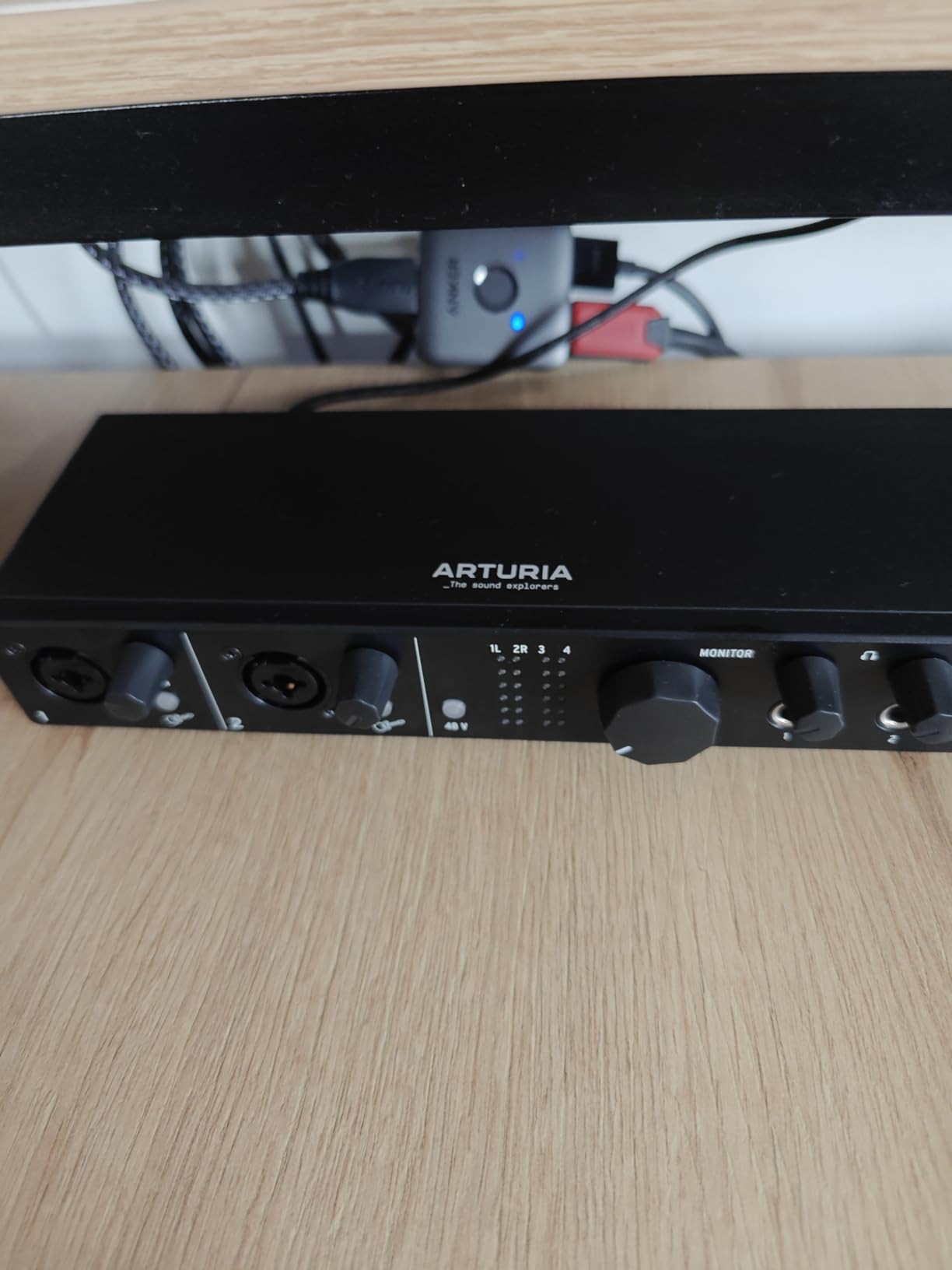
Loopback does the same job as the MOTU M4, capturing in-app or in-game audio alongside a voice track, which makes it useful if any part of your panel is a screen recording or a gameplay clip. The software bundle is substantial for a box of this size, with Ableton Live Lite, Analog Lab Intro, Arturia FX, Guitar Rig 6 LE and Auto-Tune Unlimited all included, and that Auto-Tune in particular has become a standard tool for tightening up multi-host speech.
The construction is a compact metal chassis that reviews describe as sturdy enough to travel, and the converter path runs to 24-bit/192kHz. MIDI in and out plus two USB-A hubs round out a box that is doing its best to be a one-stop hub for a small desk.
What makes it the right panel pick
Two headphone outputs with their own knobs solve a problem the single-jack boxes cannot, and for a panel where the in-room hosts need to hear themselves cleanly, that is the feature that changes the working day. A producer sitting at the desk does not have to pass a headphone cable around the table every time somebody changes position.
The five-year warranty and the metal build are the quiet reasons to like it. A panel rig is a permanent installation that gets moved, carried and knocked about, and a warranty that long removes the risk of an early failure taking a whole season’s recording with it.
Who should look elsewhere
Two combo XLR microphone inputs is the ceiling. The other two inputs are instrument and line level, so a four-microphone roundtable needs an external preamp or a small mixer, which is the same extra-hardware problem the MOTU M4 and the Scarlett 4i4 have.
It also cannot run full phantom power across every input at once from bus power, and it has no standalone recording mode at all. If the person running your show is not confident in a DAW, this box will not walk them through it.
6. Tascam Mixcast 4: The Console That Needs No Computer
TASCAM Mixcast 4 Podcast Streaming Mixer, Recorder, and USB Audio Interface — Four XLR/TRS Mic Inputs, Touch Screen and Editing Software Included
4 XLR/TRS mic inputs
4 headphone outputs
14-track SD recording
Sound pads
Pros
- Records 14 tracks straight to SD with no computer in the room
- Four XLR/TRS inputs with four dedicated headphone outputs
- Eight banks of illuminated customizable sound pads
- Mix-minus plus Bluetooth and Aux inputs for phone guests
Cons
- Mains power only so it cannot run on batteries
- Bulky and heavy at about 5.6 lb
- Touch screen can feel slower than physical controls
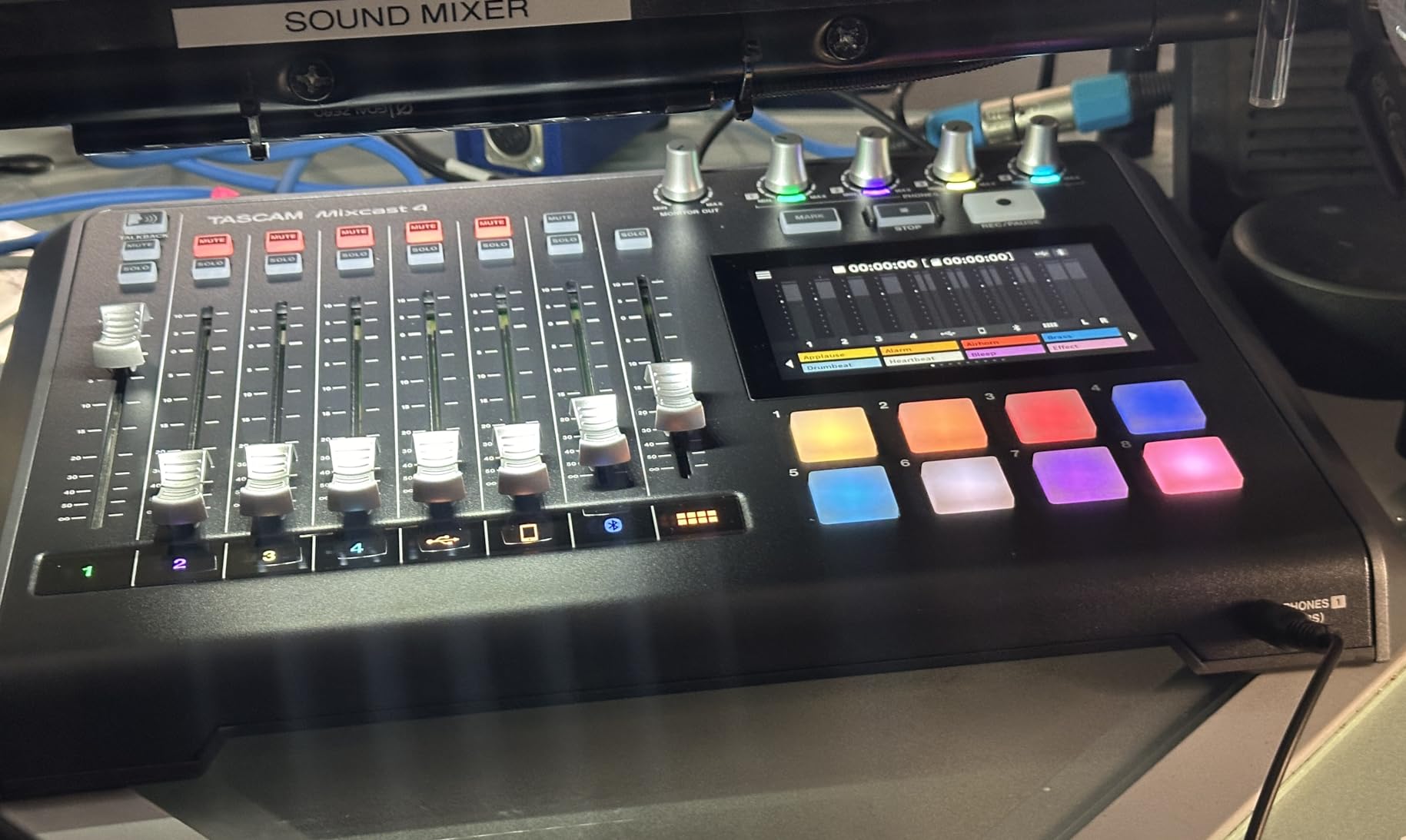
This is the one that behaves least like an audio interface and most like a purpose-built podcast desk. Four XLR/TRS inputs, four individual headphone outputs, and 14 tracks recorded directly to an SD card with no computer in the room at all. If your show has a producer who does not touch audio software, or a guest host who brings nothing but a microphone, this is the box that will actually get used.
The sound pads are the feature that changes the feel of a live session. Eight banks of illuminated, fully customizable pads let you trigger intro music, jingles and effects from the desk mid-conversation, which means you are not cutting to a software window and losing the room. Bluetooth and Aux inputs with mix-minus handle phone guests, and the bundled Tascam Podcast Editor handles track arming and post work.
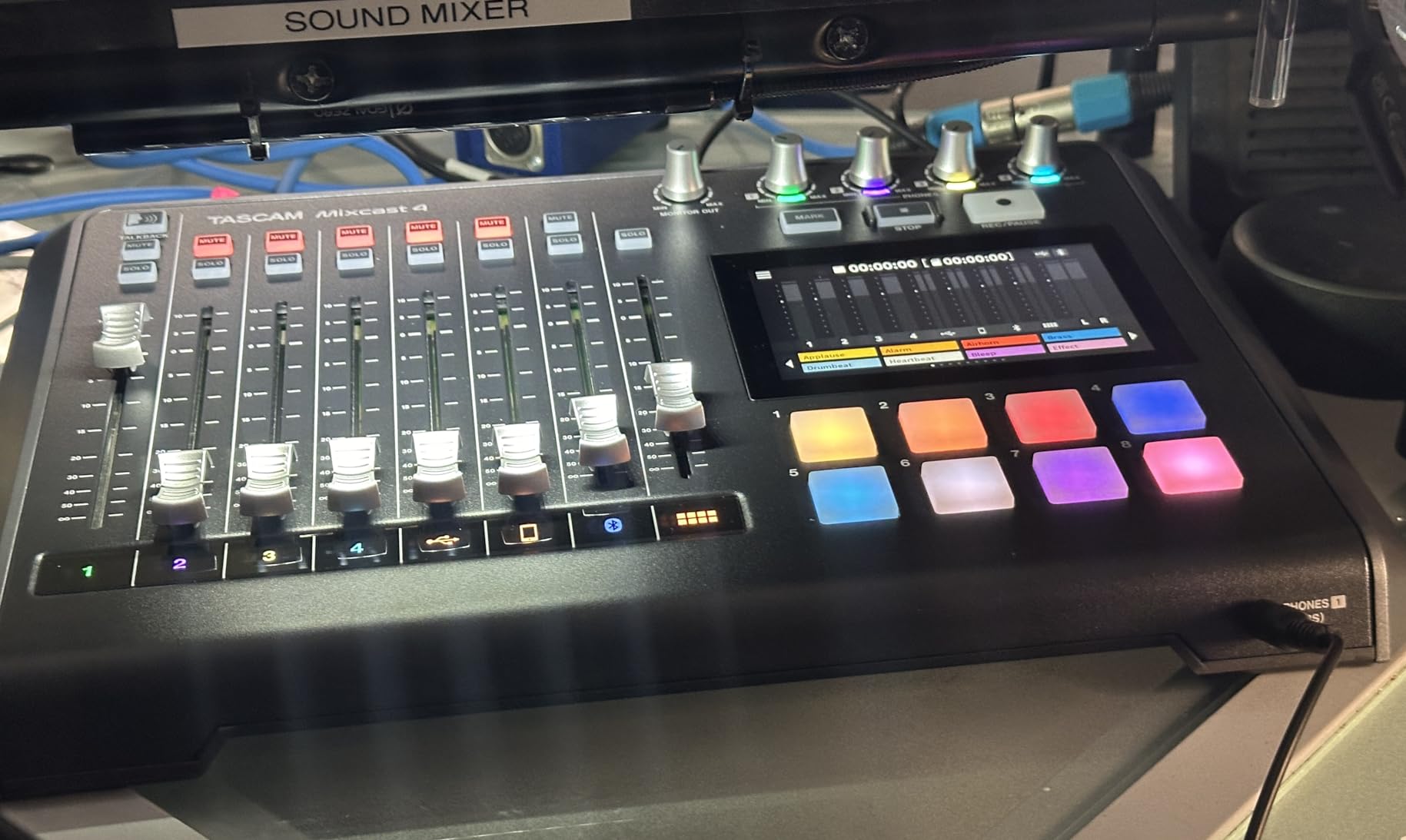
USB connectivity is there for streaming and for pulling sounds off a computer, so it fits into a live broadcast workflow as well as a standalone one. The touch screen makes routing changes fast during a session, and the four XLR/TRS inputs give you the option to patch a line source into a channel rather than dedicating it to a microphone.
This is also the largest and heaviest box here at about 5.6 pounds, and it runs on mains power only, so it is a desk fixture rather than a travel unit. It carries the lowest average rating of the eight, with the largest share of one-star reviews in the group, and the complaints that show up are quality control and the touch screen feeling slower than physical controls would. None of those are fundamental, but they are worth knowing.
What makes it the right panel pick
Four real preamps and four headphone outputs in the same chassis, with no computer required, is the combination no interface on this list can offer. For a panel that records to SD and uploads tracks afterward, everything the format needs is built in, and the session never depends on a laptop that might sleep, overheat, or update mid-take.
The pads and the touch screen matter more than they would for a music project. A four-host conversation has natural breaks where someone can trigger a stinger without stopping the tape, and that changes the pacing of the recording in a way a DAW never quite manages to match.
Who should look elsewhere
Skip it if you need to record somewhere without mains power, or if you plan to move the whole rig regularly. It is a studio desk, not a field box, and the weight and footprint reflect that. Anyone wanting to record on a bus or in a remote location should look at the recorders at numbers one and eight instead.
It is also the lowest-rated unit here, so if the touch screen bothers you, try it in person first. And if your post-production is entirely inside a DAW, the computer-based boxes give you a smoother path.
7. Universal Audio Volt 476p: Four Preamps That Add Character
Universal Audio Volt 476p USB Audio Interface
UA 610 preamps with Vintage mode
1176 compressor
LUNA included
Pros
- UA 610 preamp voicing with a switchable Vintage mode
- 1176-modelled analog compressor adds polish
- Four preamp channels plus four line inputs
- LUNA and UAD plug-ins simplify mixing for newcomers
Cons
- No multi-guest headphone outputs
- Needs a computer running LUNA to record
- Bulkier with a small external power brick
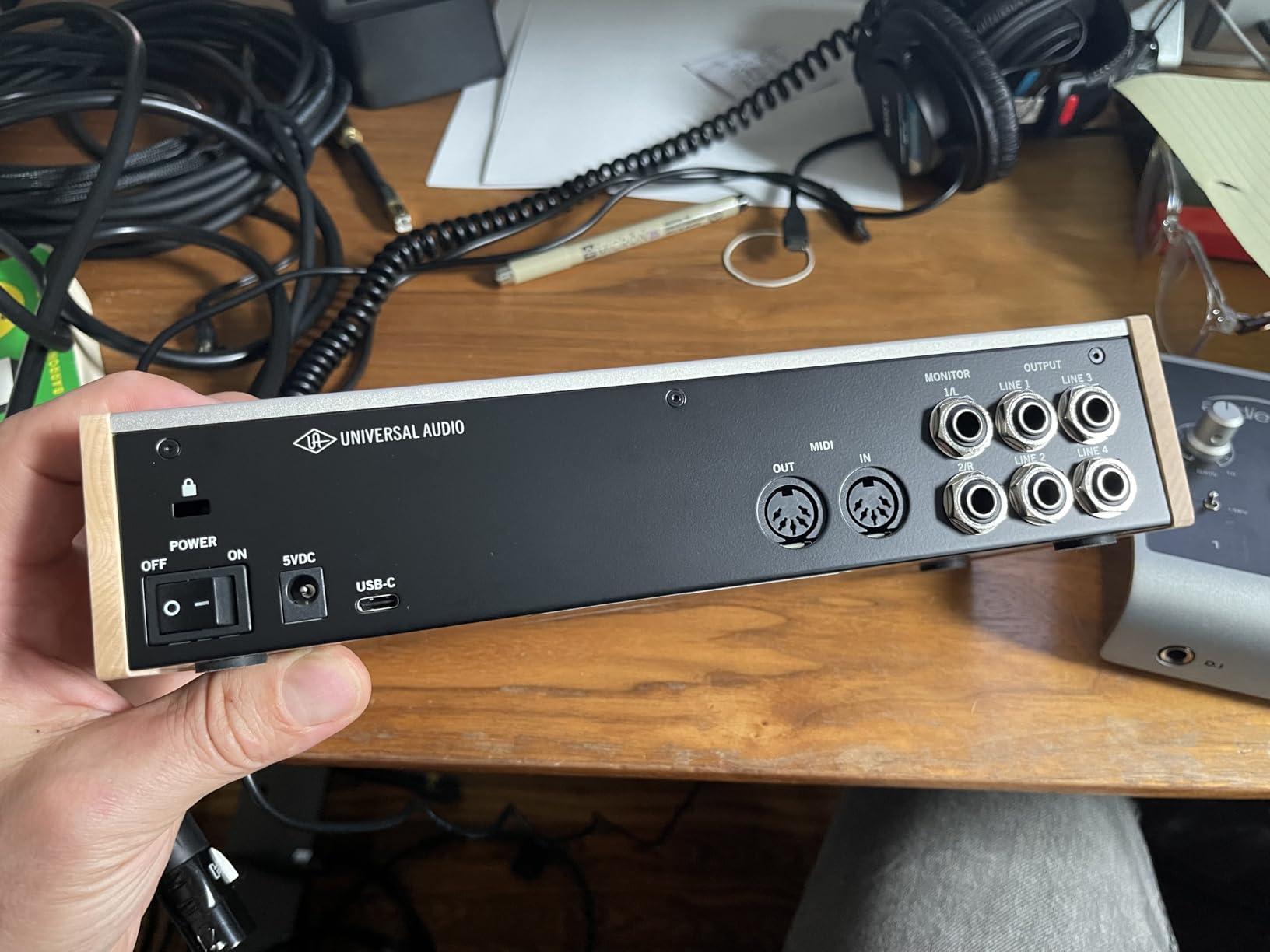
Most boxes in this list try to capture dialogue as transparently as possible. The Volt 476p takes the opposite approach on purpose. It is built around the classic UA 610 preamp circuit with a switchable Vintage mode, so you can record flat and neutral on one pair of channels or dial in a warmer, more coloured voicing on the others. For a panel that leans on storytelling rather than news, that is a genuine creative tool rather than a gimmick.
It also carries a 1176-modelled analog compressor on the channel strip. Owners consistently describe this as the polish that other boxes in this group lack, and on multi-host speech it does exactly what you would want, catching the peaks that come with a host who gets excited mid-sentence without pumping the rest of the conversation.
There are four preamp channels and four line inputs running at 24-bit/192kHz, so the four-microphone requirement is genuinely met rather than approximated. LUNA, Universal Audio’s recording and mixing application, is included and is regularly praised for making the whole process approachable for people who do not consider themselves engineers.
For a panel, the headphone situation is the weak point. There are no multi-guest headphone outputs, so a four-person roundtable needs an external headphone amp. Recording also requires a computer running LUNA, and iOS use needs the external power supply plus a Lightning to USB camera adapter, which is not a path most people want to take for a panel.
What makes it the right panel pick
Four preamps with a sound you will not have to fight later. If your show is recorded in an untreated room with a warm microphone choice, the character of the 610 circuit and the Vintage mode can make a mediocre room sound more deliberate. The 1176 compressor also means your four levels arrive in post far more evenly matched than they would from a bare preamp.
LUNA and the bundled plug-ins shorten the path from raw tracks to a finished episode, which matters when the person editing is also a host. Four preamps means no external hardware is needed to seat four microphones in one room.
Who should look elsewhere
Do not buy it for a panel that needs independent monitoring for four people. There is no multi-guest headphone provision here, so you are adding a distribution box on top of the interface cost. It is also the heaviest four-channel box in this group, with a small external power brick rather than clean bus power.
If you want a transparent capture you can shape later in software, this box is doing something you did not ask for. Our interface guide for guitars covers the more neutral side of the category if that matters to you.
8. Zoom PodTrak P4next: Panel Recording With the Cleanup Built In
Zoom PodTrak P4next Podcast Recorder with 4 Inputs + AI Noise Reduction
4 XLR inputs up to 70dB gain
AI noise reduction
4 headphone outputs
48kHz/24-bit
Pros
- AI noise reduction samples the room and cleans up hum fans and hallway noise
- 48kHz/24-bit recording is a clear step up in clarity
- Built-in tone enhancement and compression in one tap
- Four headphone outputs with separate volume controls
Cons
- Small monochrome screen is hard to read at a glance
- Records to microSD only with no simultaneous USB backup
- Editing happens on a computer afterwards
This is the newest box in the group and the most interesting idea in it. The AI noise reduction samples the room before you record, then removes hum, fan noise and hallway sounds while trying to leave voices natural. For a panel recorded somewhere you do not control, that is a genuinely useful feature rather than a marketing line, and owners report it handles steady background noise convincingly.
It also records at 48kHz/24-bit rather than the 16-bit/44.1kHz of the original, which is a real step up in headroom and clarity for a spoken-word show. The one-tap tone enhancement and compression make a raw capture sound closer to broadcast, and the four XLR inputs still deliver up to 70dB of gain for demanding broadcast microphones.
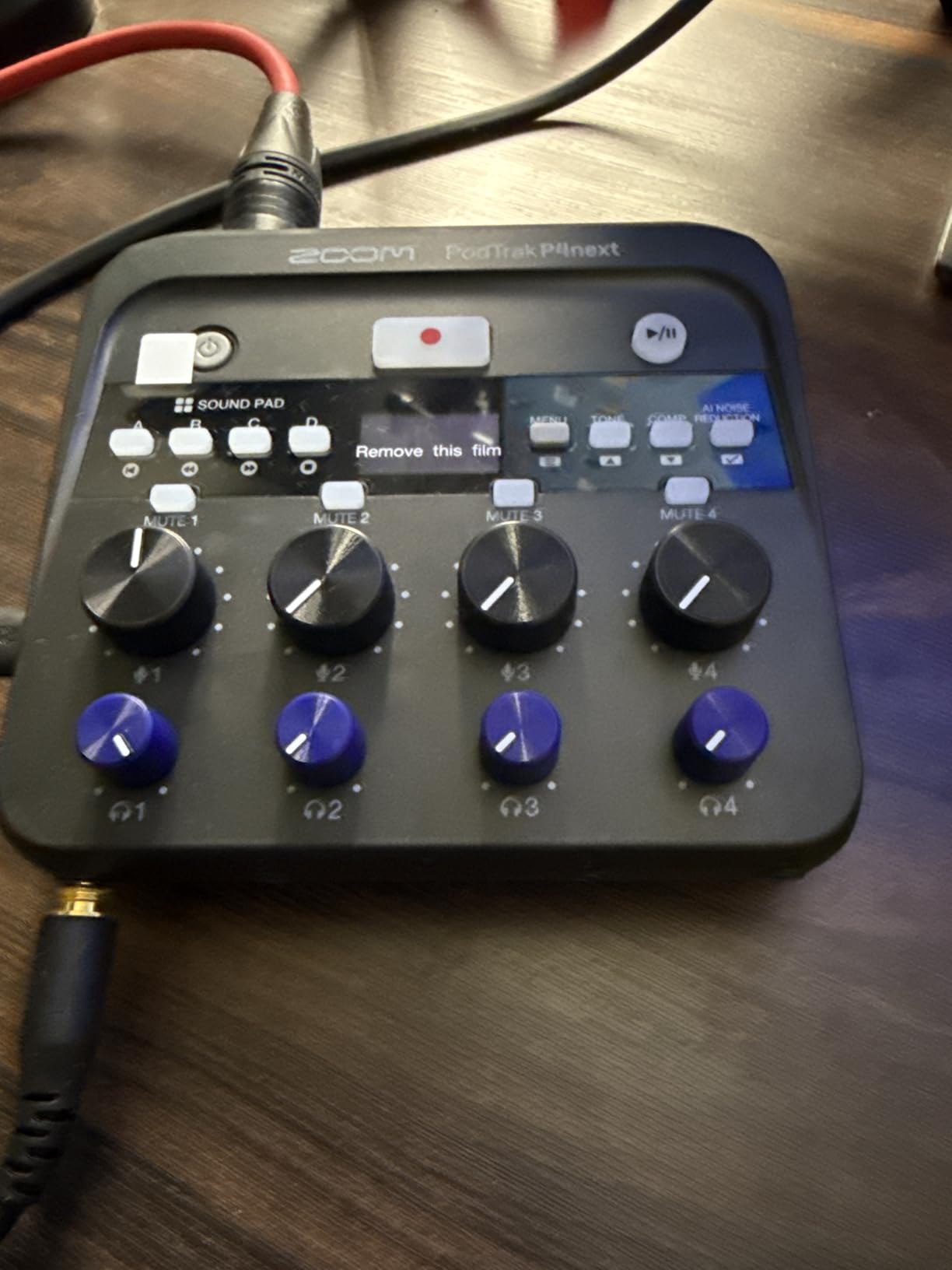
The four headphone outputs with separate volume controls, sound pads and a call-in channel are all carried over from the original, so the panel workflow is unchanged. At roughly 10.5 ounces and far smaller than a conventional mixer, it is the easiest unit here to carry to a panel recorded away from your studio, and it can capture audio straight into a phone for video with no syncing afterwards.
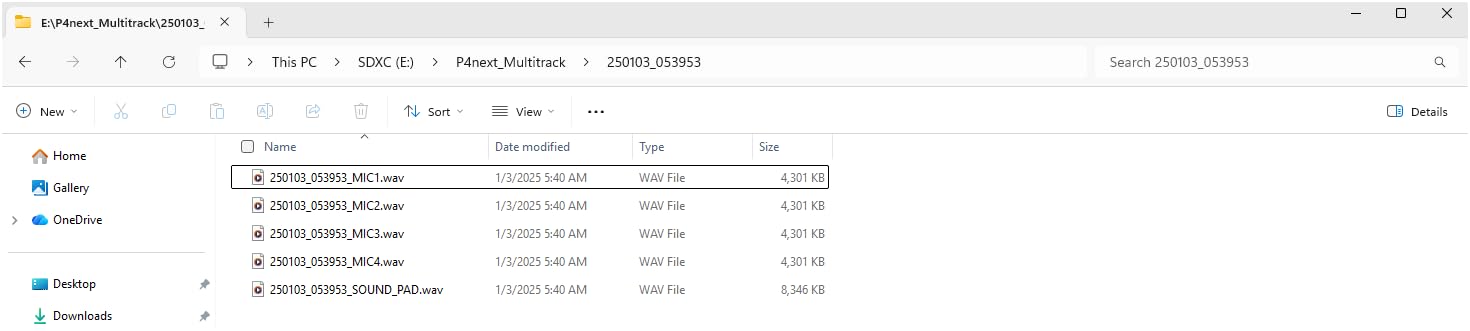
The limitations are practical rather than structural. The small monochrome screen is hard to read without leaning in, editing requires moving files to a computer, and there is no simultaneous backup recording to USB despite the second USB-C port. The onboard compressor can also sound harsh at its default settings, so it is worth setting by ear rather than leaving it alone.
What makes it the right panel pick
Four real preamps, four headphone outputs and standalone multitrack recording, in a box you can hold in one hand. For a show that records on location, in a community space, or in a different studio each month, that combination of capability and size is unusual, and the AI cleanup genuinely reduces how much time you spend repairing tracks afterward.
The higher resolution means a 24-bit file leaves far more room for post work than a 16-bit capture, which matters if you plan to process a host who was recorded quietly. Sound pads give you jingles without spending a channel, and the phone capture path is a shortcut for video-first episodes.
Who should look elsewhere
It has the smallest review base in this group by some distance, so the long-term reliability picture is less settled than for the box at number one. If you need a proven workhorse for a show that must never miss an episode, the original PodTrak P4 has a much longer public track record.
There is no redundant recording to a second location, so a failed card costs you the session. And with no EQ and some reports of thin results on certain dynamic microphones, it suits a show that wants one-tap polish more than a show that wants a fully manual channel strip.
Why Two 2-Channel Interfaces Are a Mistake
The most repeated problem on podcast forums is a purchase that seemed obvious. One user in the r/podcasting community bought two Behringer UMC204HD units expecting four microphones, plugged them into two USB ports, and found that only two ever worked at the same time. Routing software did not fix it.
This is not a fault. It is how operating systems and recording software behave. Most DAWs open a single audio device, so the second interface is sitting there unused until you install a virtual mixer or an aggregate device to combine them, and from that point on you are debugging two drivers, two sample rates and two buffer settings while four people wait. People who go down that road tend to end up back in the store.
One four-channel box makes the question disappear. Four preamps, four channels, one clock, one driver, one record arm. If your panel grows past four later, a single larger interface or a dedicated podcast console is still easier to support than two boxes permanently joined by virtual cables.
4 XLR Inputs vs 2 XLR Plus 2 Line Inputs
This is the trap that costs the most people money, so it deserves stating plainly. A product described as 4-channel does not necessarily accept four microphones. Several of the most recommended boxes in this category are two XLR microphone preamps plus two line-level inputs, and a microphone plugged into a line input produces a thin signal with no real gain control.
In this group, the boxes with four genuine microphone preamps are the Zoom PodTrak P4, the Zoom PodTrak P4next, the Behringer UMC404HD, the Tascam Mixcast 4 and the Universal Audio Volt 476p. The MOTU M4, the Focusrite Scarlett 4i4 4th Gen and the Arturia MiniFuse 4 each give you two microphone preamps, with the remaining inputs set to line and instrument level.
That is not a disqualification. If your fourth channel is a laptop return or a remote guest coming through software, two real preamps and two line inputs is exactly right, and the MOTU M4 handles that case better than anything else here. But if four people sit in one room with four XLR microphones, only the first group works without a second box of gear. Check the input type before you check anything else on the spec sheet.
Headphone Outputs Are the Real Bottleneck
Forum users ask about multi-headphone connectivity more than any other feature, and the reason is simple. A panel of four needs four pairs of headphones, and most four-channel boxes have one jack. The four units here with a single shared headphone output are the UMC404HD, the MOTU M4, the Scarlett 4i4 4th Gen and the Volt 476p. The MiniFuse 4 gives you two. The PodTrak P4, the P4next and the Mixcast 4 give you four.
A single jack does not stop a session, but it changes the room. One host monitors properly, three share a pair or sit blind, and someone with no monitoring tends to talk louder, which forces the whole panel to change how they speak. Independent monitoring is not a luxury for this format; it changes the performance.
If you have already chosen a single-jack box, the fix is a headphone distribution amplifier with enough outputs for your table, which costs extra and adds another device to manage. For most readers, that extra spend is better aimed at a box that already has the outputs built in.
How to Gain-Stage a Four-Person Panel
A roundtable has the worst gain staging of any podcast format, because four microphones sit at four different distances from four different mouths. Get this wrong and you spend your session riding faders instead of listening to the conversation. This is the procedure we use.
Set positions first. Have everyone seated and speaking before you touch a gain knob, because a host who is sitting further back than you expected will need more gain than the preamp allows.
Check your headroom. Unmute nothing and set every channel to unity. Speak normally on the loudest mic in the room and watch the level. If that already sits near the top of the range, the interface has too little gain for this panel and you need condensers or a preamp with more range.
Work host by host. Turn on one channel at a time, have that person speak at their normal panel volume, and bring the gain up until the signal peaks in the same region as the others. Ten seconds per host saves a messy session.
Engage phantom power last. Switch 48V on only after every gain is set and every cable is seated, and never patch a live balanced line into a channel that has phantom power on it.
Record a two-minute test with everyone talking over each other. Play it back on the actual headphones you will use in session. The quietest host is the one to watch, because that channel sets the noise floor for everything else.
If your box meters signal on the hardware, use those meters during step five rather than watching a software window. If it does not, this is the single strongest reason to prefer a unit with a display or dedicated level controls.
Interface or Podcast Console for a Four-Host Panel
There is a third category worth naming, because the two we looked at most closely are not the only option. Podcast consoles such as the RODECaster Pro II, the Zoom PodTrak P8 and the Tascam Mixcast 4 are built specifically for this format. They add sound pads, mix-minus routing, on-board effects and, critically, one headphone output per host as standard rather than as an extra.
The case for a console is that every panel-specific feature is already done. Automatic mix-minus, per-host headphone control, track-per-person recording and a hardware mixer are the standard feature set, so nobody has to build them in software. If four people are recording regularly and nobody wants to touch a DAW, a console is the faster path to a finished episode.
The case for an interface is flexibility. Consoles tend to be larger, tied to mains power, and built around a fixed workflow. An interface plus a DAW gives you unlimited routing, real effects, and the option to repurpose the same four channels for voiceover, a music bed or a video session later. For a team that already has a producer who works in software, that flexibility usually wins.
Our rule of thumb: if the panel records monthly or less and someone is comfortable in audio software, choose the interface. If the panel records weekly with rotating hosts and a producer who thinks in terms of faders, choose the console.
What to Look for in an Interface for a Panel
Count real microphone preamps, not channels. This is the single most important line on the spec sheet, and the one most likely to mislead you. A 4-in/4-out box with two XLR and two line inputs will not seat four microphones. If you want a starting point for the general category, our best-value interface guide covers the two-channel tier properly.
Count headphone outputs against your number of hosts. Four people talking at once means four pairs of headphones and four independent volume controls. A single jack is workable with a distribution box attached, but that is an extra purchase and an extra failure point.
Decide whether the fourth channel is a microphone or a return. Three people in the room plus one remote guest on a video call is a line-level job, and a box with loopback such as the MOTU M4 or the MiniFuse 4 handles it natively. Four people in one room is a preamp job, and you need four of them.
Decide whether the box has to work without a computer. Standalone recorders write tracks to an SD card, need no driver, and cannot be taken down by a software update. Everything else in this list is a computer accessory that happens to have preamps in it. If your show must record with whoever turns up and whatever they bring, a standalone recorder is the safer purchase.
Look for hardware signal meters. On a panel, one host will always be quieter than the others, and the moment you notice it should not be after the take. A display or dedicated meters let the person running the session fix it during the conversation.
Check phantom power and power source together. Condenser microphones need 48V on every channel you use, and some bus-powered boxes cannot supply it to all four channels at once. If your panel uses condensers, confirm full phantom across all channels and check whether the unit needs mains power.
Check the driver situation before you commit. The most common long-term regret in this category is a driver that breaks on a macOS or Windows update. Choose a box with a long public record on your operating system, and test it with the software you actually use before the first session rather than during one. Our professional interface guide goes deeper on driver and converter considerations.
When You Need More Than 4 Channels
Four channels covers almost every panel. You need more when you add a fifth in-room host, a separate host on a second floor or a live band, or when you want spare channels for a music bed and effects sends without stealing a microphone channel. At that point the escalation path moves to 8-channel interfaces such as the Focusrite Scarlett 18i20 or the PreSonus Studio 1824c, which forum users consistently point to as the step up from a four-channel box.
The other reason to move up is a single remote guest per track. Some shows patch every remote caller onto their own channel so each can be levelled independently in post. That is a workflow choice, not a quality one, and it is only worth extra hardware once the show has settled into a regular recording rhythm.
Before buying anything larger, check whether a field recorder such as a Sound Devices MixPre would serve better. A pro-audio forum regularly recommends the MixPre-6M as a battery-powered 8-in/4-out alternative with built-in reverb and multitrack USB backup, valued precisely because its onboard effects let you monitor a rough mix without plugins. If you record away from a studio regularly, that class of device may suit you better than a desktop interface at any channel count.
Frequently Asked Questions
What is the best 4-channel audio interface?
For a four-person podcast panel, the Zoom PodTrak P4 is the best overall option because it gives you four real XLR preamps, four independent headphone outputs, and automatic track-per-person recording to an SD card without a computer. The Behringer UMC404HD is the best value if you already run a DAW, and the MOTU M4 is the pick for panels with a remote guest on a laptop call.
Do I need 4 XLR inputs for a 4 person podcast?
Only if all four people are in the same room with microphones. Three in-room hosts plus one remote guest needs three XLR inputs and one line-level input for the laptop return. Many 4-channel boxes are two XLR preamps plus two line inputs, so check the input types before buying, not just the channel count.
How many headphone outputs do I need for a podcast?
One per person speaking, so four for a four-person panel. Most four-channel boxes have a single headphone jack, which means sharing one pair of headphones or adding a distribution amplifier. The Zoom PodTrak P4, PodTrak P4next and Tascam Mixcast 4 each give you four separate headphone outputs with individual volume control.
Is the MOTU M4 a good audio interface for a four-person panel?
It is an excellent choice when one of your four channels is a remote guest, because loopback captures the laptop or call return as its own track. For four people with microphones in one room it is a poor fit, since only two inputs have microphone preamps and there is a single headphone output. The LCD meters and low-latency monitoring are widely praised.
Is a Scarlett 4i4 worth it for podcasting?
For a small panel the 4th Gen 4i4 is worth it for its 120dB dynamic range, Auto Gain and Clip Safe, which handle unfamiliar guest microphones quickly, plus reliable drivers and bundled recording software. For four microphones it is not a complete answer, because only two channels take a mic and there is one headphone jack.
Should I buy an audio interface or a podcast console?
Buy a console such as the Tascam Mixcast 4 or a RODECaster if the panel records weekly with non-technical hosts, since mix-minus, sound pads and per-host headphone outputs are built in and it records without a computer. Buy an interface if a producer works in a DAW, because you get flexible routing and the same box handles voiceover, music and video work later.
Which 4-Channel Interface Should You Buy?
If all four of your hosts sit in one room with their own microphones, the Zoom PodTrak P4 is our pick. It is the only box in this group with four real preamps, four independent headphone outputs and standalone multitrack recording, and it needs no computer to capture an episode. The Tascam Mixcast 4 does the same job with more onboard sound effects for a studio desk, and the Behringer UMC404HD is the strongest choice if you are comfortable recording into a DAW and can live with a shared headphone output.
If one of your four channels is a remote guest coming back through software, the MOTU M4 is the better buy, because loopback puts that caller on a separate track with no virtual cable to debug. The Focusrite Scarlett 4i4 4th Gen is worth it when converter headroom and reliable drivers matter more than monitoring, and the Universal Audio Volt 476p is the choice when you want warmer, characterful recordings rather than the most transparent capture.
Whatever you pick, decide the headphone question before you buy. Four people talking at once need four ways to hear themselves, and that single spec will affect every session for as long as you record. Check the real input types too, because a four-channel box with two XLR and two line inputs will not seat four microphones no matter what the label says.