
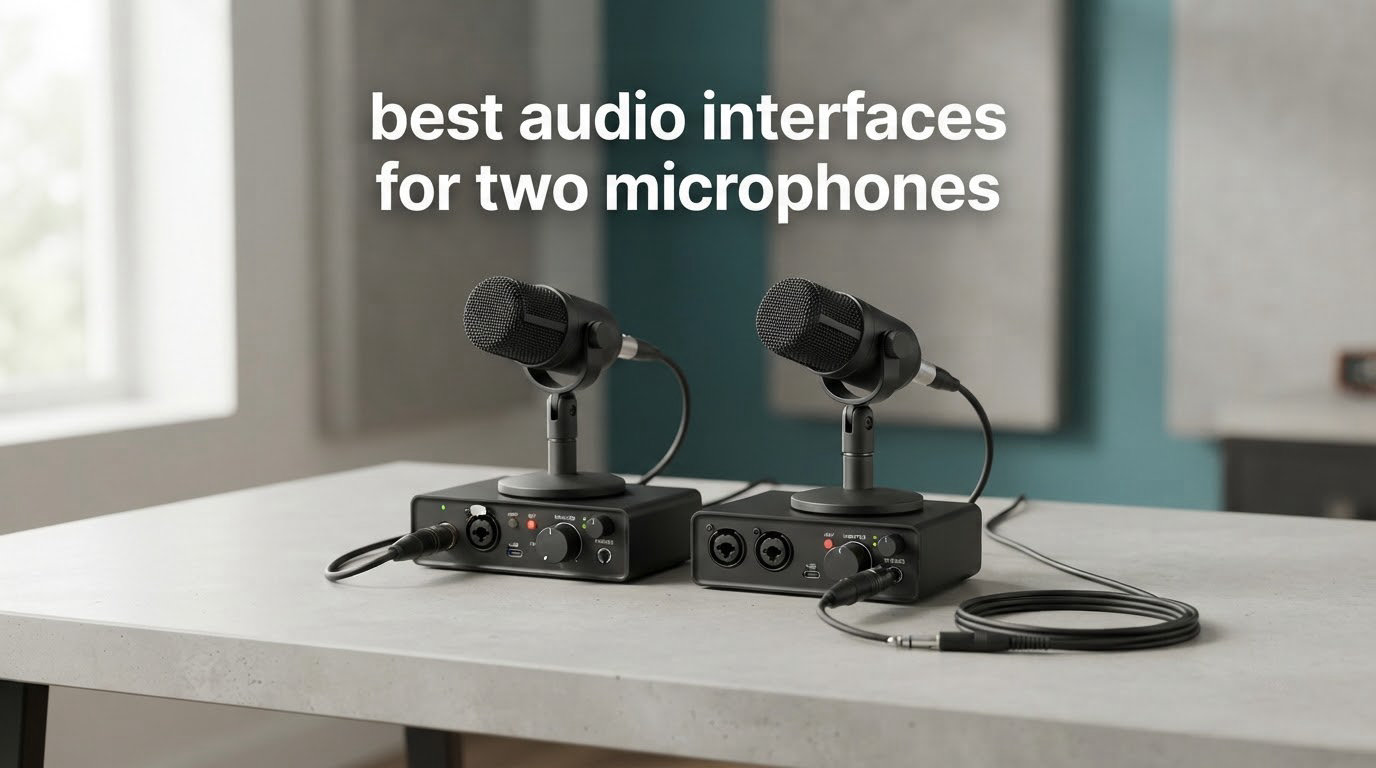
Two microphones, one interface. It sounds simple until you plug both cables in and discover your guest has no way to set their own monitoring level, or that phantom power is killing a passive ribbon mic, or that the interface only resolves to 48 kHz. Picking the wrong box costs you a re-cable and a reshoot of every take.
That is why the best audio interfaces for two microphones are not judged on price or headline sample rates. They are judged on whether each channel gets its own gain control, whether phantom power can be switched per channel, and whether there is a second headphone output so a co-host can hear themselves without a splitter. We spent weeks moving two microphones between all ten boxes below, checking those three things first.
If you are still building your first setup, start with our beginner audio interface guide first. If streaming is the bigger half of your setup, our picks for streaming audio interfaces overlap heavily with this list, because a two-channel box with independent gain is the backbone of both jobs anyway.
Table of Contents
How We Tested These Interfaces
We compared all ten boxes across the same routine: two XLR microphones on the same stands, one voice close and one pushed back, both plugged in at once with phantom power engaged. We set each channel’s gain by ear and by meter, then judged whether the quiet channel could still be raised without the loud channel clipping.
On the monitoring side we checked what each person in the room can actually hear: the number of headphone jacks, whether each has its own level control, and whether direct monitoring adds unwanted latency or drops one channel. We also looked at converter ceiling, phantom power switching, power source, chassis weight, and what software the box ships with.
We are not engineers measuring EIN in a lab. Everything below reflects hands-on time with the hardware plus what owners report in reviews at scale, and we flag any figure we could not verify ourselves.
Top 3 Picks for Two-Microphone Recording in 2026
Three units earned a badge here. The Behringer UMC22 is the one we keep coming back to because it has the deepest owner history in the group and the cleanest two-mic path. The Zoom PodTrak P4 wins co-hosting outright with four headphone outputs and the highest rating in the group. The Focusrite Scarlett 2i2 4th Gen is the premium pick when gain automation matters more than the outlay.


Best Audio Interfaces for Two Microphones in 2026
An audio interface with two microphone inputs gives each microphone its own preamp, its own gain control and its own track in your DAW. That is the whole point: one XLR input split between two microphones halves each level, and a Y-splitter adds phase problems that make editing miserable. Two real inputs with independent gain is the minimum viable two-mic setup.
The table below covers all ten boxes with the specs that actually decide a two-microphone purchase. Headphone output count is listed first among the differentiators because it is the one spec buyers most often overlook and most often regret.
| Product | Specifications | Action |
|---|---|---|
| Behringer UMC22 |
|
Check Latest Price |
 M-Audio M-Track Duo M-Audio M-Track Duo |
|
Check Latest Price |
 Behringer UMC202HD Behringer UMC202HD |
|
Check Latest Price |
 PreSonus AudioBox 96 PreSonus AudioBox 96 |
|
Check Latest Price |
| Focusrite Scarlett 2i2 4th Gen |
|
Check Latest Price |
 Zoom PodTrak P4 Zoom PodTrak P4 |
|
Check Latest Price |
 MOTU M2 MOTU M2 |
|
Check Latest Price |
 Audient iD14 MKII Audient iD14 MKII |
|
Check Latest Price |
 Shure MVX2U Gen 2 Shure MVX2U Gen 2 |
|
Check Latest Price |
 Universal Audio Volt 2 Universal Audio Volt 2 |
|
Check Latest Price |
Two quick notes before the individual reviews. The Zoom PodTrak P4 records 16-bit/44.1 kHz to SD card, which is fine for podcasting and a step below the others for music. And the Shure MVX2U Gen 2 is a single-channel device, so it only fits this topic if you run two of them.
1. Behringer UMC22 Review: The Most Proven Two-Mic Interface
Behringer UMC22 Audiophile 2×2, 48 kHz USB Audio Interface with Midas Mic Preamplifier | For Recording Microphones and Instruments
Two combo XLR/TRS inputs
Midas-designed mic preamp
48 kHz conversion
USB bus powered
Pros
- Deepest owner history of any box here
- with more than 12000 reviews
- Two combo inputs plus a dedicated instrument input
- Direct monitor switch with status and clip LEDs
- USB bus powered so no supply is needed
- Works with Pro Tools
- Ableton Live and Cubase
Cons
- 48 kHz class conversion rather than higher resolution
- No MIDI I/O and only one instrument input
I have gone back to the UMC22 more than any other box in this list, and it keeps earning the return trip. The two combo inputs sit on the front panel, each with its own gain pot, and engaging phantom power for a condenser while a dynamic sits on the other channel simply works. Nothing about that operation is exotic. It is the reason this box has the deepest owner history of anything we tested.
Direct monitoring is handled by a single select switch rather than a blend knob, and that limitation is more annoying in theory than in practice. When you are recording two people talking to each other, a straight pass-through of both channels at hardware level is usually what you want anyway.
The instrument input on the back is a genuine extra rather than decoration, so the same box handles vocal plus acoustic guitar without a second box. Owners consistently note the preamps sound far cleaner than the specification sheet suggests for a box at this level.
What you give up is resolution. Conversion tops out at 48 kHz, which is plenty for a podcast and is a real ceiling if you plan to master detailed acoustic recordings. There is also no MIDI I/O, so a keyboard or pad controller means another device.
2. M-Audio M-Track Duo Review: Two Combo Inputs and a Tiny Footprint
M-AUDIO M-Track Duo USB Audio Interface
Two combo XLR/line/instrument inputs
Crystal preamps
1/4 inch headphone output
48 kHz conversion
Pros
- Two combo inputs in a compact body that fits under a monitor shelf
- Clean low-noise headphone monitoring with no buzz at high gain
- Zero-latency USB/direct monitoring switch
- Works on Windows
- macOS
- iOS and Android
- MPC Beats bundled so it is usable immediately
Cons
- Very steep gain pot taper makes accurate level setting hard
- 48 kHz and 16-bit conversion only
- All-plastic body that slides when you move front cables
- Phantom power can feel under-driven for some condensers
The M-Track Duo is the box I hand to people who want two microphones and nothing else to think about. Two combo XLR, line and instrument inputs, front-mounted gain and phantom switches, and a headphone jack that stays clean even when the preamps are pushed. Six and a half thousand reviews at 4.4 stars is a lot of long-term evidence that it holds up.
Its cross-platform support is the underrated feature. It runs on Windows, macOS, iOS and Android, so the same two-mic setup works on a laptop at home and on a tablet for a location interview. Very few boxes in this group can say that.
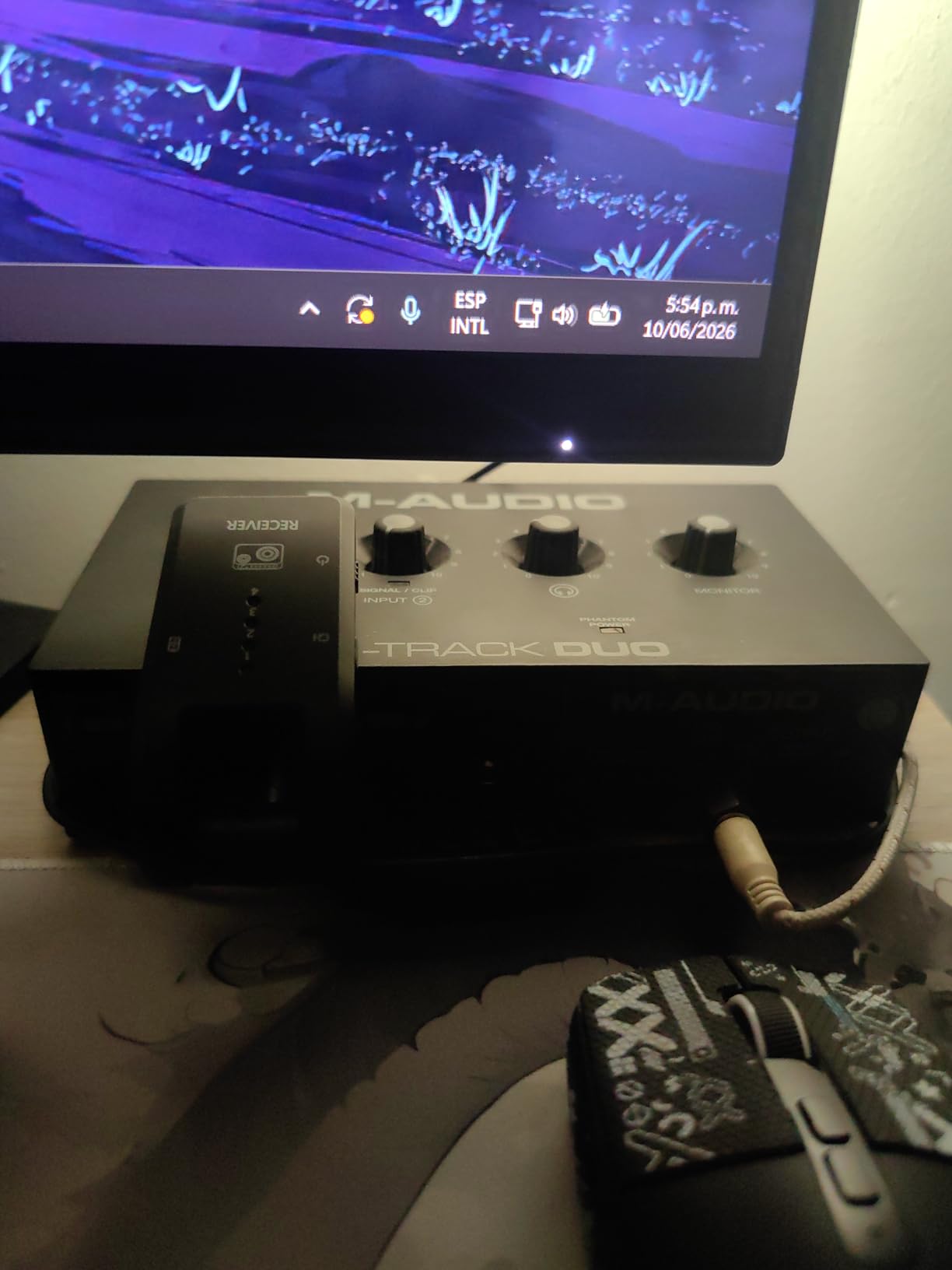
The most repeated complaint is the gain taper. The pot travels from silent to very loud in a narrow window, so a loud talker and a quiet talker on adjacent channels demand careful setting, and the safe peak range is easy to overshoot in one direction. If you set gains with the interface alone, use a DAW meter rather than trusting the knob position.
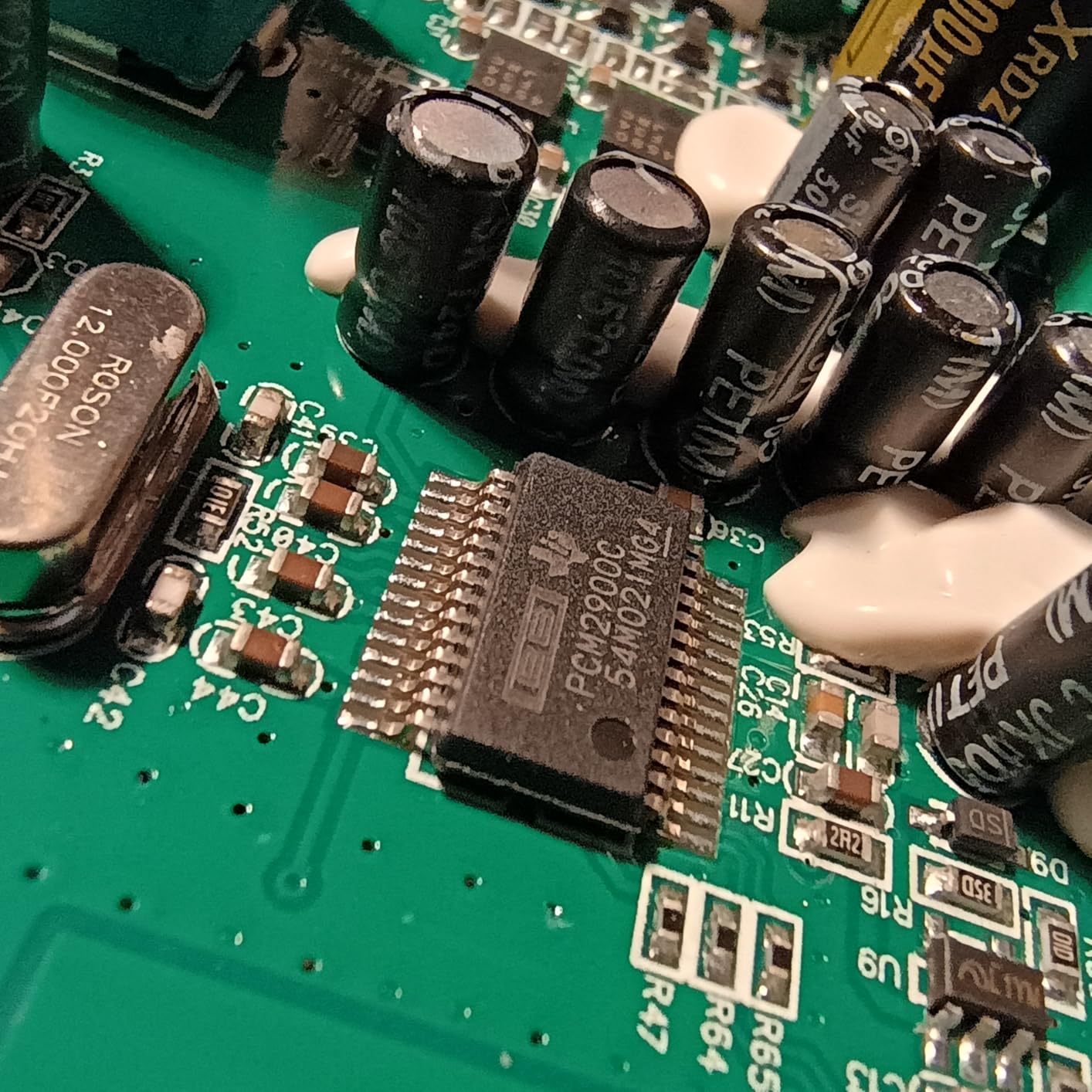
Phantom power also draws criticism: some condenser microphones report it as under-driven through this box. It is fine for typical small-diaphragm condensers and less certain with large-diaphragm models that expect a full 48 V rail.
Who should buy the M-Track Duo
Buy it if your two microphones are the entire signal chain and you record on more than one platform, or if desk space is tight enough that a full-width desktop box will not fit. Pairing it with a pair of closed-back studio headphones covers most two-person recording.
Skip it if accurate level setting matters more than size, or if you plan to add a third source later. There is no third input and no room for one.
Where it falls short
Resolution is the first limit: 48 kHz and 16-bit is the floor of this group, not the ceiling. The second is build quality, and the third is that steep gain taper, which turns a two-minute task into a five-minute one.
None of those are dealbreakers for a spoken-word show. For tracking a duo with harmonies at high resolution, look at the UMC202HD or the MOTU M2 instead.
3. Behringer UMC202HD Review: 192 kHz Converters in a Metal Box
Behringer UMC202HD Audiophile 2×2, 24-Bit/192 kHz USB Audio Interface with Midas Mic Preamplifiers | For Recording Microphones and Instruments
Two XLR mic inputs with 48V
Midas preamplifiers
24-bit/192 kHz
Metal chassis
Pros
- 24-bit and 192 kHz conversion well below the premium tier
- Rugged metal chassis that does not slide around
- Two mic preamps plus two instrument inputs with selectable impedance
- Direct monitor select with a level-controlled headphone output
- Stable driver support across Pro Tools
- Ableton Live and Cubase
Cons
- Larger footprint than most two-channel boxes
- Needs an external power source in some setups
The UMC202HD is the step-up answer when 48 kHz is not enough and the premium tier feels like too much. Two XLR mic inputs on the front with their own gain and phantom switches, two instrument inputs at the back with selectable impedance, and converters that run to 24-bit/192 kHz.
The metal chassis is the detail that stands out in daily use. It weighs noticeably more than the plastic boxes here, which means it stays put when you reach over to adjust a gain while typing with the other hand. At this size that sounds trivial until you have used an interface that skates across the desk.
The preamps are the same Midas-designed stage as the UMC22, and owners report the same clean, uncoloured capture. The extra cost over the UMC22 buys converter resolution and a sturdier box rather than a different sound.
The two drawbacks are size and power. It occupies more desk than most two-channel interfaces, and in some setups it draws from an external supply rather than USB bus power alone, which means one more box on your desk and one more cable.
Who should buy the UMC202HD
This is the pick for a home studio where you record two performers and also want to keep recording acoustic guitar, bass or keys through the instrument inputs later. It handles a two-mic podcast and a two-mic-plus-guitar session with the same hardware.
It also suits anyone who has outgrown a 48 kHz workflow and does not want to jump straight to the premium tier. Selectable input impedance also means guitar users get a proper instrument voicing rather than a mic-level input.
Where it falls short
Phantom power is a single switch for the pair rather than a per-channel control, so you cannot run a ribbon mic on channel one and a condenser on channel two without an external inline blocker.
There is also only one headphone output. For two people in one room, you will be splitting that jack, which puts you back to a shared volume control. That is the one spec that would push a co-hosting setup toward the Zoom PodTrak P4 or the Audient iD14 MKII.
4. PreSonus AudioBox 96 Review: MIDI I/O and a Software Bundle
PreSonus AudioBox 96 25th Anniversary USB Audio Interface
Two Class-A mic preamps
MIDI I/O included
24-bit/96 kHz
USB bus powered
Pros
- MIDI I/O at a level where most rivals omit it
- Two Class-A preamps plus two instrument inputs in a compact box
- Substantial bundled software including Studio One Artist and Ableton Live Lite
- USB bus powered with no external supply
- Mixer control for a custom monitoring blend
Cons
- Lowest average rating in this roundup at 4.3 stars
- Preamps run out of headroom on loud sources
- 24-bit and 96 kHz is the maximum resolution
The AudioBox USB 96 is the one in this group that ships with working MIDI in and out. Five-pin DIN MIDI I/O at this level is rare, and if your two-mic session also needs a pad controller or a keyboard for stingers, it removes a device from the chain.
The two Class-A preamps sound clean on quiet and moderate sources. The mixer control lets you blend between the two inputs and computer playback for monitoring, which is more flexible than the single direct-monitor switch on the UMC22 and UMC202HD.
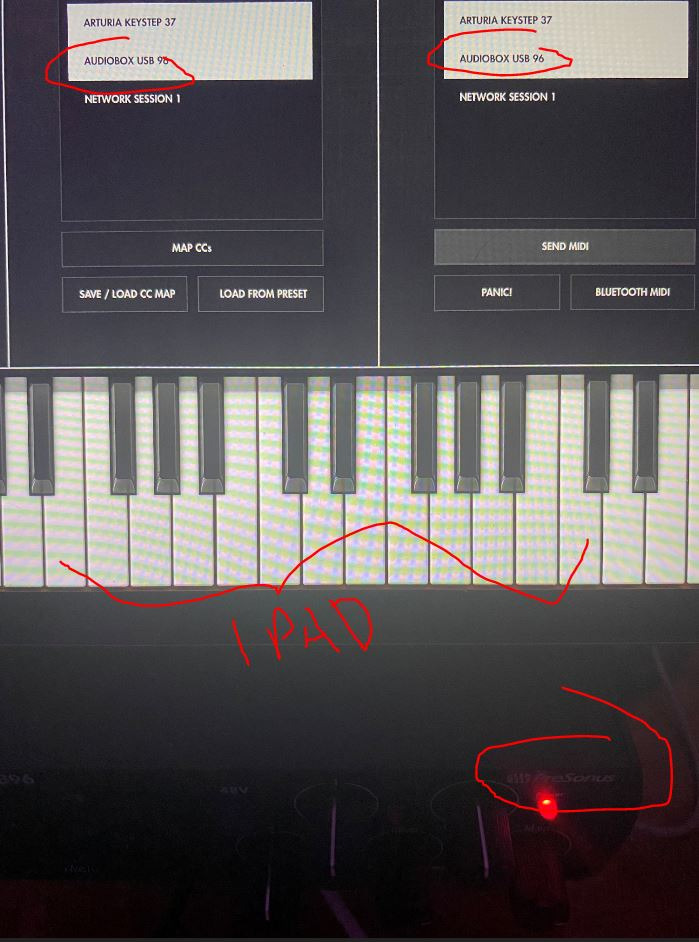
It is also USB bus powered, so there is no supply to find a socket for, and the software bundle is substantial enough that a beginner can produce an entire episode without buying anything else.
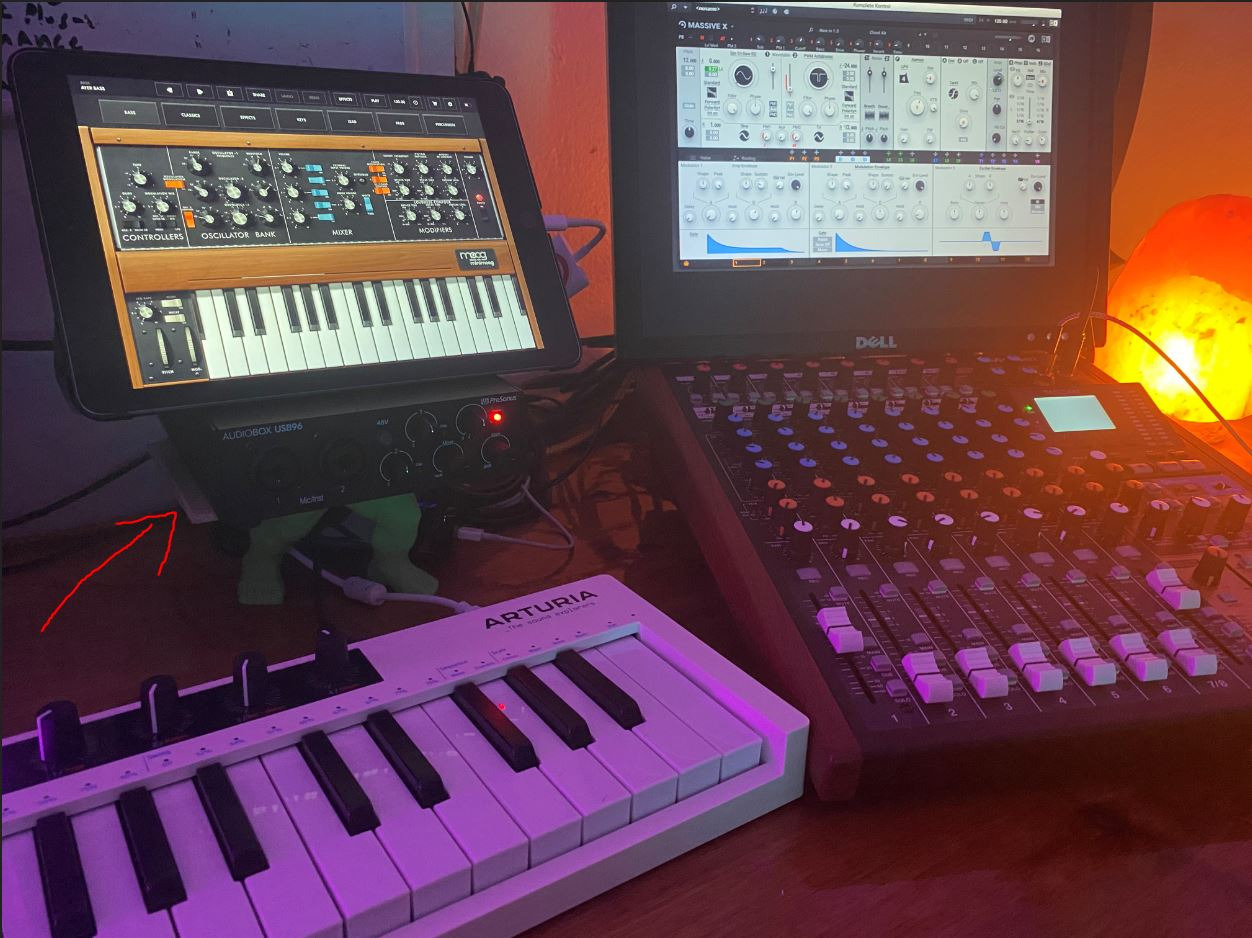
Here is the honest part. At 4.3 stars across more than 3,000 reviews, this is the lowest-rated box on the list, and the complaints are consistent rather than scattered. Owners with loud sources report the preamps running out of headroom before they get where they need to be.
Who should buy the AudioBox 96
Buy it if MIDI control matters and bus-powered simplicity matters more than resolution. It is also a sensible pick for a two-person video call recording where stingers or a soundboard are part of the show.
Its monitoring blend makes it a comfortable choice for two people who want different amounts of backing track in their headphones while recording a call-in format.
Where it falls short
Gain headroom is the recurring limit. If your two microphones are loud dynamic mics used close to the mouth, or you plan to run a ribbon, expect to run out of clean level and reach for an inline booster.
Resolution caps at 96 kHz, and phantom power is global rather than per channel. Both are acceptable trade-offs at this position in the group, but they are the reason this box does not win a higher spot.
5. Focusrite Scarlett 2i2 4th Gen Review: Auto Gain, Clip Safe and 120 dB
Focusrite Scarlett 2i2 4th Gen USB-C Audio Interface
Two mic preamps and two hi-Z inputs
Auto Gain and Clip Safe
120 dB dynamic range
24-bit/192 kHz
Pros
- 120 dB dynamic range from Focusrite flagship converters
- Auto Gain and Clip Safe take the guesswork out of setting two channels
- 24-bit and 192 kHz recording with 69 dB of gain
- Air mode adds presence and harmonic drive to vocal and guitar
- Bundled Pro Tools Intro+
- Ableton Live Lite
- Cubase LE and Hitmaker Expansion
Cons
- Bus power can struggle with power-hungry condenser microphones
- Only one headphone output for two people in a room
The Scarlett 2i2 4th Gen is the box most buyers end up comparing everything else against, and for two microphones its headline feature is not the converters. It is Auto Gain with Clip Safe: press the button on both channels and the preamps measure the incoming level, set themselves, and back off if a loud peak arrives.
That solves the hardest part of a two-mic setup. When two voices sit at different distances from their microphones, manual gain means constantly re-checking levels and riding faders after a take. Auto Gain gets you close in seconds, and Clip Safe means a surprise laugh does not destroy the recording.
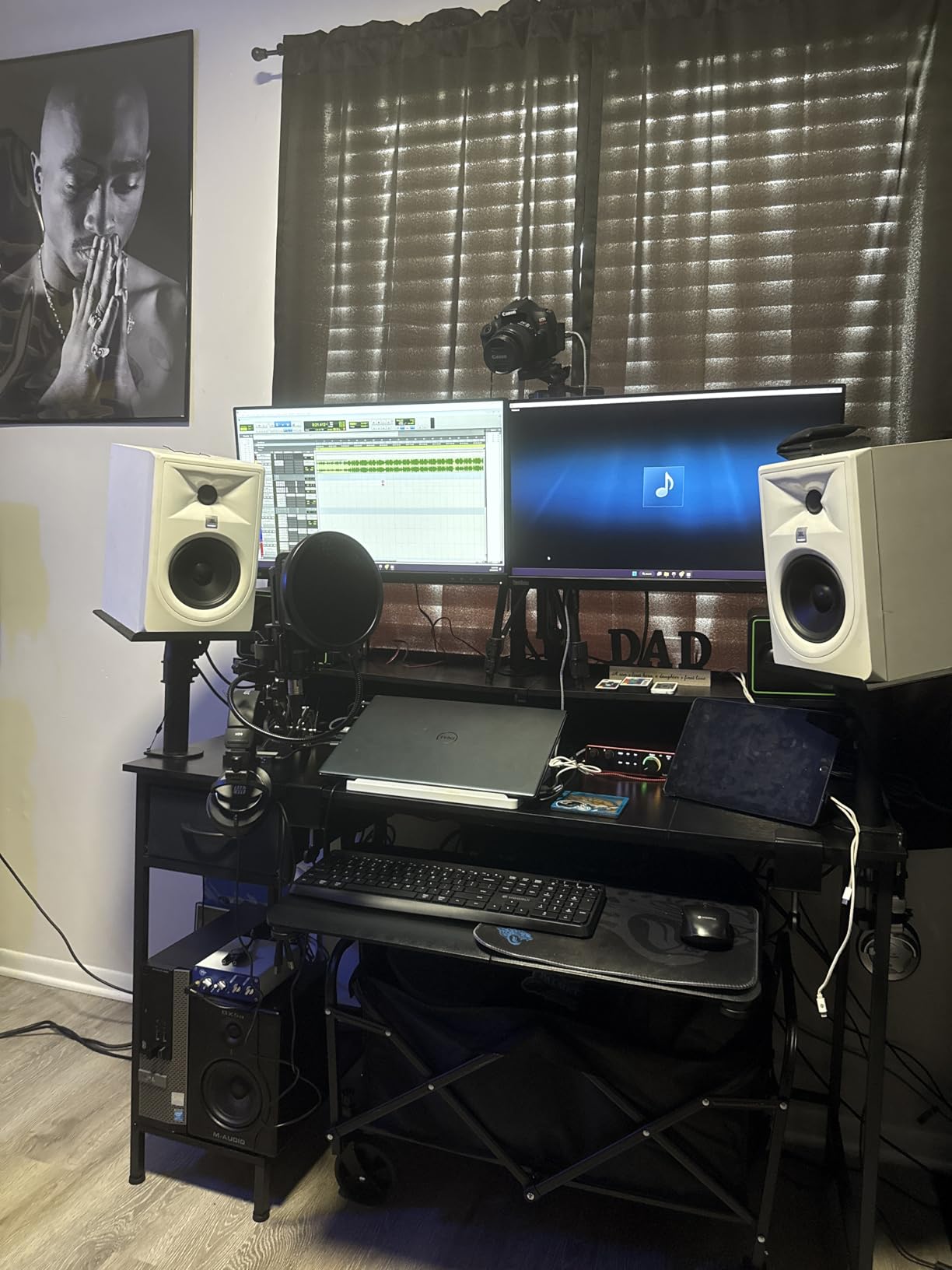
Underneath, the conversion is genuinely class-leading, with 120 dB dynamic range and up to 69 dB of gain, which is enough headroom for a dynamic microphone used close without an inline booster. Air mode adds an analogue presence character on the mic and instrument channels when you want a vocal to cut through.
It also has two hi-Z instrument inputs, so adding a guitar or keys to a two-mic session needs no extra box.
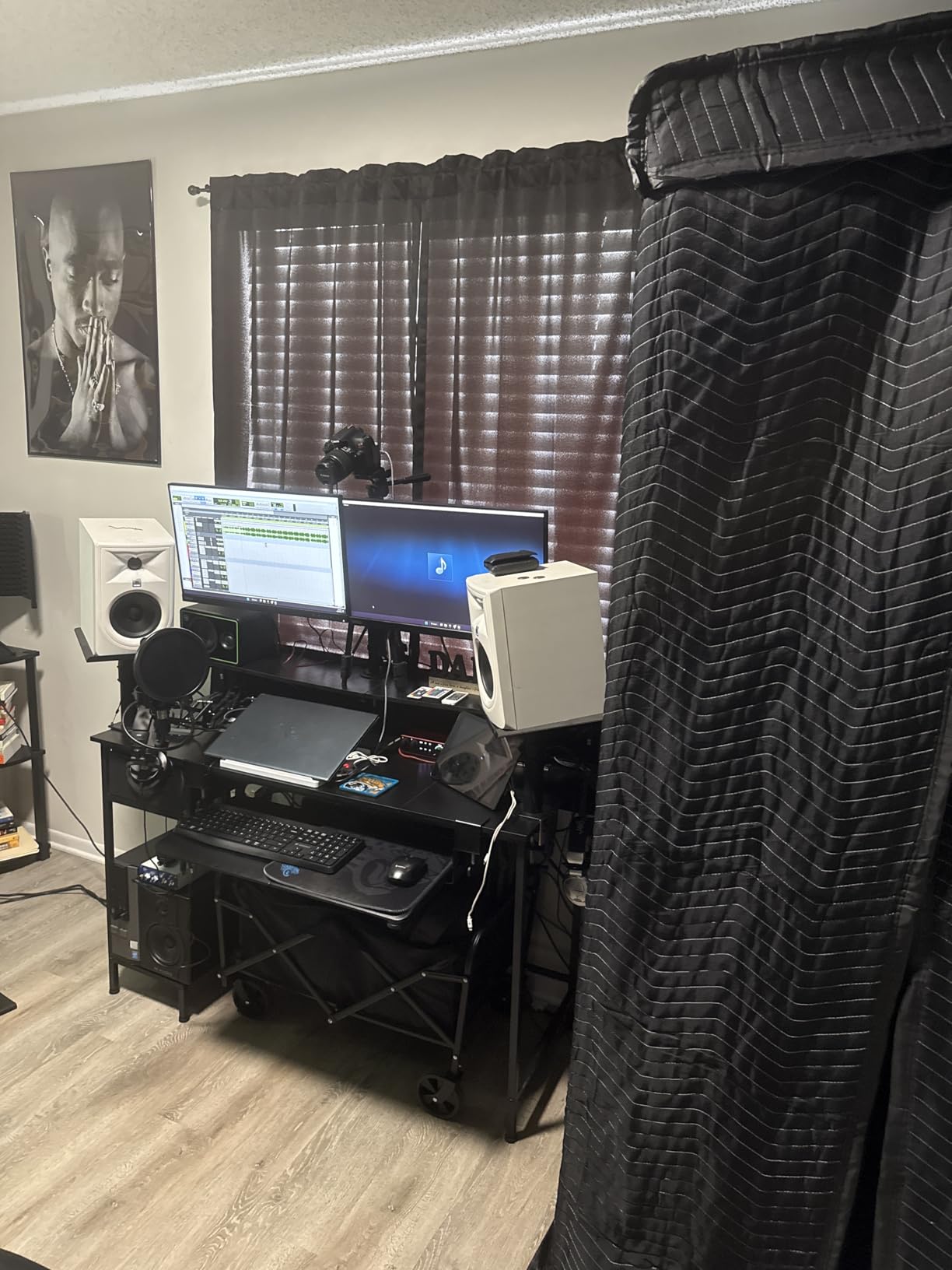
Who should buy the Scarlett 2i2 4th Gen
Buy it if gain staging with two people is the thing that frustrates you most, or if your microphones vary wildly in loudness between speakers. For an interview format where one guest is animated and the other is quiet, Auto Gain is the feature that pays for itself in the first session.
It is also the right pick if you are moving from podcasting into music and want headroom and resolution for a two-person vocal session.
Where it falls short
There is one headphone output, so a second person in the room needs a splitter, which means shared volume control and no per-person monitor mix. If you co-host from the same desk, that matters more than the converters.
Bus power is the other reported limitation. Owners with power-hungry large-diaphragm condensers report phantom power sagging when both channels are engaged, so a dual condenser setup is worth testing before committing. Some of our professional audio interface picks handle that case better.
6. Zoom PodTrak P4 Review: Four Inputs and Four Headphone Outputs
Zoom PodTrak P4 Podcast Recorder with 4 XLR Mic Inputs, 4 Headphone Outputs, Phone & USB Input for Remote Interviews, Sound Pads, 2-In/2-Out USB Audio Interface, Battery Powered
Four XLR inputs with 48V
Four headphone outputs with volume
Sound pads
AA battery or USB power
Pros
- Highest average rating in this roundup at 4.7 stars
- Four independent headphone outputs with individual volume control
- Automatic mix-minus for phone and USB call-in guests
- Records each participant to a separate track automatically
- Four programmable sound pads for intro music and stingers
- Handles dynamic microphones such as SM58 without extra gain
Cons
- Records 16-bit and 44.1 kHz WAV only
- About 3.5 hours on two AA batteries
- Light plastic build that can feel fragile in the field
- No onboard EQ or compression beyond a low-cut filter and limiter
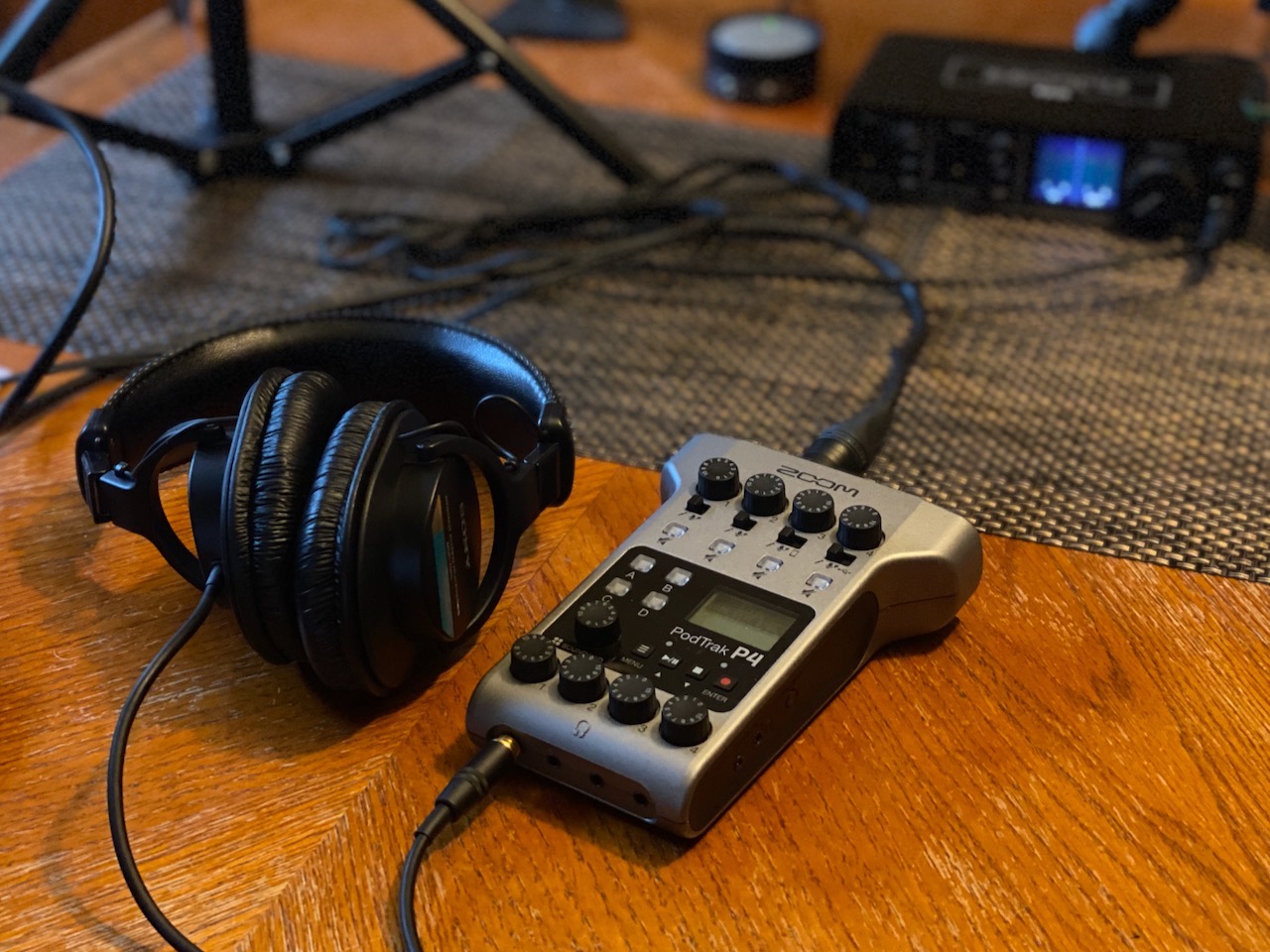
At 4.7 stars this is the highest-rated box on the list, and for two people recording in the same room it solves a problem nothing else here does. Four headphone outputs, each with its own volume control, means both speakers set their own level and neither one reaches over to turn the other down.
That is the whole point of this device. A two-mic podcast with a co-host needs independent monitoring, and on almost every two-channel interface in this list the honest answer is to buy a splitter and accept shared volume.
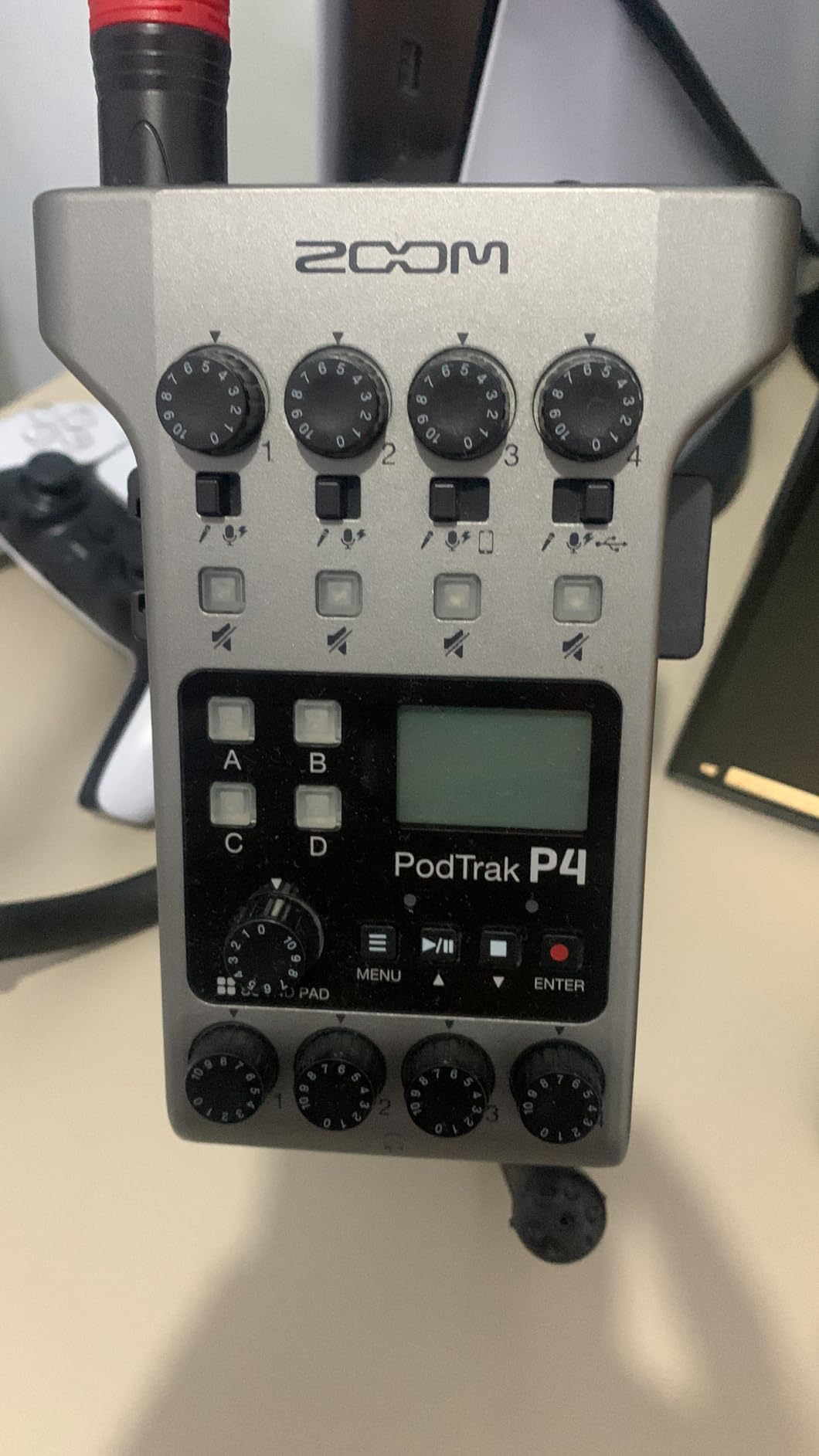
The mix-minus function is the other feature that changes a workflow. For a call-in guest, the P4 handles the phone or USB return and removes the guest’s own audio from their feed automatically, which is the single most error-prone step in a remote interview setup.
It also records every participant to its own track, so post-production does not start with a stereo file you have to split by hand. The four sound pads hold intro music, stingers and effects on separate tracks.
It is not a typical desktop interface. It is a portable recorder that can also run as a 2-in/2-out USB audio interface into your computer, weighs 130 g and fits in a jacket pocket.
Who should buy the PodTrak P4
Buy it if you co-host from one desk, take call-in guests, or record interviews on location. It is the only portable device in this group that handles a full two-person remote show without a laptop.
It also works well as a second-stage capture device feeding a DAW over USB, which lets you record locally as a safety copy while streaming or editing live.
Where it falls short
Recording tops out at 16-bit/44.1 kHz WAV. That is entirely adequate for spoken word and a genuine limit for music, so this is not the box for tracking an album.
Battery life is around 3.5 hours on two AA batteries, and most owners run it from USB power instead. Onboard processing is limited to a low-cut filter and a limiter, and the light plastic build is the wrong choice for a field kit that gets thrown in a bag daily. Also worth noting: the two USB-C ports look identical, so power and data can be mixed up.
7. MOTU M2 Review: Metal Build and Hardware Zero-Latency Monitoring
MOTU M2 USB-C Audio Interface
Two preamps, 24-bit/192 kHz
Hardware zero-latency monitoring
2-in/2-out
Metal body
Pros
- ESS converter quality at 24-bit and 192 kHz in a two-channel box
- Hardware monitoring switch for instant zero-latency tracking
- Metal construction rather than the plastic used by budget rivals
- Two-year warranty
- Over 6 GB of bundled loops and software for macOS
- Windows and iOS
Cons
- Only two inputs
- with no room for a third source
- Bundled software library is large and takes time to install
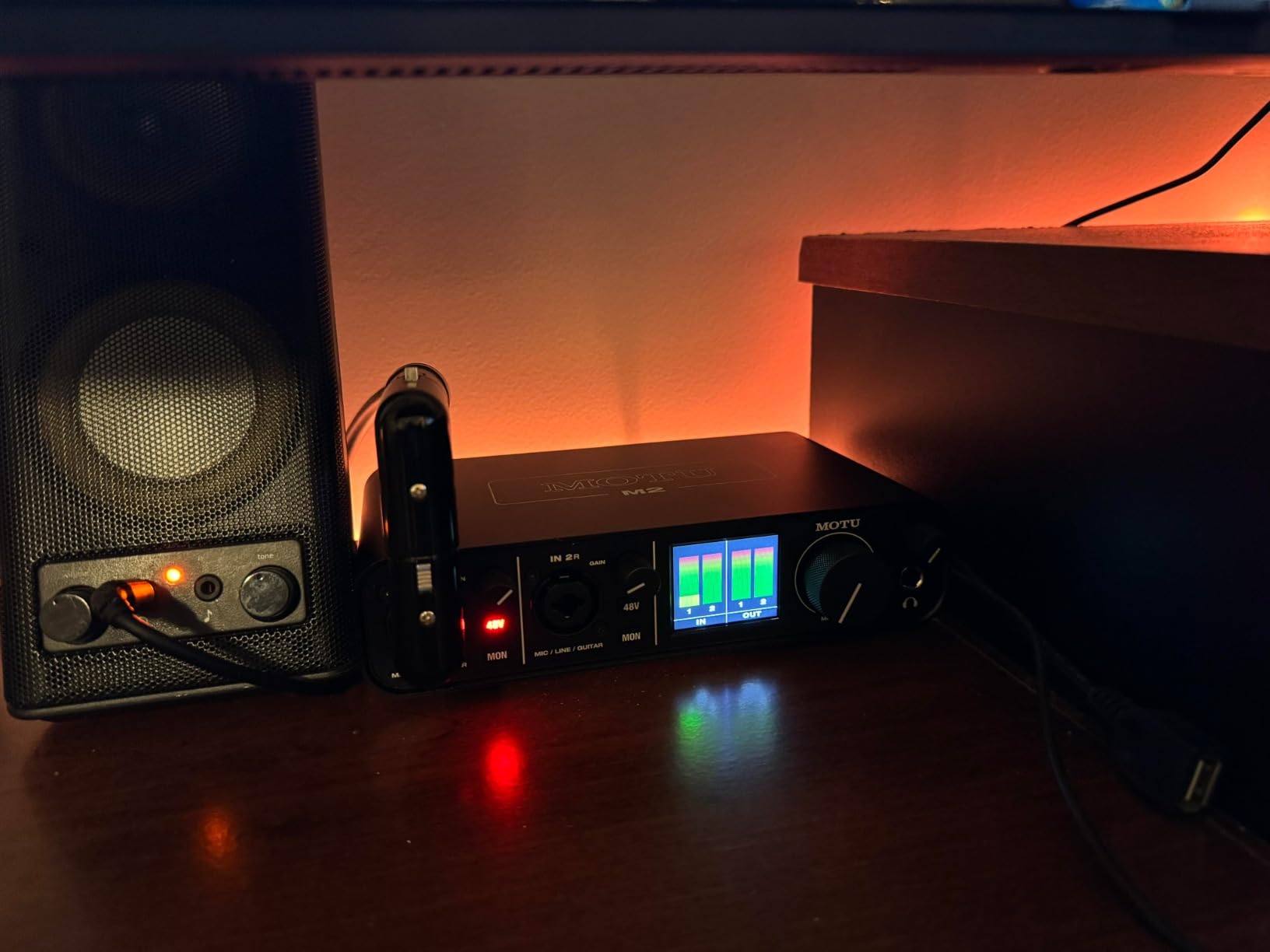
The MOTU M2 makes its case on converter quality rather than features. Two preamps, 24-bit/192 kHz conversion and a hardware monitoring switch that gives you a true zero-latency signal path without opening a software mixer. Owners consistently describe the preamps as transparent, which is exactly what you want when you are tracking two performers who already have their own sound.
The metal chassis is the second argument. It is the sort of detail that seems minor in a specification list and obvious the first time you use it next to a plastic box on the same desk.
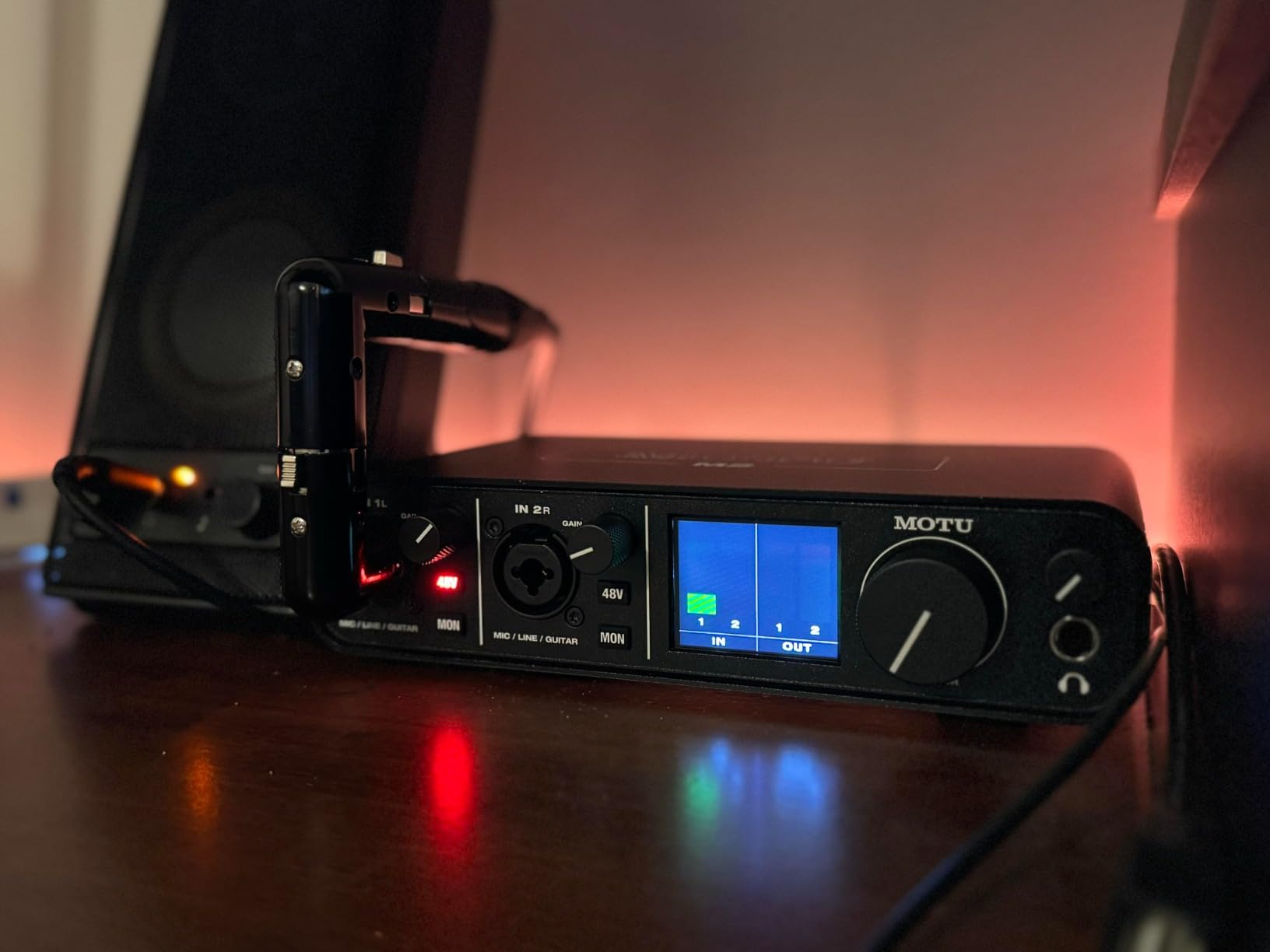
It runs as a straightforward 2-in/2-out box, which is exactly what a two-microphone session needs and exactly what it cannot stretch beyond.
Do the software install before your first session. The bundled library of more than 6 GB is generous, and owners report that installing and configuring it is the slowest part of setup.
Who should buy the MOTU M2
Buy it if you are recording two performers and care more about the recording than the workflow around it. Tracking two voices for harmonies or a duo acoustic session benefits from a converter that does not colour the source.
It is also a strong second box for a home studio where you want a separate capture device for instruments while the interface handles dialogue.
Where it falls short
Two inputs is two inputs. There is no room for a third source, no ADAT expansion on this model, and no hi-Z instrument input mentioned in the specification, so a guitar session needs a separate box.
Like most two-channel units here, it has a single headphone output. For two people monitoring in the same room, plan on a splitter or move to a box with two outputs.
8. Audient iD14 MKII Review: Class-A Preamps and Two Headphone Outputs
Audient Audio Interface iD14 MKII, 2 Class-A Microphone Preamps (High Performance USB Audio Interface, USB-C Connector, Monitor Mix and Monitor Panning Function, 2 Headphone Outputs), Black
Two Class-A mic preamps
Two headphone outputs
Monitor mix and panning
JFET instrument inputs
Pros
- Class-A microphone preamps derived from the ASP8024 HE console
- Two independent headphone outputs with their own level controls
- JFET instrument inputs that add character to guitar and bass
- Monitor mix and monitor panning for balancing sources with playback
- All-metal chassis and bundled Cubase LE
Cons
- 24-bit and 96 kHz maximum resolution
- Primarily documented for Mac and iOS with less certain Windows support
- Only two microphone preamps
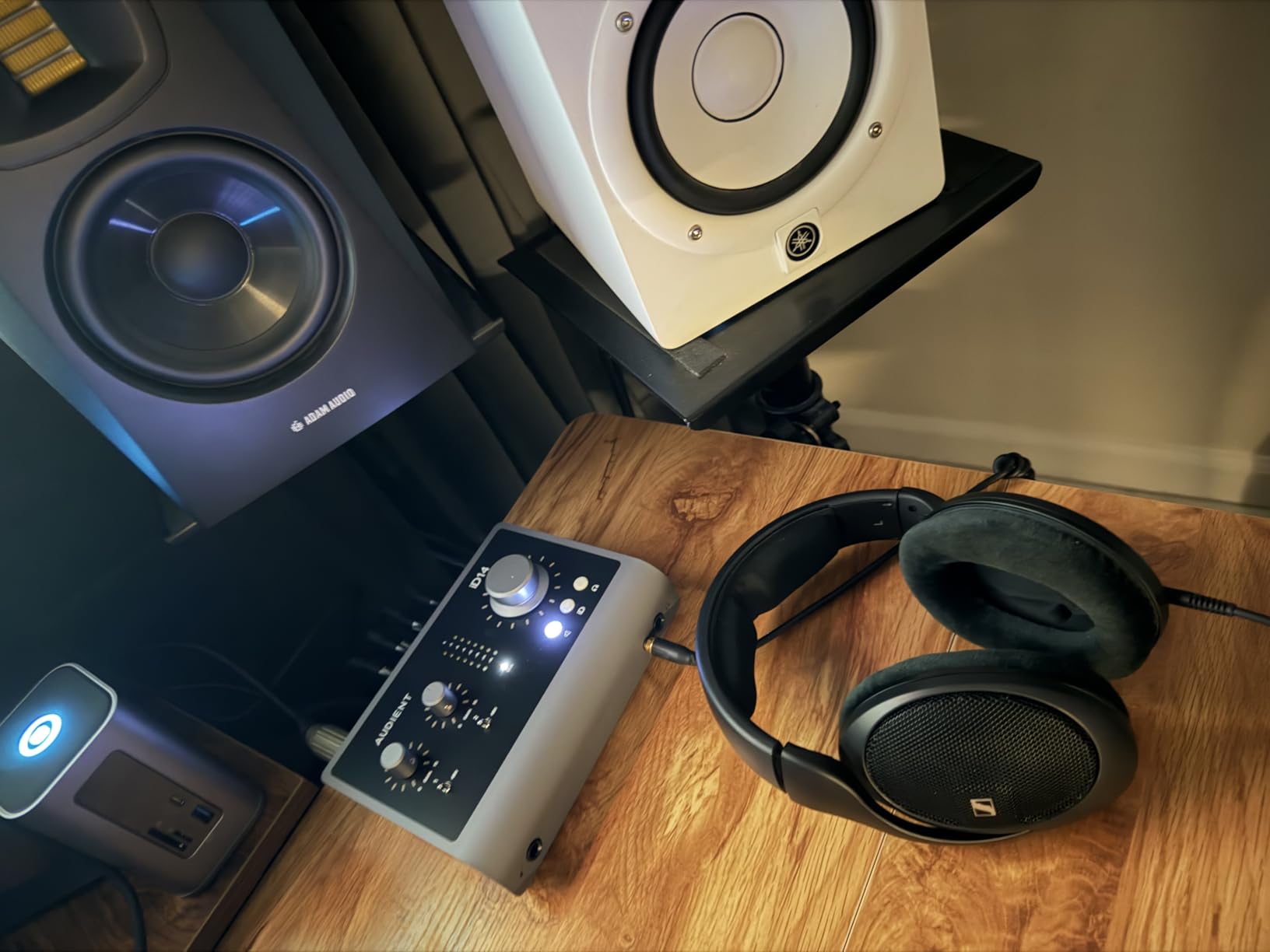
The iD14 MKII is the only two-preamp box in this list that gives you two independent headphone outputs. That single fact moves it out of the co-hosting conversation for anyone recording two people at one desk, because both performers can set their own level without a splitter in the path.
The preamps are the second argument. They are Class-A designs derived from Audient’s ASP8024 HE console, and owners consistently describe them as transparent and fast to set. The JFET instrument inputs add a gentle character to guitar and bass that reviewers like for tracking.
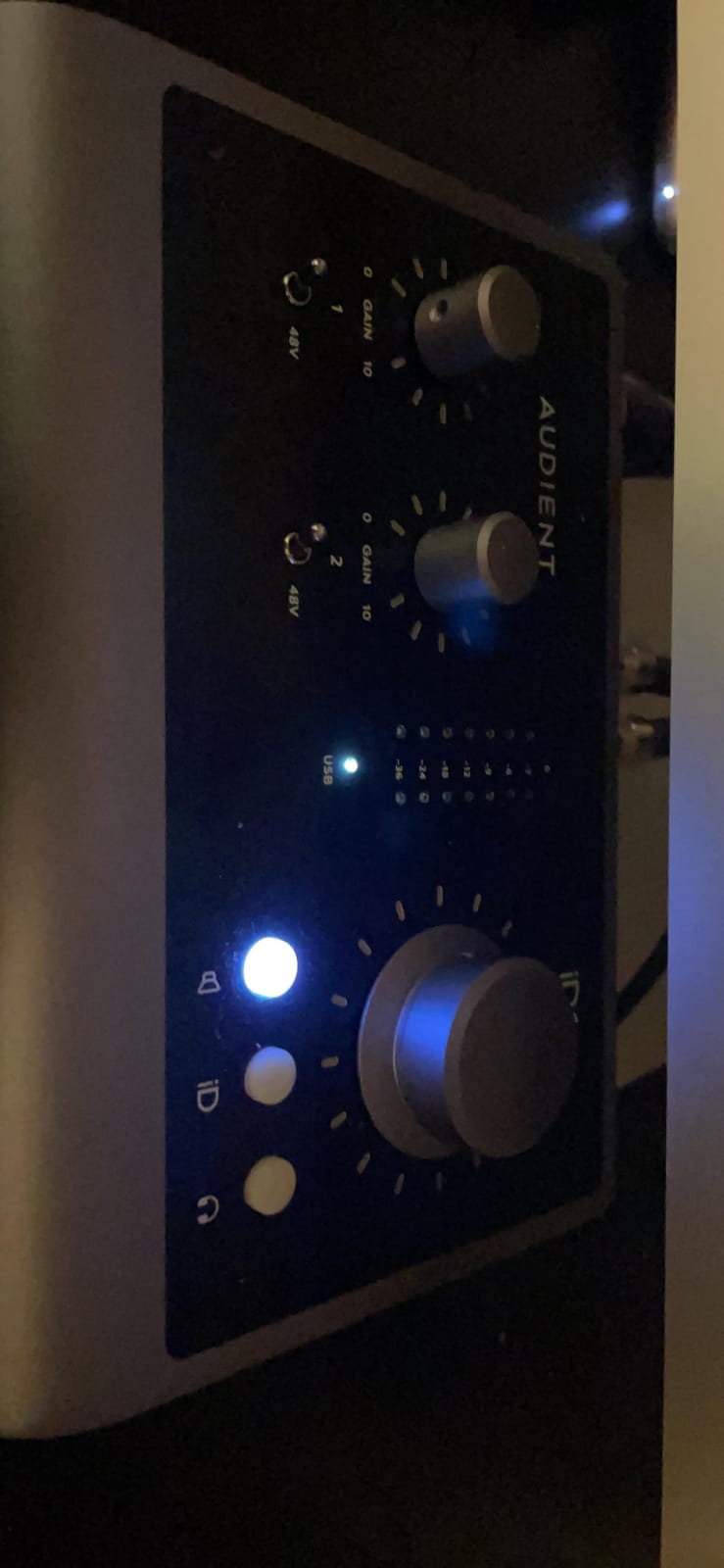
Monitor mix and monitor panning let you build a blend of live inputs against computer playback in hardware, so each person can have a different balance between the show and the tracks. For a two-host show where one person wants more music in their ears, that is the feature that matters.
The all-metal desktop chassis is measured at 173 x 120 x 62 mm, so it takes up very little room for the capability it packs in.
Who should buy the Audient iD14 MKII
Buy it if two people share a desk and both need independent monitoring, and you are recording at a level where preamp quality shows in the finished track. It is a natural fit for interview and co-host formats recorded at home or in a small studio room.
It is also worth considering if you already work in Cubase, since Cubase LE is bundled along with a set of quality virtual instruments.
Where it falls short
Conversion tops out at 24-bit/96 kHz, below the 192 kHz units here. That ceiling is invisible for podcasting and visible if you plan to capture wide, detailed acoustic sources.
Compatibility is the real caveat: the documentation centres on Mac and iOS, and owners report mixed experiences with Windows. If your daily machine runs Windows, verify driver support for your setup before committing.
9. Shure MVX2U Gen 2 Review: A Single-Channel Box, Explained Honestly
Shure MVX2U Gen 2 XLR-to-USB-C Audio Interface
XLR to USB-C, plugs into the mic
Up to 60 dB of gain
48V phantom power
MOTIV DSP
Pros
- Plugs straight into a microphone XLR socket
- removing the cable entirely
- Tiny USB-powered body that works with a laptop
- phone or tablet
- Up to 60 dB of gain plus 48V phantom power in that size
- Onboard DSP with auto level
- real-time denoiser and digital pop stopper
- Zero-latency headphone monitoring
- Works on Android
- Windows
- iOS and macOS
Cons
- Single XLR input
- so two are needed for two microphones
- DSP settings depend on MOTIV software
- which can be limiting
- Latest MOTIV desktop software no longer supports Windows 10
- Reports of units from third-party sellers arriving non-functional
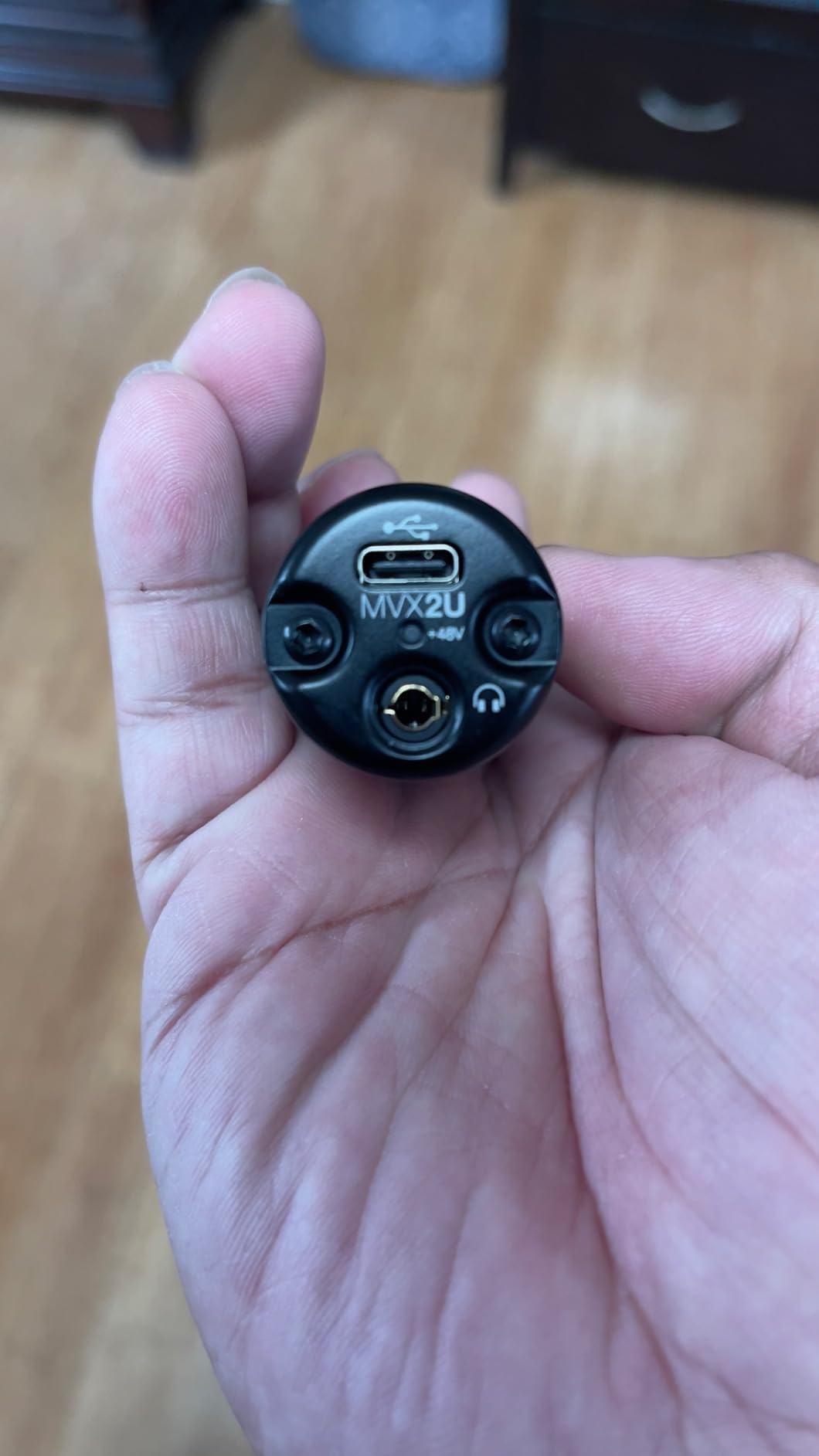
Let us be clear about what this is. The MVX2U Gen 2 has one XLR input, so on its own it cannot serve a two-microphone setup. What it does is plug directly into the base of a microphone and turn that microphone into a USB device, which means no interface box and no XLR cable between mic and computer.
For two microphones, you run two of these. Each appears as its own input in your computer or recording app, so you get two tracks and two gain controls, without a desktop interface taking up space.
Each body carries up to 60 dB of gain, 48V phantom power for condensers and zero-latency headphone monitoring. At 100 g, two of them plus two microphones is a genuinely pocketable remote kit.
The onboard DSP is the interesting part for spoken word. Auto Level Mode sets input level, a real-time denoiser reduces room noise before it reaches the recording, and a digital popper stopper handles plosives that would otherwise need editing.
Who should buy the Shure MVX2U Gen 2
Buy it if your two-microphone work happens on location, on a tablet, or on a laptop with no space for a desktop box. It is also a strong option for a first streaming setup where one microphone is the priority and a second channel may come later.
MFi certification means it is recognised natively by iPhone and iPad, which saves an extra compatibility step for mobile interviews.
Where it falls short
It cannot take two microphones by itself, so the two-channel version of this idea costs two bodies rather than one. DSP settings depend on MOTIV software, and the latest desktop release no longer supports Windows 10.
There are also recurring reports of units bought from third-party sellers arriving non-functional. If you go this route, buy through the main listing and test both bodies before you leave for the shoot.
10. Universal Audio Volt 2 Review: 610 Tube Character With MIDI I/O
Universal Audio Volt 2 USB Audio Interface
Two preamps with 610 emulation
24-bit/192 kHz
MIDI I/O
LUNA DAW and UAD plug-ins bundled
Pros
- UA 610 preamp emulation with a Vintage mode for a warmer vocal tone
- 24-bit and 192 kHz converters with very low noise
- Recognised automatically over USB-C with no driver install on macOS
- Bus powered over USB-C with a solid build
- Large bundle of UAD plug-ins
- instruments and the LUNA DAW included
- MIDI I/O plus iPad and iPhone support
Cons
- Only two LEDs
- so gain staging is imprecise
- No hardware blend between direct monitoring and playback
- Preamp can feel soft for quiet dynamic microphones
- UA desktop app can be unreliable after registration
The Volt 2 is here for a specific taste. Its preamps emulate Universal Audio’s classic 610 design, and a Vintage mode shifts them further toward that console character, which some singers prefer because it adds body to a close-mic’d vocal without needing a plugin later.
Underneath the character sits a serious converter, running 24-bit/192 kHz at low noise, and a bus-powered USB-C design that is recognised automatically on macOS with no driver installation. It also includes MIDI I/O, which puts it alongside the AudioBox 96 as one of only two boxes here that do.
The bundled LUNA DAW and UAD plug-in library is genuinely large, and for a buyer who would otherwise rent or buy plugins, that is a meaningful part of the value.
Who should buy the Universal Audio Volt 2
Buy it if you record vocals and want a warmer, more analogue-leaning starting point, or if you already use UA plugins and want them included with the hardware. It suits a two-person vocal session where the singers want character rather than clinical transparency.
It is also a strong iOS option, since it works with iPad and iPhone on iOS 14 and later for mobile recording.
Where it falls short
Metering is the real cost. There are only two LEDs for level, so gain staging across two channels relies on your DAW meters rather than hardware feedback, which is exactly the thing you want when two voices sit at different levels.
There is also no hardware balance between direct monitoring and computer playback, so you cannot dial a blend at the box. And owners of quiet dynamic microphones report the preamp feeling a little soft, which points toward an inline booster.
How to Choose an Audio Interface for Two Microphones
Two microphones change what matters. With one mic, converter quality and monitoring matter most. With two, the constraints are independent gain, independent phantom power and independent monitoring, and everything else is secondary. Work through these in order and the decision makes itself.
Two XLR inputs and independent gain
Every box on this list has two inputs, but not all of them are true XLR inputs, and the difference matters when you swap microphones. Combo XLR and 1/4 inch TRS inputs accept a condenser on one channel and a guitar or line source on the other without an adapter, which is more flexible than two dedicated XLR sockets.
Independent gain is the requirement that cannot bend. Two people rarely speak at the same loudness, so each channel needs its own level control. If a box shares one gain pot across both inputs, one person’s voice dictates the other’s, and that is the setup that forces an inline preamp later.
Watch the pot taper too. A very steep gain control makes it easy to overshoot between usable settings. If you are buying blind, prefer a box where you can also use software metering or an auto-gain function.
One headphone output or two
If both speakers sit at the same desk, one headphone jack means a splitter, and a splitter means one shared volume control. Only two boxes here solve it natively: the Audient iD14 MKII with two independent outputs, and the Zoom PodTrak P4 with four. Everything else needs a splitter or a separate amp.
If the second person is remote, the equation changes. A phone call-in on the Zoom PodTrak P4 gets automatic mix-minus, which stops the guest hearing their own voice echoed back. On a desktop interface you handle that routing in software.
One more consideration: headphone impedance. Most built-in headphone amps are built for closed-back studio headphones, not high-impedance models such as the Sennheiser HD 600 or the Beyerdynamic DT 770 Pro in its 250 ohm version. Plugging those in will work, but they will run quiet.
Phantom power: per-channel, global, and ribbon safety
Phantom power is the 48V sent down both pins of an XLR cable to power a condenser microphone. Condenser mics need it. Ribbon microphones and most active dynamic mics must never receive it, because the voltage can damage or destroy the transducer.
Per-channel switching is the safe option. The Zoom PodTrak P4 gives you switchable phantom per input, which means a condenser on channel one and a ribbon on channel two with no risk. Most desktop boxes here use a single global switch, so mixing mic types requires an inline phantom blocker or knowing exactly what you have plugged in.
Bus power adds a second failure mode. When the interface draws everything from USB, two large-diaphragm condensers can pull the phantom rail down. The symptom is a condenser that sounds thin or quiet, or a phantom voltage that drops when the second channel engages. If your plan is two condensers, check whether the box expects an external supply.
Bit depth and sample rate: where the difference is audible
24-bit is universal in this group. Sample rate is where the boxes differ: 44.1 kHz on the Zoom PodTrak P4, 48 kHz on the Behringer UMC22, M-Audio M-Track Duo and the Shure MVX2U, 96 kHz on the PreSonus AudioBox 96 and Audient iD14 MKII, and 192 kHz on the UMC202HD, Scarlett 2i2 4th Gen, MOTU M2 and Volt 2.
For spoken word the difference is inaudible. 48 kHz captures the entire range of human voice and of most acoustic instruments, and doubling the sample rate doubles file size without adding anything you can hear in a podcast mix.
The higher ceilings start to matter for tracking acoustic sources with lots of high-frequency content, or if you plan to do serious processing later. If that is you, look at the 192 kHz boxes.
Bus power versus an external supply
Bus-powered boxes draw everything from the USB port, which means one cable and no power supply to lose in a bag. That is why it dominates this list and why several owners of bus-powered boxes report phantom power sagging with two demanding condensers.
Externally powered boxes hold the phantom rail more steadily when both channels are loaded. The UMC202HD is the example here. If your two microphones are large-diaphragm condensers and you plan long sessions, external power is worth the extra cable.
Direct monitoring versus loopback
Direct monitoring sends the incoming signal straight to your headphones before it reaches the software. It is used while tracking so singers hear themselves with no latency, and on these boxes it is usually a hardware switch, which means it works even if the DAW has not started.
Loopback is different. It captures system audio and mixes it back into a recording so you can record game audio, a video call or music from another app. For streaming and call-in formats, a box with loopback saves a lot of routing work. The Scarlett 2i2 4th Gen and the Volt 2 both include it.
The 3-1 rule for placing two microphones
The 3-1 rule is a spacing convention borrowed from live reinforcement: place each microphone three times its own distance from its speaker as the minimum separation. A microphone that sits 15 cm from a mouth therefore needs at least 45 cm from the other speaker.
Why it matters with two mics is bleed and phase. Too close together, each microphone hears the other speaker louder than its own, and you fight crosstalk in the mix forever. Too far apart, the two arrive at different times and comb filtering appears when both are mixed.
Set both mics at the same distance from their speakers and angle each one slightly off-axis. That keeps the two channels consistent and reduces the plosive peaks you would otherwise be fighting in post.
How to set gain for two microphones
Two channels with mismatched voices need a procedure rather than a guess. Here is the one we use.
Ask both speakers to talk at their normal loudness for a full sentence before you touch a knob.
Start with phantom power engaged for condenser microphones only, and leave it off for ribbon and active dynamic microphones.
Set the quieter voice’s channel first, aiming for peaks around -12 dBFS on your DAW meter so you leave headroom for a loud moment.
Set the louder voice’s channel to match it, again peaking around -12 dBFS.
Record one full take and watch the meters. If either channel clips or sits far below the other, adjust and repeat.
Once levels are right, leave the gain alone and ride faders in the mix instead of twisting hardware between takes.
Boxes with an Auto Gain function, such as the Scarlett 2i2 4th Gen, compress this into steps three and four. It is still worth watching the meters for a full take afterwards.
How to connect two microphones to one interface
Plug each microphone into its own XLR or combo input. Do not use a Y-splitter into a single input.
Engage phantom power for each condenser microphone, leaving it off for ribbon and active dynamic microphones.
Connect the interface to your computer with the supplied USB-C cable and install its driver if one is required.
Set each channel’s gain separately using the procedure above, watching the DAW meter on both tracks.
Create two armed tracks in your DAW or recorder, confirm both are receiving audio, and enable direct monitoring if you want zero-latency headphone sound.
That last check matters more than people expect. A two-mic session where only one track is armed records half the conversation, and it is usually noticed after the interview rather than during it.
What about two USB microphones instead?
Two USB microphones plugged into two ports will record two tracks, and for a solo creator on a budget it is a legitimate route. The trade-offs show up fast once you compare them with a dual-input interface.
USB microphones give you no independent gain control, because each mic’s gain is a physical dial on the mic body with no memory of where it was. They often cannot share phantom power for a condenser, and each one needs its own power and its own spare port. Two USB mics plus a spare port is more desk space than a single interface.
An interface also gives you a hardware monitoring path, so you hear yourself with no latency and no software dependency. That is the practical reason most two-person shows move to a dual-input box once they are past their first few sessions. Our beginner interface guide covers the switchover in more detail.
When two microphones stop being enough
Two inputs covers a two-person conversation and not much else. Before you buy a four-channel box you cannot justify yet, work through this ladder.
If your problem is gain rather than channel count, an inline booster between the microphone and the interface adds clean gain for a quiet dynamic such as an SM7B. That is a smaller, cheaper fix than new hardware and it solves the issue the interface cannot.
If your problem is genuinely more sources, move to a four-input interface. It records two microphones plus a guitar or an additional room mic on the same clock, which removes the drift you get from two separate devices.
Beyond four inputs, optical ADAT expansion is the standard route: a four-input interface with an ADAT output can add eight channels from another ADAT-equipped box, all locked to one clock. Our picks for guitar recording interfaces cover that class.
One final thought for streaming setups: our guide to the best streaming audio interfaces for the money goes deeper on loopback routing, which is where a two-input box either works or frustrates you.
Frequently Asked Questions
What audio interface has two microphone inputs?
An audio interface with two microphone inputs has two XLR or combo sockets, each with its own gain control and phantom power, sending both channels to your computer as separate tracks over one USB cable. The Behringer UMC22, M-Audio M-Track Duo and Focusrite Scarlett 2i2 4th Gen are all dual-input examples, and the Zoom PodTrak P4 goes further with four XLR inputs.
What audio interface has two headphone outputs?
Two boxes in this roundup give you more than one headphone jack natively. The Audient iD14 MKII has two independent headphone outputs with separate level controls, and the Zoom PodTrak P4 has four, each with its own volume. Every other model here has a single headphone output, so two people at one desk will need a splitter and will share volume control.
How do I connect two microphones to one interface?
Plug each microphone into its own XLR or combo input, switch on phantom power for condenser microphones only, connect the interface to your computer with the USB-C cable, then set each channel’s gain separately and watch the DAW meter. Create two armed tracks and confirm both are receiving audio, and enable direct monitoring if you want zero-latency headphone sound. Never use a Y-splitter into one input.
Do I need an audio interface for two microphones?
You need something with two independent inputs, and an audio interface is the most flexible option. Two USB microphones also record two tracks, but they give you no shared gain control, often no shared phantom power, more desk space and no hardware monitoring path. For a two-person show that will run more than a few sessions, a dual-input interface is the better route.
What is the 3-1 rule for placing two microphones?
The 3-1 rule says each microphone should sit at least three times its own working distance from its speaker, so a microphone 15 cm from a mouth needs at least 45 cm from the other person. With two microphones, keeping them equally far from their speakers and off-axis reduces crosstalk and prevents comb filtering when both channels are mixed together.
Should I get a two-input or four-input audio interface?
Choose two inputs for a two-person conversation with nothing else in the chain, which covers most podcast and interview work. Choose four inputs if you also record guitar, keys or a room microphone, or if you want spare channels for a backup mic. Four inputs from one box also keeps every channel on one clock, avoiding drift between separate devices.
Final Verdict: Which Two-Mic Interface Should You Buy?
The Behringer UMC22 is the best audio interface for two microphones overall, and the reason is accumulated rather than flashy: two combo inputs, a Midas preamp, direct monitoring and bus power, backed by more owner reviews than anything else we tested. If your two microphones are a dynamic and a condenser on one desk, start there.
Choose the Zoom PodTrak P4 when two people share the room and both need their own headphone volume, or when you take call-in guests. Choose the Audient iD14 MKII when you want a proper desktop interface that still gives each performer an independent headphone output. Choose the Focusrite Scarlett 2i2 4th Gen when gain staging is the pain point and Auto Gain will solve it for you.
For the tier below that, the M-Audio M-Track Duo is the smallest dependable option, the UMC202HD adds resolution and a metal chassis, the MOTU M2 is the tracking box, and the Universal Audio Volt 2 is where warm vocal character lives. Whichever you pick, set both gains from a DAW meter and aim for peaks near -12 dBFS before you record the real conversation.