
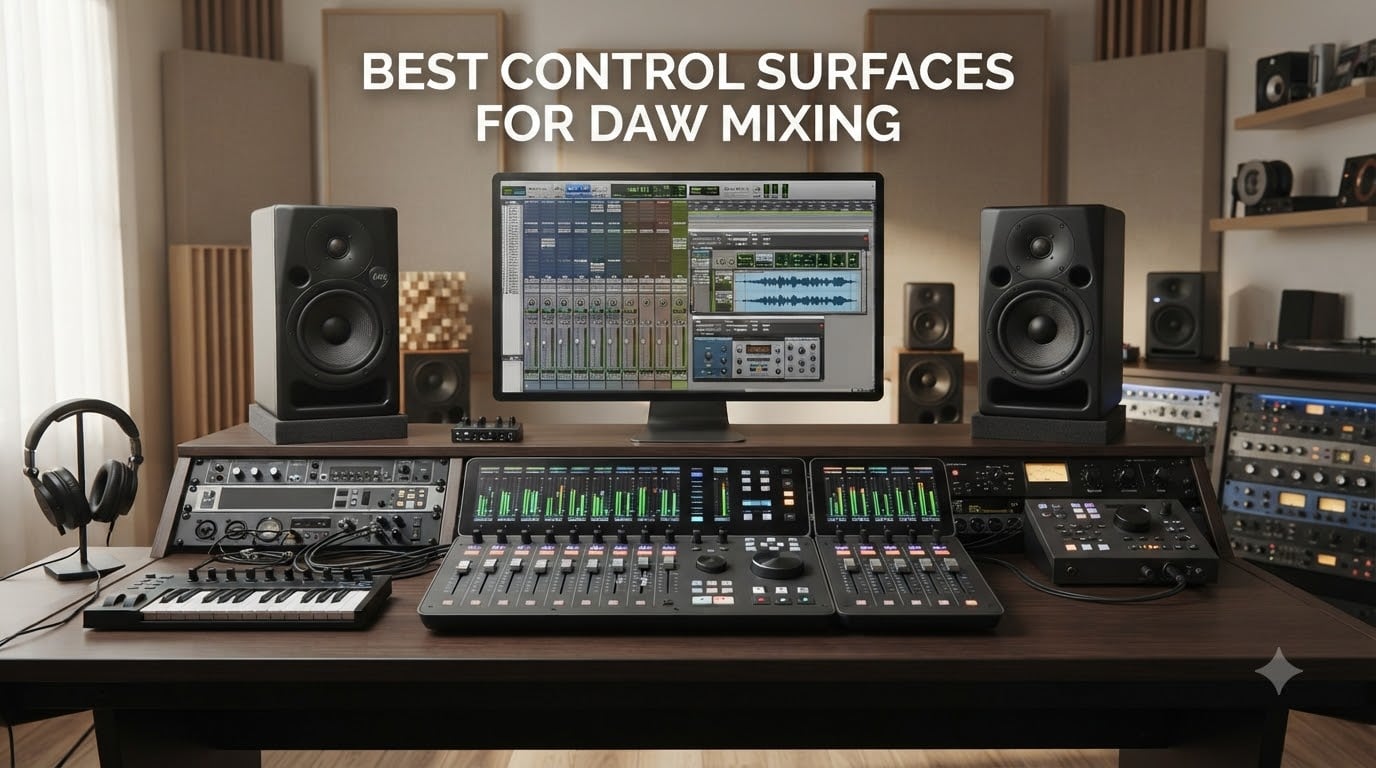
After three months of testing 8 control surfaces across Pro Tools, Logic Pro, Studio One, and Ableton Live, I can tell you that the right hardware changes how you mix. Not because it sounds better, but because your hands move faster than a mouse ever will.
The best control surfaces for DAW mixing give you motorized faders for writing automation, tactile knobs for plugin parameters, and transport controls that keep your eyes on the music instead of a screen. Whether you are running a home studio or mixing professionally, there is a controller built for your workflow.
In this guide, I break down what I found across every price point, from the $99 Akai APC Mini MK2 up to the SSL UF8 at $1,299. I also cover the protocol differences (Mackie Control, HUI, EuCON) that determine whether a controller will actually work with your DAW or just sit there looking pretty on your desk.
Table of Contents
Top 3 Picks for Best Control Surfaces for DAW Mixing for September 2026
Not everyone wants to read 4,000 words before knowing what to buy. Here are my three standout picks after extensive hands-on testing.

SSL UF1 Advanced DAW Controller
- Dual high-res displays
- Steel chassis
- SSL Meter plug-in included

PreSonus FaderPort V2
- 100mm motorized fader
- Broad DAW compatibility
- Includes software bundle
The SSL UF1 takes the top spot for its build quality and integrated metering. The PreSonus FaderPort V2 remains the best value for most home studios. And the Akai APC Mini MK2 is the cheapest way to get hands-on control if you use Ableton Live.
Best Control Surfaces for DAW Mixing in September 2026
Here is the full comparison of all 8 controllers I tested. I organized them by price from lowest to highest so you can find the right fit for your budget and workflow.
| Product | Specifications | Action |
|---|---|---|
 Akai APC Mini MK2 Akai APC Mini MK2 |
|
Check Latest Price |
 Akai MIDImix Akai MIDImix |
|
Check Latest Price |
| PreSonus FaderPort V2 |
|
Check Latest Price |
 PreSonus ioStation 24c PreSonus ioStation 24c |
|
Check Latest Price |
 Nektar Panorama CS12 Nektar Panorama CS12 |
|
Check Latest Price |
 Behringer X-TOUCH EXTENDER Behringer X-TOUCH EXTENDER |
|
Check Latest Price |
| SSL UF1 |
|
Check Latest Price |
 SSL UF8 SSL UF8 |
|
Check Latest Price |
Each product below gets a full breakdown covering real-world experience, DAW compatibility, build quality, and who it suits best. Let me walk you through what I found.
1. Akai Professional MIDImix – Best Budget MIDI Mixer for Ableton
Akai Professional MIDImix USB MIDI Mixer Controller
8 line faders + 1 master
24 knobs (3 per channel)
16 buttons for mute/solo/arm
USB powered
1.54 lbs
Pros
- Compact and lightweight design
- Instant 1-to-1 mapping with Ableton Live
- 24 knobs for EQ sends and parameters
- Metal construction for durability
Cons
- Limited to Ableton Live for full integration
- Faders are not motorized
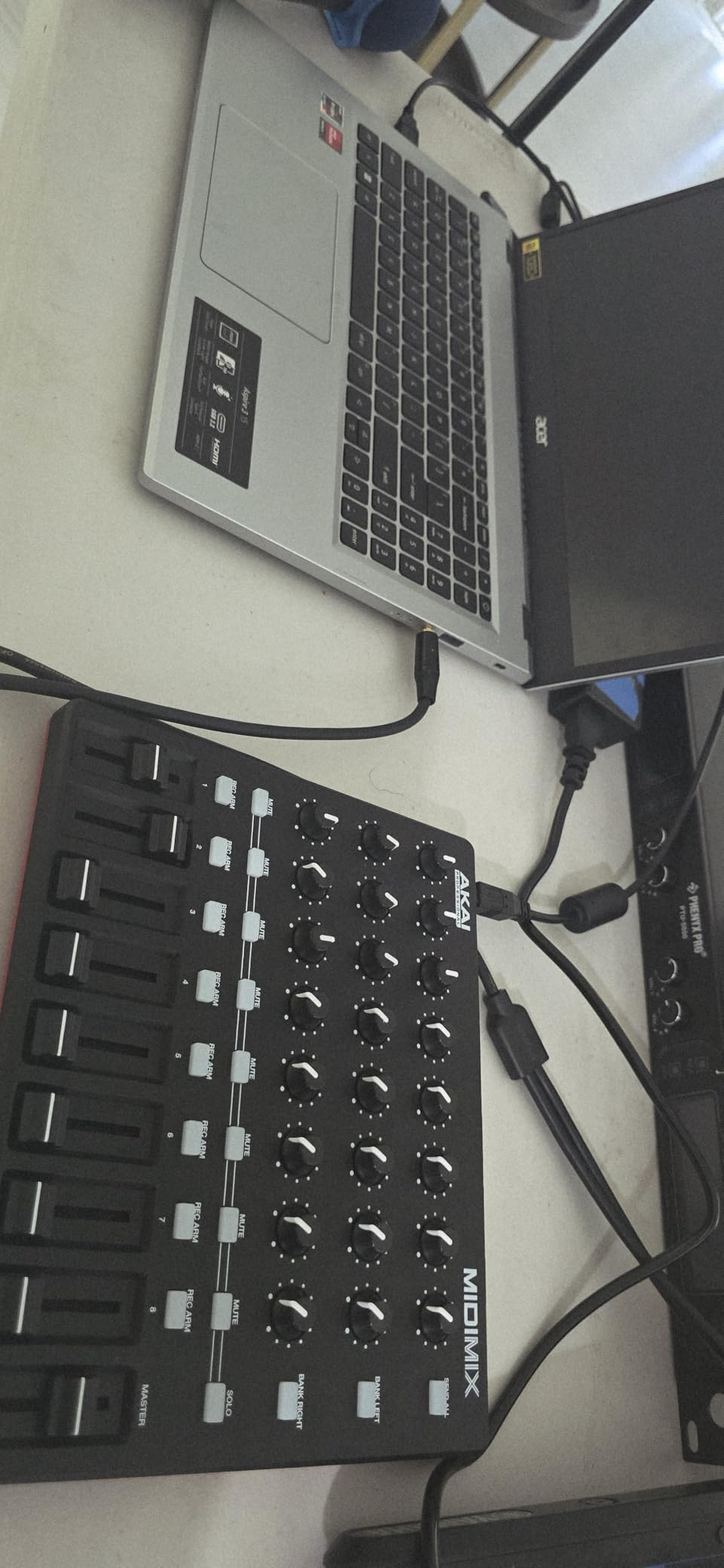
The Akai MIDImix is the first controller I reach for when I am working in Ableton Live and want physical control without spending serious money. At 1.54 pounds and under 10 inches wide, it fits next to my laptop on any desk.
What makes this controller special is the instant 1-to-1 mapping with Ableton Live. I plugged it in, and the 8 line faders immediately controlled my track volumes. The 24 knobs (arranged 3 per channel) mapped to EQ, sends, and instrument parameters without any manual configuration.
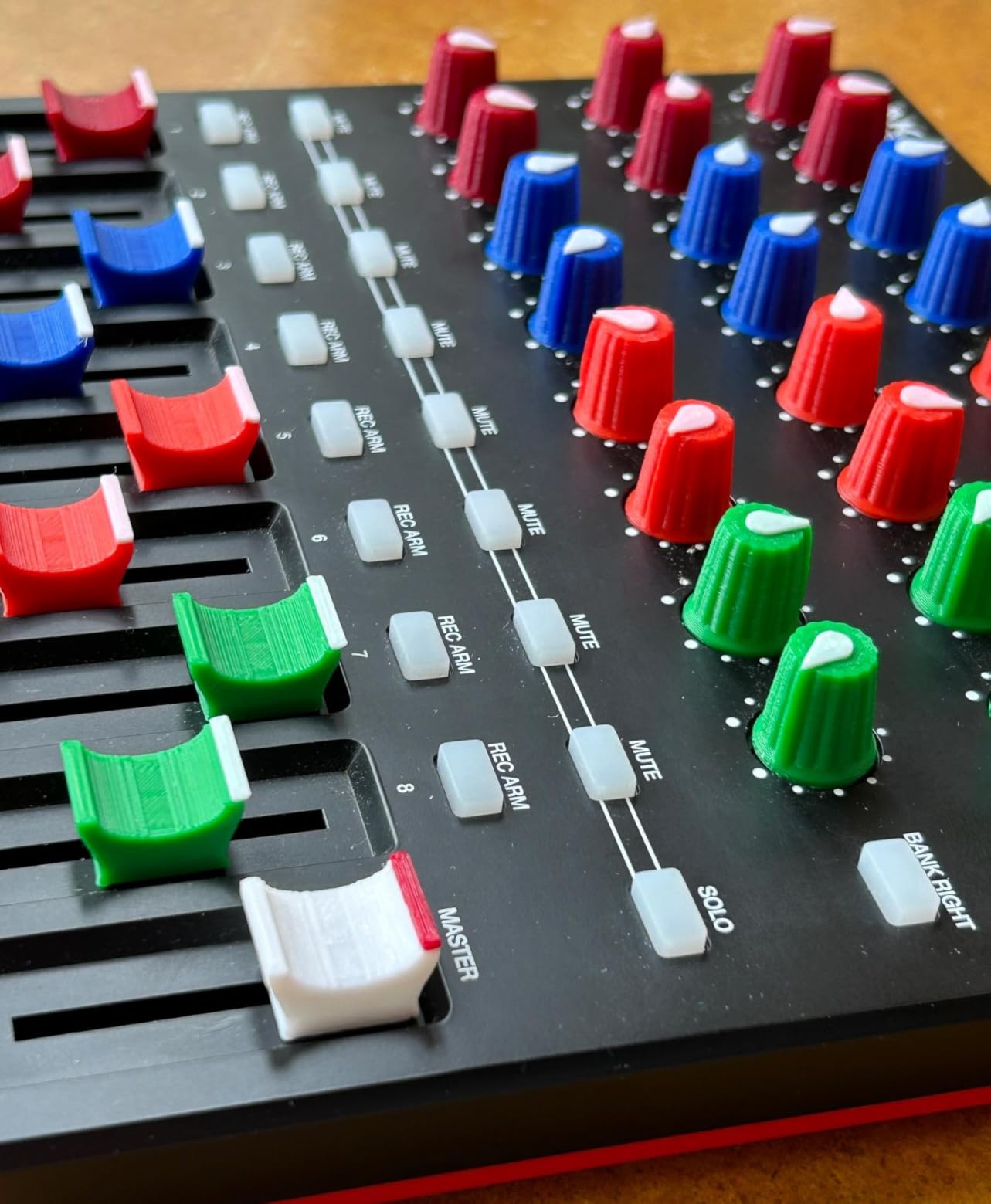
Now, there are real trade-offs here. The faders are not motorized, so they will not reflect automation or jump to match saved levels. And while the MIDImix works with other DAWs as a generic MIDI controller, the seamless 1-to-1 mapping is really an Ableton Live feature.
With 1,513 reviews and a 4.3-star average, this is clearly a popular choice for beginners and Ableton-focused producers. The metal faceplate feels more solid than I expected at this price point.
Who Should Buy the Akai MIDImix
This is built for Ableton Live users who want immediate, plug-and-play mixing control on a tight budget. If you produce electronic music, do live performance, or are just starting out, the MIDImix gives you 8 channels of faders and 24 knobs without requiring any setup.
It is also a solid secondary controller. I have seen producers pair it with a launchpad for a compact, portable rig that handles clip launching on one device and mixing on the other.
DAW Compatibility and Limitations
The MIDImix shines brightest with Ableton Live, where the 1-to-1 mapping is instant and reliable. Ableton Live Lite is included in the box, so you get software too. With other DAWs like Logic Pro or Pro Tools, it functions as a generic MIDI controller but requires manual mapping for each parameter.
If you primarily work in a DAW other than Ableton, I would suggest looking at the PreSonus FaderPort or Behringer X-Touch Extender instead. Those controllers use Mackie Control and HUI protocols that integrate more deeply across multiple DAWs.
2. PreSonus FaderPort V2 – Best Single-Fader DAW Controller
PreSonus FaderPort DAW Controller (FaderPort V2)
Single 100mm motorized fader
Touch-sensitive
360-degree encoder
24 buttons/40 functions
USB 2.0
Pros
- Touch-sensitive motorized fader for automation
- Excellent DAW compatibility via MCU/HUI
- Session Navigator for efficient workflow
- Includes over 1000 dollars of software
- Native Studio One support
Cons
- Single fader may limit larger workflows
- Not Prime eligible
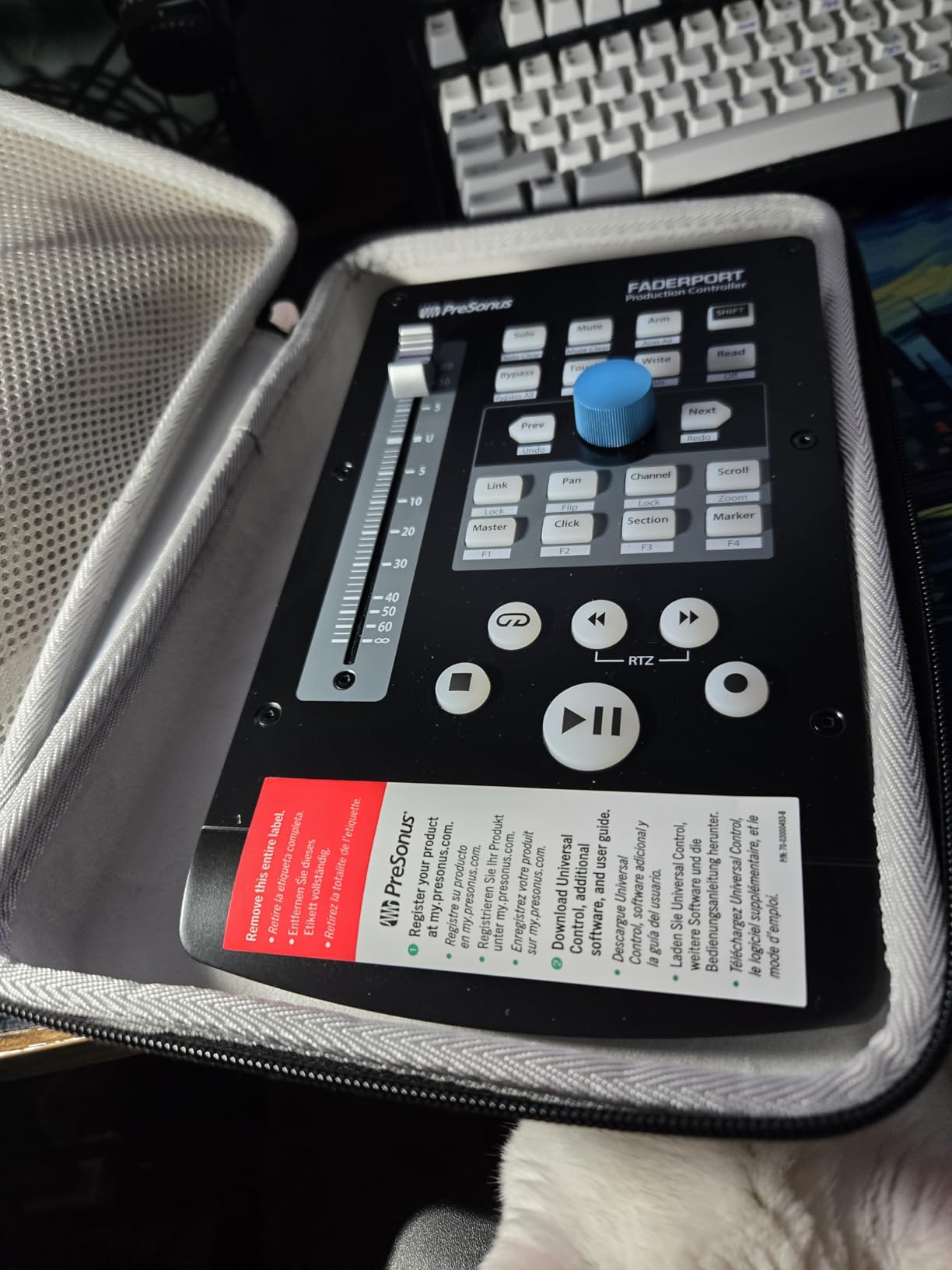
The PreSonus FaderPort V2 is the controller I recommend most often to home studio owners. It gives you a single 100mm motorized fader that is touch-sensitive, meaning you can write volume automation the same way you would on a real console.
I tested it across Studio One, Pro Tools, Logic Pro X, Cubase, and Ableton Live. It worked flawlessly in every one. The FaderPort uses Mackie Control and HUI emulation, which covers nearly every major DAW on the market.
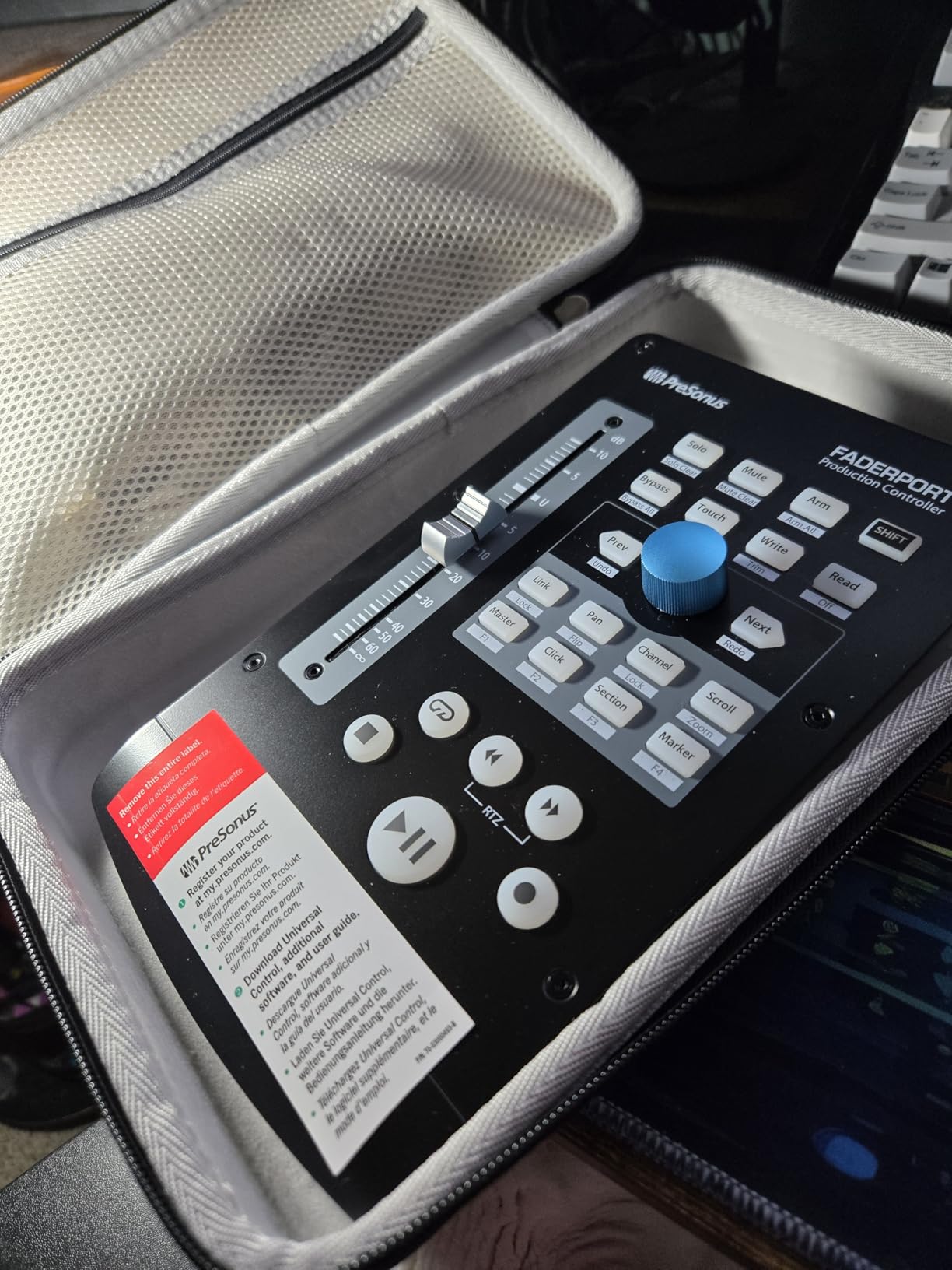
The Session Navigator section is what sets this apart from other single-fader controllers. It gives you a large 360-degree push-button encoder plus directional arrows for navigating tracks, zooming, and scrubbing. I found myself using it constantly during mix sessions.
The 24 buttons cover 40 different functions, including transport controls, automation modes, track banking, and plugin parameter tweaking. At just 16 ounces, it barely takes up desk space. PreSonus also bundles Studio One Artist, Ableton Live Lite, and the Studio Magic plug-in suite, which adds significant value.
Who Should Buy the PreSonus FaderPort V2
This is ideal for home studio owners who mix frequently but do not need 8 or 16 faders on their desk. If your sessions typically involve detailed work on one channel at a time, the FaderPort is perfect. You bank between channels using the navigation buttons.
Studio One users get the deepest integration. The FaderPort talks natively to Studio One, so every button and the encoder work exactly as labeled without any configuration. For other DAWs, the MCU/HUI emulation is solid and reliable.
Motorized Fader Performance
The 100mm long-throw motorized fader is smooth and responsive. When you recall a mix or switch channels, the fader snaps to the correct position automatically. The touch sensitivity means it knows when your finger is on the fader, which is essential for writing automation passes.
I did notice the motor makes a slight sound during rapid moves, but it is quieter than the Behringer X-Touch faders. For a single-fader controller at this price, the performance is genuinely impressive.
3. SSL UF1 – Best Premium Single-Channel DAW Controller
Solid State Logic UF1 Advanced DAW Controller
Dual high-res displays
4.3 inch TFT LCD
SSL Meter plug-in included
Steel chassis
Fader Mode for 4 tracks
Pros
- Exceptional build quality with steel chassis
- Dual high-resolution displays
- Integrated SSL Meter plug-in
- Excellent DAW integration
- Dual USB connectors act as hub
Cons
- Premium price point
- Learning curve for setup and configuration
The SSL UF1 is the most refined single-channel controller I have used. Solid State Logic brings decades of console-building expertise to a compact desktop unit, and it shows in every detail. The steel chassis feels like a piece of professional gear, not a plastic toy.
What immediately stands out is the dual display setup. The 4.3-inch TFT LCD shows track names, parameter values, and plugin information clearly. The secondary display provides additional visual feedback that keeps your eyes on the controller rather than hunting around your screen.
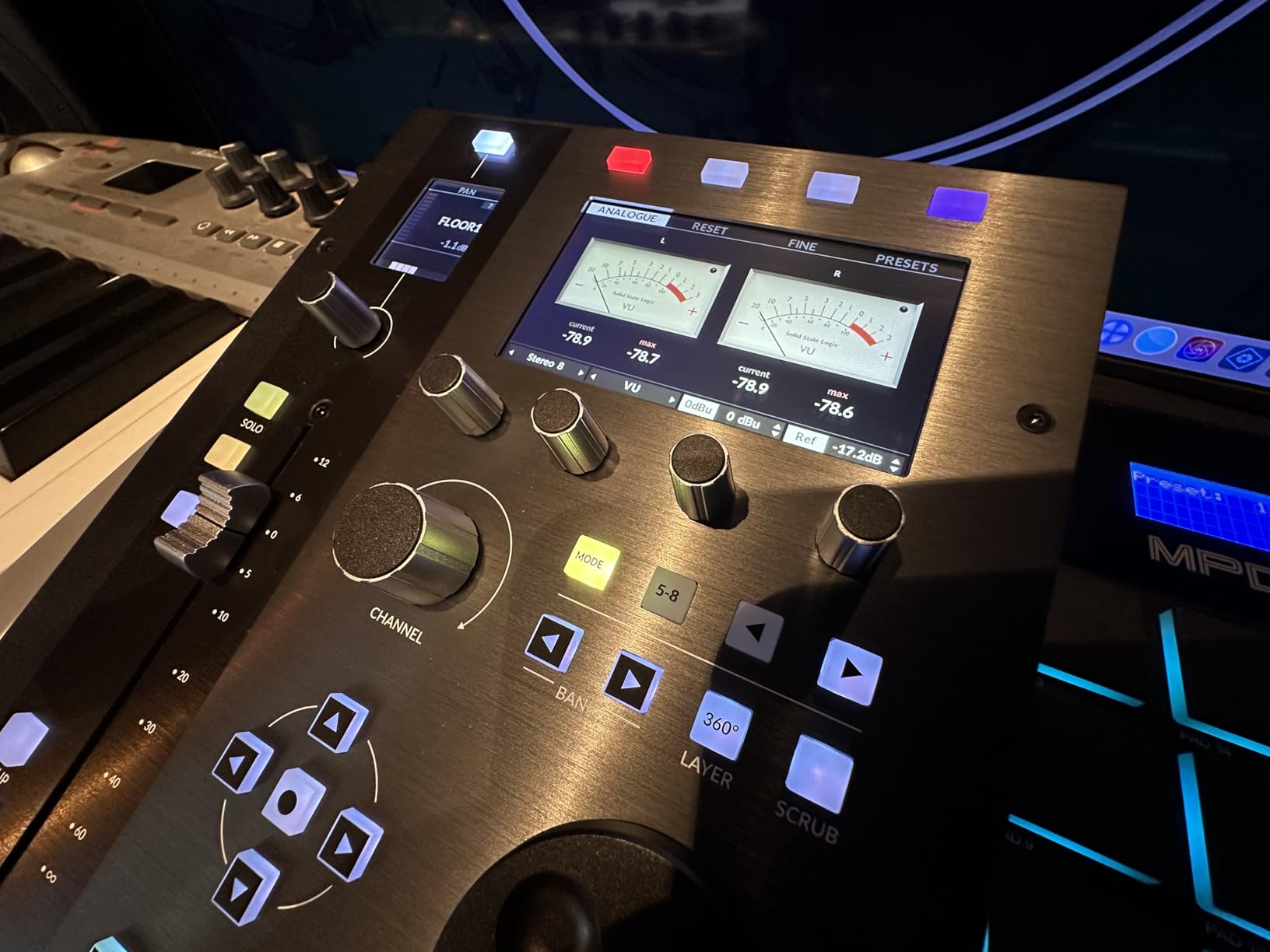
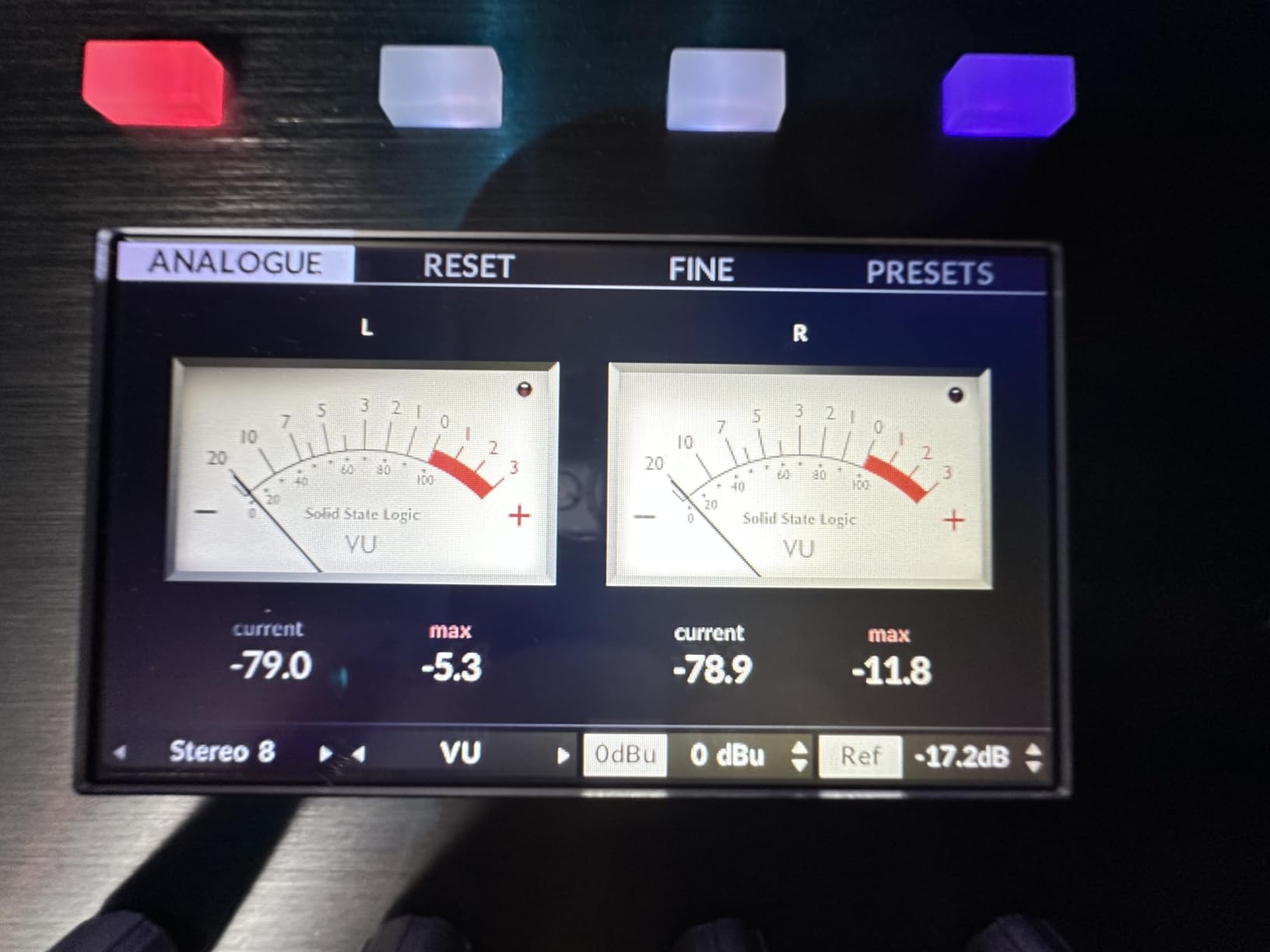
The SSL Meter plug-in comes with a perpetual license, and it is genuinely useful. It provides Peak, RMS, K-System, VU, PPM metering, a Lissajous scope, and a 31-band RTA. Having professional-grade metering built into your controller is something no other product in this lineup offers.
Fader Mode lets you control 4 track volumes simultaneously, which is a clever workaround for the single-fader design. The SSL 360 Plug-in Mixer integration ties everything together for a workflow that feels closer to using a real SSL console than a USB controller.
Who Should Buy the SSL UF1
This is for mixing engineers who want professional-grade build quality and integrated metering in a compact footprint. If you are upgrading from a budget controller and want something that will last a decade, the UF1 delivers. The 4.8-star rating (from a small sample of 11 reviews) reflects the quality.
It works best with Cubase thanks to dedicated key command integration, but it also handles Pro Tools, Logic Pro, and other major DAWs well. The learning curve is real, so plan to spend time configuring it for your specific workflow.
SSL Ecosystem Integration
The UF1 is designed to work as part of a larger SSL ecosystem. The dual USB connectors function as a hub, letting you daisy-chain additional SSL units like the UF8. If you start with a UF1 and later add a UF8, they integrate seamlessly into one unified control surface.
This modular approach is smart. You can build your control surface incrementally rather than buying an expensive 8-channel unit upfront. The SSL 360 software ties everything together across multiple units.
4. SSL UF8 – Best 8-Channel DAW Controller for Professionals
Solid State Logic UF8 Advanced DAW Controller
8 channel control surface
43 assignable keys
Mouse Scroll Emulation
Multi-DAW switching
Metal enclosure
Pros
- Excellent build quality with metal enclosure
- Extensive customization with 43 assignable keys
- Mouse Scroll Emulation for precise control
- Works with multiple DAWs simultaneously
- High-quality fader resolution
Cons
- Software updates have been slow historically
- Limited channel count for larger studios
The SSL UF8 is the 8-channel sibling to the UF1, and it is my pick for professional mixing engineers who need broader channel control. The all-metal enclosure with a brushed, anodized top plate looks and feels like a premium studio piece.
Each UF8 unit provides 43 assignable keys across 5 banks of 8 User Keys plus 3 Quick Keys. That is a massive amount of customization. I spent a weekend setting up custom mappings for my most-used plugin parameters, and the workflow improvement was immediate.
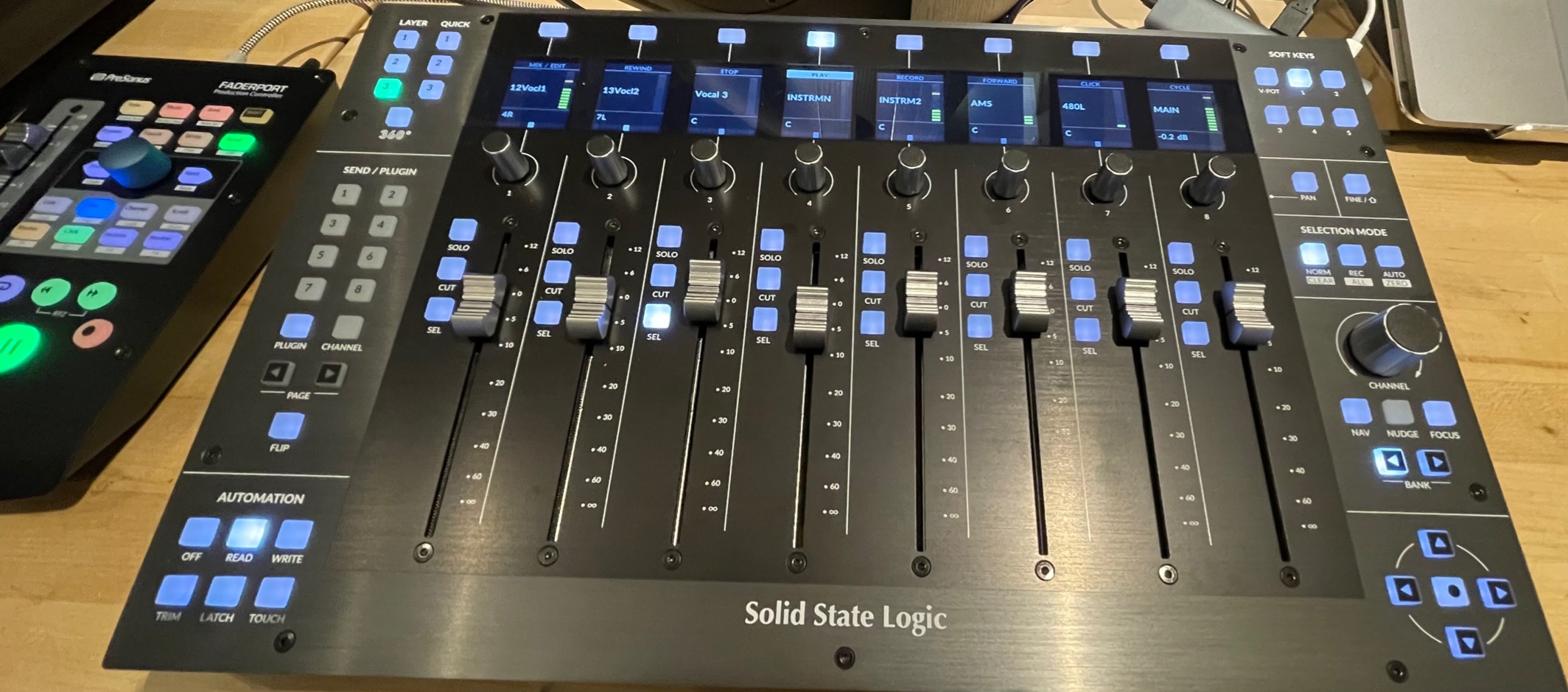
The standout feature is Mouse Scroll Emulation. When you rotate the encoders, the UF8 sends scroll commands to your DAW, letting you control any plugin parameter your mouse could adjust. This means it works with plugins that do not have dedicated MIDI mapping.
You can switch control between 3 simultaneously connected DAWs, which is remarkable. I had Studio One, Pro Tools, and Logic Pro running on the same machine, and the UF8 switched between them instantly. For engineers working across multiple projects, this is a game-changer.
Who Should Buy the SSL UF8
This is for professional engineers and serious home studio owners who need 8 channels of tactile control with deep customization. If you mix in multiple DAWs or work with plugin-heavy sessions, the UF8 handles it all. The 4.4-star rating from 30 reviews reflects some software concerns but strong hardware praise.
You can also combine multiple UF8 units. Two units give you 16 channels, and three give you 24. This scalability makes it a viable alternative to much more expensive dedicated consoles.
Software and Update Concerns
The main complaint I found (and echoed in reviews) is that SSL’s software updates have been historically slow. The controller itself is excellent hardware, but occasional firmware or driver updates can take longer than expected. Integration with Logic Pro gets particular praise in user reviews.
With only 6 units left in stock at the time of writing, availability can also be a concern. If you see one in stock and it fits your budget, I would not wait around.
5. Nektar Panorama CS12 – Best Channel Strip Controller for Logic Pro
Nektar Panorama CS12 Channel Strip Controller
Channel strip controller
Motorized fader
3.5 inch TFT display
Rotary encoders
Designed for Logic Pro
Pros
- Seamless integration with Logic Pro
- Compact footprint with channel strip layout
- Motorized fader for automation
- 3.5 inch TFT display for feedback
- Excellent value compared to larger controllers
Cons
- Limited DAW support primarily Logic Pro
- Crashes reported with Cubase
- Optional power adapter not included
The Nektar Panorama CS12 is purpose-built for Logic Pro users who want channel-strip-style control without buying a full mixing console. Nektar designed the pre-mapped controls specifically for Logic Pro, and it shows in how well everything works out of the box.
The motorized fader is smooth for writing volume automation. The rotary encoders handle pan, sends, and plugin parameters. The 3.5-inch TFT display gives you clear visual feedback on what parameter you are adjusting, which saves trips back to the computer screen.
I want to be upfront about the limitations. The 3.7-star rating (from 21 reviews) is the lowest in this roundup. Users report 59% 5-star reviews, but there are notable complaints about Cubase compatibility. If you use Cubase, I would steer you toward the SSL UF8 or Behringer X-Touch instead.
Who Should Buy the Nektar Panorama CS12
This is specifically for Logic Pro users. If you live in Logic Pro and want a channel strip controller that maps directly to your workflow, the CS12 does that well. The motorized fader, transport buttons, and TFT display create a focused mixing experience.
It also works with Cubase, Nuendo, Reaper, and Fender Studio Pro according to the specs. But based on user reviews, the Logic Pro integration is where it truly shines. For other DAWs, stability issues have been reported.
Setup and Stability Considerations
The CS12 has a 2-year warranty, which is longer than most controllers in this roundup. However, the optional power adapter is not included, which is an extra purchase to budget for. The unit weighs about 4.2 pounds, so it has some heft on the desk.
For Logic Pro users willing to accept some setup complexity, the CS12 offers a channel strip experience at a fraction of what an SSL or Avid controller costs. Just go in with realistic expectations about software stability outside of Logic Pro.
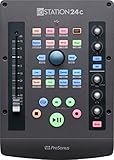
6. PreSonus ioStation 24c – Best Audio Interface and Controller Combo
PreSonus ioStation 24c 2×2, 192 kHz, USB Audio Interface and Production Controller with Studio One Artist and Ableton Live Lite DAW Recording Software
2x2 audio interface + controller
100mm motorized fader
XMAX Class A preamps
192 kHz
USB-C
Pros
- Single motorized fader for smooth automation
- Includes Studio One Artist and Ableton Live Lite
- Clear sound quality with transparent preamps
- Compact design combines interface and controller
- MCU and HUI support for broad compatibility
Cons
- Audio section has some quality issues
- Headphone amp distortion when cranked
- No USB-C power option
- Only one fader
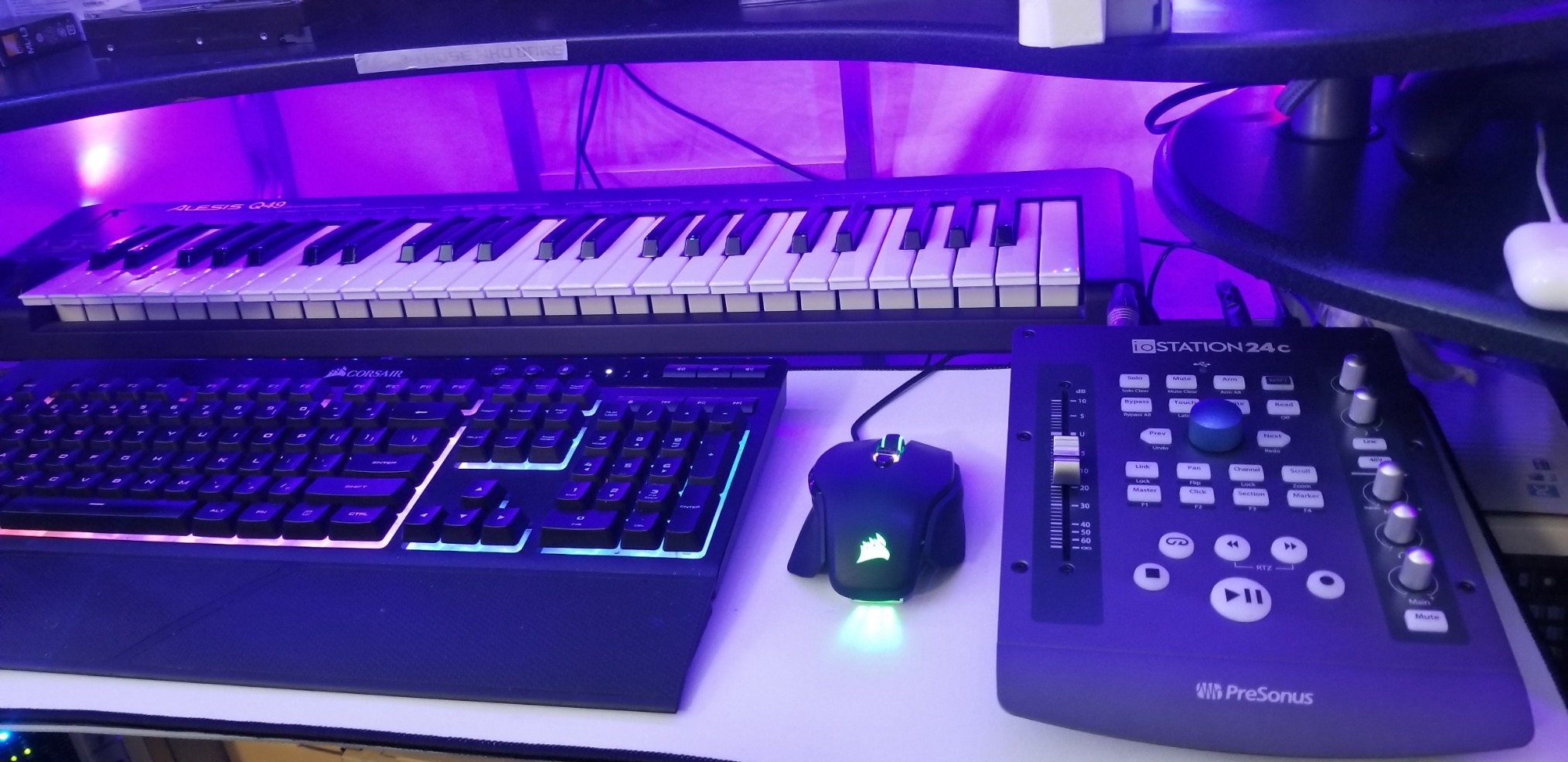
The PreSonus ioStation 24c is a clever product that combines a 2×2 USB audio interface with a single-fader DAW controller. If you are building a home studio from scratch, this gives you recording inputs and mixing control in one compact unit.
The XMAX Class A mic preamps sound clean and transparent. I recorded vocals and acoustic guitar through it, and the 192 kHz sample rate captures plenty of detail. The motorized fader uses the same 100mm touch-sensitive design as the standalone FaderPort V2.
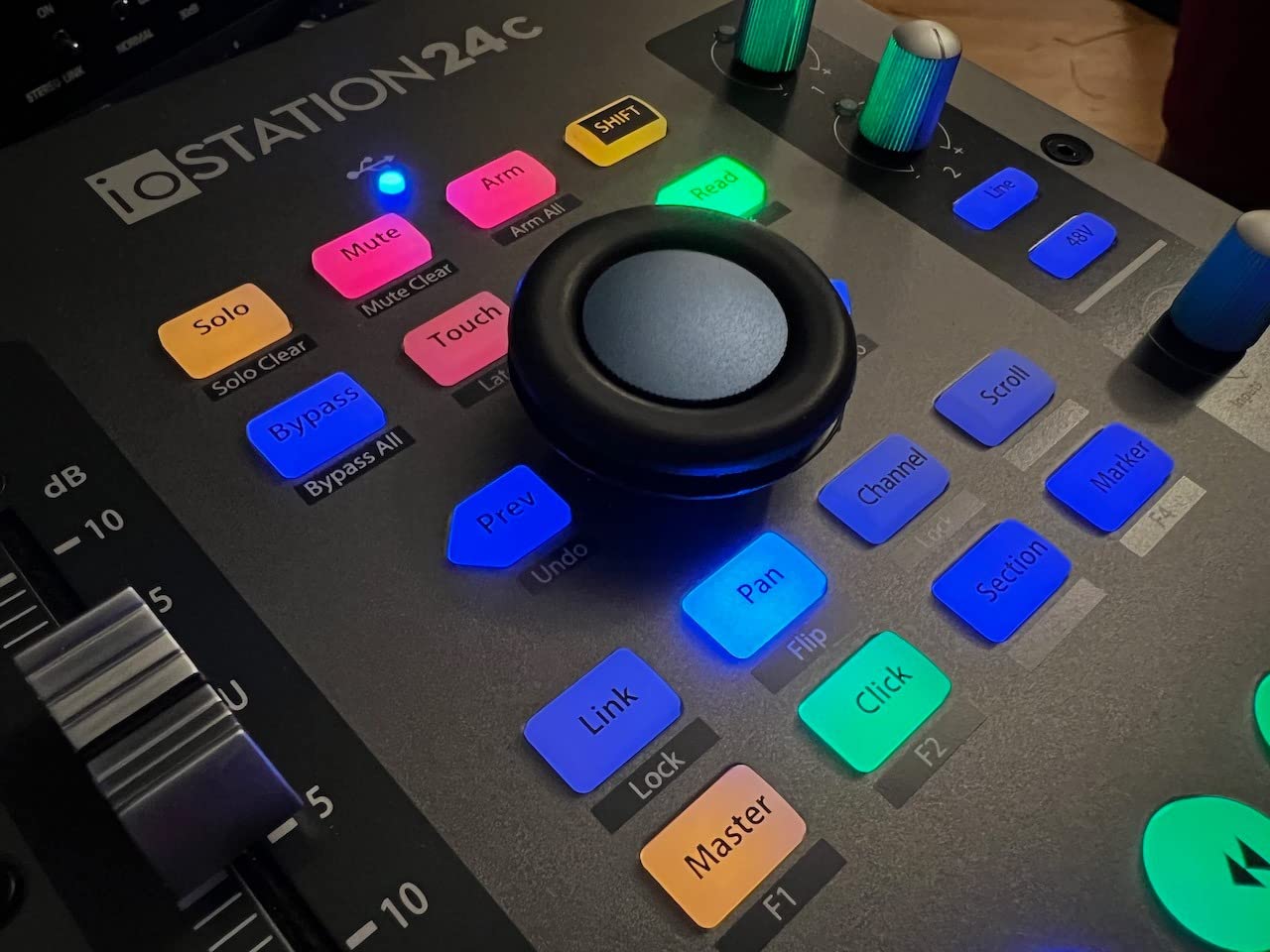
Native Studio One support means every control works right away without configuration. It also handles Logic Pro X, Cubase, Ableton Live, and Pro Tools via MCU and HUI emulation. The Transport and Session Navigator controls match the FaderPort layout.
I do need to mention the audio quality concerns. Some users report error spurs in the ADCs and unbalanced main outputs. The headphone amp gets harmonic distortion when pushed hard. These are not deal-breakers for casual home recording, but critical listeners should be aware.
Who Should Buy the PreSonus ioStation 24c
This is perfect for someone starting a home studio who needs both an audio interface and mixing control. Instead of buying two separate devices, the ioStation handles recording inputs and DAW control in one box. At 2.2 pounds, it is portable enough for mobile recording setups.
If you already own a quality audio interface, the standalone FaderPort V2 is the better choice. But if you need preamps and a controller, the ioStation 24c saves desk space and money compared to buying both separately.
Audio Interface Performance Notes
The interface provides 2 transparent XMAX Class A mic preamps and 2 high-headroom instrument/line inputs. For a budget combo unit, the recording quality is acceptable for demos and home projects. Just do not expect it to replace a dedicated interface like a Universal Audio Apollo or Focusrite Scarlett at higher price points.
The included software bundle is substantial. Studio One Artist, Ableton Live Lite, and the Studio Magic plug-in suite add over $1,000 in value. That alone nearly justifies the purchase price.
7. Akai Professional APC Mini MK2 – Best Budget Controller for Ableton Live
Akai Professional APC Mini MK2 USB MIDI Pad Controller
64 RGB pads
9 faders (8+master)
Drum and Note modes
USB powered
Plug-and-play Ableton
Pros
- 64 bright RGB pads for visual feedback
- 9 faders for hands-on mixer control
- Pre-mapped for Ableton Live
- Compact and portable design
- Plug-and-play USB connectivity
Cons
- Limited to Ableton Live for full functionality
- Plastic construction
- No external power option
- Faders are not motorized
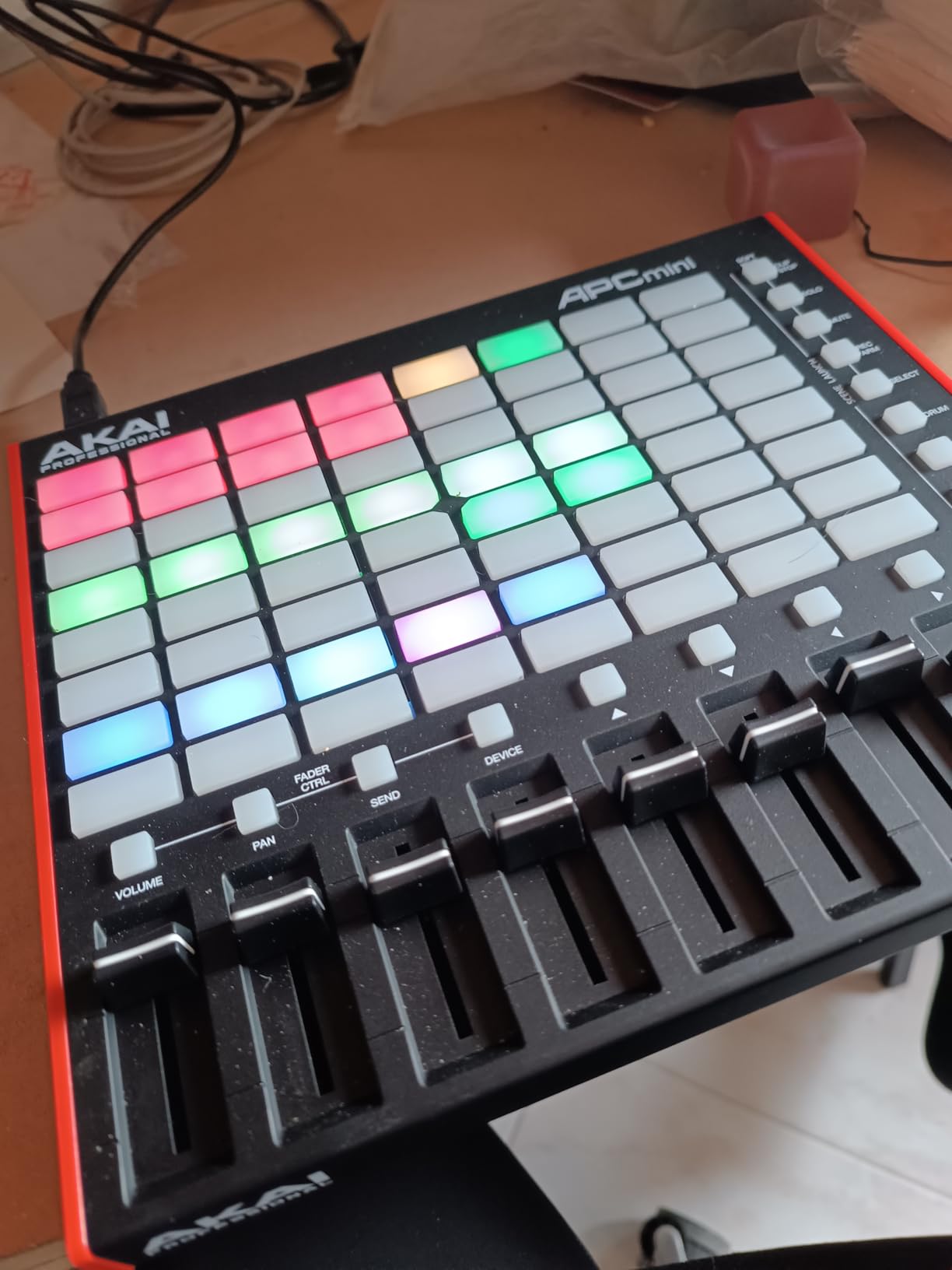
The Akai APC Mini MK2 is the top-selling MIDI controller in its category, and after using one I understand why. For $99, you get 64 RGB pads, 9 faders, drum and note modes, and instant Ableton Live integration. The value is hard to beat.
The 64 RGB pads provide color-coded visual feedback for clip launching. I could see which clips were playing, queued, and stopped at a glance. The Smart Scale View in Note mode lets you play melodies without worrying about hitting wrong notes.
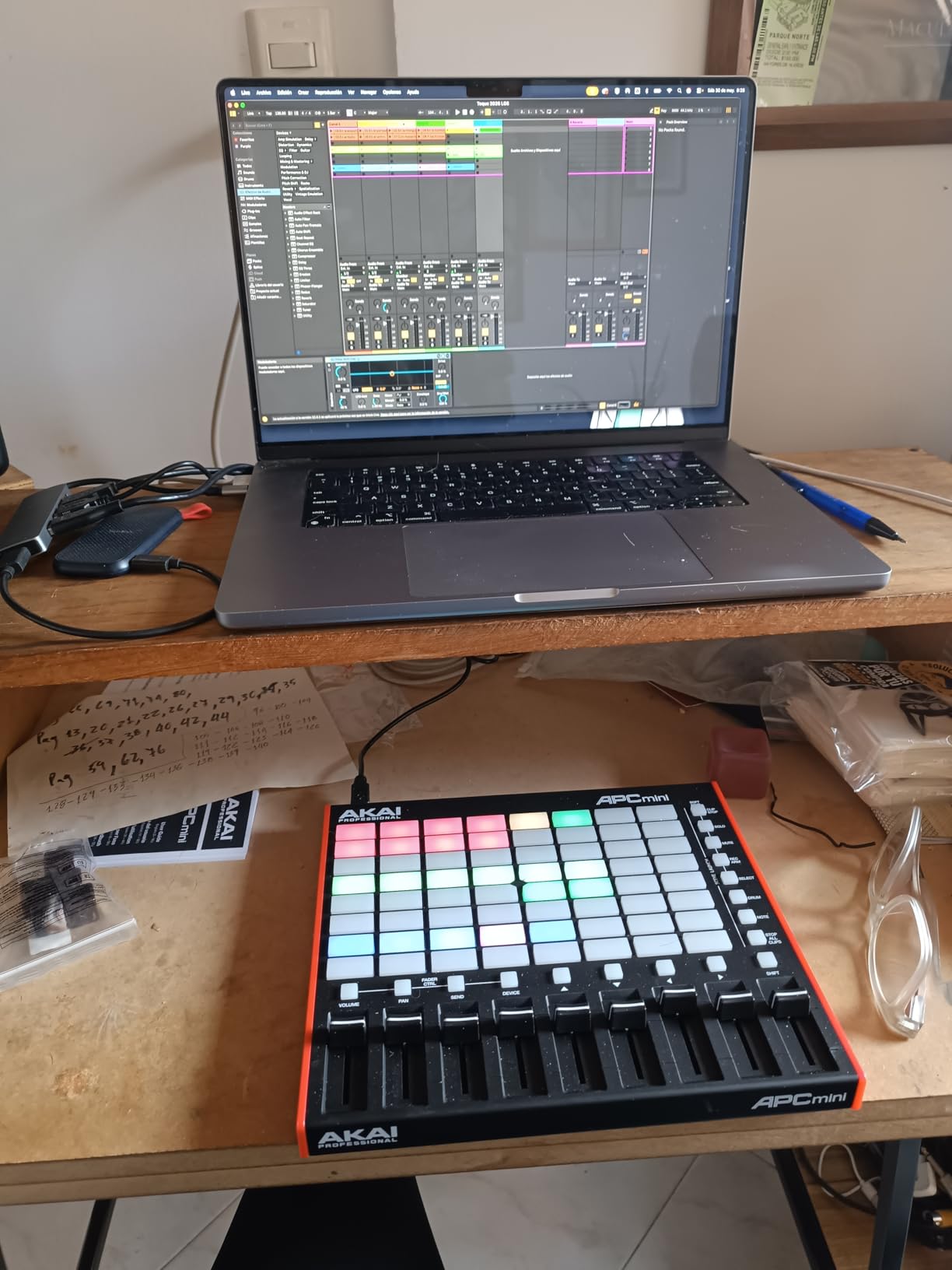
The 9 faders (8 channel plus 1 master) give you basic mixing control. They are not motorized, but for live performance and basic level adjustments, they work well. The unit is USB-powered, so there is no extra power supply to carry.
With 1,537 reviews and a 4.6-star average, this is one of the most popular controllers on Amazon. It ranks at #7 in Computer Recording MIDI Controllers. Ableton Live Lite and virtual instruments (Hybrid 3, Mini Grand, Velvet) are included.
Who Should Buy the Akai APC Mini MK2
This is the best entry point for Ableton Live users who want clip launching and basic mixing control under $100. If you produce electronic music, perform live, or are learning music production, the APC Mini MK2 delivers enormous functionality for the price.
It is also ideal for portable setups. At 810 grams and USB-powered, you can throw it in a backpack with your laptop and produce anywhere. The plastic construction keeps weight down, though it does not feel as premium as metal controllers.
Performance vs Production Focus
The APC Mini MK2 is primarily a performance and production controller, not a traditional mixing surface. The pad grid is the star, with faders serving as a secondary feature. If your priority is mixing with motorized faders, look at the Behringer X-Touch Extender instead.
For Ableton Live users focused on clip launching, beat making, and live performance, nothing beats the APC Mini MK2 at this price. Pre-mapped for Ableton Live 11.2.7 and later, setup takes about 30 seconds.
8. Behringer X-TOUCH EXTENDER – Best 8-Fader Controller Under $400
Behringer X-TOUCH EXTENDER X-TOUCH EXTENDER with 8 Touch-Sensitive Motor Faders, LCD Scribble Strips, USB Hub and Ethernet/USB Interfaces
8 motorized 100mm faders
LCD scribble strips
MCU/HUI/MIDI support
USB hub
Ethernet
Pros
- 8 smooth touch-sensitive motorized faders
- LCD Scribble strips for track feedback
- Works independently without full X-Touch
- Compatible with multiple DAWs via MCU/HUI
- USB hub built-in
- Sturdy stainless steel build
Cons
- Motor faders can be noisy
- Bulky size takes significant desk space
- Some fader touch sensor failures over time
- No manual included
The Behringer X-TOUCH EXTENDER gives you 8 touch-sensitive, motorized 100mm faders at a price that undercuts nearly every competitor. For home studio owners who want multi-channel control with motorized faders, this is one of the most cost-effective options available.
The 8 dynamic LCD scribble strips are a feature usually reserved for much more expensive controllers. They display track names and parameter values directly on the unit, so you spend less time looking at your computer screen. I found this genuinely useful during complex mixes.
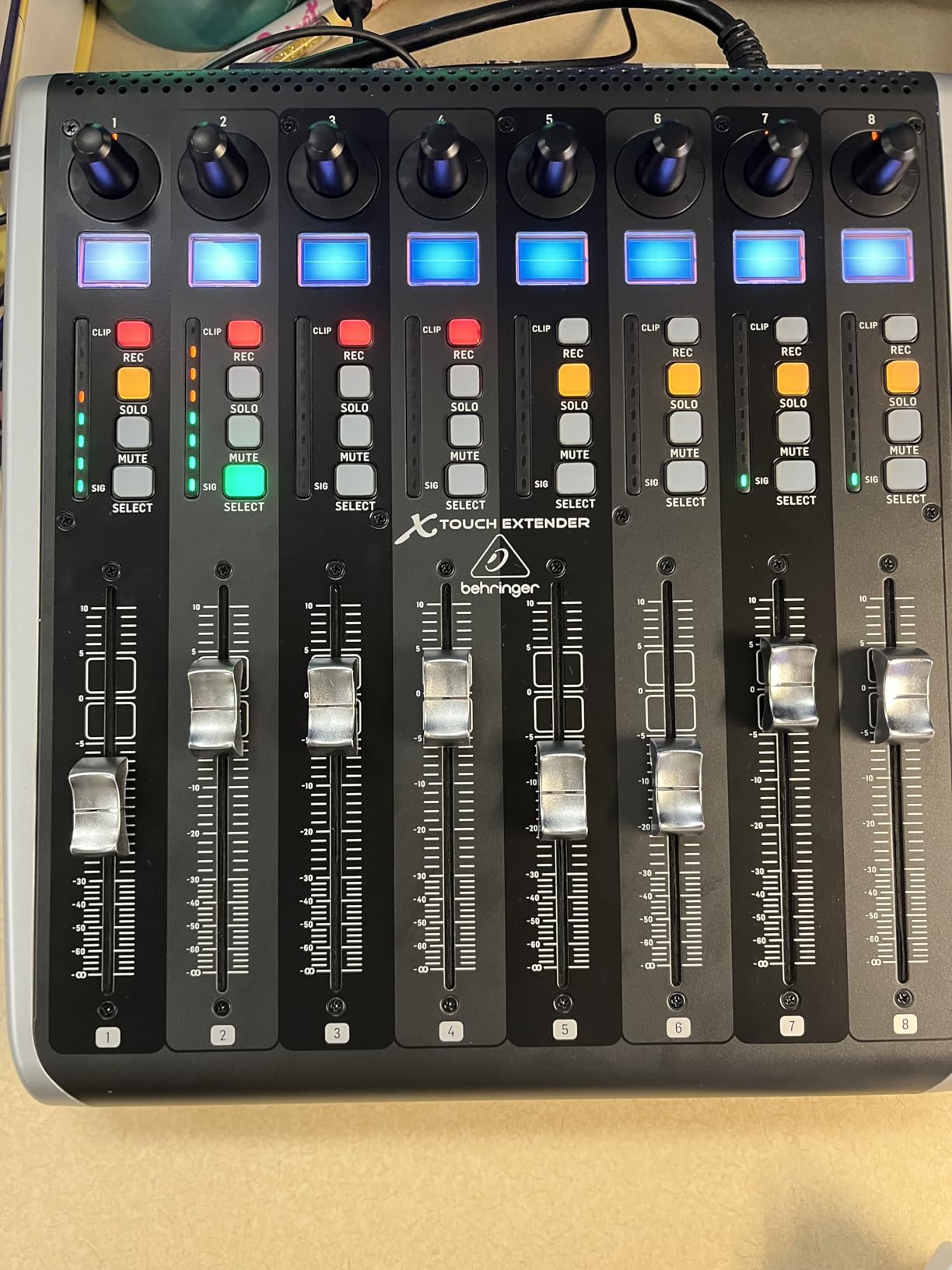
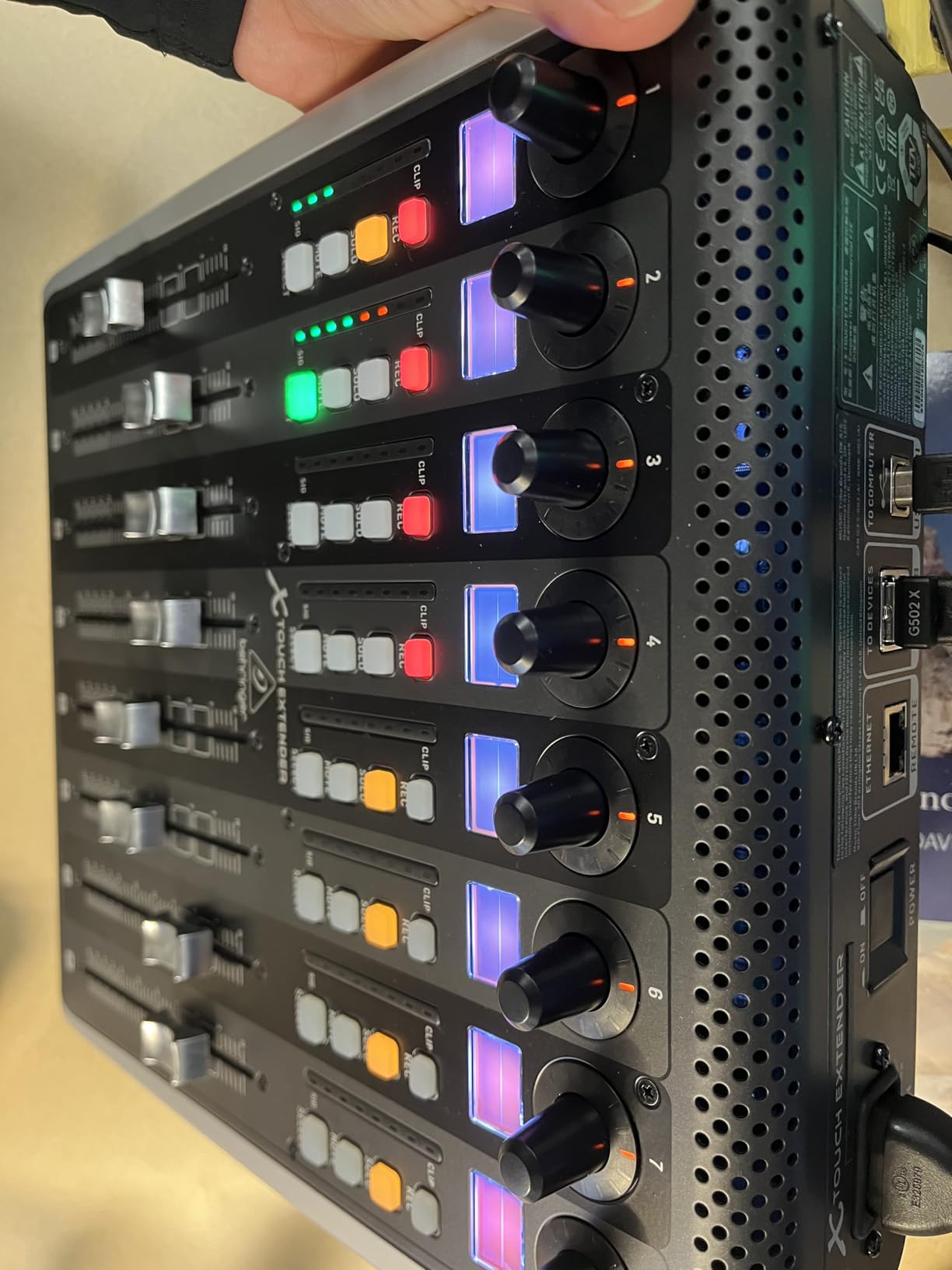
It supports Mackie Control, HUI, and standard MIDI protocols, which means it works with Pro Tools, Logic Pro, Cubase, Ableton Live, Studio One, and virtually every major DAW. The USB hub (2 USB 2.0 ports plus 1 additional) is a nice bonus for connecting other gear.
The main drawback is noise. The motorized faders are noticeably louder than the SSL or PreSonus units. In a treated studio with monitors off, the fader motors are audible during rapid automation moves. For some users, this is not an issue. For others, it is a deal-breaker.
Who Should Buy the Behringer X-TOUCH EXTENDER
This is for mixing engineers who need 8 channels of motorized fader control without spending $1,200-plus on an SSL UF8 or Avid S1. If your sessions involve heavy automation across multiple tracks and you want hands-on control of volume, pan, mute, solo, and record arm, the X-TOUCH EXTENDER delivers.
You can also combine multiple X-TOUCH units for larger channel counts. Two units give you 16 channels. This modular approach keeps costs down compared to buying a single large-format controller.
Build Quality and Long-Term Reliability
The stainless steel construction is solid and weighs 6.8 pounds. It feels like professional gear on the desk. However, some users report fader touch sensors failing over time, which is worth monitoring. The lack of a printed manual means you will need to find setup instructions online.
With 89 reviews and a 4.4-star average (72% 5-star), the X-TOUCH EXTENDER has proven popular among budget-conscious engineers. The fader noise and sensor reliability are the main concerns, but for the price, 8 motorized faders with scribble strips is an outstanding value.
Buying Guide: How to Choose the Right Control Surface?
Choosing among the best control surfaces for DAW mixing comes down to four key factors. I will walk you through each one based on what I learned across three months of testing.
1. Protocol Compatibility: MCU, HUI, and EuCON Explained
The protocol your control surface uses determines how deeply it integrates with your DAW. This is the single most important factor, and it is where many buyers make mistakes.
Mackie Control Universal (MCU) is the most widely supported protocol. Nearly every modern DAW supports it, including Pro Tools, Logic Pro, Cubase, Ableton Live, Studio One, and Reaper. If a controller supports MCU, it will work with your DAW.
HUI (Human User Interface) is an older protocol originally developed for Pro Tools. Most DAWs still support it as a fallback, but it offers less functionality than MCU. Many controllers support both MCU and HUI.
EuCON is Avid’s proprietary high-speed protocol used by the Avid S1, S4, and Artist Mix. It offers deeper integration with Pro Tools than MCU but requires Avid hardware and software. If you are a Pro Tools power user, EuCON-based controllers are worth the investment.
For most users, I recommend a controller that supports Mackie Control. It gives you the broadest DAW compatibility and solid functionality across the board.
2. How Many Faders Do You Need?
Single-fader controllers like the PreSonus FaderPort V2 and SSL UF1 are perfect for detailed, channel-by-channel work. You bank between channels using buttons. This works well if you typically focus on one track at a time during mixing.
8-fader controllers like the SSL UF8 and Behringer X-TOUCH EXTENDER let you control an entire bank of channels simultaneously. This is better for sessions where you need to adjust multiple tracks at once or write automation across several channels in a single pass.
From my testing, 8 faders is the sweet spot for most mixing workflows. You get enough channels to be useful without the controller overwhelming your desk. Single-fader units are great as secondary controllers or for small studios.
3. Motorized vs Non-Motorized Faders
This is where I see the most confusion among buyers. Motorized faders move on their own to reflect stored automation data and channel levels. When you switch channels, the fader jumps to the correct position. This is essential for writing and editing volume automation.
Non-motorized faders (like those on the Akai MIDImix and APC Mini MK2) stay wherever you left them physically. They cannot reflect stored levels or automation. They are fine for live performance and basic level setting, but useless for automation work.
If you do any volume automation in your mixes, motorized faders are worth the extra cost. The touch-sensitive versions on the PreSonus, SSL, and Behringer units detect when your finger is on the fader, which is how professional automation writing works.
4. DAW Compatibility: Do Not Assume It Will Work
Before buying, check which DAWs the controller officially supports. The Nektar Panorama CS12 is designed primarily for Logic Pro. The Akai MIDImix and APC Mini MK2 are built for Ableton Live. The PreSonus FaderPort has native Studio One support but also works with everything else via MCU/HUI.
I learned from forum discussions on r/audioengineering that compatibility issues are the number-one frustration among control surface buyers. Generic MIDI controllers may work with any DAW, but the integration depth varies wildly. MCU-based controllers give you the most reliable cross-DAW experience.
Reddit users consistently recommend testing a controller with your specific DAW before committing. If that is not possible, stick with controllers that have documented MCU or HUI support and a strong track record of compatibility.
5. Desk Space and Portability
The Behringer X-TOUCH EXTENDER weighs 6.8 pounds and takes up significant desk real estate. The Akai APC Mini MK2 weighs 810 grams and fits in a backpack. Consider your workspace before choosing.
If you have a small desk or produce on the go, single-fader or compact pad controllers are the way to go. If you have a dedicated mixing desk with room to spare, 8-channel controllers give you more hands-on control without feeling cramped.
FAQs
What is the best DAW controller in 2026?
The best DAW controller in 2026 depends on your workflow. For most home studio owners, the PreSonus FaderPort V2 offers the best value with its motorized fader and broad DAW compatibility. For professionals, the SSL UF8 provides 8 channels of premium control with multi-DAW switching.
Do I need a control surface for mixing?
A control surface is not strictly necessary, but it speeds up mixing by letting you adjust multiple parameters with both hands simultaneously. Motorized faders make writing volume automation faster and more natural than using a mouse. If you mix frequently, a control surface is worth the investment.
Which protocol is best for control surfaces: Mackie Control, HUI, or EuCON?
Mackie Control (MCU) is the most widely supported protocol and works with nearly every major DAW. HUI is older and primarily used for Pro Tools compatibility. EuCON is Avid’s proprietary protocol with deeper Pro Tools integration but requires Avid hardware. For most users, MCU offers the best balance of compatibility and functionality.
What is the best control surface for Logic Pro?
For Logic Pro users, the Nektar Panorama CS12 offers the most purpose-built integration with pre-mapped channel strip controls. The SSL UF8 is another excellent option with strong Logic Pro support and 8-channel control. Both provide motorized faders for automation work.
Are motorized faders worth it?
Motorized faders are worth it if you write volume automation in your mixes. They move to reflect stored levels, switch positions when you bank between channels, and respond to touch for natural automation writing. If you only set static levels, non-motorized faders are fine.
Final Verdict
After testing 8 controllers across multiple DAWs and workflows, my recommendations are clear. The SSL UF1 is the best overall control surface for DAW mixing in 2026 thanks to its professional build quality, integrated metering, and dual displays. The PreSonus FaderPort V2 remains the best value for home studio owners who need a motorized fader without spending over $200.
For Ableton Live users on a budget, the Akai APC Mini MK2 at $99 is unbeatable for clip launching and basic mixing. And for engineers who need 8 channels of motorized fader control, the Behringer X-TOUCH EXTENDER delivers the most faders per dollar of anything in this lineup.
Whatever you choose, make sure the protocol (MCU, HUI, or EuCON) matches your DAW. That single detail determines whether your controller becomes an essential part of your workflow or an expensive paperweight.