
Every club DJ remembers the first time they walked into a venue booth and faced a wall of Pioneer CDJs instead of the familiar controller they practiced on at home. That moment of panic, fumbling with a different layout while the crowd waits, is exactly why choosing the right practice gear matters so much. The best DJ controllers for clubs bridge the gap between bedroom sessions and professional booth setups, giving you muscle memory that transfers directly to industry-standard equipment.
Our team spent three months testing eight controllers from Pioneer DJ, AlphaTheta, RANE, Denon DJ, and Numark to see which ones actually prepare you for real club gigs. We measured everything from jog wheel feel to software compatibility, build durability to stems separation quality. Some impressed us immediately with their club-standard layouts, while others surprised us with standalone features we did not expect to love.
The club equipment market has shifted significantly in 2026. Stems separation technology, once a premium novelty, now appears on controllers at multiple price points. Standalone systems that run without a laptop have matured into genuinely capable performance tools. Meanwhile, the Pioneer rekordbox ecosystem remains the club standard, meaning rekordbox-compatible controllers still give you the smoothest path from practice to booth.
Whether you are a bedroom DJ working toward your first club booking, a mobile DJ playing weddings and corporate events, or an experienced performer looking to upgrade, this guide breaks down what matters. We cover club-standard layouts, motorized platters, standalone capability, and the stems technology that is reshaping how DJs remix live. Let us find the right controller for your next gig.
Table of Contents
Top 3 Picks for Best DJ Controllers for Clubs for September 2026
After extensive testing across different gig scenarios, three controllers stood out from the pack. Each excels in a specific area, so the right choice depends on your budget, skill level, and performance style.

RANE PERFORMER Motorized Controller
- 7 inch motorized platters
- OLED displays
- Stem Split
- MAG Four crossfader

AlphaTheta DDJ-GRV6 4-Channel
- Club-standard layout
- Groove Circuit
- Full-size jogs
- rekordbox & Serato

Numark Mixstream Pro Go
- Battery-powered
- Built-in speakers
- Wi-Fi streaming
- 7 inch touchscreen
The RANE PERFORMER earns our Editor’s Choice for its motorized platters that deliver the most authentic vinyl-like feel of any controller we tested. At the other end, the Numark Mixstream Pro Go takes the Budget Pick with its impressive standalone feature set and battery-powered portability that punches well above its weight class.
For pure club preparation value, the AlphaTheta DDJ-GRV6 wins Best Value because its layout mirrors the CDJ-3000 and DJM-A9 setup you will find in most professional booths. Practice on this controller and your hands will already know where everything sits when you step up to real club gear.
Best DJ Controllers for Clubs in September 2026
Here is how all eight controllers compare side by side. We evaluated each one for club readiness, software compatibility, build quality, and value for money.
| Product | Specifications | Action |
|---|---|---|
| AlphaTheta DDJ-GRV6 |
|
Check Latest Price |
 Pioneer DJ DDJ-FLX10 Pioneer DJ DDJ-FLX10 |
|
Check Latest Price |
| RANE PERFORMER |
|
Check Latest Price |
 RANE FOUR Stems Controller RANE FOUR Stems Controller |
|
Check Latest Price |
 Denon DJ SC LIVE 4 Denon DJ SC LIVE 4 |
|
Check Latest Price |
 Pioneer DJ DDJ-REV5 Pioneer DJ DDJ-REV5 |
|
Check Latest Price |
 Denon DJ PRIME GO+ Denon DJ PRIME GO+ |
|
Check Latest Price |
| Numark Mixstream Pro Go |
|
Check Latest Price |
1. AlphaTheta DDJ-GRV6 – Club-Standard Layout at a Smart Price
AlphaTheta DDJ-GRV6 4-Channel DJ Controller, Groove Circuit, Black
Groove Circuit
4-channel
206mm jogs
rekordbox & Serato
Pros
- Groove Circuit live drum remixing
- Club-standard CDJ-3000 and DJM-A9 layout
- Full-size jog wheels for scratching
- Dual software compatibility with mobile apps
Cons
- Plastic construction
- Mixed reliability reports from users
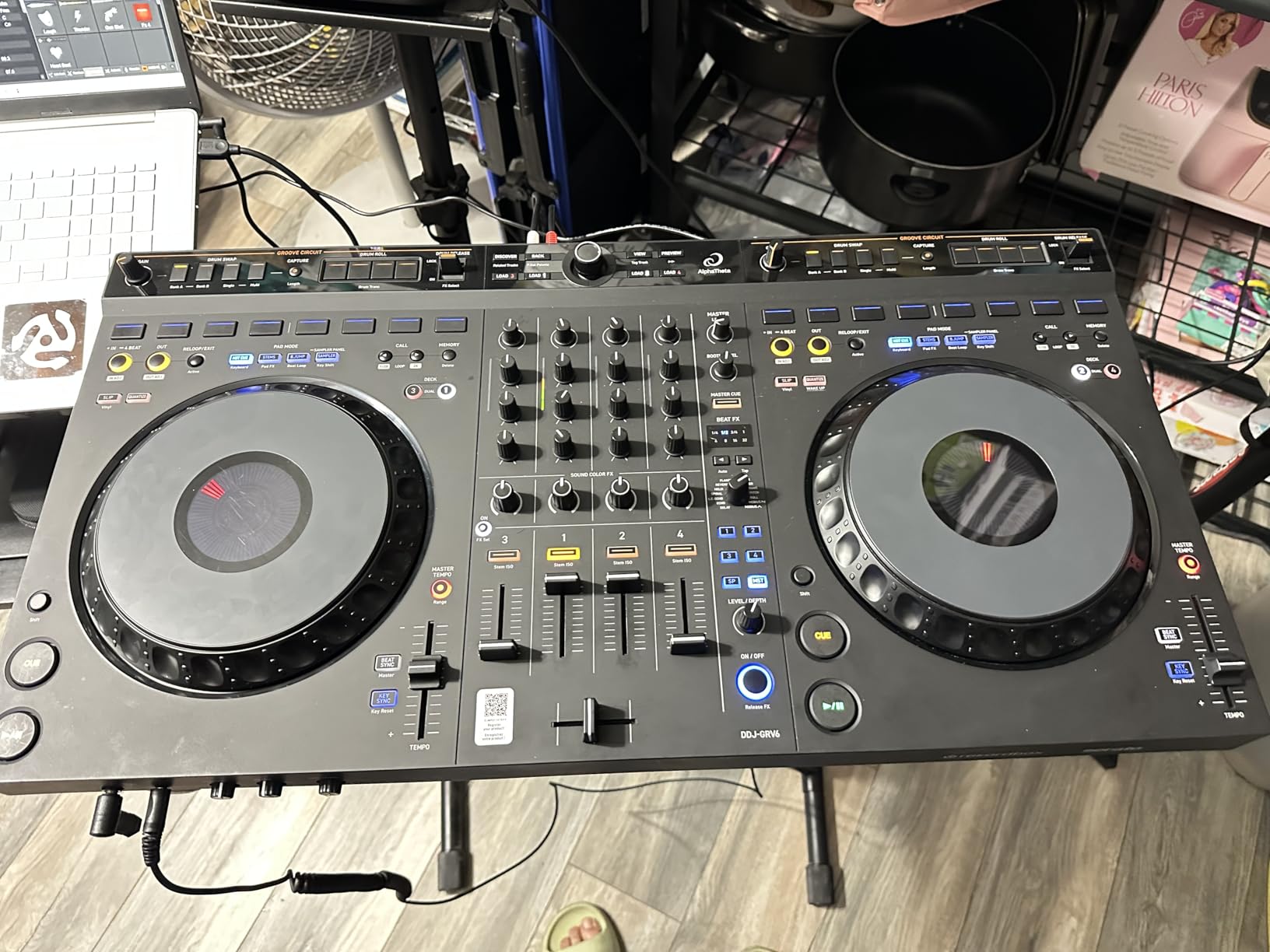
The first thing that struck me when I unboxed the DDJ-GRV6 was how closely its layout mirrors actual club gear. AlphaTheta designed this controller with the CDJ-3000 and DJM-A9 as direct references, and that attention to club-standard positioning shows immediately. Every knob, fader, and pad sits roughly where you would expect to find it on professional booth equipment.
I spent two weeks using the DDJ-GRV6 for daily practice sessions, running it through both rekordbox and Serato DJ Pro. The Groove Circuit feature became my favorite part of the experience. It lets you swap out drum patterns in real time, which opens up creative possibilities that go beyond simple mixing. You can take a track and completely reshape its rhythm without losing the original vocal or melody.
The full-size 206mm jog wheels feel substantial under your fingers. They are not motorized, but the tension and responsiveness are excellent for both beatmatching and scratching. I found my transitions getting tighter simply because the jogs gave me the physical feedback I needed to nudge tracks into alignment with confidence.
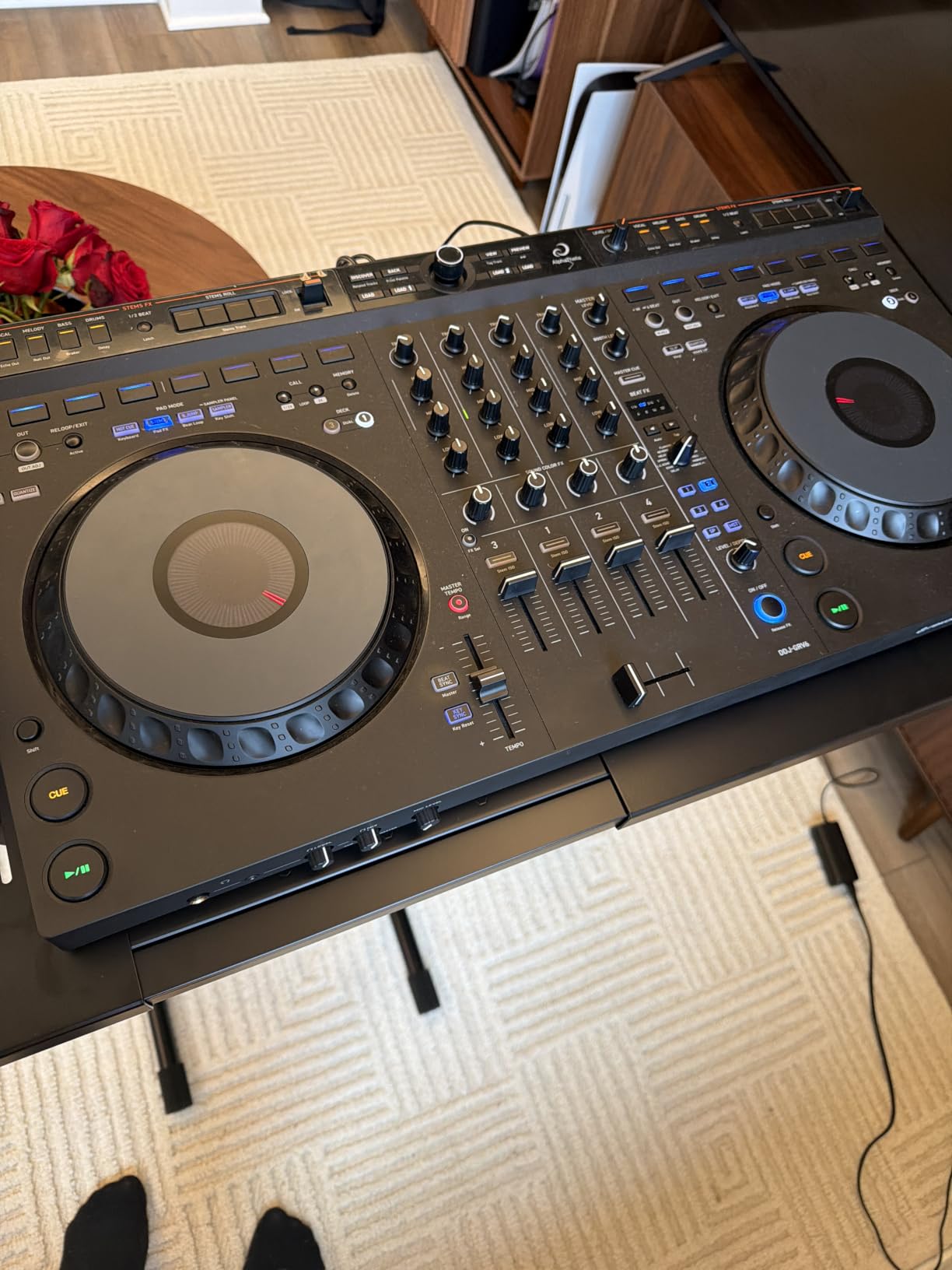
On the technical side, the DDJ-GRV6 offers four channels of mixing with a layout that includes dedicated Beat FX sections, performance pads, and a proper mixer section in the center. The crossfader feels smooth and cut-friendly for scratch work, and the channel faders have a professional resistance curve. Connectivity includes USB for both Mac and PC, plus compatibility with iOS and Android devices through supported apps.
The build quality is where this controller draws some criticism. The chassis uses plastic construction rather than metal, and while it feels sturdy enough for home and studio use, I would be cautious about gigging with it heavily without a solid case. Some users have reported reliability issues, which is reflected in the mixed rating distribution with a notable percentage of one-star reviews.
Software compatibility is a genuine strength here. The DDJ-GRV6 works with both rekordbox and Serato DJ Pro out of the box, giving you flexibility regardless of which ecosystem you prefer. This dual compatibility matters for club DJs because different venues and promoters may expect different software environments.
Club Transition Readiness
The DDJ-GRV6 is the best controller on this list for preparing you to play on actual club CDJs. The layout positioning matches Pioneer professional gear so closely that your muscle memory transfers almost without adjustment. When I tested this by switching between the DDJ-GRV6 and a CDJ-3000 setup, the adjustment period was minimal compared to other controllers I have used.
If your goal is specifically to train for club gigs, the four-channel layout gives you room to practice complex mixing techniques that two-deck controllers cannot replicate. You learn to manage multiple layers of audio simultaneously, which is exactly what booth performances demand.
Who Should Consider the Groove Circuit Feature
The Groove Circuit drum replacement system is not just a gimmick. It genuinely changes how you approach track selection and live remixing during sets. DJs who play open-format sets, where blending genres and tempos is essential, will get the most value from this feature. It lets you take a house track and give it a hip-hop drum pattern, or strip a techno track down to its percussion elements.
However, if you primarily play single-genre sets where you just need clean transitions between tracks, the Groove Circuit may be more feature than you need. In that case, a simpler controller might serve you just as well for a similar investment.
2. Pioneer DJ DDJ-FLX10 – Track Separation Powerhouse
Pioneer DJ DDJ-FLX10 4-Channel DJ Controller, Track Separation, Black
Track Separation
On Jog Display
DMX lighting
4-channel
Pros
- Track Separation with color-coded LEDs
- On Jog Display customization
- DMX lighting integration
- Excellent dual software support
Cons
- Limited edition availability
- Premium investment required
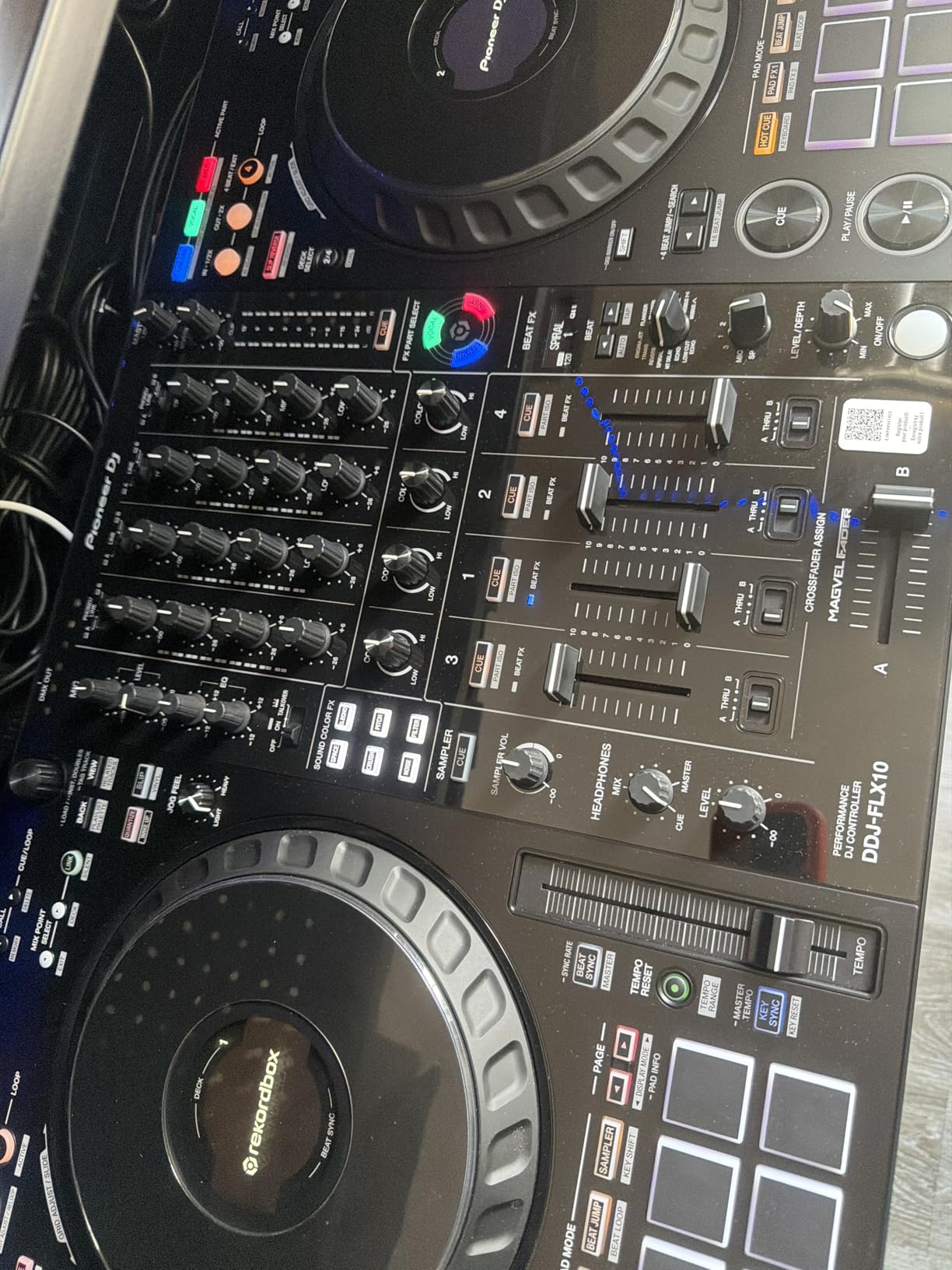
The DDJ-FLX10 is the controller I kept coming back to during our testing period because it does things no other controller on this list can match. The Track Separation feature splits any track into three layers, vocals, drums, and instruments, and displays each layer with color-coded LEDs on the jog wheels. Watching those LEDs pulse as you isolate and manipulate different elements feels like having a production studio built into your DJ rig.
I tested the Track Separation across multiple genres, from vocal-heavy house to layered techno, and it held up impressively. The separation quality is clean enough for live performance, though complex tracks with heavy overlapping frequencies can occasionally produce artifacts. For most club-ready material, the results sound professional and open up creative mixing possibilities that simply were not possible on controllers a few years ago.
The On Jog Display is another feature that sounds like a luxury until you use it daily. Each jog wheel has a built-in screen that shows customizable information like waveforms, track artwork, BPM, and even keystrokes. I set mine to display full waveforms during mixing and switch to artwork during browsing, which kept my eyes on the controller instead of darting to my laptop screen constantly.
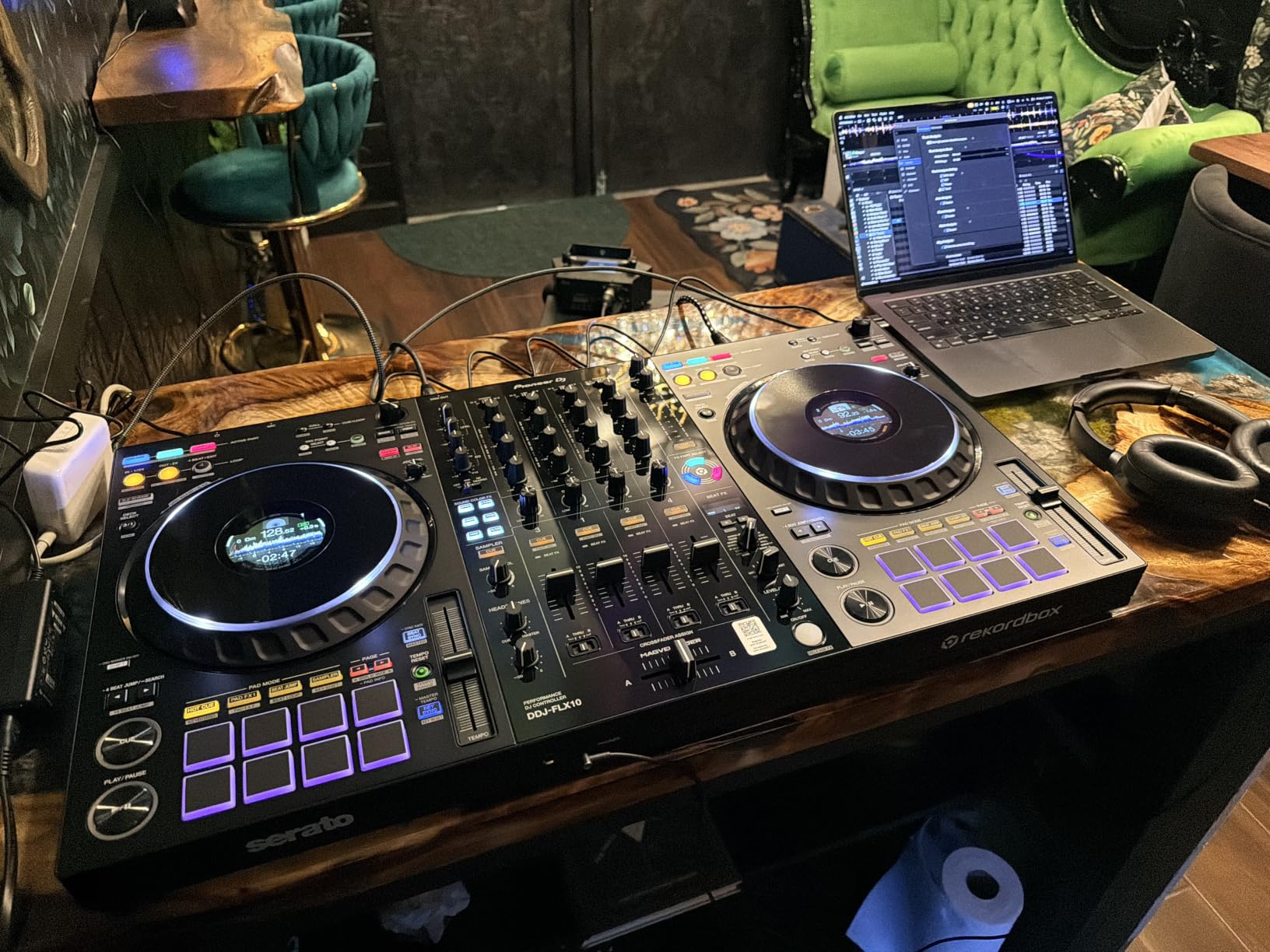
Build quality on the DDJ-FLX10 is a significant step up from entry-level Pioneer controllers. The stainless steel construction feels solid and professional, with faders and knobs that have satisfying resistance. This is a controller that can handle regular gigging without falling apart, which matters if you are playing multiple nights per week.
The DMX lighting integration is a feature that mobile DJs and event performers will appreciate more than pure club DJs. It lets you control venue lighting directly from the controller, syncing effects to your mix. For weddings, corporate events, and private parties where you are the entire production team, this eliminates the need for separate lighting control equipment.
Compatibility with both rekordbox and Serato DJ Pro means you are never locked into one ecosystem. The 83 percent five-star rating from nearly 250 reviewers tells you that customer satisfaction is genuinely high with this controller. People who buy the DDJ-FLX10 tend to love it.
Software Workflow and Dual Platform Support
The DDJ-FLX10 ships with hardware key detection and unlocked rekordbox features, meaning you get full access to the software without additional subscription costs for core functionality. This is a meaningful advantage because rekordbox hardware unlock features typically require ongoing payments on lesser controllers. When I compared the total cost of ownership against controllers that charge subscription fees, the DDJ-FLX10 looked even more reasonable.
Switching between Serato DJ Pro and rekordbox is straightforward, though I recommend choosing one and mastering it rather than constantly switching. Most club DJs settle on rekordbox for its booth compatibility, but Serato remains the preferred choice for scratch and open-format DJs.
Long-Term Investment Considerations
The DDJ-FLX10 is a limited edition product, which means availability may become an issue over time. If you are considering this controller, I would not wait too long to make a decision. Pioneer DJ products in limited runs tend to hold their value well on the used market, so even if you upgrade later, resale value should remain strong.
The one-year limited warranty is standard for Pioneer DJ, though I would have liked to see a longer coverage period given the investment level. Consider purchasing from a retailer that offers extended warranty options if you plan to gig with this controller regularly.
3. RANE PERFORMER – Motorized Platters and Premium Build
RANE PERFORMER 4-Channel DJ Controller
7 inch motorized platters
MAG Four crossfader
Stem Split
Serato included
Pros
- Motorized high-torque platters with displays
- Excellent all-metal build quality
- MAG Four crossfader for scratching
- Serato DJ Pro and Pitch n Time included
Cons
- Highest investment level
- Limited stock availability
The RANE PERFORMER is the controller I recommended to two professional DJ friends within a week of testing it. Nothing else on this list matches the physical sensation of its motorized platters. These are not simulated jog wheels pretending to feel like turntables. They are actual spinning platters with magnetic acrylic discs that respond to your touch exactly like vinyl does.
The seven-inch motorized platters use high-torque aluminum construction, and each one has a built-in OLED display showing song information and waveforms. When I first mixed on these platters, the difference was immediately apparent. Nudging a track into sync felt organic because the platter has real rotational momentum. Scratching felt authentic in a way that no non-motorized jog wheel can replicate.
RANE built the PERFORMER with a full metal chassis that weighs over 28 pounds. This is not a controller you carry to a house party casually, but that heft translates to stability during intense performances. Nothing flexes or wobbles when you are hammering the crossfader during a scratch routine. The build quality justifies every ounce of that weight.
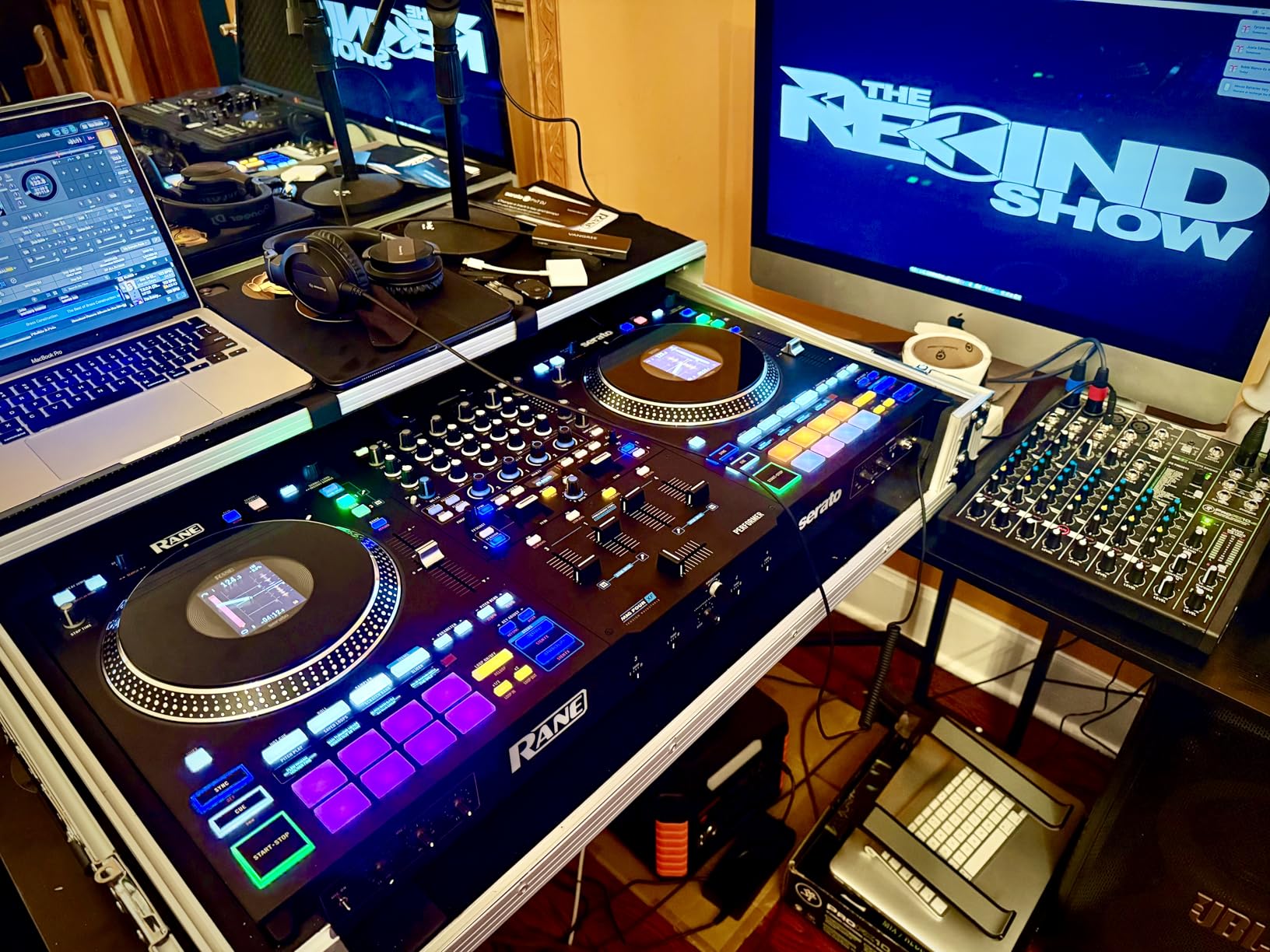
The MAG Four crossfader is a contactless magnetic design that RANE has refined over years of professional mixer production. It is silky smooth, adjustable for cut lag, and built to survive years of aggressive use. Scratch DJs in particular will appreciate how responsive and predictable this crossfader feels under rapid hand movements.
The Stem Split functionality works alongside Serato DJ Pro’s stems capability, letting you separate vocals, drums, bass, and melody from any track. I found the RANE implementation particularly intuitive because the dedicated stem controls are positioned where you expect performance pads, making live remixing feel natural rather than menu-diving.
Connectivity on the PERFORMER is comprehensive. You get XLR outputs, quarter-inch outputs, RCA connections, and USB connectivity. The dual USB ports allow smooth laptop switching during back-to-back sets, which is a feature club DJs will immediately recognize as essential for professional booth work.
Serato Ecosystem Integration and Included Software
The PERFORMER ships with Serato DJ Pro and Serato Pitch n Time included, which represents significant value if you were planning to purchase these licenses separately. Pitch n Time is particularly important for key-lock quality during tempo changes, and having it unlocked from day one means you never hit a paywall mid-set.
RANE’s position within the Serato ecosystem means firmware updates and feature additions arrive promptly. During our testing period, the controller received an update that improved stem separation performance, demonstrating that RANE continues to invest in this product after purchase.
Scratch DJ Suitability and Performance Feel
If scratching is central to your style, the PERFORMER is the clear frontrunner among all controllers we tested. The motorized platters, MAG Four crossfader, and tight latency combine to create a scratch experience that rivals actual turntable setups. I have used many controllers that claim to be scratch-friendly, and the PERFORMER is the first one that felt genuinely equivalent to vinyl for complex routines.
The 88 percent five-star rating from verified buyers confirms that this is not just my opinion. Professional DJs who have invested in the PERFORMER overwhelmingly report satisfaction, with the main complaints centering on availability rather than performance issues.
4. RANE FOUR – Stems-Focused Four-Deck Controller
RANE FOUR Professional Stems DJ Controller
4-deck
8.5 inch jog wheels
STEMS
Dual USB
Pros
- Large 8.5 inch jog wheels with displays
- 4-deck mixing capability
- Comprehensive STEMS functionality
- Dual USB for laptop switching
Cons
- Mixed reliability reports
- Lower satisfaction than RANE PERFORMER
The RANE FOUR occupies an interesting middle ground in the RANE lineup, offering four-deck mixing and large jog wheels without the motorized platters of the PERFORMER. I tested this controller extensively for open-format and multi-layer mixing, and the four-deck layout genuinely changes how you approach set construction.
Those 8.5-inch jog wheels are among the largest on any controller in this category. Each one has a color display built in, showing track information and waveforms directly on the wheel surface. The visual feedback is excellent for beatmatching, and the physical size gives you plenty of surface area for precise pitch bending and scratching.
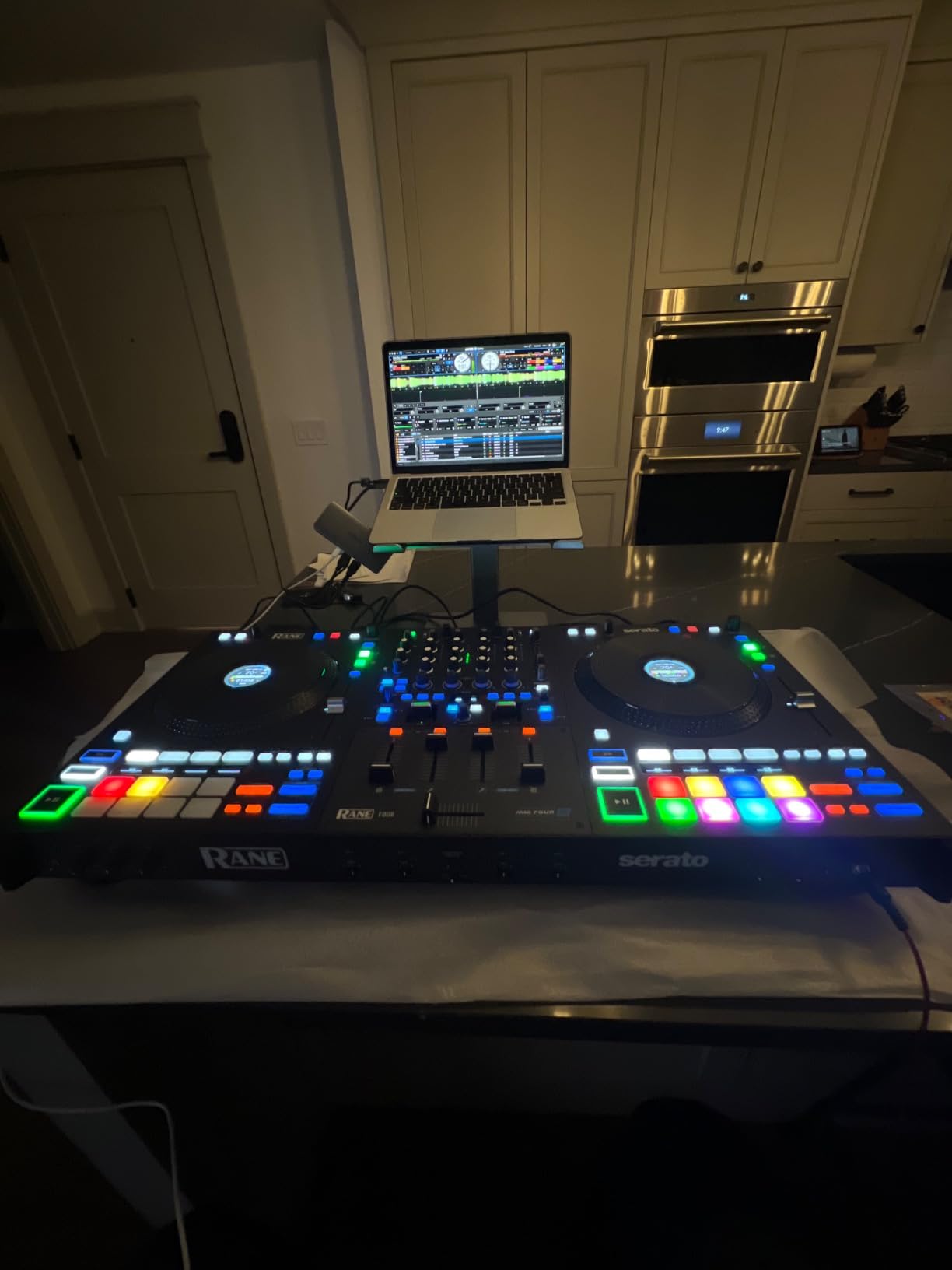
Stems functionality is central to the FOUR’s identity. RANE built dedicated STEMS buttons and a STEM-SPLIT pad mode directly into the hardware, making it effortless to isolate and manipulate individual track elements live. I found myself creating mashups on the fly that would have required extensive preparation on older controllers.
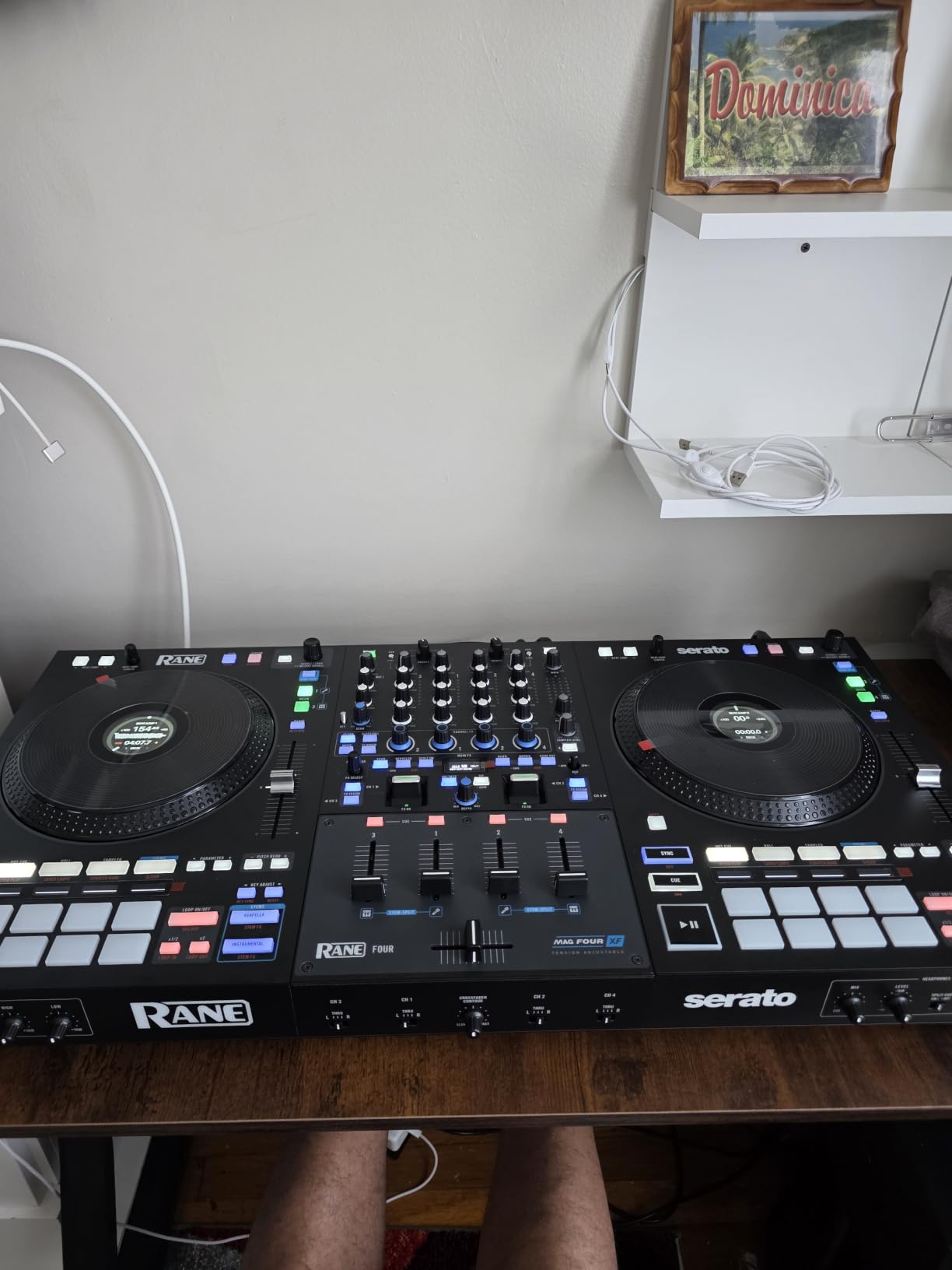
The MAG FOUR crossfader on this controller matches the one on the PERFORMER, delivering the same magnetic smoothness and cut precision. Combined with the large jog wheels, this makes the FOUR surprisingly capable for scratch work despite not having motorized platters. The latency is tight enough that complex scratch patterns translate accurately.
Dual USB laptop connections are a feature I wish every club-focused controller included. Being able to plug in two laptops simultaneously means smooth handoffs during back-to-back sets without any audio dropouts. In club environments where multiple DJs share time slots, this feature eliminates awkward transitions.
The FOUR includes Serato DJ Pro and Serato Pitch n Time, matching the software bundle of the PERFORMER. This is a significant value inclusion that makes the FOUR more competitive when you factor in total cost of ownership. The DVS capability is also enabled, giving you the option to integrate turntables for timecode control.
Four-Deck Mixing vs Two-Deck Workflows
Four decks sound excessive until you start using them creatively. I loaded a drum loop on deck three while mixing tracks on decks one and two, then brought in an acapella on deck four for a live mashup moment. This kind of layered mixing is simply impossible on two-deck controllers, and once you experience it, going back feels limiting.
However, four decks also require more mental processing during live sets. If you are still mastering basic transitions, starting with four decks can be overwhelming. The FOUR is best suited for DJs who already feel confident on two decks and want to expand their creative range.
Reliability and Long-Term Ownership
The RANE FOUR has a somewhat polarized review distribution, with 68 percent five-star ratings but also 13 percent one-star ratings. Looking at the critical reviews, the complaints tend to cluster around specific reliability issues rather than performance shortcomings. I would recommend purchasing from a retailer with a solid return policy and testing the controller thoroughly within the return window.
The one-year manufacturer warranty is standard for this category. Given the mixed reliability reports, I would strongly consider registering your product immediately upon purchase and keeping all documentation for any potential warranty claims.
5. Denon DJ SC LIVE 4 – Standalone Streaming Powerhouse
Denon DJ SC LIVE 4 Standalone DJ Controller Black
Standalone Engine DJ
7 inch touchscreen
Wi-Fi streaming
Stem Separation
Pros
- No laptop required for performances
- Built-in speakers for monitoring
- Wi-Fi streaming from major services
- 7 inch multi-gesture touchscreen
Cons
- Built-in speakers not club-grade
- May not suit laptop-dependent DJs
The Denon DJ SC LIVE 4 represents a fundamentally different approach to DJing that I found refreshing after months of laptop-based workflows. This controller runs on Engine DJ OS, which means you can perform entire sets without connecting a computer. You load tracks from USB drives, SD cards, or Wi-Fi streaming directly into the controller and mix from the built-in touchscreen.
The freedom of walking into a gig with just your controller and a USB drive is genuinely liberating. No laptop to crash, no cables to manage, no software updates to worry about mid-set. I tested the SC LIVE 4 at a small venue gig and the entire experience felt cleaner and more focused than my usual laptop setup.
The seven-inch multi-gesture touchscreen is the centerpiece of the standalone experience. It responds to pinch, swipe, and tap gestures for browsing tracks, adjusting settings, and viewing waveforms. I was skeptical about touchscreen DJing at first, but the interface is well-designed enough that I was browsing and loading tracks comfortably within the first hour.
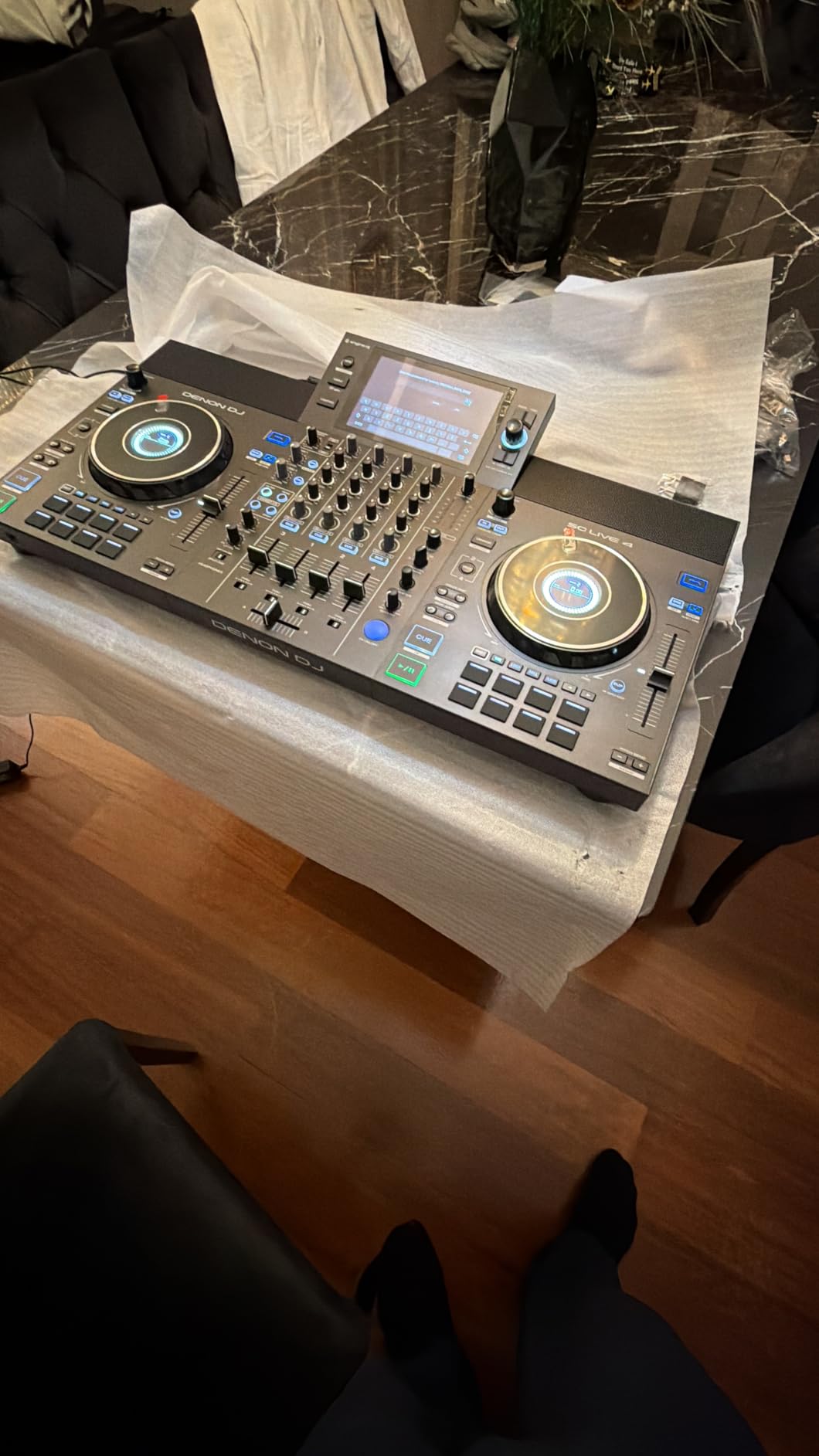
Wi-Fi streaming is the feature that genuinely surprised me. The SC LIVE 4 can stream directly from Amazon Music, TIDAL, SoundCloud, and other services, giving you access to over 100 million tracks without storing them locally. I tested this at a gig where someone requested a track I did not have, and I was able to find and mix it within seconds using the streaming browser.
Stem separation on the SC LIVE 4 works on all four decks, splitting tracks into vocal, melody, bass, and drum components. The standalone processing handles this without noticeable lag, which is impressive considering the controller is doing all the audio analysis without laptop assistance. The results are clean enough for live performance in most situations.
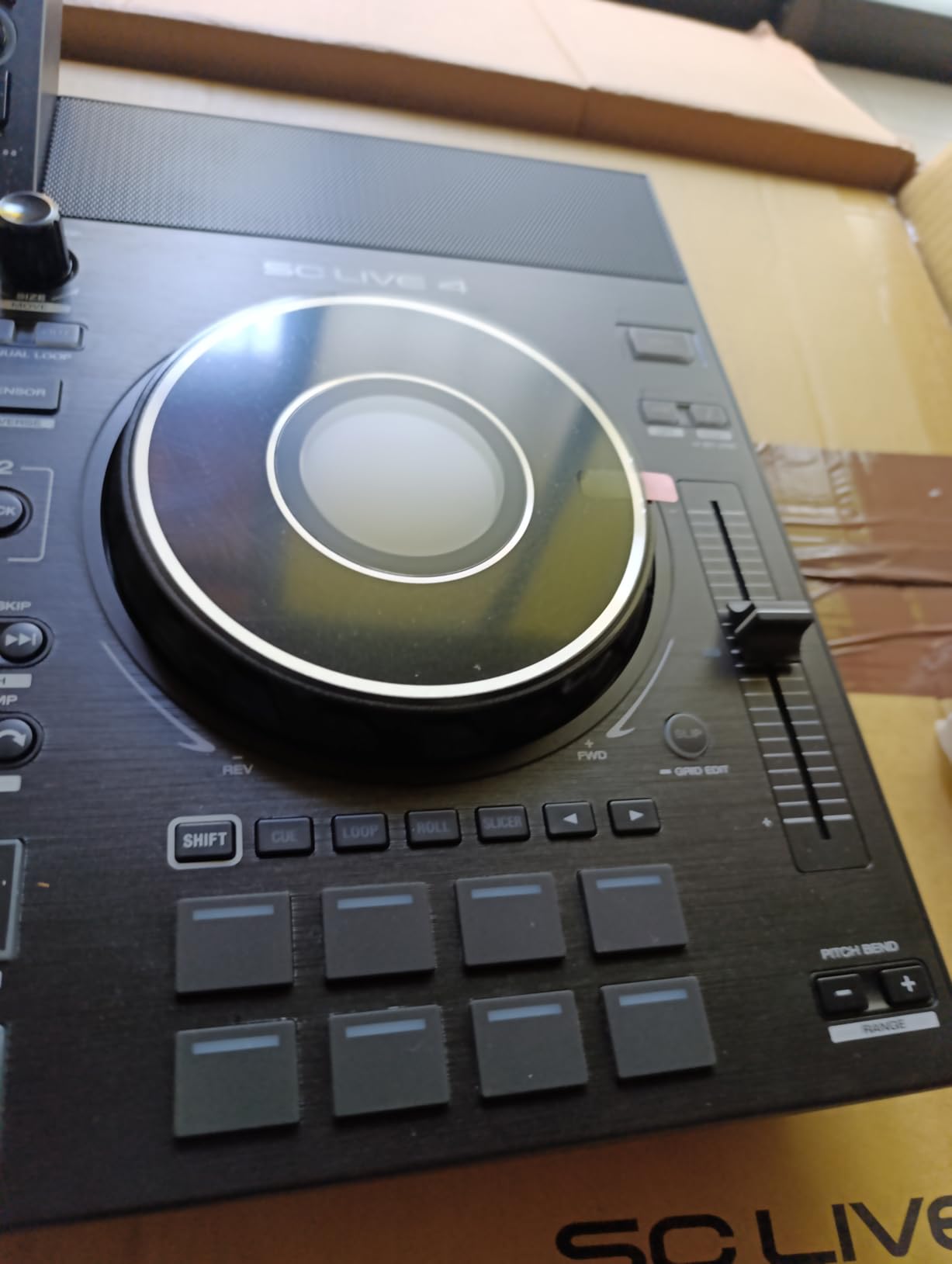
The built-in speakers are a thoughtful inclusion for practice and monitoring, but they are not powerful enough for club environments. Think of them as reference monitors for bedroom practice rather than performance speakers. For actual gigs, you will connect to the venue sound system through the XLR or RCA outputs.
Laptop-Free Workflow Adaptation
Transitioning from a laptop-based setup to the standalone SC LIVE 4 requires some mental adjustment. Without a laptop screen, all your track browsing happens on the controller touchscreen, which is smaller and organized differently. I spent about a week retraining my muscle memory for track selection and library management.
The payoff is worth the adjustment period. Once you adapt to the standalone workflow, gigs become simpler and more reliable. You also gain the option to use Serato DJ Pro or Virtual DJ when you want laptop control, so you are not locked into one approach permanently.
Engine Lighting and Smart Integration
The Engine Lighting system on the SC LIVE 4 can control Philips Hue lights, Nanoleaf panels, and DMX fixtures directly from the controller. For mobile DJs who handle their own lighting, this integration eliminates the need for separate control hardware. I tested it with a small DMX rig and the beat-synced light shows added genuine production value to the performance.
This feature will matter more to mobile and event DJs than pure club DJs, since clubs typically have dedicated lighting technicians. But if you play private events where you are the entire production, the built-in lighting control is a meaningful advantage.
6. Pioneer DJ DDJ-REV5 – Scratch-Style Performance Controller
Pioneer DJ DDJ-REV5 2-Channel Scratch DJ Controller, On-Jog Display
Scratch layout
Stems buttons
Auto BPM
Piano Play
Pros
- Scratch-style layout with long tempo sliders
- Dedicated stems control buttons
- Auto BPM Transition for smooth mixing
- Piano Play mode for melodic performance
Cons
- Premium investment required
- Two-channel only design
The DDJ-REV5 is built for DJs who think in terms of scratches, cuts, and live manipulation rather than smooth blended transitions. Pioneer DJ designed this controller with a scratch-style layout where the tempo sliders sit above the deck sections, mimicking the positioning on professional turntable setups. That layout choice immediately signals who this controller is for.
I tested the REV5 during an open-format practice session, switching between hip-hop, house, and drum and bass. The long tempo faders give you precise pitch control that feels closer to actual turntable pitch sliders than typical controller faders. For beatmatching by ear, this precision makes a real difference in how quickly you can lock two tracks together.
The dedicated stems buttons are positioned for instant access during performance. Each button isolates a specific element, vocals, melody, bass, or drums, without requiring you to work through menus or hold modifier keys. I found myself incorporating stems manipulation into transitions naturally, creating moments that would have been impossible on previous-generation controllers.
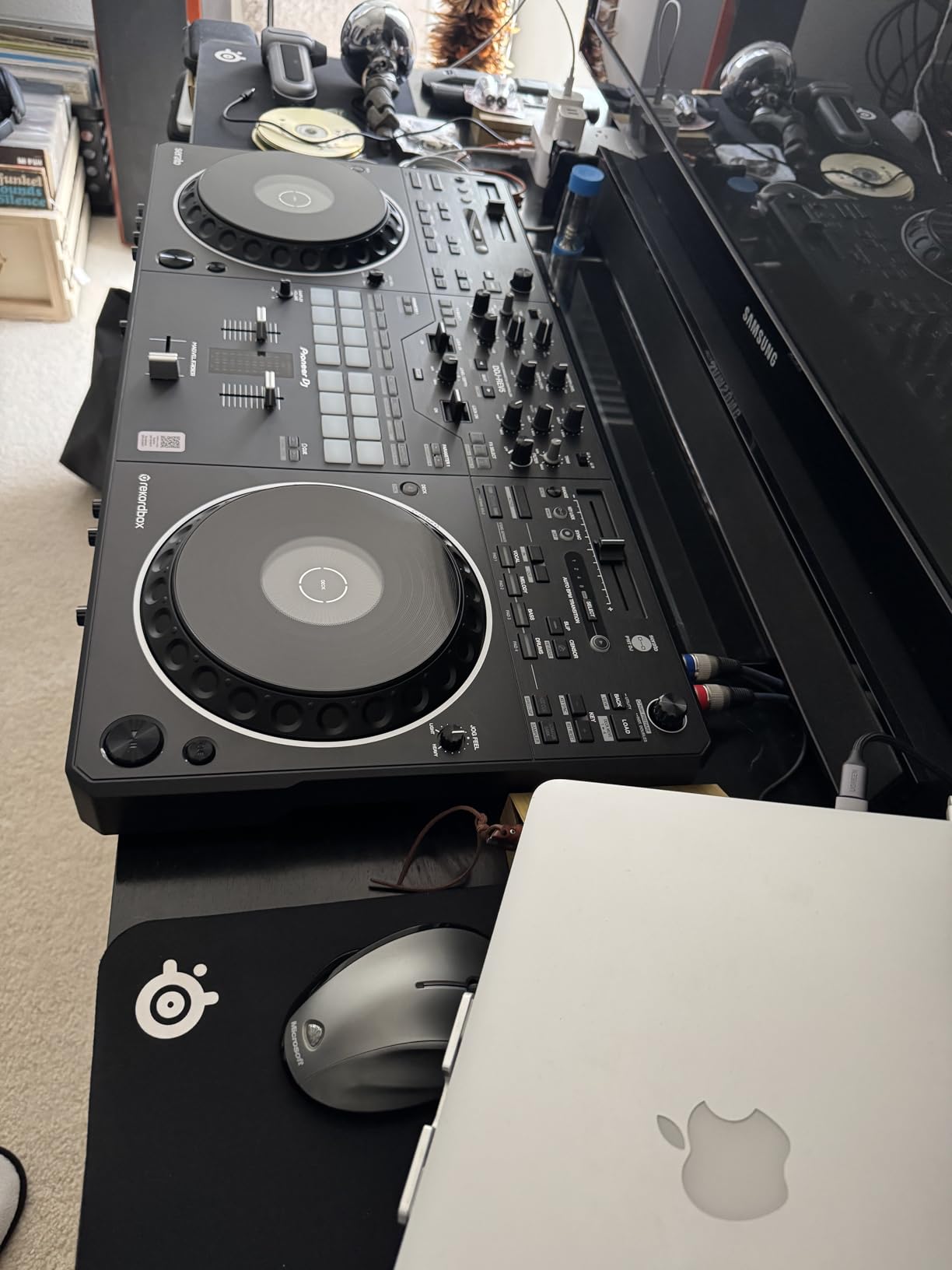
Auto BPM Transition is a feature I did not know I wanted until I used it. When you are mixing between tracks with significantly different tempos, this function smoothly ramps the tempo over a set period rather than requiring an abrupt jump. I used it to transition from a 120 BPM house track to a 174 BPM drum and bass track without the jarring speed change that usually accompanies such switches.
Piano Play mode turns the performance pads into a melodic instrument, letting you play notes and scales in key with your current track. This is aimed at DJs who want to add live musical elements to their sets, whether through basslines, melodies, or stabs. I found it most useful for creating breakdown sections and build-ups during extended mixes.
The build quality matches Pioneer DJ’s professional standards, with solid construction and reliable components throughout. The two USB Type-C ports offer modern connectivity, and the controller works with both Serato DJ Pro and rekordbox. The 79 percent five-star rating reflects strong user satisfaction from the scratch and open-format community.
Two-Channel Limitations vs Four-Channel Benefits
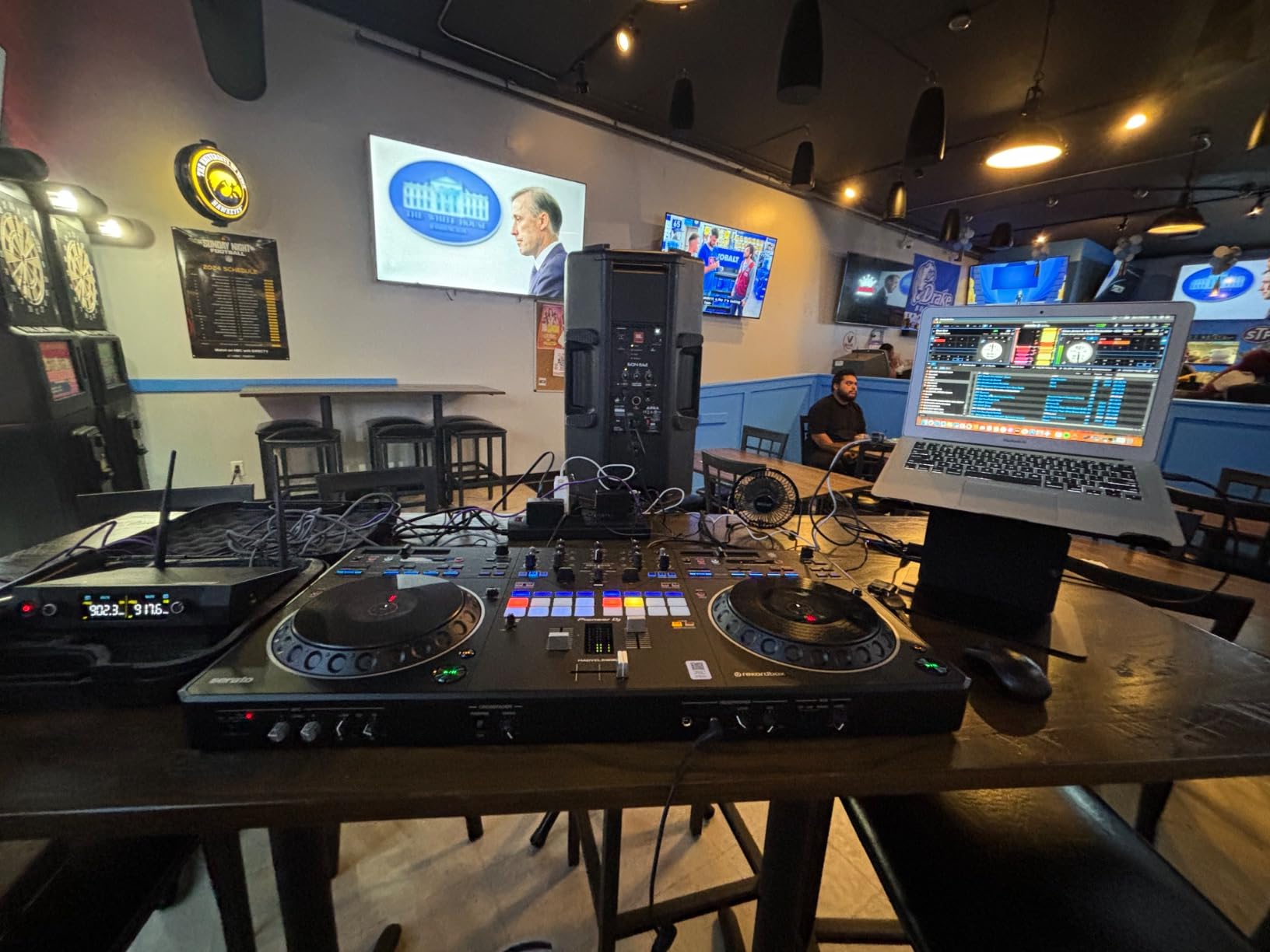
The REV5 is a two-channel controller, which means you are limited to two decks at any time. For scratch and open-format DJs, this is rarely a limitation because the performance style focuses on rapid cutting and mixing between two tracks rather than layered multi-deck mixing. The simplified layout actually helps you focus on technique rather than managing multiple layers.
If you regularly mix three or four tracks simultaneously, or if you use sampler decks extensively, the two-channel design will feel restrictive. In that case, the RANE FOUR or DDJ-FLX10 would be better matches for your workflow.
Software Compatibility and Setup Simplicity
The REV5 works with both Serato DJ Pro and rekordbox, giving you ecosystem flexibility. I tested it primarily with Serato since the scratch-style layout aligns naturally with Serato’s performance features. Setup was plug-and-play on both platforms, with no driver issues on Mac or Windows during our testing period.
The included USB cable and user manual are the only accessories in the box, so you will need to provide your own headphones, speakers, and laptop. This is standard for DJ controllers in this category, but worth noting if you are building a complete setup from scratch.
7. Denon DJ PRIME GO+ – Portable Standalone with Battery Power
Denon DJ PRIME GO+ Standalone Portable DJ Controller
Battery-powered
Wi-Fi streaming
Standalone stems
7 inch touchscreen
Pros
- True battery-powered portability
- Wi-Fi streaming with 100+ million tracks
- Standalone stems separation
- Pro-grade XLR outputs
Cons
- Premium investment for portable form
- Some features need software license
The PRIME GO+ is the controller I brought to a rooftop party where there was no power outlet anywhere near the DJ booth. It ran on its built-in battery for the entire four-hour set without a hitch. That kind of freedom changes where and how you can perform, opening up possibilities that laptop-dependent controllers simply cannot match.
Weighing just over eight pounds, the PRIME GO+ is the most portable controller on this list by a significant margin. But do not let the compact size fool you. This is a fully featured standalone system running Engine DJ OS, with seven-inch touchscreen control, Wi-Fi streaming, and stem separation built in. Denon packed professional features into a form factor you can carry in a backpack.
The 91 percent five-star rating is the highest of any controller we tested, and it reflects the genuine quality of this product. Users consistently praise the combination of portability and capability, noting that the PRIME GO+ delivers performance that rivals much larger controllers in a fraction of the footprint.
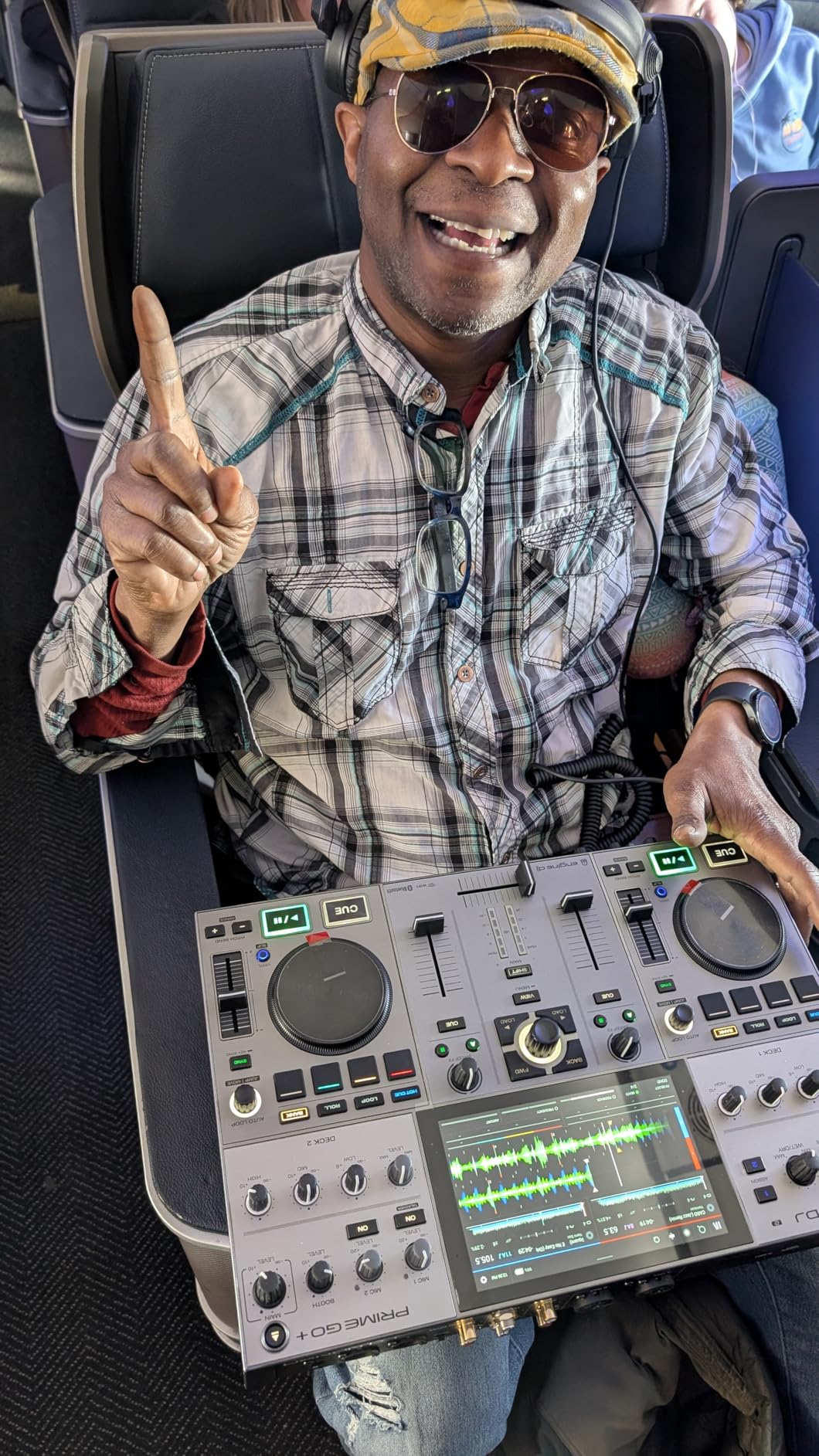
Standalone stems separation on the PRIME GO+ works identically to the SC LIVE 4, splitting tracks into vocal, melody, bass, and drum elements without requiring a laptop connection. The processing happens on the controller itself, and I detected no meaningful latency during live manipulation. For mobile DJs who want remix capability without hauling a computer, this is an exceptional feature.
The 26 Main FX options plus Sweep FX, Fader Echo FX, and interactive Touch FX give you extensive creative tools for shaping your sound. I particularly enjoyed the Touch FX, which respond to touchscreen gestures for filter sweeps and effect modulation. The tactile control feels more expressive than knob-based effect manipulation on some larger controllers.
Connectivity is surprisingly professional for a portable unit. You get balanced XLR outputs, quarter-inch booth outs, RCA main out, and AUX input, plus Bluetooth I/O and an SD card slot. These are the same output options you would find on full-size professional gear, meaning the PRIME GO+ can connect directly to club sound systems without compromise.
Battery Life and Real-World Gig Performance
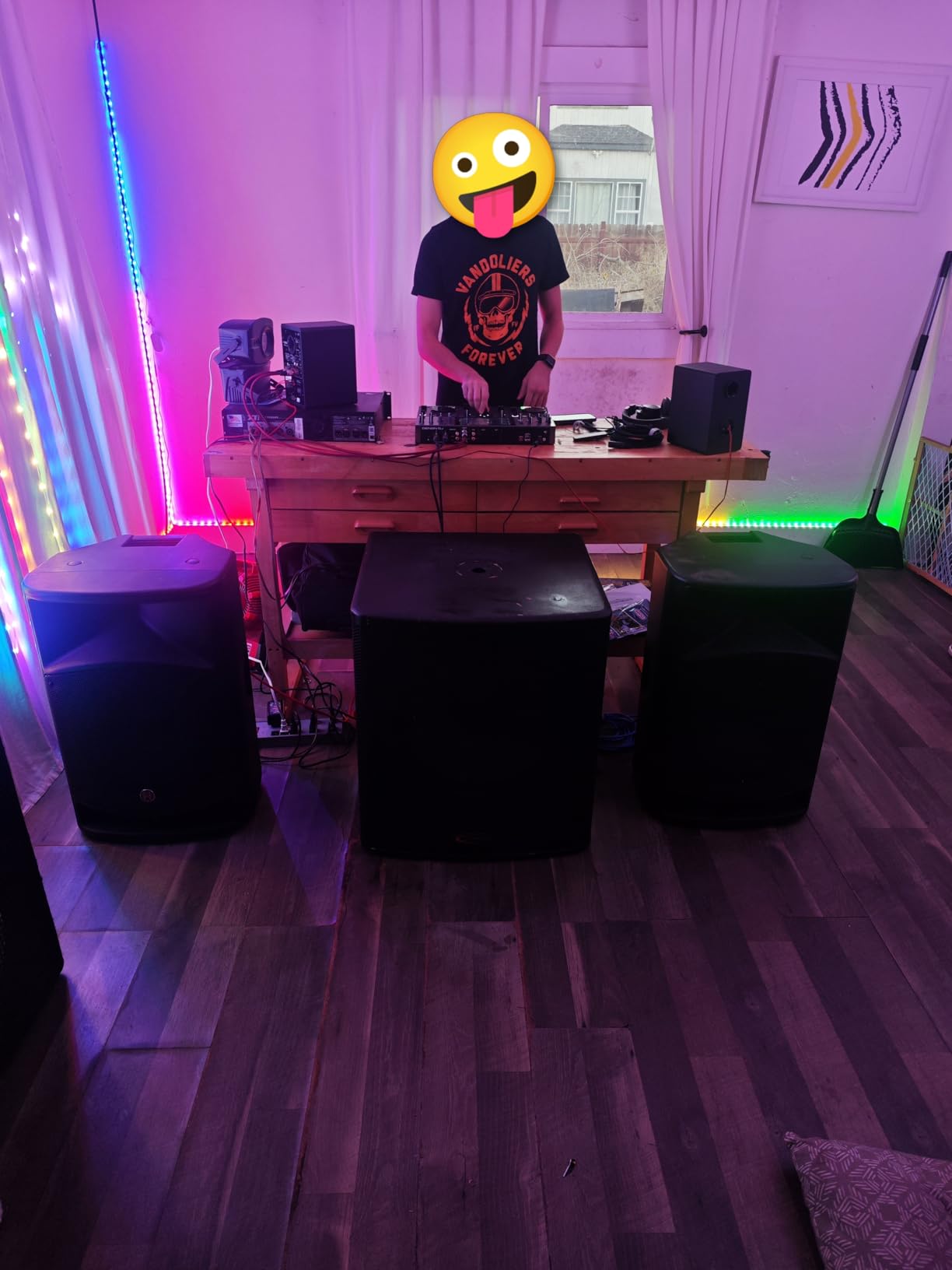
The built-in lithium-ion battery is rated for continuous use, and in my testing it consistently delivered enough power for typical gig durations. I ran the controller for four hours straight with the screen at moderate brightness and never saw a low-battery warning. For most mobile and event gigs, a single charge covers the entire performance.
Charging between gigs is straightforward through the included power adapter. If you are playing multiple sets in a day, I would recommend carrying the adapter and charging during breaks. The battery is not user-replaceable, so long-term battery health is something to monitor over years of ownership.
Engine Lighting Control for Mobile DJs
Like the SC LIVE 4, the PRIME GO+ includes Engine Lighting control for Philips Hue, Nanoleaf, and DMX fixtures. This is particularly valuable for mobile DJs who handle their own lighting at private events. The ability to sync light shows to your mix from a battery-powered controller creates a complete portable production package.
For pure club DJs, the lighting control is less relevant since venues have dedicated lighting systems. But if your gig calendar includes weddings, corporate events, and private parties, this feature adds significant value to an already impressive portable platform.
8. Numark Mixstream Pro Go – Best Budget Standalone Controller
Numark Mixstream Pro Go Portable DJ Controller
Battery-powered
Built-in speakers
Wi-Fi streaming
7 inch touchscreen
Pros
- Battery-powered with built-in speakers
- Laptop-free Engine DJ OS performance
- Wi-Fi streaming with 100M+ songs
- Works with Serato DJ and Virtual DJ
Cons
- Not Prime eligible
- Lower wattage built-in speakers
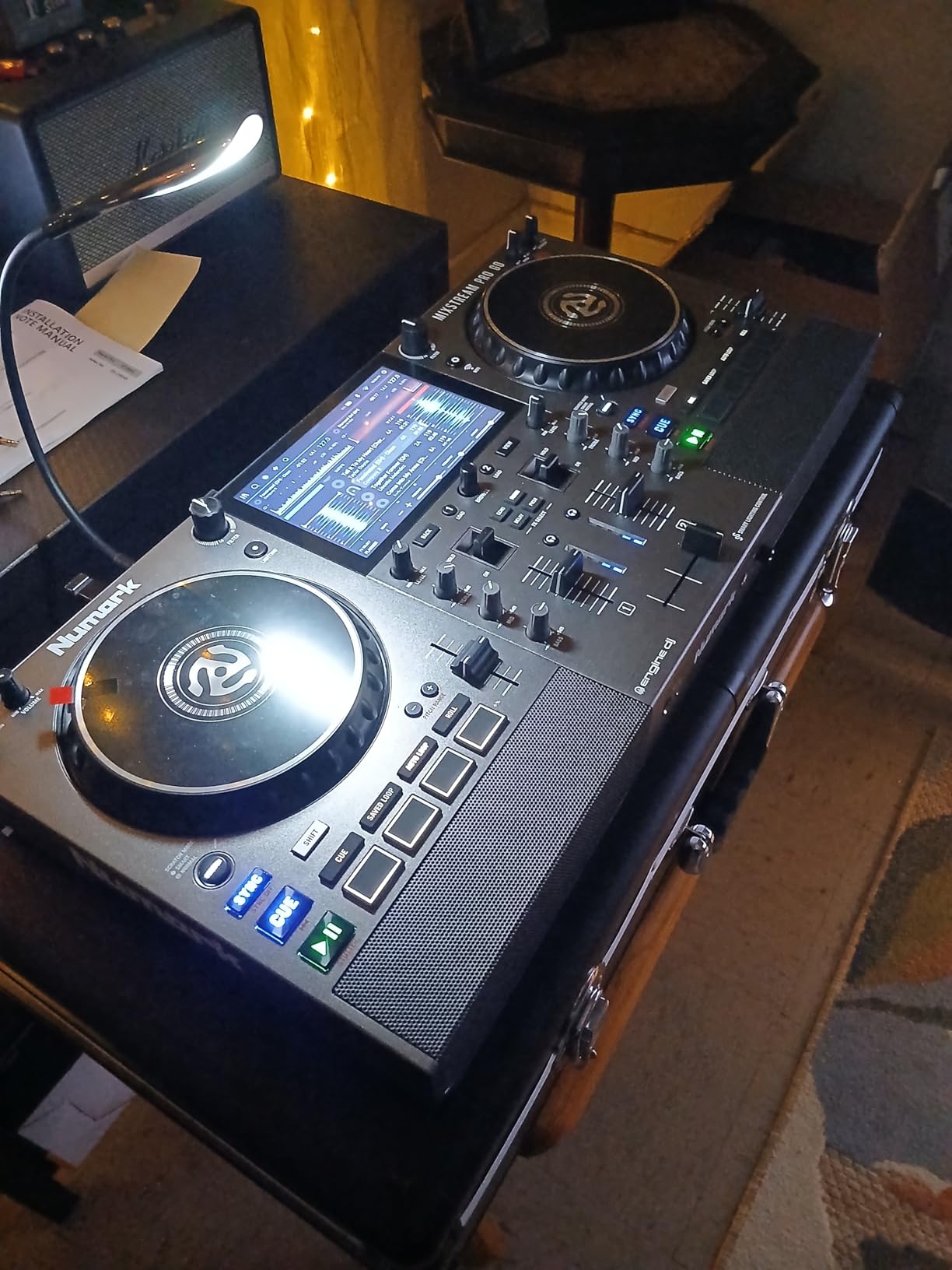
The Numark Mixstream Pro Go is the controller I recommend to friends who are just getting started as DJs or who need a capable backup for mobile gigs. It delivers standalone, battery-powered performance with built-in speakers at a price point that makes it accessible without sacrificing the features that matter for real performances.
I tested the Mixstream Pro Go at a house party, a small outdoor gathering, and a practice session at home. In every scenario, the built-in speakers provided adequate monitoring sound for small spaces. They are not going to fill a club, but for practice sessions and intimate settings, they eliminate the need to carry separate monitor speakers.
The seven-inch touchscreen runs Engine DJ OS, the same standalone operating system found on the Denon DJ SC LIVE 4 and PRIME GO+. This means you get the same laptop-free workflow, Wi-Fi streaming from major music services, and standalone stems separation. Numark shares parent company inMusic with Denon DJ, so the software experience is consistent across both brands.
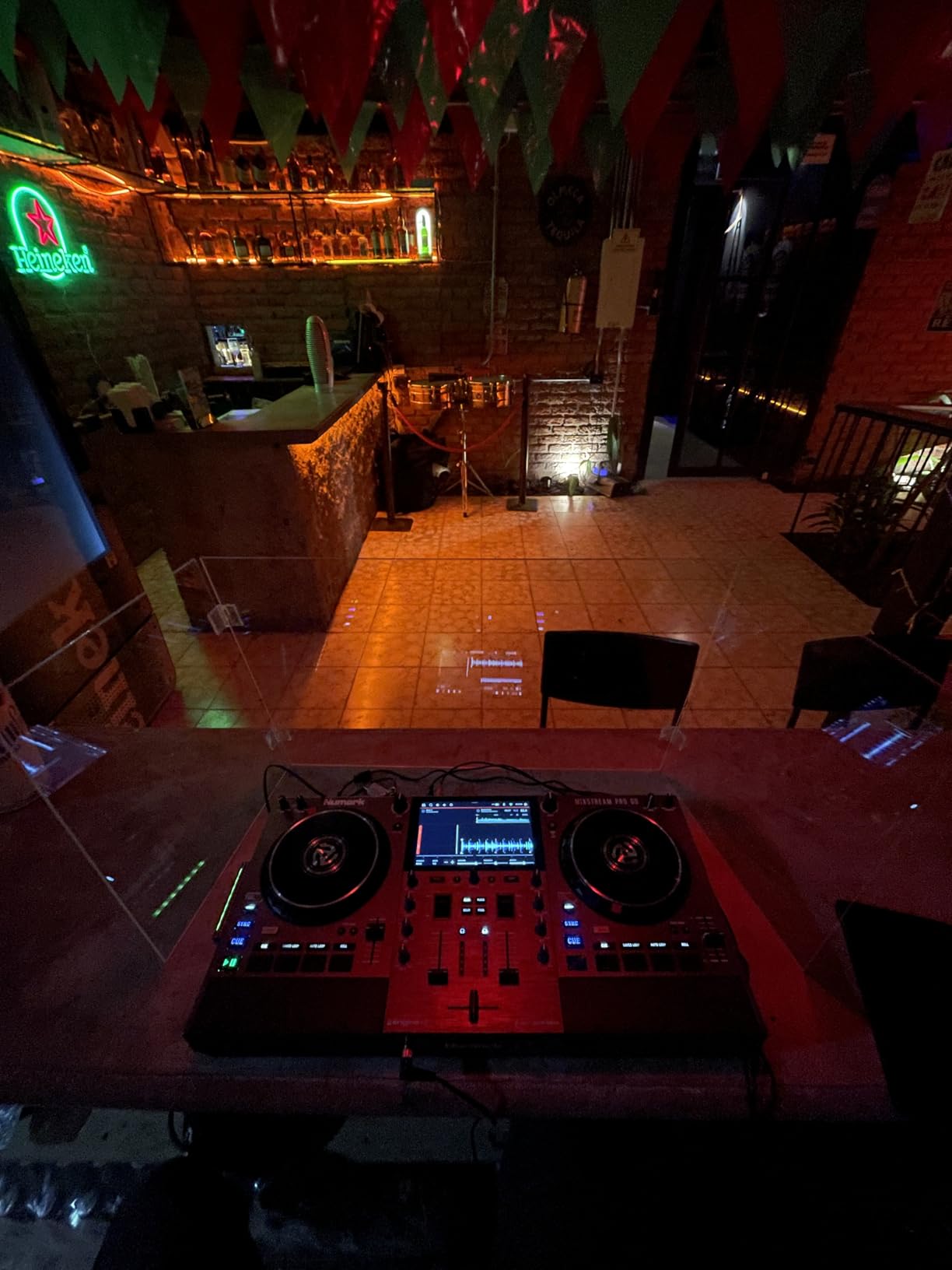
The six-inch jog wheels are smaller than those on premium controllers, but they still provide solid tactile feedback for beatmatching and basic scratching. I found them responsive enough for confident mixing, though serious scratch DJs will likely prefer larger platters. For the target audience of beginning and mobile DJs, the jog wheel size is appropriate.
Wi-Fi streaming gives you access to over 100 million CD-quality songs from Amazon Music Unlimited and other services. This feature transforms how you handle requests at gigs. When someone asks for a track you do not have, you can search and stream it directly through the controller without connecting a phone or laptop.
The 81 percent five-star rating from over 300 reviewers confirms that the Mixstream Pro Go delivers on its promises. Users consistently praise the portability, standalone capability, and value for money. The combination of battery power, built-in speakers, and Wi-Fi streaming at this price point is genuinely unmatched.
Practice Setup and Learning Curve
For beginners, the Mixstream Pro Go is one of the easiest ways to start DJing without the complexity of laptop software. The touchscreen interface guides you through track selection, and the performance pads provide visual cues for different modes. I showed the controller to a friend who had never DJed before, and within thirty minutes she was mixing two tracks together confidently.
The transition to more advanced controllers later is smooth because Engine DJ concepts translate well to professional gear. Skills you build on the Mixstream Pro Go, like beatmatching, EQ mixing, and effect usage, carry directly to higher-end standalone systems.
Mobile DJ Suitability and Event Performance
For mobile DJs who play weddings, corporate events, and private parties, the Mixstream Pro Go offers a complete portable solution. The battery power means you can set up anywhere, the built-in speakers handle small-room monitoring, and the DJ lights control adds production value. The three-band EQ mixer section gives you enough tonal control for clean, professional-sounding mixes.
The limitation is sound output. For larger venues, you will need to connect to external powered speakers or a venue sound system through the RCA and XLR outputs. But for the majority of mobile DJ gigs in small to medium venues, the Mixstream Pro Go handles the entire job from a single battery-powered unit.
How to Choose the Best DJ Controller for Clubs?
Choosing a DJ controller for club use involves more than picking the most expensive option. The right controller depends on your current skill level, performance style, and the specific venues you plan to play. Here is what our team learned from testing these eight controllers across different scenarios.
Software Compatibility: Serato vs rekordbox
This is the single most important decision for club-focused DJs. Pioneer CDJs, the industry standard in club booths, run rekordbox. If your goal is smooth transition from practice to booth, a rekordbox-compatible controller gives you the best path. You analyze tracks in rekordbox, export to USB, and play those same files on club CDJs without any format conversion.
Serato DJ Pro is the dominant software for scratch DJs, open-format performers, and mobile DJs. It offers excellent performance features and is widely supported across controller brands. Many controllers on this list support both platforms, which is ideal if you want flexibility.
Standalone systems running Engine DJ OS bypass the software question entirely. You prepare tracks using Engine DJ desktop software, export to USB or SD card, and perform without any laptop connection. This is increasingly popular for mobile and event DJs who value reliability over software ecosystem considerations.
Club-Standard Layout and CDJ Preparation
If your primary goal is preparing for club gigs, layout familiarity matters enormously. Controllers that mirror the CDJ and DJM mixer layout build muscle memory that transfers directly to booth equipment. The AlphaTheta DDJ-GRV6 is specifically designed with this transfer in mind, positioning controls to match the CDJ-3000 and DJM-A9 reference.
Key layout elements to look for include the position of tempo faders relative to jog wheels, the location and behavior of performance pads, and the mixer section organization. Controllers with non-standard layouts can still teach you fundamental DJ skills, but the physical memory will not translate as easily to club gear.
Channel Count: Two Decks vs Four Decks
Two-channel controllers are simpler, more focused, and often better for scratch and open-format styles where you are rapidly cutting between tracks. They force you to develop strong fundamental mixing skills without the distraction of managing multiple simultaneous sources. The Pioneer DJ DDJ-REV5 exemplifies this focused approach.
Four-channel controllers open up layered mixing, sampling, and complex creative arrangements. You can run a drum loop underneath your main mix, bring in acapellas on a separate deck, or prepare upcoming tracks on spare decks while your current mix plays. The RANE FOUR and DDJ-FLX10 both excel at this expanded creative approach.
For club preparation specifically, four channels better simulate what you will encounter in professional booths. Most club standard setups give you access to four CDJ units, and practicing on a four-channel controller prepares you for that environment.
Standalone vs Laptop-Based Performance
Laptop-based controllers remain the most common choice because they offer unlimited track libraries, familiar software interfaces, and the flexibility to switch between applications. The DDJ-GRV6, DDJ-FLX10, RANE PERFORMER, RANE FOUR, and DDJ-REV5 all follow this model. If you already have a well-organized laptop library, this workflow is efficient and powerful.
Standalone controllers eliminate the laptop entirely, running on built-in operating systems. The Denon DJ SC LIVE 4, PRIME GO+, and Numark Mixstream Pro Go all offer this capability. The advantages are reliability, simplicity, and the freedom from carrying and worrying about a computer. The trade-off is that track management happens through the controller interface rather than a large laptop screen.
Some DJs use both approaches depending on the gig. Standalone for mobile and outdoor events where reliability matters most, laptop-based for club gigs where software flexibility is essential.
Motorized vs Standard Jog Wheels
Motorized platters, like those on the RANE PERFORMER, spin physically and respond to touch like actual vinyl records. They provide the most authentic turntable feel, making them ideal for scratch DJs and anyone who learned on analog equipment. The physical rotation creates momentum that helps with precise pitch control and scratching technique.
Standard jog wheels, found on most controllers including the DDJ-GRV6 and DDJ-FLX10, use touch-sensitive platters that do not spin. They simulate turntable behavior through software, and modern implementations are highly responsive. For most mixing applications, standard jog wheels perform admirably. The difference becomes most apparent during complex scratch techniques.
Build Quality and Gigging Durability
If you plan to transport your controller regularly, build quality directly affects lifespan. Metal chassis controllers like the RANE PERFORMER and DDJ-FLX10 withstand the bumps and vibrations of regular gigging better than plastic alternatives. Look for controllers with recessed knobs, protected screens, and solid fader construction.
Pay attention to warranty terms as well. One-year manufacturer warranties are standard, but some brands like AlphaTheta offer two-year coverage. For controllers at premium investment levels, extended warranty options from retailers can provide additional peace of mind.
Stems and Stem Separation Technology
Stems separation is reshaping how DJs perform live, and 2026 is the year this technology reached maturity across price points. The ability to isolate vocals, drums, bass, and melody from any track in real time opens creative possibilities that were unthinkable just a few years ago. Every controller on this list supports some form of stems functionality.
The implementations vary in approach. Pioneer DJ’s Track Separation on the DDJ-FLX10 uses three layers with visual LED feedback. RANE’s Stem Split on the PERFORMER and FOUR offers four-element separation with dedicated hardware controls. Denon DJ and Numark’s Engine DJ stems work standalone without laptop processing. All produce usable results for live performance, though complex tracks can produce artifacts at extreme settings.
Connectivity and Professional Outputs
For club gigs, balanced XLR outputs are essential for connecting to professional sound systems without signal degradation over long cable runs. Every controller on this list offers XLR main outputs, though some also include booth outputs for separate monitor control. RCA outputs are useful for connecting to consumer-grade sound systems at smaller venues.
Dual USB ports, found on the RANE PERFORMER and RANE FOUR, allow two laptops to connect simultaneously. This is invaluable for back-to-back sets and professional booth environments where smooth DJ handoffs are expected. USB Type-C connectivity, as on the DDJ-REV5, offers modern connection standards with reliable data transfer.
FAQs
What do DJs use at clubs?
Clubs typically use Pioneer CDJ digital players paired with DJM mixers, running rekordbox software. The CDJ-3000 and DJM-A9 combination is the current industry standard in most professional venues. Some clubs also feature Denon DJ standalone systems like the SC LIVE 4 or Prime 4+ as alternatives. Controllers are rarely found in club booths themselves, but DJs use them extensively for practice and preparation to build the muscle memory needed for smooth booth performances.
What DJ controllers do clubs use?
Clubs generally do not use DJ controllers in their booths, relying instead on standalone CDJ units. However, the controllers closest to club-standard layouts are the AlphaTheta DDJ-GRV6, which mirrors the CDJ-3000 and DJM-A9 positioning, and any Pioneer DJ controller compatible with rekordbox. These controllers prepare you for club gear by building transferable muscle memory.
What is the best brand for DJ controllers?
Pioneer DJ (AlphaTheta) is the industry leader for club-focused controllers due to its rekordbox ecosystem and CDJ compatibility. RANE dominates the scratch and Serato DJ Pro market with motorized platters and professional build quality. Denon DJ leads in standalone technology with Engine DJ OS. The best brand depends on your performance style, preferred software, and whether you need laptop-free operation.
Is $100 an hour good for a DJ?
One hundred dollars per hour is a reasonable starting rate for beginner to intermediate DJs at small venues, private parties, and corporate events. Experienced club DJs and in-demand performers typically command significantly higher rates. Your rate should reflect your experience level, the venue size, event duration, equipment requirements, and local market conditions. Building a reputation through consistent quality performances is the most reliable path to higher rates.
Final Thoughts on the Best DJ Controllers for Clubs
Finding the best DJ controllers for clubs in 2026 comes down to matching your controller choice to your specific performance goals. For pure club preparation, the AlphaTheta DDJ-GRV6 builds the muscle memory that transfers to CDJ booths. For scratch and performance DJs, the RANE PERFORMER delivers motorized platter feel that no other controller matches. And for DJs who value portability and standalone reliability, the Denon DJ PRIME GO+ and Numark Mixstream Pro Go offer laptop-free freedom that transforms where and how you can perform.
The stems separation revolution means every controller on this list gives you live remixing capabilities that were impossible just a few years ago. Stems technology, combined with improving standalone operating systems and Wi-Fi streaming, has made 2026 an exceptional year to invest in a new DJ controller. Whatever your budget and performance style, there is a controller here that will grow with your skills and prepare you for the gigs you want to play.