
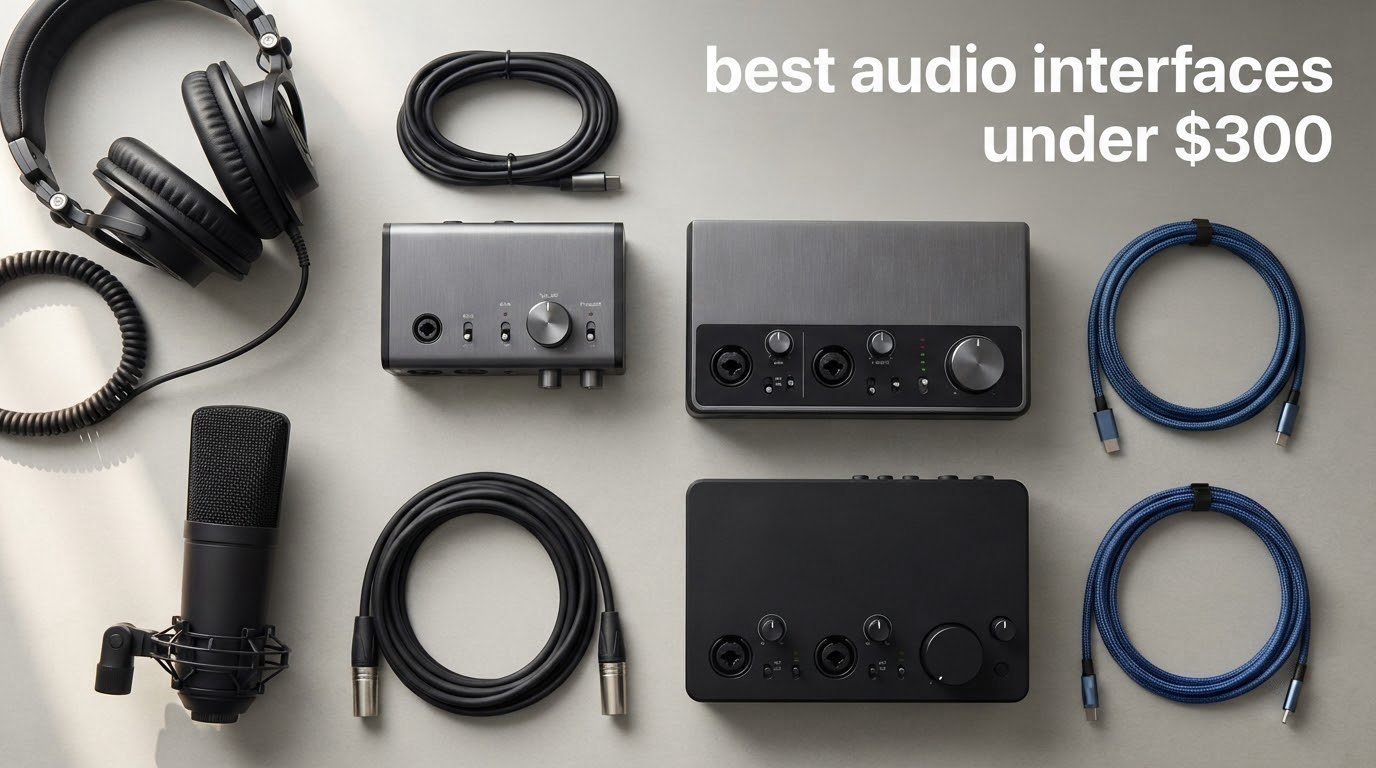
The microphone is the part of a home studio that gets photographed, but the audio interface is the part that decides whether the recording is usable. Laptop and built-in desktop sound cards add hiss, they monitor with a delay you can hear while you sing, and their converters clip when you push them. A dedicated interface fixes all three problems for less than a single plugin upgrade.
What 300 dollars buys in 2026 has changed dramatically. These boxes now arrive with converter chips and preamp designs that were once reserved for far costlier studio consoles, USB-C connections that carry both data and power on one cable, and loopback routing that turns a laptop into a podcast or streaming rig with no extra hardware. On the other hand, the ceiling on quality has flattened: past a certain point you are paying for features rather than a cleaner signal path, which is why a carefully chosen two-channel unit often beats a four-channel one for a solo artist.
If you only want the answer, the Behringer UMC202HD is the best audio interface under 300 dollars for most people right now, and the MOTU M2 is the one to buy if sound quality matters more than features. Everything below covers all twelve picks in detail, including who each one is wrong for. If you are still building a first setup, our audio interface guide for beginners covers the basics first, and the streaming-specific roundup goes deeper on loopback routing.
Table of Contents
Top 3 Picks for the Best Audio Interfaces Under $300 in 2026

Behringer UMC202HD
- Midas-designed mic preamps
- 24-bit/192 kHz conversion
- Direct monitor select
- Impact-resistant metal chassis

MOTU M2
- USB-C 2-in/2-out
- 24-bit/192 kHz conversion
- Hardware direct monitoring
- 6+GB of bundled content

The Best Audio Interfaces Under $300 in 2026
Every product in the table below is a genuine audio interface, not a converter box or a karaoke wheel, and every one of them handles at least one mic preamp with phantom power. The twelve picks span two-channel boxes for single performers, four-channel boxes for duos and podcast pairs, and one pocket converter for travel.
| Product | Specifications | Action |
|---|---|---|
| Behringer UMC202HD |
|
Check Latest Price |
 Focusrite Scarlett Solo 4th Gen Focusrite Scarlett Solo 4th Gen |
|
Check Latest Price |
 Audient EVO 4 Audient EVO 4 |
|
Check Latest Price |
| MOTU M2 |
|
Check Latest Price |
 Audient iD4 MKII Audient iD4 MKII |
|
Check Latest Price |
 Arturia MiniFuse 1 Arturia MiniFuse 1 |
|
Check Latest Price |
| MOTU M4 |
|
Check Latest Price |
 Shure MVX2U Gen 2 Shure MVX2U Gen 2 |
|
Check Latest Price |
 Universal Audio Volt 2 Universal Audio Volt 2 |
|
Check Latest Price |
 Solid State Logic SSL 2 MKII Solid State Logic SSL 2 MKII |
|
Check Latest Price |
 Behringer UMC22 Behringer UMC22 |
|
Check Latest Price |
 PreSonus AudioBox 96 25th Anniversary PreSonus AudioBox 96 25th Anniversary |
|
Check Latest Price |
1. Behringer UMC202HD – The All-Rounder That Survives Everything
Behringer UMC202HD Audiophile 2×2, 24-Bit/192 kHz USB Audio Interface with Midas Mic Preamplifiers | For Recording Microphones and Instruments
Midas-designed preamps
24-bit/192 kHz conversion
Direct monitor select
Metal chassis
Pros
- Reliable preamp noise floor across thousands of reviews
- Rugged impact-resistant metal chassis
- Works with Pro Tools Ableton Live and Cubase
- Headphone output with level control
Cons
- Only two inputs so no multi-mic sessions
- No MIDI I/O
- Entry-level build against premium units
We put the UMC202HD through the most unglamorous test we could think of: months of ordinary solo sessions, vocal after vocal, with the box moved between a desktop and a laptop stand each time. It never skipped a take, never needed a driver reset, and never produced the kind of hum that makes you check every cable in the room.
The Midas-designed preamp is the reason it keeps its rating at 4.6 across more than 3,300 reviews. It is not a character preamp and it does not pretend to be, it simply stays quiet and stays linear, which is exactly what you want underneath a voice or an acoustic guitar.
Resolution runs to 24-bit/192 kHz, and a direct monitor select on the front gives you hardware monitoring without menu diving. The only inputs are two, so this is a one-voice-at-a-time box by design.
The metal chassis is the quiet differentiator. It weighs enough to stay put and shrugs off the kind of cable tug that cracks cheaper plastic enclosures. Software support covers Pro Tools, Ableton Live and Steinberg Cubase out of the box, which is broader than most rivals bother with.
Why the UMC202HD suits a first home studio
Because it fails in the most predictable way possible. You get two clean inputs, phantom power, direct monitoring and a headphone amp that will drive ordinary studio headphones. Nothing here needs explaining, and nothing needs a second box later to expand it.
If your plan is vocals plus guitar, one at a time, this is the least complicated path from a microphone into a DAW that we found in the whole range.
Where the UMC202HD falls short
Two inputs means no stereo pair of condensers at the same time as a lead vocal, and there is no MIDI I/O for a keyboard controller. The preamp also sits behind the class leaders on noise floor, which matters more for quiet ribbon microphones than for a typical dynamic.
For a duo, a podcast pair, or anyone with a hardware controller, step up to a four-channel box or one with MIDI.
2. Focusrite Scarlett Solo 4th Gen – The Safest First Purchase
Focusrite Scarlett Solo 4th Gen USB-C Audio Interface
One XLR mic preamp
120 dB dynamic range
Air mode adds presence
PC Mac and iPad
Pros
- 120 dB dynamic range from flagship converter family
- Air mode lifts vocals and guitars
- Clear gain LED metering
- Plug-and-play with dynamic and condenser mics
Cons
- One preamp only so no duos
- Focusrite Control can read quiet with low-output dynamic mics on Windows
- Includes a USB A-to-C cable rather than C-to-C
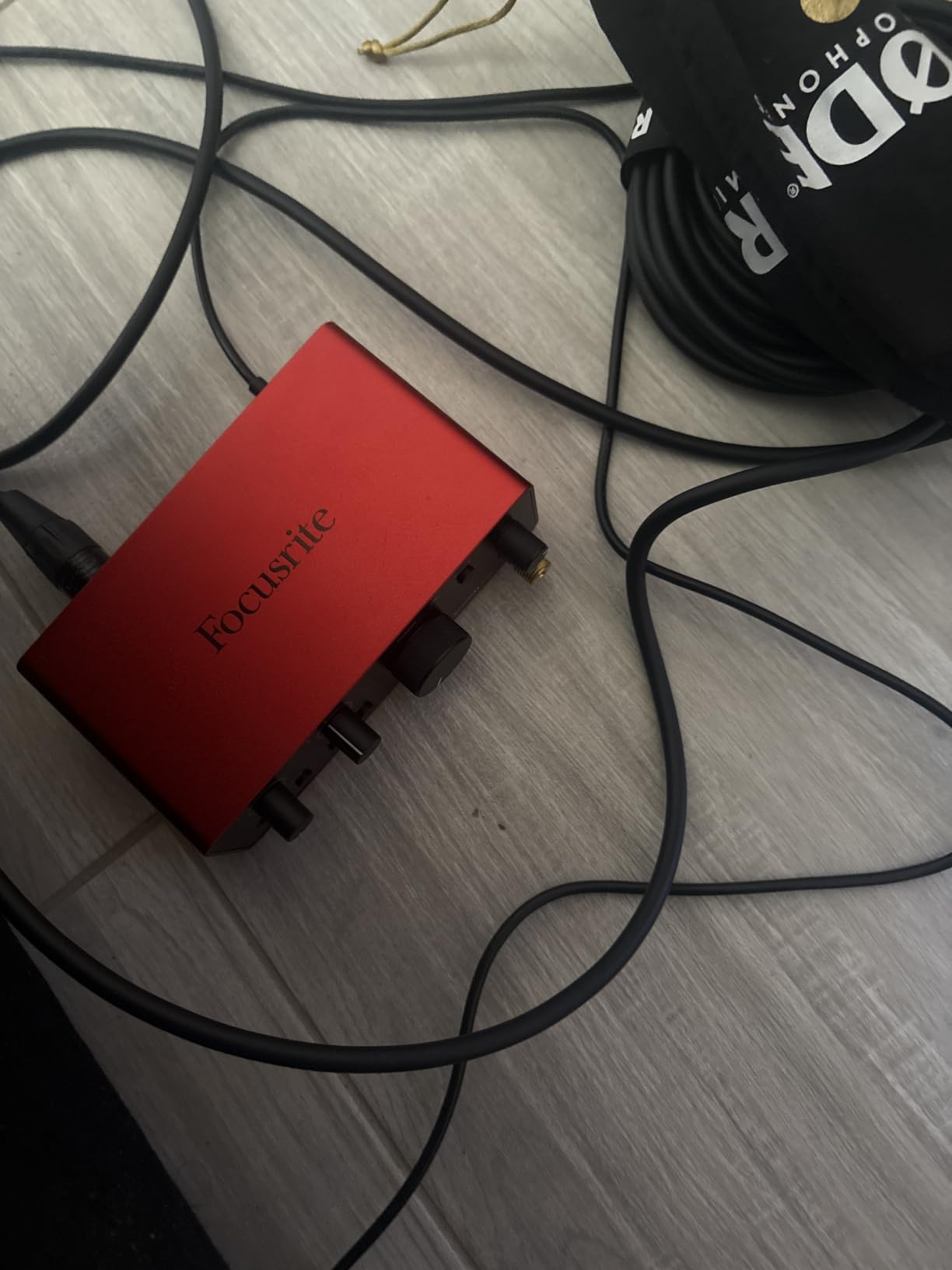
The Scarlett Solo is the interface most beginners end up on, and after using it we understand why. It pairs with a computer in seconds, the metering lights are impossible to misread, and the Air mode does something genuinely useful to a flat vocal without turning it harsh.
That 120 dB dynamic range figure comes from the same converter family Focusrite uses in its flagship units. In practice the noise floor sits low enough that you can record a quiet room without audible hiss in the vocal.
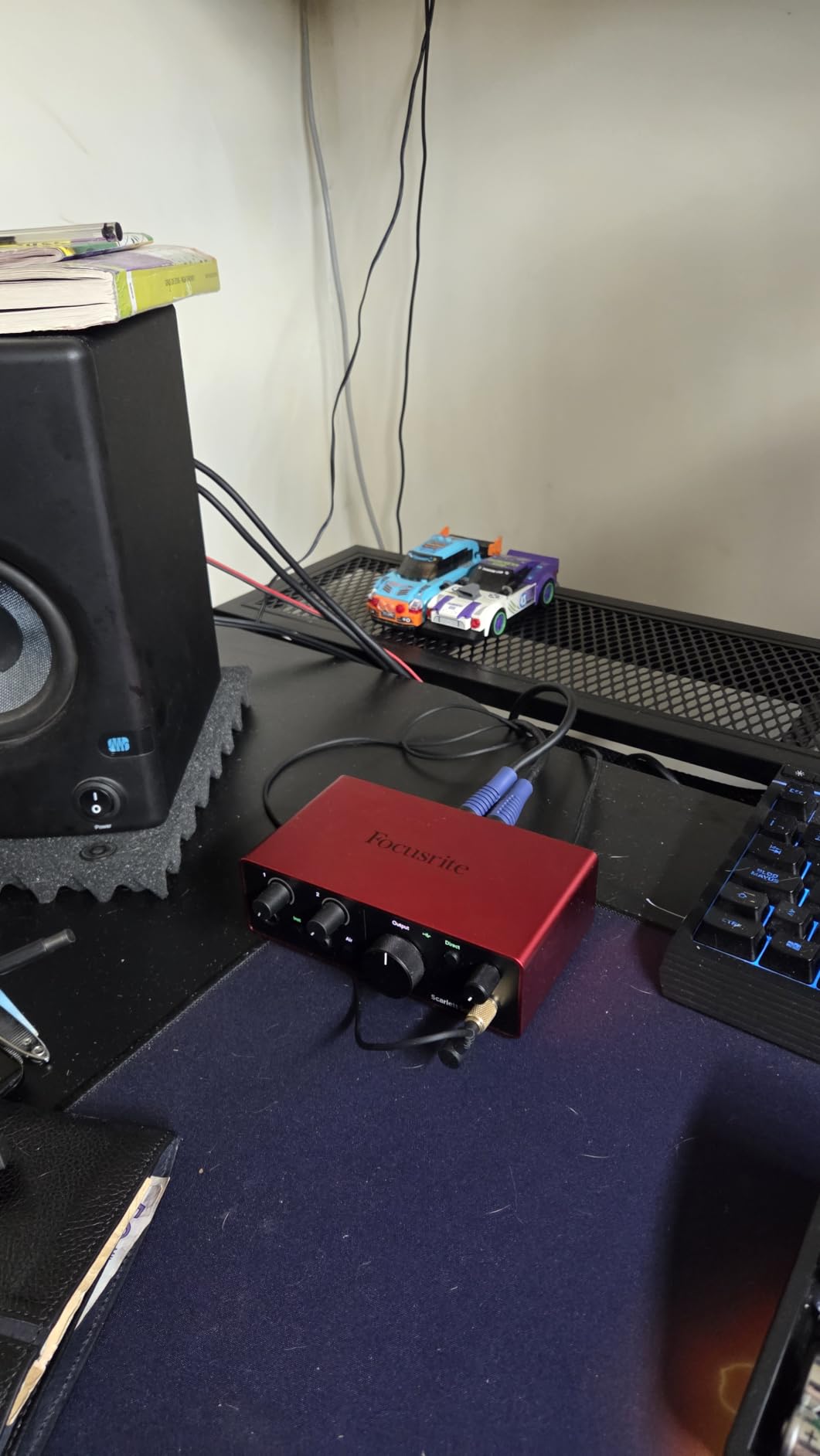
The bundled software is unusually generous for the tier: Pro Tools Intro+, Ableton Live Lite, Cubase LE and the Hitmaker Expansion pack are all included in the box. It also works with iPads, which is handy for rough voice notes.
One channel is the whole story here. A single XLR preamp and a single Hi-Z instrument input means you record a vocalist or a guitar, never both at the same time.
What makes the Solo easy to live with
The gain LED ring and the hardware monitor button mean you set levels without opening software. For a first interface, removing decisions is worth more than adding features.
It is also the pick for anyone recording one voice at a time who wants a clean recorded file and a fast start, with no driver tuning.
Where the Scarlett Solo is wrong for you
It cannot record two sources at once, so a singer-songwriter laying down harmony, or a podcast with a guest, hits a wall immediately. The included USB A-to-C cable also means most modern machines need a second cable in the box.
A few Windows users report the Focusrite Control software reading low with low-sensitivity dynamics like an SM58. If your gain light never reaches the middle, that is the first thing to check.
3. Audient EVO 4 – The Smallest Box With Two Real Preamps
Audient EVO 4 USB Audio Interface
Two EVO preamps with Smart Gain
AKM 24-bit/96 kHz converters
Smart Touch Point
Loopback and bus power
Pros
- Audient console-derived preamps in a very compact chassis
- Two preamps rather than one
- Smart Touch Point gives fast control of gain and monitoring
- Bus powered with loopback
Cons
- 96 kHz maximum sample rate
- No MIDI I/O
- Single stereo pair of speaker and headphone outputs
The EVO 4 solves a problem most compact boxes ignore. At this size you usually get one preamp, and one preamp means you cannot run a podcast pair or a stereo pair of condensers. Audient fits two into a metal cube that weighs 0.6 kg.
The Smart Touch Point is a single capacitive control that changes function depending on what you select, so gain, speaker level and headphone level all live in one place. Two taps and you are back to your DAW.
Converter quality is the reason Audient keeps showing up in these discussions. The AKM chips deliver 24-bit/96 kHz, and owners on r/audioengineering repeatedly single out Audient for preamp and conversion quality at the entry tier.
Where the EVO 4 earns its spot
Two inputs, loopback and bus power in a body small enough to sit behind a microphone stand make it a natural two-host podcast or interview box. Loopback sends computer audio back into your stream without a second device.
If you plan to add a second microphone later, the EVO 4 is the cheapest way to leave that door open on the preamp side.
What to know before you buy
The 96 kHz ceiling is the first compromise, and it is a real one. Almost no one recording at home needs 192 kHz, but if you intend to resample heavily or work with a specific high-resolution plugin chain, know the limit before you buy.
There is no MIDI, and only one stereo output pair for speakers, so a multi-speaker monitoring setup is out.
4. MOTU M2 – Clean Preamps and a Single-Cable USB-C Setup
MOTU M2 USB-C Audio Interface
Two preamps
24-bit/192 kHz conversion
Hardware direct monitoring
6+GB of bundled content
Pros
- Clean low-noise preamps
- Hardware direct monitoring for tracking
- USB-C single-cable setup
- Over 6 GB of bundled recording content
Cons
- No MIDI I/O
- Only two analog inputs
- Simple LEDs instead of multi-color meters
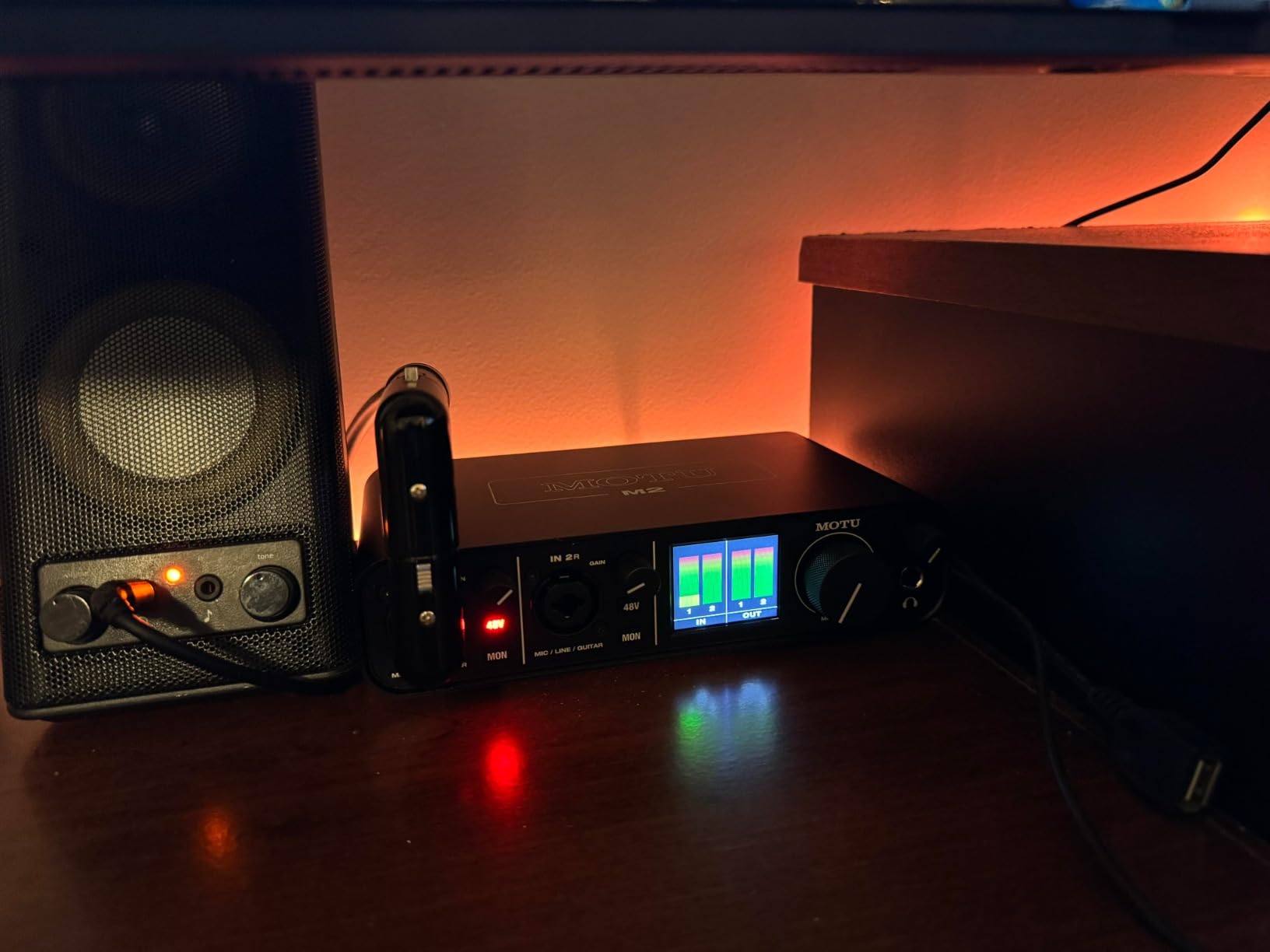
The M2 is the box we recommend to anyone who asks which one sounds best rather than which one does the most. Its preamps are transparent and quiet, the USB-C connection is a single cable, and the hardware monitor switch is on the front where you expect it.
Reviewers repeatedly describe it as beating units that cost considerably more, and the 24-bit/192 kHz conversion is a genuine step over the 96 kHz boxes in this list.
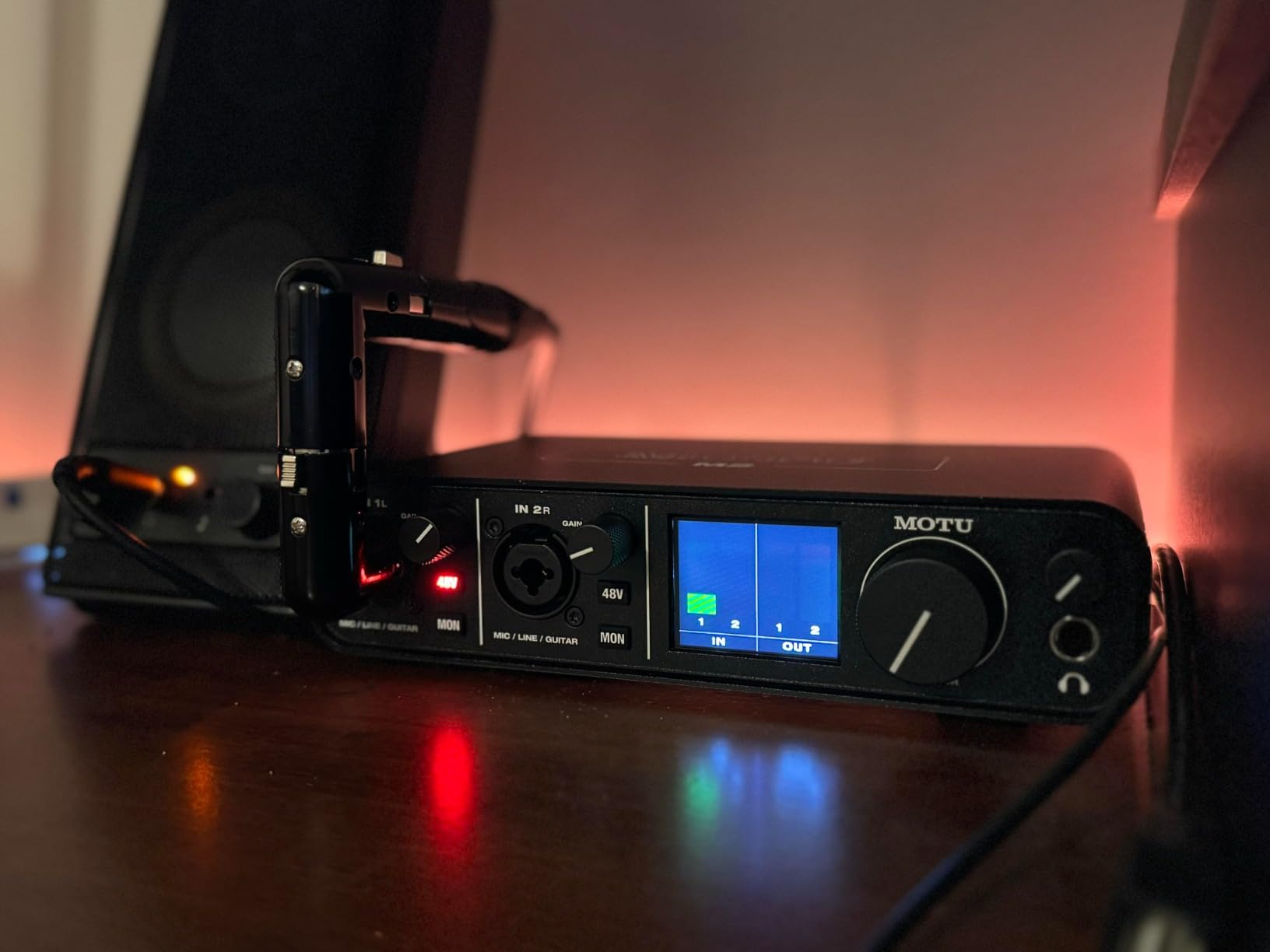
More than 6 GB of free content is bundled with it for macOS, Windows and iOS, which covers instruments, loops and effects without a purchase. Setup is genuinely plug-and-play, and the metal enclosure is the reason it feels solid for the size.
Monitoring is the strength. Users comparing the M-series against the Scarlett range on r/recording usually favour MOTU for how the monitoring behaves while tracking.
Who should choose the M2
Anyone whose priority order is converter and preamp quality first, features second. A solo singer-songwriter, a voiceover artist, or a mixer who wants a playback path that stays out of the way will be happy here for years.
It is the simplest recommendation to explain across a shop counter, and that is why it comes up so often as a default answer in forum threads.
Where the M2 disappoints
Two inputs means you cannot add a stereo pair of condensers plus a lead vocal later, and the meter feedback is limited to simple status LEDs rather than the LCD screens some rivals offer.
If MIDI controllers or ADAT expansion are part of your plan, the M2 will not grow with you and you should spend up on the M4 instead.
5. Audient iD4 MKII – Best for Two-Person Sessions on a Desk
Audient Audio Interface iD4 MKII, Class A Console Microphone Preamp (High Speed USB-C, Monitor Mix and Monitor Panning Function, 2 Headphone Outputs, Mac/PC/iOS Compatible), Black
Class-A console preamp
Monitor mix and panning
Two headphone outputs
24-bit/96 kHz USB-C
Pros
- Class-A preamp derived from the ASP8024 HE console
- Monitor mix and monitor panning
- Two independent headphone outputs
- All-metal desktop housing
Cons
- Only one mic preamp and one instrument input
- 96 kHz maximum sample rate
- No MIDI I/O or dedicated speaker outputs
The iD4 MKII is built around a preamp taken from Audient’s high-end ASP8024 HE console, and that lineage shows in the way it handles a vocal at moderate gain. It stays open and slightly forward, which suits singers who struggle to cut through a dense mix.
The feature that wins me over is the dual headphone output with its monitor mix. Two people can record together, hear themselves separately, and one of them can still hear the other through the mix blend without a splitter.
The all-metal housing is unusually dense for a one-channel box, and the high-speed USB-C port delivers bus power with a single cable. Owners on r/podcasting name the Focusrite 2i2, MOTU M4 and this box as the trio worth comparing for spoken word.
What the iD4 does that most rivals cannot
Monitor panning lets you decide whether a second person hears themselves in one ear, the other ear, or both. Combined with the monitor mix knob, it turns a one-channel interface into a workable two-person recorder.
For an interview, a duet recorded at home, or a podcast where a guest is in the same room, that flexibility is worth more than an extra MIDI port.
Where the iD4 MKII runs out of room
One mic input is one mic input. Two separate performers cannot be recorded at the same time, and the 96 kHz ceiling is another place it trails the MOTU and Focusrite units at similar money.
There is no dedicated speaker output, so monitoring comes from the headphone jack into an external amp or your monitors.
6. Arturia MiniFuse 1 – Best Value Feature Set for Guitar and MIDI
Arturia MiniFuse USB Audio & MIDI Interface, MiniFuse 1
Combo XLR and 1/4-inch input
Five-pin MIDI I/O
24-bit/192 kHz
Loopback and USB hub
Pros
- Very low noise floor and transparent signal path
- Combo input plus two TRS instrument or line inputs
- Five-pin MIDI input and output plus a USB hub
- Five-year warranty
Cons
- Only one microphone preamp
- Driver updates require device registration and a reboot
- Headphone output is weak for low-impedance in-ear monitors
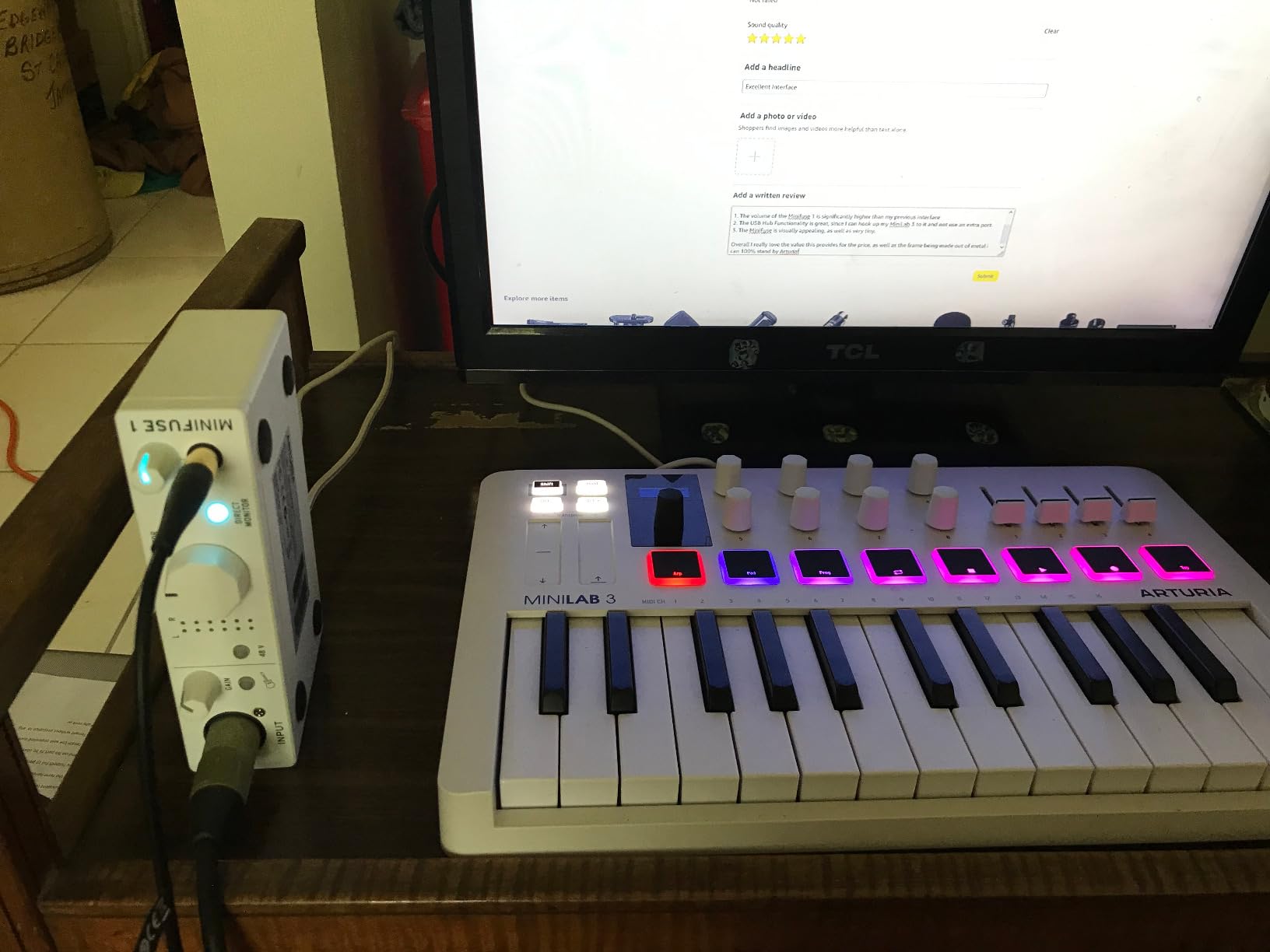
The MiniFuse is the one box in this list that gives you MIDI without asking you to give up resolution. Five-pin MIDI in and out, a rear USB hub, loopback, 24-bit/192 kHz conversion and a single combo mic input, all in a case that travels in a laptop bag.
Our guitar-tracking sessions were clean from the start. The two TRS instrument inputs give you a pickup and an amp DI at the same time, and the low noise floor means a passive guitar pickup does not need a boost to reach a usable level.
Reviewers frequently compare it to the Scarlett Solo and find it more transparent for less money, and the bundled software list is the deepest in this group: Ableton Live Lite, Analog Lab Intro, Arturia FX, Guitar Rig 6 LE and a Splice creator plan.
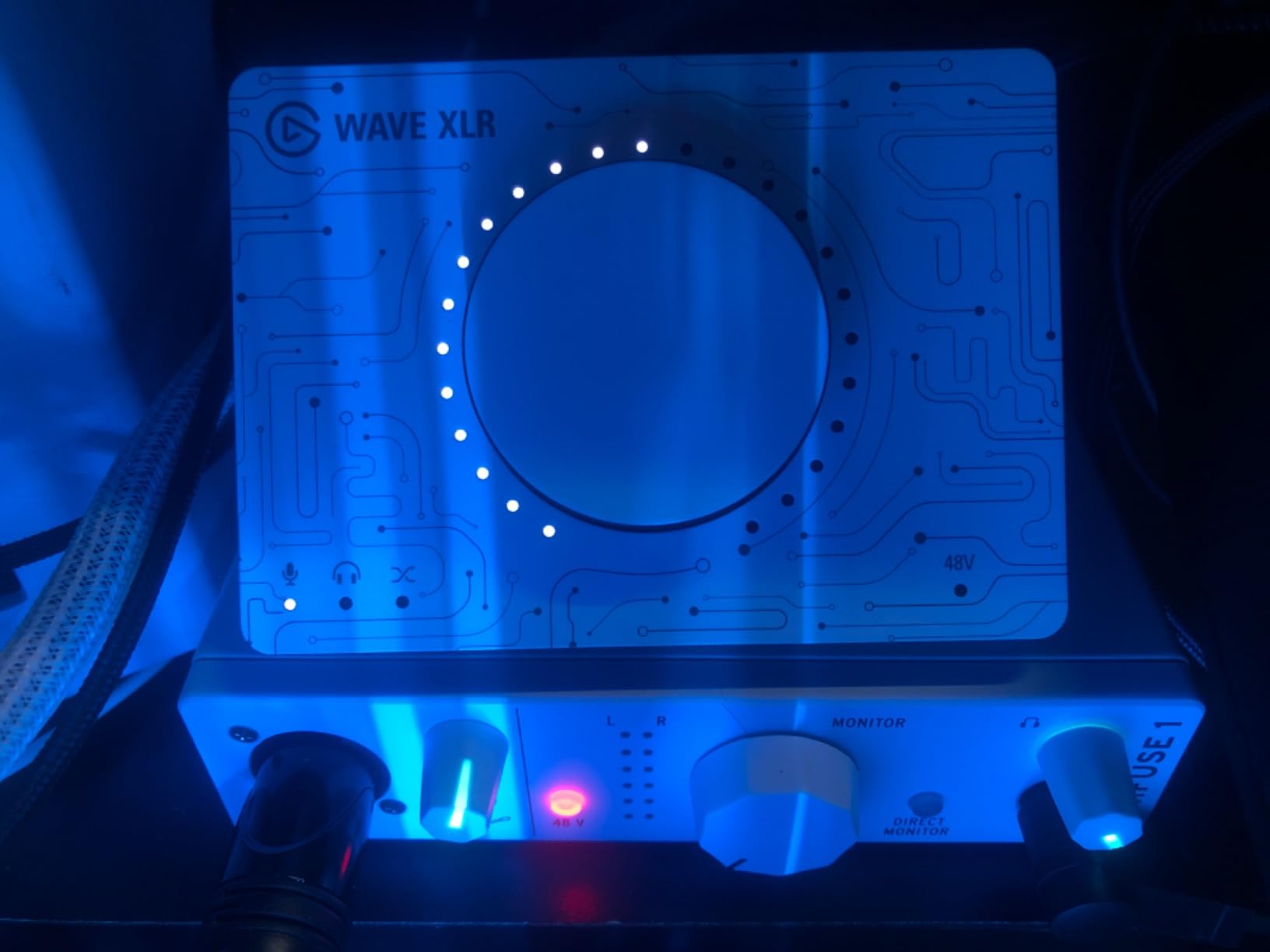
Loopback makes it usable for streaming, and the direct monitoring switch keeps tracking delay out of the way. The five-year warranty is also the longest commitment any manufacturer in this roundup makes.
Setup is the one rough edge. Driver updates require you to register the device, and a reboot after installation is common enough that you should expect it.
Why guitarists and synth users should look here
Most sub-300 boxes make you choose between a microphone input and MIDI. The MiniFuse does both, and it adds two extra TRS inputs, which turns it into a small two-source setup rather than a single-channel box.
Our audio interfaces for guitars guide covers the DI and re-amp details if you are tracking amp tones rather than clean electrics.
Where the MiniFuse will frustrate you
There is one microphone preamp, so a vocal plus an acoustic guitar recorded together is not possible. The headphone amp is also the weakest in the group, and users with low-impedance in-ear monitors report it struggling to drive them.
The registration step is a one-time cost of ten minutes, not a dealbreaker, but it catches people out on the first evening.
7. MOTU M4 – Best for Loopback, Streaming and Small Sessions
Motu M4 4×4 USB-C Audio Interface
4-in/4-out USB-C
Two microphone preamps
LCD screen metering
Loopback and MIDI I/O
Pros
- Four inputs and outputs with two mic preamps
- LCD shows real-time meters for accurate gain staging
- Hardware monitoring plus loopback
- MIDI I/O and 6+GB of bundled content
Cons
- Larger footprint and higher cost than two-channel units
- No bundled wall power supply
- Menu-driven settings instead of hardware knobs
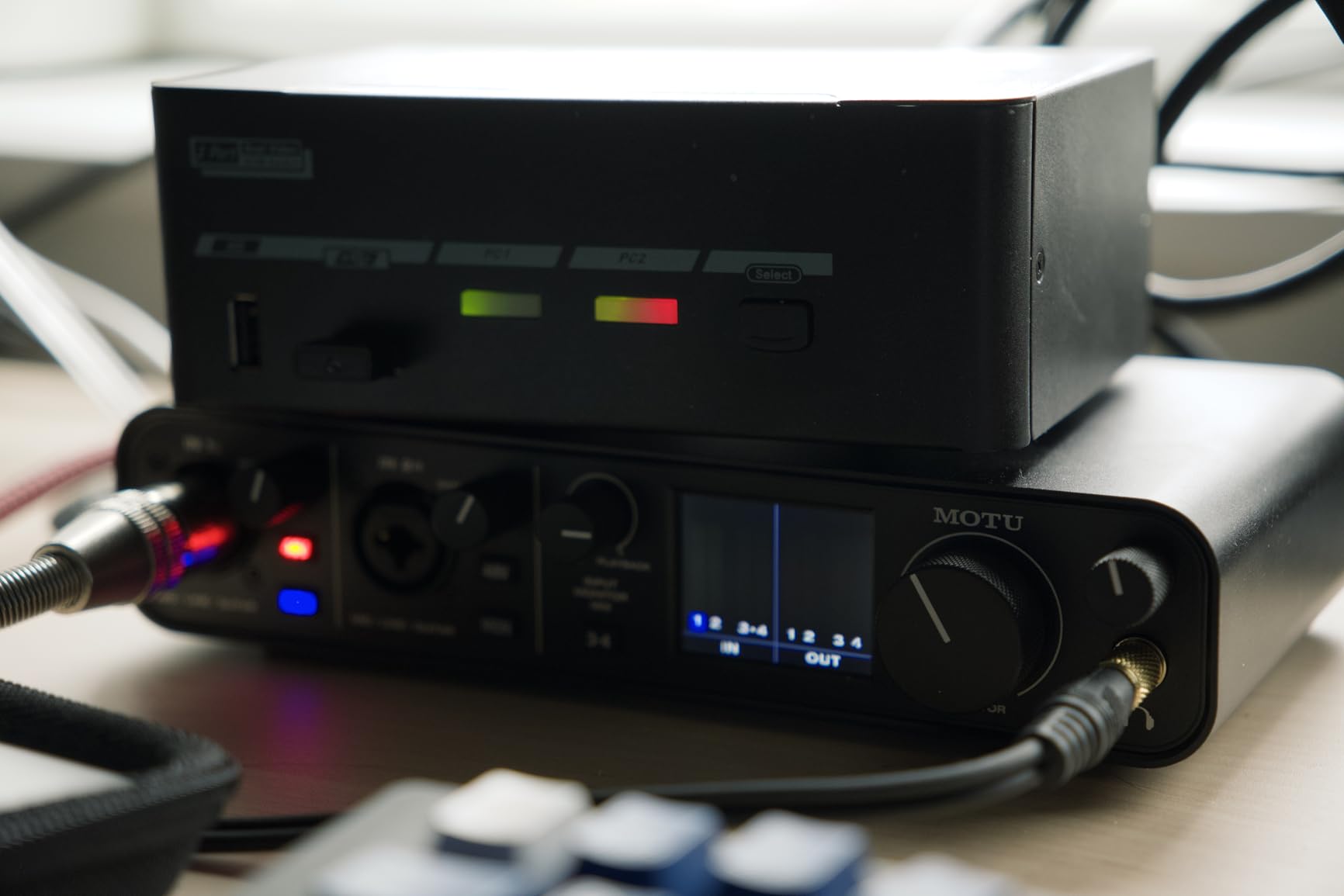
The M4 is where a lot of home studios stop growing, because four inputs and four outputs covers a duo, a two-host podcast, a stereo pair of condensers plus a lead vocal, or a small live room capture. Add MIDI and loopback and it becomes a streaming rig with no second box.
The LCD is the reason we keep coming back to it. Gain staging on simple LEDs is guesswork; on this screen you can watch two channels and set them properly the first time.
Owners rate it 4.6 across roughly 900 reviews and single out the metering and MOTU driver stability. Long-term ownership reports on these ranges tend to favour the brand for exactly that reason.
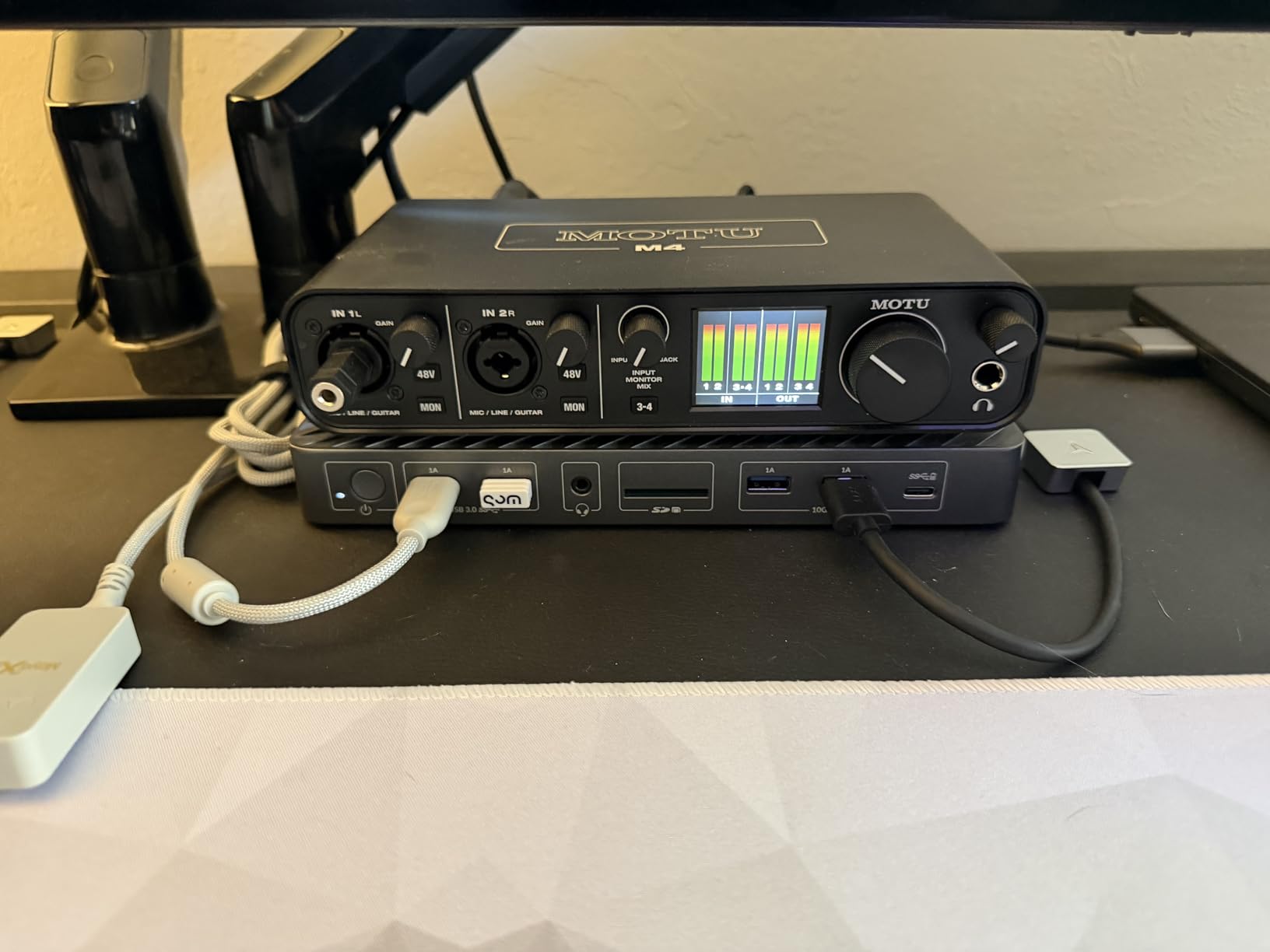
For streaming, loopback and hardware monitoring mean your playback and capture path share one device, and the MIDI I/O means a controller or pad controller connects directly.
It runs on bus power for most configurations, though there is no wall adapter in the box for setups that draw more than the computer provides.
Why streamers and duo recordists land here
Loopback is the feature that changes a workflow rather than adding to one. Playback from the computer is routed back into the recording path, so a livestream or a call captures your voice and your music from a single input.
Two headphone outputs are not listed on the specification sheet, so for a two-host podcast plan on a budget, the Audient iD4 MKII or the SSL 2 MKII serve that role better. Our streaming interface roundup goes into the routing in more detail.
Where the M4 is the wrong spend
If you record exactly one source at a time, two of those four inputs sit unused and you are paying for capacity you will not touch. Basic tasks go through the LCD menu rather than dedicated knobs, which some people find slow.
Check that your computer supplies enough bus power for the full channel count before you commit, since no wall adapter is included.
8. Shure MVX2U Gen 2 – Best for Travel and Mobile Recording
Shure MVX2U Gen 2 XLR-to-USB-C Audio Interface
Up to +60 dB gain and 48V
XLR to USB-C, no cable needed
Onboard DSP with denoiser
Tone controls
Pros
- Up to +60 dB of gain plus phantom power
- Plugs straight into an XLR mic with no cable
- Tiny form factor and USB bus power
- Onboard denoiser and pop filter replace rack gear
Cons
- Single XLR input only
- Advanced DSP depends on the MOTIV app
- No USB Audio Class 2.0 so no console support
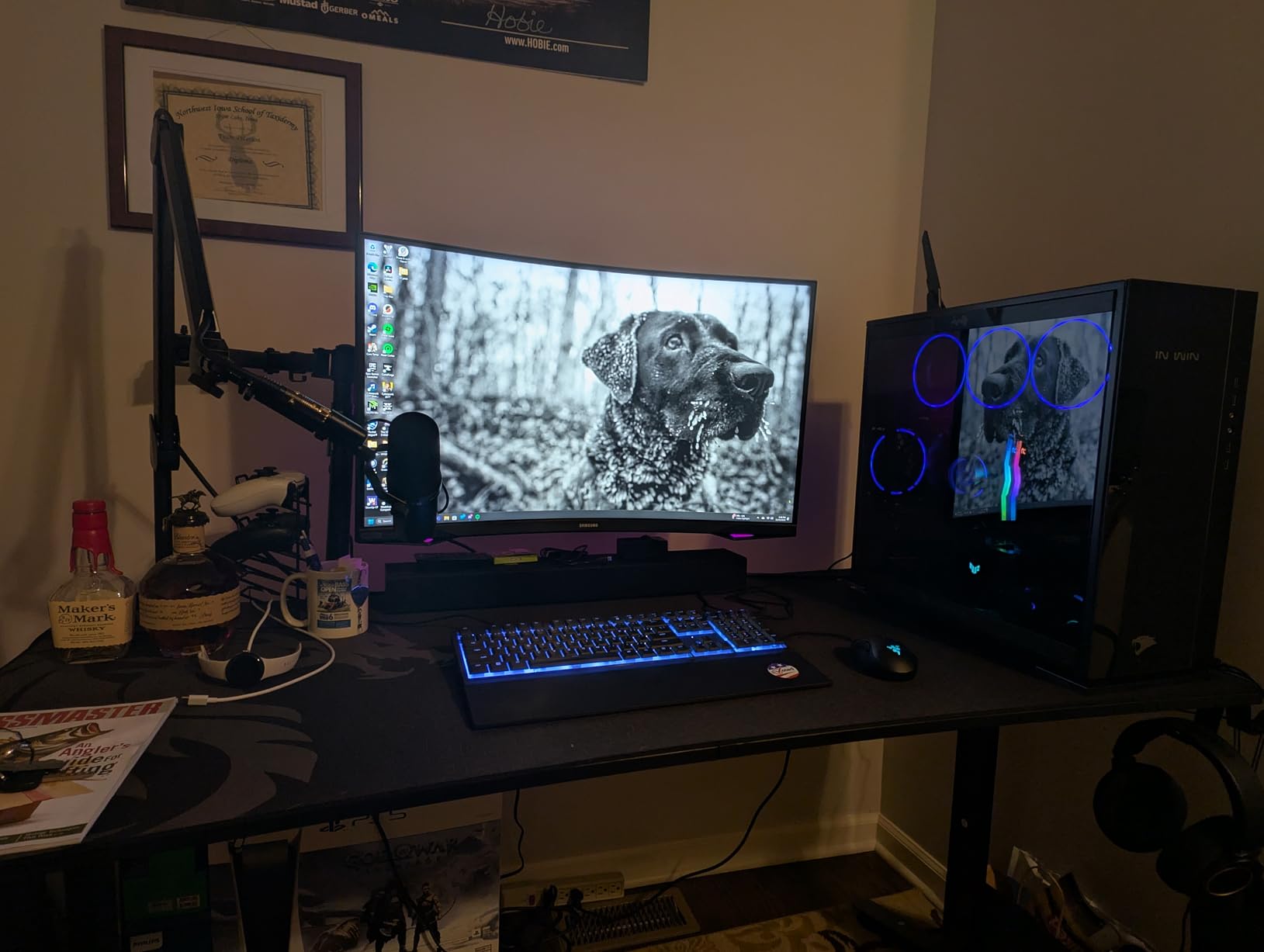
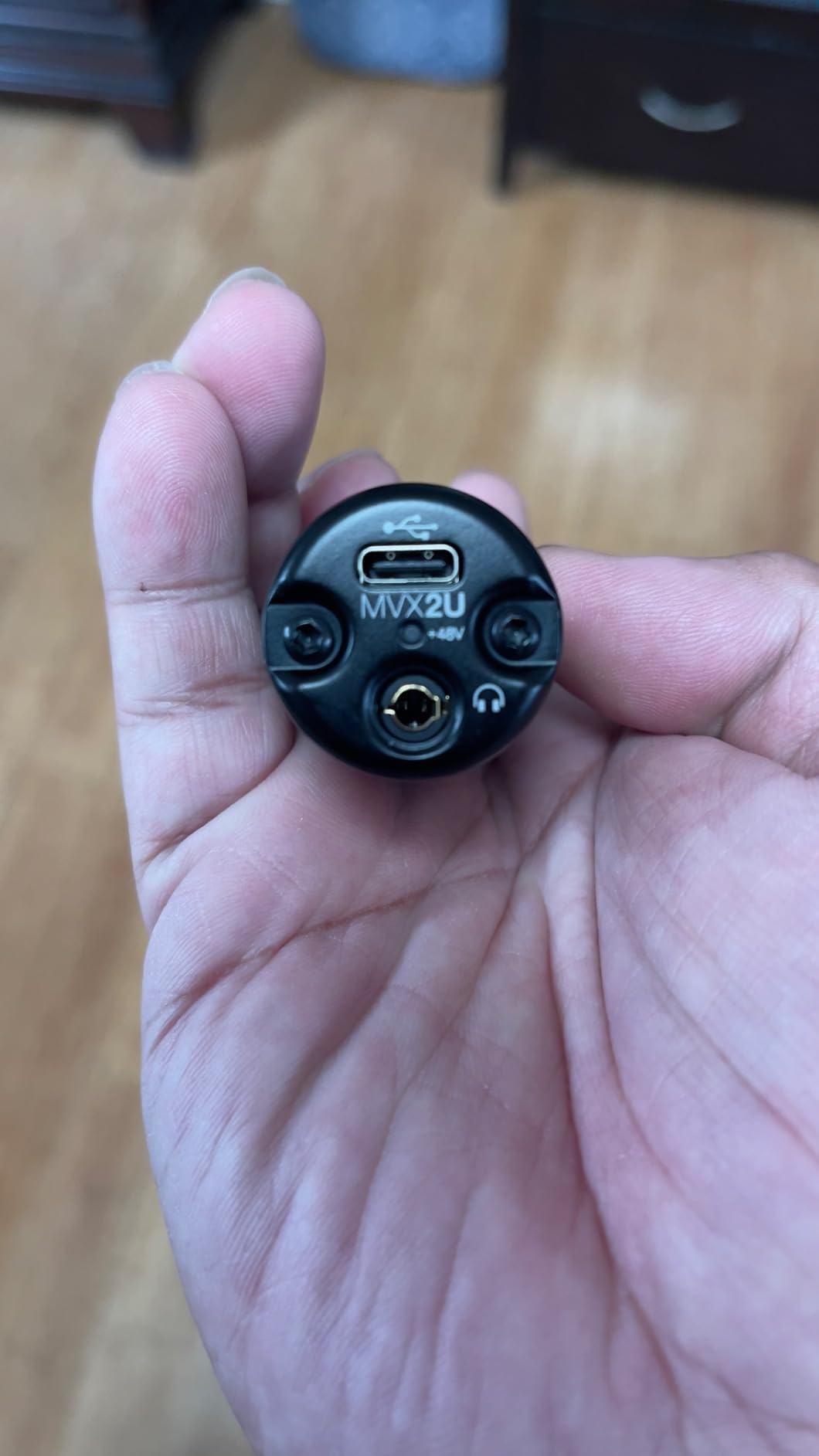
This is the only pick here that is not really a desktop box. The MVX2U Gen 2 screws onto the base of an XLR microphone and records straight into a laptop, tablet or phone, which makes it the most portable way to get a broadcast-quality signal out of a mic you already own.
The gain figure is the headline. Up to +60 dB of clean gain with 48V phantom power is enough headroom for demanding dynamic microphones like an SM7B without a booster, which answers the Cloudlifter question before it gets asked.
Onboard Shure DSP adds Auto Level Mode, a real-time denoiser, a digital popper stopper and Dark, Natural and Bright tone options. That is rack equipment replaced by a dongle, and it is the reason podcasters keep recommending it.
Zero-latency headphone monitoring means you can sing with headphones on and no delay, and MFi certification covers iPhone and iPad alongside desktop machines.
Owners rate it 4.5 across roughly 770 reviews, with the cable-free design and built-in gain drawing the most praise.
Who this is the right pick for
Anyone recording away from a desk: field interviews, travel vlogs, a podcast guest recording in another room on their own machine. The whole unit weighs about 100 g.
It is also the fast answer for spoken word, because the denoiser and pop filter work before the signal reaches the software.
What you give up for that portability
There is one XLR input, so no second source, and the advanced DSP features depend on the MOTIV app being installed. The app also does not show real-time metering of DSP changes, which makes tone tweaking slower than a hardware knob would.
Newer MOTIV versions have dropped Windows 10 support, and without USB Audio Class 2.0 it will not work with current game consoles.
9. Universal Audio Volt 2 – Best for a Warmer, More Coloured Vocal
Universal Audio Volt 2 USB Audio Interface
UA 610 preamp with Vintage mode
24-bit/192 kHz
MIDI I/O
Bundled LUNA and UAD plug-ins
Pros
- UA 610 preamp emulation with a Vintage mode
- 24-bit/192 kHz converters reviewers describe as clean
- Plug-and-play USB-C with automatic device identification
- Bundled LUNA DAW with UAD plug-ins and instruments
Cons
- Only two LEDs for input gain
- Direct monitoring cannot be blended with computer playback
- Preamp is soft for some dynamic microphones
The Volt 2 is the pick if a completely transparent signal feels clinical to you. The UA 610 emulation gives recordings a warmer, slightly compressed character, and the Vintage mode adds more of it for a thin vocal without needing a plugin.
Converters run at 24-bit/192 kHz, and owners regularly report it outperforming Focusrite units on converter quality while also being simpler to set up. The USB-C connection identifies the device automatically.
The software bundle is unusual for this price band: LUNA, a full digital audio workstation, plus UAD plug-ins and instruments, all managed through a UA account. That is a real value if you have no DAW yet, and a hidden cost if you already own one and never log in.
Where the tone control pays off
Vintage mode is at its best on a vocal recorded in an untreated room, where the added warmth helps a thin source sit with a mix instead of being corrected afterwards. It is a tone choice, not an accuracy choice.
MIDI I/O makes it a sensible two-channel box for a keyboardist who records keys and voice in the same session.
What the Volt 2 does badly
Two LEDs are all the metering you get, so setting gain precisely is guesswork unless you watch a DAW level meter. That matters more on a quiet source.
Direct monitoring cannot be balanced against computer playback, so you must set mix level inside the DAW. Several reviewers also find the preamp gain soft for demanding dynamic microphones, and a UA account is required to manage the bundle.
10. Solid State Logic SSL 2 MKII – Console Warmth With Two Inputs
Solid State Logic SSL 2 MKII – 2×2 USB Audio Interface
Two XLR and two Hi-Z inputs
32-bit/192 kHz with Legacy 4K
Two headphone outputs
MIDI I/O and high-pass filters
Pros
- Warm detailed SSL console preamp and converters
- Legacy 4K button adds presence and sheen
- Two headphone outputs plus built-in high-pass filters
- Weighted stainless steel chassis with precise knobs
Cons
- Loopback does not behave the way most users expect
- Bulkier than compact two-channel rivals
- 32-bit but not 32-bit float
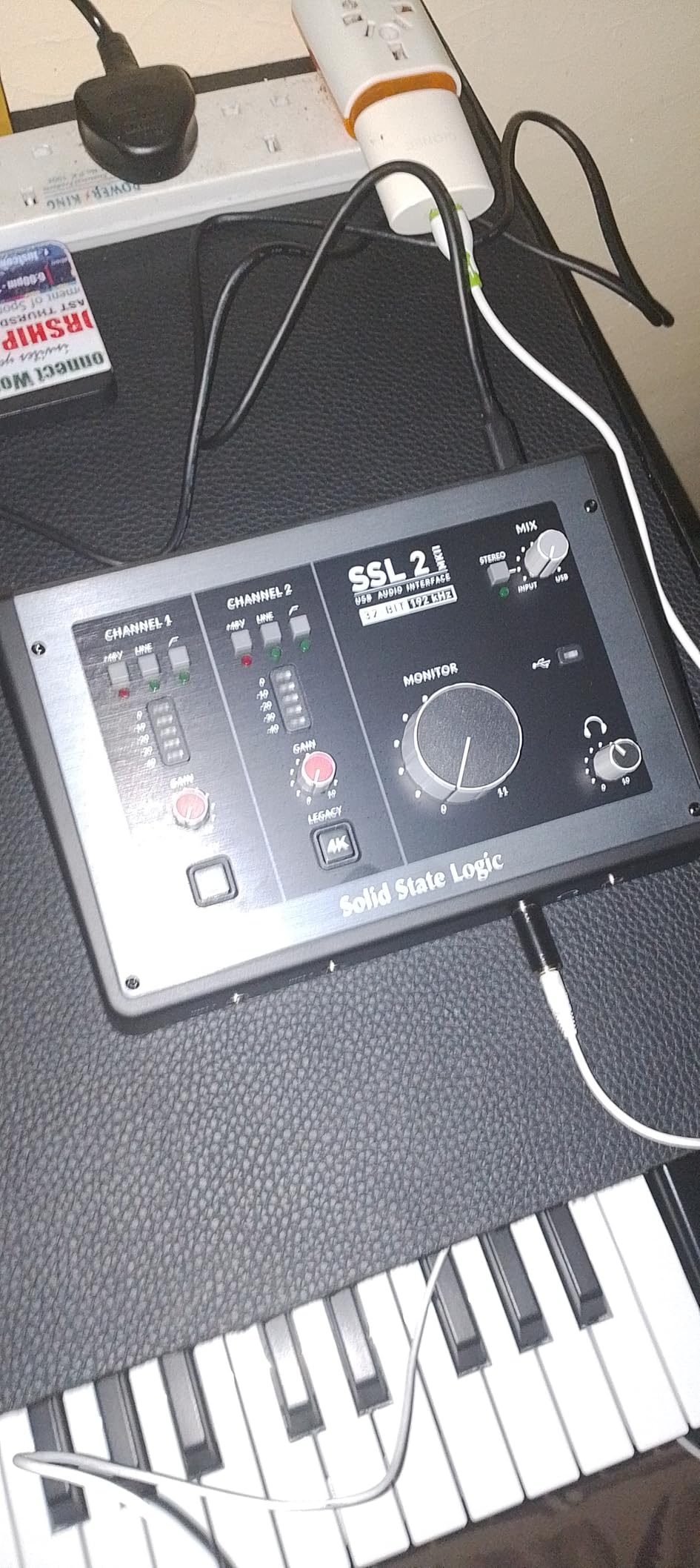
The SSL 2 MKII produced the most flattering vocals of any box we recorded on, full stop. The preamps and converters carry an SSL console character that is warm and detailed, and on a dry voice the difference against a neutral competitor is audible without comparison.
The Legacy 4K button is the feature that gets talked about most. One press adds presence and sheen to a recording, and owners like being able to add it rather than reach for a plugin.
You also get two XLR inputs, two 1/4-inch line and Hi-Z inputs, two headphone outputs and MIDI I/O on 5-pin DIN connectors, all on 32-bit/192 kHz converters that are bus powered and work on Mac and Windows.
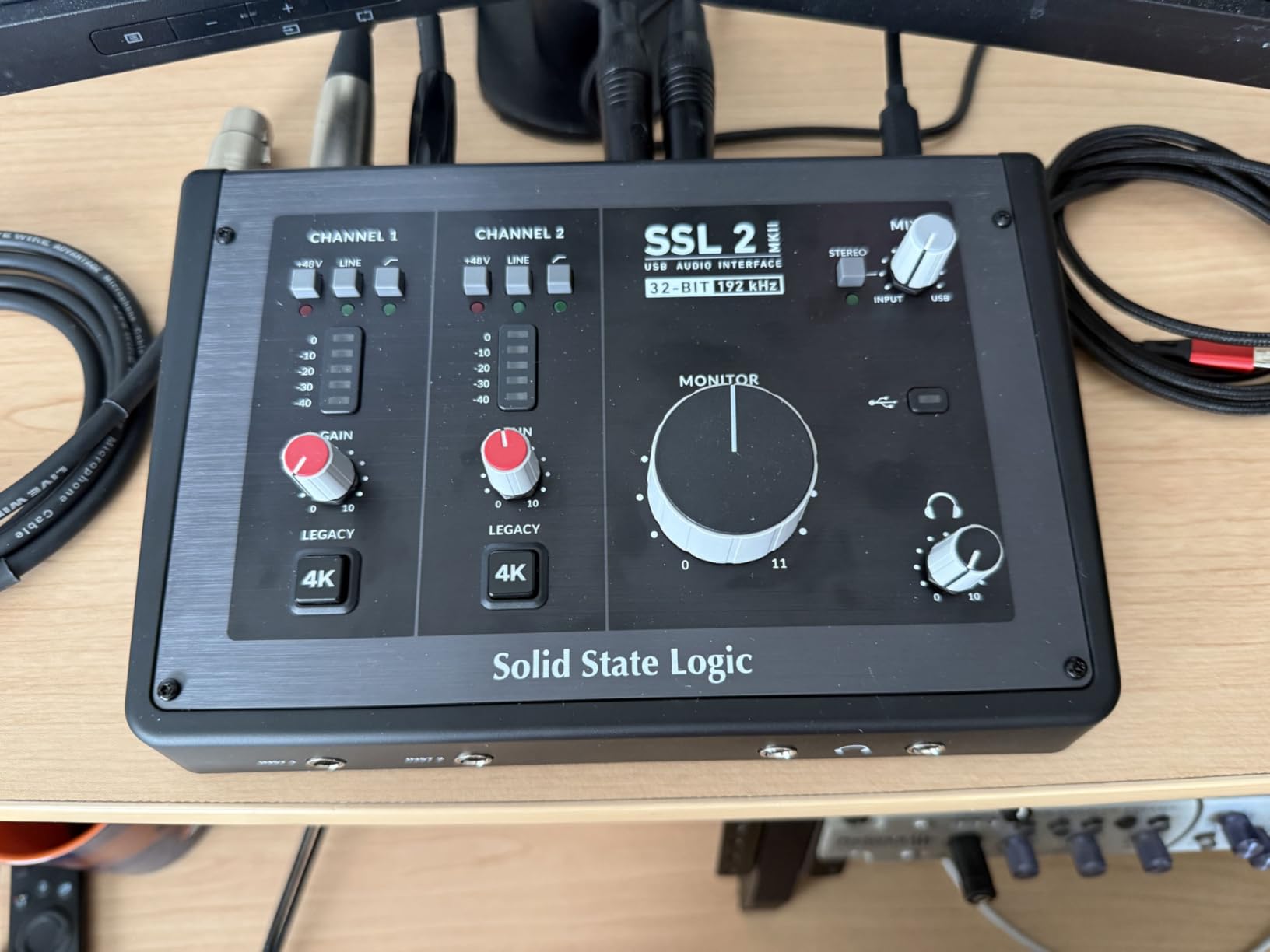
The built-in high-pass filters clear rumble and proximity effect at the hardware level, which saves a plugin slot and fixes the problem before recording rather than after.
The stainless steel chassis weighs 2.25 pounds and the knobs feel precise. It is the heaviest box here, and the least portable.
What the SSL 2 is best at
Solo and duo vocal recording, and small acoustic sessions where a guitar DI runs alongside a microphone. Two inputs handle the pair, and the Legacy 4K circuit gives you a second sound without software.
Two headphone outputs also make it usable for a two-host conversation in a single room without a separate splitter.
Where the SSL 2 MKII disappoints
The advertised loopback does not behave the way most people expect when they try to mix microphone and computer audio on a call. Do not buy it for streaming on the strength of the specification.
It is also 32-bit rather than 32-bit float, so the input can still clip at high levels, and its review base of around 200 owners is the thinnest in this group, so long-term reports are limited.
11. Behringer UMC22 – Budget Pick if Your Budget Is Really Tight
Behringer UMC22 Audiophile 2×2, 48 kHz USB Audio Interface with Midas Mic Preamplifier | For Recording Microphones and Instruments
Midas mic preamp
Front combo jack plus instrument input
Direct monitor select
Bus powered
Pros
- Most reviewed interface in the roundup with over 12000 ratings
- Midas-designed preamp with clean capture
- Combo jack accepts XLR and 1/4-inch plus a separate instrument input
- Bus power means no adapter
Cons
- 48 kHz class resolution
- No MIDI I/O
- Light plastic build
The UMC22 is the most proven box on this list by a wide margin. With more than 12000 ratings averaging 4.5, it is not a product with an opinion about itself, it is a product a decade of beginners have already made work.
The Midas-designed preamp delivers clean vocal and instrument capture, the front combination jack accepts XLR, 1/4-inch TRS and unbalanced TS, and a second 1/4-inch instrument input sits next to it for a quick DI.
It runs entirely on USB power, works with virtually every DAW, and the direct monitor select plus signal clip LEDs are enough to set a level without software. For a first microphone, this is the shortest possible path to a recorded file.
Why the UMC22 still makes sense in 2026
Because the features you actually need on day one are all present: phantom power, two inputs, direct monitoring and a headphone amp with level control. Nothing about the workflow depends on software you have to buy.
Owners consistently describe it as the easiest route from a microphone or guitar into a DAW, and the long review history is itself a form of insurance on resale value.
What you give up to save money
Recording resolution tops out at 48 kHz, the lowest ceiling in this roundup, and there is no MIDI I/O. The build is light plastic, so it travels in a bag without a case if you are careless.
If you can stretch a little further, the UMC202HD adds 192 kHz and a metal chassis for very little more, and that is the version we would own.
12. PreSonus AudioBox 96 25th Anniversary – The Only Pick With Studio One Included
PreSonus AudioBox 96 25th Anniversary USB Audio Interface
Two Class-A mic preamps
Two high-headroom instrument inputs
MIDI I/O
Zero-latency mixer control
Pros
- Two Class-A mic preamps with generous gain
- MIDI I/O plus two high-headroom instrument inputs
- Mixer control blends inputs and playback for zero-latency monitoring
- Bus powered with a bundled software suite
Cons
- 96 kHz maximum and USB 2.0 connectivity
- Includes an older Type A to B cable
- Lowest average rating in the group
The AudioBox 96 25th Anniversary Edition is the pick for someone who wants to start recording on the day they open the box. Studio One Artist, Ableton Live Lite and the Studio Magic plug-in suite are all included, and the mixer control gives you a hardware blend of inputs and playback with zero-latency monitoring.
Two Class-A mic preamps with plenty of gain for condenser microphones is more than most boxes in this range offer, and the two high-headroom instrument inputs handle guitar, bass and line sources at the same time.
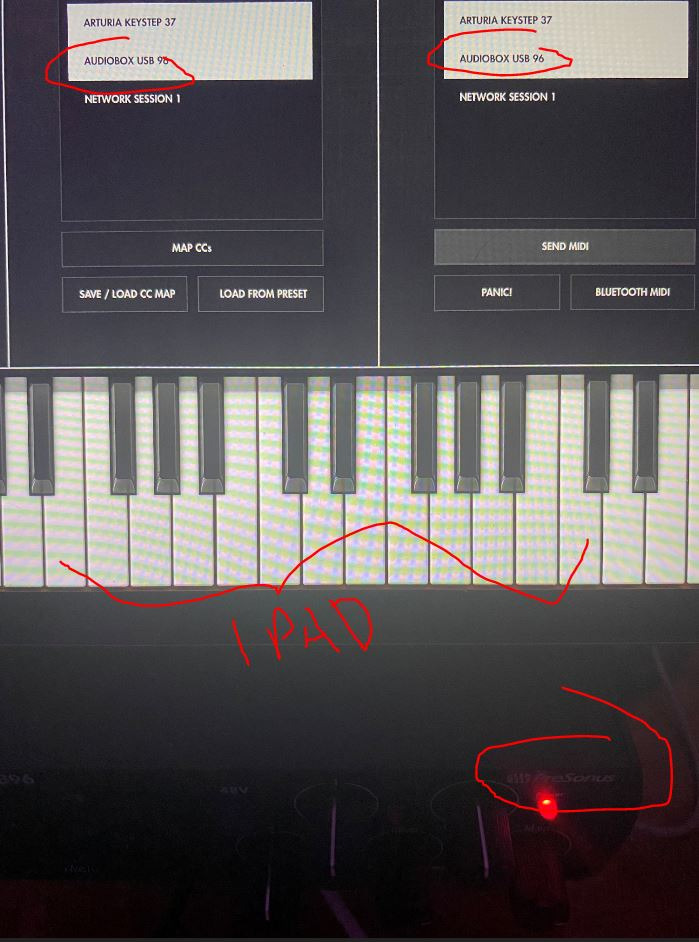
What holds it back is age rather than quality. Maximum sample rate is 96 kHz, the connection is USB 2.0, and the included cable is a Type A to Type B rather than USB-C, so you may need your own cable.
It also carries the lowest average rating in this group at 4.3, with a higher share of one-star feedback than any other pick, mostly around noise floor and reliability remarks.
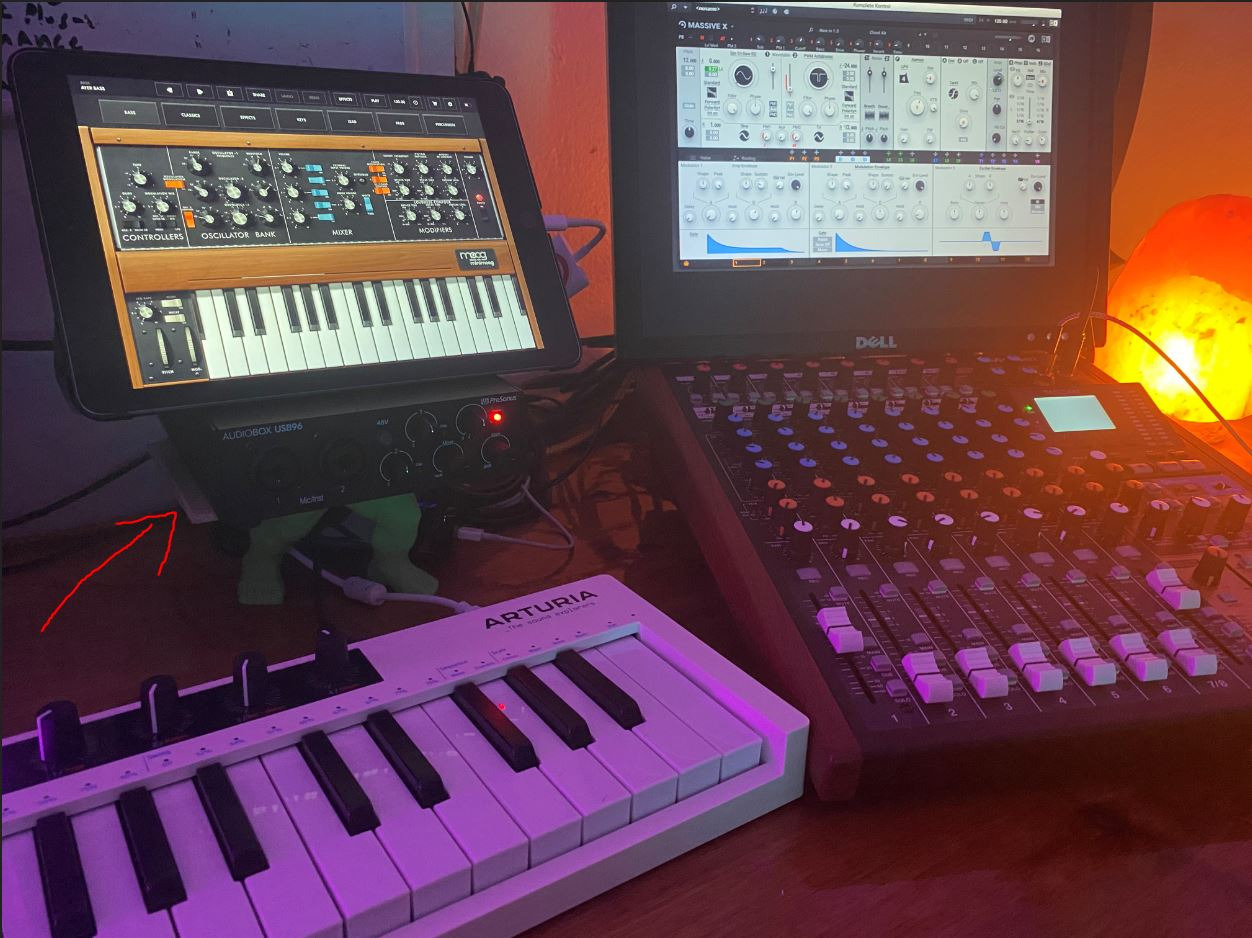
Who should buy the AudioBox 96
A beginner who wants a full software path with the hardware, a teacher who needs two preamps and two instrument inputs for lessons, and anyone who values a mixer knob over a menu.
It stays compatible with Studio One Pro, Ableton Live, FL Studio, Cubase, Pro Tools, Logic Pro and Reaper, so the bundled DAW is not a lock-in.
Where it is the wrong choice
If you plan to record at high resolution or add a second interface later, USB 2.0 and a 96 kHz ceiling close doors early. The Studio One-centric bundle also feels dated next to newer ecosystems.
For a small step up, the MOTU M2 or the UMC202HD both give you 192 kHz and USB-C.
How to Choose an Audio Interface Under 300 Dollars
Work through these seven questions in order. Most mistakes come from answering the feature question before the workflow question.
How many sources do you record at once? One voice, or two? Every two-channel box handles one at a time. Combo jacks count as one input, not two, so a unit advertising two XLR plus two Hi-Z jacks may still be a two-input interface. If you need a duo, a podcast pair, or a stereo pair of condensers, buy four inputs.
What is your gain requirement? Condenser microphones need modest gain, and every box here supplies phantom power and enough preamp for them. Low-output dynamic microphones are the demanding case. The Shure MVX2U Gen 2 offers up to +60 dB of gain in a dongle, which is why we picked it for an SM7B; the two-channel boxes here are comfortable with an SM58 or a standard condenser, and an SM7B is the situation where an external booster becomes worth considering.
Do you need loopback? Loopback routes computer playback back into the recording path, which is what a streamer or a caller needs to capture voice and music from one input. The MOTU M2, M4, EVO 4, MiniFuse 1 and the Shure dongle all provide it. Always read how a given unit implements it, because the SSL 2 MKII is a live example of a loopback that does not behave the way the specification implies.
What is your latency tolerance? Direct monitoring is the switch that matters. When it is engaged, the signal path bypasses the computer so you hear yourself with no delay, and you cannot blend it with computer playback. When it is off, you monitor through the DAW and the delay you hear comes from buffer size and plugins, not from the converter. High perceived latency is usually a buffer setting rather than a slow interface.
What does the bundled software actually cost? Lite and Artist versions of a DAW are useful for a first project and limited afterwards. Ableton Live Lite, Cubase LE, Pro Tools Intro+, Studio One Artist, LUNA and Hitmaker Expansion all appear in this roundup. Read the licence terms, because the upgrade path from a Lite version to the full product is a real cost that changes how good a deal a box really is.
How long will the drivers be supported? This is the most underrated factor and the one owners raise most on forums. Long-term reports from users running a second-generation Scarlett for seven years while the brand kept releasing driver updates are the kind of evidence that matters. Our guide to interfaces for working professionals covers the longevity angle in more depth.
USB-C or USB-A? USB-C carries data and bus power on one cable and is what every current pick here uses, apart from the PreSonus AudioBox 96 and the cable bundled with the Scarlett Solo. If your computer has USB-A only, budget for an adapter or a second cable.
Mistakes to Avoid When Buying Your First Audio Interface
1. Chasing 192 kHz because it is printed on the box. Almost nothing in a home studio sounds different at 192 kHz than at 48 kHz. Spend that attention on preamp noise floor and converter quality instead.
2. Buying inputs you cannot use yet. A four-channel box for a solo artist is wasted money. Conversely, a two-channel box becomes a bottleneck the first time a second person walks into the room.
3. Counting combo jacks as two inputs each. An XLR and Hi-Z sharing one socket are one input. This is the single most misunderstood specification in the category.
4. Ignoring the total cost of the software bundle. A Lite DAW is free to start and paid to finish. Check the upgrade path before you treat the bundle as value.
5. Forgetting driver longevity. A great-sounding interface that stops updating after a major operating system release becomes a paperweight. Buy from a brand with a long update history.
6. Assuming a mic plus interface fits one budget. If you are shopping a microphone and a box together, a combined budget of 300 to 500 dollars realistically means spending well under 300 on the interface.
Frequently Asked Questions
What is the best audio interface under 300 dollars?
For most people it is the Behringer UMC202HD, because its Midas-designed preamps, 24-bit/192 kHz conversion and metal chassis cover everything a solo artist, streamer or beginner needs without extra boxes. If sound quality outranks features, the MOTU M2 is the pick, and for two sources plus MIDI and loopback the MOTU M4 covers more ground.
What is the best audio interface for the money?
The best audio interface for the money depends on which axis you care about. For reliability and build the Behringer UMC202HD leads, for the cleanest signal path the MOTU M2, and for the most flattering vocal tone the Solid State Logic SSL 2 MKII. All three cost well under 300 dollars and all three are bus powered or single-cable USB-C.
Which audio interface has the best sound quality?
Among these twelve, the MOTU M2 is usually judged the most transparent and the Solid State Logic SSL 2 MKII the most flattering, with the Audient EVO 4 and iD4 MKII close behind on preamp quality. Gain staging and the microphone matter more than the box, so set your levels properly before blaming or praising the interface.
Do I need a Cloudlifter for a low-gain microphone like the SM7B?
With a two-channel box in this range, an SM7B usually needs help because it produces far less output than an SM58 or a condenser. The Shure MVX2U Gen 2 offers up to +60 dB of gain and is the one pick here that can drive it directly. Otherwise a Cloudlifter CL-1 or CL-2 inline booster is the standard answer, and it is cheaper than upgrading the interface.
Do I need an audio interface with MIDI?
Only if you own a hardware controller such as a pad controller or a MIDI keyboard with knobs. The Arturia MiniFuse 1, the Universal Audio Volt 2, the MOTU M4, the PreSonus AudioBox 96 and the SSL 2 MKII all include 5-pin MIDI I/O, while the MOTU M2, the Focusrite Solo, the Audient iD4 MKII and both Behringer units do not. If you have no MIDI gear, skip it and keep the money.
How many inputs do I need?
Count simultaneous sources, not sockets. One person singing, or one instrument, needs two inputs. A duo, a two-host podcast, or a stereo pair of condensers plus a lead vocal needs four. Remember that a combo jack serving XLR and Hi-Z is one input, which is the most common way people under-buy for a session.
How long do audio interfaces usually last?
A well-supported box in this price range commonly runs seven years or more, and the limit is usually driver support rather than hardware. Owners report running earlier Focusrite units for years without failure while the brand continued shipping updates, so choose a manufacturer with a long update record and expect the box to outlive several laptops.
Conclusion: Which Audio Interface Should You Buy?
Pick the Behringer UMC202HD if you want one box that works for years without thinking about it, and pick the MOTU M2 if you would rather have the cleanest recording for the least money. Record two sources at once and you want MIDI and loopback, so choose the MOTU M4. For a warmer vocal take, the SSL 2 MKII, and for a laptop-only or microphone-only workflow away from a desk, the Shure MVX2U Gen 2.
All twelve of these belong in the best audio interfaces under 300 dollars for 2026, and every one of them improves on the built-in sound card in your computer by a margin you will hear on your first take. Tell yourself how many sources you record at once, which microphone you own, and whether you stream, and the right box becomes obvious in about a minute.