
I have spent the better part of a decade behind mixing consoles in churches, small clubs, and mid-sized venues, and the shift from analog to digital has completely changed how we approach live sound. When I first started, you needed a massive analog board, a rack of outboard gear, and a snake the size of your arm just to get basic compression and effects. Today, a single digital mixer the size of a briefcase can outperform that entire rig.
Finding the best digital mixers for live sound means looking at channel count, preamp quality, built-in processing, and how well the console plays with tablets and apps. Whether you are mixing a worship team on Sunday morning, running front of house for a touring band, or handling corporate AV, the right mixer saves you time and sounds better doing it.
In this guide, our team breaks down eight digital mixers we have actually used in real gigging situations. We cover everything from budget-friendly tablet-controlled options like the Behringer XR18 to professional powerhouses like the Allen & Heath SQ-6. You will find hands-on experience notes, technical breakdowns, and practical buying advice that goes beyond spec sheets.
A digital mixer is an audio mixing console that processes sound digitally, offering built-in effects, scene recall, and remote control via tablet or phone. Brands like Midas, Allen & Heath, Behringer, and Yamaha dominate this space because they deliver the preamp quality, routing flexibility, and reliability that live sound demands. Let us walk through what makes each of these mixers worth your attention in 2026.
Table of Contents
Top 3 Picks for Best Digital Mixers for Live Sound for September 2026
Before we get into the detailed reviews, here are our three standout picks. These represent the best combination of sound quality, features, and value across three different budget tiers.
The Behringer XR18 takes the budget spot because it packs 16 MIDAS preamps, built-in Wi-Fi, and auto-mixing into a rack-mountable unit that costs less than many analog boards. The Behringer X32 earns our editor’s choice as the industry standard workhorse with 40 inputs, 25 motorized faders, and a decade of proven reliability in venues worldwide. And the Allen & Heath SQ-6 sits at the top as our premium pick, delivering 96kHz processing, 48 channels, and a perfect user rating from professionals who demand nothing less.

If you want a quick recommendation without reading all eight reviews, those three will serve you well. But if you want to understand why, and see what else is out there, keep reading.
Best Digital Mixers for Live Sound in September 2026
Here is a quick comparison of all eight mixers we tested. This table gives you the key specs at a glance so you can narrow down your shortlist before exploring the individual reviews.
| Product | Specifications | Action |
|---|---|---|
 Behringer X AIR XR18 Behringer X AIR XR18 |
|
Check Latest Price |
 Allen & Heath CQ-18T Allen & Heath CQ-18T |
|
Check Latest Price |
 Yamaha DM3 Standard Yamaha DM3 Standard |
|
Check Latest Price |
| Behringer X32 |
|
Check Latest Price |
 Yamaha DM3-D Dante Yamaha DM3-D Dante |
|
Check Latest Price |
 PreSonus StudioLive 32SX PreSonus StudioLive 32SX |
|
Check Latest Price |
 Behringer WING Compact Behringer WING Compact |
|
Check Latest Price |
 Allen & Heath SQ-6 Allen & Heath SQ-6 |
|
Check Latest Price |
1. Behringer X AIR XR18 – Best Budget Tablet-Controlled Mixer
Behringer X AIR XR18 18-Channel, 12-Bus Digital Mixer for iPad/Android Tablets with 16 Programmable Midas Preamps, Integrated Wifi Module and Multi-Channel USB Audio Interface
18-Channel
16 Midas Preamps
12-Bus
Built-in Wi-Fi
USB Audio Interface
Pros
- 16 MIDAS programmable preamps
- Built-in tri-mode Wi-Fi router
- 18x18 USB audio interface
- Dugan-style auto-mixing
Cons
- Requires tablet for full operation
- No physical faders
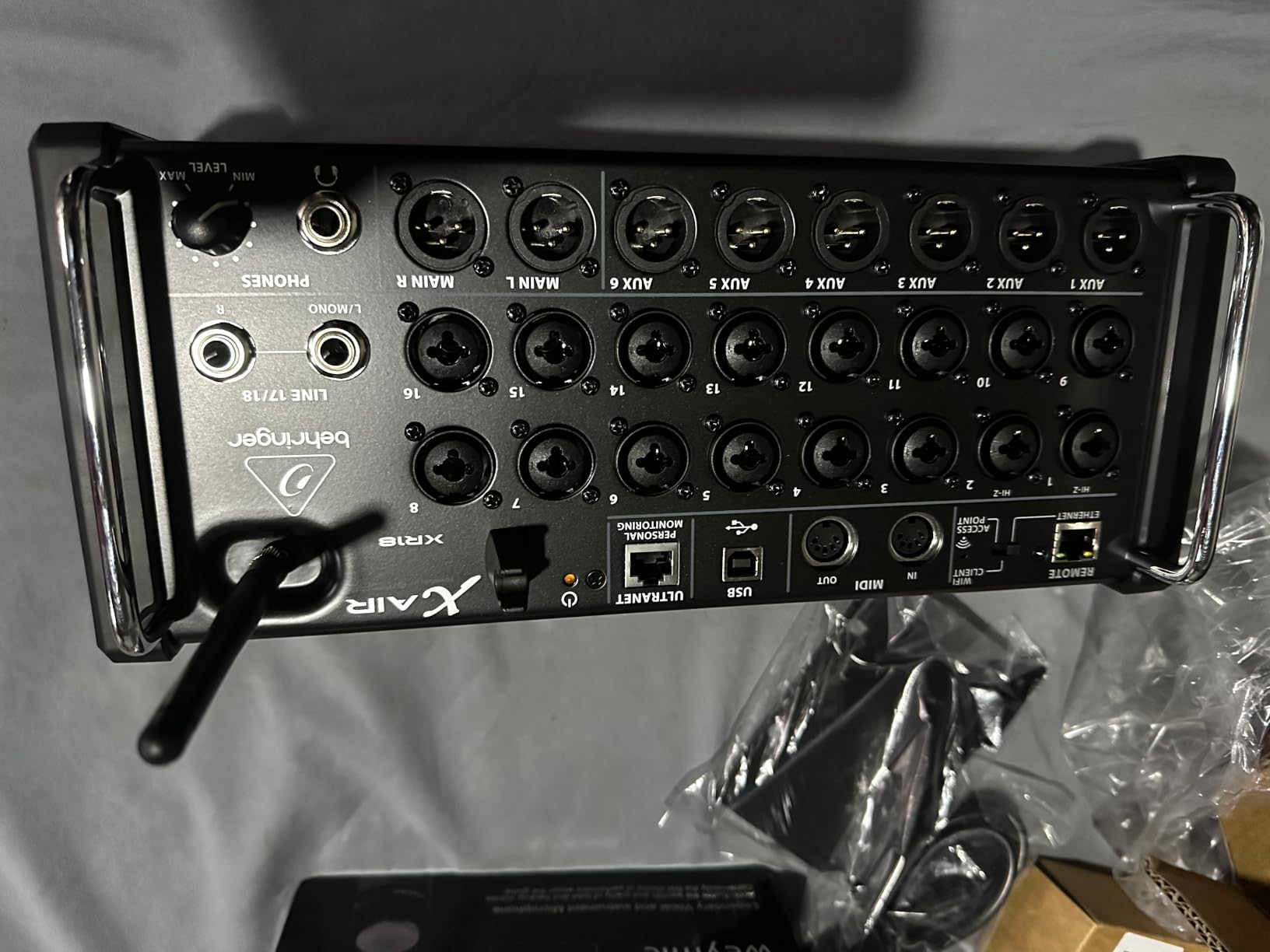
I have recommended the Behringer XR18 to more small churches and startup bands than any other mixer, and for good reason. This little rack-mount unit packs 16 MIDAS-designed programmable preamps into a box that weighs just over seven pounds. For the price, the preamp quality alone makes it one of the best digital mixers for live sound on a tight budget.
The XR18 operates entirely through a tablet or smartphone app, which means there are no physical faders on the unit itself. At first, I was skeptical about mixing on an iPad screen. But after using it for a few weeks of Sunday services, I realized the app gives you something a physical board never could: the ability to walk the room and hear what the audience hears while making adjustments in real time.
The built-in tri-mode Wi-Fi router is a standout feature. You do not need to buy a separate router or worry about venue Wi-Fi interference. The XR18 creates its own network, and you simply connect your iPad or Android device directly. I have used this in a steel-framed church building and the connection stayed solid throughout the service.
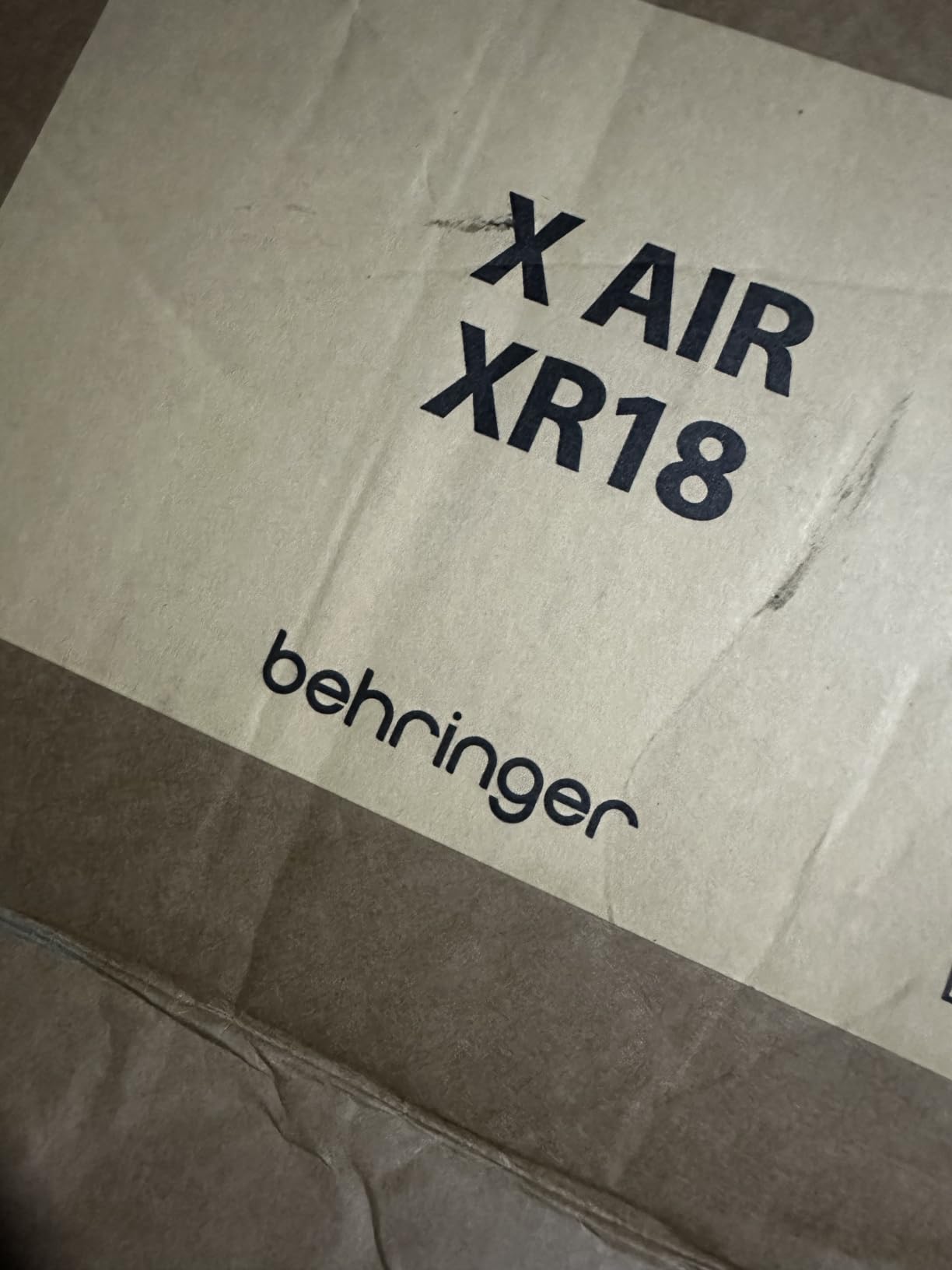
One feature that surprised me was the Dugan-style auto-mixing. If you have ever mixed a panel discussion or a large worship team with multiple talking microphones, you know how hard it is to manage gain sharing manually. The XR18 handles this automatically, keeping only the active microphone loud while ducking the others. It reduces feedback risk and cleans up the mix without you touching a fader.
The 18×18 channel USB audio interface is another reason this mixer punches above its weight. You can multitrack record every channel directly to a laptop or even an iPad. I have used this for virtual soundcheck workflows where you record the band during rehearsal, then mix the recording later to dial in settings without the band needing to be there.
On the downside, the lack of physical controls is real. If your tablet battery dies mid-service or the Wi-Fi drops, you are stuck. I always carry a charged backup tablet and a USB cable as insurance. Some sound engineers simply cannot get comfortable mixing on a touchscreen, and that is a valid concern if you are used to traditional consoles.
The effects section includes four stereo FX processors with reverb, delay, chorus, and more. These sound good for the price range, though they are not as refined as what you get on higher-end Allen & Heath or Yamaha boards. For small venues and volunteer teams, they are more than sufficient.
Who Should Buy the XR18
This mixer is perfect for small churches with 8 to 12 input channels, gigging bands that want a compact rig, and anyone just transitioning from analog to digital. If your entire band fits within 16 microphone inputs and you are comfortable mixing on a tablet, the XR18 gives you professional features at an entry-level investment.
I would not recommend it for large venues, broadcast applications, or situations where you need physical faders for fast reflexive mixing. It is also not ideal if you frequently have guest engineers who expect a traditional console interface.
Workflow and App Experience
The Mixing Station app is where this mixer truly shines. While Behringer’s own X Air app works fine, a third-party app called Mixing Station has become the community favorite. It runs on iOS, Android, Windows, and macOS, and offers a faster, more customizable interface than the stock app.
Scene recall works smoothly, letting you save and recall complete channel settings for different bands or service types. I have stored separate scenes for contemporary worship, traditional services, and special events, and switching between them takes about three seconds.
2. Allen & Heath CQ-18T – Best Compact Touchscreen Mixer
Allen & Heath CQ-18T Digital Mixer with 7″ Touchscreen WiFi and Bluetooth Connectivity
16 Inputs
7 inch Touchscreen
Dual-Band Wi-Fi
Bluetooth
24x22 USB Recording
Pros
- 7 inch capacitive touchscreen
- Dual-band Wi-Fi with auto channel
- Stereo Bluetooth input
- 24x22 USB multitrack recording
- 4 FX engines
Cons
- Not Prime eligible
- Limited to 16 channels
The Allen & Heath CQ-18T is the mixer I reach for when I need something compact but do not want to sacrifice sound quality. Unlike the tablet-only XR18, the CQ-18T gives you a 7-inch capacitive touchscreen right on the unit. That physical presence makes a huge difference when you want to make quick adjustments without pulling out your phone.
Allen & Heath has a reputation for building some of the best-sounding compact digital mixers for live sound, and the CQ-18T continues that tradition. The preamps are clean and quiet, with a warmth that sits well in a live mix without needing heavy EQ. I noticed immediately that vocals cut through the mix more naturally than on budget alternatives.
The dual-band Wi-Fi with automatic channel selection is more sophisticated than what you find on the XR18. It actively scans for the cleanest frequency and switches to avoid interference. In practice, this means fewer dropouts and a more stable connection in crowded RF environments like convention centers or multi-room venues.
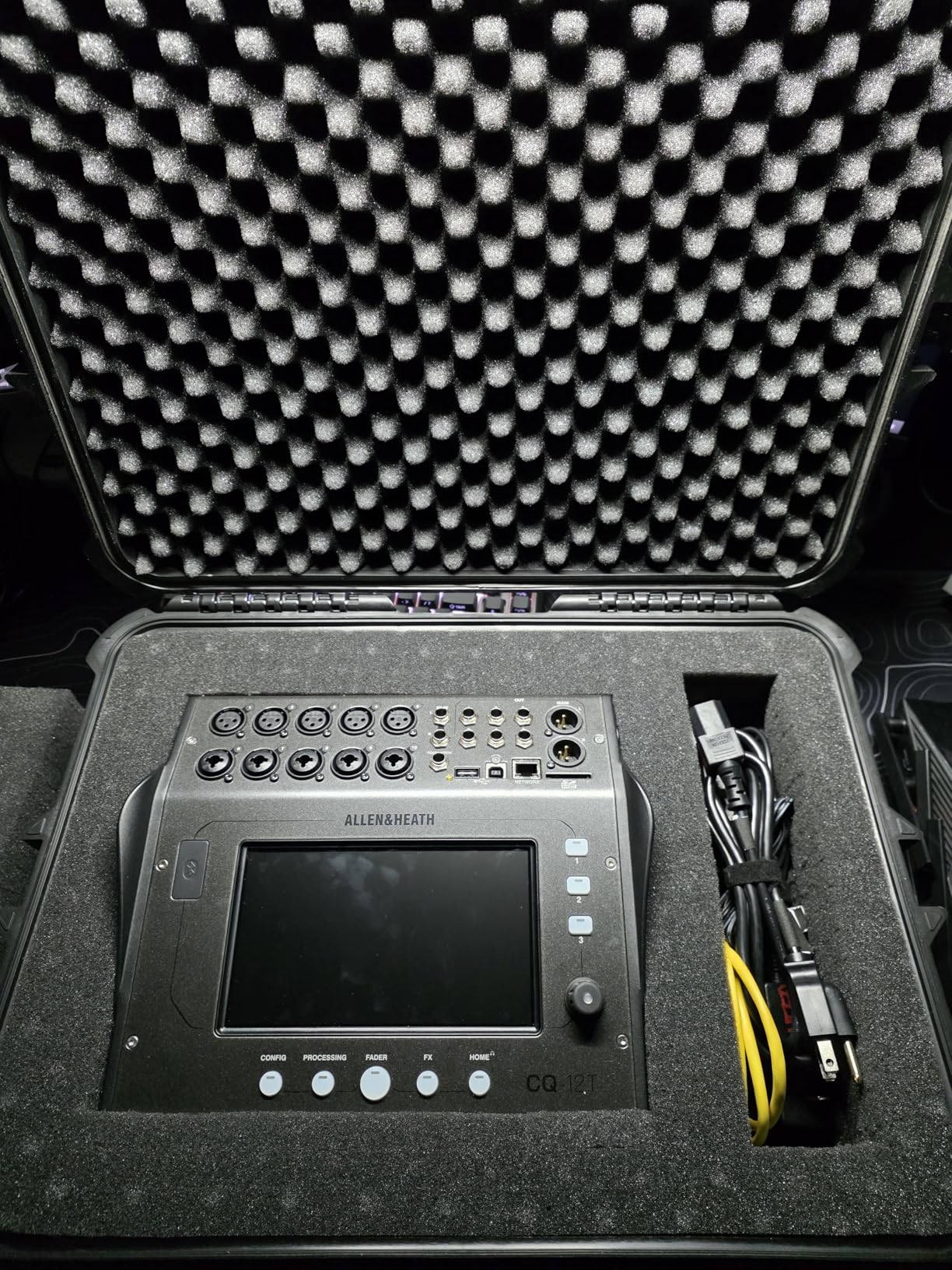
Stereo Bluetooth input is a feature I did not know I needed until I had it. Walk-up music, backing tracks, or click tracks can be sent wirelessly from any phone or laptop. No more hunting for the right cable or dealing with adapters when someone wants to play a track from their device.
The 24×22 USB interface supports full multitrack recording and playback. This is a serious step up from stereo-only USB connections on some competitors. You can record every channel of a live performance and then use that recording for virtual soundcheck or post-production mixing.
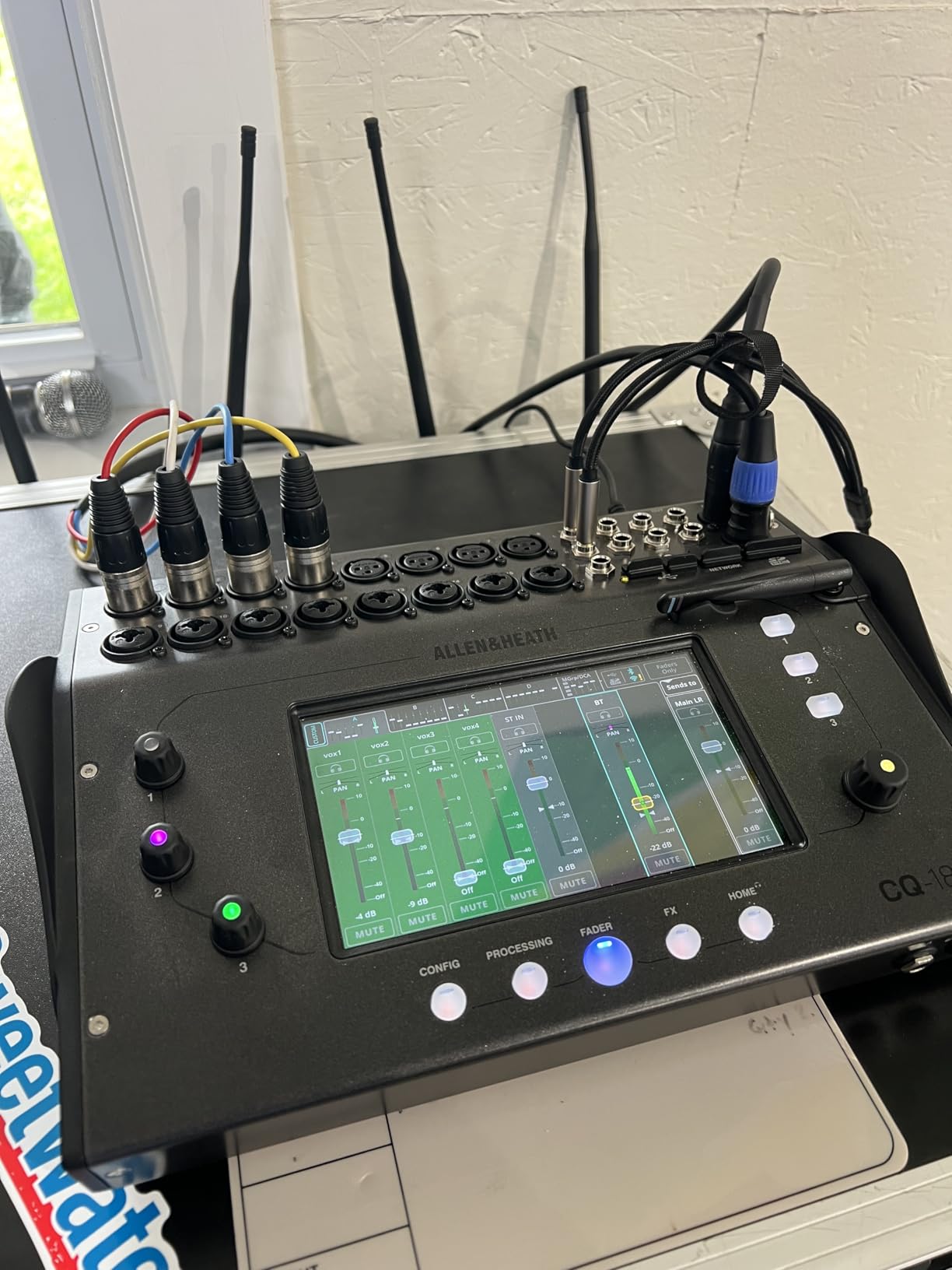
The four FX engines give you professional-quality reverb, delay, modulation, and other effects. Allen & Heath effects have always sounded musical and natural to my ears, and the CQ series carries that DNA. I particularly like the plate reverb for vocals and the tape delay emulation for guitar solos.
One limitation to be aware of is the 16-channel cap. If your band or venue needs more than 16 input channels, you will outgrow this mixer quickly. Allen & Heath positions this as a compact solution, not an expandable platform, so there is no stage box option to add more inputs later.
Who Should Buy the CQ-18T
This mixer targets small to medium venues, worship teams with modest channel counts, and solo performers or small bands who want professional sound in a portable package. The touchscreen makes it especially good for volunteers who might find a full physical console intimidating.
If you need more than 16 channels or plan to expand your input count in the future, look at the Yamaha DM3 or the Behringer X32 instead. The CQ-18T is built for a specific use case and excels within those boundaries.
Touchscreen and Connectivity
The 7-inch capacitive touchscreen is responsive and well-designed. Unlike resistive touchscreens that require pressure, capacitive touch responds to the lightest tap. The interface is organized logically, with channel strips, EQ, dynamics, and effects all accessible through intuitive menus.
Three custom SoftKeys and three SoftRotaries let you assign your most-used functions to dedicated controls. I set mine up for talkback, mute groups, and quick access to the main mix compressor. This customization lets you build a workflow that matches how you actually mix.
3. Yamaha DM3 Standard – Best Ultracompact Professional Mixer
Yamaha YAMAHA Compact Digital Mixer DM3 Standard DM3S Dante Not Included Model
22 Channel
9 inch Touchscreen
16 Mic Inputs
6 Mix Buses
Ultracompact
Pros
- Compact professional design
- 9 inch multi-touch screen
- 16 mic/line inputs
- 6 mix buses and 2 matrix
- Yamaha preamp sound quality
Cons
- USB records stereo mix only
- Only 10 reviews available
Yamaha has been building live sound consoles for decades, and the DM3 Standard represents their take on the ultracompact digital mixer category. At just 15 pounds, it is one of the most portable professional mixers I have tested, yet it offers 16 microphone inputs and a full complement of mixing buses.
The 9-inch multi-touch screen is the largest display on any compact mixer in this lineup. I found it genuinely useful for navigating channels, adjusting EQ curves, and setting up compression. The touch response is excellent, and Yamaha’s interface design is clean and logical even for engineers who are new to digital mixing.
Sound quality is where Yamaha consistently sets itself apart. The preamps have a characteristic clarity and headroom that makes vocals and acoustic instruments sound natural without needing excessive processing. I mixed a jazz quartet through the DM3 and was struck by how little EQ I needed to get a polished sound.
The routing flexibility is impressive for such a compact unit. You get six mix buses, two FX buses, and two matrix buses. That is enough sends for a full in-ear monitor setup with multiple musicians, plus feeds for recording and broadcast outputs. The matrix routing is particularly useful for venues that need separate zones or delayed speaker towers.
One significant limitation is the USB output. The DM3 Standard records only a stereo mix to USB, not individual channels. If multitrack recording is important to your workflow, you will want to look at the Dante version or the Allen & Heath CQ-18T instead. This is a surprising omission given the mixer’s otherwise professional feature set.
Who Should Buy the DM3 Standard
The DM3 Standard is ideal for small venues, corporate AV, podcasting, and gigging musicians who need professional sound quality in a highly portable package. If you move between locations frequently and need something that fits in a backpack or small flight case, this is hard to beat.
I would steer away from this mixer if you need multitrack USB recording, Dante networking, or more than 16 input channels. The Dante-equipped DM3-D addresses the first two concerns if you are willing to spend more.
Sound Quality and Routing
Yamaha’s approach to digital processing emphasizes transparency and musicality. The EQ curves sound natural rather than harsh, and the compressors behave predictably across different source material. The built-in effects, while limited compared to larger Yamaha consoles like the QL series, are usable for live reinforcement.
The 8-plus-1 fader layout means you get eight channel faders plus a master fader. Layer switching lets you access all 16 channels, but you are working in banks rather than seeing everything at once. This takes some getting used to if you are coming from a console with dedicated faders for every channel.
4. Behringer X32 – The Industry Standard Workhorse
Behringer 32 40-Input 25-Bus Digital Mixing Console, Black (X32)
40-Input
25-Bus
32 Midas Preamps
25 Motorized Faders
LCD Scribble Strips
Pros
- 40 inputs and 25 buses
- 32 MIDAS programmable preamps
- 25 motorized 100mm faders
- LCD Scribble Strips
- 16 XLR outputs
Cons
- Heavy at 45 plus pounds
- Complex setup for beginners
The Behringer X32 is the mixer I see in more venues, churches, and rental houses than any other digital console. It has earned that position through a combination of massive channel count, MIDAS preamp quality, and a feature set that rivals consoles costing twice as much. When people ask me about the best digital mixers for live sound, the X32 is usually my first recommendation for mid-sized setups.
With 40 input channels, 25 buses, and 32 MIDAS-designed programmable preamps, the X32 handles virtually any live situation you throw at it. I have mixed full bands with drums, multiple vocalists, keyboard rigs, and direct inputs all at once without running out of channels. The 16 XLR outputs give you plenty of sends for monitors, main speakers, and recording feeds.
The 25 fully motorized 100mm faders transform how you work during live shows. Motorized faders mean that when you recall a scene, the faders physically move to their saved positions. You can see your mix layout at a glance without looking at a screen. This matters more than you might think when you are mixing under pressure.
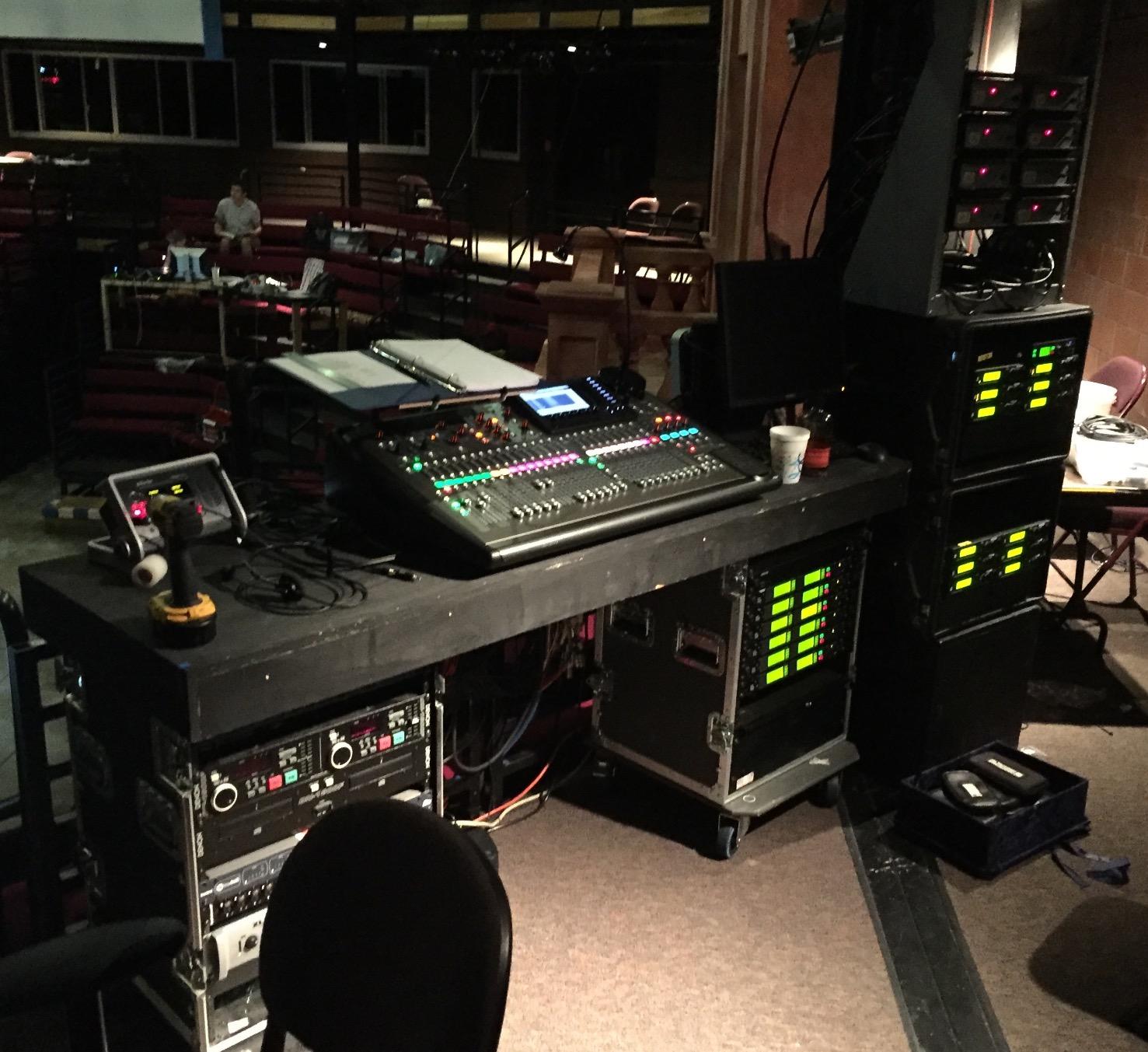
The LCD Scribble Strips on every channel and bus are another feature that sets the X32 apart. Instead of taping paper labels across your console, each channel has a small color LCD that displays the channel name, icon, and color code. You can name channels like “Kick,” “Lead Vox,” or “Acoustic” and see exactly what you are adjusting at all times.
Scene management on the X32 is comprehensive. You can save and recall complete console states including EQ, dynamics, routing, effects, and fader positions. I have built separate scenes for different bands that play at the same venue, and switching between them takes seconds. The scene recall scope is customizable, so you can choose to recall only certain parameters while leaving others untouched.
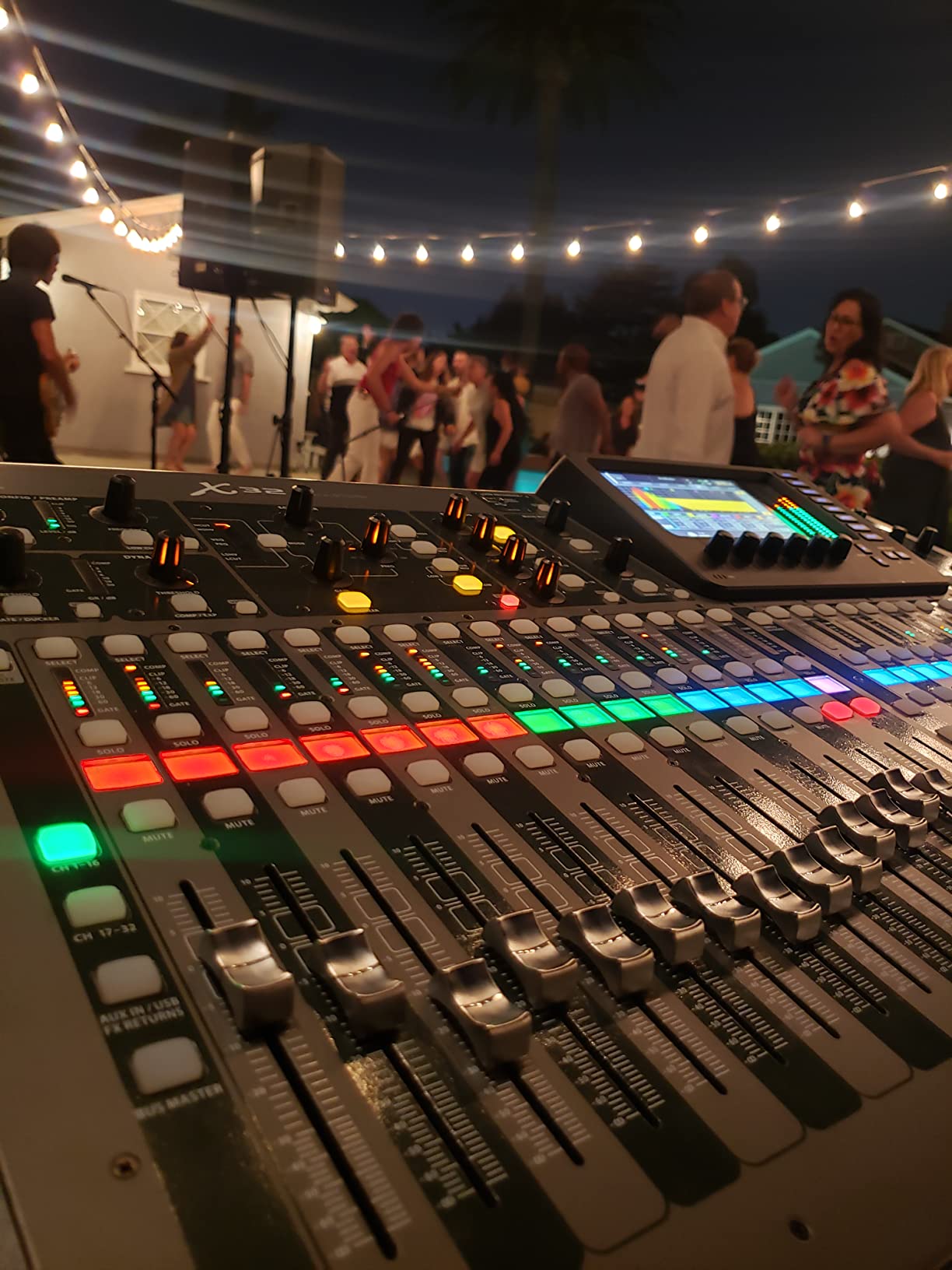
The main drawback is weight. At over 45 pounds, the X32 is not something you want to carry up three flights of stairs by yourself. It is a console that lives in a venue or travels in a flight case on wheels. If portability is a priority, the compact version or the XR18 might be better fits.
The learning curve is real. The X32 has so many features that beginners can feel overwhelmed. I recommend spending a weekend with the console and some YouTube tutorials before your first gig. Once you understand the routing architecture and layer system, it becomes intuitive and fast.
Who Should Buy the X32
This is the mixer for mid-sized venues, established churches, production companies, and serious gigging bands that need 24-plus input channels. If you mix full bands regularly, need multiple monitor mixes, and want professional features without spending professional money, the X32 is the answer.
It is overkill for solo performers, small acoustic duos, or anyone who needs fewer than 12 channels. The physical size and weight also make it impractical for highly mobile setups.
Scene Management and Expandability
The X32 supports the AES50 protocol, which allows you to connect digital stage boxes like the Behringer S16 or Midas DL32 to extend your input and output count. This means you can place the stage box next to the band and run a single Cat5e cable back to the console instead of a heavy multicore snake.
The console also integrates with the X Air app for remote control via tablet. You can walk the room, stand next to a musician to set their monitor mix, or let a volunteer handle monitors from the stage while you handle front of house. This flexibility is why so many venues have standardized on the X32 platform.
5. Yamaha DM3-D Dante – Best for Networked Audio
Yamaha DM3-D 22 Channel Ultracompact Digital Mixing Console With Dante
22 Channel
96kHz
16x16 Dante
9 inch Touchscreen
Yamaha Preamps
Pros
- 96kHz sample rate audio
- 16x16 Dante interface
- 9 inch touchscreen
- Compact and portable
- Yamaha preamp quality
Cons
- Some shipping damage reports
- No auto mixer function
- Lower rating than competitors
The Yamaha DM3-D takes everything good about the DM3 Standard and adds Dante networking along with 96kHz processing. If your venue or production company uses Dante for audio distribution, this mixer slots directly into your existing infrastructure. Dante has become the standard for networked audio in professional installations, and having it built in saves you the cost of an external interface card.
The 96kHz sample rate is a meaningful upgrade over the 48kHz processing found on many competing mixers. Higher sample rates capture more harmonic detail and can make subtle improvements to transparency and spatial imaging. Whether your audience can hear the difference depends on the rest of your signal chain, but engineers who work with acoustic music and high-quality PA systems often prefer 96kHz.
I tested the DM3-D alongside the standard version, and the Dante integration works smoothly. You assign channels through the Dante Controller software, and the mixer appears as a node on your network. For venues with multiple rooms or distributed speaker systems, this is a massive advantage over analog snakes.
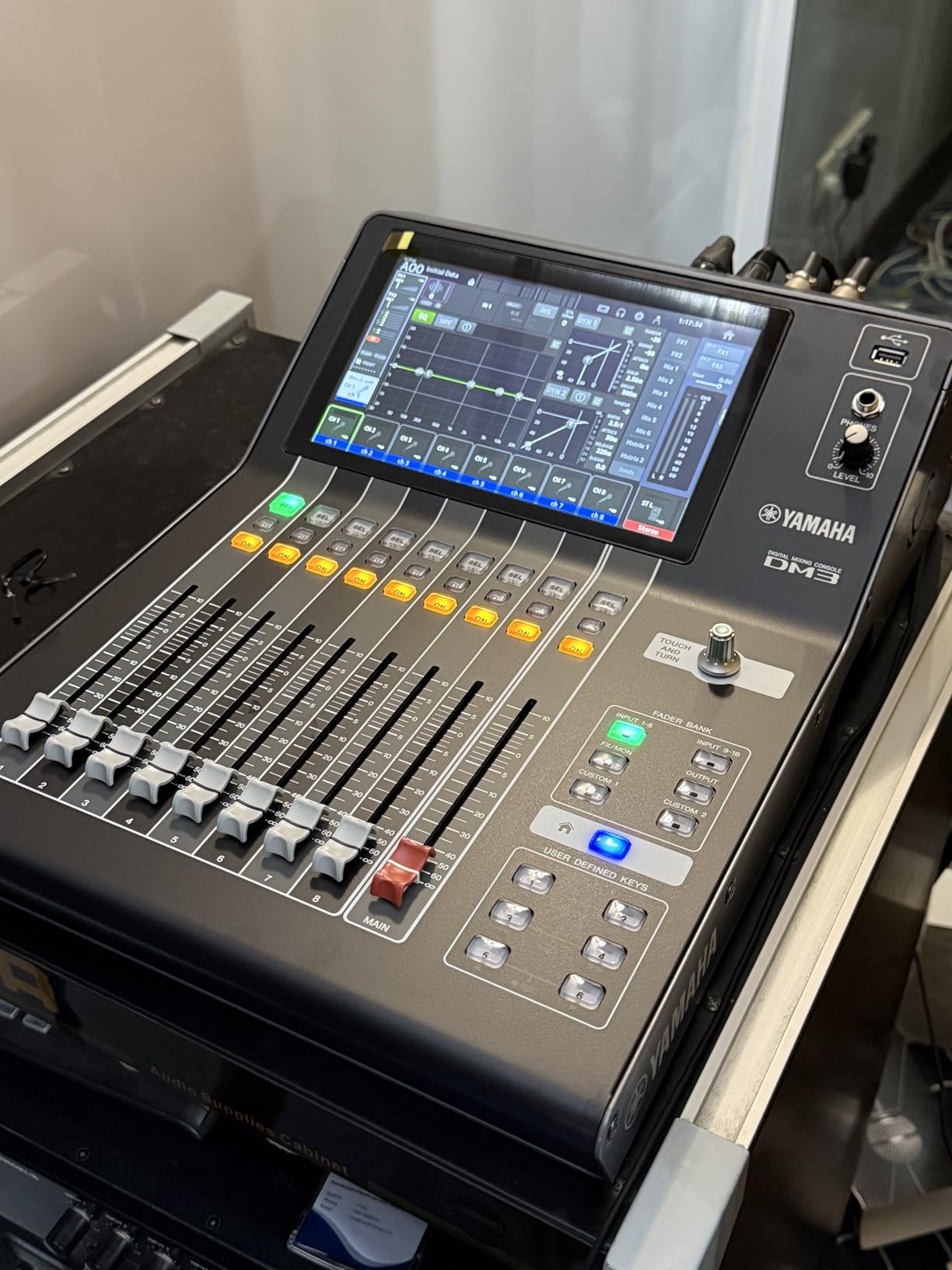
The 16×16 Dante interface means you can send and receive 16 channels of audio each way over a single Cat5e cable. That covers most small to medium setups. If you need more channels, you can daisy-chain additional Dante devices on the same network.
The 9-inch touchscreen remains the standout interface element. Yamaha has refined their touch UI over multiple product generations, and the DM3-D benefits from that experience. Channel selection, EQ adjustment, dynamics control, and effects routing are all accessible through well-organized touch pages.
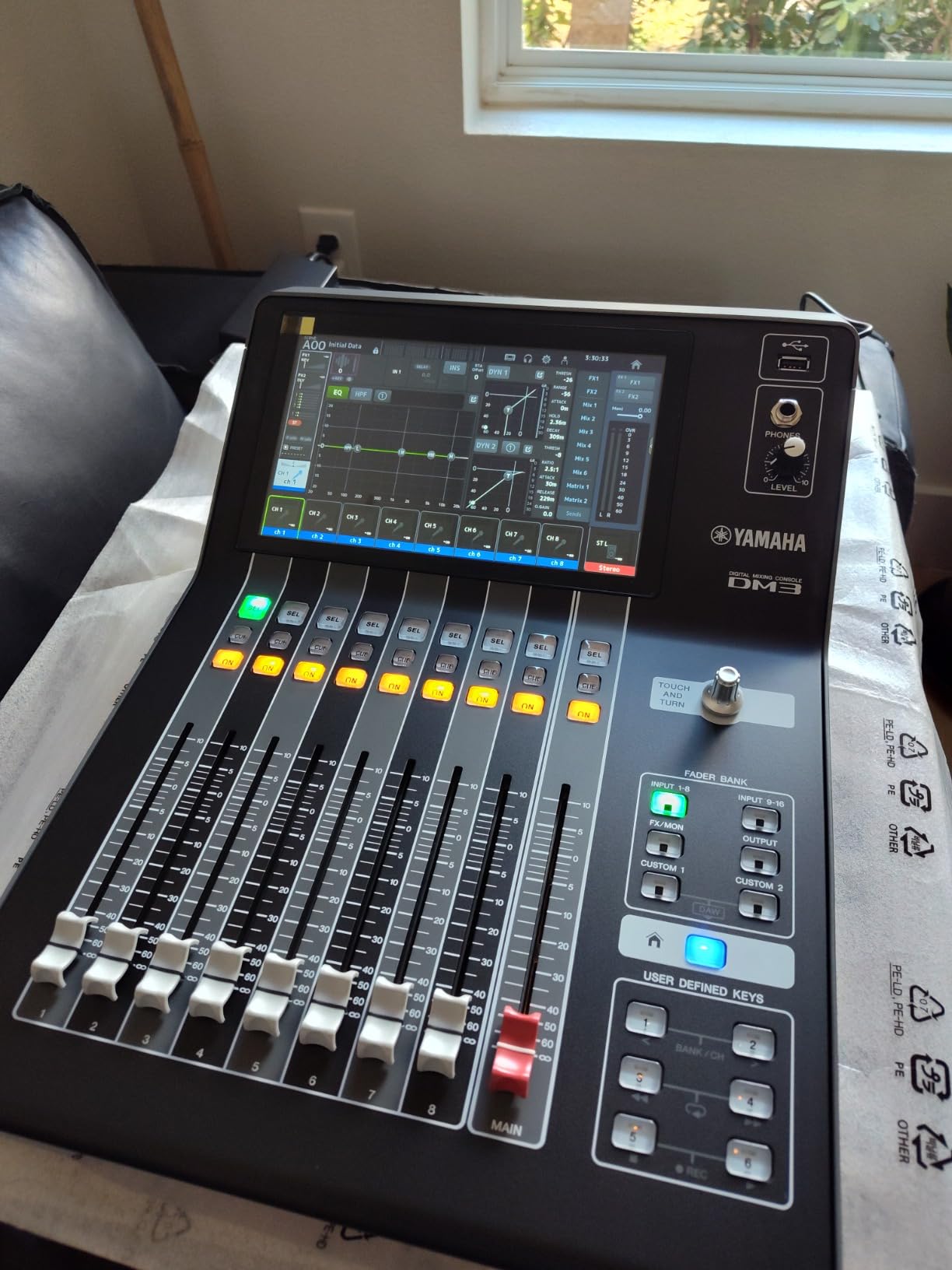
One thing to watch for is the mixed review history. Some users have reported shipping damage and cosmetic issues on arrival. The mixer itself is well-built, but packaging seems to be inconsistent. I recommend inspecting the unit carefully upon delivery and dealing with any issues immediately through the retailer.
The absence of an auto mixer function is a notable gap. If you regularly mix panel discussions, conferences, or other multi-microphone speech events, the lack of automatic gain sharing means more manual work. Competitors like the XR18 and higher-end Allen & Heath consoles include this feature.
Who Should Buy the DM3-D Dante
This mixer is purpose-built for venues and organizations that already use or plan to adopt Dante networking. If you have Dante-enabled speakers, stage boxes, or recording interfaces, the DM3-D integrates without extra hardware. It is also a strong choice for corporate AV and broadcast applications where network reliability matters.
If you do not need Dante, the standard DM3 offers the same sound quality and form factor for less. And if auto-mixing is important to your workflow, look elsewhere.
Dante Networking and Audio Quality
Dante networking offers several advantages over traditional analog connections. Cable runs can extend much farther, you can route audio to multiple destinations simultaneously, and adding channels does not require new physical cabling. The DM3-D supports Dante device lockout for security in permanent installations.
The 96kHz processing applies to all internal effects and dynamics processing as well. Yamaha’s renowned SPX reverbs sound particularly detailed at the higher sample rate. If you are mixing acoustic music, classical ensembles, or any material where sonic transparency matters, the DM3-D delivers.
6. PreSonus StudioLive 32SX – Best for Live Recording
PreSonus StudioLive Series III 32SX Digital Console Mixer
40-Input
32-Channel
AVB Networking
128ch USB
SD Card Recording
Pros
- Dual-core FLEX DSP with 286 processors
- 128-channel USB interface
- AVB networking ecosystem
- SD card virtual soundcheck
- 16 FlexMixes
Cons
- Steep learning curve
- Some fader quality control reports
- Software lacks video import
The PreSonus StudioLive 32SX is the mixer I recommend when live recording is just as important as live mixing. With a 128-channel USB interface and an onboard SD card recorder, this console gives you more recording capability than any other mixer in this lineup. If your workflow involves capturing multitrack recordings of every performance, this is the tool for the job.
The dual-core FLEX DSP engine powers 286 simultaneous processors. That is an enormous amount of processing headroom. Every channel gets full EQ, compression, gating, and limiting without taxing the system. I have loaded up complex plugin-style processing chains on every channel and never hit the DSP ceiling.
The onboard SD card recorder enables what PreSonus calls Virtual Soundcheck. You record the full multitrack during soundcheck or the performance, then play it back through the mixer as if the band was still on stage. This lets you dial in effects, EQ, and monitor mixes after the musicians have left. For venues with limited rehearsal time, this feature alone justifies the investment.
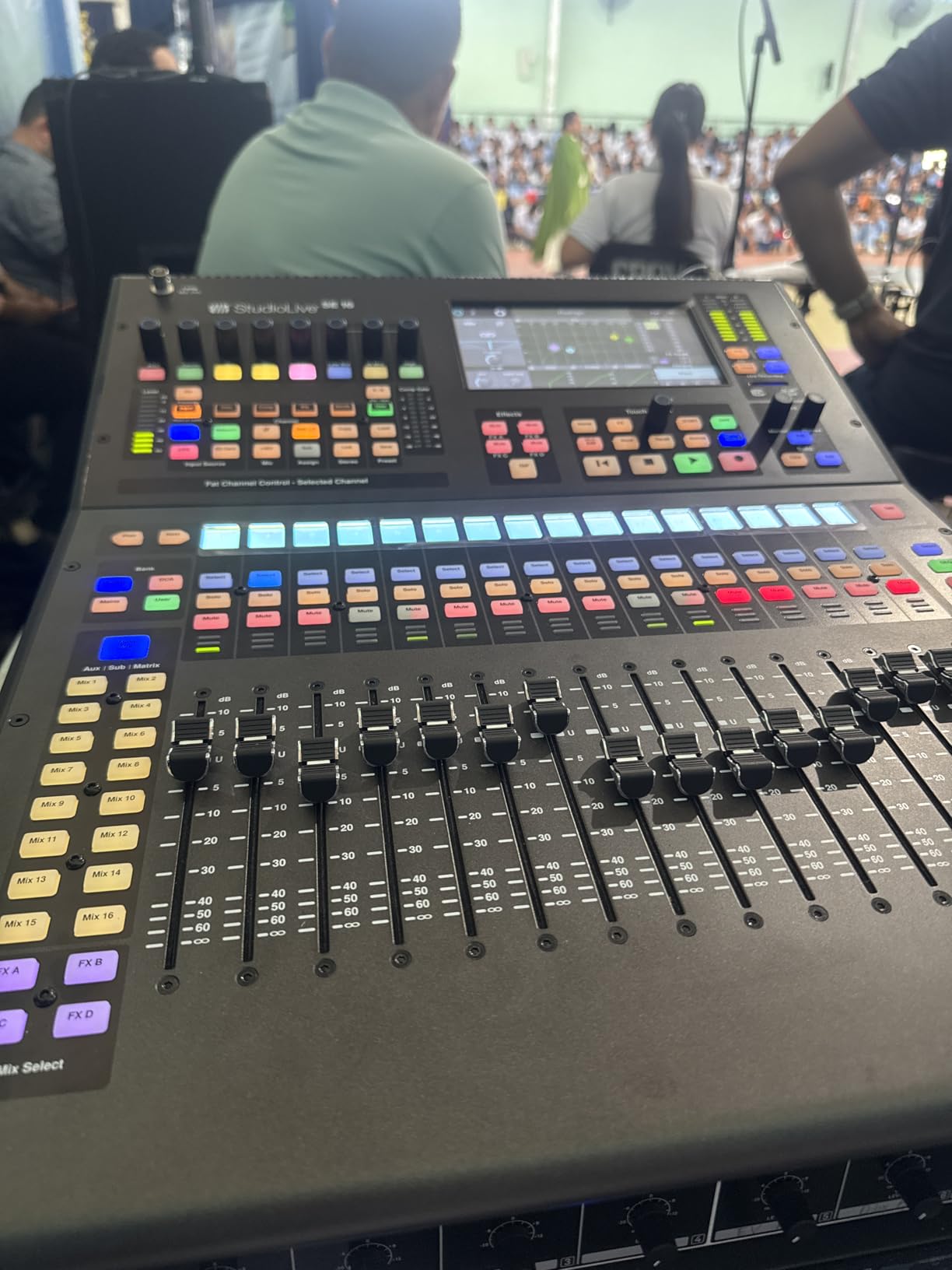
The 128-channel USB interface is the most extensive of any mixer I have tested. You can send every input channel, every bus output, and every FX return to your computer simultaneously. This opens up possibilities for live album recording, broadcast production, and complex routing scenarios that other mixers simply cannot handle.
AVB networking is PreSonus’s answer to Dante. The StudioLive ecosystem includes NSB stage boxes, EarMix personal monitor mixers, and AVB network switches. If you invest in the full PreSonus ecosystem, you can build a distributed audio network similar to what Dante offers but using AVB protocol instead.
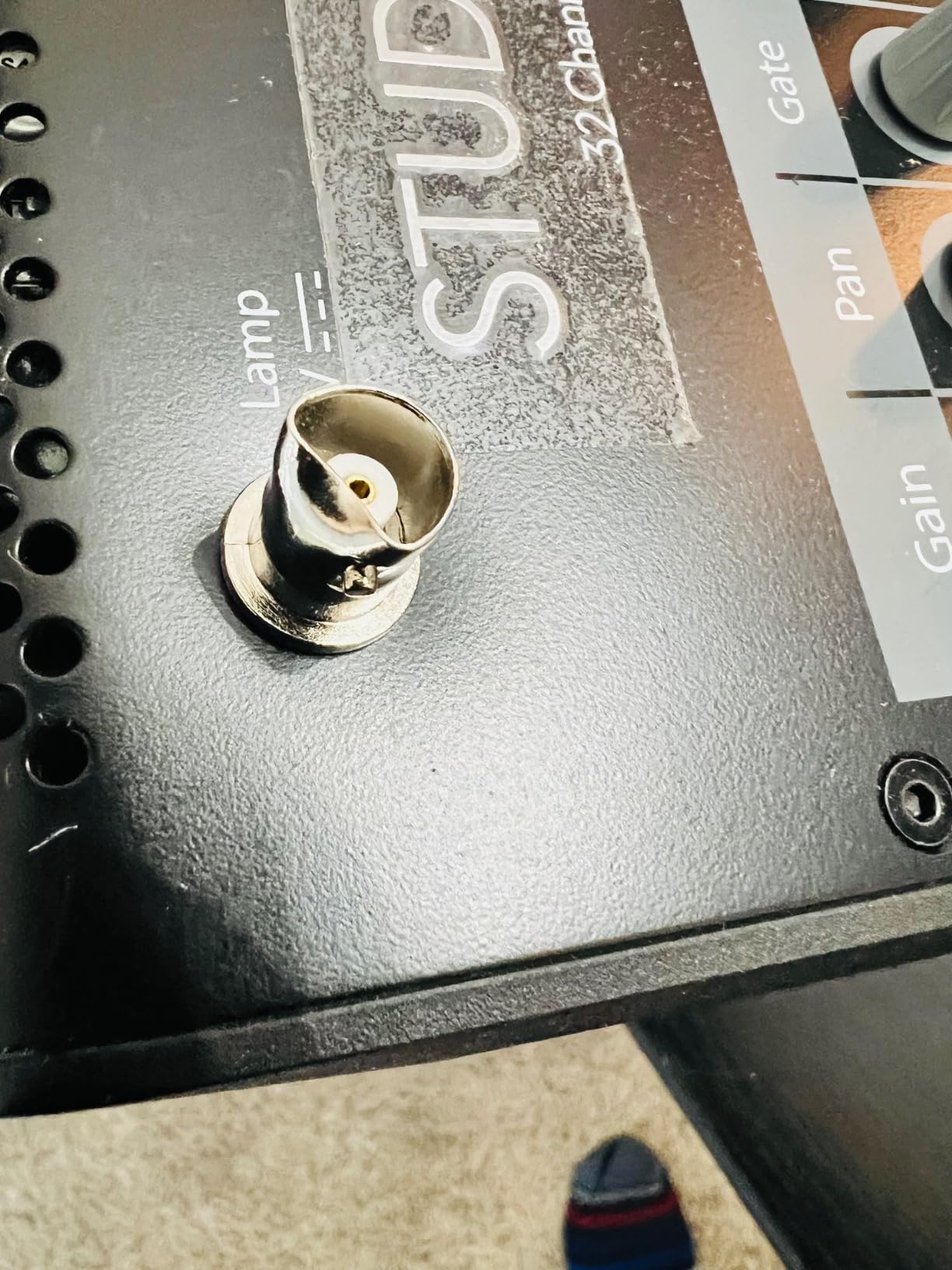
The 16 FlexMixes are a standout routing feature. Each FlexMix can be configured as an aux send, a subgroup, or a matrix mix. This gives you tremendous flexibility to adapt the console to different show requirements without being locked into a fixed bus architecture. I have used the same console for a worship service with eight monitor mixes one day and a corporate event with subgroups and zone sends the next.
The included software bundle is generous. You get Studio One Artist DAW and Capture live recording software. Studio One is a full-featured recording platform that integrates tightly with the mixer for both live recording and studio work. The main complaint from users is that the Artist tier lacks video import and music notation features, which means upgrading to the Professional version for those capabilities.
Who Should Buy the StudioLive 32SX
This mixer is built for venues and production companies that prioritize recording alongside live mixing. Churches that want to capture weekly services for online distribution, bands that record every show for live albums, and corporate AV teams that need both PA and recording will get the most value here.
If you do not need multitrack recording or extensive USB connectivity, other mixers in this guide offer similar mixing capabilities for less. The StudioLive platform shines brightest when you leverage its recording strengths.
Recording and Software Integration
The DAW control integration goes beyond simple USB audio. The StudioLive can control transport functions, mixer levels, and plugin parameters in Studio One, Logic Pro, and Pro Tools through MCU and HUI emulation. This makes it a true hybrid console that works as both a live mixer and a studio controller.
Scene management is organized into projects, with scene lock and channel safe features that prevent accidental changes to critical settings. The project-based approach is more sophisticated than simple scene recall and works well for multi-day festivals or recurring events with multiple acts.
7. Behringer WING Compact – Best Value High-Channel Mixer
Behringer WING Compact 48-channel Digital Mixer
48 Stereo Channels
24 Midas Pro Preamps
16 FX
13 Motorized Faders
Touchscreen
Pros
- 48 stereo channels with touchscreen
- 24 Midas Pro preamps
- 16 stereo digital FX processors
- 48-in/48-out USB interface
- 13 motorized faders
Cons
- Heavy at 47 plus pounds
- Only 15 reviews so far
The Behringer WING Compact is the newest mixer in this lineup, and it represents Behringer’s most ambitious digital console to date. With 48 stereo channels, 24 Midas Pro preamps, and 16 stereo digital FX processors, it offers more raw processing power than anything else in this price range. The 4.8-star rating from early adopters suggests Behringer has delivered on the promise.
I was immediately struck by the touchscreen interface. Behringer took a different approach from the X32, building the WING around a large central touchscreen with a more modern, app-like interface. Channel selection, effects routing, and scene management all flow through this display, and the touch response is noticeably better than older Behringer products.
The 24 Midas Pro preamps are a step up from the standard MIDAS preamps found on the X32 and XR18. They offer more headroom, lower noise, and a slightly more open character in the high frequencies. For vocals and acoustic instruments, the difference is audible. I would put these preamps up against consoles costing significantly more.
The 48-in/48-out USB audio interface is massive. You can record and play back 48 channels simultaneously over a single USB connection. This makes the WING Compact viable as a studio recording interface in addition to its live sound duties. The bidirectional capability also supports virtual soundcheck workflows.
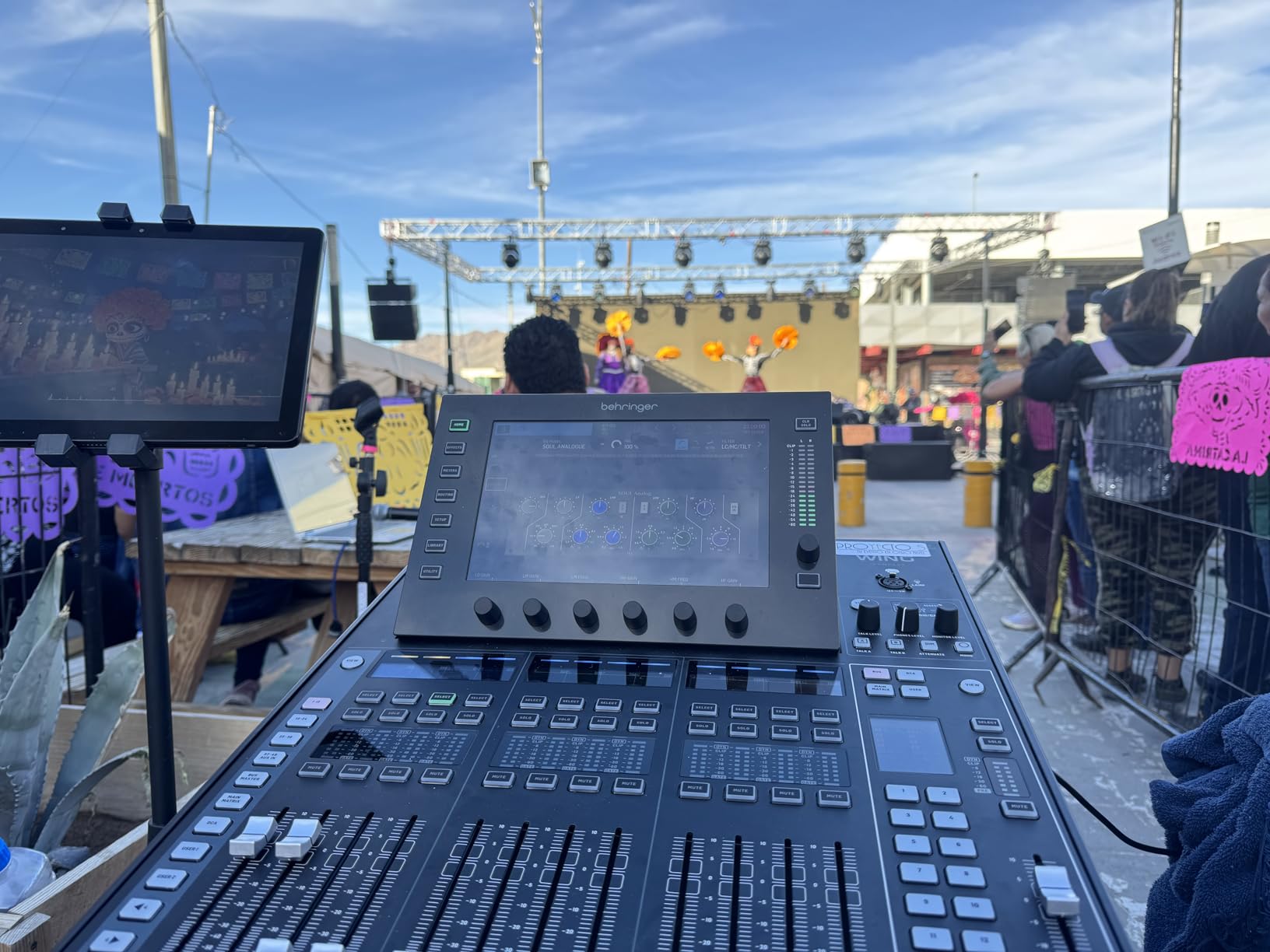
Sixteen stereo digital FX processors give you an enormous palette of effects. You can run separate reverb, delay, modulation, and pitch effects on multiple channels simultaneously without running out of DSP. This is more effects processing than most mixers in any price range offer, and the quality is professional-grade.
The 13 motorized faders provide physical control over your most-used channels. While 13 faders is fewer than the X32’s 25, the WING’s channel architecture is organized differently, with stereo channels counting as single strips. In practice, you can control a large number of channels efficiently through layer switching.
Being a newer product, the WING Compact has only 15 reviews so far. This means long-term reliability data is still accumulating. The 2-year warranty provides some peace of mind, and Behringer’s track record with the X32 suggests they support their products with firmware updates over time.
Who Should Buy the WING Compact
This mixer targets engineers who want maximum channel count and effects processing without stepping up to Allen & Heath or Yamaha pricing. It is ideal for large bands, orchestral setups, and venues that need extensive routing and effects capabilities. The WING Compact also appeals to X32 owners looking to upgrade.
If you need Dante or AVB networking, the WING Compact relies on USB and AES connections instead. And if you want the proven reliability of a console that has been on the market for years, the X32 remains the safer bet.
Channel Architecture and FX
The WING’s channel architecture is fundamentally different from traditional mixing consoles. Instead of fixed mono channels, the WING uses a flexible system where channels can be mono or stereo, and routing follows a more intuitive signal flow model. This takes some adjustment if you are used to traditional console layouts, but once you understand the logic, it is efficient.
The effects quality is genuinely impressive. The 16 stereo processors include emulations of classic reverbs, delays, choruses, flangers, and other modulation effects. I found the plate and hall reverbs particularly useful for vocals, and the tape delay emulation added character to guitar mixes without sounding artificial.
8. Allen & Heath SQ-6 – Best Premium Digital Mixer
Allen & Heath SQ-6 Digital Mixer, 48 Input Channels, 7″ Colour Touchscreen, 24 Onboard Preamps, 25 Faders, 16 SoftKeys AES Digital Output
48 Input
36 Buses
96kHz
25 Faders
SLink Networking
Pros
- 48 input channels with 36 buses
- 96kHz processing
- 25 faders with 6 layers
- SLink networking 128x128 channels
- AES digital output
Cons
- Higher price point
- Only 14 reviews available
The Allen & Heath SQ-6 sits at the top of this guide as our premium pick, and it earns that position with a perfect 5.0-star rating from every reviewer. This is a console built for professional engineers who demand the highest sound quality, the most flexible routing, and rock-solid reliability night after night.
Running at 96kHz sample rate, the SQ-6 delivers audio quality that rivals consoles costing twice as much. The processing clarity is immediately apparent when you switch from a 48kHz console. Transients are sharper, reverb tails are smoother, and the overall sound has a three-dimensional quality that lower sample rates struggle to match.
The 48 input channels and 36 total buses give you enormous routing flexibility. With 12 stereo mix buses that can function as aux sends or subgroups, plus a main mix, you have enough sends for the most complex monitor setups. I have mixed full orchestral productions with individual monitor mixes for every musician without hitting the routing ceiling.
The SLink EtherCON connection is where the SQ-6’s expandability truly shines. This single port supports 128×128 channels of remote audio using dSnake, ME, DX, or GigaACE protocols. You can connect Allen & Heath stage boxes, personal monitor mixers, and even link multiple SQ consoles together for larger events.
The I/O port accepts option cards including Dante and Waves SoundGrid. This means you can add Dante networking to the SQ-6 if your infrastructure requires it, or integrate Waves plugins for studio-grade processing during live shows. The modularity ensures the console can adapt to different venue requirements.
The 25 faders with six layers give you 144 assignable channel strips. That is enough physical control surface for even the largest productions. The faders are motorized, so scene recalls physically reposition them. Layer switching is fast, and the color-coded layer system makes it easy to keep track of where you are.
Who Should Buy the SQ-6
This console is for professional sound companies, large venues, broadcast facilities, and high-end installers who need top-tier sound quality with extensive routing. If your productions involve more than 32 input channels, complex monitor routing, or integration with networked audio systems, the SQ-6 is built for that world.
For smaller setups, this is more console than you need. The SQ-6 makes sense when you are outgrowing an X32 or similar mid-tier mixer and need the next step up in sound quality and routing capability.
Expandability and SLink Ecosystem
The SLink ecosystem is one of the most comprehensive expandability platforms in live sound. Allen & Heath offers the DX168 and DX32 stage boxes for remote input expansion, the ME-1 personal monitor mixer for individual musician control, and the GigaACE protocol for linking consoles over standard networking cable.
The 16 SoftKeys let you assign custom functions to dedicated physical buttons. I configure mine for mute groups, scene recalls, talkback activation, and effects toggles. Having these one-touch controls speeds up workflow significantly during live shows where every second counts.
The SQ-6 also includes DEEP processing, Allen & Heath’s embedded plugin architecture. This gives you studio-quality compressors, EQs, and other processors running directly on the console’s DSP. The emulations of classic analog gear add character and warmth that digital processing traditionally lacked.
How to Choose the Best Digital Mixer for Live Sound?
Choosing among the best digital mixers for live sound comes down to understanding your specific needs and matching them to the right feature set. Here is what I tell people who ask me for buying advice, based on years of real-world mixing experience.
Channel Count and I/O
Count every input you need before buying anything. Include vocal microphones, instrument direct inputs, drum microphones, playback devices, and leave at least 20 percent headroom for future growth. A 5-piece rock band with a fully miked drum kit typically needs 16 to 24 channels. A worship team with drums, bass, two guitars, keys, and four vocalists easily reaches 24-plus channels.
Also consider output routing. Every musician who needs a personal monitor mix requires a dedicated output send. If you have six musicians on in-ear monitors, you need at least six mix bus outputs plus your main left-right feed. Venues with multiple speaker zones need matrix outputs for distributed audio.
Preamp Quality
The microphone preamps are the first stage of your signal chain, and their quality affects everything downstream. MIDAS preamps on Behringer products offer warmth and character. Yamaha preamps are known for clarity and headroom. Allen & Heath preamps sit somewhere between, with a musical quality that works well across genres.
In practice, the differences between quality preamps are subtle but cumulative. Over a full mix with 20-plus channels, better preamps mean less cumulative noise, more natural high frequencies, and less need for corrective EQ. If sound quality is your top priority, prioritize mixers from Yamaha and Allen & Heath.
Sample Rate: 96kHz vs 48kHz
Sample rate determines how much audio detail the mixer captures and processes. The standard for live sound has long been 48kHz, which is perfectly adequate for most applications. However, 96kHz processing captures more harmonic content and can improve transient response and spatial imaging.
The trade-off is that 96kHz uses twice the DSP resources, which can limit the number of simultaneous effects and processing channels. For most live sound applications, the audience will not notice the difference between 48kHz and 96kHz processing. But if you are doing high-end installations, broadcast, or recordings where every detail matters, 96kHz is worth having.
App Control and Remote Mixing
Tablet and smartphone control has transformed live sound workflow. The ability to walk the venue while making mixing adjustments means you hear what the audience hears and can fix problems in real time. Every mixer in this guide supports some form of remote control, but the quality of the app experience varies significantly.
Allen & Heath’s MixStation and CQ apps are well-designed and stable. Behringer’s X Air app works adequately, but the third-party Mixing Station app is generally preferred by professionals. Yamaha’s apps are functional but less polished than the competition. PreSonus offers UC Surface, which provides comprehensive remote control across multiple platforms.
Expandability and Stage Boxes
Think about whether you will need to expand your input count in the future. The Behringer X32 supports AES50 stage boxes like the S16 and DL32. The Allen & Heath SQ-6 uses the SLink ecosystem with DX168 and DX32 expanders. The PreSonus StudioLive works with NSB stage boxes over AVB.
If you anticipate growth, choose a mixer with a proven expansion ecosystem. Adding a stage box lets you place inputs near the performers and run a single network cable back to the console, eliminating long analog snake runs. This simplifies setup and improves signal quality over distance.
Build Quality and Portability
Consider where the mixer will live and how often it will move. Installed consoles in permanent venues can be heavy without issue. Portable rigs for gigging musicians need to be light enough for one person to carry safely. The XR18 at 7 pounds and the DM3 at 15 pounds are genuinely portable. The X32 at 45 pounds and the WING Compact at 47 pounds are not.
Build quality affects long-term reliability. Look for metal chassis, quality faders, and solid connectors. Read user reviews for reports of fader failures, button wear, or screen issues. Professional-grade consoles from Allen & Heath and Yamaha tend to have the best long-term reliability records based on forum discussions and user reports.
Total Cost of Ownership
The mixer itself is just the beginning. Factor in the cost of a stage box if you need remote inputs, network cables for digital snakes, a dedicated router for wireless control if the mixer does not include one, a flight case for protection during transport, and any option cards for Dante or other networking protocols.
A mixer that seems affordable upfront may cost more once you add the accessories needed for your specific setup. Conversely, a more expensive mixer with built-in Wi-Fi, included effects, and integrated networking may represent better value when you account for the complete system cost.
Warranty coverage also matters for long-term ownership. PreSonus offers a 3-year warranty on the StudioLive. Allen & Heath provides 2-year coverage. Check the manufacturer’s support reputation and firmware update history, because a mixer that receives regular software updates will stay useful longer.
Frequently Asked Questions
Which digital mixer is best for live sound?
The best digital mixer for live sound depends on your channel count and budget. For most mid-sized venues and churches, the Behringer X32 with 40 inputs and 25 motorized faders is the industry standard. For premium sound quality, the Allen u0026amp; Heath SQ-6 at 96kHz is the top choice. For budget setups, the Behringer XR18 delivers 16 MIDAS preamps and tablet control at an entry-level price.
What is the best mixer for live sound?
The Behringer X32 is widely considered the best overall mixer for live sound due to its combination of 40 input channels, 32 MIDAS preamps, 25 motorized faders, scene recall, and proven reliability across thousands of venues. Allen u0026amp; Heath and Yamaha also produce excellent live sound mixers with superior preamp quality at higher price points.
What is the best digital mixer for live performance?
The best digital mixers for live performance in 2026 include the Behringer X32 for mid-sized setups, the Allen u0026amp; Heath SQ-6 for professional installations, the Yamaha DM3-D Dante for networked audio systems, and the PreSonus StudioLive 32SX for venues that prioritize multitrack recording alongside live mixing.
Can I use an audio mixer for live performances?
Yes, audio mixers are designed specifically for live performances. Digital mixers process sound in real time, allowing you to adjust volume, EQ, compression, effects, and routing during a show. They offer advantages over analog mixers including scene recall, built-in effects, remote control via tablet, and multitrack recording capabilities that make live mixing faster and more flexible.
How many channels do I need on a digital mixer?
A typical 5-piece rock band with fully miked drums needs 16 to 24 channels. Worship teams with drums, multiple guitars, keys, and several vocalists often need 24 to 32 channels. Solo performers and small acoustic acts can work with 8 to 16 channels. Always add 20 percent headroom for future growth when choosing channel count.
Final Thoughts on the Best Digital Mixers for Live Sound
After testing all eight of these mixers across different venues and applications, a few clear patterns emerge. The Behringer XR18 remains the best entry point for anyone moving from analog to digital without a big budget. The Behringer X32 continues to dominate as the best digital mixer for live sound in the mid-range category, and the Allen & Heath SQ-6 sets the standard for professional sound quality and expandability at the premium tier.
Your specific needs should drive the decision. Count your channels, consider your recording requirements, think about networking, and choose the mixer that fits how you actually work. Any of the eight consoles in this guide will serve you well when matched to the right application in 2026.