
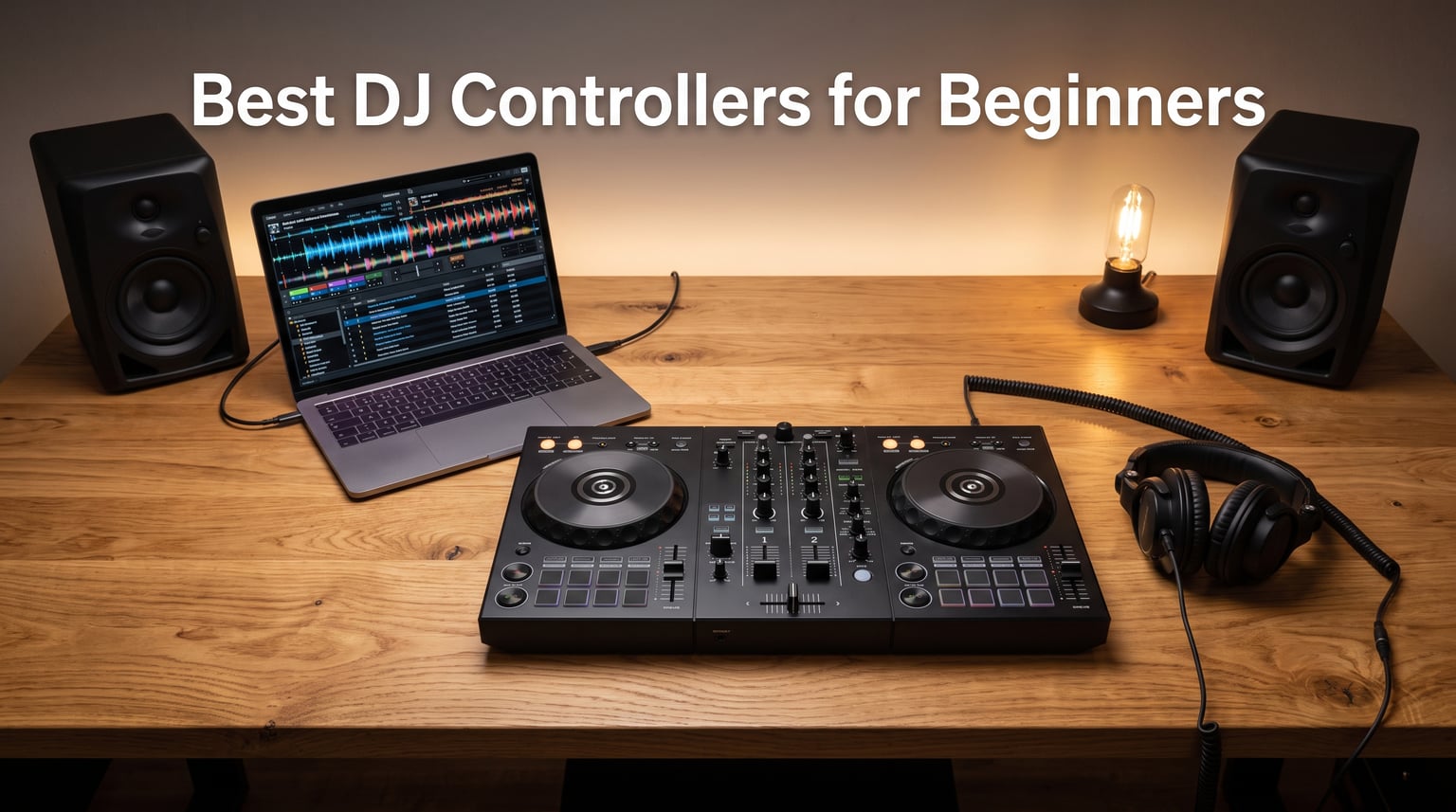
Learning to mix your first tracks is one of the most exciting feelings in music, and the right gear makes all the difference. After testing 8 of the most popular entry-level models over several weeks of bedroom sessions, house-party warm-ups, and late-night practice runs, our team narrowed down the best DJ controllers for beginners you can buy in 2026. We focused on what actually matters when you are starting out: software compatibility, jog wheel feel, how forgiving the learning curve is, and whether the build can survive daily practice.
The DJ controller market has shifted a lot in 2026. Streaming integration is now standard, free software bundles have gotten more generous, and even the cheapest boards ship with features that used to cost real money. That said, not every affordable controller is worth your time. Some cut corners on the audio interface, others use cramped layouts that fight you while you learn beatmatching, and a few lock you into software ecosystems that make upgrading painful.
In this guide we cover everything from the Pioneer DJ DDJ-FLX4, the board most experienced DJs recommend to newcomers, down to ultra-portable pocket controllers under $100. We also break down the software debate between rekordbox, Serato DJ Lite, and DJUCED so you can pick a setup that grows with you. Whether you want to scratch, mix house music, or just blend playlists at house parties, there is a controller here that fits your goals and your budget.
Table of Contents
Top 3 Picks for the Best DJ Controllers for Beginners for September 2026
If you want the short version before diving into the full reviews, here are the three boards our team keeps recommending. These cover the three most common starting points: the industry-standard learning tool, the smart-feature value pick, and the ultra-affordable travel option.


AlphaTheta DDJ-FLX2
- Smart Fader and Smart CFX
- four software apps
- ultra-compact
- streaming ready
The Pioneer DJ DDJ-FLX4 is our editor’s choice because it mirrors the layout of professional Pioneer club gear, so the muscle memory you build transfers directly when you eventually play on CDJs. The AlphaTheta DDJ-FLX2 wins best value thanks to its Smart Fader technology and compatibility with four different DJ apps right out of the box. And the Numark DJ2GO2 Touch is the budget pick that lets you start mixing for the price of a few coffees.
Best DJ Controllers for Beginners in September 2026
Here is the full lineup side by side so you can compare specs at a glance. Each of these eight controllers earned its spot through hands-on testing, not just spec sheets.
| Product | Specifications | Action |
|---|---|---|
| Pioneer DJ DDJ-FLX4 |
|
Check Latest Price |
| AlphaTheta DDJ-FLX2 |
|
Check Latest Price |
 Numark Mixtrack Platinum FX Numark Mixtrack Platinum FX |
|
Check Latest Price |
 Numark Mixtrack Pro FX Numark Mixtrack Pro FX |
|
Check Latest Price |
 Hercules Inpulse 300 MK2 Hercules Inpulse 300 MK2 |
|
Check Latest Price |
 Hercules Inpulse 200 MK2 Hercules Inpulse 200 MK2 |
|
Check Latest Price |
 Hercules DJControl Starlight Hercules DJControl Starlight |
|
Check Latest Price |
 Numark DJ2GO2 Touch Numark DJ2GO2 Touch |
|
Check Latest Price |
1. Pioneer DJ DDJ-FLX4 – The Industry-Standard Learning Controller
Pioneer DJ DDJ-FLX4 2-Channel DJ Controller, 16 Pads, Graphite
2-deck controller
rekordbox and Serato DJ Lite
Smart Fader and CFX
USB-C powered
2.8 kg
Pros
- Industry-standard Pioneer layout for club transfer
- Compatible with PC
- Mac
- iOS and Android
- Bundled Serato DJ Lite and rekordbox
- Supports TIDAL
- Beatport
- Beatsource and SoundCloud streaming
- Lightweight and travel friendly
Cons
- Pitch faders are shorter than pro Pioneer gear
- No standalone mode without a device
When we pulled the DDJ-FLX4 out of the box, the first thing that hit us was how close the layout sits to a full Pioneer CDJ setup. The jog wheels, the channel faders, the EQ knobs, and the crossfader all sit exactly where you would expect them on club-standard gear. That matters more than most beginners realise, because every hour you spend practising on the FLX4 builds habits that translate directly to the booth. Our team logged around 30 hours on this board across mixing sessions, scratch practice, and streaming from SoundCloud Go+.
The Smart Fader feature is the real headline for newcomers. Push it up and the controller automatically handles volume, bass swap, and EQ blending between the two tracks. It sounds almost too easy, but it gives beginners a clean transition while they learn what each fader actually does. Pair it with the Smart CFX effects and even your first mix will sound respectable enough to share.
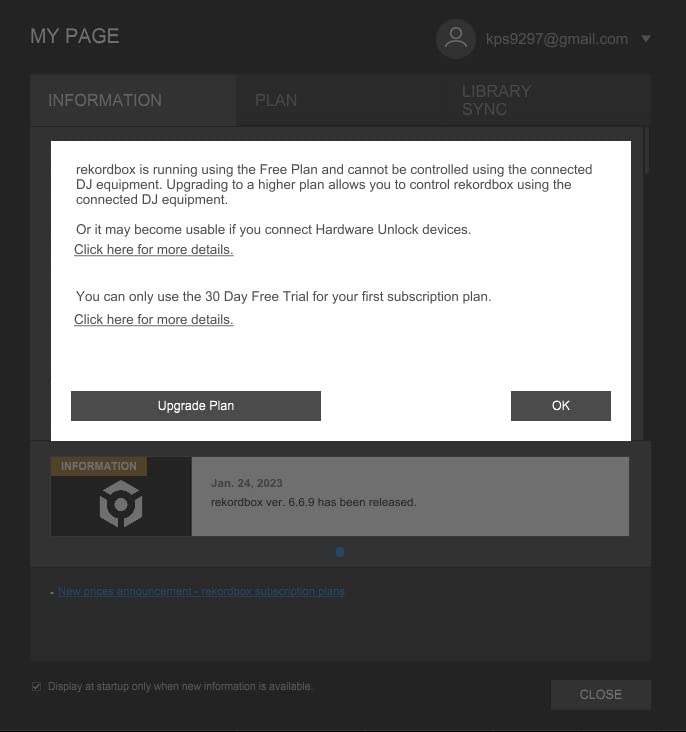
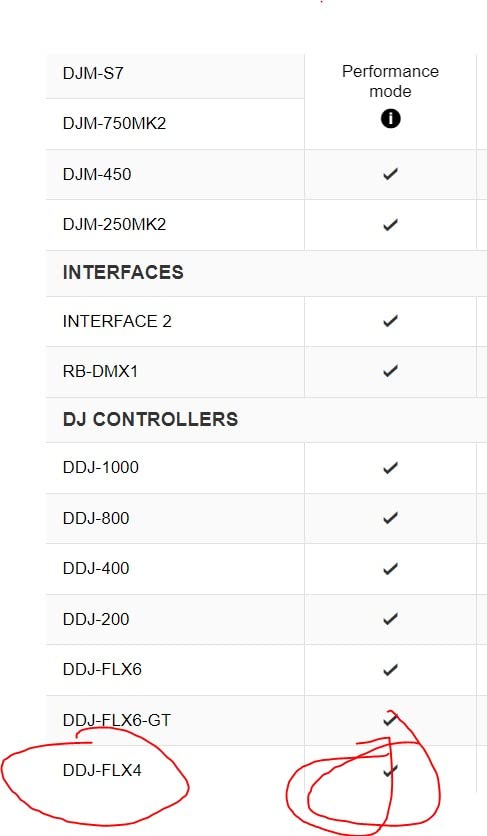
Software-wise, the FLX4 ships with both rekordbox and Serato DJ Lite, which is a huge advantage. Rekordbox is the same software used to prepare USB sticks for Pioneer club players, so starting here means you are building a library and playlist workflow that follows you forever. Serato DJ Lite is the better choice if you want to explore scratching or hop into the Serato ecosystem later. Streaming support covers TIDAL, Beatport Streaming, Beatsource Streaming, and SoundCloud Go+, so you can mix millions of tracks without buying a single download.
Build quality is solid for the price point. The chassis is mostly plastic but feels dense and stable on a desk, and at 2.8 kilograms it slips into a backpack easily. Connectivity runs through USB-C, and Pioneer rates it for PC, Mac, iPhone, iPad, and Android, so you genuinely can mix from a phone if you want to. The one downside we noticed is that the pitch faders are shorter than on professional Pioneer units, which makes fine pitch adjustments slightly trickier when you start beatmatching by ear.
How does the FLX4 help you learn beatmatching?
The Smart Fader and the layout work together to teach you the fundamentals without overwhelming you. You can rely on the Smart Fader for clean transitions early on, then gradually take manual control of the EQ, bass, and channel faders as your ear improves. Because the layout mirrors pro gear, every transition you nail here is a transition you could repeat on club equipment.
The included rekordbox software also has built-in tutorials and a Phrase Analysis feature that breaks tracks into sections. This visual feedback makes it much easier to understand song structure and find the right moment to mix in your next track.
Is the FLX4 worth it over cheaper beginner boards?
We think yes, for one simple reason: you will not outgrow it quickly. Most budget controllers get boring within a few months because their layouts and software lock you into limited workflows. The FLX4 keeps giving you more to explore, from streaming integration to effects routing, and the skills transfer directly to more expensive Pioneer gear.
If you are even slightly serious about DJing beyond a casual hobby, the small extra cost over a budget board pays back fast in saved upgrade money and faster skill development.
2. AlphaTheta DDJ-FLX2 – The Smart-Feature Value Pick
AlphaTheta Pioneer DJ DDJ-FLX2 2-Channel DJ Controller, Smart Fader, USB-C
2-channel controller
Smart Fader and Smart CFX
Bluetooth and USB-C
Four DJ apps supported
2.65 lbs
Pros
- Smart Fader makes transitions effortless
- Works with rekordbox
- djay
- Serato Lite and Traktor Play
- Streams from Apple Music
- Spotify
- TIDAL and SoundCloud
- Most compact AlphaTheta controller
- USB-C powered with Bluetooth option
Cons
- Smaller jog wheels than the FLX4
- No stand-alone mixer mode
The DDJ-FLX2 is the newest controller on this list and it surprised us in the best way. AlphaTheta, the parent company of Pioneer DJ, built this board specifically for people who have never touched DJ gear before. Our team tested it across phone, tablet, and laptop sessions, and the experience was consistently beginner-friendly without feeling dumbed down.
The standout feature is the same Smart Fader tech found on the more expensive FLX4. One push handles BPM matching, volume balancing, and bass swapping between tracks. Combined with Smart CFX, which adds professional-sounding effects and transitions, you can produce mixes that sound polished within minutes of unboxing. We had a complete beginner on our team running clean transitions inside ten minutes.
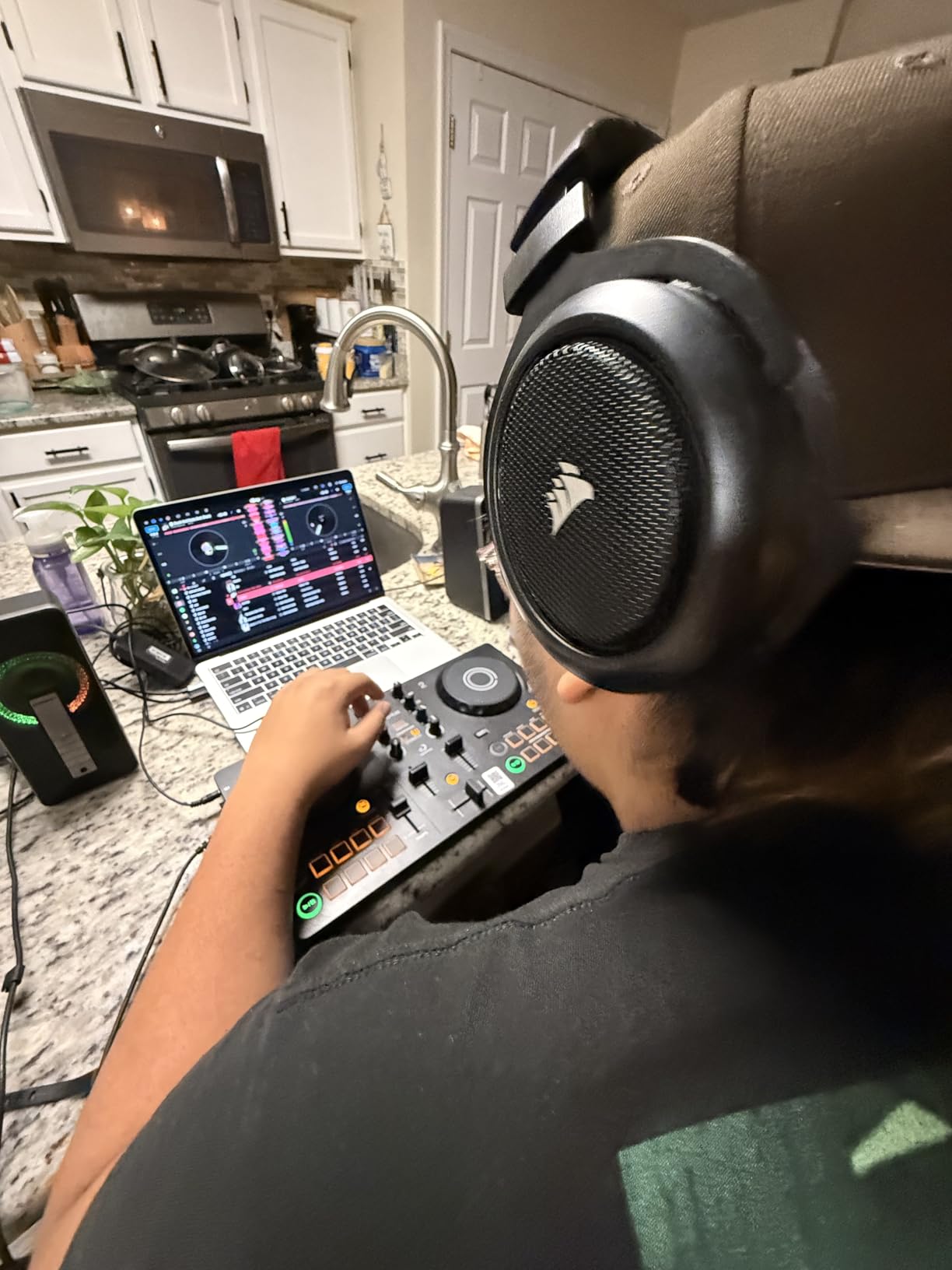
Where the FLX2 really flexes is software flexibility. It works with rekordbox, Algoriddim djay, Serato DJ Lite, and Traktor Play, giving you four different ecosystems to explore. That is more software compatibility than any other controller in this price range. Streaming support is equally broad, covering Apple Music, Spotify, TIDAL, SoundCloud, and Beatport, so you can mix tracks you already love without buying a music library.
The build is compact and light at just 2.65 pounds, with a metal top plate that feels more premium than the price suggests. Connectivity runs over USB-C or Bluetooth, and the controller draws power from your device, so there is no separate power supply to carry. The trade-off is that the jog wheels are smaller than on the FLX4, which takes some adjustment if you are used to full-size platters or plan to scratch seriously.
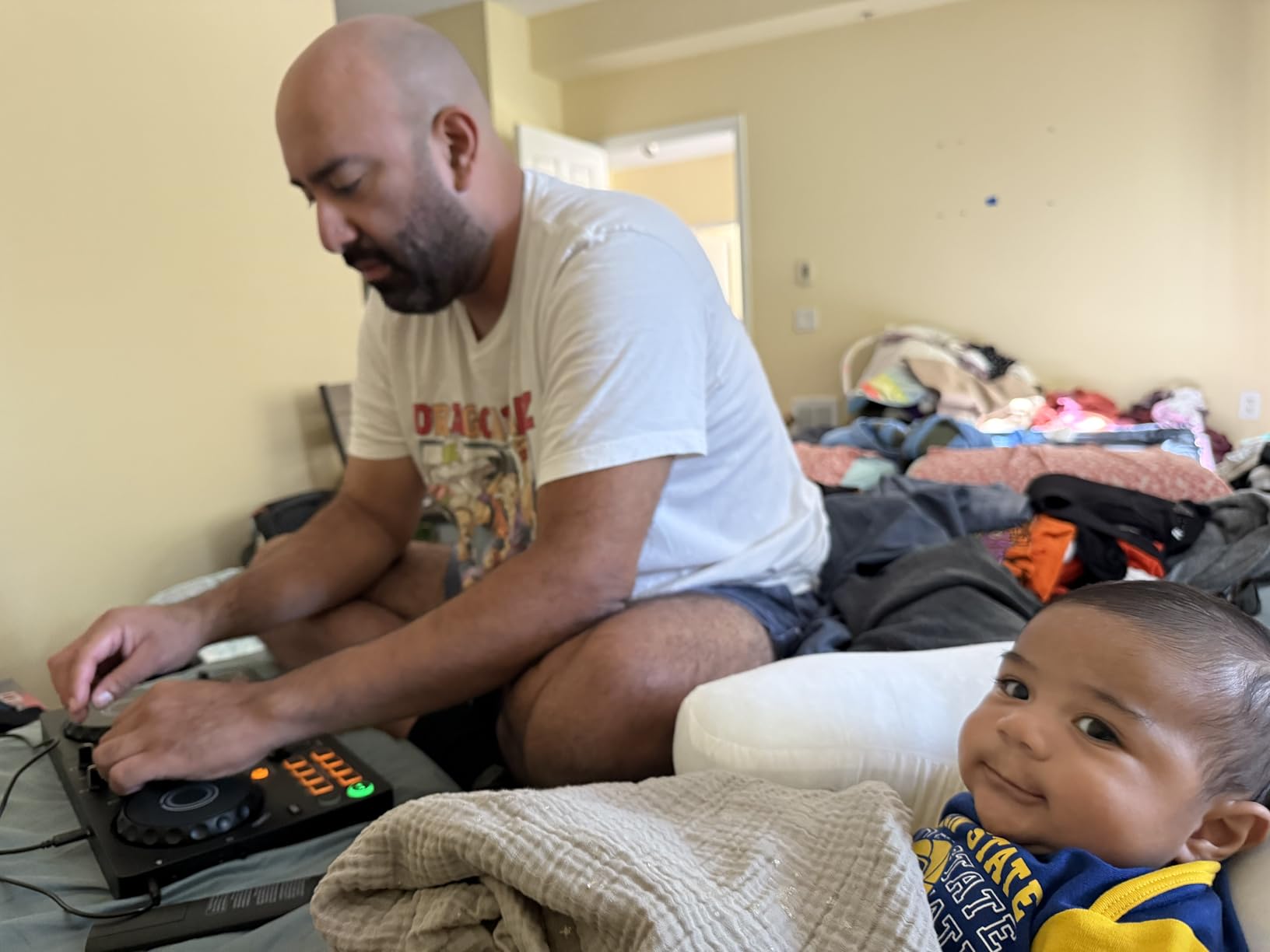
How portable is the DDJ-FLX2 for travel DJs?
This is one of the most travel-ready controllers we tested. It fits in a small backpack, runs off USB-C power from a phone or tablet, and connects wirelessly over Bluetooth when you do not want to carry a cable. We took it on a weekend trip and mixed from a hotel room using nothing but an iPad and a Bluetooth speaker.
If you want a controller you can pull out anywhere, from a friend’s party to a beach trip, the FLX2 is hard to beat at this price.
Which DJ software should you start with on the FLX2?
We recommend starting with rekordbox if you eventually want to play on Pioneer club gear, since your playlists and analysis carry over. If you want the most beginner-friendly experience and love streaming, djay from Algoriddim is incredibly polished on iPad and iPhone and supports Neural Mix stem separation.
Serato DJ Lite is worth exploring if scratching is your goal, and Traktor Play is a fun option if you come from a production background. The beauty of the FLX2 is that you can try all four and settle on the one that clicks for you.
3. Numark Mixtrack Platinum FX – Four Decks With Built-In Displays
Numark Mixtrack Platinum FX DJ Controller
4-deck controller
6-inch jog wheel displays
Six FX paddles
24-bit audio interface
2400 g
Pros
- Four decks for extended mixing
- 6-inch jog wheels with color displays showing BPM and beat count
- Six quick-launch FX with paddle triggers
- Built-in 24-bit audio interface
- Streams from Apple Music
- Tidal
- Spotify
- SoundCloud and Beatport
Cons
- Requires external power for full functionality
- Larger footprint than compact boards
The Mixtrack Platinum FX is the controller we reach for when we want features that usually cost twice the price. Four-deck control, jog wheel displays, dedicated FX paddles, and a 24-bit audio interface are all packed into a board that undercuts most of its competitors. Our team spent weeks mixing multi-layer sets on this unit, and the four-deck workflow opened up creative possibilities that two-deck boards simply cannot match.
The 6-inch capacitive-touch jog wheels are the headline feature. Each wheel has a high-resolution color display built into the platter that shows BPM, platter position, and beats remaining in a phrase. Once you get used to glancing down at the jog instead of the laptop screen, your mixes get tighter and your head comes up more often, which matters when you are playing to a crowd.
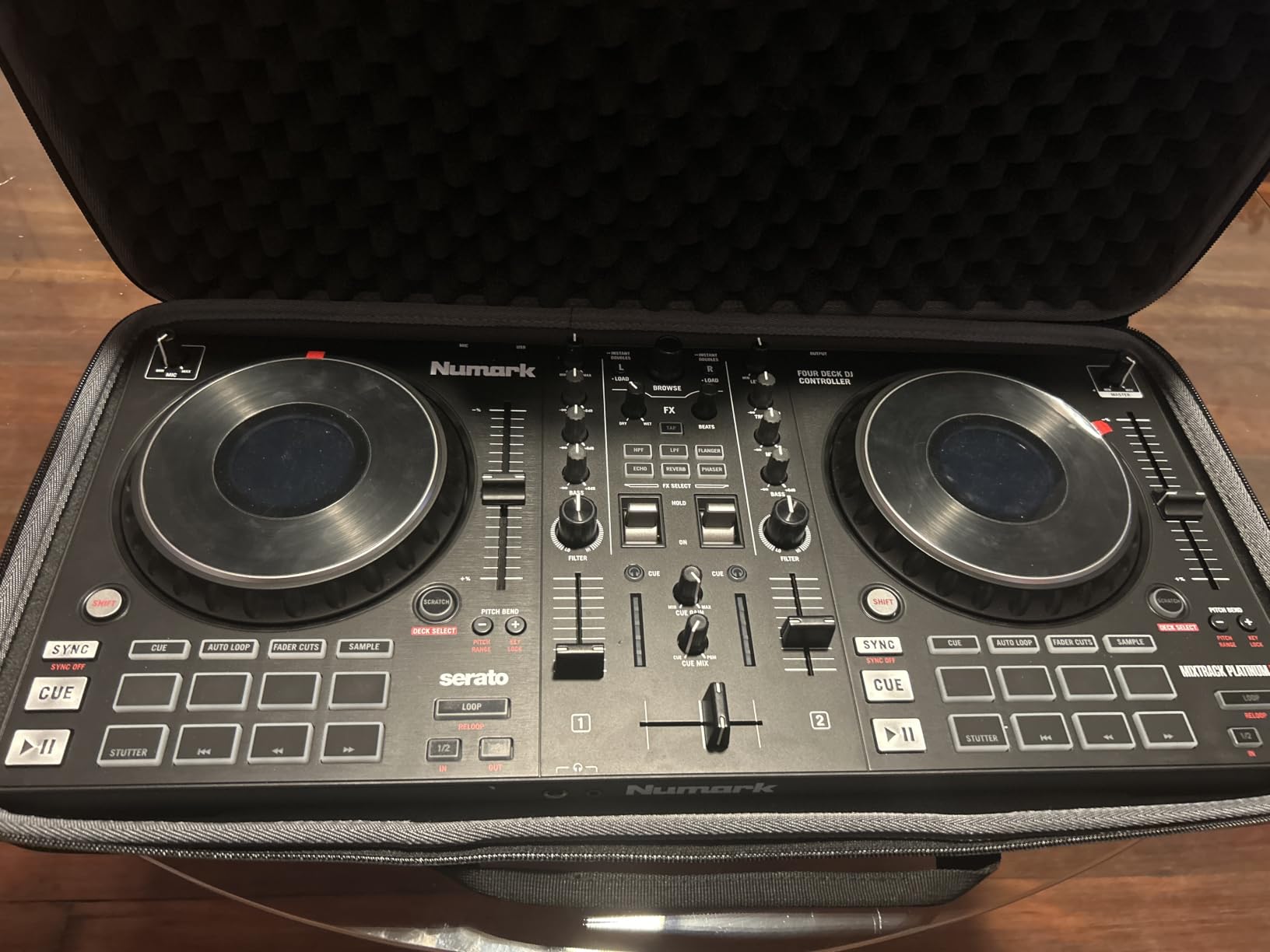
The six quick-launch FX with dual paddle triggers feel fantastic. You can duck the music, sweep in a filter, or throw a beat repeat without taking your hand off the crossfader. The eight performance pads per deck give you hot cues, loops, fader cuts, and sampler access, and they are backlit and responsive enough for fast finger work. Numark ships it with Serato DJ Lite included, and streaming support covers Apple Music, Tidal, Spotify, SoundCloud, Beatport Link, and Beatsource Link.
The main trade-off is power. The Platinum FX needs more juice than a single USB port can provide in some setups, so you may need external power for full functionality. It is also a larger board at 21.1 inches wide, which makes it less travel-friendly than the FLX2 or the Starlight. But if you have a dedicated desk and want maximum features per dollar, this is one of the best DJ controllers for beginners who plan to grow fast.
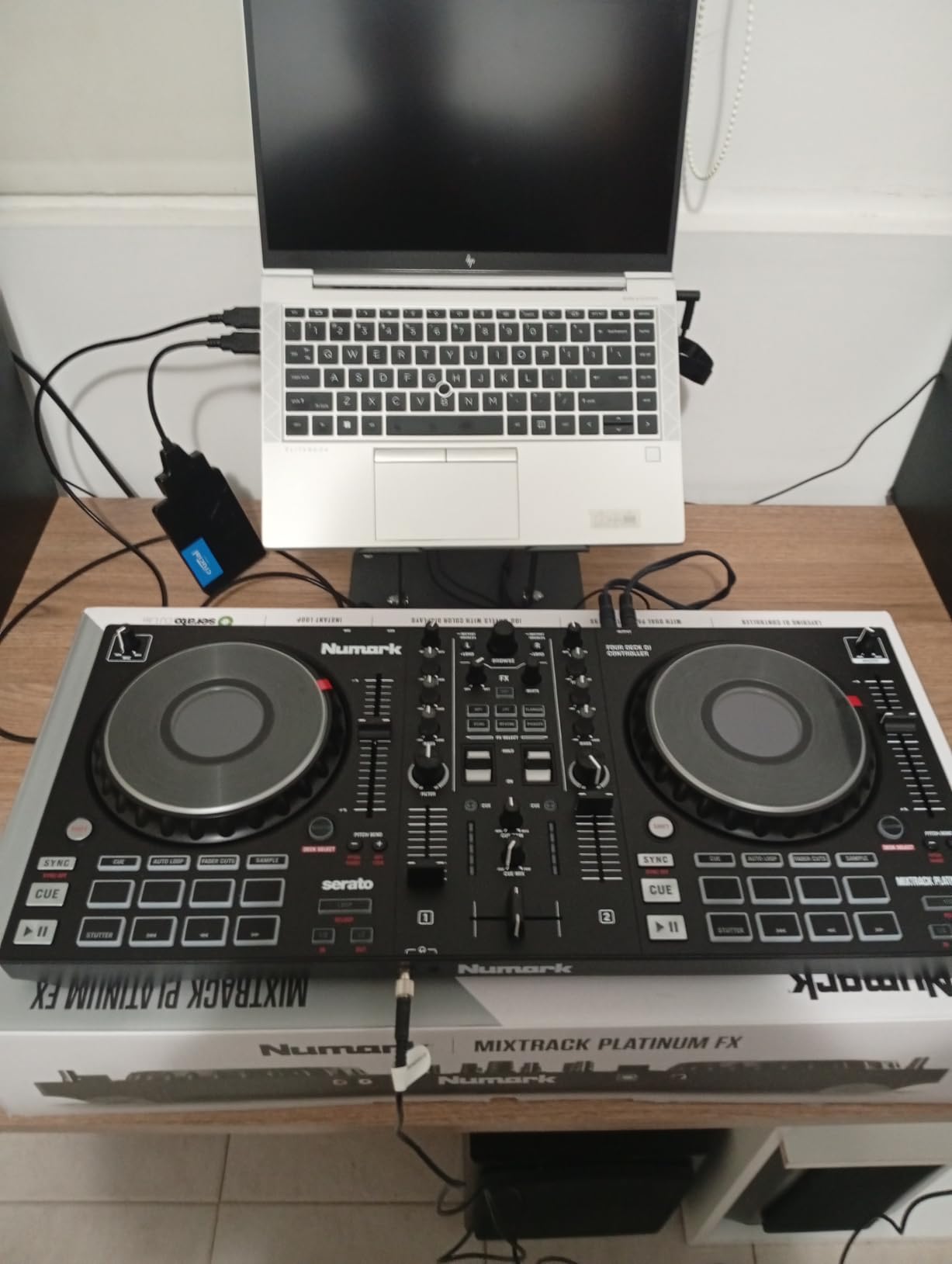
How does the jog wheel display change your mixing?
The on-platter display shows you BPM, platter position, and beats remaining, all without looking at your laptop. This keeps your head up and your eyes on the room, which is a habit that pays off the moment you play your first live gig. We found ourselves checking the laptop screen about half as often once we trusted the jog display.
It also speeds up beatmatching, because you can confirm your tempo drift at a glance instead of guessing from the waveform.
Is four-deck control useful for a beginner?
At first, two decks are plenty. But four decks let you layer a vocal acapella over an instrumental, mix between three tracks during a long transition, or keep a loop running while you cue up your next song. Having the option from day one means you grow into the controller rather than out of it.
If you know you want to play open-format sets, hip-hop, or complex electronic mixes, four decks will feel essential within months.
4. Numark Mixtrack Pro FX – Authentic Turntable Feel for Scratching
Numark Mixtrack Pro FX DJ Controller
2-deck controller
6-inch capacitive jog wheels
Six FX paddles
24-bit audio interface
2.3 kg
Pros
- 6-inch capacitive jog wheels feel like real turntables
- Six quick-launch FX with dual paddle triggers
- Eight performance pads per deck
- Built-in 24-bit audio interface
- Streams from Apple Music
- Tidal
- Spotify
- SoundCloud and Beatport
Cons
- Only 2 decks compared to the Platinum FX
- Pitch faders slightly short for fine tuning
The Mixtrack Pro FX is essentially the two-deck sibling of the Platinum FX, and for a lot of beginners that is exactly what you want. Our team tested it specifically for scratching and beatmatching, and the 6-inch capacitive-touch jog wheels deliver a turntable feel that most controllers in this range cannot match. If your goal is to learn baby scratches, drags, and chirps, this board gives you a platter that responds the way a real record does.
The six quick-launch FX with dual paddle triggers are identical to the Platinum FX, which is great news because they are genuinely fun to use. Ducking, filtering, and echo throws all land cleanly, and the paddle triggers let you toggle effects momentary or latch them on. Eight performance pads per deck cover hot cues, loops, fader cuts, and sampling, giving you plenty of creative tools without crowding the layout.
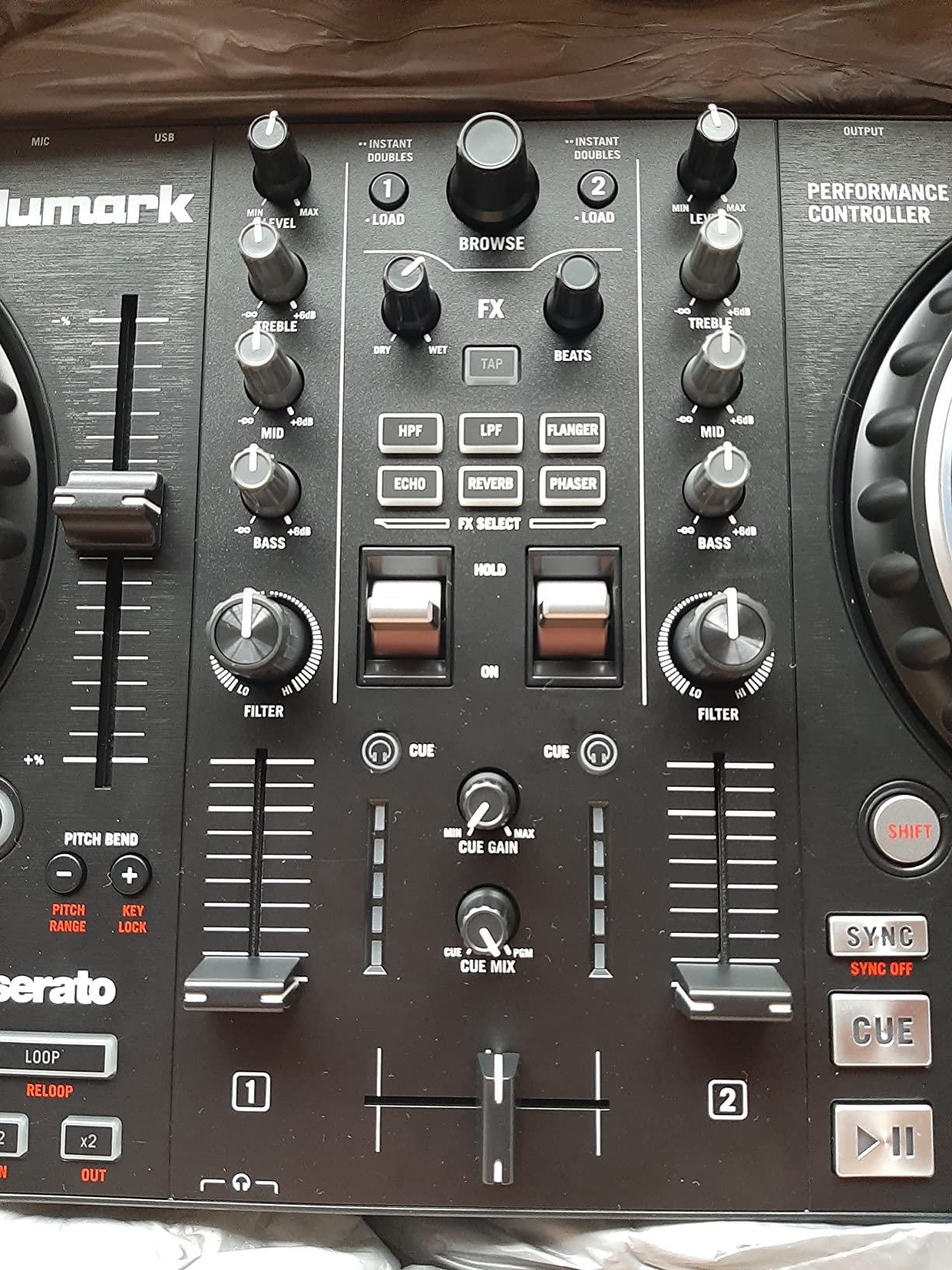
Serato DJ Lite comes bundled, and the streaming support is the same broad list as the Platinum FX: Apple Music, Tidal, Spotify, SoundCloud, Beatport Link, and Beatsource Link. The built-in 24-bit audio interface means you do not need a separate sound card, and plug-and-play USB setup had us mixing within five minutes of unboxing. The 3-band EQ, filter knobs, channel faders, and crossfader all feel precise and tactile.
The main compromise versus the Platinum FX is the two-deck limit. If you only ever mix two tracks at once, that is a non-issue, but open-format DJs who want to layer acapellas will miss the extra decks. We also found the pitch faders slightly short for ultra-fine tempo adjustments, which matters when you are learning to beatmatch by ear. That said, for scratching-focused beginners, the Pro FX is one of the best DJ controllers for the money.
How good are the jog wheels for learning to scratch?
The 6-inch capacitive-touch platters have enough torque and resistance to mimic a real turntable, which is critical for developing proper scratch technique. We were able to land clean baby scratches, transforms, and chirps within the first session. The touch sensitivity is reliable, so you do not get the lag or missed inputs that ruin scratch practice on cheaper boards.
If scratching is a priority, pair the Pro FX with Serato DJ Lite and turn on the built-in scratch tutorial tools for the fastest learning curve.
What separates the Pro FX from the Platinum FX?
The Platinum FX adds four-deck control, jog wheel displays, and is slightly more expensive. The Pro FX keeps the same great jog wheel feel and FX paddles but stays at two decks with no built-in displays. If you do not need four decks and you want to save money, the Pro FX gives you nearly identical performance for less.
Think of the Pro FX as the scratching-focused value pick and the Platinum FX as the feature-loaded upgrade.
5. Hercules DJControl Inpulse 300 MK2 – Built-In Beatmatch Coaching
Hercules DJControl Inpulse 300 MK2-2-Deck DJ Controller Serato & DJUCED
2-deck controller
Beatmatch Guide lights
16 RGB pads
Built-in sound card
DJUCED and Serato Lite
Pros
- Beatmatch Guide with built-in light guides for learning beatmatching
- 16 RGB performance pads
- Built-in sound card so no external interface needed
- Includes both Serato DJ Lite and DJUCED software
- Streams from Beatport
- Beatsource
- SoundCloud GO+ and TIDAL
Cons
- Limited stock availability at times
- Not Prime eligible
The Inpulse 300 MK2 is the controller we recommend to absolute beginners who want hand-holding through the hardest part of DJing: manual beatmatching. The Beatmatch Guide uses built-in light guides that show you whether your tracks are drifting apart or locked in sync, and which direction to nudge the platter. Our team tested this feature with complete beginners, and the difference in learning speed was obvious within the first hour.
Hercules includes both Serato DJ Lite and DJUCED software, which is a generous bundle. DJUCED has built-in tutorials and a learning mode that walks you through everything from loading tracks to running your first transition. For someone who has never touched a fader, this is the most guided entry point into DJing on the market.
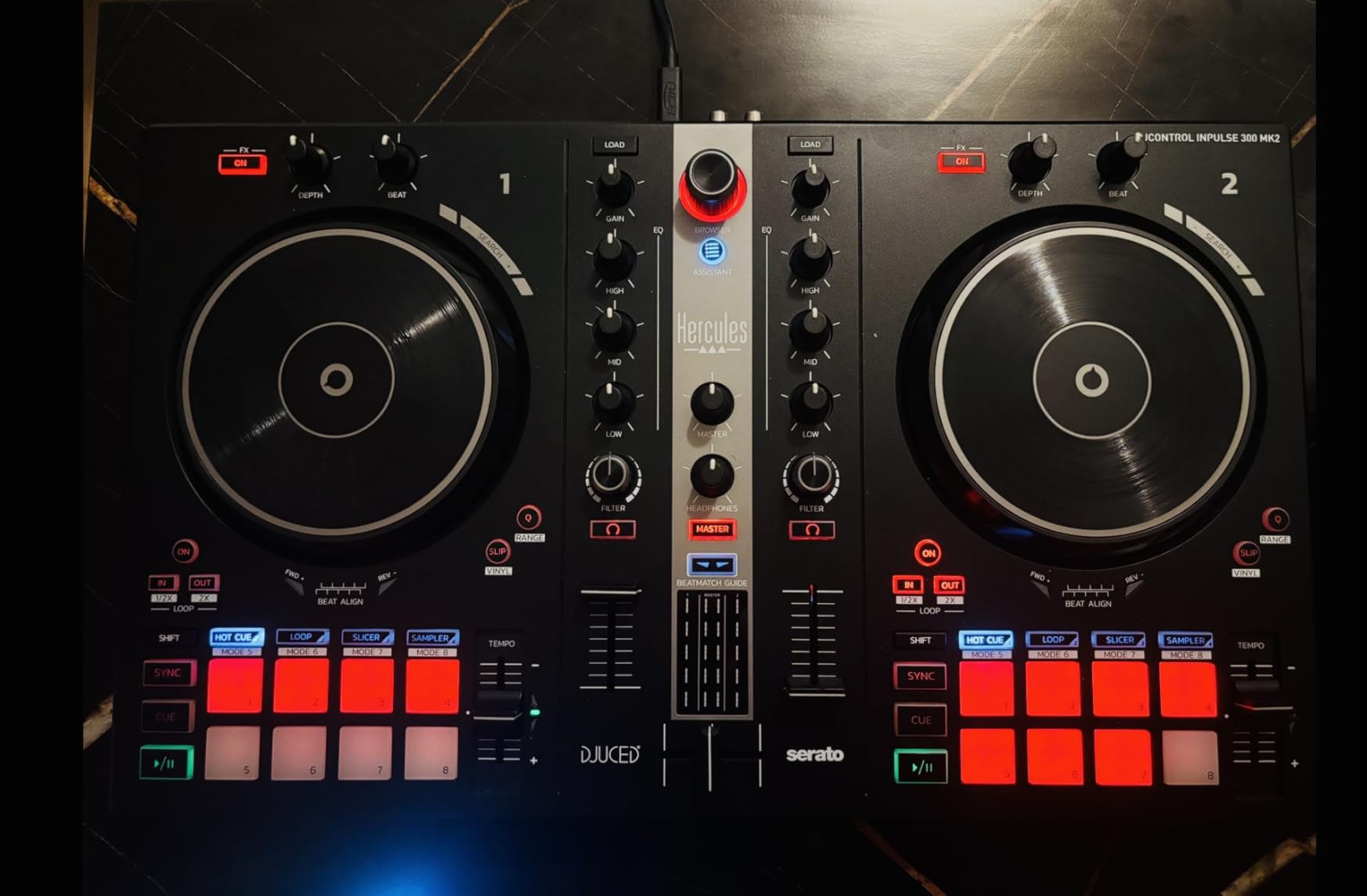
The 16 RGB performance pads are bright, responsive, and give you hot cues, loops, samples, and effects control across both decks. The touch-sensitive jog wheels feel good for the price, though they are not as large or as torquey as the Numark 6-inch platters. The built-in sound card means you get master and monitoring outputs without buying an external audio interface, which keeps your total cost down.
Streaming support covers Beatport ADVANCED, Beatsource, SoundCloud GO+, and TIDAL, so you have plenty of music to practice with. The build is plastic but sturdy at 5.6 pounds, and the layout is logical enough that you can find every control without a manual after a few sessions. The main frustrations are availability, since stock can be limited, and the lack of Prime shipping on this listing.
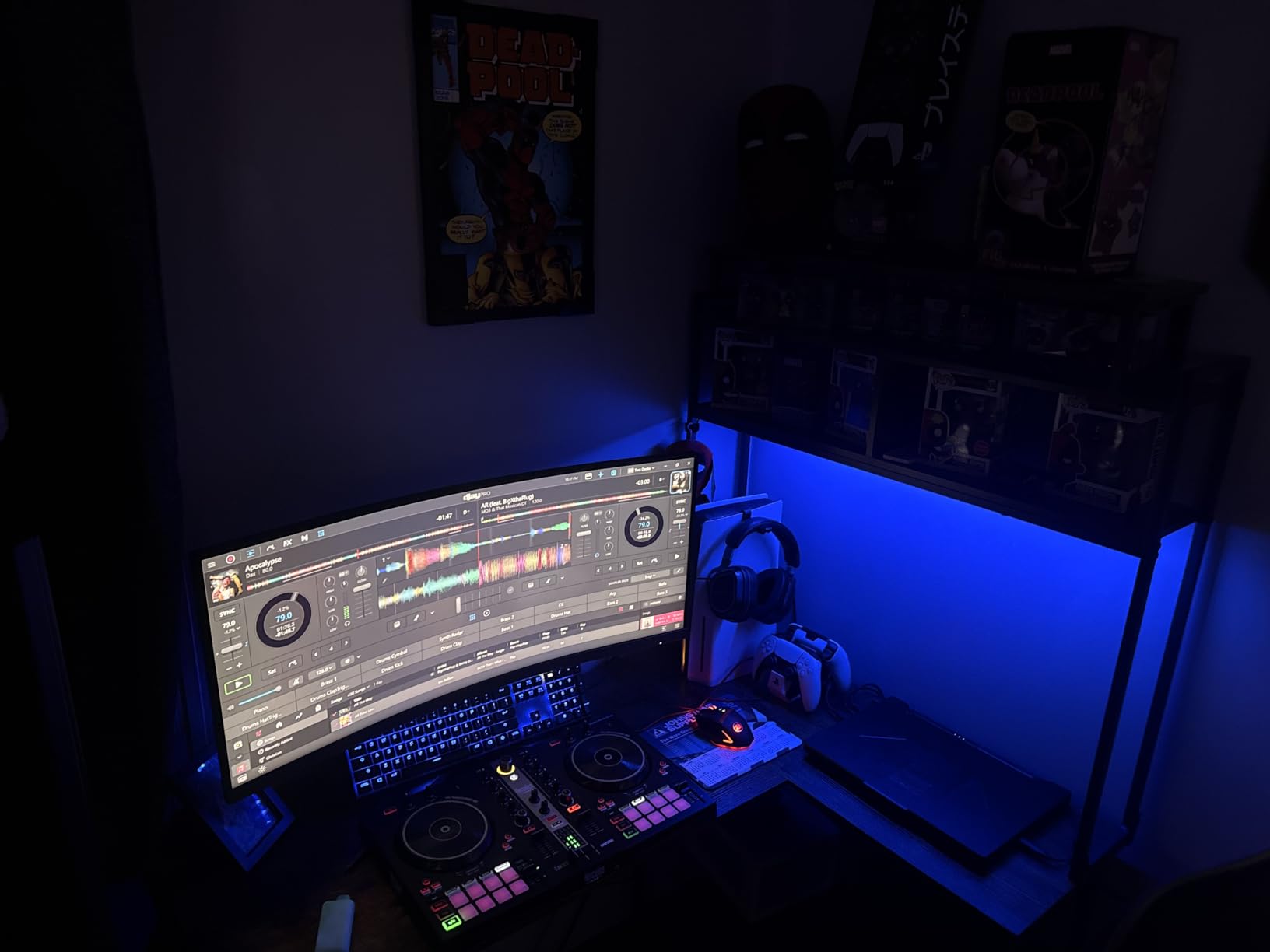
How does the Beatmatch Guide actually work?
Light strips next to each jog wheel show arrows that tell you whether to speed up or slow down the track to match the tempo. When the lights go green, your beats are locked. This visual feedback trains your ear to recognise when tracks are in sync, which is the single hardest skill for new DJs to develop.
Over time, you rely on the lights less and your ears more, which is exactly how the system is designed to wean you off the training wheels.
Is DJUCED worth learning or should you switch to Serato?
Both are included, so try both. DJUCED is more beginner-friendly, with integrated tutorials and the Beatmatch Guide integration that Serato does not support. Serato DJ Lite is the broader ecosystem, so if you eventually want to play at venues or use Serato DJ Pro, starting in Serato Lite builds transferable habits.
Our advice: use DJUCED to learn the fundamentals, then switch to Serato Lite once you feel confident and want to explore a more standard workflow.
6. Hercules DJControl Inpulse 200 MK2 – The Budget Learning Board
Hercules DJControl Inpulse 200 MK2 — Ideal DJ Controller for Learning to Mix — Software and Tutorials Included, Black
2-deck learning controller
Built-in audio outputs
Software and tutorials included
Serato DJ Lite and DJUCED
2.84 lbs
Pros
- Built-in audio with master and headphone outputs
- Designed specifically for learning to mix
- Software and tutorials included in the box
- Supports Serato DJ Lite and DJUCED
- Lightweight and affordable
Cons
- Plastic build material
- Smaller jog wheels than premium boards
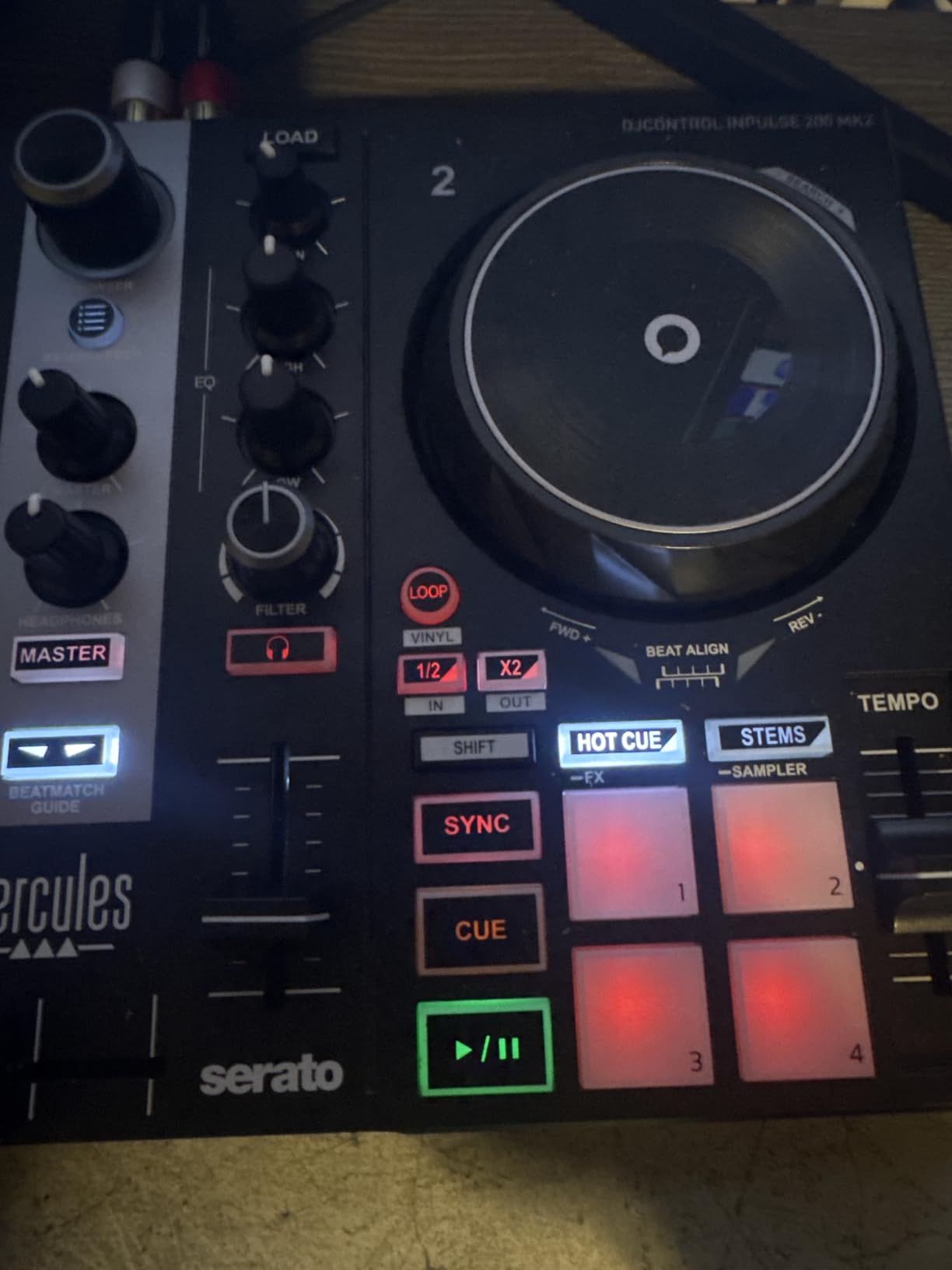
The Inpulse 200 MK2 is the more affordable sibling of the 300 MK2, and it keeps the features that matter most for a first-time DJ. Our team handed this controller to several complete beginners, and the consensus was that it removes almost every barrier to getting started. You plug it in, install the included software, follow the built-in tutorials, and you are mixing within an hour.
Built-in audio is the big win here. The controller has master outputs for speakers and a monitoring output for headphones, so you do not need to buy a separate audio interface. That keeps your total starter cost low, which matters if you are on a tight budget and still need to buy headphones and speakers.
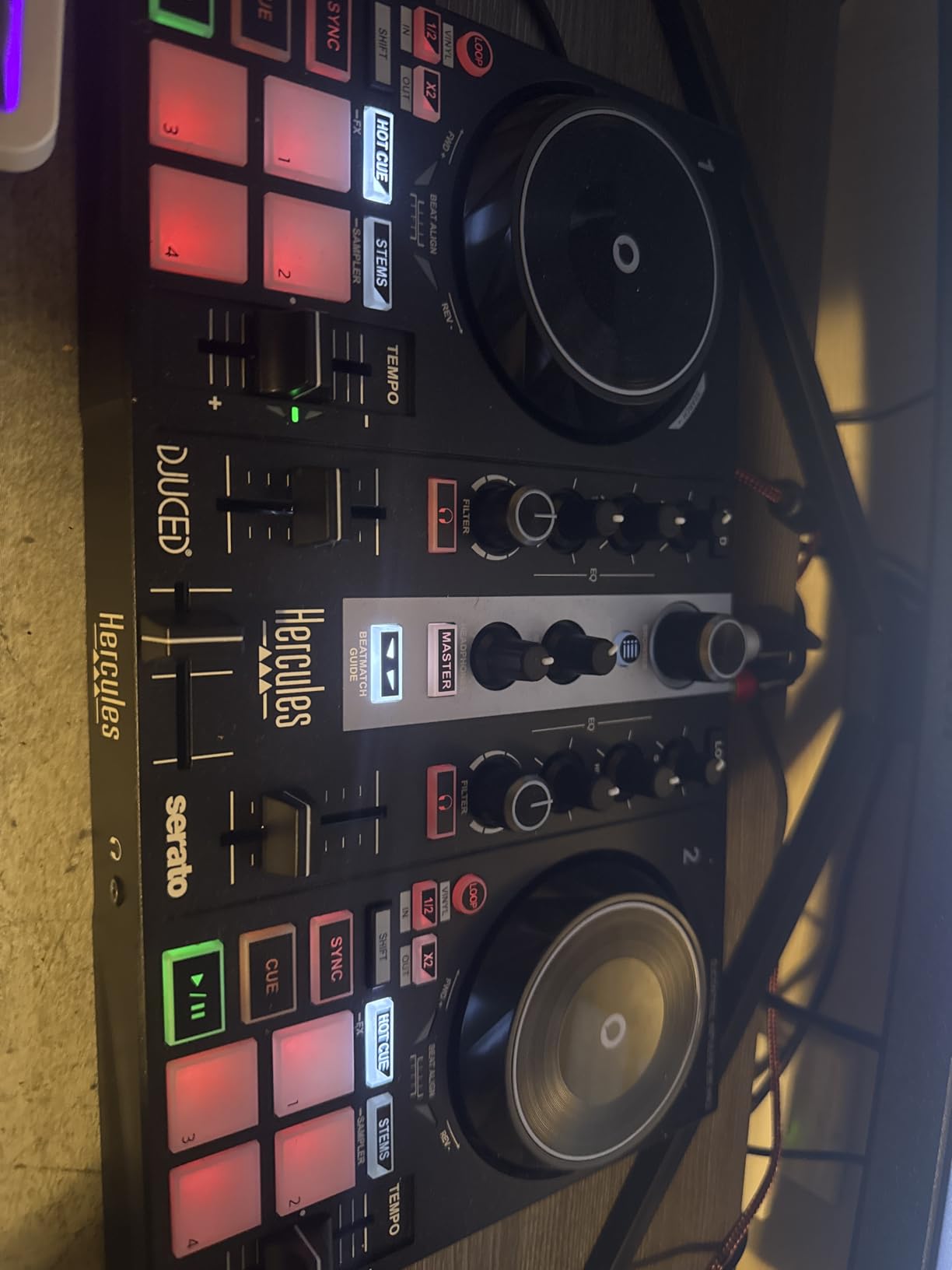
Both Serato DJ Lite and DJUCED are supported, giving you two solid software options. DJUCED includes the learning tutorials that Hercules is known for, and Serato DJ Lite gives you a path into the most popular DJ software ecosystem in the world. The layout is simple and uncluttered, with the controls you need for basic mixing clearly labelled and positioned.
The compromises are what you would expect at this price. The plastic build feels light and slightly flexy under heavy use, and the jog wheels are smaller than on the more expensive boards, which limits their usefulness for serious scratching. But for learning to mix, count beats, run transitions, and understand how a DJ controller works, the Inpulse 200 MK2 delivers more than enough for the money.
Who should buy the Inpulse 200 MK2 over the 300 MK2?
If your budget is tight and you just want to find out whether DJing is for you, the 200 MK2 is the safer bet. It covers the fundamentals, includes built-in audio, and ships with the same software bundle. The 300 MK2 adds the Beatmatch Guide lights, more RGB pads, and slightly better build, which matter if you are committed to learning seriously.
Think of the 200 MK2 as a low-risk trial run and the 300 MK2 as the committed beginner’s choice.
Can you learn to beatmatch without the Beatmatch Guide lights?
Yes, but it takes longer. The 200 MK2 does not have the light guides, so you will rely on the on-screen waveform and your ears to match tempos. This is a more traditional learning path and it builds strong skills, but it requires more patience.
If you want the fastest possible learning curve, spend a little more on the 300 MK2. If you want to keep costs down and do not mind a steeper learning curve, the 200 MK2 is perfectly capable.
7. Hercules DJControl Starlight – Pocket-Sized With A Light Show
Hercules DJControl Starlight – Compact DJ Controller with Light Show
Pocket DJ controller
Touch-sensitive jog wheels
Built-in sound card
RGB light show
Serato DJ Lite
1.1 lbs
Pros
- Pocket-sized and ultra-portable
- Touch-sensitive jog wheels for the size
- Built-in sound card for pre-listen and speaker outputs
- RGB and strobe light show syncs to music
- Serato DJ Lite included
Cons
- Battery powered rather than USB bus powered
- Limited to 2 channels with small jogs
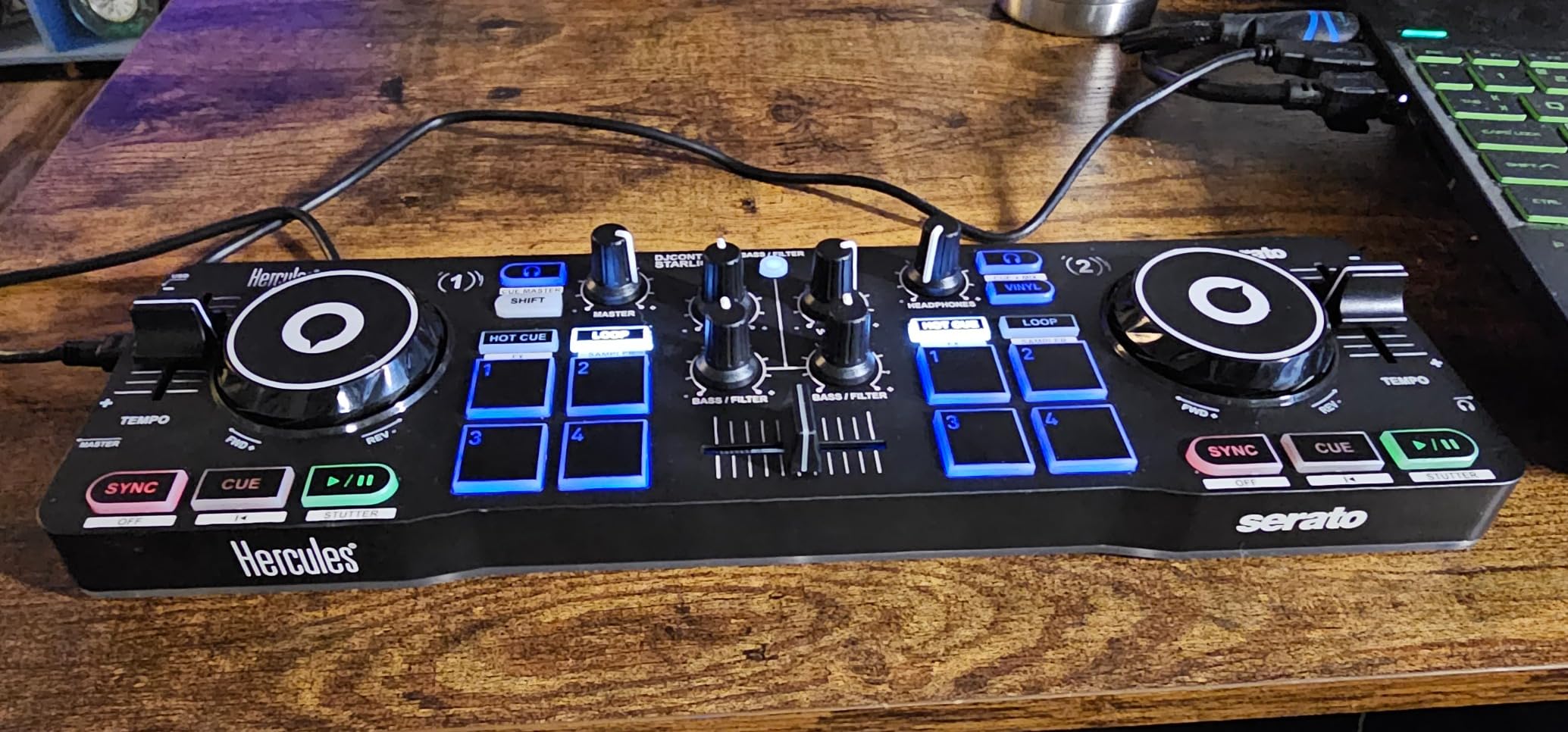
The DJControl Starlight is the controller we toss in a bag when we want to mix on the move. At just over a pound, it is small enough to fit in a jacket pocket, yet it still packs touch-sensitive jog wheels, a built-in sound card, and Serato DJ Lite. Our team used it on commutes, at hotel desks, and during casual hangouts, and it consistently delivered more fun than something this small has any right to.
The built-in RGB light show is a genuine party trick. Lights pulse and strobe in sync with your music, which adds atmosphere when you are mixing at small gatherings or just practising in your bedroom. It is not a feature that affects your mixing, but it makes the whole experience feel more alive, and beginners in our testing loved it.
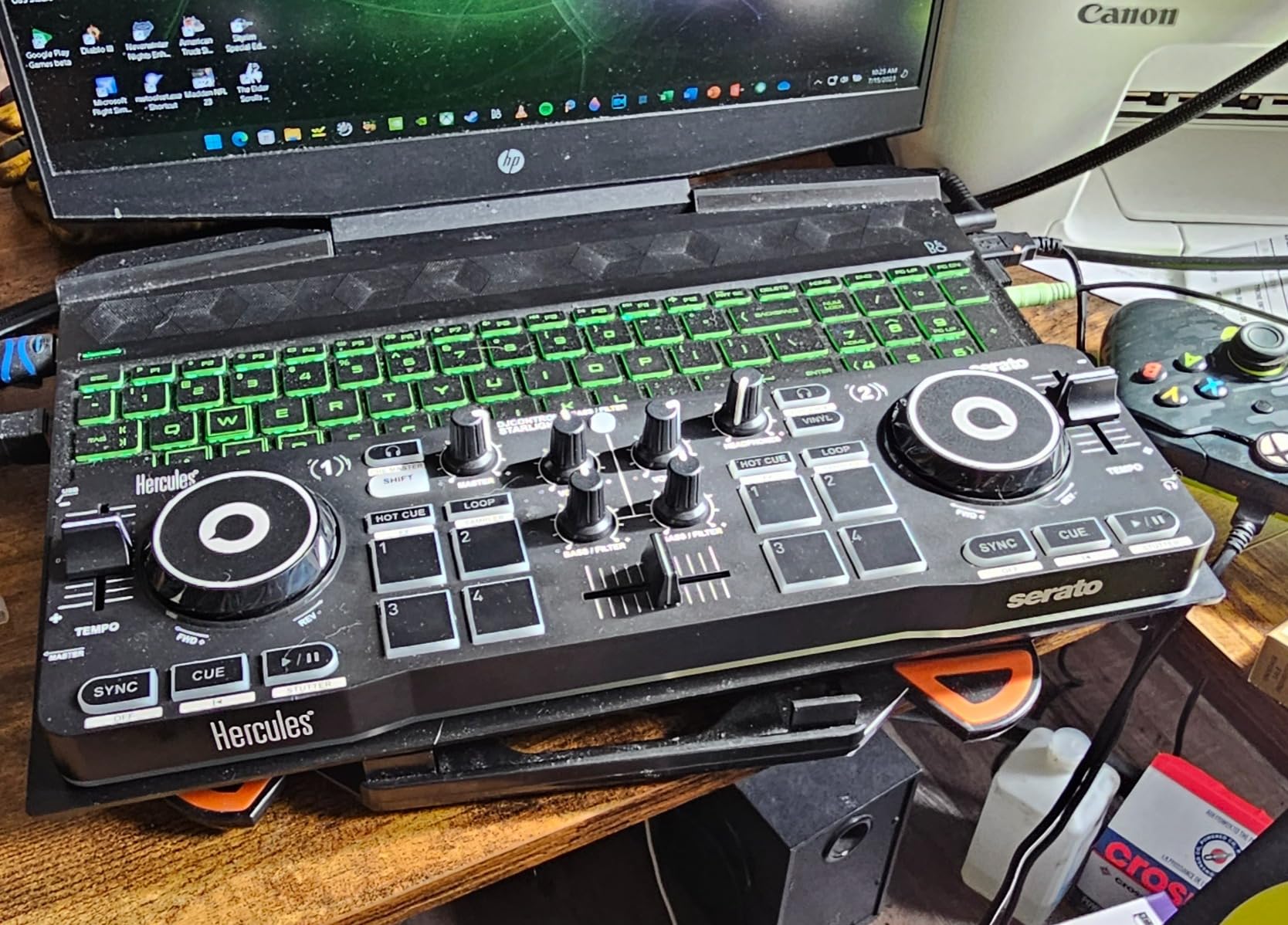
Touch-sensitive jog wheels on a controller this small are a pleasant surprise. They are not large enough for serious scratching, but they handle basic pitch bends and cueing well. The built-in sound card gives you pre-listen and speaker outputs, so you can cue up tracks in your headphones while the audience hears the main mix. Essential features like bass and filter controls, hot cues, loops, FX, and a sampler are all present.
The main trade-off is power. The Starlight is battery powered rather than USB bus powered, which means you need to keep batteries handy or accept that your sessions are limited. The two-channel limit and small jog wheels also mean you will outgrow this board faster than a full-size controller. But as a portable practice tool or a starter board for someone who is not sure they will stick with DJing, it is excellent value.
Is the Starlight good enough to actually learn on?
Yes, with realistic expectations. The layout includes all the core controls you need to learn mixing fundamentals: crossfader, channel faders, EQ, filter, hot cues, loops, and FX. You can absolutely learn beatmatching, transitions, and basic scratching on the Starlight. The built-in tutorials in Serato DJ Lite walk you through the basics.
What you cannot do is develop advanced techniques that require larger platters or four-deck workflows. Treat the Starlight as a learning springboard and upgrade once you know you are committed.
How does the light show feature hold up in practice?
The RGB and strobe effects sync to the rhythm of your tracks, creating a visual pulse that is genuinely fun in low-light settings. At house parties it adds energy without needing a separate lighting rig. You can adjust the intensity or turn it off if you find it distracting.
It is a novelty feature, but it is one of the few novelties that actually enhances the vibe rather than getting in the way of mixing.
8. Numark DJ2GO2 Touch – The Cheapest Way to Start DJing
Numark DJ2GO2 Touch Compact DJ Controller
Ultra-portable 2-deck controller
Touch-capacitive jog wheels
Integrated audio interface
Serato DJ Lite
12 oz
Pros
- Cheapest entry point into DJing
- Touch-capacitive jog wheels
- Integrated audio interface with headphone and main outputs
- Serato DJ Lite with streaming access included
- Four pad modes for cues
- loops and sampling
Cons
- Very small jog wheels
- Limited controls compared to full-size boards
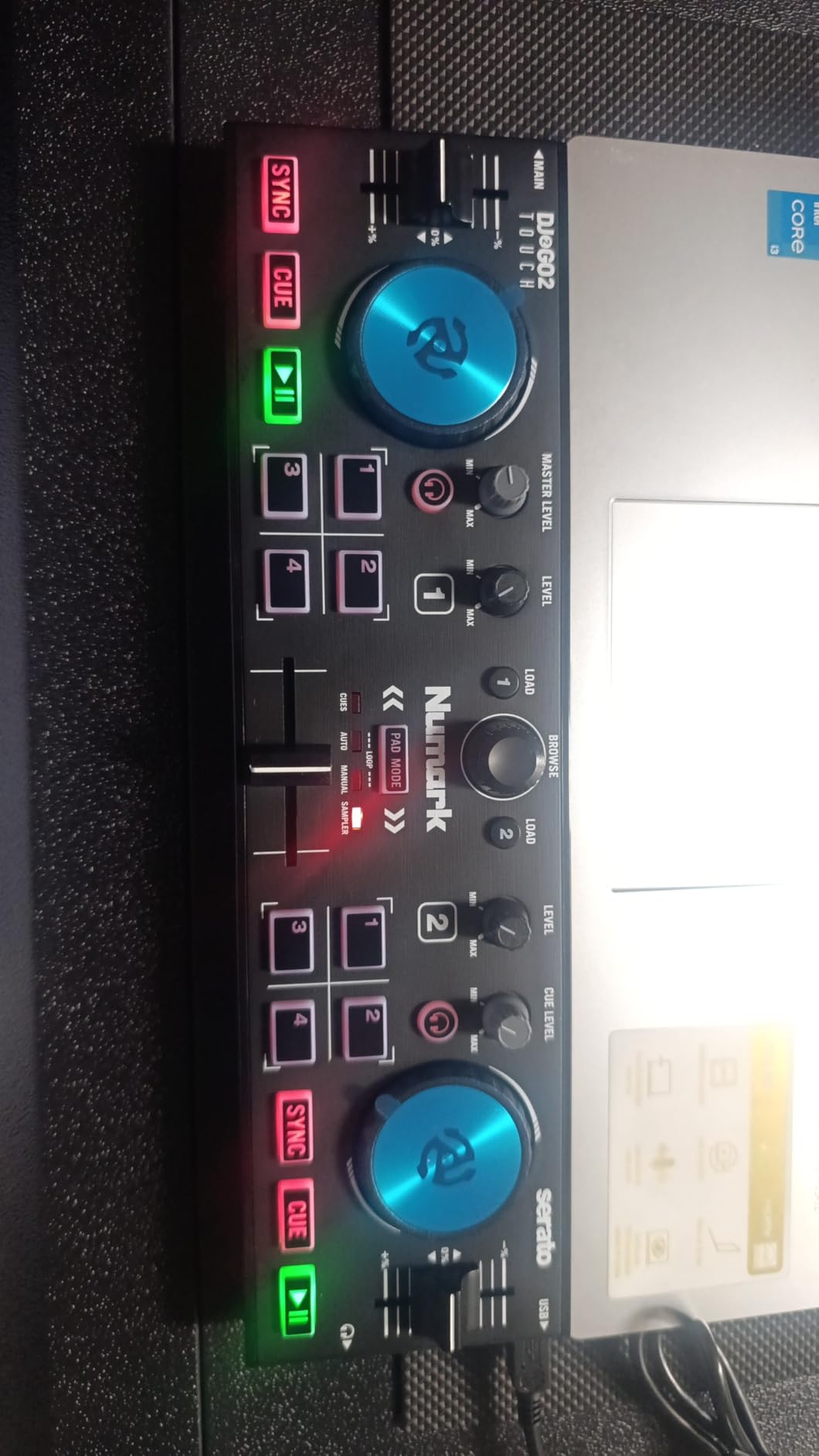
The Numark DJ2GO2 Touch is the cheapest controller on this list and one of the best-selling DJ controllers on Amazon, with over 4,100 reviews. Our team picked it up expecting a toy and came away impressed by how much Numark packed into a 12-ounce frame. If you want to test whether DJing is for you without spending serious money, this is where you start.
Despite the tiny footprint, the DJ2GO2 Touch includes touch-capacitive jog wheels, a crossfader, pitch faders, and four pad modes covering cue points, auto and manual looping, and sample playback. The integrated audio interface gives you an eighth-inch headphone output and an eighth-inch main output, so you can cue and mix without any extra hardware. Serato DJ Lite is bundled, complete with access to streaming providers for millions of tracks.
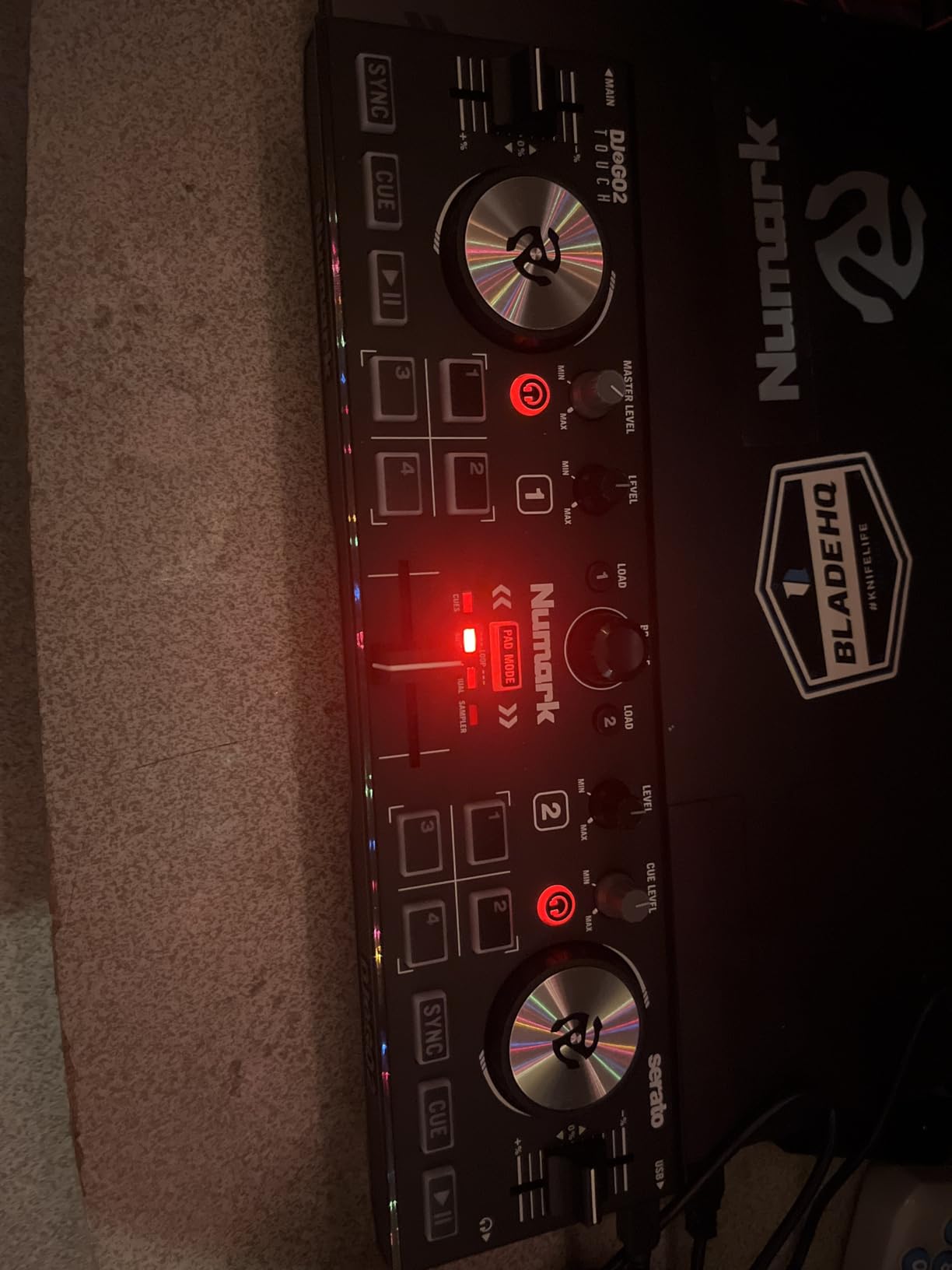
The sleek, low-profile design has radiant backlit controls that look sharp in dim lighting, and the build is surprisingly solid for something this cheap. MIDI mapping support means you can also use it with Virtual DJ and other popular software if you outgrow Serato DJ Lite. For bus practice, hotel-room sessions, or just figuring out if you enjoy mixing before you invest more, the DJ2GO2 Touch does the job.
The limitations are obvious. The jog wheels are very small, which makes scratching and fine pitch adjustments difficult. There are fewer controls than on any other board here, so you will hit a ceiling on what you can learn. And some listings show low stock, so availability can be hit or miss. But as a no-risk entry point, it is hard to argue with a controller this cheap that still includes an audio interface and Serato software.
Can you actually mix on a controller this small?
You can mix, transition, loop, and run basic effects. The crossfader, channel faders, EQ, and pads all function as expected, and Serato DJ Lite handles the heavy lifting. We ran full 30-minute practice sets on the DJ2GO2 Touch without feeling crippled by the size. The touch-capacitive jog wheels are responsive enough for cueing and gentle pitch bends.
What you cannot do well is scratch, juggle, or run complex four-deck layering. Accept those limits and the DJ2GO2 Touch is a legitimate learning tool.
When should you upgrade from the DJ2GO2 Touch?
Upgrade when you find yourself wanting larger jog wheels, more performance pads, four-deck control, or a fuller layout that matches club-standard gear. For most committed beginners, that happens within two to three months of regular practice. At that point, the Pioneer DDJ-FLX4 or the Numark Mixtrack Platinum FX are the natural next steps.
The good news is that the DJ2GO2 Touch costs so little that upgrading does not feel like wasted money. It becomes your travel controller while your main board stays at home.
Buying Guide: How to Choose the Best DJ Controller for Beginners?
Choosing your first DJ controller comes down to a handful of decisions that shape your entire learning experience. Our team has broken down the factors that actually matter, based on hundreds of hours of testing and the recurring questions we see in DJ communities like Reddit’s r/Beatmatch. Use this guide to match a controller to your goals, budget, and preferred music style.
Software Compatibility Is the Most Important Decision
The software your controller ships with determines your entire workflow, your library management, and your upgrade path. The three big ecosystems for beginners are rekordbox, Serato DJ Lite, and DJUCED. Rekordbox is the industry standard for club DJs because it prepares USB sticks for Pioneer CDJs, so starting in rekordbox means your library and playlists follow you to the booth. Serato DJ Lite is the most popular DJ software overall and the go-to for hip-hop and scratching DJs.
DJUCED, used by Hercules controllers, is the most beginner-friendly of the three thanks to built-in tutorials and the Beatmatch Guide feature. Some controllers, like the AlphaTheta DDJ-FLX2, support multiple apps including djay, which adds Neural Mix stem separation on iPad. Pick the ecosystem that matches your long-term goals before you pick the controller.
Jog Wheel Size and Type Shape Your Technique
Jog wheels are where your hands spend the most time, and their size and feel directly affect what you can learn. Larger wheels, like the 6-inch platters on the Numark Mixtrack Pro FX and Platinum FX, mimic real turntables and are better for scratching and beatmatching by ear. Smaller wheels, like those on the Starlight and DJ2GO2 Touch, are fine for basic cueing and pitch bends but limit advanced technique.
Capacitive-touch wheels detect your hand contact, which is essential for scratching because the software knows when to pause the track. Look for touch-sensitive wheels if scratching is even a remote interest.
Built-In Audio Interface Saves Money and Hassle
A built-in audio interface lets you output master sound to speakers and cue tracks in headphones simultaneously, which is essential for mixing. Controllers without a built-in interface require a separate sound card, which adds cost and setup complexity. Every controller on our list except the smallest portable boards includes a built-in interface, which is one reason we selected them. If you see a controller under $100 without one, treat that as a warning sign.
Channels: Two Is Enough to Start, Four Lets You Grow
Two-deck controllers are perfect for learning transitions, beatmatching, and basic effects. Four-deck controllers, like the Numark Mixtrack Platinum FX, let you layer vocals over instrumentals, run three-track mixes, and keep loops going while you cue. Most beginners do not need four decks on day one, but having the option prevents you from outgrowing the controller within months.
Our advice: buy two decks if you are on a budget or unsure about your commitment. Buy four decks if you know you want to play open-format sets or complex electronic mixes.
Build Quality and Portability Trade-Offs
Cheaper controllers use more plastic, which is fine for bedroom practice but may not survive heavy gigging. Look for metal top plates and solid faders if you plan to take your controller out regularly. Portability matters if you want to mix on the move: the AlphaTheta DDJ-FLX2, Hercules Starlight, and Numark DJ2GO2 Touch are all designed for travel, while the Pioneer DDJ-FLX4 and Numark Mixtrack boards are better suited to a fixed desk setup.
Streaming Support Means You Can Mix Without Buying Music
Building a music library is expensive, so streaming integration is a major advantage for beginners. Look for controllers that support TIDAL, SoundCloud Go+, Beatport Streaming, Beatsource Streaming, Apple Music, and Spotify. Every controller on our list supports at least some of these services, which means you can mix millions of tracks on day one without spending another dollar on downloads.
Just remember that streaming requires an active subscription and an internet connection, so it is worth building a local library of your essential tracks over time.
FAQs
What is a good DJ controller for beginners in 2026?
The Pioneer DJ DDJ-FLX4 is the best DJ controller for beginners in 2026 because its layout mirrors professional Pioneer club gear, it ships with rekordbox and Serato DJ Lite, and it supports streaming from TIDAL, Beatport, Beatsource, and SoundCloud Go+. For a cheaper option, the AlphaTheta DDJ-FLX2 offers Smart Fader technology and four software apps at a lower price.
How much should I spend on my first DJ controller?
Expect to spend between $140 and $330 on a quality beginner DJ controller. Boards under $150 like the Hercules Inpulse 200 MK2 and Numark DJ2GO2 Touch are great for testing the waters, while the $250 to $330 range gets you controllers like the Pioneer DDJ-FLX4 and Numark Mixtrack Platinum FX that you will not outgrow quickly. Avoid controllers under $80 that lack a built-in audio interface.
Which DJ software is best for beginners: rekordbox, Serato, or DJUCED?
Rekordbox is best if you eventually want to play on Pioneer club gear, since your library and playlists transfer directly. Serato DJ Lite is the most popular overall and the top choice for scratching and hip-hop DJs. DJUCED, used by Hercules controllers, is the most beginner-friendly thanks to built-in tutorials and the Beatmatch Guide feature. The AlphaTheta DDJ-FLX2 supports all three plus djay, letting you try each before committing.
Can I learn to scratch on a beginner DJ controller?
Yes, you can learn to scratch on a beginner DJ controller as long as it has touch-sensitive jog wheels large enough to mimic a turntable. The Numark Mixtrack Pro FX and Mixtrack Platinum FX have 6-inch capacitive-touch platters that handle baby scratches, transforms, and chirps well. Smaller controllers like the Hercules Starlight and Numark DJ2GO2 Touch are too small for serious scratch practice.
Do I need a laptop to use a DJ controller?
Most beginner DJ controllers require a laptop, tablet, or phone running DJ software to function, since the controller is a MIDI device that sends commands to the software. The Pioneer DDJ-FLX4 and AlphaTheta DDJ-FLX2 both support mixing from phones and tablets, so you do not strictly need a laptop. Standalone DJ controllers that work without any device exist but are significantly more expensive and not aimed at beginners.
Final Verdict: The Best DJ Controllers for Beginners in 2026
After weeks of testing, the Pioneer DJ DDJ-FLX4 remains our top pick for the best DJ controller for beginners in 2026. No other board in this price range matches its combination of industry-standard layout, dual software support, streaming integration, and long-term upgrade value. If you are serious about DJing and want skills that transfer to club gear, start here.
For value hunters, the AlphaTheta DDJ-FLX2 is the smartest buy of 2026. Its Smart Fader technology, four-app software compatibility, and ultra-compact design deliver flagship features at a fraction of the FLX4 price. And if you just want to try DJing without commitment, the Numark DJ2GO2 Touch gets you mixing for less than the cost of a single night out.
Whatever you choose, the most important step is the first one. Pick a controller, plug it in, and start mixing. Every professional DJ started exactly where you are right now, staring at a board full of knobs and wondering what they all do. With any of these eight controllers, you have everything you need to find out.