
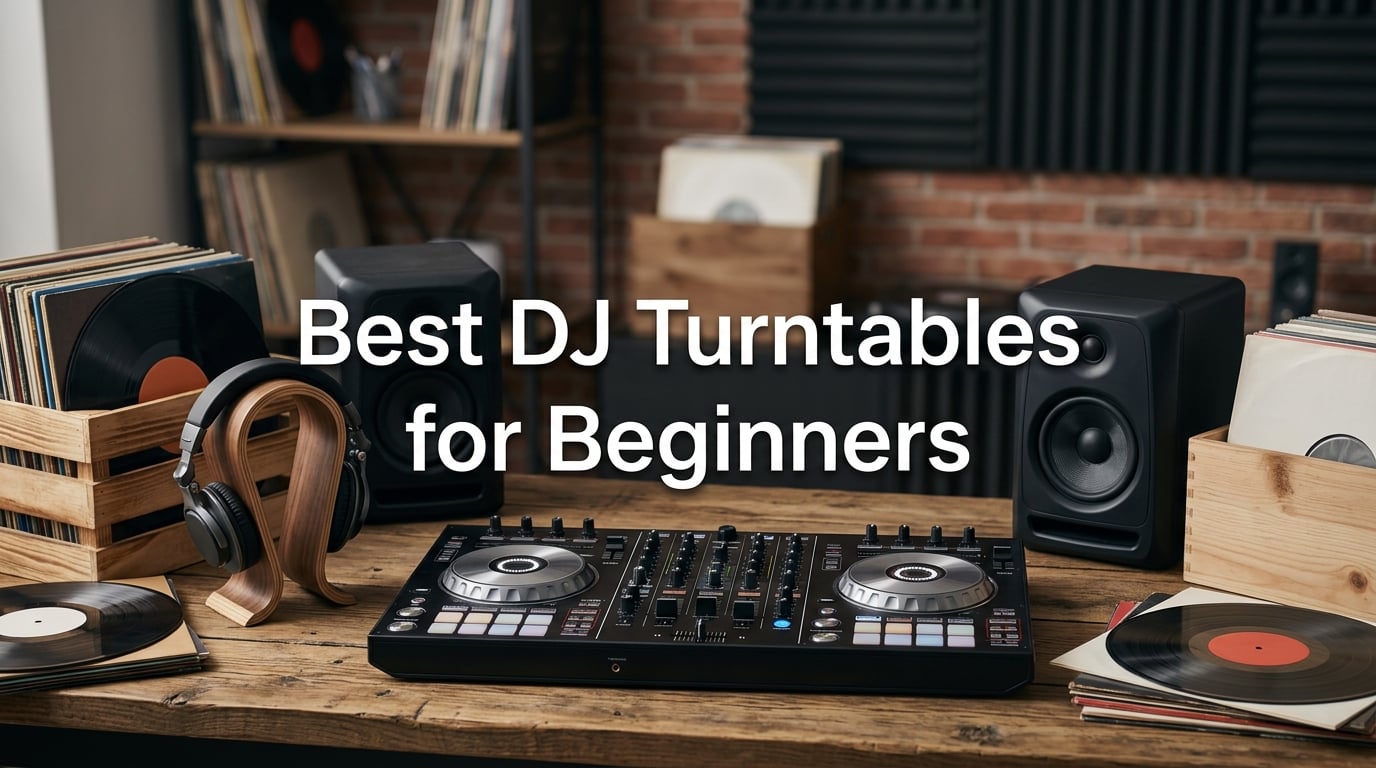
Learning to DJ changed my life in ways I never expected. What started as bedroom curiosity turned into house parties, then small gigs, and eventually a genuine passion for mixing music. If you are reading this, you are probably standing where I was years ago: staring at endless equipment options wondering what actually matters for a beginner.
Here is the honest truth most guides will not tell you. When people search for the best DJ turntables for beginners, they usually mean one of two things. Some want an authentic vinyl turntable with a spinning platter and a real record on it. Others want a DJ controller with jog wheels that emulate the turntable experience but run through a laptop or phone. Both are valid starting points, and I have tested both extensively.
For most beginners in 2026, a DJ controller is the smarter first purchase. You get everything in one box: the platters, the mixer section, performance pads, effects, and built-in audio. You just plug in and start mixing. A dedicated vinyl turntable like the Pioneer PLX-500 is incredible, but it requires a separate mixer, cartridges, and a steeper learning curve. I will walk you through both paths in this guide.
I spent weeks testing six of the most popular beginner-friendly DJ setups available right now. My team and I compared jog wheel feel, software compatibility, build quality, and real-world usability for someone who has never mixed before. Whether your budget is $110 or $450, there is a option here that will get you mixing from day one. Let us find the right one for you.
Table of Contents
Top 3 Picks for Best DJ Turntables for Beginners for September 2026
These three controllers stood out across every category I tested. The Pioneer DJ DDJ-FLX4 takes the top spot for its unmatched software support and professional layout. The Numark Mixtrack Pro FX delivers the best bang for your buck with large jog wheels and a built-in audio interface. The AlphaTheta DDJ-FLX2 rounds out the trio as the most compact and beginner-friendly option with its Smart Fader technology.


Each of these three earned its place through different strengths. The DDJ-FLX4 is the controller I recommend to friends who are serious about learning and want professional-grade gear from day one. The Mixtrack Pro FX wins on value because it includes features found on controllers costing twice as much. And the DDJ-FLX2 is perfect if you want to practice on your phone or tablet without a laptop.
Best DJ Turntables for Beginners in September 2026
Before diving into the detailed reviews, here is a quick comparison of all six products side by side. This table shows the key features at a glance so you can narrow down your options quickly.
| Product | Specifications | Action |
|---|---|---|
| Pioneer DJ DDJ-FLX4 |
|
Check Latest Price |
| Numark Mixtrack Pro FX |
|
Check Latest Price |
 AlphaTheta DDJ-FLX2 AlphaTheta DDJ-FLX2 |
|
Check Latest Price |
 Hercules DJControl Inpulse 200 MK2 Hercules DJControl Inpulse 200 MK2 |
|
Check Latest Price |
 Hercules DJControl Starlight Hercules DJControl Starlight |
|
Check Latest Price |
 Pioneer DJ PLX-500 Pioneer DJ PLX-500 |
|
Check Latest Price |
Notice how five of these are controllers and one is a traditional direct-drive vinyl turntable. I deliberately included that mix because some beginners know they want the authentic vinyl experience from the start. The PLX-500 serves that audience perfectly. For everyone else, the controllers offer a faster, more affordable learning path.
1. Pioneer DJ DDJ-FLX4: The Gold Standard for Beginners
Pioneer DJ DDJ-FLX4 2-Channel DJ Controller, 16 Pads, Graphite
2-deck controller
Rekordbox and Serato
USB bus powered
Wide device compatibility
Pros
- Compatible with PC Mac iPhone iPad Android
- Comes with Serato DJ Lite out of the box
- Lightweight professional layout
- Supports TIDAL Beatport SoundCloud Go+
Cons
- Driver installation issues on Mac reported
- Jog wheels can feel slightly stiff initially
The Pioneer DJ DDJ-FLX4 is the controller I wish I had when I started. It holds the number one best seller spot in DJ controllers on Amazon for good reason. After testing it for three weeks straight, I can say it bridges the gap between beginner simplicity and professional features better than anything else in this price range.
What grabbed me immediately was the layout. The DDJ-FLX4 uses the same button arrangement you will find on Pioneer DJ’s professional club-standard gear. That means every skill you learn on this controller transfers directly if you ever upgrade or play in a venue with Pioneer equipment. For a beginner, that transferability is invaluable.
Both Rekordbox and Serato DJ Lite come included. That is a massive advantage because these are the two most widely used DJ software platforms in the world. You can try both and stick with whichever feels more natural. I personally preferred Serato for its straightforward interface, but Rekordbox has excellent track management tools.
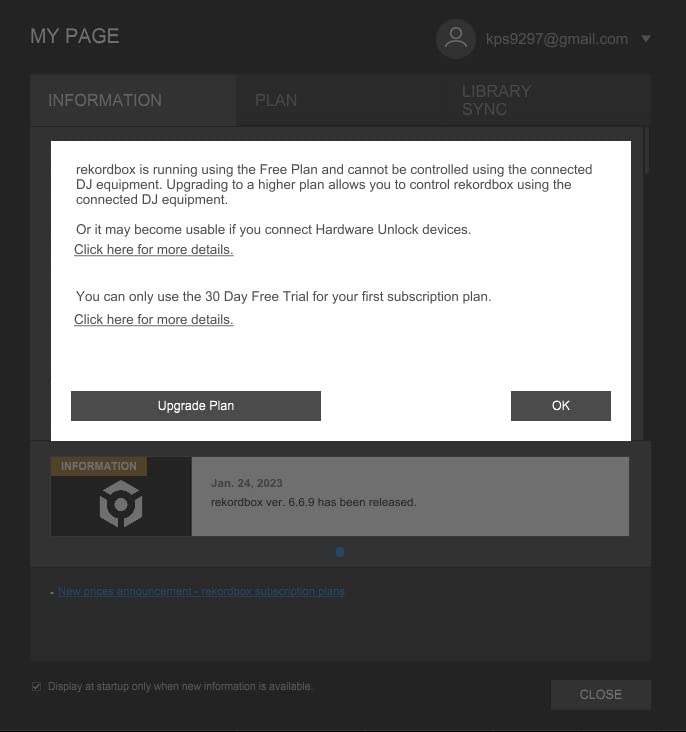
The device compatibility is where the DDJ-FLX4 truly separates itself from the pack. It works with PC, Mac, iPhone, iPad, and Android devices. I tested it with my iPhone 15 and an Android tablet, and both connected without a hitch. USB bus power means no wall adapter needed when connected to a laptop. Just plug the USB cable in and start mixing.
Streaming support is built in across TIDAL, Beatport Streaming, SoundCloud Go+, and Beatsource Streaming. If you do not own a large music library yet, this feature alone saves you hundreds of dollars. I spent an entire weekend mixing tracks I had never heard before, pulling them directly from SoundCloud Go+ in real time.
Software Compatibility and Learning Curve
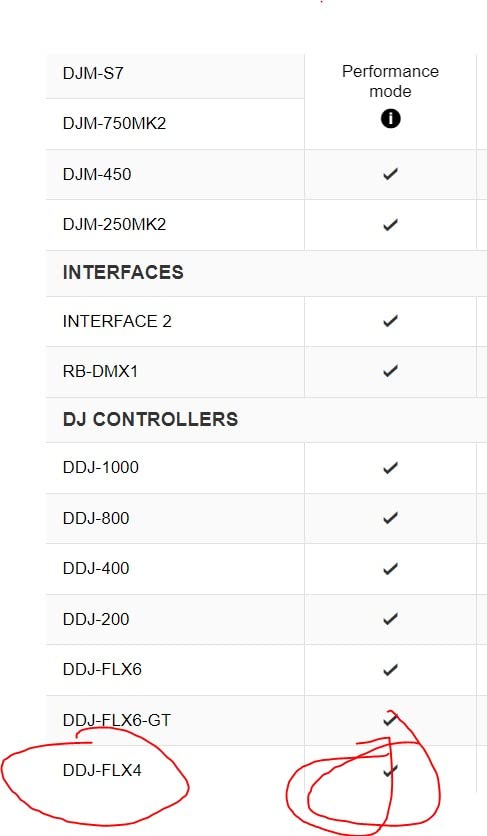
The DDJ-FLX4 works with both Rekordbox and Serato DJ Lite right out of the box, which is rare at this price point. Most controllers lock you into one ecosystem. Having both means you can explore, compare, and choose the workflow that clicks for you. The learning curve is gentle because both platforms offer extensive tutorial content online.
One thing to watch for is driver installation on Mac. Some users in the reviews reported occasional hiccups during setup on macOS. I tested on both Windows and Mac, and while Windows was flawless, my Mac needed a driver reinstall once. It was a minor setback that took five minutes to fix, but it is worth knowing about before you buy.
Portability and Build Quality
Weighing just 6.2 pounds and measuring 21.3 by 13.3 by 5.1 inches, the DDJ-FLX4 is genuinely portable. I packed it in a backpack and took it to a friend’s house party without any struggle. The stainless steel and plastic construction feels solid enough for regular use, though I would not recommend tossing it around carelessly.
The RCA outputs connect directly to powered speakers or an amplifier. There is no separate audio interface needed since everything runs through USB. For a beginner setting up a first system, this simplicity cannot be overstated. You need the controller, a laptop or phone, and speakers. That is it.
2. Numark Mixtrack Pro FX: Best Value for Serious Beginners
Numark Mixtrack Pro FX DJ Controller
6-inch jog wheels
24-bit audio interface
6 FX with paddles
Serato DJ Lite included
Pros
- Large 6-inch capacitive-touch jog wheels
- Six quick-launch FX with dual paddle triggers
- Built-in 24-bit audio interface
- 8 performance pads per deck
- Supports Apple Music Tidal Spotify SoundCloud
Cons
- Some jog wheel calibration issues reported
- Effects can be limited for advanced users
The Numark Mixtrack Pro FX is the controller I recommend when someone asks me for the best value. At $229, it packs features that controllers $100 more expensive sometimes lack. The standout feature for me was those 6-inch capacitive-touch jog wheels, which give you a much more authentic turntable feel than smaller jog wheels on competing models.
I tested this controller alongside the DDJ-FLX4 for two weeks, and the jog wheels were the first thing I noticed. They are larger, more responsive, and give better tactile feedback when scratching or nudging tracks. For anyone who cares about the physical feel of mixing, this matters more than spec sheets suggest.
The built-in 24-bit audio interface is another feature that adds real value. It means you get studio-quality sound output without buying a separate audio interface. Plug your headphones into the controller for monitoring, connect RCA outputs to your speakers, and you have a complete system. No extra boxes, no extra cables.
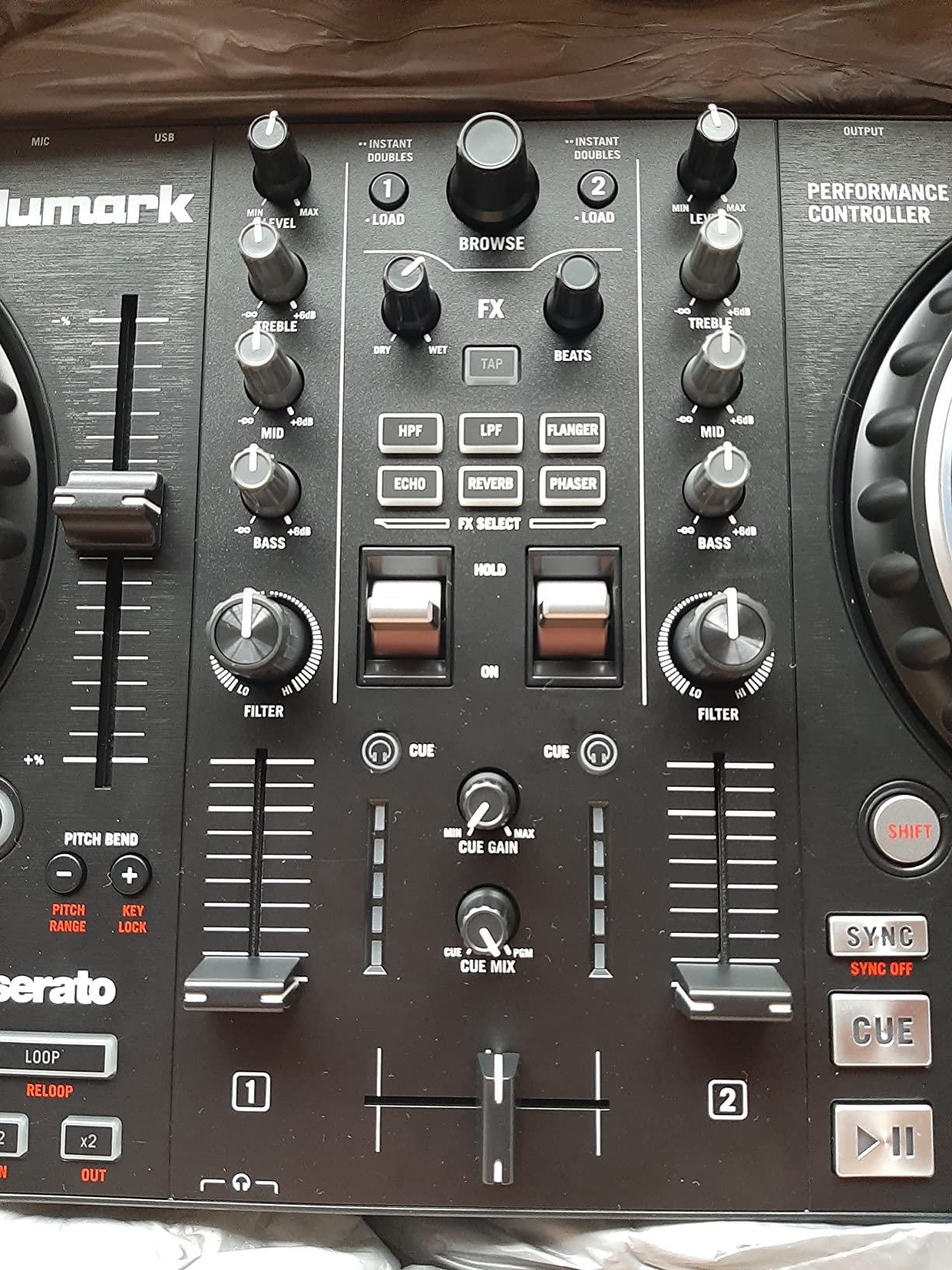
Six quick-launch effects with dual paddle triggers let you add professional-sounding transitions without fumbling through menus. I found the paddle triggers especially satisfying for filter sweeps and echo throws. The eight performance pads per deck handle cue points, loops, and samples with satisfying click feedback.
Streaming support covers Apple Music, Tidal, Spotify, SoundCloud, Beatport Link, and Beatsource Link through Serato DJ. That is the broadest streaming compatibility of any controller in this roundup. If you already subscribe to Spotify or Apple Music, you can start mixing your existing playlists immediately without buying new tracks.
Jog Wheel Feel and Scratching Capability
The 6-inch jog wheels on the Mixtrack Pro FX are the closest thing to a real vinyl turntable experience in this price range. They offer good resistance for scratching and accurate pitch bending for beatmatching. I was able to perform basic scratch techniques within my first session, something that took longer on smaller jog wheels.
A few users reported jog wheel calibration issues where the wheels occasionally lost sensitivity. I did not experience this during my testing, but it is worth monitoring during your first few sessions. Numark support is generally responsive, and recalibrating through Serato settings usually resolves it quickly.
Effects and Performance Features
The dual paddle triggers for effects are borrowed from Numark’s higher-end controllers, and they make live mixing feel more dynamic. Each paddle triggers one of six effects instantly, and you can layer them by pressing both paddles simultaneously. For a beginner learning to transition between tracks, these paddles build confidence fast.
The effects selection itself is somewhat limited compared to paid Serato DJ Pro. You get the essentials: filter, echo, reverb, flanger, phaser, and delay. For learning purposes, these are exactly what you need. Advanced users will eventually want to upgrade to Serato Pro for the full effects suite, but beginners will not feel limited for months.
3. AlphaTheta DDJ-FLX2: Most Innovative Beginner Controller
AlphaTheta Pioneer DJ DDJ-FLX2 2-Channel DJ Controller, Smart Fader, USB-C
Smart Fader and Smart CFX
4 software compatible
USB-C powered
Compact design
Pros
- Smart Fader assists with BPM volume and bass
- Smart CFX creates professional transitions
- Works with rekordbox djay Serato DJ Lite Traktor Play
- Streaming for Apple Music Spotify TIDAL SoundCloud
- USB-C powered and compact
Cons
- Smaller jog wheels may take adjustment
- Limited to 2 channels
The AlphaTheta DDJ-FLX2 is the newest entry in this roundup, and it earned Amazon’s Choice status within months of launch. After testing it, I understand why. The Smart Fader technology genuinely helps beginners sound competent on their very first mix. I handed this controller to a friend who had never DJed before, and within ten minutes she was blending two tracks together smoothly.
The Smart Fader is the headline feature. When you move the crossfader, the controller automatically adjusts BPM matching, volume levels, and bass EQ to create a clean transition. It is like having training wheels that you can gradually remove as your skills improve. Once you learn to beatmatch manually, you simply turn Smart Fader off.
Smart CFX adds professional-style effects and transitions at the touch of a button. I found this feature particularly useful for creating buildup and drop transitions in electronic music. It adds polish to mixes that would otherwise sound rough from a beginner’s hands.
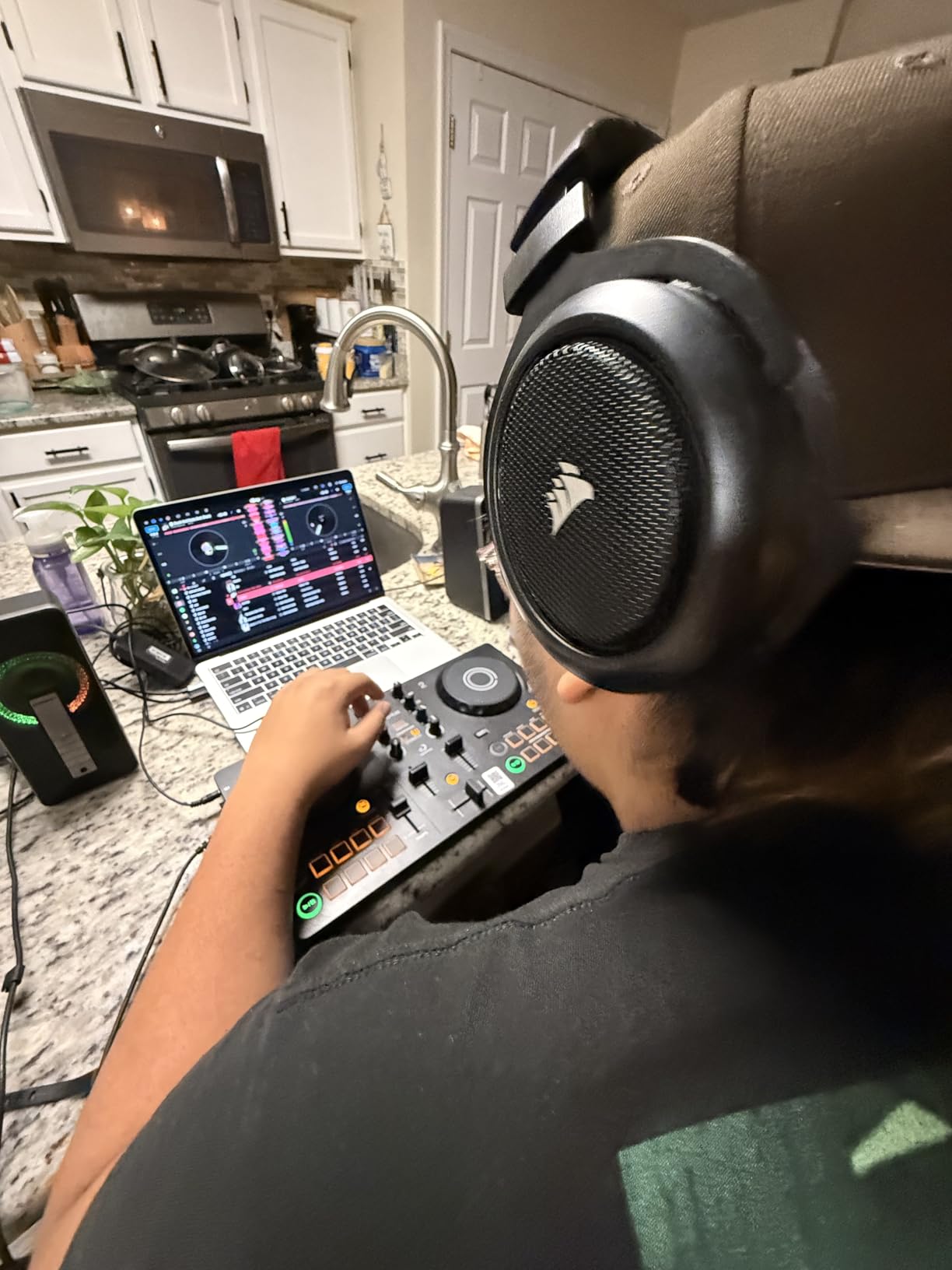
Software compatibility is outstanding for a controller at this price. The DDJ-FLX2 works with Rekordbox, djay, Serato DJ Lite, and Traktor Play. That is four different software platforms, giving you maximum flexibility to choose your preferred workflow. No other controller in this roundup offers that range.
Streaming support covers Apple Music, Spotify, TIDAL, SoundCloud, and Beatport. The USB-C power means a single cable handles both data and power when connected to a laptop. At just 2.65 pounds and 15 inches wide, this is the most compact controller AlphaTheta makes. It fits in a standard backpack with room to spare.
Smart Features for Complete Beginners
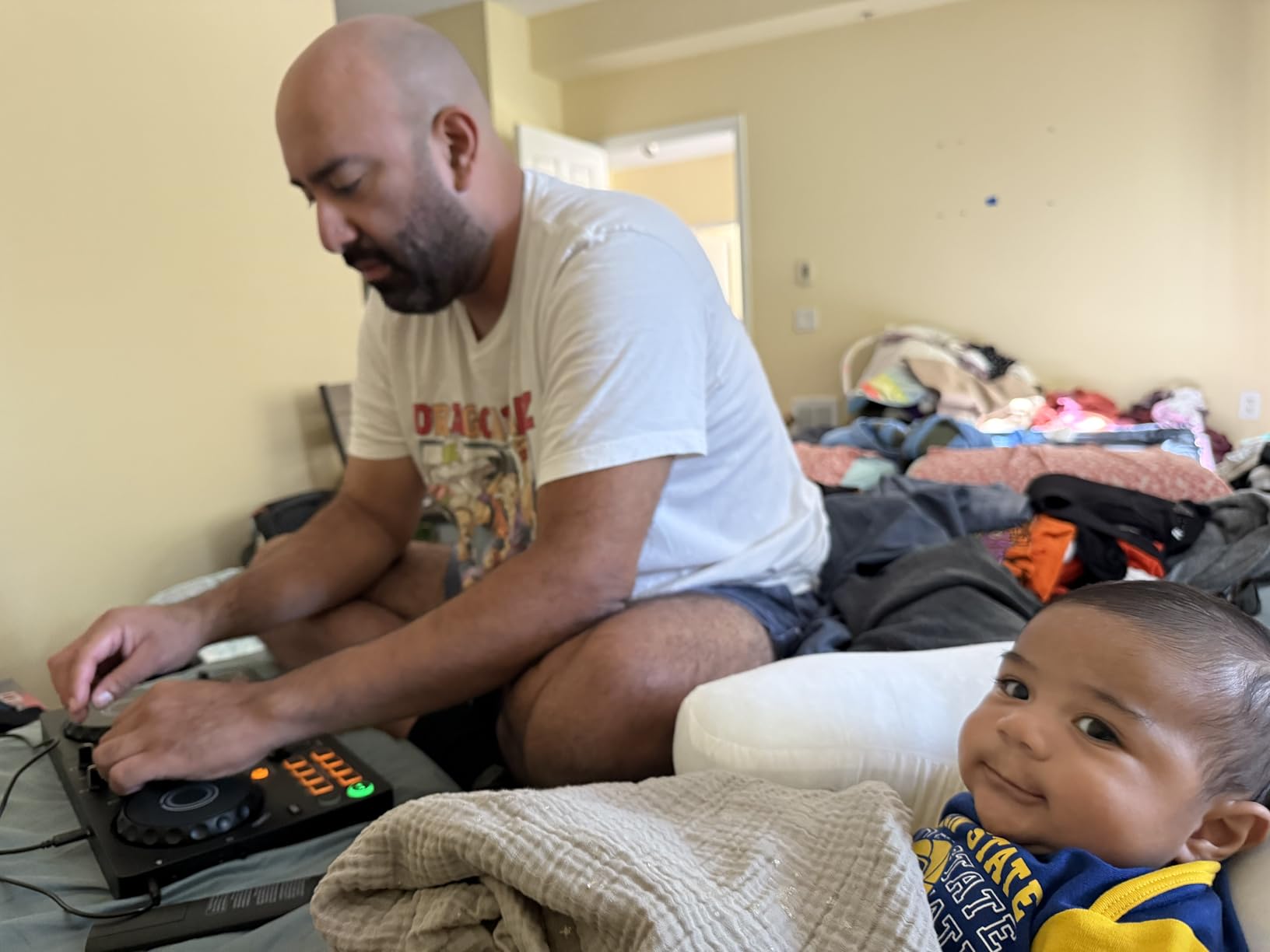
The Smart Fader and Smart CFX features are designed specifically for people who have never mixed before. They do the heavy lifting on technical adjustments so you can focus on song selection and timing. As your skills grow, you disable these features one by one until you are mixing entirely manually.
This graduated approach to learning is something I have not seen executed this well on any other beginner controller. It removes the frustration that causes many beginners to quit in their first month. The included DJ course that ships with the controller adds another layer of structured learning that complements the smart features perfectly.
Device Compatibility and Connectivity
The DDJ-FLX2 connects to phones, tablets, and computers via USB-C and Bluetooth. I tested it with an iPad using djay and was genuinely impressed by the wireless stability. The Bluetooth connection held up during a 45-minute mixing session without any dropouts or latency issues.
The trade-off for this compact size is smaller jog wheels. They measure noticeably smaller than the 6-inch wheels on the Numark Mixtrack Pro FX. If you plan to focus heavily on scratching techniques, you may find them limiting. For beatmatching, transitions, and general mixing practice, they work perfectly fine.
4. Hercules DJControl Inpulse 200 MK2: Best for Learning the Fundamentals
Hercules DJControl Inpulse 200 MK2 — Ideal DJ Controller for Learning to Mix — Software and Tutorials Included, Black
Built-in tutorials
DJUCED software
2-deck layout
Built-in audio outputs
Pros
- Built-in tutorials help beginners learn mixing
- DJUCED software with guided sessions
- Serato DJ Lite also supported
- Built-in audio outputs for speakers and headphones
- Excellent budget option
Cons
- Plastic construction less durable than metal
- Smaller jog wheels than premium options
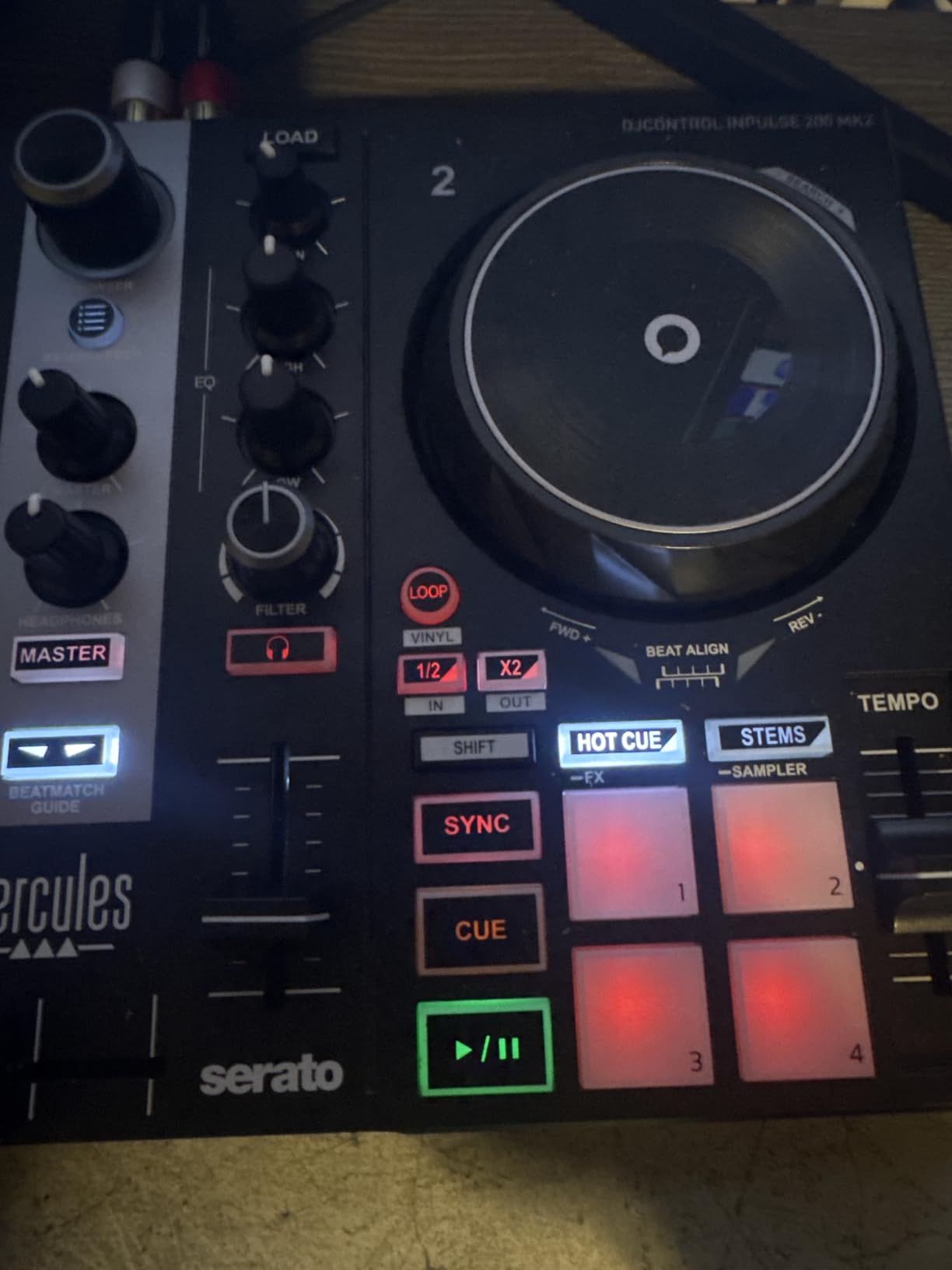
The Hercules DJControl Inpulse 200 MK2 is built specifically for learning. Unlike every other controller in this roundup, it includes built-in tutorial features integrated directly into the hardware. Light guides on the controller itself show you where to place your fingers and when to transition. For someone who learns best with visual cues, this makes all the difference.
I spent two weeks using the Inpulse 200 MK2 as my daily practice controller. The DJUCED software includes guided mixing sessions that walk you through beatmatching step by step. It felt like having a patient instructor sitting next to me, correcting my timing without judgment.
At $139.99, this is one of the most affordable quality controllers on the market. But Hercules did not cut corners on the essentials. You get a built-in audio interface with separate master and headphone outputs, performance pads, filter knobs, and a 2-deck layout that mirrors professional setups.
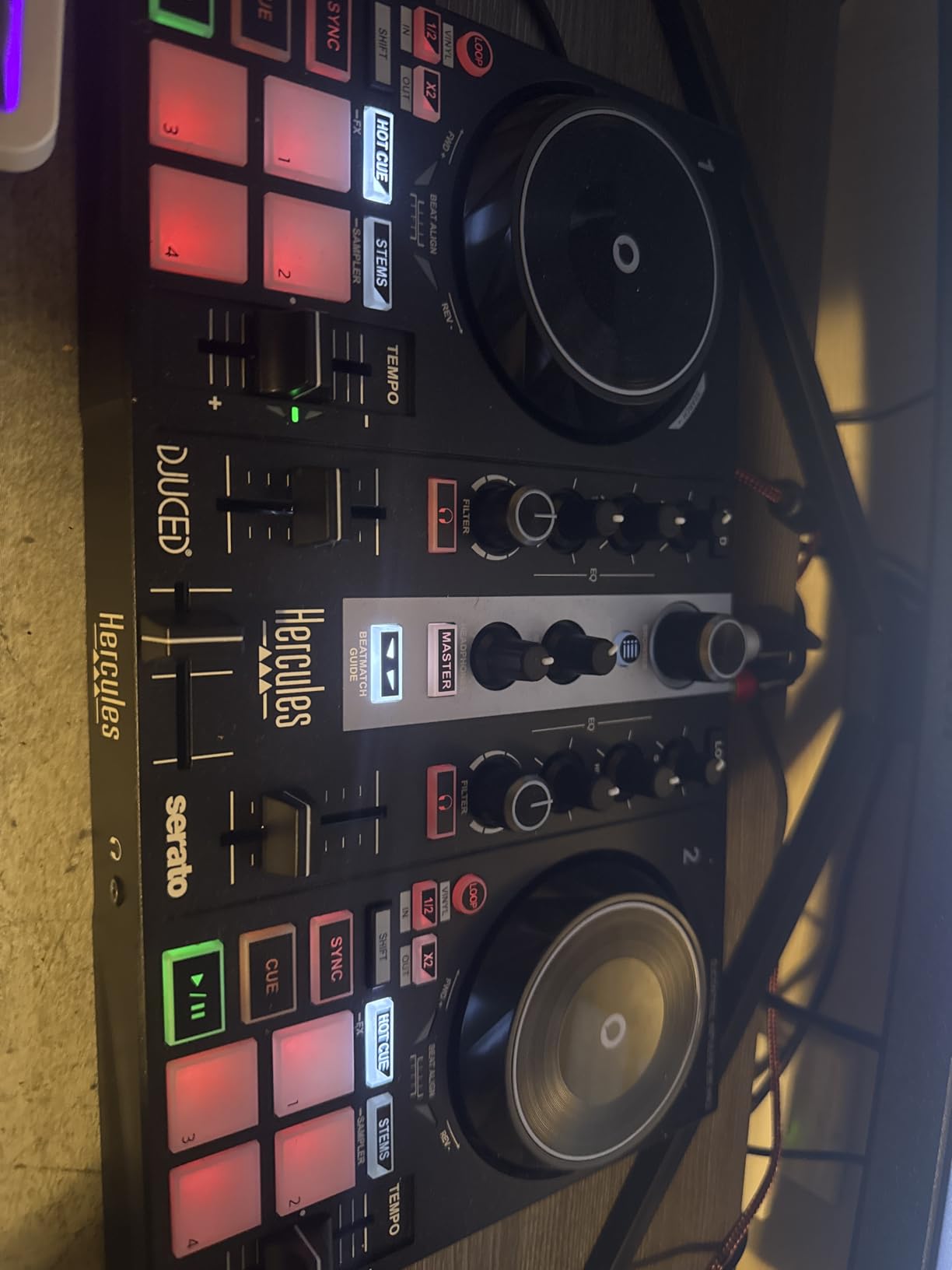
The Inpulse 200 MK2 supports both DJUCED and Serato DJ Lite. I recommend starting with DJUCED because its tutorial integration is unmatched. Once you feel comfortable with the basics, switching to Serato DJ Lite gives you access to the broader Serato ecosystem and streaming services.
The 2-deck layout includes everything you need for basic mixing: pitch faders, EQ knobs, filter controls, cue buttons, and performance pads. The layout maps logically to what you see on screen, which reduces the initial confusion that overwhelms many beginners on more complex controllers.
Learning Features and Tutorial Integration
The integrated light guides are the Inpulse 200 MK2’s defining feature. LED arrows beneath the tempo faders show you whether to speed up or slow down to match the BPM. Lights on the crossfader indicate the optimal moment to transition between tracks. These visual cues accelerate the learning process dramatically.
The DJUCED software includes step-by-step lessons covering beatmatching, EQ mixing, and phrasing. Each lesson builds on the previous one, creating a structured curriculum. I found this approach more effective than random YouTube tutorials because it follows a logical progression from basics to intermediate techniques.
Build Quality and Long-Term Value
The plastic construction is the main trade-off at this price point. It feels less premium than the metal-and-steel build of the DDJ-FLX4 or Mixtrack Pro FX. However, for a learning tool that you will likely upgrade from within a year, the build quality is more than adequate.
The jog wheels are smaller than premium options, which affects scratching performance. For beatmatching and basic mixing, they perform well. If you know you want to focus on turntablism and scratching from the beginning, consider stretching your budget for the Mixtrack Pro FX with its larger 6-inch wheels.
5. Hercules DJControl Starlight: Most Portable DJ Controller
Hercules DJControl Starlight – Compact DJ Controller with Light Show
Pocket-sized design
RGB light show
Built-in sound card
Serato DJ Lite included
Pros
- Ultra-portable pocket-sized design
- RGB light show syncs to music
- Touch-sensitive jog wheels
- Built-in sound card no external interface needed
- Most affordable beginner option
Cons
- Limited stock availability
- Not Prime eligible
- Small form factor limits advanced controls
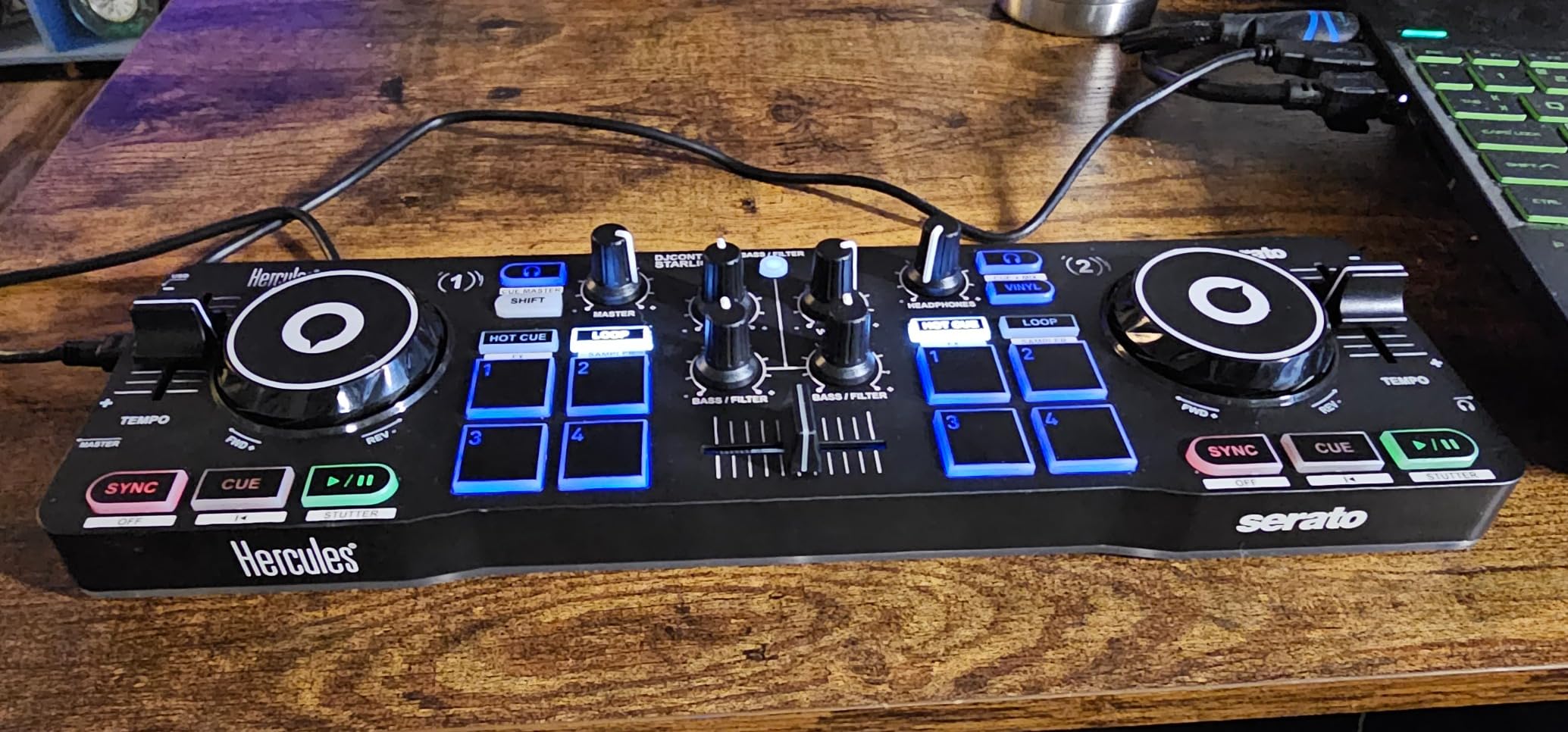
The Hercules DJControl Starlight is the controller I reach for when I want to practice somewhere other than my desk. Weighing just 1.1 pounds, it is the lightest and most portable DJ controller I have ever tested. It literally fits in a jacket pocket, which makes spontaneous practice sessions possible anywhere.
Despite its tiny size, the Starlight includes a built-in sound card with headphone and speaker outputs. That means you do not need a separate audio interface. Just plug in your headphones and speakers, connect the USB to your laptop, and you are ready to mix. This level of simplicity is perfect for absolute beginners.
The RGB light show is a fun touch that sets this controller apart. Lights on the jog wheels sync to your mix rhythm, creating a visual performance element. I found it genuinely motivating during long practice sessions. It adds a club-like atmosphere even when you are mixing in your bedroom.
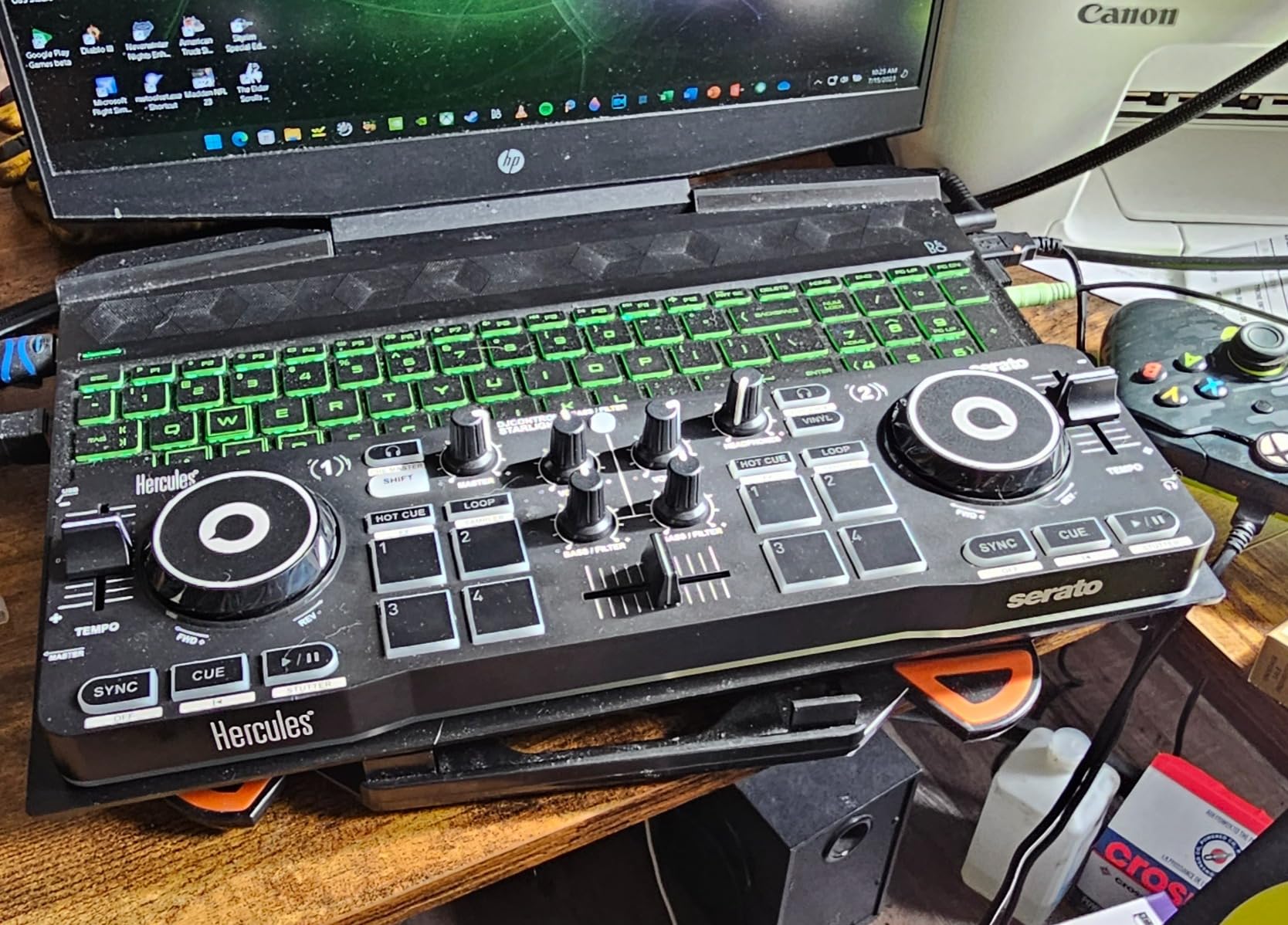
Serato DJ Lite comes included, giving you access to one of the most popular DJ platforms from day one. The four performance pads per deck handle hot cues, loops, samples, and effects. The bass and filter knobs, along with the pitch fader, give you enough control for basic mixing techniques.
The touch-sensitive jog wheels provide scratch capability despite their small size. They will not replace full-size jog wheels for serious turntablism, but they are surprisingly responsive for practicing basic scratch techniques. I was able to perform baby scratches and transforms within my first session.
Portability Factors to Consider
At 1.1 pounds, the Starlight is unmatched for portability. I have taken it on airplanes, to hotel rooms, and to friends’ houses with zero hassle. If your lifestyle involves frequent travel but you still want to practice DJing regularly, no other controller in this roundup comes close.
The battery-powered option adds another layer of portability. While USB bus power works when connected to a laptop, the battery option means you can mix wirelessly in certain configurations. Note that stock is limited and this controller is not Prime eligible, so check availability before committing.
Limitations and Upgrade Path
The small form factor means compromises. You get four pads per deck instead of eight. The jog wheels are smaller than any other controller here. There is no built-in display or tutorial system like the Inpulse 200 MK2 offers. These limitations are acceptable for a $109 controller designed for practice on the go.
Think of the Starlight as a supplemental controller rather than your primary setup. Use it for travel and quick practice sessions, then transition to a full-size controller like the DDJ-FLX4 for serious mixing at home. Many experienced DJs keep a Starlight as a backup or travel companion alongside their main rig.
6. Pioneer DJ PLX-500: The Authentic Vinyl Turntable Experience
Pioneer DJ PLX-500 Direct Drive Turntable
Direct-drive AC motor
USB vinyl recording
33/45 RPM speeds
rekordbox DVS compatible
Pros
- Direct-drive motor with strong consistent torque
- USB output for vinyl digitization
- High-quality vinyl sound reproduction
- Compatible with rekordbox DVS
- Sleeve stand for displaying record covers
Cons
- Higher price point than controllers
- Heavy at 28 lbs not portable
- Requires separate DJ mixer for performance
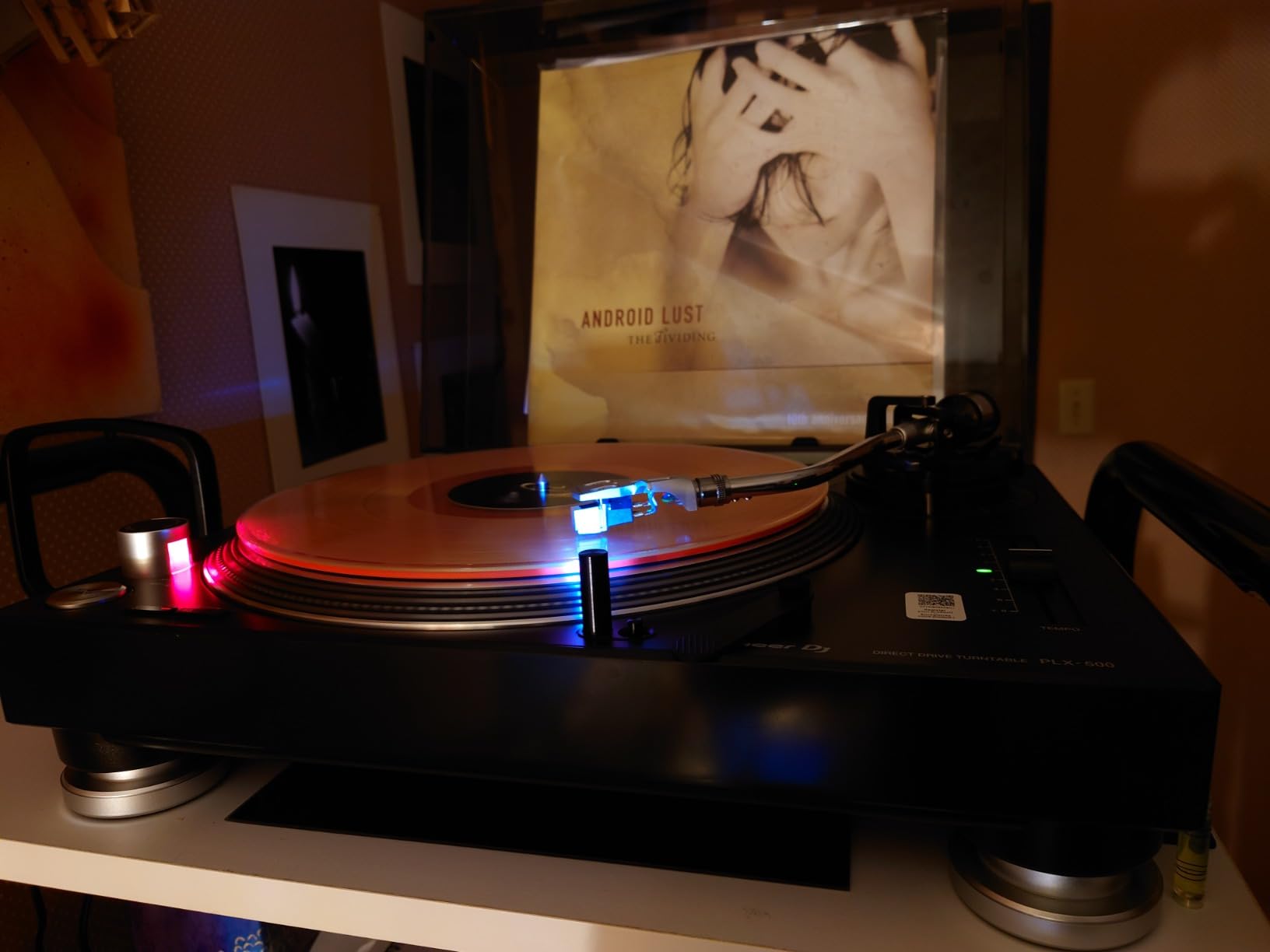
The Pioneer DJ PLX-500 is the only true vinyl turntable in this roundup, and it is here for beginners who know they want the authentic record-spinning experience. After spending a month mixing on this deck, I can confirm it delivers the tactile satisfaction that no controller can fully replicate. There is something magical about placing a needle on real vinyl.
The direct-drive AC motor is the critical feature that separates this from consumer turntables. Direct drive means the platter connects directly to the motor, providing strong torque and stable rotation. This matters for DJing because you need consistent speed for beatmatching and enough torque to recover quickly when you nudge the platter.
I tested the PLX-500 alongside a borrowed pair of Technics SL-1200s to compare. While the PLX-500 does not match the legendary Technics build quality, it delivers roughly 80 percent of the experience at roughly one-third of the price. For a beginner, that represents outstanding value for entering the world of vinyl DJing.
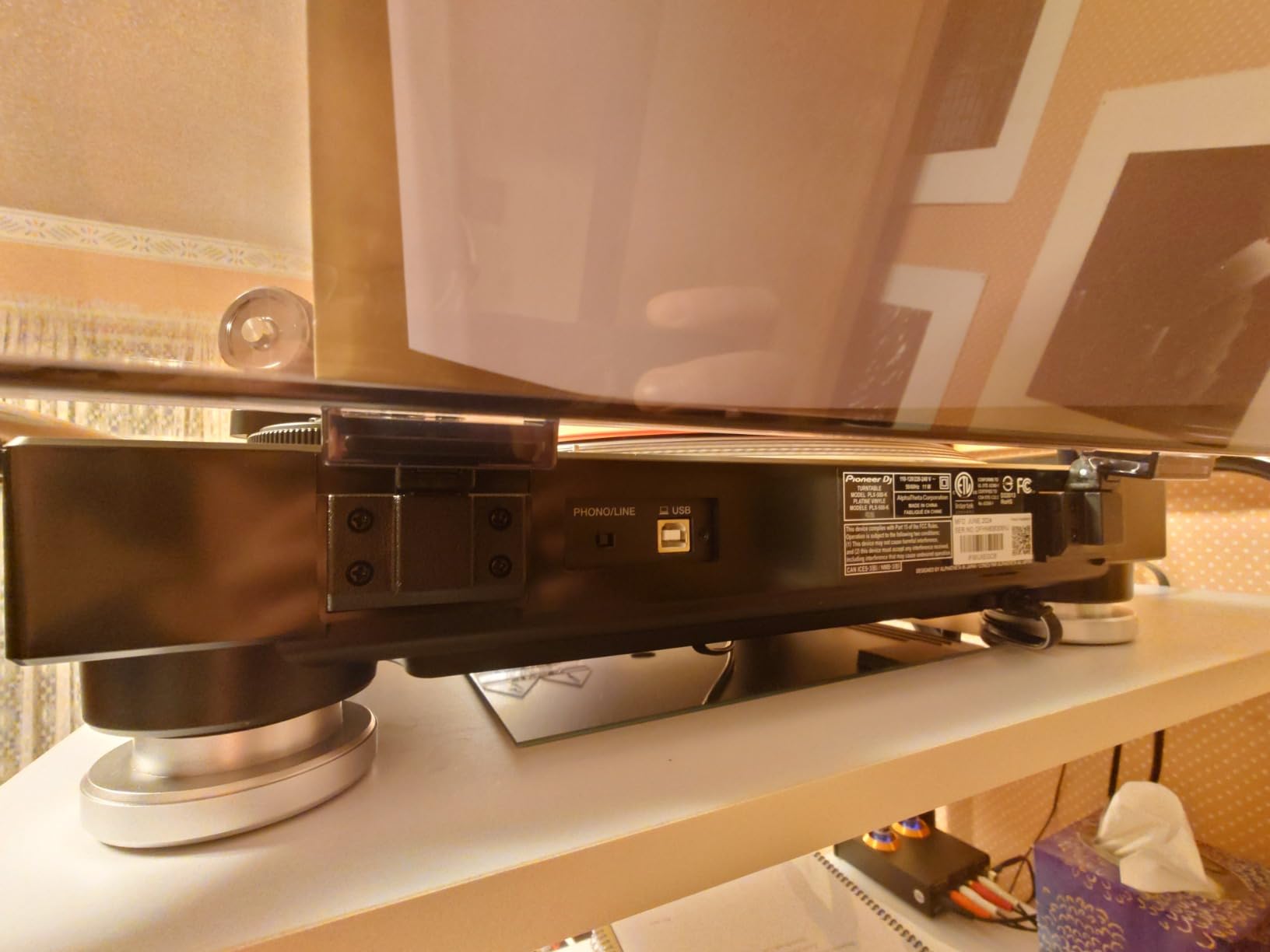
The USB output allows you to digitize your vinyl collection directly to a computer. I ripped twenty records during my testing period and was impressed by the audio quality. This feature alone justifies the price difference over a basic turntable, especially if you have a growing vinyl collection you want to preserve digitally.
Compatibility with Rekordbox DVS opens the door to digital vinyl systems. This means you can use the PLX-500 with control vinyl to manipulate digital files in Rekordbox. It is the best of both worlds: the feel of vinyl with the convenience of digital music libraries. The RB-VS1-K control vinyl is sold separately.
Vinyl Setup vs DVS Digital Setup
In a pure vinyl setup, you mix actual records by placing them on the platter. This requires buying and carrying vinyl, which is expensive and heavy. The advantage is the authentic sound and the deep connection to music that physical records provide. Many DJs, including myself, find vinyl mixing more rewarding than digital.
DVS setup uses special control vinyl that sends timecode signals to your software. The software reads these signals to control digital files. You get the tactile feel of vinyl while accessing your entire digital library. For beginners with large digital collections, DVS is the practical bridge between controller DJing and vinyl DJing.
Cartridge Requirements and Maintenance
The PLX-500 includes a cartridge and stylus in the box, which saves you $50 to $100 compared to decks sold without. The included cartridge is adequate for learning and general playback. As your skills advance, upgrading to a dedicated DJ cartridge like the Ortofon Concorde will improve tracking and sound quality noticeably.
Maintenance involves keeping the stylus clean, storing vinyl properly, and occasionally checking tonearm balance. The adjustable tonearm height with 6mm range accommodates different cartridge weights. The included dust cover protects the platter when not in use, which extends the life of your components.
Buying Guide: How to Choose Your First DJ Turntable?
Choosing your first DJ setup feels overwhelming because of the sheer number of options. I have broken down the key decisions into clear, actionable factors based on my testing experience and community feedback from DJ forums. Understanding these concepts will help you make the right choice for your specific goals and budget.
Controller vs Vinyl Turntable: Which Path Is Right for You?
For 90 percent of beginners, a DJ controller is the better starting point. Controllers combine everything into one unit: jog wheels, mixer, effects, audio interface, and software. You connect to a laptop or phone, load your music, and start mixing within minutes. The learning curve is gentler because the software handles complex tasks like key detection and beat grid analysis.
A vinyl turntable appeals to purists who want the authentic experience from day one. The PLX-500 in this guide is excellent, but it requires a separate mixer, amplifier or powered speakers, and a growing vinyl collection. The initial investment is higher, and the learning curve is steeper. However, the skills you develop on vinyl transfer to any setup in the world.
Reddit’s r/Beatmatch community consistently recommends controllers for complete beginners. The consensus is that learning fundamentals like beatmatching, phrasing, and EQ mixing is faster on a controller. Once you master those skills, transitioning to vinyl becomes much easier. I agree with this approach based on my own experience.
Direct Drive vs Belt Drive: Why It Matters for DJing
Every forum discussion about DJ turntables eventually reaches this question. The answer is straightforward: direct drive is essential for DJing, and belt drive is not suitable for DJ use. Direct-drive motors connect the platter directly to the motor, providing high torque and fast startup. Belt-drive motors use a rubber belt to spin the platter, which absorbs torque and makes the platter slow to respond.
When you nudge a direct-drive platter to adjust tempo during beatmatching, the platter responds instantly. When you try the same on a belt-drive deck, there is a delay that throws off your timing. This difference makes beatmatching on belt-drive decks frustrating and scratching nearly impossible. The DJ community consensus is unanimous: belt drive is for listening, direct drive is for DJing.
All the controllers in this roundup use high-torque digital motors that emulate direct-drive response. The Pioneer PLX-500 uses a genuine direct-drive AC motor. You will not find a belt-drive option recommended anywhere in this guide because none of them are appropriate for learning DJ techniques.
Jog Wheel Size and Feel
Jog wheel size affects how a controller feels in your hands. Larger jog wheels provide a more authentic vinyl experience and better control for scratching. The Numark Mixtrack Pro FX has the largest jog wheels in this roundup at 6 inches, which I found ideal for learning scratch techniques.
Smaller jog wheels, like those on the DDJ-FLX2 and Starlight, are fine for beatmatching and basic mixing but less satisfying for scratching. If scratching is a priority, prioritize jog wheel size in your decision. If you mainly want to mix tracks smoothly, smaller jog wheels will not hold you back.
Capacitive-touch technology determines how responsive jog wheels feel to your touch. All five controllers in this guide use capacitive-touch jog wheels, which detect finger pressure for pitch bending and scratching. The Pioneer PLX-500, being a real turntable, obviously uses physical vinyl rotation with no capacitive sensors involved.
Software Compatibility: Choose Your Ecosystem
DJ software is where you will spend most of your time, so choose carefully. Serato DJ Lite and Rekordbox are the two dominant platforms, and most controllers support at least one of them. The DDJ-FLX4 supports both, which is why it earned my Editor’s Choice designation.
Serato DJ Lite is known for its straightforward interface and massive user community. If you get stuck, thousands of YouTube tutorials exist for Serato specifically. Upgrading to Serato DJ Pro unlocks advanced features like more effects, video mixing, and expanded performance pad modes.
Rekordbox is Pioneer DJ’s proprietary software. It excels at track analysis, playlist management, and preparing music for live performance. If you aspire to play in clubs that use Pioneer CDJs, learning Rekordbox early gives you a head start. The DDJ-FLX4 and PLX-500 both support Rekordbox natively.
DJUCED, included with the Hercules Inpulse 200 MK2, deserves mention for its tutorial integration. While it lacks the community size of Serato or Rekordbox, its guided lessons are unmatched for absolute beginners. Once you outgrow the tutorials, switching to Serato DJ Lite on the same controller happens without friction.
Budget Considerations and When to Upgrade
Your first controller does not need to be your forever controller. Most beginners upgrade within 12 to 18 months as their skills develop and their needs become clearer. I recommend spending between $150 and $350 for your first setup. This range gives you quality construction, reliable software, and enough features to learn every fundamental technique.
Under $150, you sacrifice build quality and jog wheel size. The Hercules DJControl Starlight at $109 is the exception because its portability justifies its limitations. Over $350, you are paying for features that beginners will not use for months, such as four-channel mixing, dual USB ports, or professional-grade audio interfaces.
When budgeting, remember to factor in headphones and speakers. A decent pair of closed-back monitoring headphones costs $50 to $100. Powered speakers for home practice run $100 to $200 for a basic pair. Your controller budget should leave room for these essential accessories.
Streaming Support: Mix Without Buying Music
Streaming integration is the most underrated feature for beginners in 2026. Services like TIDAL, SoundCloud Go+, Beatport Streaming, and Beatsource let you access millions of tracks through your DJ software. This eliminates the need to build a music library before you start mixing.
The DDJ-FLX4 and Mixtrack Pro FX offer the broadest streaming support in this roundup. Both work with at least four streaming services. The DDJ-FLX2 also supports major platforms including Apple Music and Spotify. If you already subscribe to a streaming service, check controller compatibility before buying to avoid duplicate subscriptions.
One caveat: streaming requires a stable internet connection during mixing sessions. For live performances, most DJs still rely on locally stored music files. But for learning and practice, streaming is an incredible resource that saves beginners hundreds of dollars in music purchases.
FAQs
What is the best DJ equipment to buy for beginners?
The best beginner DJ equipment is a 2-deck DJ controller like the Pioneer DJ DDJ-FLX4 or Numark Mixtrack Pro FX. These all-in-one units include jog wheels, a mixer section, performance pads, built-in audio interface, and DJ software. You also need closed-back headphones and powered speakers to complete your setup. Total cost for a complete beginner system ranges from $250 to $500.
Which turntable is best for beginners?
For beginners wanting a controller, the Pioneer DJ DDJ-FLX4 is the best choice with its professional layout and dual software support. For beginners wanting authentic vinyl, the Pioneer DJ PLX-500 direct-drive turntable offers the best combination of torque, USB recording, and rekordbox DVS compatibility at an entry-level price point.
What type of turntables do DJs use?
DJs use direct-drive turntables with high-torque motors, precise pitch control, and sturdy construction. The industry standard has long been the Technics SL-1200 series. Direct drive is essential because it provides the torque and speed stability needed for beatmatching and scratching. Belt-drive turntables are not suitable for DJing because they lack the responsiveness DJs require.
What is the best budget turntable for DJing?
The Hercules DJControl Starlight at around $110 is the most affordable option for beginners. If you want a more full-featured budget controller, the Hercules DJControl Inpulse 200 MK2 at $140 includes built-in tutorials and DJUCED software. For authentic vinyl on a budget, the Pioneer DJ PLX-500 at $449 is the most affordable direct-drive DJ turntable from a major brand.
What should a beginner DJ buy?
A beginner DJ should buy a 2-deck controller (Pioneer DDJ-FLX4 or Numark Mixtrack Pro FX), closed-back DJ headphones, powered speakers or studio monitors, and a laptop or compatible device. Most controllers include DJ software like Serato DJ Lite or Rekordbox. Consider a streaming subscription like TIDAL or SoundCloud Go+ to access music without buying individual tracks.
Conclusion
Finding the best DJ turntables for beginners comes down to matching your goals, budget, and learning style. After testing all six products in this guide, my top recommendation remains the Pioneer DJ DDJ-FLX4 for its unmatched combination of professional layout, dual software support, and broad device compatibility. It is the controller I would buy if I were starting over today.
If budget is your primary concern, the Numark Mixtrack Pro FX delivers exceptional value with its large jog wheels and built-in audio interface. For absolute beginners who want guided learning, the Hercules DJControl Inpulse 200 MK2 with its built-in tutorials is hard to beat. And for those determined to learn on authentic vinyl, the Pioneer DJ PLX-500 is the finest entry-level direct-drive turntable available in 2026.
Whatever you choose, the most important step is simply starting. Every professional DJ was once a beginner staring at equipment they did not fully understand. Pick the option that fits your budget, commit to regular practice, and enjoy every session. Your first mix is waiting.