
The best golf launch monitor under 1,000 dollars right now is the Rapsodo Mobile Launch Monitor for proven all-around value, the Rapsodo MLM2PRO if your priority is real spin data, and the Garmin Approach R10 if you want the widest spread of metrics with a long battery. Every pick below sits inside the same price ceiling, and each was chosen from specifications and owner feedback rather than marketing copy.
Launch monitors used to be range equipment that cost more than a mid-size car, and that assumption is the single biggest reason good data is still out of reach for a lot of golfers. A commercial TrackMan or Foresight system is a club fitting tool, not a practice tool. What you can now get for a few hundred dollars measures ball speed, club head speed, launch angle, carry distance and, in some cases, spin rate and spin axis. That is enough to gapping a wedge bag or chasing a consistent contact position, which is the actual work most golfers are trying to do.
This roundup covers eight models that all sit below 1,000 dollars, from a pocket-sized radar trainer to a photometric camera system that fits in a small room. I spent several weeks reading specifications, comparing owner feedback across forums and retailer listings, and checking which of these honestly deliver on the numbers their makers advertise. Nothing here is sponsored by a brand, and the ranking reflects a mix of accuracy, data depth, indoor usability and the ongoing cost that follows the purchase.
A few things to know before you read on. Radar and camera systems are not interchangeable, and the gap between them matters enormously in a garage. Spin is either measured or calculated, and only one pick in this list measures it. Some of these require a subscription after a trial period, and some require special balls before they will report spin at all. We explain both in the buying guide rather than burying them.
Last updated for 2026. If you are still working out which category you belong in, our broader guide to golf launch monitors for practice covers the premium tier too, which is worth reading if you are close to spending past this ceiling.
Table of Contents
Top 3 Picks for the Best Golf Launch Monitors Under 1,000 Dollars in 2026
These three earned their place on the biggest evidence available: owner volume, breadth of data, and how much ongoing cost they carry. The Rapsodo Mobile Launch Monitor has the deepest owner history of anything in this tier, the Garmin R10 covers the most ground per dollar of hardware, and the PRGR HS 130-A is the one to buy if your real goal is swing speed training rather than shot data.

Rapsodo Mobile Launch Monitor
- Ball speed and club speed with launch angle and carry distance
- Integrated video replay with an on-screen shot tracer
- Works at the range or backyard or an indoor net

Garmin Approach R10
- Club speed plus ball speed plus spin plus launch angle and direction
- Shot dispersion chart with per-club statistics
- IPX7 waterproof with up to 10 hours of battery

PRGR HS 130-A
- Measures club head speed with or without a ball
- Doppler radar for ball speed plus smash factor and carry distance
- Stores roughly 500 past swings for comparison
Best Golf Launch Monitors Under $1000 (October 2026)
Everything in the list, side by side. The subscription column matters more than most shoppers expect, because two of these charge nothing and two of them do not.
| Product | Specifications | Action |
|---|---|---|
| Rapsodo Mobile Launch Monitor |
|
Check Latest Price |
 Rapsodo MLM2PRO Rapsodo MLM2PRO |
|
Check Latest Price |
| Garmin Approach R10 |
|
Check Latest Price |
 SkyTrak Launch Monitor SkyTrak Launch Monitor |
|
Check Latest Price |
| PRGR HS 130-A |
|
Check Latest Price |
 Voice Caddie SC200Plus Voice Caddie SC200Plus |
|
Check Latest Price |
 Garmin Approach G80 Garmin Approach G80 |
|
Check Latest Price |
 TAGCMC GX-10 TAGCMC GX-10 |
|
Check Latest Price |
1. Rapsodo Mobile Launch Monitor – The Most Proven All-Rounder
Rapsodo Mobile Launch Monitor Golf Simulator | MLM iPhone & iPad Only
Doppler radar plus iPhone camera
0.4 kg unit
7.72 x 2.28 x 6.85 inches
1 year limited warranty
Pros
- Thousands of owners cite useful club-by-club data
- Integrated video replay with a shot tracer
- Works at the range
- backyard or a net
- Light and easy to pack
Cons
- iOS only with no Android support
- No spin rate measurement
- Alignment must be precise or shots are missed
- Accuracy drops with long clubs
This is the model I keep coming back to, for one reason above all others: nobody else in this price bracket has this much owner history behind it. More than 3,000 ratings give you a much clearer picture of the failure modes than a few dozen reviews ever will, and the pattern that emerges is consistent. Owners hit thousands of balls through it, build club-by-club averages, and report that their contact gets more repeatable over a season of use.
The data set covers ball speed, club head speed, launch angle, carry distance and shot shape. That is a genuinely useful spread for club gapping, and the shot shape readout is what lets you see whether a miss is thin or heavy once you stop guessing. Owners working on distance gapping in their wedges consistently say this is where the value shows up.
The video replay with an on-screen tracer is the feature people mention most often after the numbers themselves. Seeing the trace drawn over your own swing makes a miss legible in a way a single number never does. It is not slow-motion and it is not multi-angle, but it is enough to catch a face that is open at impact or a low point that has drifted forward.
Be clear about the two real limitations. This is an iOS-only device, which in 2026 still rules out a large share of golfers outright. It also reports no spin rate at all, so if understanding ball spin is why you are buying a monitor, this is the wrong tool and you should look at the MLM2PRO instead.
What this pick is genuinely good at
Range and backyard sessions. The unit weighs 0.4 kg and measures 7.72 by 2.28 by 6.85 inches, so it moves from a car to a cart without ceremony. The box includes a carrying case, charging cable, the monitor and a quick start guide, so there is nothing else to buy to get started. If your goal is carry distance control and repeatable contact, owners report it delivers that consistently.
It is also the cheapest route into video feedback in this whole list, and the tracer doubles as a shot map, so you can see dispersion patterns by club rather than guessing where the bad shots went.
Where it will frustrate you
Long clubs and driver are the weak spot. Owners report readings that can run 10 to 25 yards short with a driver, and accuracy that degrades as clubs get longer. If driver distance is your primary target, calibrate expectations accordingly or spend up on a camera system that measures flight rather than reflecting radar signal.
Direct sun is the other issue, because the unit can run hot and shut itself down. That makes it a range product in spring and autumn, and something else entirely in July. Setup and alignment also demand patience, since a shot that is not registered usually means the tee was not where the unit expected it.
2. Rapsodo MLM2PRO – The Deepest Measured Spin Data in the Tier
Rapsodo MLM2PRO Mobile Launch Monitor Golf Simulator | 3 Chrome Tour Balls
Dual camera plus Doppler radar
15 metrics including spin rate
3 inch LCD, Android and iOS
16 ounces
Pros
- Captures spin rate
- spin axis
- club path and launch angle
- Slow-motion impact vision shows contact point
- Works on iOS and Android
- Three Callaway RPT balls included with tripod and case
Cons
- Full functionality needs a paid membership
- Shared Wi-Fi connections drop out
- Marked ball print wears and adds ongoing cost
If your question is whether a launch monitor under 1,000 dollars can produce real spin data, this is the one that answers yes. Owners put its readings within a couple of percent of much higher priced systems, and the reason is the hardware: a dual camera setup paired with Doppler radar, feeding fifteen metrics into the app including spin rate, spin axis, club speed, club path and launch angle.
An owner in the r/Golfsimulator community summed up the tradeoff more honestly than any spec sheet: the unit works out great and is fairly easy to use, but you have to buy the marked balls to get spin numbers, and it is still worth it. That is the accurate framing. Spin data depends on Callaway RPT balls whose printed markers the camera reads, and the print wears off after a limited number of shots.
Slow-motion impact vision is the other feature that separates it from radar-only devices in this list. It shows exactly where the clubface meets the ball, which turns a scattered contact pattern into a diagnosis. For a golfer whose miss is a strike-location problem rather than a path problem, that video is the whole reason to buy this one.
Two things temper the recommendation. Owners report shared Wi-Fi connections are unreliable and that direct device-to-device Wi-Fi is more stable but ties up the phone for the session. And the 45-day premium trial that unlocks simulated courses, the target range and the combine practice mode expires, after which the experience narrows noticeably unless you pay for a membership.
What this pick is genuinely good at
Ball spin analysis without leaving the budget tier. Spin rate, spin axis, club path and launch angle together give you a fuller picture of why a ball behaves the way it does than any other option here. The box includes the tripod, a protective carrying case, a charging cable and three Callaway RPT Chrome Soft X balls, so the consumable cost is at least partly covered on day one.
It also runs on both iOS and Android, which removes the platform lock that shapes the original Rapsodo, and the 3 inch LCD gives you something to look at when your phone is not in the frame.
Where it will frustrate you
Connectivity is the most common complaint in reviews, and it is fixable but annoying. Firmware updates and a direct Wi-Fi connection resolve most of the reported dropout problems, but not all buyers find that path on their own. Expect to spend an evening on setup rather than an afternoon.
Short game performance is the second gap. Chip and putt simulations inside ten yards read poorly, so treat the virtual course as a full-swing tool. The phone battery also takes a real hit during long sessions, and the recurring membership plus replacement marked balls is the ongoing cost that makes this the least predictable two-year total in the group.
3. Garmin Approach R10 – The Best Balance of Data and Battery
Garmin Approach R10, Portable Golf Launch Monitor, Take Your Game Home, Indoors or to The Driving Range, Up to 10 Hours Battery Life – 010-02356-00
Radar based, IPX7 waterproof
Up to 10 hours of battery
340 g, includes tripod and phone mount
1 year limited warranty
Pros
- Tracks club speed
- ball speed
- spin
- launch angle and direction
- Per-club dispersion chart highlights weak spots
- Auto records video with metrics overlaid
- Rainproof and long battery for range sessions
Cons
- Course play and some analytics need a subscription
- No screen of its own so a phone is required
- Must sit behind and slightly above the ball
Garmin publishes accuracy figures for this model, and they are specific enough to check: club head speed within 3 mph, ball speed within 1 mph, launch angle within 1 degree and launch direction within 1 degree. Most budget monitors simply say accurate. Having numbers to argue with is a real advantage when you are comparing hardware.
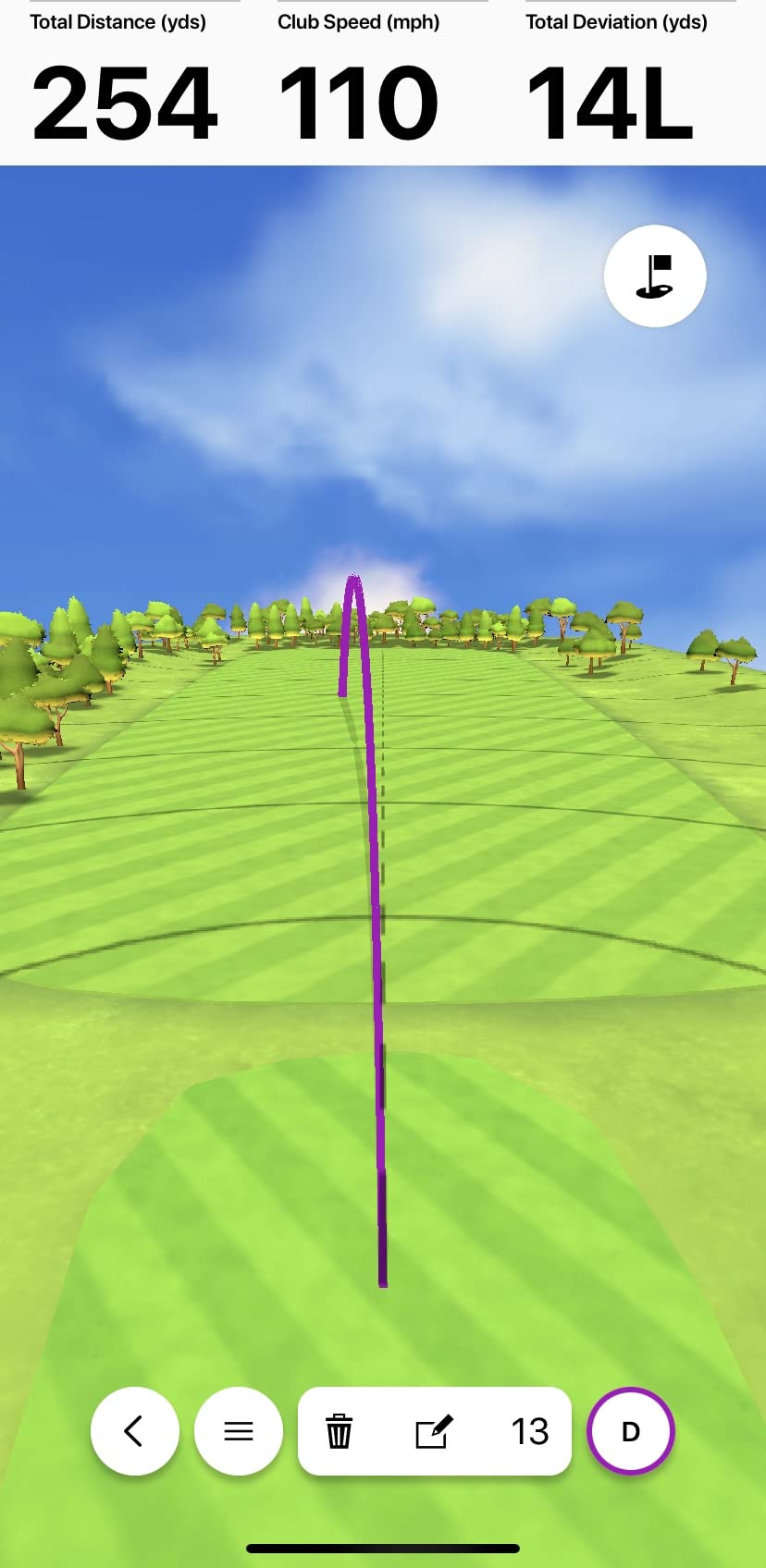
What you get for that is a wide metric set. Club head speed, ball speed, swing tempo, ball spin, launch angle and launch direction, delivered to the Garmin Golf app on your phone. Training mode builds a shot dispersion chart and per-club statistics, which is how owners use it to find a specific weak point in the bag rather than browsing data for fun.
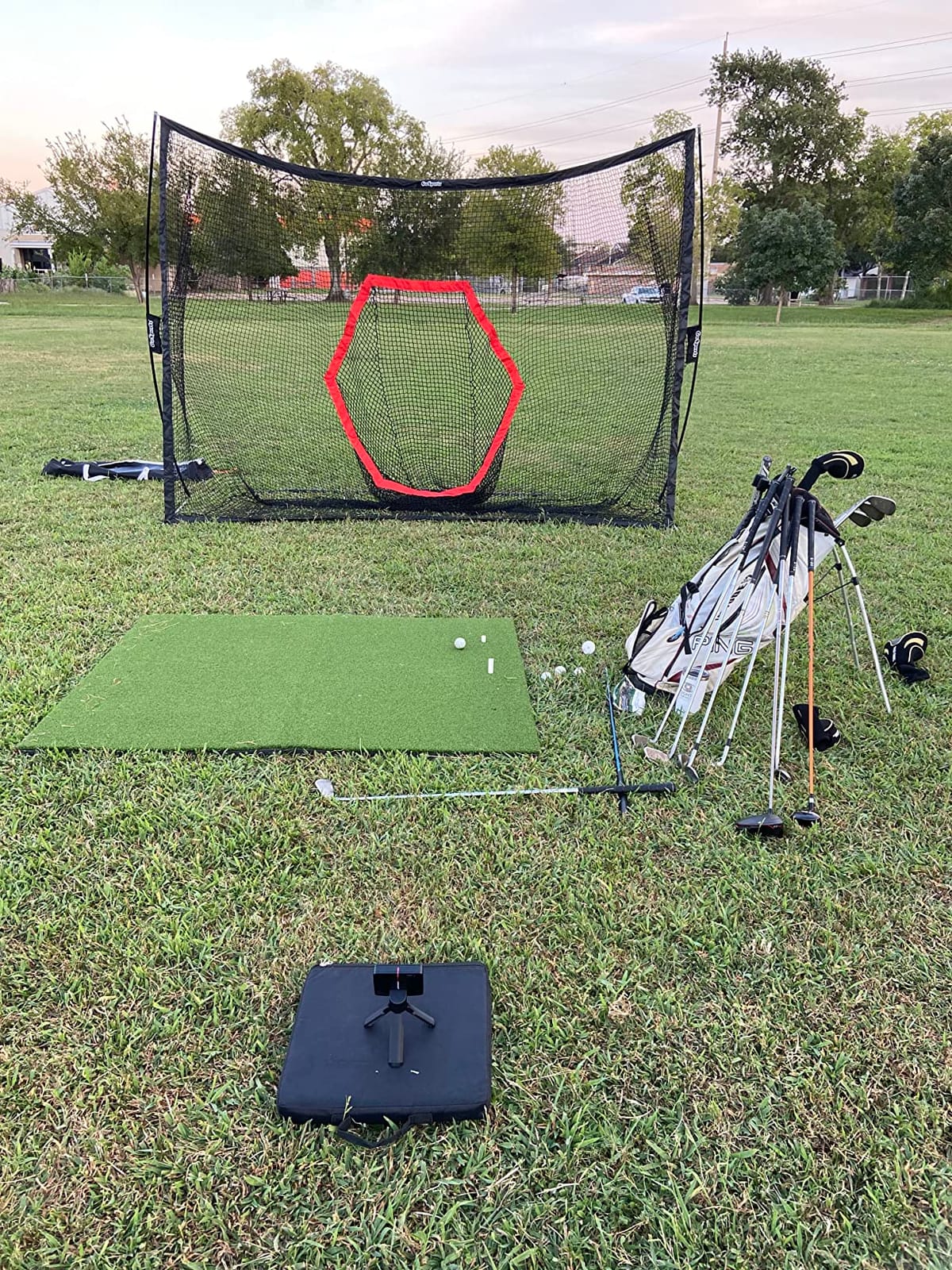
It is also the most practical device here for mixed environments. The IPX7 rating means rain at the range is not a problem, and the battery runs up to 10 hours on a charge, so a full practice session does not require a cable. The included tripod and bag-mounted phone holder mean you are not improvising a mount on the first day.
There is healthy debate about whether the data holds up. One owner in the r/Golfsimulator community put it plainly: the R10 is a budget launch monitor that works but is not very accurate or reliable. Another buyer, who picked one up used, said they like it quite a bit for the money they paid while acknowledging the limitations. Both views are consistent with the spec sheet, and both are worth weighing before you commit.
What this pick is genuinely good at
Finding and fixing a repeatable miss. With more than 42,000 virtual courses available through an active subscription, off-season practice has somewhere to go, and the weekly tournament leaderboard gives you a reason to keep showing up. The automatic video capture with the metrics overlaid on the clip is the feature owners praise most in daily use, because it removes the job of correlating data with footage yourself.
It is also the easiest of the phone-based options to carry. At 340 g and 5.22 by 2.8 by 1 inches, it disappears into a golf bag, and the phone mount is included rather than sold separately.
Where it will frustrate you
There is no display of its own. Every data check happens on a phone, which is fine if you already have one within reach and annoying if you are coaching two golfers at a range with the screen in a pocket.
Placement is the other real constraint. The unit must sit behind and slightly above the ball, and owners report missed shots when alignment drifts. It is also a subscription product for the parts that matter most, since full virtual course play and some analytics sit behind the active Garmin Golf membership, and that cost should be treated as part of the purchase, not an extra.
4. SkyTrak Launch Monitor – Photometric Tracking That Fits a Small Room
SKYTRAK Golf Launch Monitor | Photometric Technology for Ball Speed, Carry & Total Distance, Spin Rates, Launch & Shot Shape Data | Golf Simulator & Practice
Photometric camera based system
5.75 inch LCD, works with iOS, Android or PC
18 x 12 x 9 inches
6 month warranty
Pros
- Measures ball flight rather than club shaft motion
- Works in tight indoor spaces
- Connects over HDMI and USB
- Can double as a simulator display
Cons
- Misses shots regularly
- especially with wedges
- Side-to-side bias unless precisely levelled
- Distances often run 10 to 15 yards short
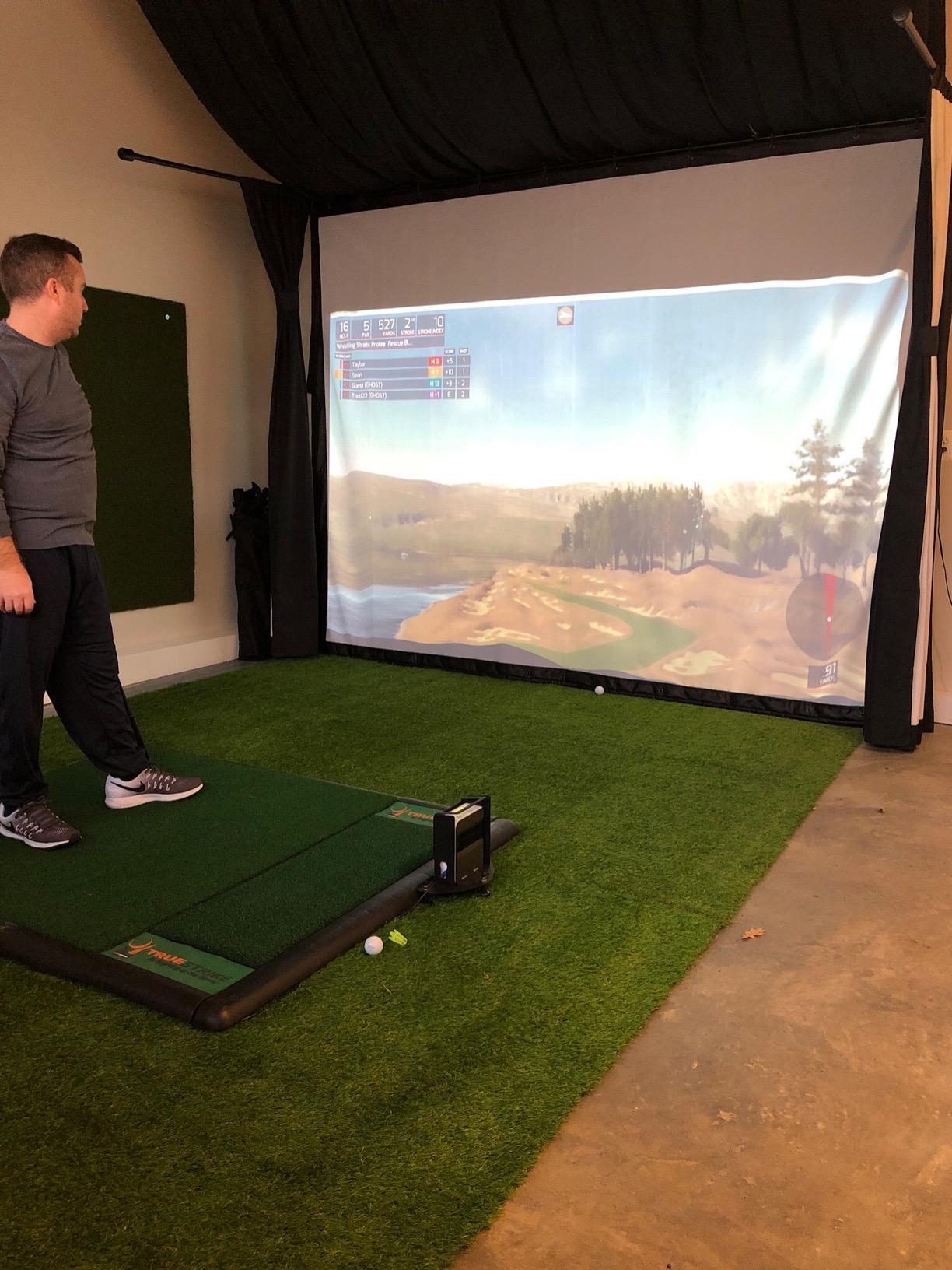
This is the only photometric system in the list, and that changes how it behaves. Instead of reflecting a radar signal off the ball, it photographs ball flight, which means a waggle or a practice move before the shot does not corrupt the reading. Golfers switching from shaft-tracking devices usually notice that improvement first.
Reported metrics cover ball speed, launch angle, spin rate, carry distance and total distance, with 3D flight visualization on a 5.75 inch LCD. The unit connects over HDMI and USB to iOS, Android or PC, and it can double as the display for a simulator on a laptop or television, which is unusually flexible for a device at this tier.
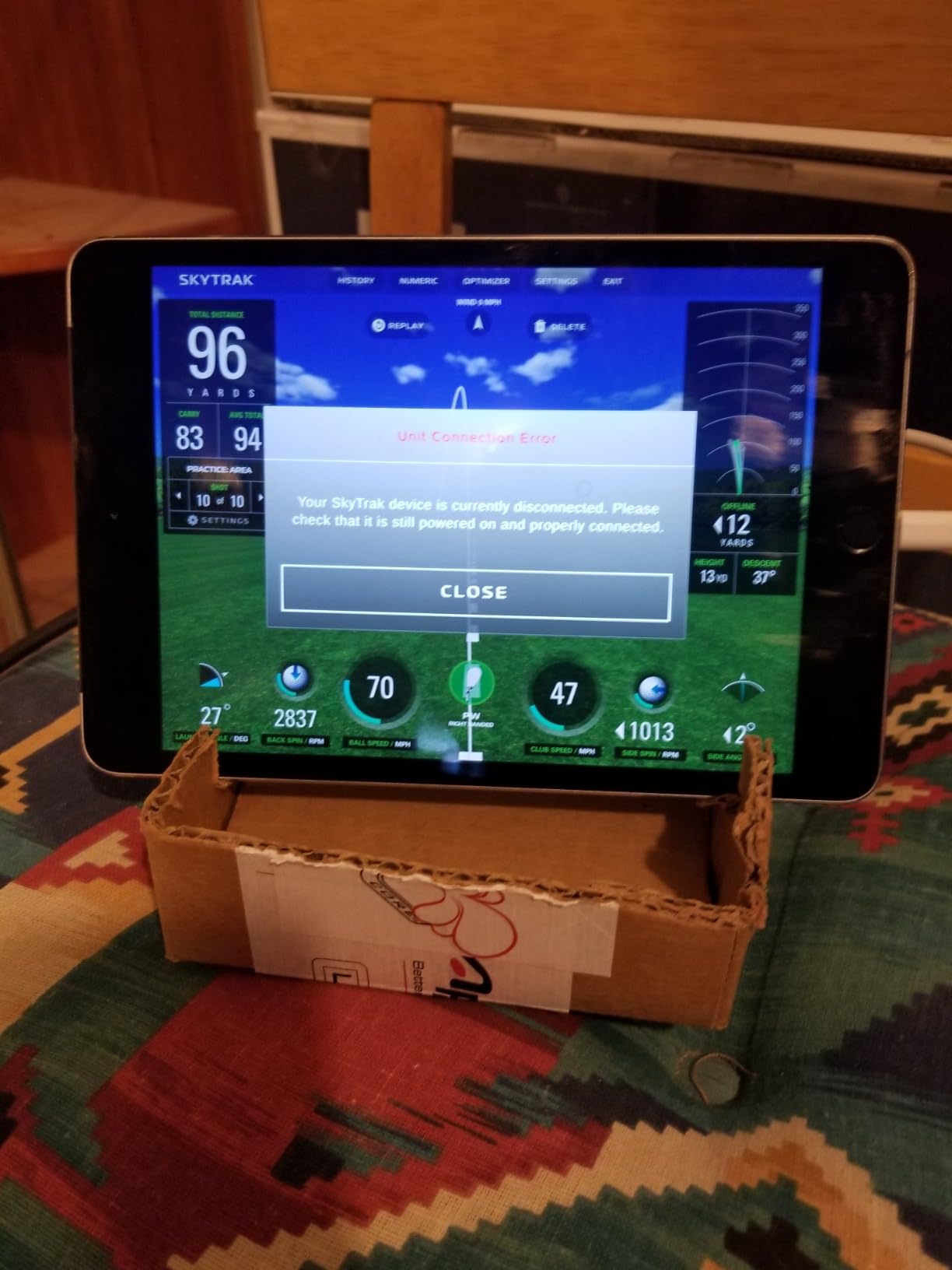
It fits where radar units struggle. At 18 by 12 by 9 inches it needs no floor space behind the tee, and there is no minimum ball flight to track, so a small room or a deep basement works. The built-in rechargeable battery gives about four hours of continuous use, which is enough for a focused session but not a full day at the range.
The rating sits lower than the rest of this list, and the reason is consistent across reviews. Owners report missed shots with no read returned, especially on wedges and half shots, and horizontal launch angle that skews unless the unit is precisely levelled. Distance readings also commonly run 10 to 15 yards short of actual play, so treat its output as a relative measure rather than a map of your real yardages.
What this pick is genuinely good at
Small indoor spaces and mixed-platform households. If the room behind the tee is the problem rather than the flight distance in front, this solves that cleanly. It is also the pick for anyone whose misses come from the ball rather than the club, since following ball flight removes the shaft-reading problem entirely.
Simulator content is a genuine draw for owners. A 14-day trial membership comes in the box, and a SkyTrak owner on a golf simulator forum described the software package as slick and the tracking as super accurate, which is the enthusiasm you will hear most often in user threads.
Where it will frustrate you
Consistency is the problem. A device that declines to register a wedge chip teaches you nothing, and the missed-read reports are frequent enough that owners build habits around taking extra swings. Expect a learning curve on setup, and expect some app crashes along the way.
Content beyond the basic driving range requires paid yearly or lifetime packages, so the free experience is narrower than the headline course count suggests. With a 3.8 average rating and a six month warranty, this is also the pick to buy only if you have a return path, and the budget-friendly route into camera-based tracking.
5. PRGR HS 130-A – Swing Speed Training Without a Ball
PRGR HS 130-A Portable Golf Launch Monitor | Doppler Radar Measures Club & Ball Speed, Smash Factor, Total & Carry Distance | Tracks Swing Speed Training Aids
Doppler radar, 135 to 270 yard range
Measures club speed with or without a ball
4.9 ounces, AAA batteries
IP54
Pros
- One of the few that measures club head speed dry
- Keeps roughly 500 past swings in memory
- No app
- Wi-Fi or subscription required
- Slips into a golf bag
Cons
- No launch angle
- spin or shot shape
- Accuracy limited at the extremes of its range
- No video capture
Dismiss this one and you lose something the rest of the list cannot give you: club head speed measured on a dry swing, with no ball in the way. That is the metric overspeed training programs are built on, and a golfer working on speed with a training aid needs nothing else. Padraig Harrington, a three-time major champion, is named on the packaging as using it for exactly that purpose.
The radar also reports ball speed, smash factor, total distance and carry distance on a struck shot, so it is not a one-trick device. Owners treat it as a dependable budget speed trainer rather than an analysis tool, and roughly 1,700 ratings describe consistent club and ball speed readings across long stretches of use.
The practical case is simple. It weighs 4.9 ounces, measures 3.03 by 1.69 by 5.63 inches, runs on AAA batteries, and needs no Wi-Fi, no Bluetooth, no app and no subscription. There is no account to create and nothing to update, which is a genuine relief if you dislike software that gates features behind a login.
Memory is the quiet feature. It keeps roughly 500 previous swings so you can compare today against last month, which is enough to see a speed change from a training block without writing anything down. It is also usable for baseball, tennis, soccer and hockey, which makes it a shared household device rather than a golf-only purchase.
What this pick is genuinely good at
Speed work in limited space. Because club head speed can be measured without a ball, you can use it in a hallway, a garage corner or a gym. The included components list is just the monitor itself, so there is nothing to lose track of when you pack up.
It is also the honest choice for anyone who has decided launch monitor data is not the goal. If you want to know whether the swing got faster, this answers that question for less than any camera or radar system in the roundup, and it keeps working years from now with no software dependency.
Where it will frustrate you
There is no launch angle, no spin and no shot shape, so any of your practice goals that depend on those numbers are simply out of reach. Accuracy is also weaker at the extremes of the 135 to 270 yard measuring range, which means short wedge work and maximum driver distance are the least reliable numbers it produces.
There is no video capture or playback, so you cannot see what changed. If your misses come from a swing path problem rather than a speed problem, this device will tell you how fast you moved and nothing about why the ball went where it went.
6. Voice Caddie SC200Plus – Standalone With a Built-In Display and Voice Output
Voice Caddie SC200Plus Portable Golf Launch Monitor and Swing Analyzer with Real-Time Shot Data Tracking – 12-Hour Battery Life
Doppler radar with barometric sensors
Built-in LCD and voice output
Up to 20 hours of battery
8 ounces, 1 year warranty
Pros
- Readable display and spoken feedback without a phone
- Barometric sensors keep readings consistent
- Adjustable loft angles for different clubs
- Stores shot data and club statistics
Cons
- Reports speed and distance only
- No launch angle
- spin or shot shape
- Needs periodic recharging
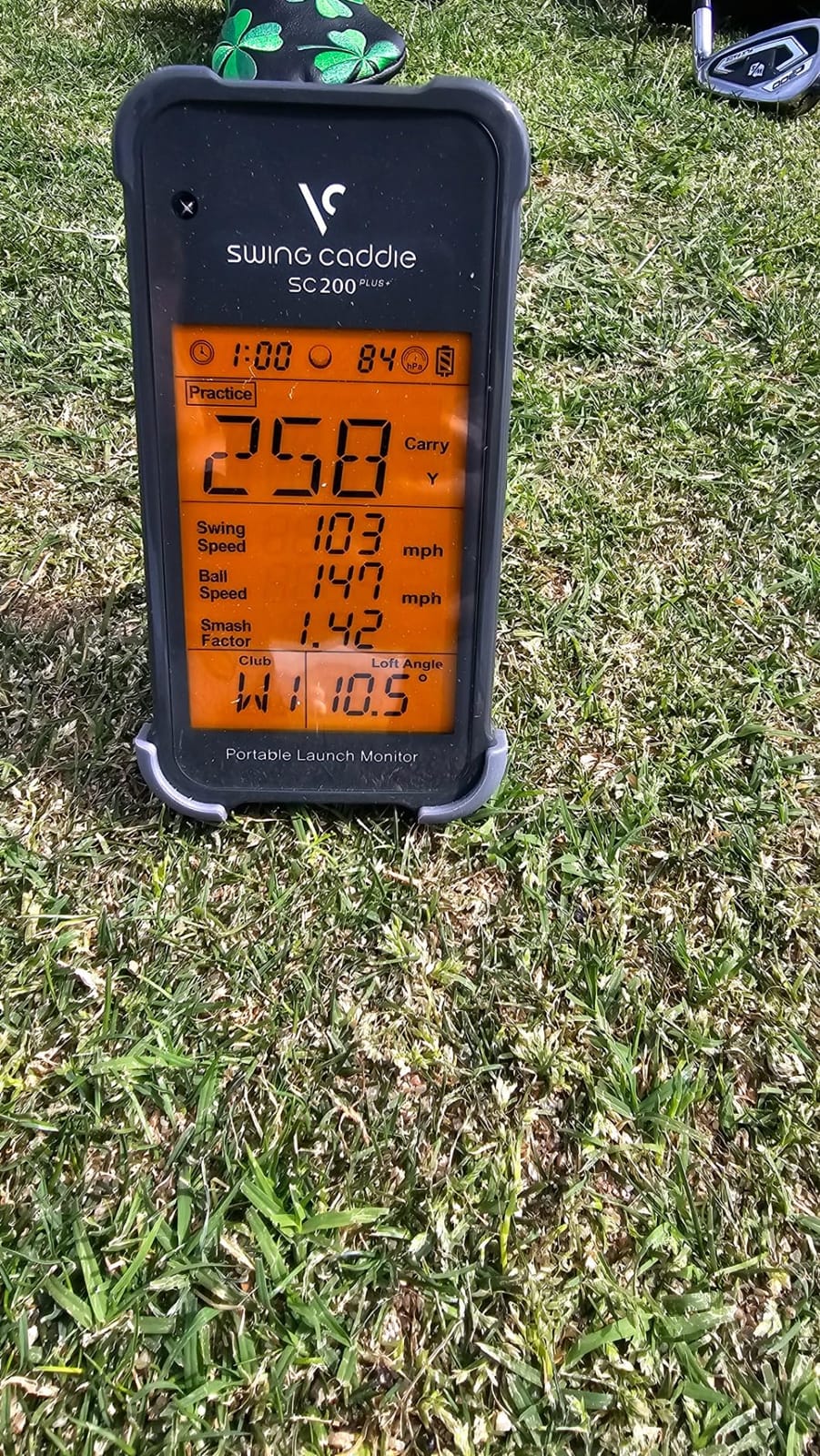
Every other phone-based pick on this list makes you look at a screen someone else owns. This one has its own. The built-in LCD shows the numbers where you can read them from address position, and the voice output speaks the result back to you after each swing, which speeds up solo practice because you do not have to walk over and look.
The radar is paired with atmospheric pressure sensors, and owners credit that combination for readings that hold up when you move between indoors and out. Adjustable loft angles let you simulate different clubs without carrying a full set, and the unit stores shot data and club statistics so you can pull average distance per club later.
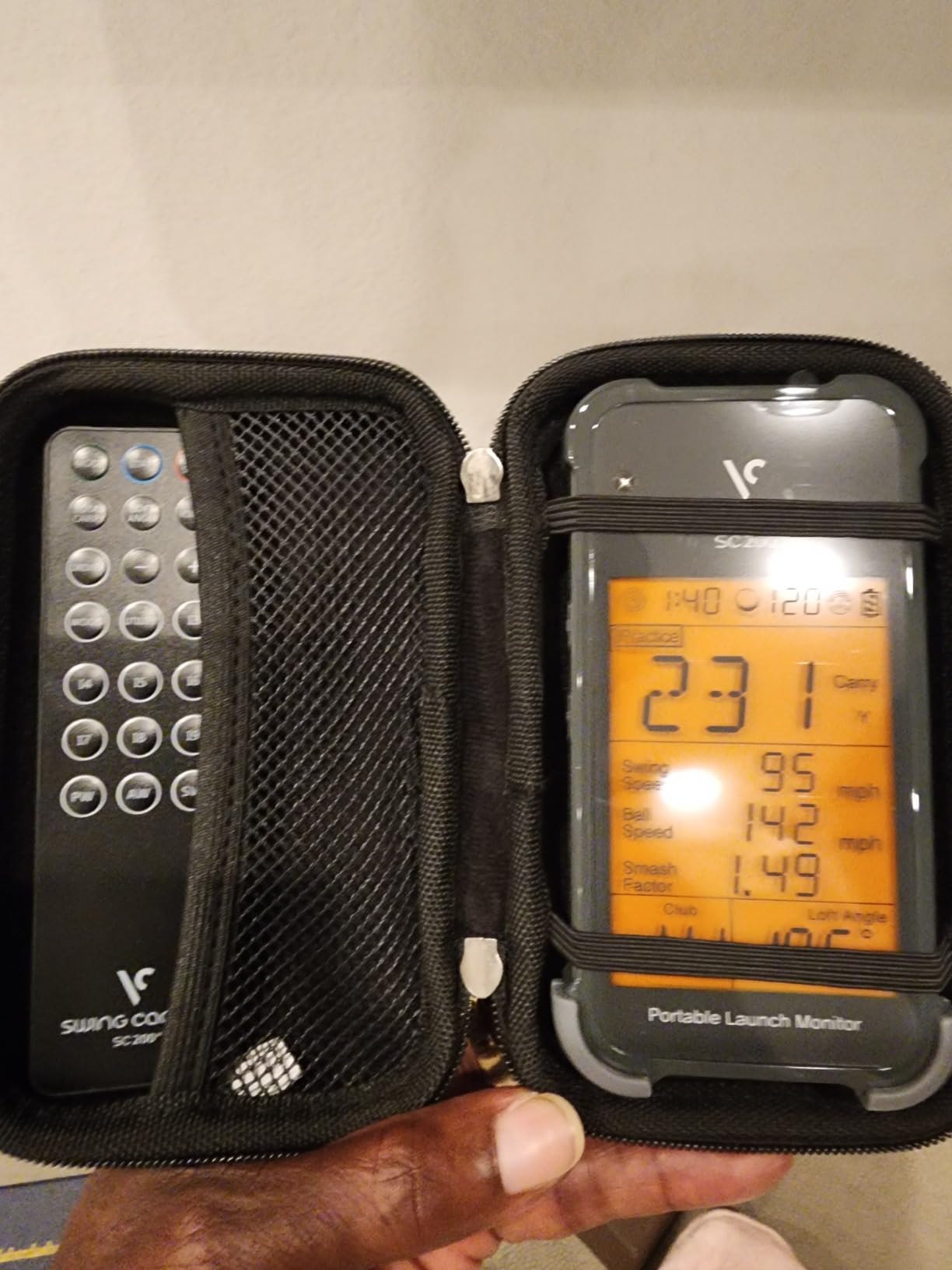
Battery life is the standout number here: up to 20 hours on a charge, the longest in the roundup. At 8 ounces it is easy to carry, and the 1 year warranty from the purchase date is a reasonable baseline. A remote is included, so you can change modes without walking to the device.
The compromise is the metric set, and it is a real one. It reports speed and distance only, with no launch angle, spin or shot shape, and the statistics it keeps are basic compared with the dispersion and video tools on the phone-based devices. If your practice plan depends on knowing why a ball curved, this is the wrong instrument.
What this pick is genuinely good at
Solo practice where a phone is not practical. The voice output means you can swing, hear the result and swing again without breaking your routine, which is exactly the habit the audio feedback is designed to build. Swing speed mode also works without hitting a ball, similar to the PRGR, for tempo work anywhere in the house.
It is the pick for a shared bay, a garage or a range where more than one person hits and nobody wants to hand a phone around. The barometric compensation means the readings do not need recalibrating every time the weather changes.
Where it will frustrate you
No spin, no launch angle and no shot shape means this is a distance and speed tool, and a club fitting session with it will run out of data quickly. Owners who expected a full analytics package report that as the main disappointment.
It also needs a rechargeable battery to run rather than standard cells, so a forgotten charge ends the session. Over two years, it costs nothing to keep running, which is the quiet advantage over anything with a membership attached.
7. Garmin Approach G80 – A GPS Handheld With Integrated Radar
Garmin Approach G80, All-in-One Premium GPS Golf Handheld with Integrated Launch Monitor, 3.5″ Touchscreen
3.5 inch transflective touchscreen
Integrated radar for speed and smash factor
41000 preloaded course maps
Up to 15 hours with GPS
Pros
- GPS handheld and launch monitor in one device
- Sunlight readable screen with quick access radar buttons
- 41000 color course maps preloaded
- Practice and game modes included
Cons
- Estimated distance only
- with no spin or launch angle
- Older hardware generation next to current devices
- Launch monitor is a secondary feature
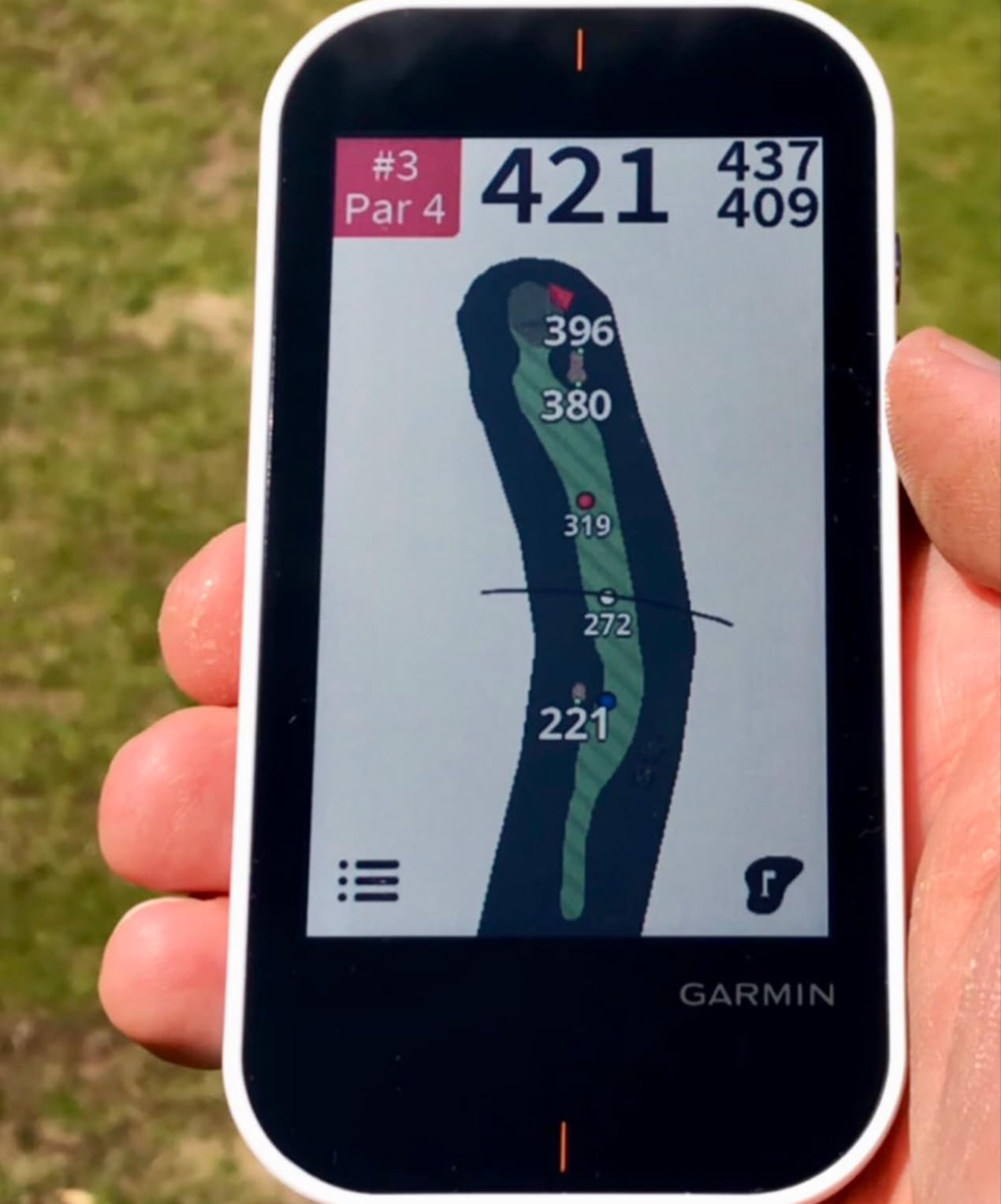
This solves a problem the other devices create. If you carry a GPS handheld around the course, you are now also carrying a separate monitor to a bay, and that is one more thing to charge, mount and forget. The Approach G80 folds the launch monitor into the handheld, with quick button access to the radar from the main screen.
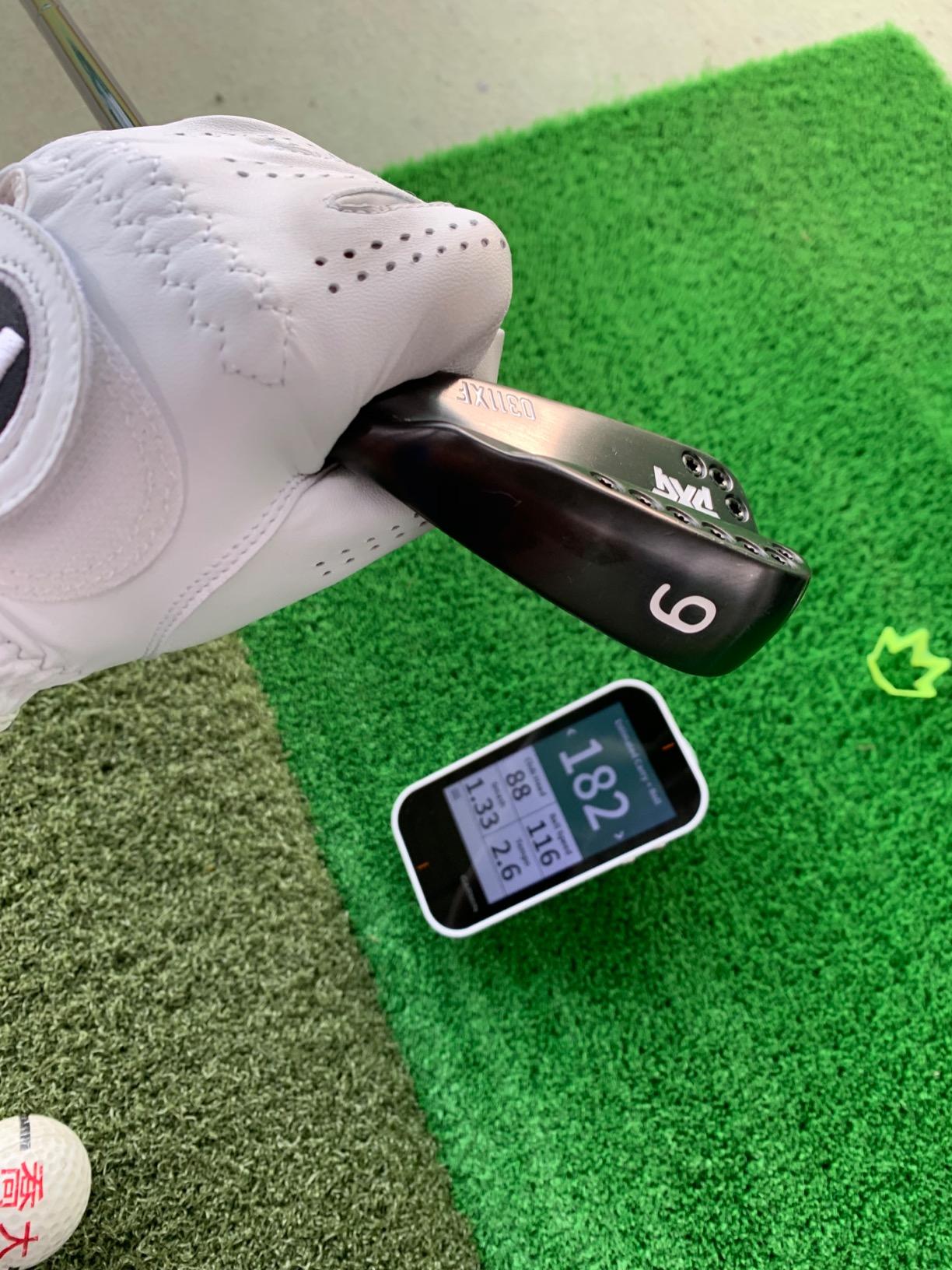
The integrated radar tracks club head speed, ball speed, smash factor, swing tempo and estimated distance. The 3.5 inch transflective color touchscreen stays readable in direct sun, which is the whole point of that panel type, and more than 41,000 detailed color course maps are preloaded worldwide with no download step.
Battery life is up to 15 hours with GPS active, and the box includes a lanyard carabiner, a trolley or cart mount and a USB cable. Practice and game modes let you test yourself against a structured target rather than hitting balls aimlessly, which owners who came for the golf functionality appreciate more than the monitoring side.
Be honest about the compromise. The launch monitor side reports estimated distance with no spin, no launch angle and no video, so the metrics are thinner than the dedicated R10 even though both are Garmin. This is an older hardware generation, and the software has moved on since it launched.
What this pick is genuinely good at
Players who walk the course and practise in the same session. Carrying one device instead of two is the entire value proposition, and at 4.16 ounces with dimensions of 4.5 by 2.3 by 0.6 inches it stays out of the way on a cart or in a bag.
On-course use is the other strength, with practice and game modes plus a preloaded map library that needs no signal or data plan. If your practice time is split between the range and the back nine, the all-in-one format is genuinely more usable than two devices.
Where it will frustrate you
Anyone buying this primarily for swing data will feel shortchanged. Estimated distance only, no spin, no launch angle and no video means the monitoring function is a companion rather than the main event, and the radar is a secondary feature on a device designed for GPS.
Because the hardware generation is several years behind current phone-based monitors, some owner reviews frame it as dated. The 1 year limited warranty is also short compared with the multi-year commitments some buyers in this category now expect.
8. TAGCMC GX-10 – No-Subscription App With Spin Readouts
Golf Launch Monitor & Portable Simulator, Tracks 13+ Metrics Swing Analysis
Phone based with environmental sensors
Reports spin rate, spin axis and attack angle
3D driving range, no subscription
1.4 pound package
Pros
- Reports spin rate
- spin axis and attack angle
- No subscription at any point
- Works on iOS
- Android and HarmonyOS
- Temperature
- humidity and barometric sensors
Cons
- Connection and charging problems on some units
- Readings may need manual calibration
- New listing with a limited user base
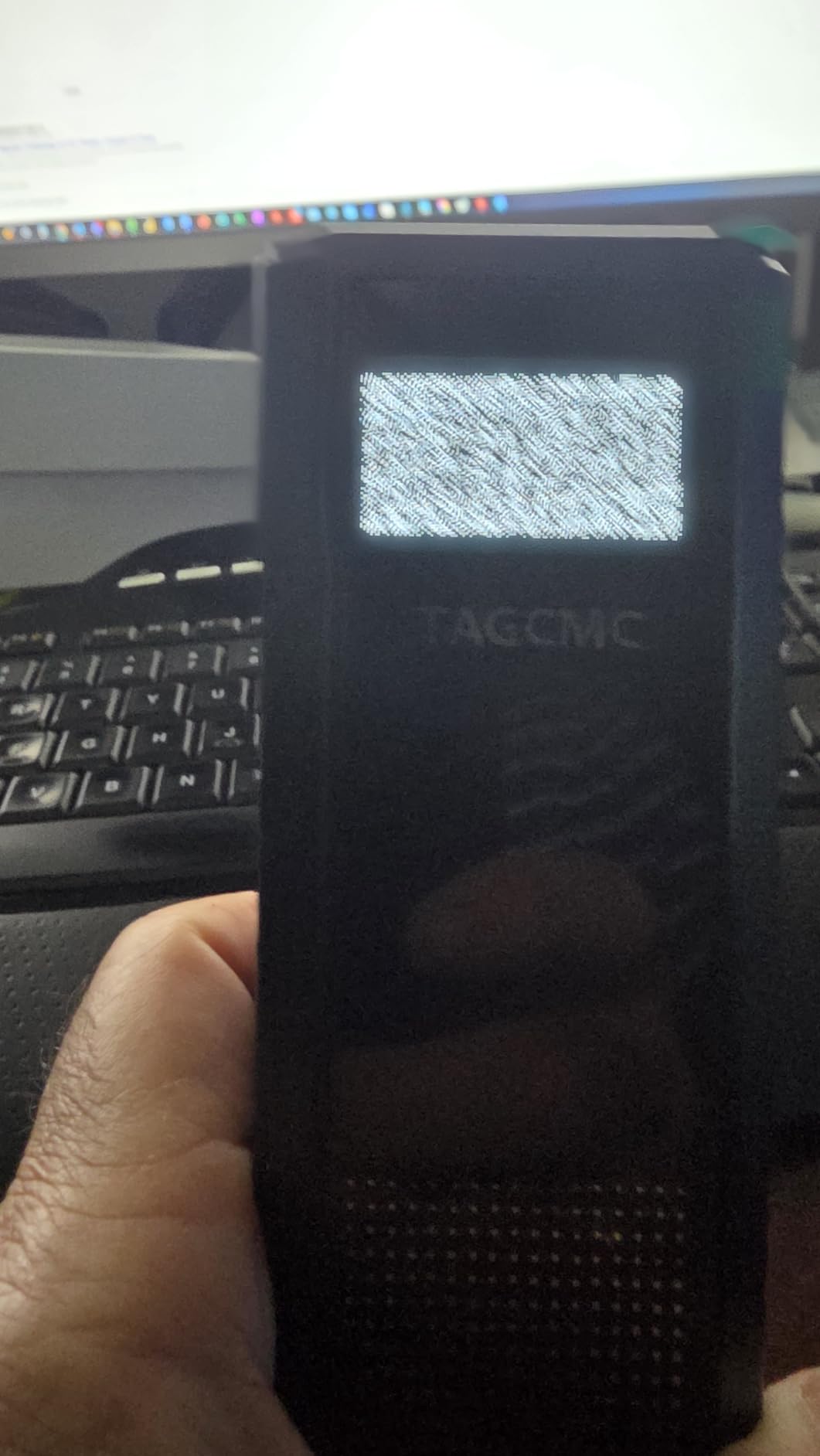
This is the speculative pick in the list, and it is included because the feature set is genuinely unusual at this level. The GX-10 reports spin rate, spin axis, swing speed, attack angle and launch angle, and the app adds a 3D virtual driving range with 45 degree and 90 degree viewing options plus video recording. Owners are also able to tune sensitivity until the numbers line up with an older reference monitor they trust.
There is no subscription, at any point, for any of it. That is the headline. For a buyer who wants spin data without a membership or a consumable ball, the spec sheet is closer to what a much higher priced system offers than to anything else here.
The environmental sensors are a real differentiator. Built-in temperature, humidity and barometric pressure sensors adjust shot data automatically, so readings should be more stable across a changing day than a fixed unit that assumes a baseline. Support covers iOS 11 and later, Android 11 and later, and HarmonyOS 4.0 and later, in English, Chinese and Japanese.
What holds it back is the thinness of the evidence. This is a new listing with a modest user base of 94 ratings, and a minority of buyers report trouble connecting to the app out of the box or difficulty getting the unit to charge. Readings may also need manual calibration against a known-good monitor before they match reality.
What this pick is genuinely good at
Zero-cost ownership over time. No membership, no replacement balls and no account, so a golfer who wants a full metric set including spin is not signing up for a recurring bill. It works indoors at home and outdoors at the range, and the metal body gives it a sturdier feel than the plastic devices at this price.
The swing-only mode and clubface impact visuals also add value for people who cannot always get to a ball. Attack angle and launch angle together are the kind of pairing that usually only appears on more expensive hardware.
Where it will frustrate you
Reliability on day one is the risk. With so few owners, a bad first-session experience leaves no community trail to help you diagnose it, and connection or charging trouble is exactly the kind of problem that ends a purchase before it starts.
You should also expect to calibrate. Buyers who treated the numbers as trustworthy immediately generally report less enthusiasm than those who spent time tuning sensitivity against a known monitor. A one year warranty on a listing this new is thin, so treat it as an experiment rather than a purchase you will keep for a decade.
How to Choose a Golf Launch Monitor Under 1,000 Dollars
Most regret at this budget comes from matching a device to the wrong room or the wrong goal. The five questions below are the ones that actually change which model you should buy, and they matter more than any spec line on a box.
Radar or Camera: Where Each One Wins Indoors
A Doppler radar unit sits behind the ball and measures the reflected signal as the ball flies. It is robust, cheap and simple, and it works well outdoors with room behind the tee. Indoors it is weaker, because a short ball flight gives the radar very little to work with. That is the complaint golfers in r/Golfsimulator raise repeatedly: radar can struggle with accuracy without enough ball flight to follow, while camera-based systems tend to be more accurate in a home setup.
A camera or photometric system photographs the ball instead. It needs no floor space behind the tee and no minimum flight, so it fits a small room that a radar device cannot use. In exchange, it wants clear line of sight and decent light. Metal objects, ceiling fans and bare concrete walls are reported to interfere with radar readings, so a tidy bay is genuinely part of the equipment.
Rule of thumb: outdoor range or a room with eight feet of flight behind you, go radar. Deep basement, garage or spare room, go camera.
Measured Spin or Calculated Spin
This is the most important technical distinction in this tier, and most roundups skip it. Some devices measure spin directly from marked or patterned balls. Others report a spin figure the software calculates from ball speed, launch angle and launch direction, which is a reasonable estimate and not the same thing.
Among these eight, the MLM2PRO reads spin from Callaway RPT balls, so its figure is measured. The Garmin R10 and the TAGCMC GX-10 report spin without requiring special balls, which makes that data calculated. The Rapsodo Mobile Launch Monitor, the PRGR, the Voice Caddie, the G80 and the SkyTrak either do not report spin at all or apply their own model to it. If spin is central to your practice plan, this column decides the purchase before any other feature does.
Spin axis is rarer still. Only the MLM2PRO and the GX-10 list it in this group, and knowing the axis tells you whether a ball is spinning steeply or shallowly, which is the difference between a wedge that holds a green and one that runs out.
How Much Space You Actually Need
Before you pick a model, measure the room. The requirements are not complicated, and getting them wrong is why devices end up unused in a cupboard.
Behind the ball: radar devices need 6 to 8 feet of clear space behind the tee and must sit behind and slightly above the ball. Camera systems need almost nothing here.
Ball flight in front: allow at least 8 feet of clear flight to a net or screen, and 10 feet if you hit a driver. Short flight is the main reason radar readings get noisy indoors.
Total room length: 15 to 18 feet covers most setups comfortably, with a net or impact screen at the far end.
Ceiling height: 9 to 10 feet for full driver swings. Below that, most golfers will leave a few balls on the ceiling and start avoiding the driver.
For a simulator, add the projector or screen distance to those numbers. If your room is shorter than 15 feet, the SkyTrak class of device is a better fit than a radar unit, because it removes the behind-the-ball requirement entirely.
Subscription and Total Cost Over Two Years
Two devices in this list carry a membership, two require consumable balls, and four cost nothing to keep running. Over two years that gap is larger than the gap in the hardware, which is why it belongs before you click buy.
The MLM2PRO gives you 45 days of premium access, then expects a paid membership for simulated courses, the target range and the combine practice mode. Marked RPT balls are a second recurring line, and owners note the print wears off after limited shots. The Garmin R10 does not gate its core metrics, but full virtual course play across 42,000 plus courses and some analytics sit behind an active Garmin Golf subscription.
The Garmin R10 and the MLM2PRO are therefore not finished purchases until you add the membership. The SkyTrak includes a 14-day trial membership and then requires paid yearly or lifetime packages for content beyond the basic driving range. The PRGR HS 130-A, the Voice Caddie SC200Plus, the Garmin G80 and the Rapsodo Mobile Launch Monitor have no recurring cost of any kind, which over a two-year horizon is the strongest argument for the lower-priced end of this list.
If you want zero recurring cost permanently, the PRGR, the Voice Caddie, the G80 and the original Rapsodo are the shortlist. If you will accept a membership for simulation, the MLM2PRO and the R10 open up software that genuinely changes practice.
Who Should Skip This Purchase
Some golfers should not buy anything in this article, and saying so is more useful than another recommendation. If you cannot yet make consistent contact, a launch monitor produces a spread of meaningless numbers that will not help you. A forum poster around 30 handicap described the launch monitor as genuinely useful for swing work and consistency, and that is roughly the threshold where data starts to pay for itself.
Skip the premium end of this tier if you have no swing problem to diagnose and simply want a video of your swing. A phone on a tripod records that for nothing. Also skip it if you plan to hit only wedge chips, since the short-game readings in the simulator software in this tier are poor and the most camera-based devices here miss those shots entirely.
Club fitters should look above this ceiling. Estimated club path, face angle and angle of attack in this band are calculated from ball flight, not measured at the clubhead, and fitting decisions need the real numbers. The honest framing for everyone else is that these units will not match a commercial TrackMan or Foresight system, and they are not trying to.
Used and Refurbished Can Change the Maths
There is a second route that the roundups rarely mention, and golfers use it constantly. In a GolfWRX thread about a personal launch monitor budget, members weighing a Rapsodo MLM and a Garmin R10 pointed out that a used original SkyTrak could be found on the used marketplace for well under this ceiling. That is a camera-based system in this same tier, so patience on the used market can change the shortlist entirely.
Owners on both r/Golfsimulator and r/golf use the used route routinely, and one buyer reported picking up an R10 used for a strong discount and being happy with it for the money. The trade is warranty coverage and firmware support, so check that the unit can still receive app updates before you commit, and be wary of the silent update pattern some brands push, which can introduce new bugs without an obvious changelog.
For a full picture of where this budget sits against the premium tier, read our guide to the best golf launch monitors for practice.
Frequently Asked Questions
What is the best affordable golf launch monitor?
Under 1,000 dollars, the best affordable golf launch monitor depends on which single thing you need. For general value and proven reliability it is the Rapsodo Mobile Launch Monitor, for the deepest measured spin data it is the Rapsodo MLM2PRO, and for the widest spread of metrics with a long battery it is the Garmin Approach R10. Golfers who want zero recurring cost should look at the PRGR HS 130-A or the Voice Caddie SC200Plus instead.
Is there a cheaper alternative to TrackMan?
Yes, and the gap is smaller than most golfers expect for practice work. A TrackMan is a club fitting system that measures clubhead data directly, while units under 1,000 dollars follow ball flight with radar or cameras. That means ball speed, launch angle, carry distance and, on some models, spin rate are reliable, while club path, face angle and angle of attack are calculated estimates. Use this tier for practice and gapping, not for fitting decisions.
Is the Garmin R10 or Rapsodo MLM2PRO better?
Choose the MLM2PRO if spin data is your priority, because it captures 15 metrics including spin rate and spin axis from dual cameras plus Doppler radar, using Callaway RPT balls. Choose the Garmin R10 if you want the broader practice experience: up to 10 hours of battery, IPX7 waterproofing, a per-club dispersion chart and automatic video. The R10 also avoids the RPT ball consumable, though both carry a membership for full simulation.
How much space do I need for a launch monitor indoors?
Plan on 6 to 8 feet of clear space behind the ball for a radar device, which must sit behind and slightly above the tee. Allow at least 8 feet of ball flight in front to a net or screen, and 10 feet for driver. A comfortable room is 15 to 18 feet long, with 9 to 10 feet of ceiling height for full swings. Camera systems such as the SkyTrak need almost nothing behind the ball, which makes them the practical choice in a short room.
Do I need a subscription for a golf launch monitor?
It depends on which device you buy, and the difference compounds over two years. The Rapsodo MLM2PRO and the Garmin R10 both include a trial period and then expect a paid membership for full simulated course play and extra analytics, while the MLM2PRO also needs replacement Callaway RPT balls for spin readings. The PRGR HS 130-A, the Voice Caddie SC200Plus, the Garmin G80 and the Rapsodo Mobile Launch Monitor have no recurring cost at all.
Do I need special golf balls to get spin data?
Only on the Rapsodo MLM2PRO, which reads spin directly from marked Callaway RPT balls that ship with the unit. The print on those markers wears off after a limited number of shots, so replacement balls are an ongoing cost. The Garmin R10 and the TAGCMC GX-10 report spin figures without special balls, though those numbers are calculated from ball flight rather than measured directly. The other devices in this roundup do not report spin at all.
Which Launch Monitor Should You Buy?
Buy the Rapsodo Mobile Launch Monitor if you want the most proven all-rounder in this price band, with the deepest owner history and video feedback at a low outlay. Buy the Rapsodo MLM2PRO if spin data drives your practice plan, the Garmin Approach R10 if you want the widest metric set with the best battery, and one of the no-subscription options if recurring cost is the deciding factor.
Whichever you choose, measure your room first and check whether the spin figures you are getting are measured or calculated. If you are still deciding between tiers, our picks for the best golf drivers for distance pair well with any of these, since gapping and driver fitting are where launch data pays off fastest.